Inbox
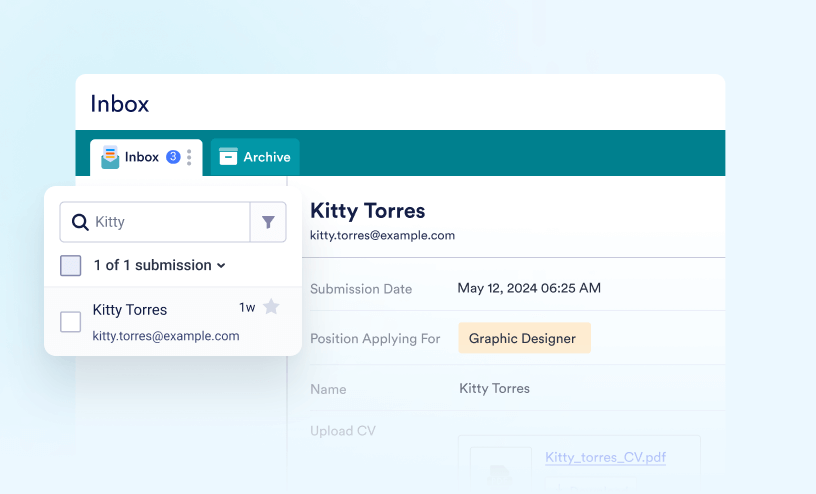
Learn how to track, search, and manage all of your form submissions with Inbox.
Guides
How to Access Inbox
Inbox introduces an innovative approach to viewing and managing form submissions. It offers advanced search and filter options that make finding, sorting, and grouping your submissions easy. It also allows you to add comments or tags, reply to and...

How to Organize Your Inbox With Tabs
It's easy to organize your form submissions with tabs in Inbox. With this feature, you can group, sort, and filter entries based on different criteria, so it’s quicker to find the information you need. Tabs help you keep everything neat and...

How to Search and Filter Submissions in Form Inbox
Handling a large number of form submissions can sometimes feel like searching for a needle in a haystack—but it doesn’t have to be that way. With built-in search and filter tools, you can easily narrow things down and find the exact submission...

How to Share Your Form Inbox
Inbox lets you share your form’s inbox with colleagues, making it easier to view, collaborate on, and manage form data together. You can also assign specific permissions, allowing others to either view or edit the inbox content. Sharing Your...

How to Add Comments in Inbox
Comments can be added to submissions in the Inbox to keep the full context of your work in one place—from initial review to final follow-up. They’re useful when multiple team members are handling the same submissions, when updates or...

How to Email Entries in Inbox
Inbox makes it easy to send emails directly from a submission without switching to another email app. This can be useful when following up with form submitters, sharing updates, or responding to questions related to a specific entry. When sending...

How to Access and Change the Settings of Inbox
Inbox lets you customize how submission data is displayed and organized. From Inbox Settings, you can adjust submission layouts, choose which fields appear in the inbox, manage tags, and customize print settings. Accessing the Inbox Settings...

How to Archive and Unarchive Submissions in Inbox
With Inbox, managing your form submissions has never been easier. In addition to organizing and viewing them, Inbox allows you to Archive and Unarchive them with ease. When a submission is archived, it’s hidden from your main Inbox view but...

How to Restore Deleted Submissions in Inbox
Deleted submissions remain in the Trash section for a set period before they are permanently removed. Restoring deleted submissions is useful when you need to recover important responses, continue managing conversations, or bring back entries that...

How to Use Tags in Inbox
You can easily organize and categorize your form submissions using Tags in Inbox. Tags help you quickly sort conversations, group related responses, and find exactly what you’re looking for without digging through your entire Inbox. Whether...

How to Download Submissions in Your Inbox
Downloading submissions gives you flexibility in how you use your data. You can use your preferred tools to analyze and manage the data or share it with others who do not have access to your Jotform account. Downloading submissions also allows...

How to Enable SSO in Inbox
Users can restrict Inbox access to people and require Single Sign-On (SSO) credentials within your organization. This way, users will sign in once through your trusted Identity Provider (IdP), keeping access simple for them and secure for your...