Moving your forms into Trash allows you to remove unwanted forms from your active workspace without immediately deleting them permanently. This feature sends your forms to the Trash folder, where they are safely held, ensuring you can still recover them and restore their data if you change your mind.
Moving a Form into Trash
You can delete a form just in a few easy steps. Here’s how to do it:
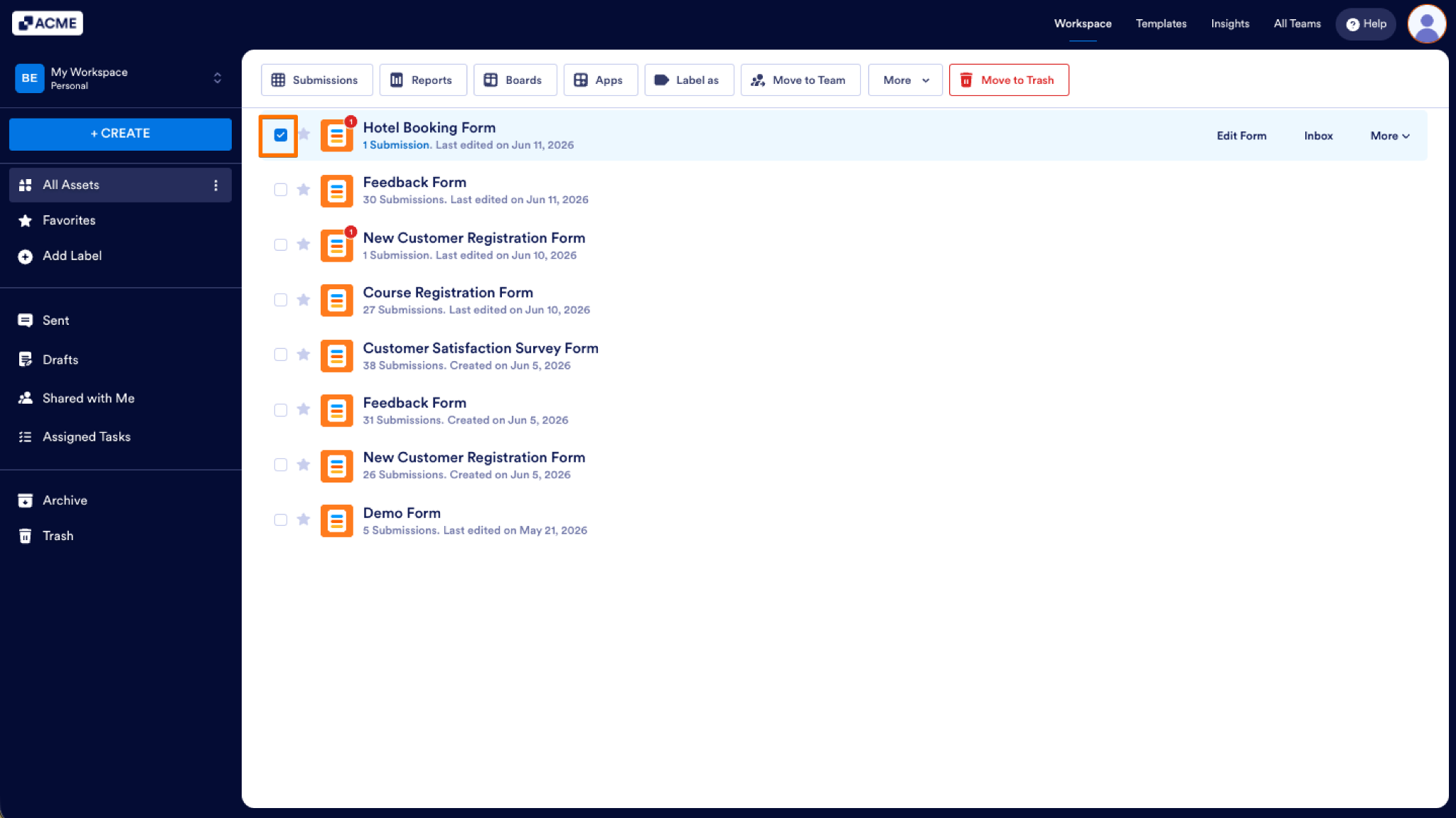
- On your Workspace page, put checks in the boxes next to the forms you want to delete.
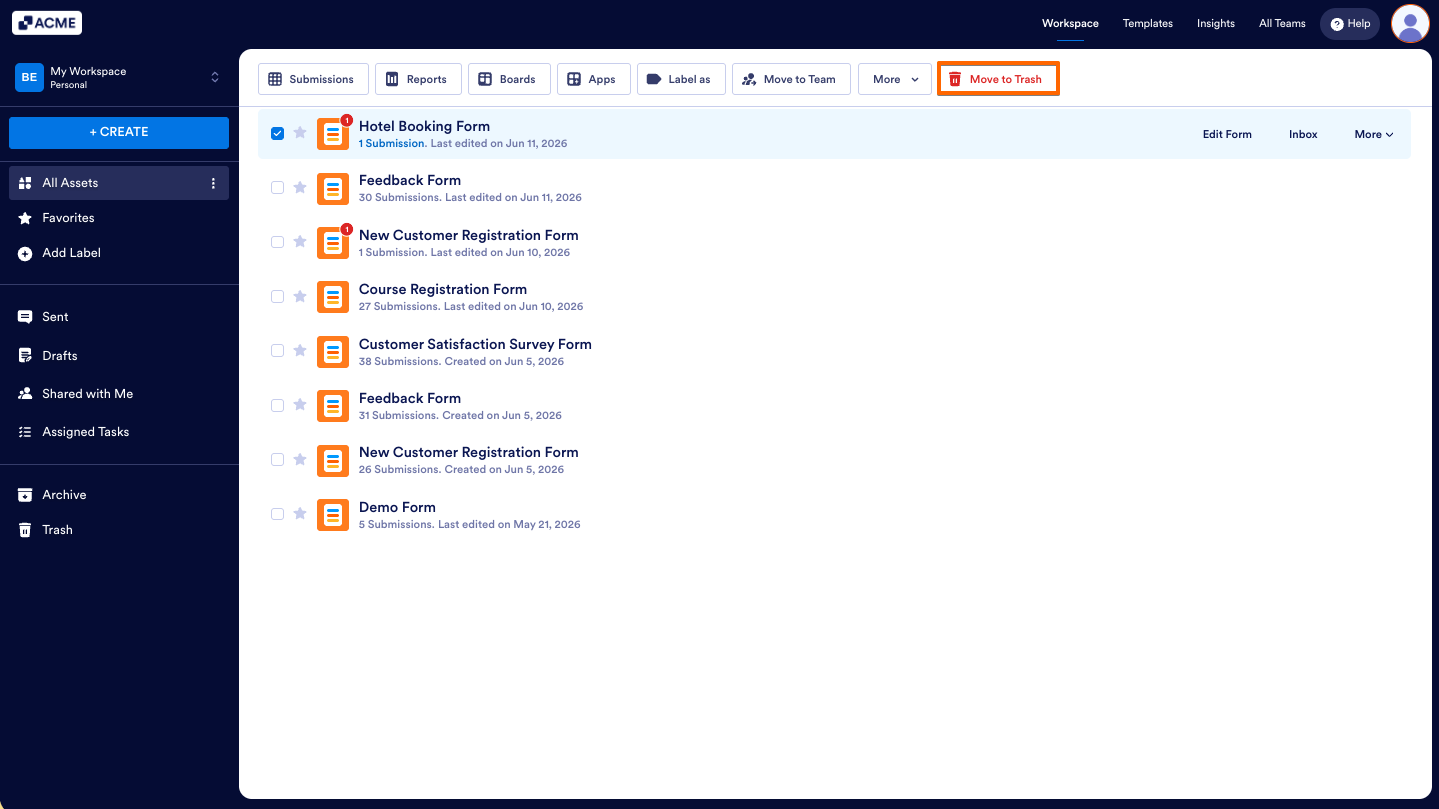
- Now, in the menu at the top of the page, click on Move to Trash.
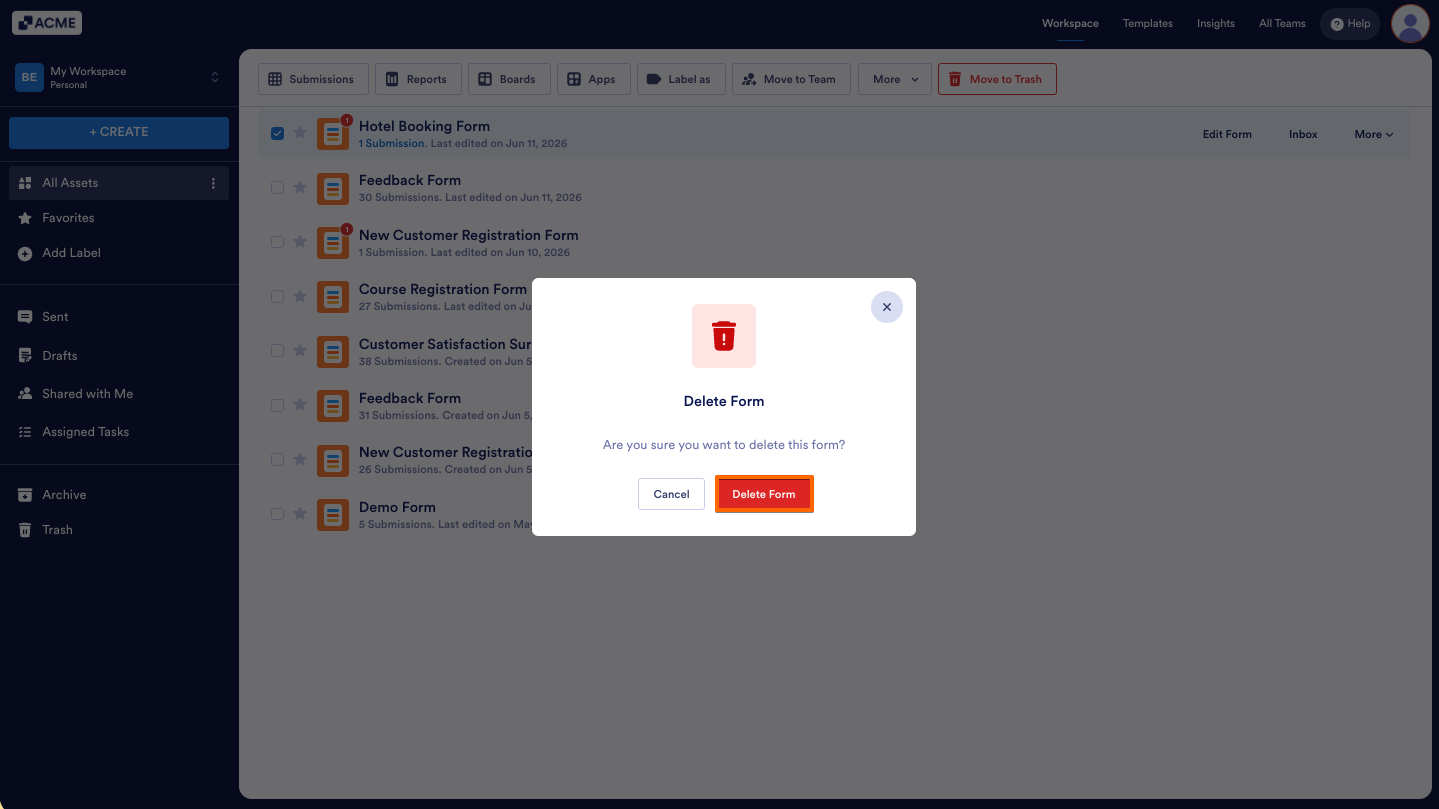
- From the pop-up window that opens, click on Delete Form.
That’s it! Your form has now been deleted.
How to Restore Deleted Forms
Accidentally deleting a form can be frustrating, but it is easy to get it back. If you deleted a form by mistake, or need to restore one for ongoing use, you can do it quickly without losing any important data.
You can restore a form just as easily as you can delete it. Here’s how to do it:
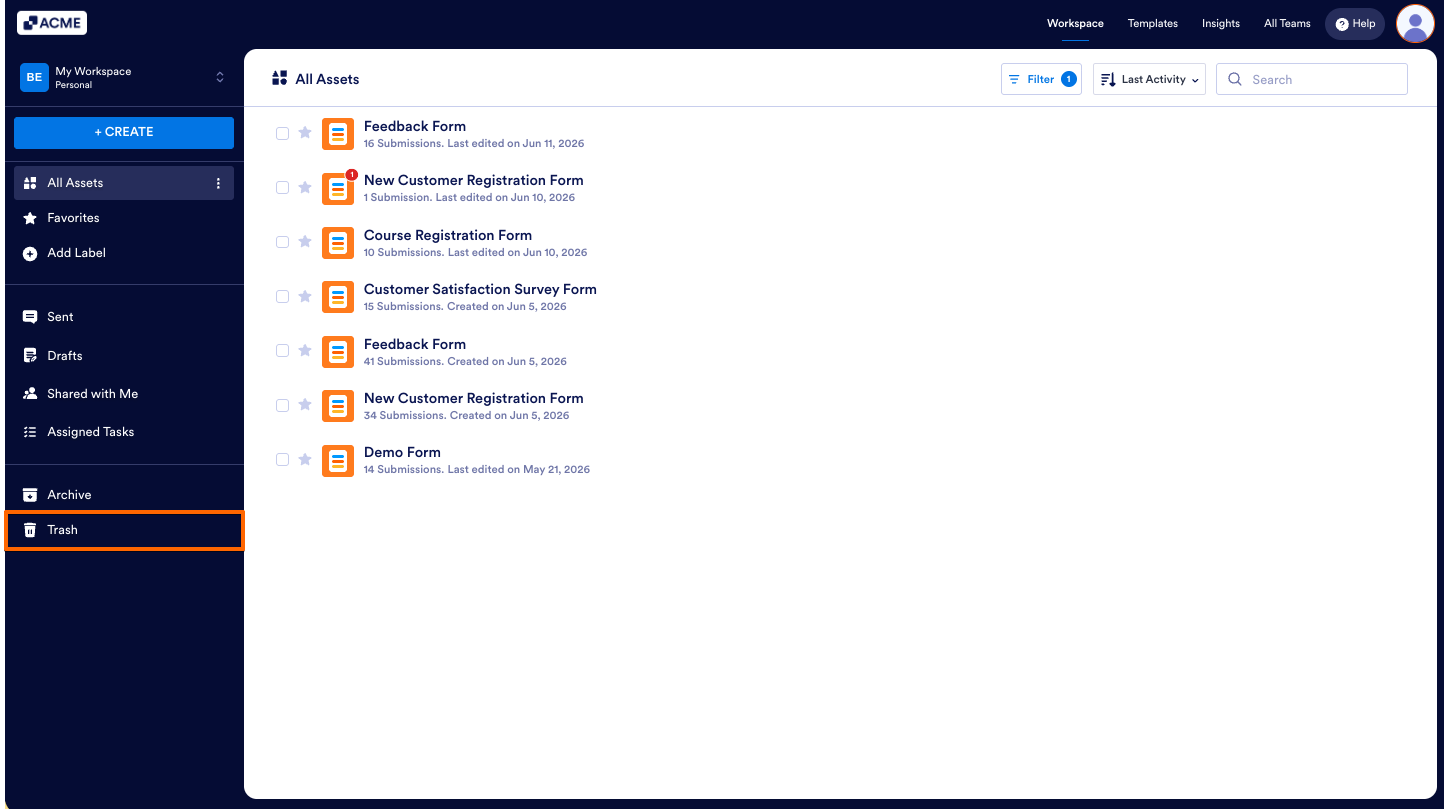
- On your My Workspace page, click on the Trash button on the bottom-left side of the screen.
- Now, click on Filter at the top of the page, and in the Dropdown menu that opens, uncheck the boxes next to all the assets except Forms, so only they’ll be shown on the page.
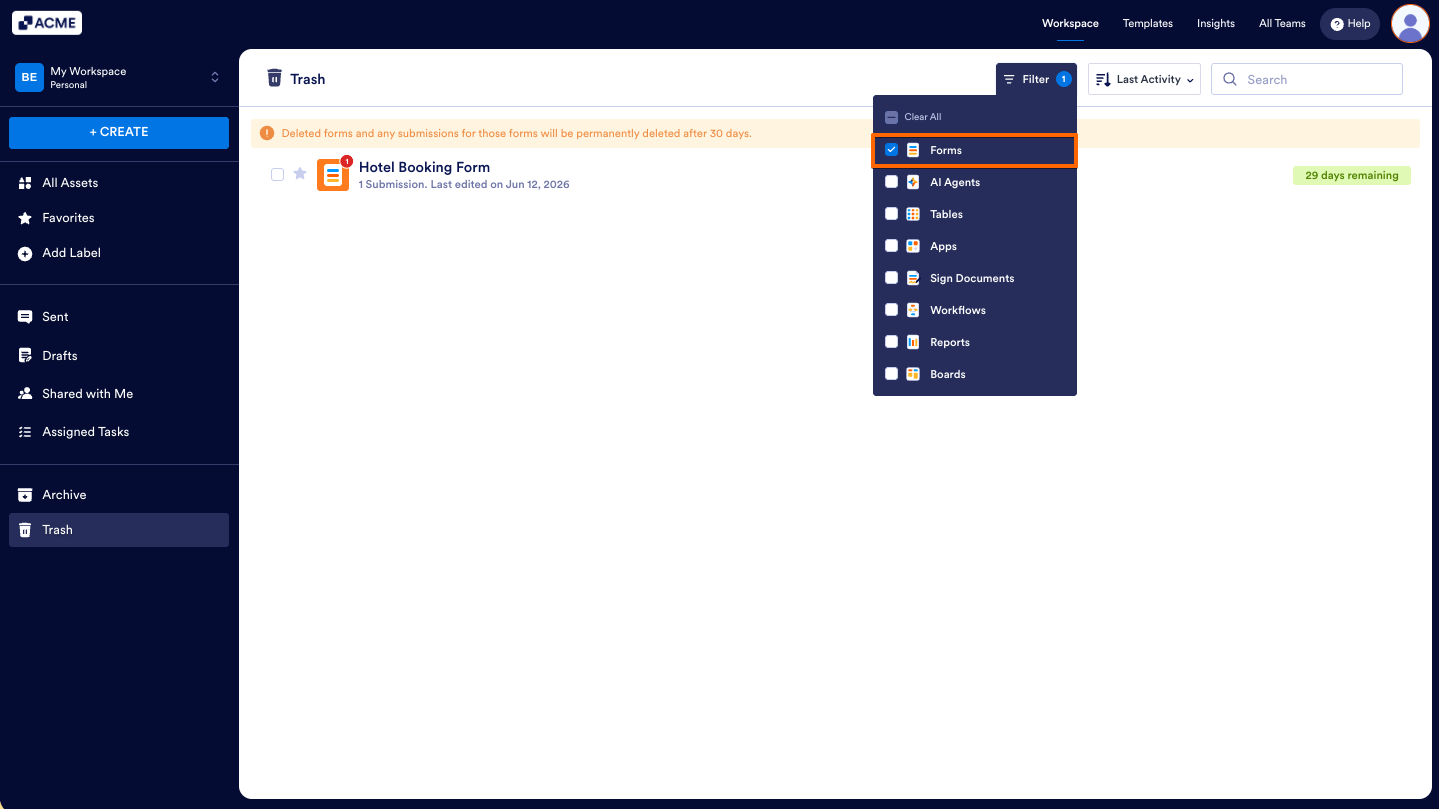
- Then, hover your mouse over the form you want to restore.
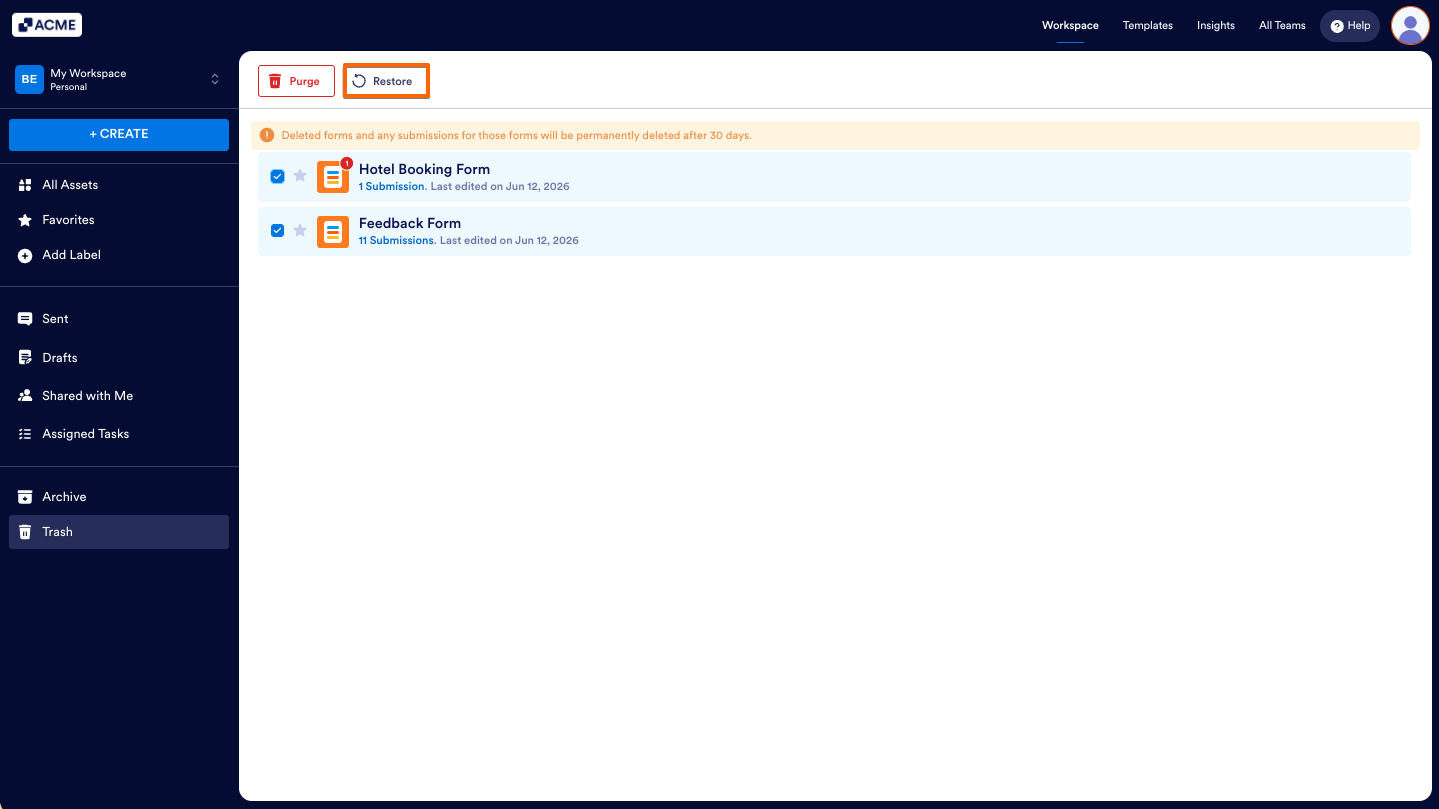
- And, click on Restore on the right side of the page.
You can also restore multiple forms at the same time. Here’s how to do it:
- While your assets are filtered by the Form type in the Trash button on your My Workspace page, put checks in the boxes next to the forms you want to restore.
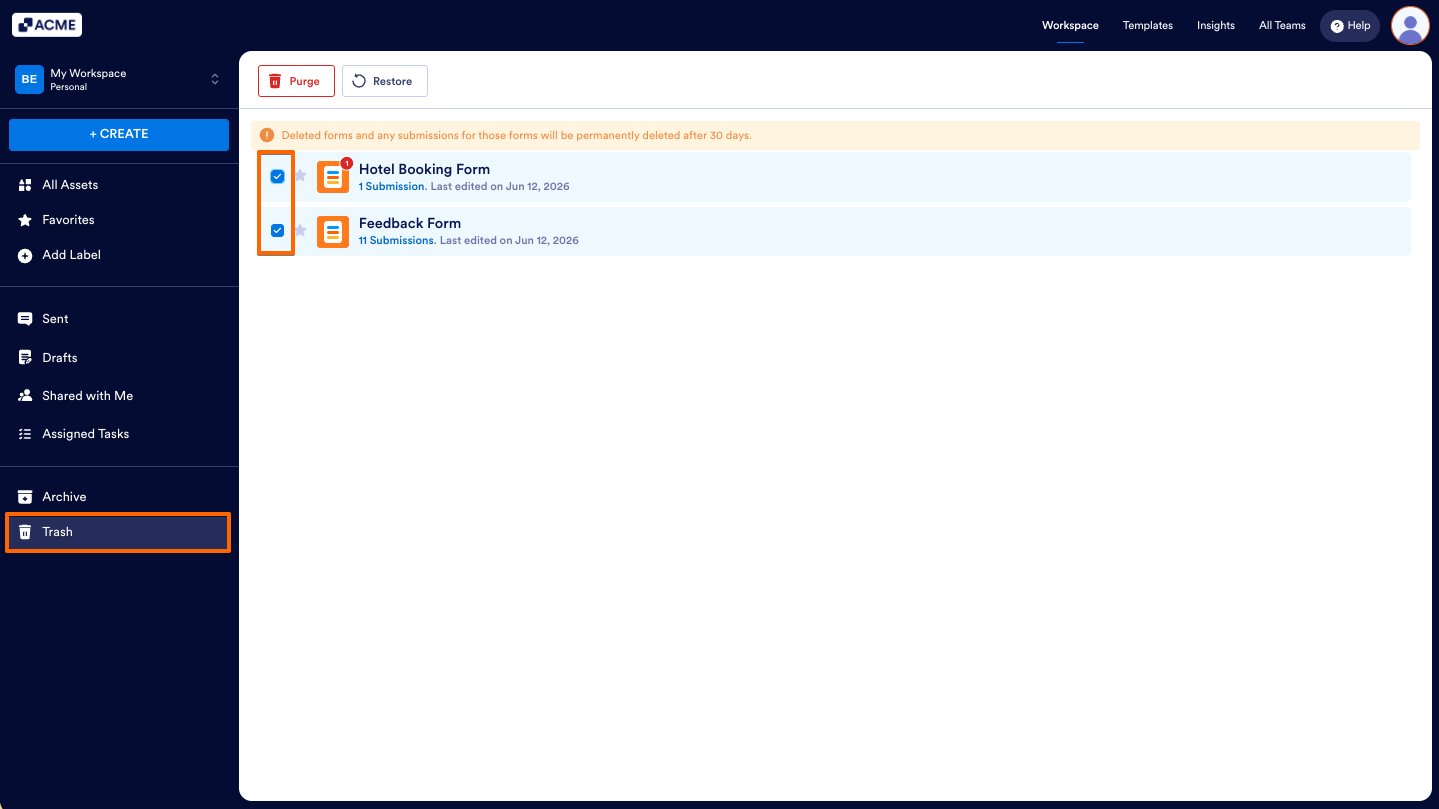
- Now, click on Restore in the menu at the top of the page.
Tip
Hold down the Shift key on your keyboard to select or deselect multiple consecutive forms.
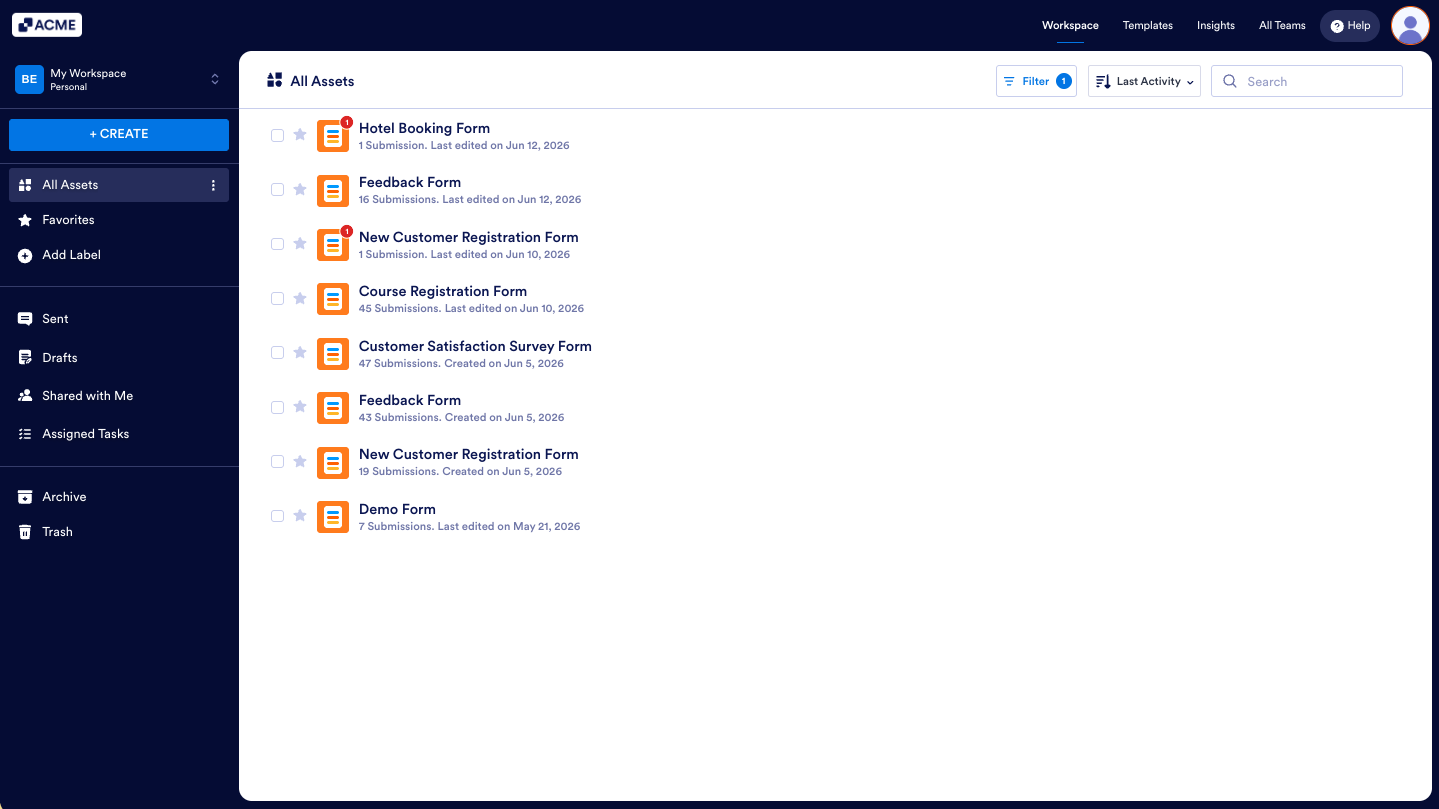
That’s it! Restoring forms will enable and move them back to your main Workspace page.
Note
Forms in the Trash folder of your My Workspace page stay there for a while before being permanently deleted unless you purge them manually. Forms deleted or purged from the Trash cannot be restored.

Send Comment: