By default, once your domain is verified, standard users on that domain will see a pop-up allowing them to request access to your Enterprise server. If you prefer to keep your server strictly invite-only, you can disable this feature. Here is how to turn it off:
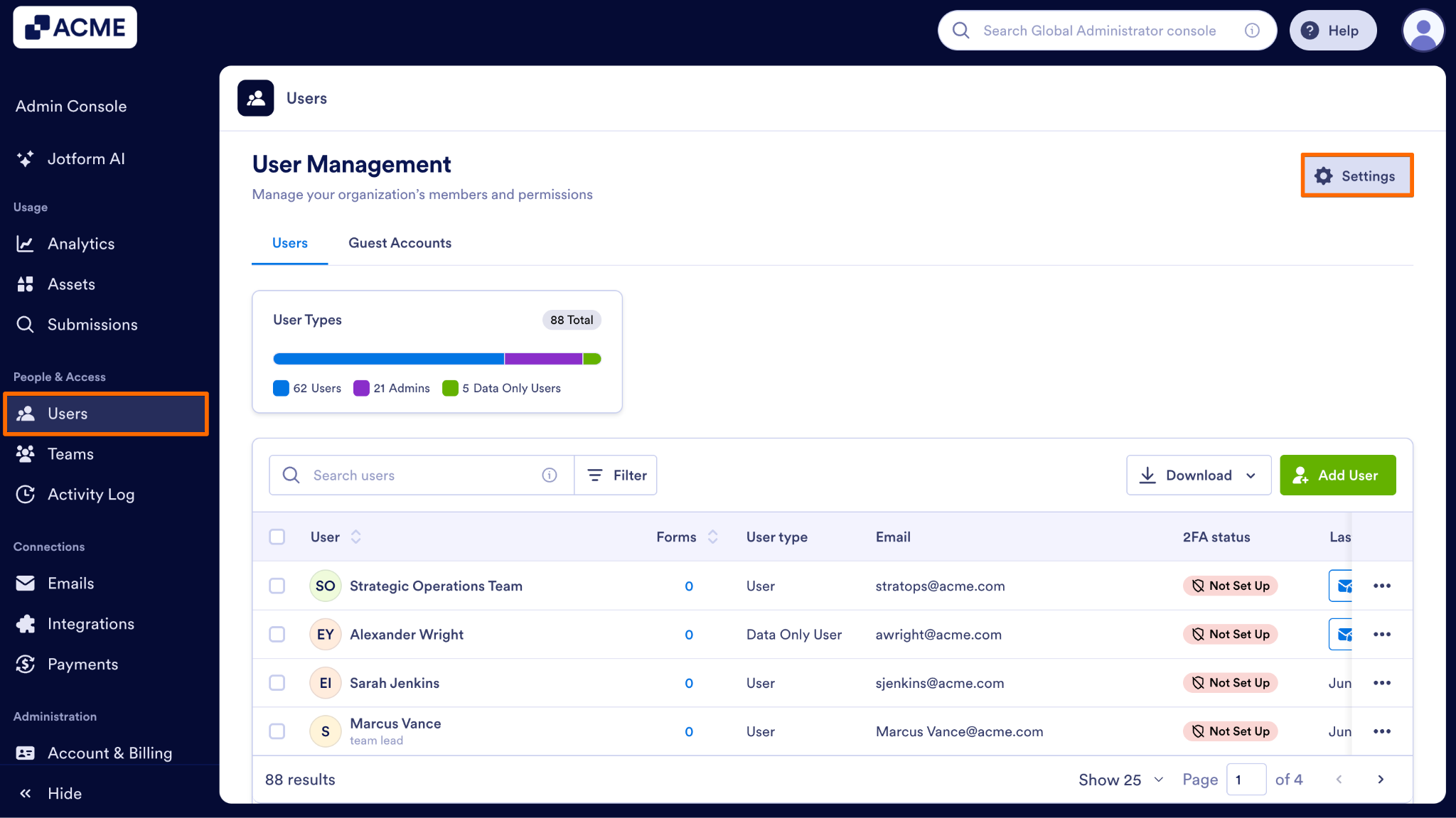
- In the Admin Console, on the left side of the page, click on Users.
- Next, at the top right of the page, click on the Settings button.
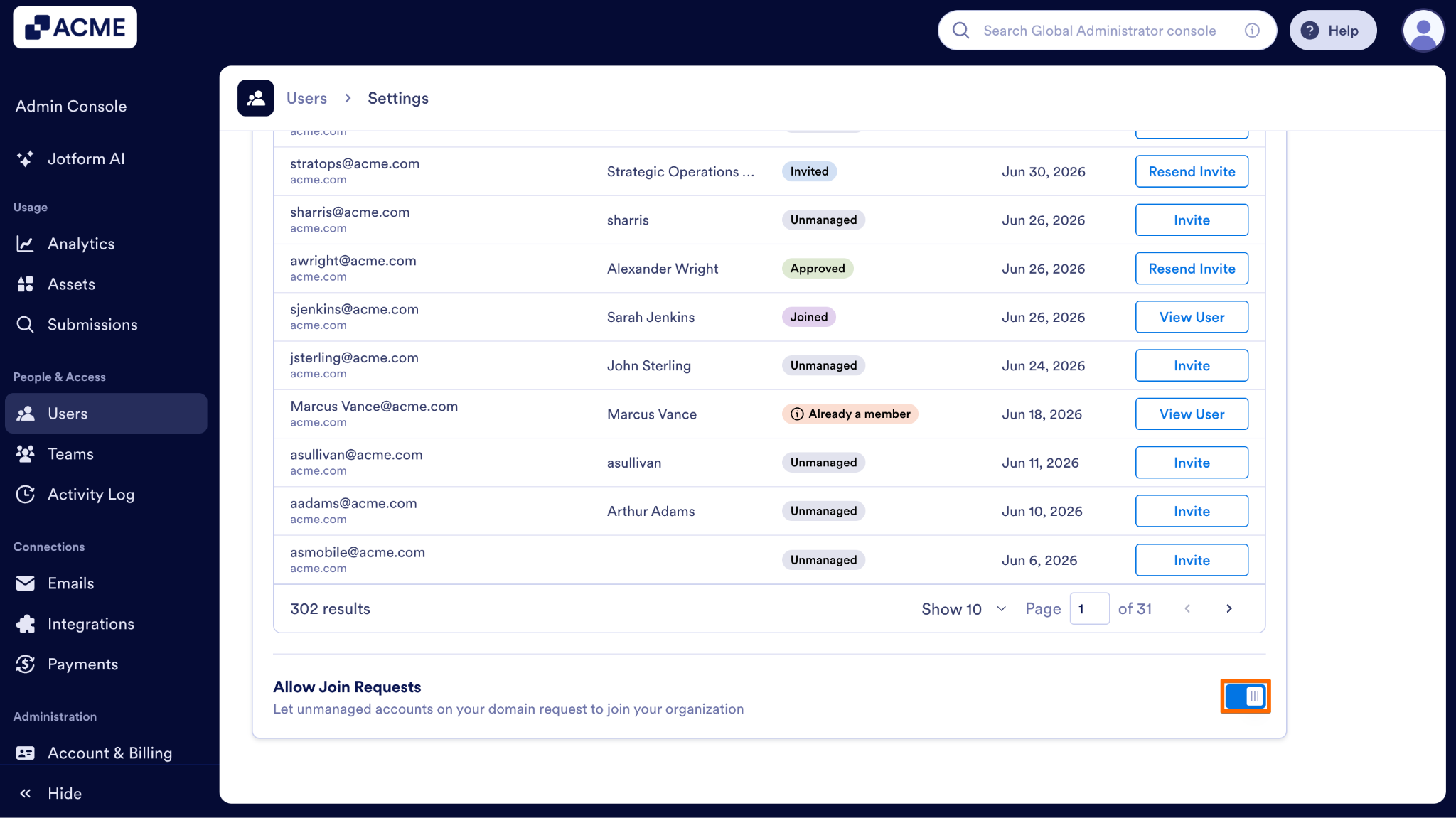
- Then, toggle Allow Join Requests off.
Note
Once disabled, standard users logging into Jotform will no longer see the modal pop-up offering them the option to send a join request to your organization. You will still be able to monitor the Unmanaged Accounts list and invite users manually from your admin dashboard.

Send Comment: