Asset Domains allow you to publish your AI agent using a branded domain that your admin has made available to you. This guide explains how to select an available Asset Domain in the AI Agent Builder.
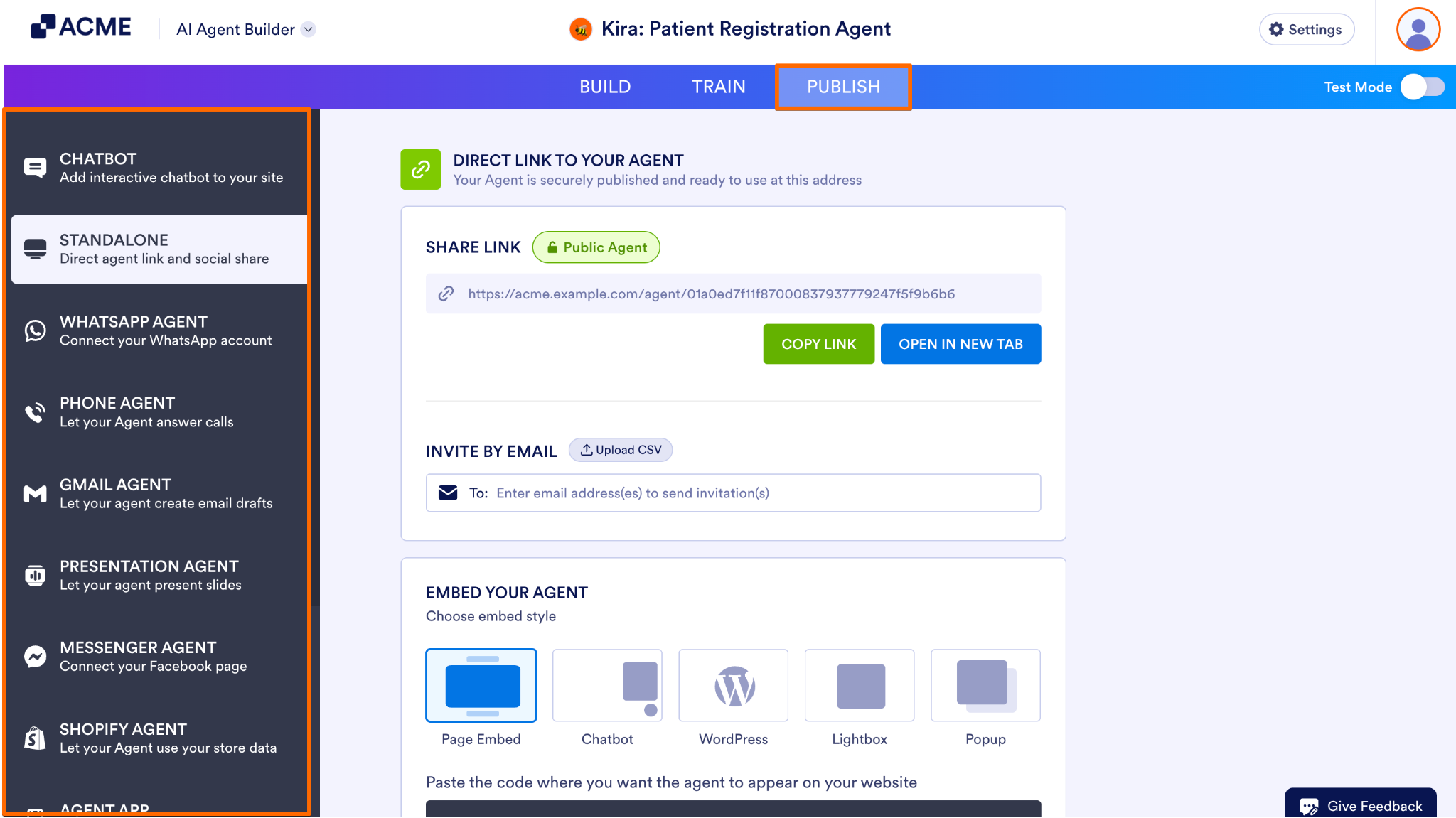
- In the AI Agent Builder, click Publish in the navigation bar at the top of the page.
- Next, use the left-hand menu to select how you would like to publish your agent.
Note
The domain picker only appears for agents that can be shared via a link.
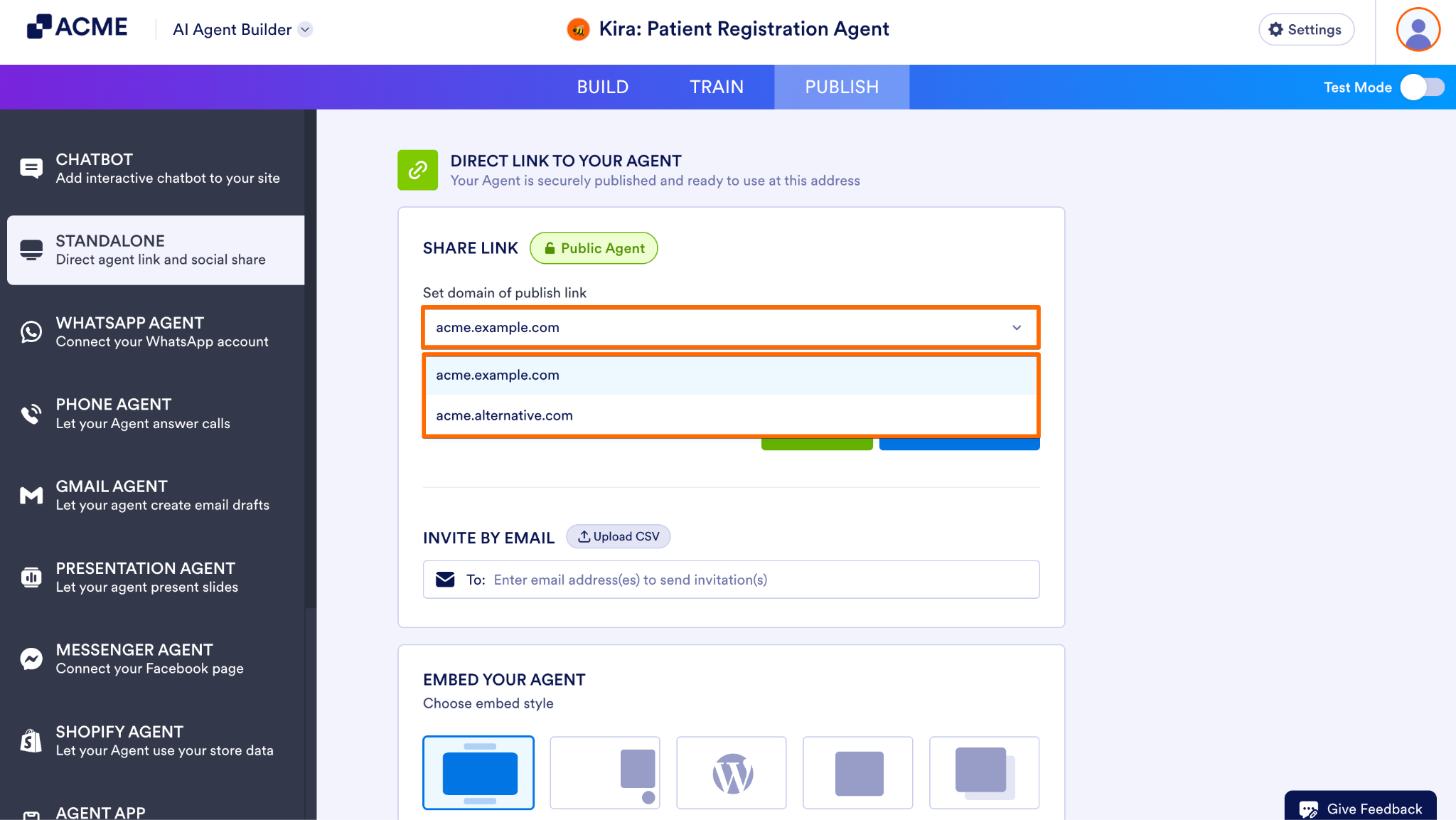
- Then, click on the Domain dropdown under Set domain of publish link and select the domain you want to use.
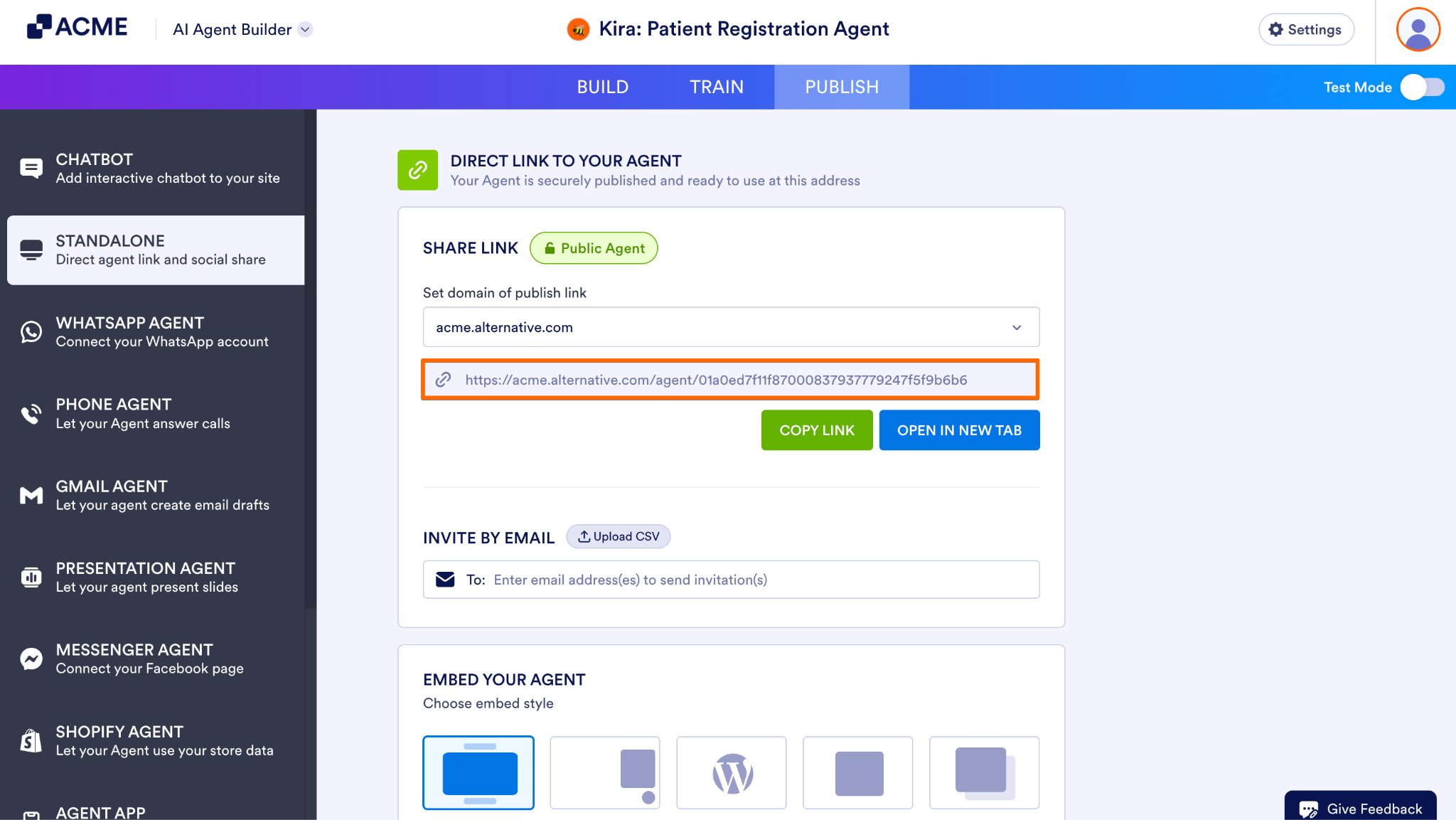
- Finally, review the published URL and confirm that the correct domain has been selected before sharing.

Send Comment: