When someone assigns you a form or workflow, you can easily find it in the Assigned to Me section of your Workspace. It’s a handy central spot where you can view all the forms and approval tasks shared with you. Here’s how to do it:
- On your Workspace page, click on Assigned Tasks in the menu on the left side of the page.
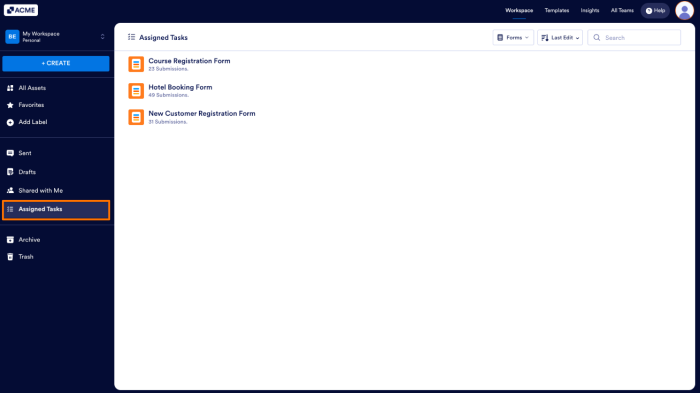
- Then, click on the Forms in the toolbar to open the Dropdown menu and select the asset type you want to view.
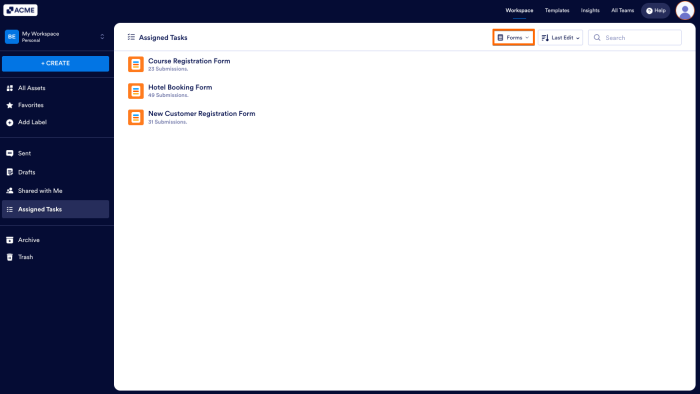
Forms
This option is selected by default. Once a form owner assigns a form to you using the Invite feature, it’ll automatically show up in your Assigned Tasks section.
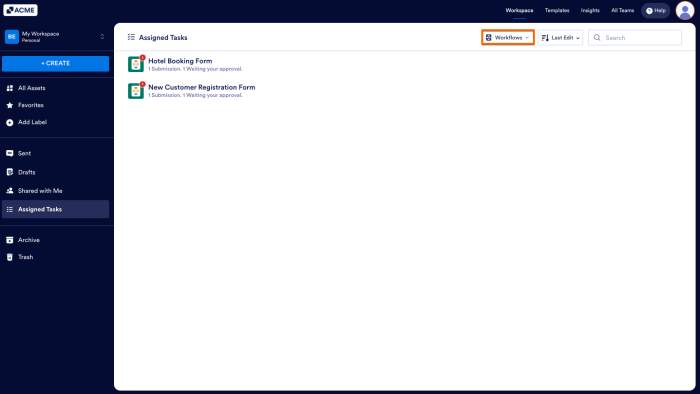
Workflows
If someone assigns you as an approver or gives you a task in a workflow, it’ll show up in your Assigned Tasks section. Any tasks that need your attention will be marked with a Waiting for Your Approval label, so you’ll know exactly where to take action.
Note
If it’s your first time being added to a workflow, it won’t show up in your Assigned Tasks section right away. It’ll appear only after the workflow is triggered and a task is officially assigned to you.
Sorting Assigned Forms and Workflows
You can also sort your assigned items to keep things organized in the Assigned Tasks section. The sort options are the same whether you’re viewing Forms or Workflows, but they only apply to the type you’re currently looking at. Here’s how to do it:
- On your Workspace page, click on Assigned Tasks in the menu on the left side of the page.
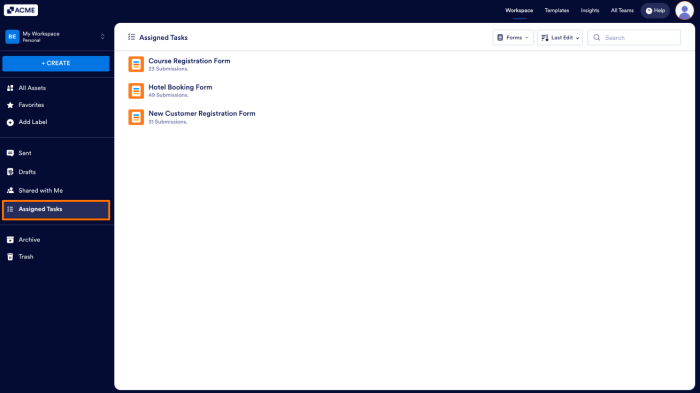
- Then, click on the Sorting dropdown on the top-right side of the page.
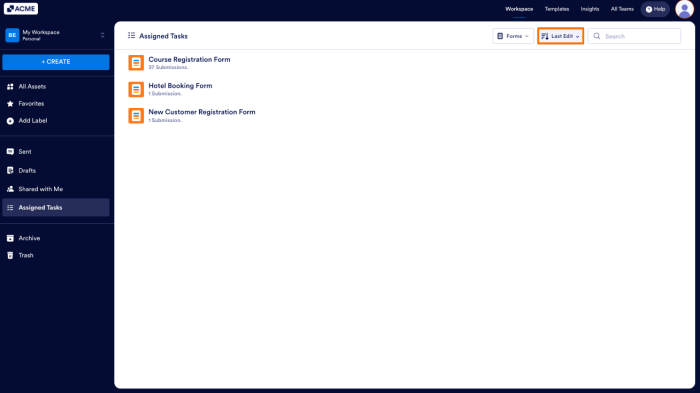
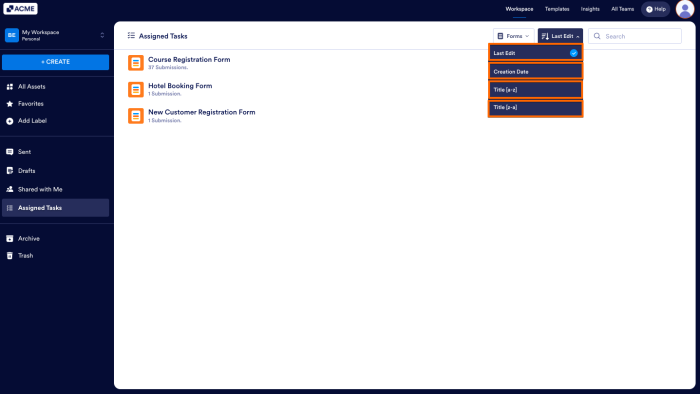
- Now, in the Dropdown menu, you can sort your assets by selecting one of these choices:
- Last Edit — Displays the most recently updated assets at the top.
- Creation Date — Shows the most recently created assets first.
- Title (a–z) — Arranges assets in alphabetical order.
- Title (z–a) — Lists assets in reverse alphabetical order.
And that’s it! The Assigned Tasks section in the Workspace lets you easily access all forms and workflows assigned to you. Whether you’re filling out a form or approving a task, everything is organized in one place.

Send Comment: