Save and Continue Later, also known as Autofill or Continue Forms Later, allows your form fillers to save their partially filled-out form. See How to Enable Save and Continue Later on Forms for more information. These drafts are saved in Tables as incomplete submissions.
Note
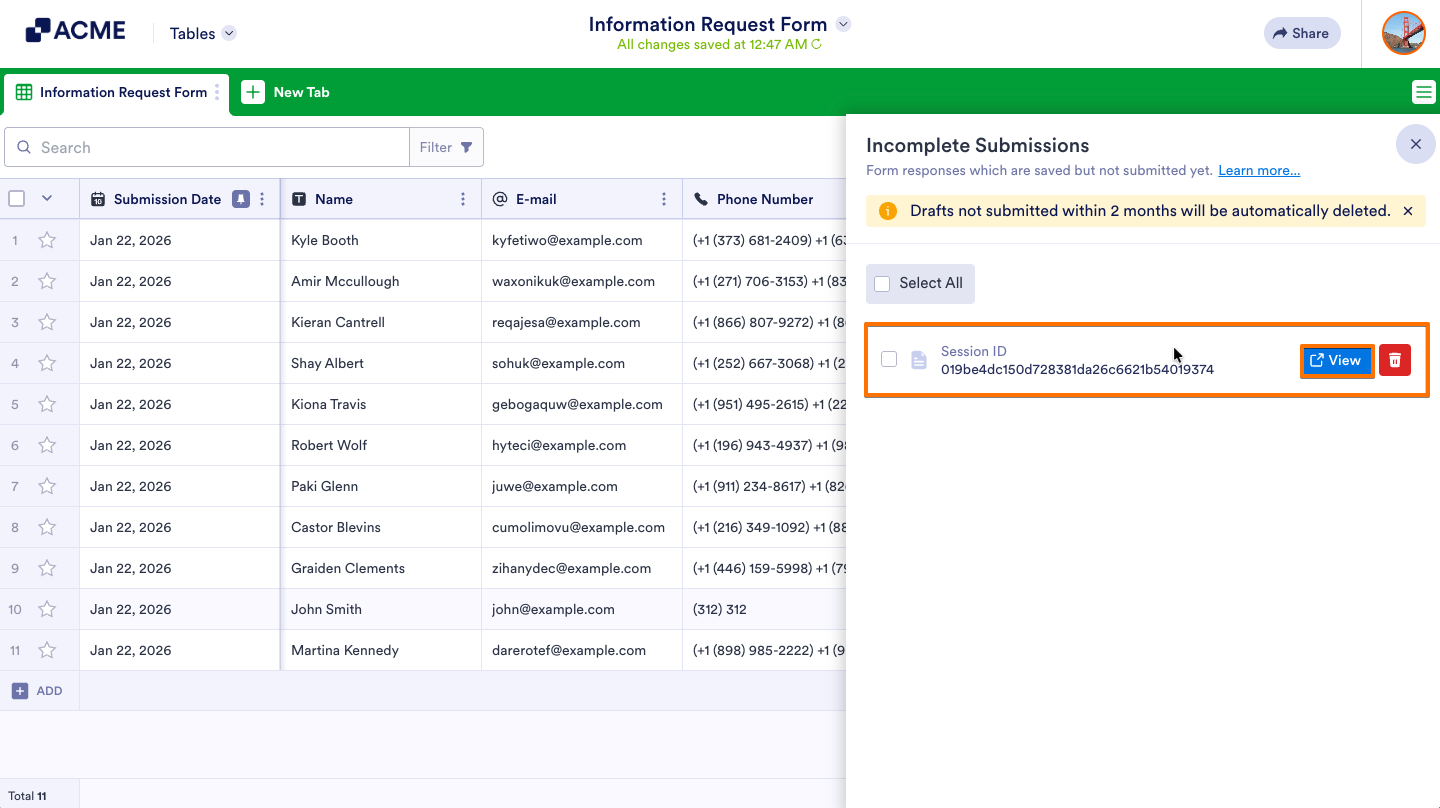
Drafts not submitted within 2 months will be automatically deleted.
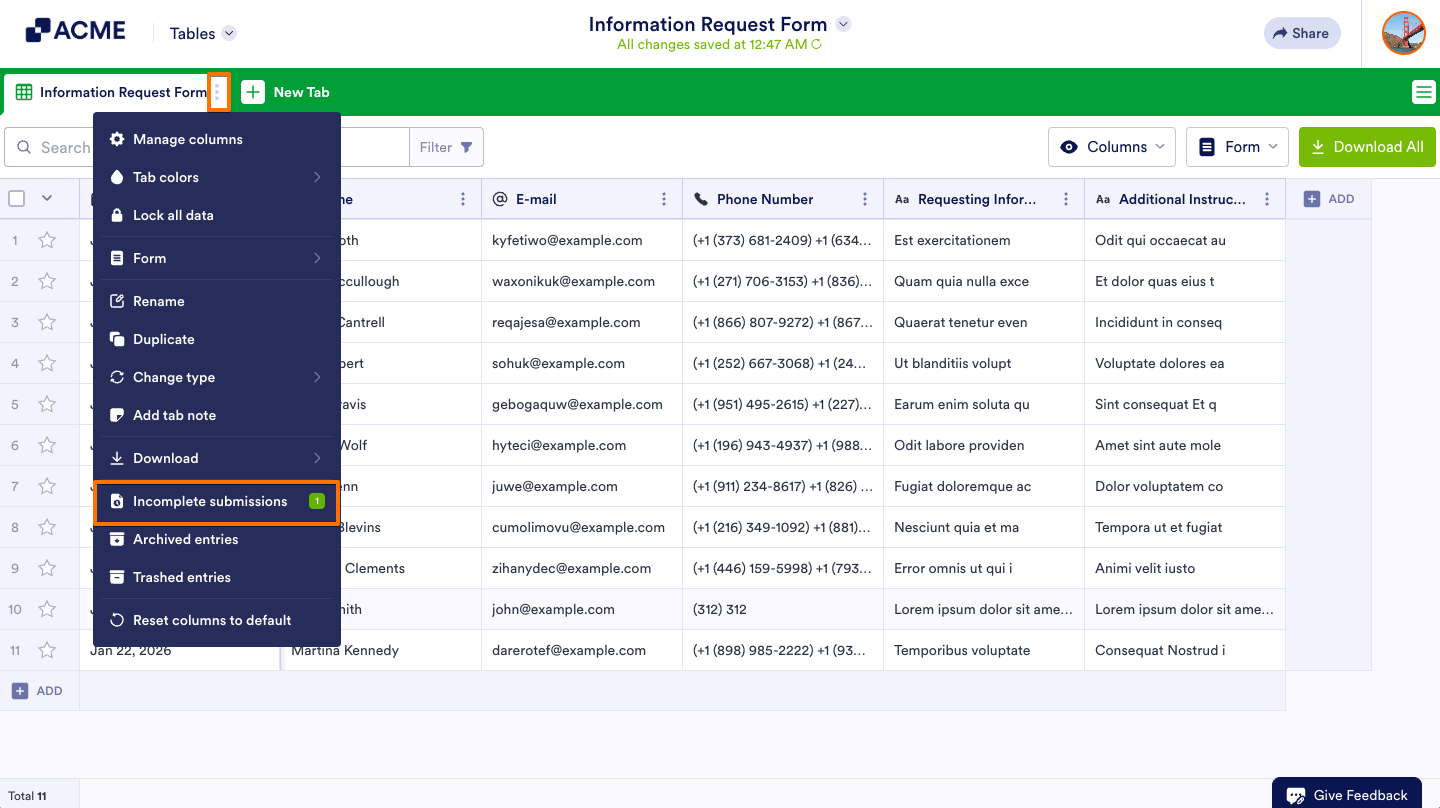
- In Tables, in the upper-left corner, click on the Three-dots icon.
- Select Incomplete submissions.
- In the right panel, hover your mouse over the submission you want to check and select View to check the draft’s details.

Send Comment: