

ご予約フォーム

ご予約依頼フォーム
ご予約依頼フォームは、医療機関等にて新しいクライアント向けに、アポイントメントを行う目的に使用できる、アポイントメントリクエストフォームです。このご予約依頼フォームのテンプレートを使って、電話での予約をする時間のないクライアントの方でも医療従事者とのアポイントメントを行うことができます。 無料のフォームビルダーアプリを使って、顧客とのやり取りに合わせて、フォームをカスタマイズし、オンラインで共有したり、待合室に掲示したりして、クライアントが予約をする際に直接記入することもできます。Jotformの100以上のアプリとの連携により、GoogleシートやGoogleドライブ、Dropboxなどの他のプラットフォームと統合し、クライアントとのコミュニケーションを効率化することができます。
カテゴリーへ移動:ご予約フォーム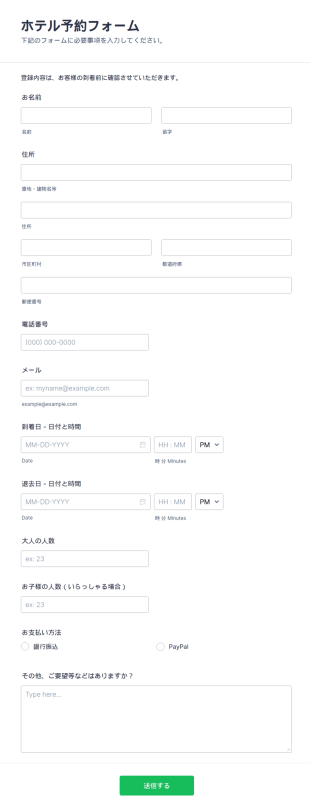
ホテル予約フォーム
オンラインホテル予約フォームは、ホテルのウェブサイトで予約を追跡し、予約状況を管理するために使用できます。現在、ホテル、モーテル、またはホステルを所有または管理している場合、Jotformの無料のホテル予約フォームのテンプレートを使用して予約プロセスを合理化することができます。このフォームでは、旅行の詳細、宿泊施設情報、顧客の個人情報や連絡先情報を収集できます。このフォームでは、顧客に宿泊したい部屋を選択していただき、自動的に合計金額を計算します。 このフォームをカスタマイズして、すぐにサイトに埋め込むことができます。簡単なドラッグ&ドロップで、あなたが望む外観に変更したり、強力なサードパーティ製のアプリケーションと統合し、顧客のための部屋の予約を開始するために、今すぐあなたのウェブサイトに埋め込むことができます。電話やメールでの予約ではなく、オンラインの予約フォームを使用することで、より多くの顧客から問い合わせを受けたり、顧客がホテルの部屋を予約しやすくなり、ホテルの予約数の増加にも繋がります。
カテゴリーへ移動:ご予約フォーム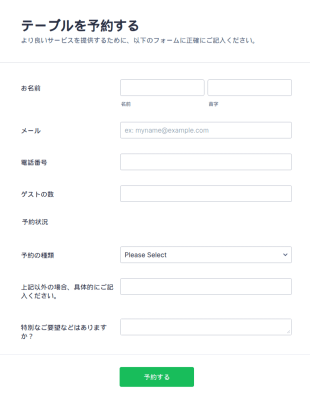
レストラン予約フォーム
このシンプルで簡単に使えるレストラン予約フォームを使用することで、あなたの顧客はあなたのレストラン、パブ、バー、または飲食店にオンライン予約をすることができます。名前、メールアドレス、電話番号、人数、特別な要望(赤ちゃん用の椅子、子供用の補助椅子、アレルギー情報など)を記入することができます。Jotformの他のテンプレートと同様、このレストラン予約フォームも完全にカスタマイズ可能です。このテンプレートを使って、あなたのウェブサイトを素敵に演出することができます。
カテゴリーへ移動:ご予約フォーム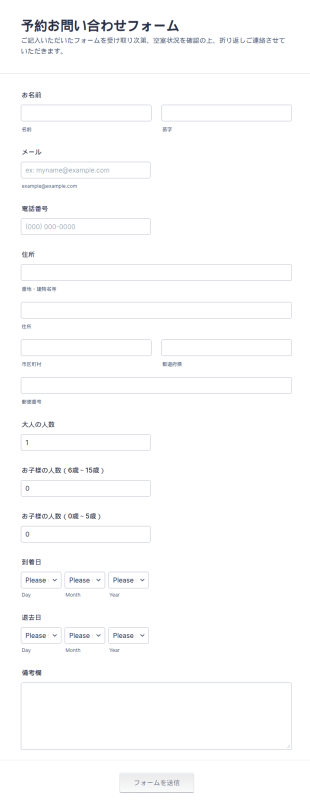
予約お問い合わせフォーム
このシンプルな予約お問い合わせフォームのテンプレートで、顧客が予約のお問い合わせやその他のコメントを連絡先情報とともに送信することができます。あなたのロゴ、画像、色を追加し、様々なウィジェットを使いカスタマイズすることができます。あなたのウェブサイトに埋め込むことも、独立したフォームとして使用することもできます。
カテゴリーへ移動:ご予約フォーム
フライト予約フォーム
フライト予約フォームは、航空会社や旅行代理店が顧客の航空券を予約するために必要な情報を収集するために使用できます。予約率を向上させるには受付フォームが有効です。航空券の予約に必要な情報をオンライン上の航空券予約フォームから収集することで、利用者の予約プロセスを合理化し、ビジネスを拡大することができます。フォームの回答は、あなたのJotformアカウントに保存され、簡単にアクセスできる乗客情報のデータベースとなります。また、フォームの機能性を高め、他のアカウントにフォームの回答を送信したい場合は、フォームを130以上のアプリの統合にリンクさせることができます。 Jotformのフォームビルダーで、あなたのフライト予約フォームをユニークに演出しましょう。会社のロゴを入れたり、フォントや色を変えてブランディングに合わせたり、顧客に開示する情報や規約を入れたりすることができます。またフォーム上にて、SquareやPayPalなどの信頼できる決済ゲートウェイを利用して、オンラインフォームから支払いを受け付けることができます。無料のフライト予約フォームで予約プロセスをオンライン化すれば、時間を節約し、不要な往復電話やメールでのやり取りを減らし、顧客とのやり取りを、よりスムーズにすることができます。
カテゴリーへ移動:ご予約フォーム
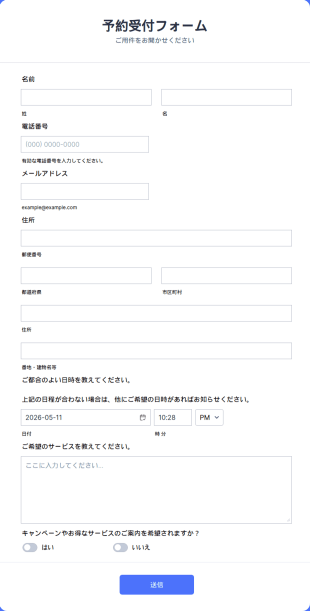
無料の顧客ご相談フォーム
この無料の顧客ご相談フォームのテンプレートは、見込み客に関する情報を収集するために使用できます。このフォームを使用して、顧客から直接、連絡先情報、希望の予約日時、希望する相談内容を受け取ることができます。この情報を使用することで、顧客が希望するサービスに関する情報を、事前に準備をすることができます。Jotformで作成された他のフォームと同様、このテンプレートは完全にカスタマイズ可能で、ウェブサイトに埋め込むことも、独立したフォームとして使用することも簡単にできます。
カテゴリーへ移動:ご予約フォーム
ベッド&ブレックファーストの予約フォーム
このシンプルな予約フォームのテンプレートを使って、顧客が部屋の予約をする際に詳細な情報を記入してもらうことができます。このフォームを使用して、名前、電話番号、メール、予約人数と日付の詳細など、必要な情報をすべて収集することができます。また、この予約フォームのテンプレートを使って、自動返信メールを設定することもできるため、顧客は予約が完了したことをメールで確認することができます。
カテゴリーへ移動:ご予約フォーム

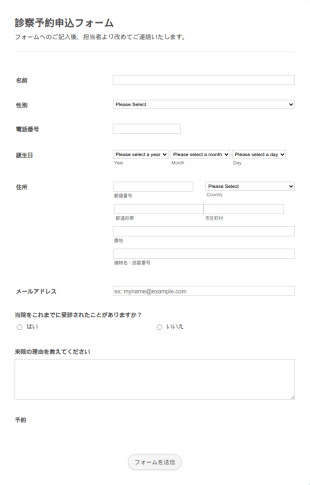
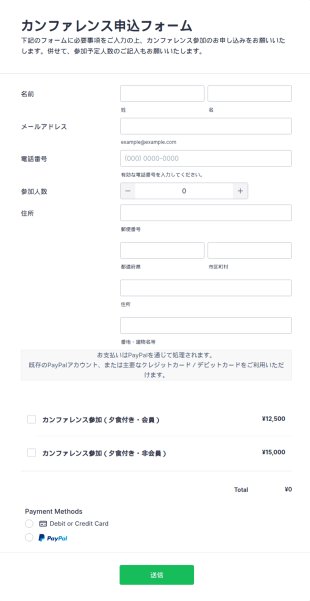

ペットサービス予約フォーム
ペットサービス予約フォームは、動物病院がクライアントとの予約を取るために使用するフォームです。予約をスムーズに進めるために必要な情報をすべて収集できます。コーディングは不要です。
カテゴリーへ移動:サービス予約フォーム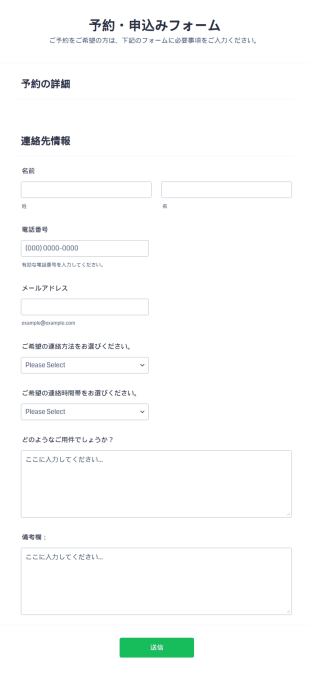

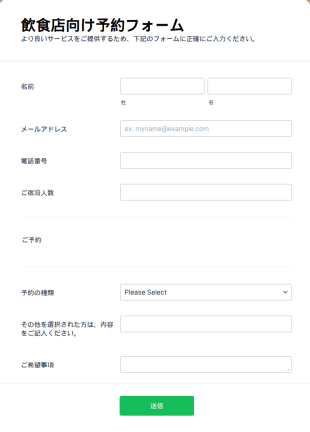
飲食店向け予約フォーム
シンプルで入力しやすい飲食店向け予約フォームです。お客様のお名前、メールアドレス、電話番号、人数、特別なご要望(ベビーチェアやお子様用の補助椅子、アレルギー情報など)をオンラインで簡単に収集できます。
カテゴリーへ移動:ご予約フォーム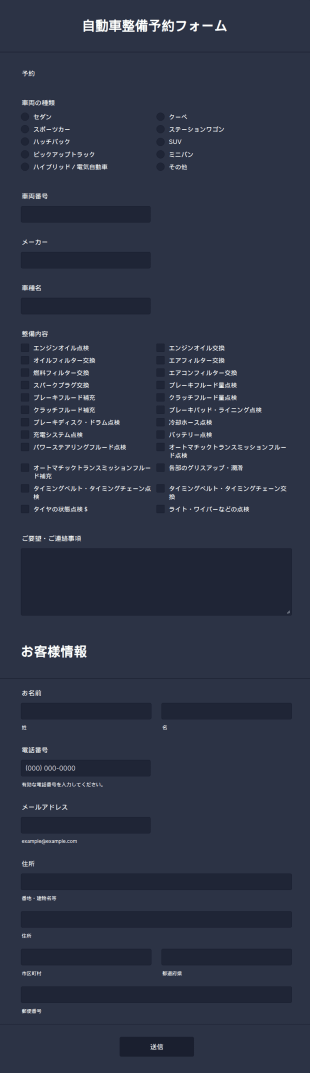
自動車整備予約フォーム
この自動車整備予約フォームを使えば、お客様は車検や点検、修理などの予約を簡単に行えます。自動車の整備・メンテナンスの予約受付に最適なフォームテンプレートです。
カテゴリーへ移動:技術者フォーム
先行予約注文フォーム
無料の先行予約注文フォームテンプレートをオンラインストアに埋め込み、商品予約を即時に処理。無料で使えて、デザインや項目も簡単にカスタマイズできます。
カテゴリーへ移動:ご予約フォームご予約フォームについて
予約フォームは、来店予約やサービスの申込み、各種リソースの予約管理を効率化するためのデジタルツールです。宿泊・医療・教育・イベント運営・パーソナルサービスなど、幅広い業界で利用されています。ホテルの客室予約、顧客との面談予約、イベント参加登録、備品レンタルなど、用途を問わず、必要な情報の入力を自動化し、手作業によるミスを減らすことで、提供側・利用者双方にとってスムーズな体験を実現します。主な活用例としては、相談・カウンセリングの予約、会議室の利用予約、レッスンや講座のスケジュール管理、イベントのチケット予約などが挙げられます。
Jotformを使えば、技術的な知識がなくても、誰でも簡単に予約フォームを作成し、ニーズに合わせてカスタマイズできます。直感的なドラッグ&ドロップのフォーム作成ツールを活用すれば、コーディング不要で項目の追加、条件付きロジックの設定、決済ゲートウェイの統合が可能です。Jotformのプラットフォームは、リアルタイムの送信通知、自動データ保存、他のビジネスツールとのシームレスな統合も提供しており、予約プロセスをシンプルかつ最適化したい方に最適なソリューションです。Jotformの予約フォームテンプレートを使用することで、作業時間を削減し、ダブルブッキングを防ぎながら、ユーザーにとって使いやすいプロフェッショナルな予約体験を提供できます。
予約フォームの活用方法
予約フォームは柔軟性が高く、用途に応じてさまざまなシーンに対応できます。それぞれの目的や業種によって必要な項目や機能は異なります。ここでは、予約フォームの主な活用例、導入に適したユーザー、そして内容の違いについてご紹介します。
1. Possible Use Cases:
- クリニック、サロン、コンサルタント向けの予約管理
- ホテル、コワーキングスペース、公共施設向けの部屋、施設予約
- ワークショップ、カンファレンス、講座向けのチケット販売・参加登録
- 企業や学校向けの機器・車両レンタル
- サービス予約(清掃・修理・パーソナルトレーニング)
2. Problem Solving Points:
- ダブルブッキングやスケジュールの重複を防ぎます。
- 確認メールやリマインダーメールを自動送信して、無断キャンセルを減らします
- 必要な情報を事前にまとめて収集できるため、やり取りの手間を減らせます
- 決済ゲートウェイと統合し、スムーズなオンライン決済を実現
- 予約データを一元化し、管理やレポート作成を簡単にします。
3. Possible Owners and Users:
- 中小事業者(サロン・クリニック・スタジオなど)
- Event organizers and coordinators
- ホテルおよび不動産管理者
- 教育機関と講師
- サービス提供者・フリーランス
4. Differences of Creation Methods:
- 予約フォーム:日時選択、サービス選択、スタッフ割り当てフィールドなどを含む場合があります。
- イベント予約フォーム:参加者の詳細情報、チケットタイプの選択、決済連携が必要になることがよくあります。
- 施設・リソース予約フォーム: カレンダー表示、空き状況の確認、特別な要望を記入する項目などを備えるのが一般的です。
- レンタルフォーム:在庫選択、レンタル期間、利用規約への同意チェック欄などを含めることが一般的です。
まとめとして、予約フォームは、あらゆるスケジュール管理や予約業務に対応できる柔軟なツールです。用途や利用シーンに応じて項目や内容を調整することで、ニーズに合った最適な予約管理を実現できます。
予約フォームの作成方法
Jotformで予約フォームを作成するのは簡単で、予約スケジュール管理からイベント登録まで、あらゆるシーンに合わせてカスタマイズできます。以下では、目的に合った予約フォームを設計するための手順をステップごとにご紹介します。
1. 適切なテンプレート、または新規フォームから開始:
- Jotformにログインし、マイワークスペースで「作成」をクリックします。
- 「フォーム」を選択し、ゼロから作成するか、Jotformの豊富なライブラリから関連する予約フォームテンプレートを選びます。
- レイアウトの選択:クラシック(全質問1ページ)/カード(1ページ1質問)
2. 予約に必要な項目を追加:
- ドラッグ&ドロップ形式のフォームビルダーで、以下のフィールドを追加できます:
- 名前と連絡先(メールアドレス、電話番号)
- スケジュール設定用の日付・時間選択ツール
- サービスまたはリソース選択ドロップダウン
- 参加人数(来場者数)
- 特別なリクエストまたは追加のメモ
- イベントやレンタルの予約には、決済連携(PayPal、Stripeなど)のフィールドや利用規約の同意チェック欄を含めましょう。
3. 用途に合わせてフォームをカスタマイズ:
- フォームデザイナーを使って、カラー・フォント・テーマなどを調整し、ブランドに合わせたデザインに仕上げます。
- 条件付きロジックを設定して、ユーザーの選択に応じてフィールドを表示または非表示にします(例:特定のサービスが選択された場合に追加オプションを表示)。
- 必要に応じて、カレンダービュー、電子サイン、ファイルアップロードなどの高度な機能のウィジェットを追加します。
4. 通知と確認メッセージの設定
- 自動返信メールを設定して、予約完了後に確認メールを顧客へ自動送信できます。
- 新しい予約が入った際にチームへ通知メールが届くよう設定できます。
- 予約の詳細や案内を含むメール内容をカスタマイズ。
5. 予約フォームを公開・共有する:
- 「公開」をクリックし、メール、ウェブサイト、またはソーシャルメディアで共有するためにフォームリンクをコピーします。
- フォームを直接ウェブサイトに埋め込んで、スムーズにアクセスできるようにしましょう。
6. テストと送信の管理:
- プレビュー機能を使ってフォームの動作を確認しましょう。
- テスト予約を送信して、通知とデータ収集が正常に機能することを確認してください。
- Jotformテーブルで予約を管理・整理し、必要に応じてデータの絞り込み、検索、エクスポートが可能です。
これらの手順に従うことで、スケジュール管理を効率化するだけでなく、クライアントや参加者の体験も向上させる予約フォームを作成できます。Jotformの柔軟性により、ビジネスの成長やニーズの変化に合わせてフォームを随時調整でき、常に最適な予約管理環境を維持できます。
よくあるご質問
1. 予約フォームとは何ですか?
予約フォームとは、予約・サービスの申し込み・施設やリソースの利用申請などを行う際に必要な情報をオンラインで収集するためのツールです。予約プロセスを自動化し、スケジュール管理を効率化します。
2. 予約フォームがビジネスにとって重要な理由は?
予約フォームを活用することで、スケジュール管理を効率化し、手作業によるミスを減らし、二 重予約を防止できます。お客様は24時間いつでも簡単に予約できるため、利便性も向上します。
3. 予約フォームではどのような情報を収集しますか?
一般的な項目には、氏名、連絡先情報、予約日時、サービスまたはリソースの選択、参加人数、必要に応じて支払い情報などが含まれます。
4. 予約フォームには、どのような種類がありますか?
はい。予約フォームは、来店・面談の予約、イベント参加登録、会議室や備品の予約、レンタル受付など、用途に応じて項目や要件を細かくカスタマイズできます。
5. 予約フォームは、誰が利用できますか?
予約フォームは、中小企業の経営者、イベント主催者、医療機関、教育機関、各種サービス提供者など、幅広い業種・立場の方にご活用いただけます。
6. 予約フォームはどのようにダブルブッキングを防ぎますか?
予約フォームでは、空き状況をリアルタイムで確認し、すでに予約済みの時間枠を自動でブロックできます。そのため、予約の重複を確実に防ぐことができます。
7. 予約フォームから送信された情報は安全に保護されていますか?
はい。Jotformのような信頼性の高いプラットフォームでは、暗号化や安全なデータ保存を採用し、予約フォームを通じて送信される機密情報をしっかり保護しています。
8. 予約フォームを他のツールやカレンダーと連携できますか?
Jotformで作成した予約フォームを含め、多くの予約フォームは、外部カレンダーや決済サービス、業務管理ツールと連携できます。これにより、予約受付から支払い、スケジュール管理までを一元化し、ワークフローをスムーズに自動化できます。