

トラッキングテンプレート

応募管理シート
無料のオンライン応募管理シートで、採用プロセスを効率化!応募者情報、面接日程、進捗状況をスプレッドシートやカレンダーで簡単に管理・確認できます。
カテゴリーへ移動:Human Resources Templates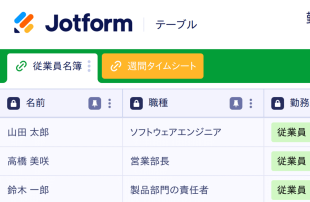
勤怠管理表テンプレート
従業員の勤務時間を効率的に管理しましょう。従業員がオンラインで打刻できるようにし、情報を視覚的に美しいスプレッドシートで整理します。コーディングは不要です。
カテゴリーへ移動:Human Resources Templates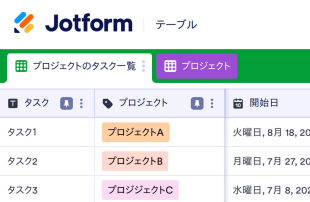
タスク管理表
タスク管理をもっとスムーズに!無料のオンラインタスク管理表で、カレンダーやスプレッドシート形式で簡単に進捗を確認。カスタマイズやダウンロードも自由自在、チームとの共有も簡単に行えます。
カテゴリーへ移動:トラッキングテンプレート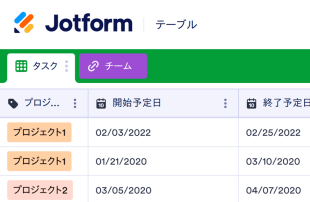
プロジェクト管理表テンプレート
無料のプロジェクト管理表テンプレートを使えば、プロジェクトの管理が簡単にできます。チームの規模に関係なく、どんなチームにも最適で、誰でも簡単に編集・共有できます。どのデバイスでも利用でき、コーディングの知識は一切不要です。
カテゴリーへ移動:トラッキングテンプレート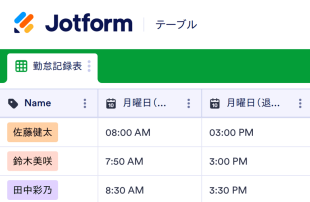
毎日の勤怠記録表
無料オンライシートで出勤状況を簡単に管理できます。学校や企業の勤怠管理に最適。カスタマイズ・ダウンロード・印刷も簡単で、コード不要です。
カテゴリーへ移動:Attendance Sheets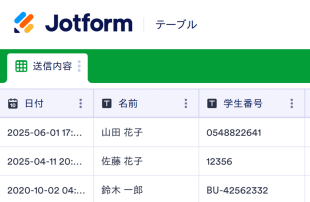

新型コロナウィルスの症状記録
患者や従業員の新型コロナウイルス症状を追跡管理できます。簡単にカスタマイズ可能なテンプレートで、スプレッドシート、カレンダー、カード形式で表示可能。オプションでHIPAA準拠のセキュリティも利用でき、安心してご利用いただけます。
カテゴリーへ移動:トラッキングテンプレート
ドライバー応募管理テンプレート
タクシー、トラック、または配送会社のドライバー応募を無料のオンラインのドライバー応募管理テンプレートで整理しましょう。簡単にカスタマイズが可能で、ペーパーレス化を実現できます。
カテゴリーへ移動:トラッキングテンプレート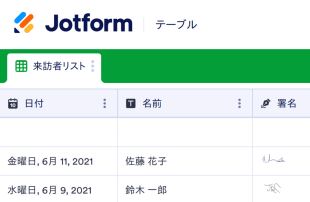

Pr活動トラッキング
無料のオンラインPR活動トラッキングを使って、PR活動の進捗をトラッキングし、管理しましょう。タスクやプロジェクトをプロフェッショナルなスプレッドシートやカレンダー形式で表示でき、簡単にカスタマイズが可能です。
カテゴリーへ移動:マーケティングトラッキングテンプレートについて
トラッカーテンプレートは、タスク、連絡先、申請、人事、勤怠など、重要な情報を追跡・管理するために使用されます。Jotformの無料トラッカーテンプレートは完全なカスタマイズが可能で、高度な機能によりワークフローを効率化します。
既製の列タイプや数式から選択し、データを検索およびフィルタリングし、タブや色分けされたラベルを追加して、追跡しているものを専門的に整理します。ワンクリックの共有機能を使って、チームメイトとテーブルテンプレートを共同作成することもできます。
Why Use Tracker Templates?
- Tracker Templates eliminate the need for manual data transfer by automatically populating responses from Jotform Forms into Jotform Tables. This automation ensures that all submissions are captured accurately and reduces the potential for human error.
- Keeping responses together in a centralized location allows for quick and efficient access to all data. This centralized approach saves time and effort when needing to locate specific records for review or reporting.
- The ability to search, filter, and group entries in Tracker Templates simplifies the process of finding and analyzing specific data points. This functionality ensures that records can be quickly accessed based on defined criteria.
- Reviewing complete submission details, including any associated uploads, within Jotform Tables allows form owners to make informed decisions based on comprehensive data.
- Coordinating follow-up actions and tracking changes in submissions is streamlined through Jotform Tables, enhancing communication and accountability within teams.
- Reporting on collected data becomes more efficient with the use of Tracker Templates, allowing for the generation of insights and statistics necessary for informed decision-making.
Common Problems Solved by Tracker Templates
- Manually copying submissions into spreadsheets is time-consuming and prone to errors. Tracker Templates automate this process by directly importing form responses into Jotform Tables.
- Scattered responses across different platforms or documents can lead to inefficiencies. Tracker Templates centralize all submissions in one place, making them easily accessible.
- Difficulty locating records quickly is a common challenge that is addressed by Tracker Templates, which offer robust search and filtering capabilities.
- Inconsistent review processes can result from missing context or incomplete data. With Tracker Templates, all relevant information is organized and readily available for thorough review.
- Hard-to-review uploads and unclear ownership of submissions are resolved by the structured format of Tracker Templates, which supports comprehensive data analysis and clear assignment of responsibilities.
Matching Form Submission Use Cases to Jotform Tables Features
- When collecting event registration data through a Jotform Form, submissions automatically appear in the connected table, ensuring that event organizers have real-time access to attendee information.
- Submissions related to customer feedback can be organized using Table View or Detail View, allowing customer service teams to analyze responses and improve service delivery efficiently.
- Healthcare professionals can use filters and data grouping to manage patient records, ensuring that critical information is easily accessible for medical evaluations and follow-ups.
- Access settings and assignees facilitate team collaboration by allowing only authorized personnel to modify records while maintaining a clear history of changes and assignments.
- Generating reports from collected survey data is simplified through the use of Report View, enabling marketing teams to present findings in a structured and professional format.
How to Use Tracker Templates with Jotform Forms
- Start by selecting a category-relevant Jotform Tables template, a blank table, or the table connected to an existing Jotform Form. The Jotform Form will collect the category-specific information, and new responses will automatically appear in the connected table.
- Configure the table for submission review by naming columns, selecting appropriate column types, and choosing relevant views such as Table View, Detail View, Calendar View, Uploads View, or Report View to best fit the data being managed.
- Manage submissions effectively by using search, filters, grouping, formulas, access settings, assignees, revision history, linked tables, action buttons, or outputs, depending on the specific needs of your category.
Top Use Cases for Tracker Templates
- For Form Owners: Form owners benefit from Tracker Templates by having a streamlined process for reviewing incoming responses. They can edit submission data, check details or uploads, and keep records organized within Jotform Tables. This ensures that all information is up-to-date and easily accessible, aiding in decision-making and data management.
- For Teams: Authorized team members can efficiently find and maintain entries using Tracker Templates. They can coordinate responsibility with assignees, ensuring tasks are completed by the right people. Additionally, using access settings and revision history supports shared work by providing a clear audit trail of changes and maintaining data integrity.
- For Managers: Managers utilize Tracker Templates to monitor collected data and review category-specific patterns. By checking progress and ownership, they can ensure that operations run smoothly. Report View and other relevant views provide oversight, helping managers make informed decisions based on comprehensive data analysis.
Summarizing Tracker Templates
複数のアプリを使う必要はありません。Jotformのトラッカーテンプレートを使えば、オールインワンのワークスペースで情報を収集、共有、管理できます。
よくあるご質問
1)トラッカーシートにはどのような種類がありますか?
トラッカーシートはあらゆる情報の管理に使用することができますが、一般的な使用例としては以下のようなものがあります。
2)誰がトラッカーシートを使うべきですか?
Submissions from Jotform Forms automatically appear in Tracker Templates due to their connected relationship. Once a respondent submits a form, the response is recorded as an entry in the linked table, ensuring a seamless data flow. Future responses continue to auto-populate the table, maintaining an up-to-date record set.
3)トラッカーシートの作成と使用方法は?
Yes, Tracker Templates allow you to edit submissions and organize data using various tools such as search, filters, and data grouping. You can also apply formulas and calculations to process the data further. While these features enhance data management, they do not automate decision-making processes.
4) Can I export the data inside the tables as CSV or Excel?
Data within Tracker Templates can be exported as CSV or Excel files, providing flexibility in data management. This capability allows you to add existing information to the table or use the export for external analysis and reporting. The integration of connected-form submissions with manually imported data is seamless.
5) Which Jotform Tables views can I use with Tracker Templates?
Tracker Templates support several views, including Table View, Detail View, Calendar View, Report View, and Uploads View. Table View is ideal for a broad overview of all entries, while Detail View allows for in-depth analysis of individual records. Calendar View helps in tracking dates, Report View aids in generating structured reports, and Uploads View is useful for managing attachments efficiently.
6) Can teams collaborate on submissions in Tracker Templates?
Teams can collaborate effectively on submissions using Tracker Templates by leveraging access settings and assigning tasks to specific team members. Real-time tracking and revision history help manage shared work, ensuring that changes are transparent and easily traceable. This collaborative environment enhances team productivity and data accuracy.
7) Can I connect Tracker Templates to related data or other applications?
Tracker Templates support linked tables and integrations, allowing you to connect to related data or third-party applications. Action buttons provide additional functionality to trigger specific tasks, enhancing the workflow. This connectivity ensures that Tracker Templates can be part of a broader data management strategy.
8) Can I create reports, PDFs, and manage files from Tracker Templates?
You can create detailed reports using Report View and generate PDFs for sharing or archival purposes. Uploads View allows you to manage files associated with table data, ensuring that all relevant documents are easily accessible. While not every category requires all capabilities, these features enhance the management and presentation of collected data.