Build Kiosk Waivers for Free
Jotform’s waiver kiosk lets you create and customize kiosk waivers for collecting e-signed waivers at in-person locations or events. With this waiver kiosk, you can build waiver forms without coding, turn a mobile device into a kiosk station, and start collecting signed waivers from customers, patients, or participants. Use ready-made templates or your own form to simplify onsite waiver collection and eliminate manual processing.
テンプレート
Free Waiver Kiosk Templates
Don’t know where to start? Choose one of our ready-made waiver templates to spark your creativity. Then all you need to do is customize it to your liking and enter kiosk mode to start collecting responses.
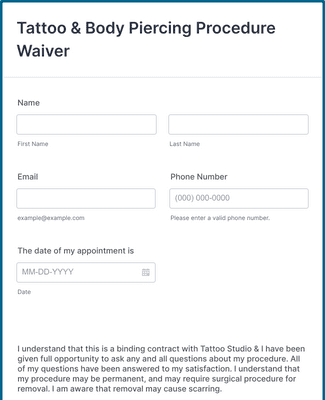
Tattoo & Body Piercing Procedure Waiver
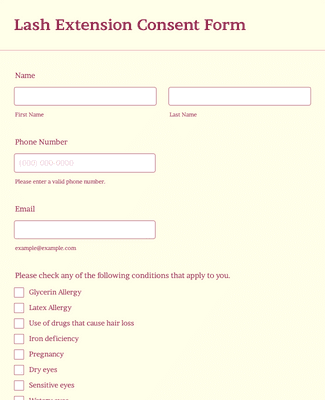
Lash Extension Consent Form
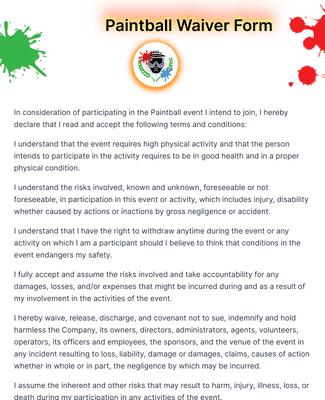
Paintball Waiver Form
メリット
使いやすいインターフェース
Jotformの直感的なインターフェースを使えば、数クリックでキオスクの権利放棄書を作成できます。ドラッグ&ドロップビルダーで簡単にカスタマイズでき、コーディングも不要です。あとは、共有、埋め込み、キオスクモードのいずれかを実行するだけで、権利放棄書の投稿を集めることができます。
Easily Collect Signatures Onsite
Collect electronic signatures from participants without printing or scanning paper waivers, which speeds up your check-in process. Jotform’s kiosk mode captures e-signatures onsite from tablets or mobile devices and converts each completed waiver into a PDF for easy record keeping. Automated signature capture reduces manual data handling and errors.
情報を安全に保つ
Protect waiver submissions with security features like GDPR and CCPA friendliness, 256-bit SSL encryption, and optional HIPAA readiness when you require sensitive data protection. Kiosk mode also refreshes automatically after each submission, creating a new session so one user’s information doesn’t remain on the screen for the next. You can add CAPTCHA or encrypted fields if you need stronger data controls.
フォーム作成だけではありません
Jotformは電子権利放棄書を簡単に作成・収集できるだけでなく、データを管理・追跡する優れた方法も提供しています。支払いプロセッサー、CRMs、データ管理ツールなど、Jotformが提供する信頼性の高い統合ツールに、あなたの権利放棄書フォームをシームレスに接続し、権利放棄書の収集プロセスを強化しましょう。
回答の収集と管理
Jotformのオールインワンワークスペースで、免責同意書の提出データを閲覧・整理・分析できます。Jotformインボックスやテーブルを使って提出状況をリアルタイムで追跡し、Jotformワークフローで便利なワークフローを作成し、Jotformレポートビルダーでレポートを生成できます。
ユーザーの声
Jotformに関するユーザーの声
よくある質問
Jotformに関するご質問にお答えします。よくあるご質問はFAQをご覧ください。またはサポートチームまでお問い合わせください。
How can I create an e-waiver?
Jotformを使えば、簡単かつ手軽に電子権利放棄書を作成することができます。Jotformのアカウントを開き、フォームの作成をクリックします。ゼロから始めるか、既成のテンプレートを使うか、既存のフォームをインポートするかを選択します。その後、ドラッグ&ドロップビルダーを使用してフォーム要素を追加し、お客様のニーズに合わせてデザインをカスタマイズします。電子サインフィールド、便利な統合機能、支払いプロセッサーなどを含めることができます。
How can I make a waiver for my kiosk?
Jotform の使いやすいフォームビルダーを使えば、キオスク用の放棄書を簡単に作成できます。まずは Jotformのマイフォームページでフォーム作成をクリックします。一から放棄書を作成するか、既製の放棄書テンプレートを使用するか、既存の放棄書をインポートするかを選択します。その後、ドラッグ&ドロップビルダーを使用してフォーム要素を追加または削除し、ブランディング要件に合わせて権利放棄書のデザインを変更します。電子サイン欄、便利なウィジェット、支払いプロセッサーなどを追加する事ができます。
After customizing the waiver to your liking, all you need to do is share your waiver via link or QR code, or set it up on your mobile or tablet device in Jotform’s handy kiosk mode.
Is it secure to collect waivers from a kiosk?
はい、Jotformのキオスクモードを使用して権利放棄書を収集することは安全です。放棄書が送信されると、フォームは即座に更新され、開始ページに戻ります。キオスクを利用する顧客やクライアントごとに個別のセッションを効果的に作成します。
Why is it important to have a waiver kiosk?
Having a kiosk for your waivers is important for those who work jobs or events that require attendees or customers to sign release waivers. Having a dedicated kiosk saves time and resources that might have been used on filling out and processing paper forms.
Additionally, if you need to collect waivers offline or in a remote location, kiosk mode is a must. With Jotform’s kiosk mode, you can collect waivers without internet access, and the submissions will automatically sync with your Jotform account once you have access to Wi-Fi.