Online Polling for Classrooms
Jotform’s online polling for classroom tool is an feedback builder that helps teachers engage students and assess learning in real time. Use it to create custom polls with drag-and-drop ease, collect responses from any device, and instantly visualize results through reports. The platform simplify classroom participation by allowing you to track and manage student feedback from a secure, centralized dashboard.
Templates
Explore Free Classroom Poll Surveys
Not sure how to create your own online classroom polls? No problem! Just choose one of our ready-made poll templates to get started. Add your questions, customize the look and feel, and then send to your students to start collecting responses.
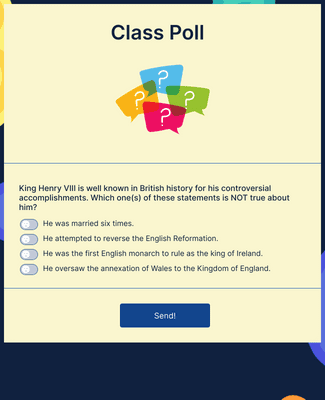
Class Poll
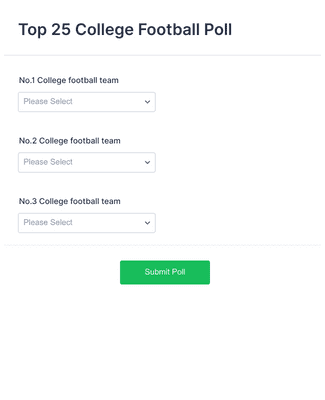
Top 25 College Football Poll
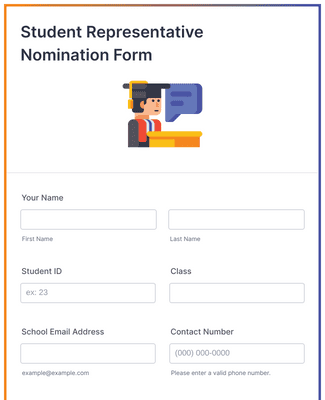
Student Representative Nomination Form
Voordelen
Build Polls for Classroom in Minutes
Create and Customize Your Polls
Build classroom polls with Jotform’s drag-and-drop Form Builder, one question at a time. Add poll questions, adjust wording, and change the design in the same editor, so the poll matches the lesson. Share the poll with students to collect feedback right away, because the poll can be sent as soon as it is published.
Voorwaardelijke Logica Toevoegen
Use conditional logic to show only the questions that apply to a student’s earlier answers. This keeps the poll shorter because students do not have to click through irrelevant questions. Conditional logic can also skip sections based on responses, so the poll flow stays focused on the learning goal.
Manage Polls in One Central Place
Collect poll responses and review results from one Jotform workspace instead of juggling separate tools. Generate poll reports with Jotform Report Builder to turn responses into shareable charts and visuals for a quick readout. This makes it easier to act on feedback because the poll, the submissions, and the report use the same underlying data.
Maintain Educational Privacy
Protect student data with 256-bit SSL on Jotform forms, which helps keep submissions secure in transit. Jotform also describes encryption and security options such as PCI, GDPR, and CCPA for forms and submissions. For FERPA needs in education settings, Jotform points to Enterprise resources for FERPA support.
Testimonials
Wat onze gebruikers zeggen over Jotform
Learn More About Online Polling for Classroom
Al je vragen over Jotform - beantwoord. Bekijk onze veelgestelde vragen voor antwoorden op veelvoorkomende vragen, of neem contact op met ons ondersteuningsteam voor meer informatie.
What is polling in online classes?
Polling in online classes is when an instructor or student in an online course or class creates a poll to survey the class on various topics relating to the course.
How do you create a poll in a classroom?
To create a poll for your classroom, first log into your Jotform account. Start from scratch or use one of our ready-made poll/survey templates. From there, use our intuitive Form Builder to add your own polling questions, upload assets, and more. Then send your poll to your students via direct link or QR code, or by linking to the poll in your online education portal.
How can I create student polls for free?
It’s easy to create your own student polls for free with Jotform. Simply log into your Jotform account and choose a ready-made poll template, or start from scratch. Customize the poll to match your branding, input your specific questions, and send it off to your students — all for free.
What are some fun polling questions?
The questions you ask will depend on the type of class you teach and/or the ages of your students.
Some great basic and fun questions for any class are
- What was your favorite thing you learned in this class?
- What did you like/dislike about this class?
- If you could change one thing about this class, what would it be?
What are the different types of polling?
Jotform offers many different types of online polls. Here are some examples of different types of polling:
1. Image poll
Need to choose a winning project or pick a field trip location? Create a quick image poll and hold a vote to find the winning design.
2. Scheduling poll
Gather responses about the best time to meet with your students for office hours using an easy scheduling poll.
3. Video poll
Want your class to choose a winning video project? Try holding a video poll to decide.
4. Exam date poll
Find the best date for your exam by polling your students.
5. Opinion poll
Need to take a quick pulse survey to gauge your students’ opinions on course material or other topics? Try an opinion poll to gather that data.
6. Quick poll
Quick polls are an efficient, streamlined way to get your students to choose something quickly.
7. Voting poll
Pick a winner with a straightforward voting poll all your students can take part in.
8. Straw poll
Straw polls are unofficial votes — you can use them to learn about popular student opinions and develop a structure for your courses.