

Шаблони апликација за инспекцију

Апликација за Дигитални Преглед Возила
Дигиталну апликацију за преглед возила користе компаније за управљање возним парком и преглед службених возила. Направи потпуно прилагођену апликацију за дигитални преглед возила за неколико секунди помоћу Jotform-овог креатора апликација. Инспектори могу да преузму ову апликацију на било који паметни телефон, таблет или рачунар како би снимали и састављали дневне, недељне и вишеструке извештаје о инспекцијама за возила возног парка. Нема потребе за папирологијом — твоји дигитални извештаји о инспекцији се аутоматски састављају и синхронизују са твојим безбедним Jotform налогом, где можете управљати њима са једне локације. Желиш да овај шаблон апликације за дигитални преглед возила учиниш својим? Није потребно кодирање – само користи Jotform-ов "превуци и пусти" креатор апликација за додавање или промену елемената обрасца, уређивање текста и поља обрасца, отпремање логотипа и бренда своје компаније, одабир фонтова и боја и још много тога. Када завршиш са прилагођавањем апликације, подели је са остатком компаније слањем линка до апликације. Управљај свим возилима свог возног парка и извештајима о инспекцијама из једне згодне апликације помоћу ове апликације за дигитални преглед возила Jotform-а.
Иди на категорију:Апликације за Инспекцију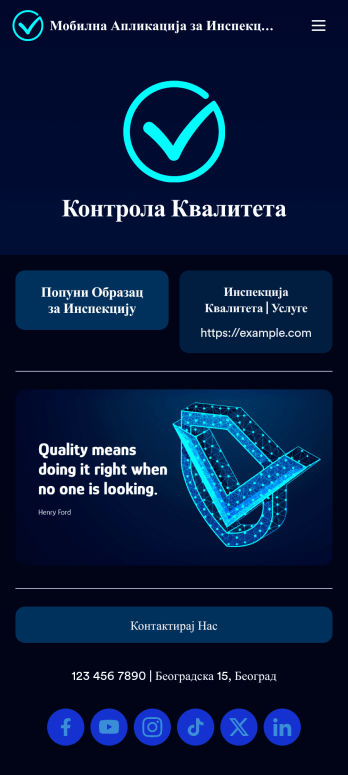
Мобилна Апликација за Инспекцију
Мобилна Апликација за Инспекцију омогућава инспекторима да врше инспекције са било ког уређаја. Било да си инспектор возила или грађевински инспектор, снимај и подноси извештаје у покрету помоћу наше бесплатне мобилне апликације. Овај потпуно прилагодљиви шаблон апликације укључује образац за мобилну инспекцију који се може попунити и који ти омогућава да означиш ставке на својој листи инспекције, отпремиш фотографије и даш свој е-потпис. Пријаве ће бити послате на твој Jotform налог, где се могу видети у табели или аутоматски преузети као PDF-ови. Треба да измениш ову апликацију према својим потребама? Нема проблема — без икаквог кодирања, можеш да додајеш обрасце, уграђујеш линкове у табеле или друге веб локације, ажурираш наведени текст, отпремаш слике или лого и мењаш подешавања апликације као што су име, икона и почетна страница, да боље представиш свој посао инспекције. Када апликација буде спремна за употребу, преузми је на свој мобилни уређај или десктоп рачунар ради лакшег приступа. Учини будуће инспекције лакшим уз ефикасну апликацију која ради где год се налазиш.
Иди на категорију:Апликације за Инспекцију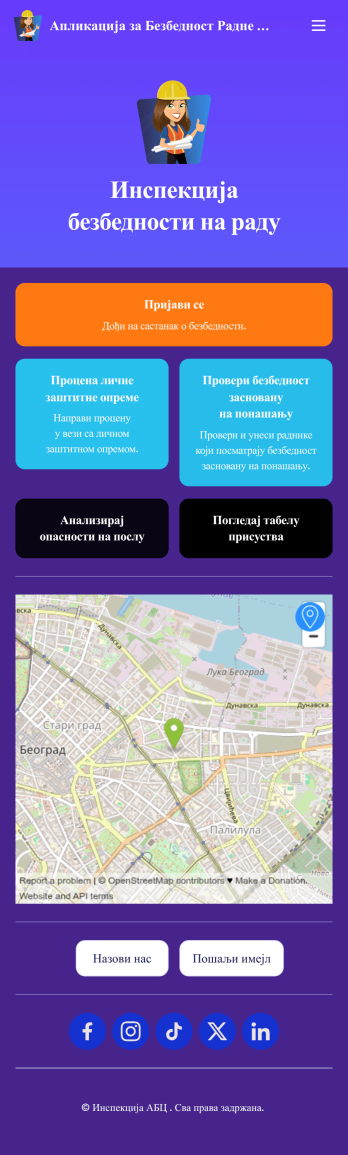
Апликација за Безбедност Радне Зоне
Апликацију за безбедност радне зоне користе инспектори за безбедност и здравље на раду да би пратили инспекције безбедности радних зона. Са Jotform-овом бесплатном апликацијом може пратити присуство, анализирати опасности на послу, проценити заштину опрему и обављати друге важне задатке директно са свог мобилног уређаја - није потребна неуредна папирологија. Пријаве се безбедно чувају у твојој Jotform табели и лако им се приступа на било ком рачунару, таблету или паметном телефону. Ако желиш да прилагодиш овај шаблон апликације додавањем нових образаца, отпремањем свог логотипа, бирањем нових фонтова и боја или променом почетног екрана, уради то брзо помоћу нашег "превуци и пусти" креатора. Твоја прилагођена апликација се затим може делити са запосленима и преузети директно на њихове уређаје ради лакшег приступа кад год им затреба. Убрзај начин на који твоја компанија спроводи безбедносне провере помоћу ове бесплатне апликације.
Иди на категорију:Апликације за Инспекцију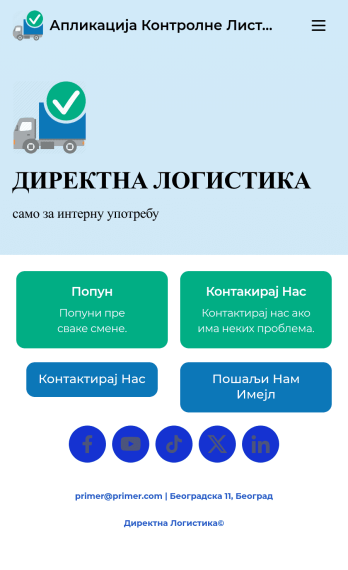
Апликација Контролне Листе за Преглед Возила
Апликацију Контролне Листе за Преглед Возила предузећа користе за праћење извештаја о прегледима службених возила. Уз ову бесплатну контролну листу за преглед возила, запослени могу да попуне контролну листу пре путовања која документује ниво горива и опште стање возила. Запослени такође могу да додају белешке и прилажу све релевантне слике помоћу обрасца за отпремање слика. Постоји посебан образац за контакт који запослени могу користити за пријаву проблема. Извештаји о инспекцији се аутоматски синхронизују са твојим налогом и могу се сортирати, филтрирати и извозити са било ког уређаја. Прилагоди овај бесплатни шаблон апликације користећи Jotform-ов "превуци и пусти"интерфејс. Са само неколико кликова можеш додати или заменити елементе обрасца, одабрати фонтове и боје, отпремити свој лого и још много тога — није потребно кодирање. Када заврши, пошаљи линк имејлом или угради на веб сајт компаније да би запослени преузели твоју апликацију на било који паметни телефон, таблет или рачунар. Креирај и чувај извештаје о прегледима возила на једном погодном месту помоћу ове апликације.
Иди на категорију:Апликације за ИнспекцијуAbout Шаблони апликација за инспекцију
Апликације за инспекције су специјализовани дигитални алати дизајнирани да поједноставе процес обављања инспекција у различитим индустријама. Ове апликације користе индустрије као што су грађевинарство, аутомобилска индустрија, некретнине и здравство како би осигурале усклађеност са стандардима, повећале продуктивност и одржале безбедност. Било да је у питању инспекција куће, инспекција возила или безбедносна провера, ове апликације пружају структуриран начин за бележење и управљање подацима о инспекцијама. Циљни корисници су инспектори, стручњаци за контролу квалитета и менаџери који морају да обављају редовне провере и праве детаљне извештаје. Дигитализацијом процеса инспекције, ове апликације елиминишу потребу за обимном папирологијом, смањују грешке и омогућавају тренутно дељење и анализу података.
Jotform offers a powerful solution for creating Inspection Apps through its no-code app builder. With Jotform Apps, users can easily design customized inspection tools without any coding knowledge. The platform provides a centralized location for data collection and management, ensuring that all inspection data is easily accessible and organized. As a Progressive Web App (PWA), Jotform Apps are compatible across all devices, including iOS and Android, and can be installed directly from a web browser without requiring an app store. This cross-device functionality enhances accessibility, allowing users to perform inspections from any location, even offline, ensuring that data is never lost.
Why Use Inspection Apps? (Benefits)
- Enhanced Efficiency: Inspection apps eliminate the need for manual data entry and paperwork, allowing inspectors to quickly capture and record data electronically. This streamlines the workflow and reduces the time spent on administrative tasks, enabling inspectors to focus on critical analysis and decision-making.
- Real-Time Data Access: With inspection apps, data collected during inspections is instantly available for review and analysis. This real-time access allows stakeholders to make informed decisions promptly, improving response times and overall operational efficiency.
- Improved Accuracy and Consistency: By using standardized templates and checklists, inspection apps help ensure that inspections are conducted consistently, reducing the likelihood of oversight or error. This consistency enhances the reliability of inspection results, which is crucial for compliance and quality control.
- Seamless Communication and Collaboration: Inspection apps facilitate better communication between team members by allowing for easy sharing of data and reports. This feature is particularly beneficial for large teams or organizations spread across multiple locations, as it ensures everyone is on the same page.
- Customizable and Scalable Solutions: Users can tailor inspection apps to suit specific needs by adding or modifying forms, fields, and features. This flexibility allows businesses to scale their operations and adapt to changing requirements without investing in new tools or technology.
- Offline Functionality: Many inspection environments do not have reliable internet access. Inspection apps with offline capabilities allow users to collect data without a connection and sync it once they are back online, ensuring that no critical information is lost.
Common Problems Solved by Inspection Apps
- Lost Paperwork: Traditional paper-based inspections often lead to misplaced or lost documents, which can delay processes and affect compliance. Inspection apps store all data digitally, ensuring that it is safely backed up and easily retrievable at any time.
- Slow Billing and Reporting: Generating reports and invoices manually can be time-consuming. Inspection apps automate report generation and integrate with payment systems, speeding up the billing process and ensuring faster payment cycles.
- Inconsistent Data Collection: Inconsistent data collection can compromise the quality of inspections. Inspection apps use standardized forms and checklists to ensure that data is collected uniformly, enhancing the accuracy and reliability of inspection results.
- Delayed Issue Resolution: Identifying and resolving issues quickly is crucial in many industries. Inspection apps provide real-time alerts and notifications, enabling prompt issue identification and faster resolution, which is essential for maintaining operational efficiency and safety.
- Limited Data Analysis: Analyzing inspection data manually is inefficient and prone to error. Inspection apps offer analytical tools and dashboards that provide insights into trends and performance, helping businesses make data-driven decisions.
Matching Use Cases to Features
- Inspection apps often require capturing detailed observations and evidence during inspections. The File Upload feature in Jotform Apps allows inspectors to attach images and documents directly to inspection forms, providing visual evidence that supports their findings.
- The E-Signature feature (Jotform Sign) is crucial for validating and finalizing inspection reports. It allows inspectors and clients to sign off on inspections digitally, ensuring that reports are authentic and legally binding.
- For businesses dealing with inspection scheduling, the Appointment Field inside forms is invaluable. It enables users to book and manage inspection appointments directly through the app, streamlining scheduling processes and reducing the risk of double bookings.
- Payment Integrations with platforms like Stripe or PayPal enable users to collect fees for inspection services directly through the app. This feature simplifies the payment process, allowing for seamless transactions and improving cash flow.
- Offline Mode is particularly beneficial for inspections conducted in remote or challenging locations without internet access. This feature ensures that all data collected is stored locally and automatically synced once a connection is available, preventing data loss.
How to Create an Inspection App
- Begin by selecting a template from the extensive list provided by Jotform, such as the Home Inspection App Templates, or start building from scratch if you have specific requirements in mind.
- Customize your app using the No-code App Builder. Drag and drop various elements like forms, images, and brand colors to tailor the app to your specific inspection processes and branding needs.
- Once the app is ready, share it with your team or clients via a direct link, QR code, or by embedding it on a website. This ensures easy access and distribution across devices and platforms.
Top Use Cases for Inspection Apps
- For Managers: Managers in industries like construction and real estate can use the Construction Safety App to conduct regular inspections and ensure compliance with safety regulations. This app not only helps in maintaining high safety standards but also in documenting compliance for audits and certifications.
- For Inspectors: Inspectors often need to conduct detailed assessments in various fields. The Vehicle Inspection Checklist App is perfect for automotive inspectors who need to evaluate the condition of vehicles systematically. The app ensures all essential components are checked, and the results are documented accurately.
- For Real Estate Professionals: Real estate agents and property managers can benefit from the Property Inspection App, which facilitates thorough property evaluations. This app helps in identifying maintenance needs and ensuring properties are ready for sale or lease, enhancing client satisfaction and value.
- For Safety Officers: Safety officers in manufacturing or industrial settings can use the Safety Inspections App to conduct regular audits and ensure that all safety protocols are followed. This app provides a structured approach to safety management, reducing the risk of accidents and incidents.
Summarizing Inspection Apps
Inspection Apps built with Jotform provide an unparalleled solution for conducting efficient, accurate, and streamlined inspections. By leveraging Jotform's no-code app builder, organizations can create customized apps that meet their specific inspection needs, enhance data accuracy, and improve communication across teams. The flexibility of Jotform Apps, combined with features like real-time data access, offline functionality, and seamless payment integrations, makes them an invaluable tool for industries ranging from construction to healthcare. Ultimately, these apps empower businesses to maintain compliance, improve safety, and enhance productivity, all while reducing costs and administrative burdens.
Често Постављана Питања
1) Is it free to create and use Inspection apps on Jotform?
Yes, Jotform offers a free Starter plan that allows you to create and use Inspection apps at no cost. While the free plan provides access to essential features, there are also paid plans available that offer additional capabilities and higher submission limits, should your needs grow.
2) Are the data and payments collected through the app secure?
Absolutely. Jotform ensures that all data and payments collected through the app are secure. The platform is compliant with GDPR and employs advanced security measures such as SSL encryption to protect sensitive information, ensuring that both data privacy and security are maintained.
3) Do I need any coding skills to create an Inspection Apps with Jotform?
No, you do not need any coding skills to create an Inspection app with Jotform. The app builder is designed to be user-friendly, allowing you to drag and drop elements to customize your app effortlessly. This makes it accessible to users of all skill levels.
4) Can I collect payments for services directly through the app?
Yes, you can collect payments for inspection services directly through the app using integrations with payment gateways like Stripe, PayPal, and Square. These integrations make it easy to process transactions and manage payments seamlessly.
5) Does Jotform support offline data collection for Inspection apps?
Yes, Jotform supports offline data collection, which is essential for conducting inspections in areas with limited or no internet access. This ensures that you can continue to collect data without interruption, and it will automatically sync once you regain connectivity.
6) Are Jotform Apps compatible with both iOS and Android devices?
Yes, Jotform Apps are Progressive Web Apps (PWA), meaning they are fully compatible with both iOS and Android devices. Users can install them directly from a web browser without needing an app store, ensuring a smooth and accessible experience across all devices.
7) How can Inspection Apps improve the quality of inspections?
Inspection Apps improve the quality of inspections by providing standardized forms and checklists that ensure consistency and thoroughness. They also allow for real-time data collection and analysis, which helps in identifying trends and making informed decisions quickly.
8) Can I integrate other tools and services with my Inspection app?
Yes, Jotform allows you to integrate a wide range of tools and services with your Inspection app. This includes CRM systems, email marketing platforms, and cloud storage services, which can help streamline your workflow and enhance the app's functionality.