

Табеле буџета

Шаблон Месечног Буџета
Држи своје трошкове под контролом помоћу бесплатног Шаблона Месечног Буџета. Прилагоди дизајна шаблона, а затим ручно додај информације о буџету или аутоматски попуните табелу преко онлајн обрасца. Без обзира да ли одржаваш буџет код куће или на радном месту, прати важне информације као што су називи и описи ставки, пројектовани и стварни трошкови, детаљи о приходима и још много тога — а затим их подели са другима онлајн или преузми као CSV, PDF или Excel фајл. У само неколико кликова можеш прилагодити овај шаблон месечног буџета тако да савршено одговара твојим потребама. Додај картице да организујеш информације по месецима, промени називе и боје ознака и аутоматски израчунај укупне вредности помоћу наше функције брзог израчунавања. Можеш чак и да прелазиш између приказа табеле, картице и календара да би изабрао како желиш да видиш своје податке! Са прилагођеним шаблоном месечног буџета који ти помаже да пратиш своје трошкове на било ком уређају, можеш боље да пратиш своју потрошњу да не премашиш буџету.
Иди на категорију:Табеле буџета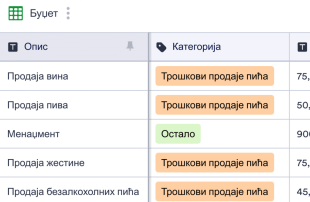
Буџет Ресторана
Прати комуналне услуге, трошкове рада и трошкове снабдевања да би уравнотежио буџет свог ресторана онлајн помоћу бесплатног Шаблона Буџета Ресторана! Са Jotform Табелама — напредним хибридом базе података и табела — можеш стручно управљати својим трошковима, преузети свој буџет као PDF или CSV фајл и делити табелу да би радио онлајн заједно са својим колегама или запосленима. Једноставно попуни приложени онлајн образац, ручно унеси своје трошкове или отпреми постојећи CSV или Excel буџет да би започео. Треба да прилагодиш овај Шаблон Буџета Ресторана? Слободно додај унапред подешене типове колона, укључи готове прорачуне за сабирање укупних вредности или промени приказ табеле, картице или календара да би видео своје информације на начин који најбоље одговара твојим потребама. А ако желиш да делиш табелу, и даље можеш да имате потпуну контролу над својим подацима прилагођавањем подешавања дељења. Буди у току са буџетом свог ресторана и ради на повећању профита свог пословања помоћу овог бесплатног Шаблона Буџета Ресторана!
Иди на категорију:Табеле буџета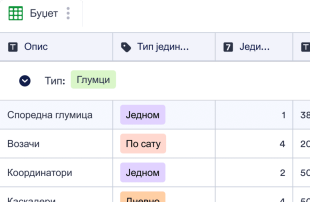
Шаблон Филмског Буџета
Пре него што можеш да кажеш „Светла, камера, акција!“, мораш да процениш колико ће филм коштати. Без обзира да ли снимаш кратки филм за школски пројекат или дугометражни филм за локални филмски фестивал, наш бесплатни шаблон буџета за филм ће ти помоћи да останеш на правом путу са додељеним буџетом. Да би започео, једноставно унеси информације о трошковима — као што су плате глумаца и екипе и трошкови производње — у табелу са било ког рачунара или мобилног уређаја. Када се попуни, моћи ћеш да прегледаш, уређујеш, штампаш и делиш свој Шаблон Филмског Буџета са лакоћом. Посвећен си стварању филма као никада раније, са оригиналном причом и јединственом режијом — па зашто не би урадио исто са својим Шаблоном Филмског Буџета? Само превуци и пусти да додаш још редова и колона, ознака у бојама, картица за додатне детаље о производњи и филтере за лакше груписање и организовање трошкова. Када завршиш, имаћеш прилагођени, лако доступан Шаблон Филмског Буџета који је спреман за крупни план!
Иди на категорију:Табеле буџета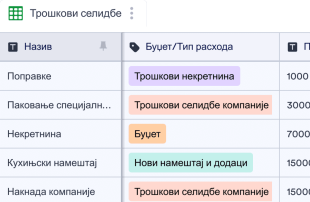
Шаблон Буџета Селидбе
Пресели се са нашим бесплатним онлајн Шаблоном Буџета Селидбе! Без обзира где се селиш мораш бити сигуран да не прелазиш буџет. Прати трошкове селидбе помоћу овог шаблона који се лако користи и који можеш да попуниш са било ког рачунара или мобилног уређаја. Једноставно ручно унеси финансијске информације или попуни приложени образац да би синхронизовао одговоре са табелом. Овај Шаблон Буџета Селидбе је више од табеле — то је моћно место за рад дизајнирано да задовољи све твоје потребе. Прилагоди своју табелу тако да аутоматски израчунава трошкове и укупне износе када унесеш нове податке. Није потребно кодирање — само изабери неку од унапред подешених опција формуле када креираш нову колону. Такође можеш да додаш још картица, да креираш нове ознаке и филтере и да прелазиш између других типова приказа да би видео свој буџет за селидбе на начин који ти највише одговара!
Иди на категорију:Табеле буџетаAbout Табеле буџета
Буџетски листови су шаблони Табеле или Табеле специфичне за одређене категорије, осмишљени за ефикасно организовање и управљање записима. Користећи Jotform обрасце, корисници могу да шаљу детаљне информације специфичне за одређене категорије, као што су предлози буџета, извештаји о трошковима, финансијски захтеви или расподела средстава по одељењима. Ове пријаве су од кључног значаја за власнике образаца и тимове у различитим индустријама, укључујући финансијска одељења, менаџере пројеката и власнике малих предузећа, којима је потребан поједностављен процес за управљање финансијским подацима. Повезана Табела служи као централизовано место за све прикупљене информације, обезбеђујући да се не меша са обрасцем, апликацијом, таблом или алатом за праћење задатака.
Jotform Табела је место где се пријаве из повезаних Jotform образаца аутоматски појављују, при чему се сваки одговор претвара у структурирани запис који се може прегледати у приказу Табеле или детаљном приказу. Ова платформа нуди неколико алата за организацију, као што су претрага, филтери, груписање и различити типови колона, који олакшавају ефикасно прегледање и управљање пријавама. Додатни прикази, као што су приказ календара, приказ извештаја и приказ отпремљених фајлова, пружају алтернативне начине за преглед података. Иако су доступни ручни унос и увоз CSV или Excel фајлова за додавање постојећих информација, главни фокус остаје на неприметном току рада од обрасца до Табеле.
Why Use Budget Sheets?
- By managing Jotform Forms submissions in Jotform Tables, form owners can eliminate the tedious task of manually transferring data from forms to spreadsheets, saving time and reducing errors.
- Keeping responses together in a single, organized table ensures that form owners and teams can quickly find and review complete submission details, enhancing overall efficiency.
- Using filters and search functions allows users to locate records faster, which is particularly beneficial when managing high volumes of financial data.
- The ability to coordinate follow-up and track changes ensures that any adjustments to submissions are documented, providing a clear history of modifications.
- Reporting on collected data becomes straightforward with Jotform Tables' ability to generate insights and summaries, aiding in financial analysis and decision-making.
Common Problems Solved by Budget Sheets
- Manually copying submissions into spreadsheets often leads to errors and inconsistencies, but using Jotform Tables ensures that all form responses are automatically captured and organized.
- Scattered responses across different platforms can make it difficult to locate records; however, the centralized table keeps all entries in one place for easy access.
- Inconsistent review of financial data can lead to oversight, but with features like filters and grouping, teams can ensure a thorough examination of all submissions.
- Uploads, such as receipts or invoices, can be challenging to review when disorganized, but Uploads View in Jotform Tables provides a more manageable way to handle these files.
- Unclear ownership of financial records can slow down processes, but Jotform Tables allows for clear assignment and tracking of responsibilities among team members.
Matching Form Submission Use Cases to Jotform Tables Features
- When new budget proposals are submitted through a connected Jotform Form, they automatically populate as entries in Jotform Tables, simplifying the intake process and ensuring no submission is missed.
- Reviewing detailed financial submissions is made efficient with Table View and Detail View, where users can sort and filter data to focus on specific entries as needed.
- Teams can manage access settings and assign responsibilities to ensure that only authorized members are involved in reviewing and approving budget records.
- Jotform Tables allows for comprehensive reporting through Report View, which helps form owners and managers analyze trends and make informed financial decisions.
- Linked tables enable users to connect related financial data across different projects or departments, providing a holistic view of organizational budgets and expenditures.
How to Use Budget Sheets with Jotform Forms
- Begin with a relevant Jotform Tables template, a blank table, or a table connected to an existing Jotform Form. The Jotform Form is responsible for collecting category-specific information such as budget requests or expense reports, with new responses automatically appearing in the connected table.
- The form owner configures the table for submission review by naming columns, choosing appropriate column types, and selecting views like Table View, Detail View, Calendar View, or Report View that best fit their needs.
- Form owners or teams manage submissions using search, filters, data grouping, formulas, access settings, assignees, and revision history to ensure that all financial data is accurately reviewed and easily accessible.
Top Use Cases for Budget Sheets
- For Form Owners: Form owners who have created or own the connected Jotform Form can efficiently review incoming budget submissions, edit submission data as necessary, and ensure that all details, including uploads like receipts, are accurate and organized. Jotform Tables provides a structured environment for keeping records in order, allowing form owners to maintain oversight of financial information and streamline their budget management processes.
- For Teams: Authorized team members can quickly find and maintain financial submissions, coordinating responsibilities with assignees as needed. Access settings ensure that sensitive financial data is only visible to appropriate personnel, while revision history provides a clear record of any changes made. This collaborative approach supports shared work and ensures that all team members are aligned in their financial management efforts.
- For Managers: Managers can monitor collected financial data, reviewing patterns specific to budget categories, and checking progress or ownership of budget-related tasks. Using Report View or other relevant views, managers gain insights into financial trends and can oversee the budgetary process effectively. This oversight ensures that financial goals are met and that resources are allocated appropriately.
Summarizing Budget Sheets
Budget Sheets provide a valuable tool for collecting financial information through Jotform Forms and managing the resulting submissions in Jotform Tables. By automating the appearance of form responses in a structured table, users can streamline their financial management tasks. Jotform Tables offers a range of features to organize, review, and report on budget data, supporting efficient and informed decision-making.
Често Постављана Питања
1) Is it free to use Budget Sheets with Jotform Tables?
Jotform offers a Starter plan, which allows users to access core features of Budget Sheets. This plan is designed to provide essential functionality without financial commitment. Users can explore the capabilities of Jotform Tables and see how it fits into their workflow.
2) How do submissions from Jotform Forms appear in Budget Sheets?
Submissions from Jotform Forms automatically appear in Budget Sheets as entries in the linked table. This connection ensures that each new response is promptly added as a row, streamlining the data collection process. Future responses will continue to auto-populate the connected table, keeping all financial submissions up to date.
3) Can I edit, search, filter, group, and calculate data in Budget Sheets?
Yes, you can edit submission data, utilize various column types, and perform searches to quickly locate entries. Filters and data grouping allow for a more organized review of financial submissions. Formulas and calculations are available to perform financial analysis within the table, enhancing data management.
4) Can I export the data inside the tables as CSV or Excel?
Yes, Jotform Tables allows you to export data as CSV or Excel files. This feature is useful for adding existing financial information alongside submissions collected through connected forms. Exporting data makes it easy to share with others or integrate into other financial systems.
5) Which Jotform Tables views can I use with Budget Sheets?
You can use Table View, Detail View, Calendar View, Report View, and Uploads View with Budget Sheets. Table View and Detail View help organize and review submissions, while Calendar View offers a time-based perspective. Report View helps generate insights, and Uploads View is ideal for managing financial documentation.
6) Can teams collaborate on submissions in Budget Sheets?
Teams can collaborate effectively with Budget Sheets by using access settings to control who can view or edit data. Assignees can be designated for specific tasks, and real-time tracking ensures everyone is on the same page. Revision history provides transparency into any changes made, supporting collaborative work.
7) Can I connect Budget Sheets to related data or other applications?
Yes, linked tables allow you to connect related financial data, providing a comprehensive view across projects or departments. Integrations and action buttons can facilitate connections to other applications, streamlining workflows and enhancing data management capabilities.
8) Can I create reports, PDFs, and manage files from Budget Sheets?
You can create reports using Report View to analyze financial trends and insights. PDF generation allows you to produce easily shareable documents, while Uploads View helps manage any files associated with your budget data. These features enhance the overall functionality of Budget Sheets.