

Табеле за маркетинг

Календар Друштвених Мрежа
Календар Друштвених Мрежа се користи за планирање постова на друштвеним мрежама. Без обзира да ли си блогер, Instagram инфлуенцер или менаџер друштвених мрежа за маркетиншки тим, учини да твој бренд постане следећа тема у тренду помоћу нашег бесплатног шаблона календара друштвених мрежа. Све што треба да урадиш је да попуниш образац са информацијама о предстојећој објави, изабереш одговарајући тип садржаја и канале друштвених мрежа и наведеш детаље о времену и датуму објављивања. Овај шаблон календара друштвених мрежа ће затим сортирати сваку пријаву у табелу коју затим можеш видети у свом подразумеваном формату или у формату календара — савршено за гледање на било ком уређају или дељење и дискусију са својим тимом за садржај. Баш као што је сваки пост на друштвеним мрежама скројен да одговара твом бренду, твој календар друштвених мрежа такође треба да одговара твојим потребама. Да прилагодиш овај бесплатни шаблон календара друштвених мрежа, једноставно користи наш Креатор Образаца да додаш или измениш поља обрасца која ће утицати на колоне у твојој табели. Такође можеш да означиш различите ознаке бојама, па чак и да додаш картице за предстојећа лансирања, необичне празнике и најновије онлајн трендове. Организуј своју маркетиншку стратегију на друштвеним мрежама боље помоћу нашег календара друштвених мрежа — и спреми се да постанете вирални!
Иди на категорију:Маркетинг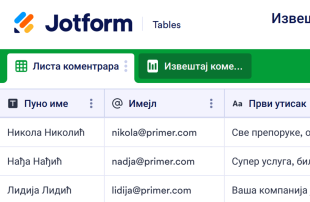
Извештај коментара корисника
Прикупљај повратне информације од купаца онлајн. Мењај приказе између табеле, картица или извештаја како би анализирао добијене одговоре. Кодирање није потребно. Савршено функционише на сваком уређају.
Иди на категорију:Планирање догађаја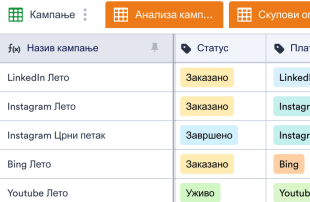
Шаблон Маркетиншке Кампање
Шаблон Маркетиншке Кампање се користи за праћење свих елемената маркетиншке кампање, укључујући учинак огласа, детаље о платформи, укупан потрошен новац и још много тога. Искористи своје огласне кампање на најбољи начин са бесплатним Шаблоном Маркетиншке Кампање! Прати информације онлајн да би видео који огласи остварују конверзију, који треба да се ажурирају и какав је учинак твог предузећа на различитим платформама. Све информације се безбедно чувају на твом Jotform налогу. Прегледај своје информације као табелу или пређите на приказ календара да би брзо видео када ће кампање бити активне. Да прилагодиш овај шаблон тако да боље одговара твом пословању, можеш ажурирати редове и колоне или додати нове картице у само неколико кликова. Са свим подацима о кампањама који су постављени у формату који је једноставан гледање, можеш брзо да одредиш најбоље и најгоре огласне кампање своје компаније и откријеш најбољи начин да наставиш са маркетингом.
Иди на категорију:Маркетинг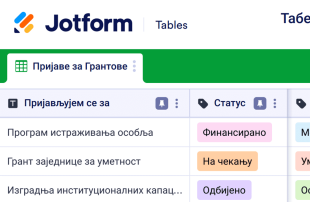
Табела за Праћење Грантова
Табела за Праћење Грантова је онлајн табела која се користи за праћење пријава за грантове. Можеш користити Jotform-ову бесплатну онлајн Табелу за Праћење Грантова да надгледаш статус текућих пријава за грантове, управљаш контакт детаљима и организујеш информације да би се пријавио за грантове јер ти је потребно да добијеш прави износ финансирања. Можеш чак и да се пребациш на приказ календара како би био сигуран да никада нећеш пропустити важан рок! Прилагоди ову Табелу за Праћење Грантова да савршено садржи све твоје информације. Додај редове и колоне, ажурирај називе и боје ознака и преуреди изглед тако да одговара твојим потребама. Можеш чак да користиш нашу функцију брзог израчунавања да аутоматски сабереш укупне износе за тражене и примљене износе! Одржавањем информација о грантовима организованим у професионалној онлајн табели, можеш помоћи својој непрофитној организацији да постане ефикаснија, да се пријави за више грантова и обезбедиш више средстава.
Иди на категорију:Маркетинг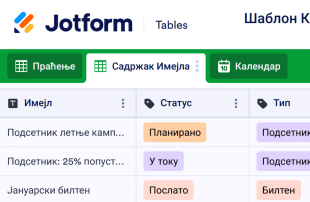
Шаблон Календара за Имејл Маркетинг
Календар имејл маркетинга се користи да помогне предузећима да креирају, закажу, управљају и анализирају имејл маркетиншке кампање као што су билтени, слање е-књига и још много тога. Организуј, анализирај и побољшај своје имејл маркетиншке кампање помоћу бесплатног Шаблона Календара за Имејл Маркетинг! Лако прегледај проценат отворених имејлова и кликова да би видео које су кампање биле добре, а које треба побољшати. Подаци се безбедно чувају на твом Jotform налогу и лако су доступни на било ком уређају. Наш Шаблон Календара за Имејл Маркетинг већ укључује картице за праћење билтена, садржај имејла и календар да видиш када је планирано слање билтена — али ако желиш да видиш своје информације на други начин, слободно додај нове картице, колоне, редове и ознаке означене бојама да би максимално искористио своје податке. Побрини се да твоји билтени погоде циљну публику тако што ћеш организовати и анализирати податке о кампањи помоћу нашег бесплатног Шаблона Календара за Имејл Маркетинг.
Иди на категорију:МаркетингAbout Маркетинг
Маркетиншки листови су шаблони табеле специфични за одређене категорије, осмишљени да помогну у организовању и управљању записима повезаним са маркетиншким активностима. Власници образаца користе Jotform обрасце за прикупљање широког спектра информација, укључујући одговоре на анкете, повратне информације корисника, пријаве за догађаје и пријаве за промотивне понуде. Ове пријаве су од кључног значаја за маркетиншке тимове, компаније и професионалце којима је потребно да обрађују захтеве, анализирају податке и одржавају ангажовање корисника. Предност маркетиншких листова лежи у њиховој способности да претворе прикупљене одговоре из образаца у добро организоване записе у оквиру Jotform Табеле, чиме се обезбеђује да важне информације буду лако доступне и да се њима лако управља.
Jotform Табела служи као централно место где се пријаве из повезаних Jotform образаца аутоматски појављују. Сваки послати одговор из обрасца постаје запис у повезаној Табели, који се може прегледати у приказу Табеле или детаљном приказу. Оваква поставка омогућава корисницима да организују и анализирају пријаве помоћу моћних функција као што су претрага, филтери, груписање података и различити прикази, попут приказа календара и приказа извештаја. Иако су подржани ручни унос и увоз CSV или Excel датотека, главни фокус остаје на неприметној интеграцији одговора из образаца у Табеле. Овај процес од почетка до краја повећава ефикасност тако што поједностављује поступак од прикупљања података до свеобухватног управљања њима.
Why Use Marketing Sheets?
- Marketing Sheets eliminate the need for manual data transfer by ensuring that all Jotform Forms submissions automatically populate the connected tables. This reduces errors and saves valuable time.
- Keeping all submissions together in a centralized table makes it easier to find and manage records, allowing marketing teams to stay organized and efficient.
- With detailed submission information readily accessible, teams can review complete details of each entry, including attachments and uploads, ensuring no important data is overlooked.
- The ability to filter and search through submissions quickly helps users locate specific records, facilitating better decision-making and faster response times.
- By using Jotform Tables to coordinate follow-up actions, marketing teams can ensure that no customer inquiry or feedback goes unanswered, improving overall customer satisfaction.
- Real-time tracking and revision history features enable teams to monitor changes and maintain an accurate record of all submissions and actions taken.
Common Problems Solved by Marketing Sheets
- Manually copying submissions from forms into spreadsheets is time-consuming and prone to errors. Marketing Sheets solve this by automatically importing form responses into organized tables.
- Scattered responses across multiple platforms can lead to confusion and inefficiencies. Marketing Sheets centralize all data, making it easier for teams to stay on top of their submissions.
- Finding specific records in a sea of data can be challenging. The search and filter capabilities in Jotform Tables allow users to quickly locate the information they need.
- Inconsistent review processes can result in missed opportunities or overlooked information. By using columns and column types, teams can standardize data review and ensure thoroughness.
- Large file uploads can be cumbersome to manage. The Uploads View in Jotform Tables provides a streamlined way to review and access all uploaded documents associated with form submissions.
Matching Form Submission Use Cases to Jotform Tables Features
- For marketing campaigns receiving numerous sign-ups, the connected form automatically populates the table, ensuring timely and organized data collection.
- Reviewing customer feedback becomes efficient with Table View and Detail View, allowing detailed analysis and categorization of responses.
- Using search and filters, marketing teams can sort through entries to prioritize urgent customer inquiries or feedback, streamlining their workflow.
- Assignees and access settings help coordinate responsibility among team members, ensuring that all submissions are addressed by the appropriate personnel.
- Report View provides insights into collected data, enabling marketing managers to generate reports that highlight key metrics and trends for strategic planning.
How to Use Marketing Sheets with Jotform Forms
- Begin with a suitable Marketing Sheets template or connect a Jotform Tables setup to an existing Jotform Form. As new responses come in, they automatically populate the connected table, streamlining data collection and organization.
- Configure the table for effective submission management by naming columns, selecting appropriate column types, and choosing views like Table View or Uploads View to match the type of data being handled.
- Manage submissions efficiently by using features such as search, filters, data grouping, and formulas. Employ access settings and assignees to facilitate team collaboration and track revision history for accountability.
Top Use Cases for Marketing Sheets
- For Form Owners: Form owners benefit from Marketing Sheets by reviewing incoming responses directly from their connected Jotform Forms. They can edit submission data to correct errors or update information as needed. By checking details and uploads, form owners ensure that every piece of information is accurately captured and retained. Keeping records organized in Jotform Tables allows them to maintain a comprehensive view of all collected data, facilitating better decision-making and follow-ups.
- For Teams: Authorized team members use Marketing Sheets to find and maintain submissions efficiently. By coordinating responsibility with assignees, they ensure that each entry is addressed by the appropriate team member. Access settings and revision history support shared work by providing transparency and accountability. This collaborative environment helps teams stay aligned and responsive to incoming data and tasks.
- For Managers: Managers leverage Marketing Sheets to monitor collected data and review patterns specific to their marketing activities. They can check the progress of tasks and confirm ownership to ensure that all responsibilities are clear. By utilizing Report View or other relevant views, managers gain insights into the data, allowing them to oversee operations and make informed decisions about marketing strategies and resource allocation.
Summarizing Marketing Sheets
Marketing Sheets offer a streamlined, efficient way to collect and manage marketing-specific information through Jotform Forms and Jotform Tables. This category-specific value lies in the automatic integration of form responses into organized tables, where records are easily reviewed and managed. Jotform Tables enhance productivity by providing tools to search, filter, group, and report on collected data, ensuring that marketing teams can focus on strategic activities rather than data entry.
Често Постављана Питања
1) Is it free to use Marketing Sheets with Jotform Tables?
Jotform offers a Starter plan, which allows users to begin utilizing Marketing Sheets with Jotform Tables. This plan provides access to essential features needed to manage submissions effectively. Users can explore the capabilities of Jotform Tables without incurring any initial costs. However, for more advanced features and higher usage needs, users may consider exploring other plan options.
2) How do submissions from Jotform Forms appear in Marketing Sheets?
Submissions from Jotform Forms automatically appear in Marketing Sheets when the form is connected to a Jotform Table. Once a respondent submits a form, their response is entered as an entry or a row in the linked table. This auto-population process ensures that new responses continue to flow into the table, keeping all data centralized and up-to-date.
3) Can I edit, search, filter, group, and calculate data in Marketing Sheets?
Yes, you can edit submissions and utilize various features to organize data in Marketing Sheets. Columns and column types allow you to categorize and manage data effectively. The search function helps locate specific entries, while filters and data grouping enable users to sort and analyze information efficiently. Formulas and calculations can be applied to perform necessary data analysis and derive insights.
4) Can I export the data inside the tables as CSV or Excel?
Exporting data from Marketing Sheets as CSV or Excel is supported, allowing you to add existing information alongside submissions from connected forms. This feature is beneficial for creating backups or sharing data with external stakeholders. Exporting ensures that you have flexible options for data handling and reporting beyond the Jotform ecosystem.
5) Which Jotform Tables views can I use with Marketing Sheets?
In Marketing Sheets, you can utilize Table View, Detail View, Calendar View, Report View, and Uploads View. Table View allows you to see all entries in a spreadsheet-like format, while Detail View provides in-depth information for each submission. Calendar View is useful for date-based entries, Report View helps summarize data for analysis, and Uploads View organizes any uploaded files for easy access and review.
6) Can teams collaborate on submissions in Marketing Sheets?
Teams can collaborate effectively using Marketing Sheets through features like access settings, collaboration tools, and assignees. Real-time tracking and revision history enhance transparency and accountability among team members. These capabilities ensure that everyone involved has the necessary access to participate in managing and processing submissions while maintaining data integrity.
7) Can I connect Marketing Sheets to related data or other applications?
Yes, Marketing Sheets can be connected to related data through linked tables and various integrations. Action buttons can be used for specific functions, although the exact integrations depend on the available connections provided by Jotform. These features enable seamless interaction with other applications and data sources, enhancing the versatility and functionality of your tables.
8) Can I create reports, PDFs, and manage files from Marketing Sheets?
Marketing Sheets allow you to create comprehensive reports using Report View. Additionally, PDF generation is available for producing documents that summarize table data. The Uploads View helps manage and review files associated with submissions, and signed documents can be integrated when necessary. These capabilities support a wide range of documentation and reporting needs within marketing activities.