
Top 8 Mentimeter alternatives
Whether you’re running live events or providing remote education, you need a Mentimeter alternative that meets your needs — and you’ll find one on this list.
We tested the top Mentimeter alternatives on their interactivity, polling and question options, AI capabilities, pricing, and more. Based on this criteria, here are the best audience engagement tools in 2026.
↓ What to look for in a Mentimeter alternative.
| Tool | Best for | Pricing |
|---|---|---|
 Jotform |
Agentic AI presentations and data collection workflows |
|
 Slido |
Reliable performance and easy integrations for live events |
|
 AhaSlides |
Interactive presentations on a budget |
|
 Poll Everywhere |
Offline polling via text message |
|
 Vevox |
Interactive live events with up to 5,000 participants |
|
 Wooclap |
Affordable interactive training and virtual classrooms |
|
 Kahoot! |
Gamified, high-energy learning |
|
 Wayground |
Asynchronous education or training with anti-cheating technology |
|
1. Jotform
Best for: Agentic AI presentations and data collection workflows
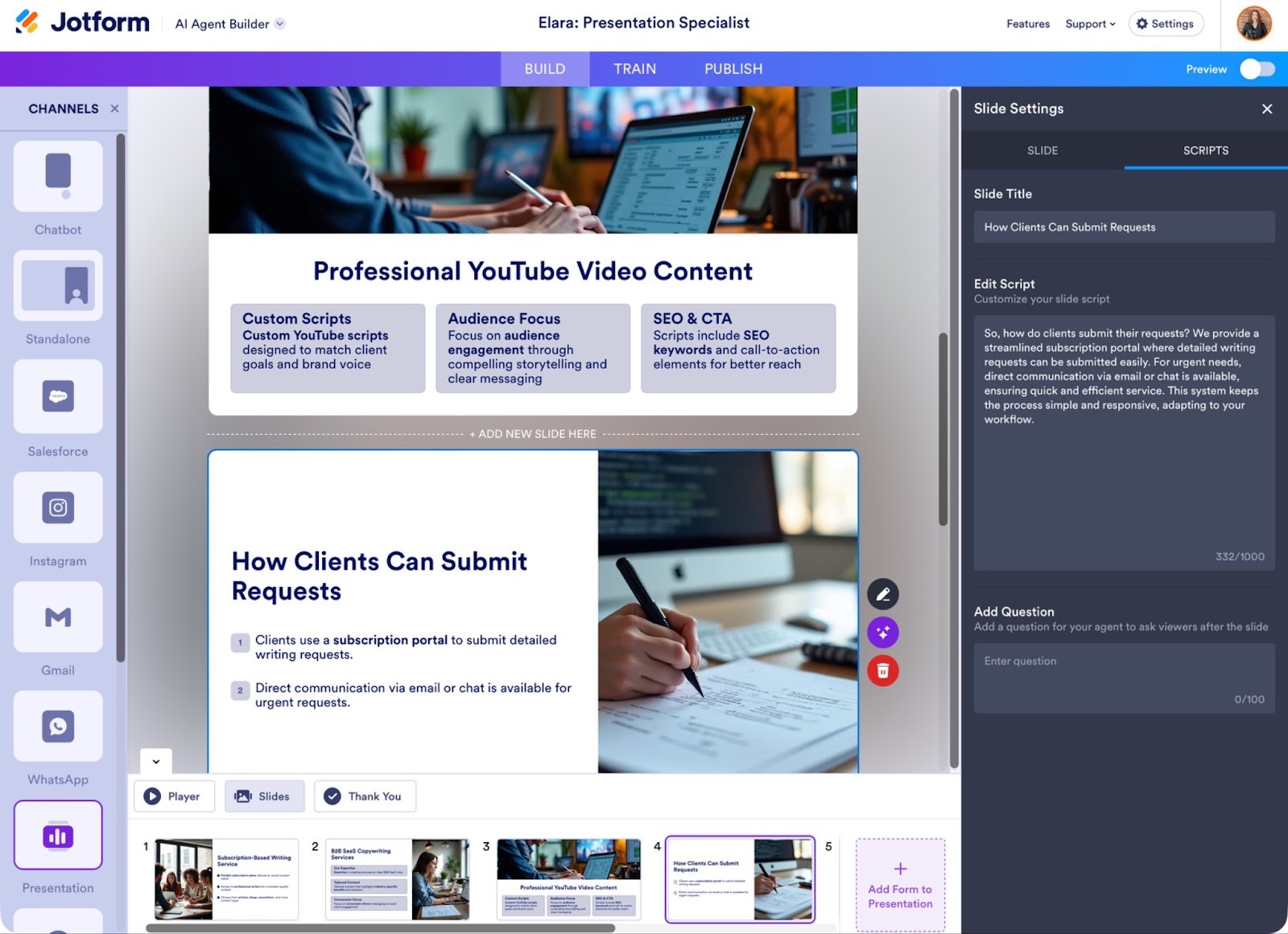
Besides powering automated workflows, payments, forms, and more across your organization, Jotform makes creating interactive presentations easy. Jotform Presentation Agents are like having a live sales or customer support person in the room. They’re useful for many types of presentations, but my favorite use case is for automating guiding leads through the sales process. I turned my services guide, which used to be a static PDF document, into an interactive presentation in minutes with the AI Presentation Maker. Now leads can scroll through or ask questions and get instant answers from my AI Agent.
Plus, I get more data. I embedded a customer intake form within the presentation, which viewers can either fill out themselves or the AI Agent can get this information in chat. Thanks to Jotform’s 100-plus integrations, I connected the presentation to my Calendly scheduling link, so prospects can immediately book a call with me. I love how Jotform’s tools work together to make running my business faster for both me and my clients.
Spend less time prepping slides and more time engaging with and gathering insights and data from your audience with Jotform.
- Key features
- Create presentations fast from an existing file or AI prompt, and add real-time narration and audience interactivity with Q&A, quizzes, surveys, and forms
- Multiple data collection methods for improved customer experiences, analytics and insights, and powerful automation workflows
- Jotform Presentation Agents deliver digital presentations in multiple languages, with customizable voice narration and tone, and answer viewer questions live — 24-7
- Pros
- Cons
- Most useful for automating workflows that start with gathering data, such as forms or surveys
- Plans/Pricing
- Free for five AI Agents, including Presentation Agents.
- Paid plans range from $34 to $99 per month, billed annually, for more Agents and premium features, including 24-7 support, automated workflows, advanced forms, payments, and much more.
- Additional discounts available for nonprofits and educational institutions.
2. Slido
Best for: Reliable performance and easy integrations for live events
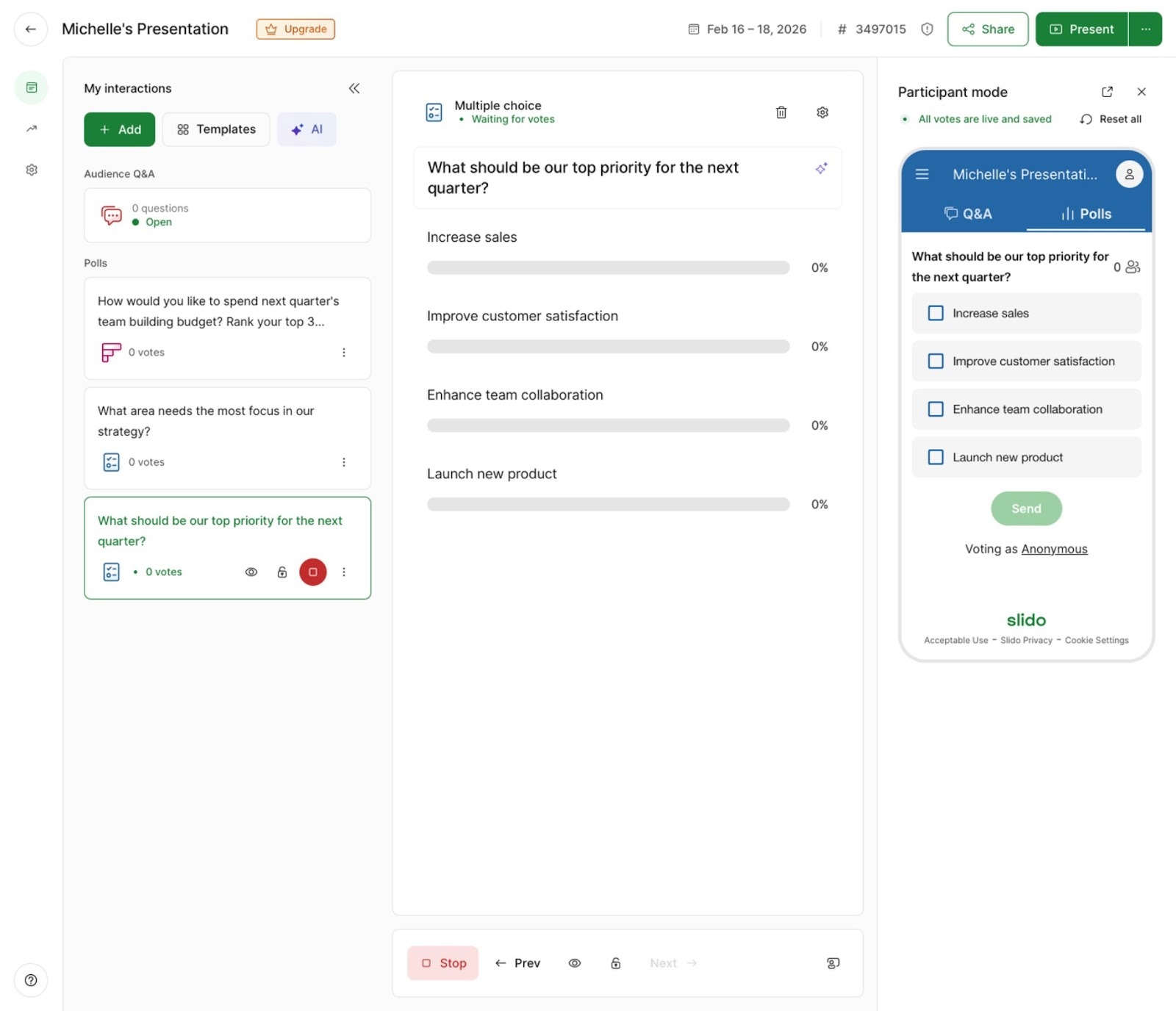
Slido is a flexible presentation solution that allows remote teams, event organizers, or educators to use it differently depending on the event. Instead of recreating presentations, Slido is all about interaction. You create an event, then choose the questions, polls, surveys, and other interactive features without integrating them into your slide deck. I found the most popular questions and other templates great for adding the basics and to inspire my own, plus I can reuse questions from previous events.
I wasn’t sure how that would work at first, but I found there’s no learning curve with Slido. I can run my meetings the way I usually do, in Zoom with a Google Slides deck, while questions from Slido automatically appear at the right times. More functionality without having to learn a new app? Win-win.
- Key features
- Pros
- No need to switch between tools — Slido integrates with top tools, such as Microsoft Teams, PowerPoint, Google Slides, Webex, Zoom, and more
- No need to recreate your presentations from scratch
- Polls and Q&A auto-display during live events, complete with live results
- Cons
- Q&A moderation and other essential live features are only available in the expensive Professional plan
- Plans/Pricing
- Free plan supports up to 100 participants per session and has basic interaction features. Paid plans range from $17.50 to $200 per month, billed annually, for up to 5,000 participants and advanced, unlimited interaction features.
3. AhaSlides
Best for: Interactive presentations on a budget
AhaSlides is as powerful as it is affordable, making it a great choice for small to medium-sized businesses or any organization on a budget. The free plan is particularly generous if you host infrequent or small meetings, as it allows up to 50 participants and includes quiz and Q&A features.
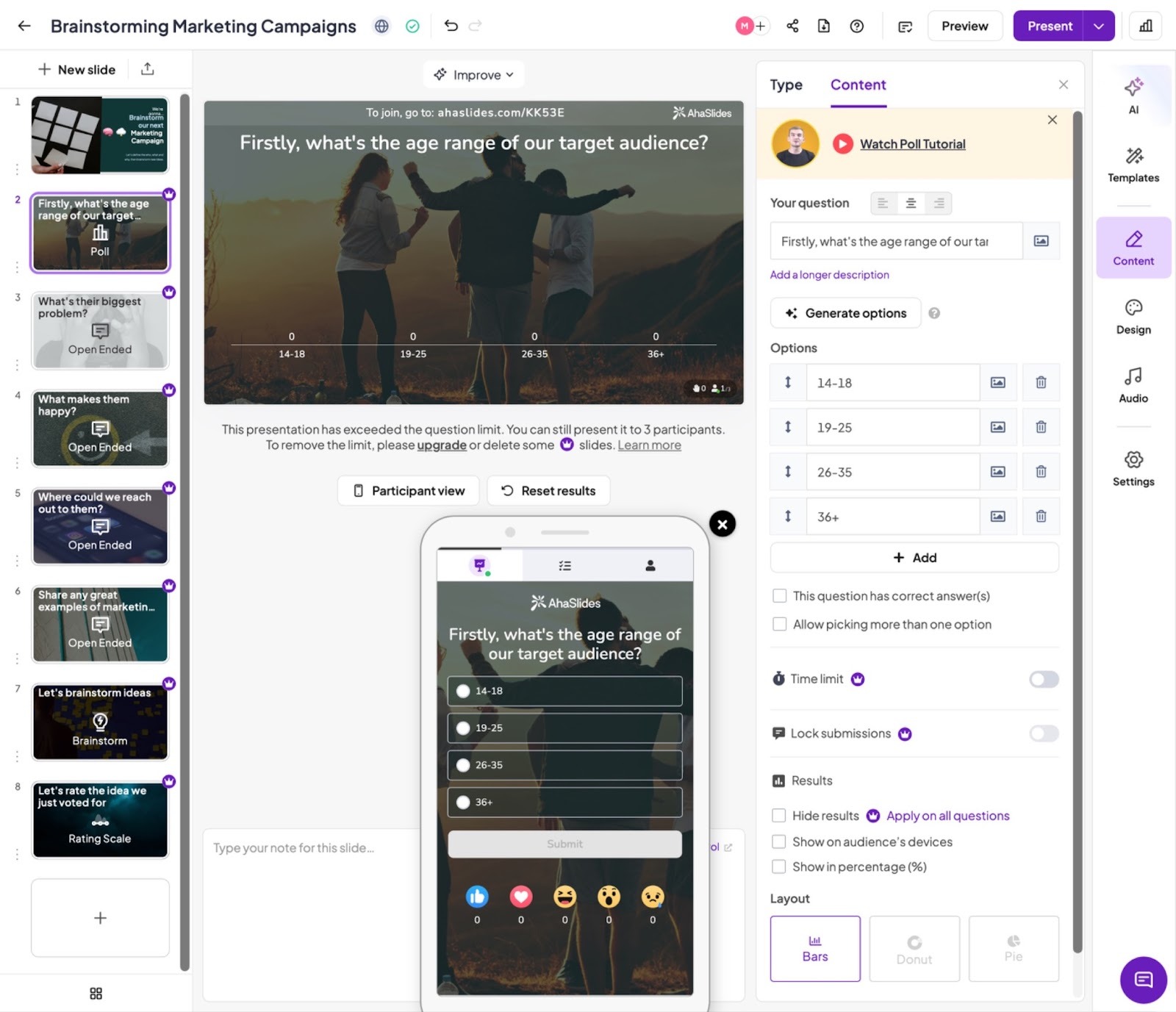
I found the conversational AI presentation builder efficient and intuitive. I used it to create new slides based on prompts. I also used it to edit existing slides, asking it to review my grammar and to suggest content ideas for information I should add. AhaSlides reminds me of Canva, because of their extensive template library and easy customization, with the beneficial ability to add live interactivity. I also appreciate that each poll or question has independent settings, including multiple submissions, time limits, and more.
I love AhaSlides’ presentation interface, which they call Remote control. It’s easy to see incoming audience questions along the left side and notes to myself for presenting slides at the bottom. The sometimes overwhelming interface of Zoom and other apps can make me more nervous, especially for important meetings, so I like that AhaSlides’ Remote control is simplified while still having all the necessary controls (for example, slide changing, reactions, and so on).
- Key features
- Integrates with Google Slides and PowerPoint to make existing presentations interactive
- Run meetings or events through your usual Zoom, Teams, or RingCentral account — participants don’t have to download anything
- Over 3,000 slide templates to create polished, professional presentations in minutes
- Pros
- Generous free plan for live events up to 50 participants, and paid plans start at an affordable $7.95 per month
- Over 20 interactive question types to spur engagement
- Conversational AI editing tool is unique and easy to use for presentation creation and refinement
- Cons
- While meetings can run through your existing tech stack, participants do need to scan a QR code to enter the AhaSlides interactive portion, which may be a barrier for some
- Plans/Pricing
- Free for up to 50 participants per event. Paid plans include the Essentials level at $7.95 per month for unlimited interactive slides, or Pro for $15.95 per month which adds more participants and AI features, both billed annually.
4. Poll Everywhere
Best for: Offline polling via text message
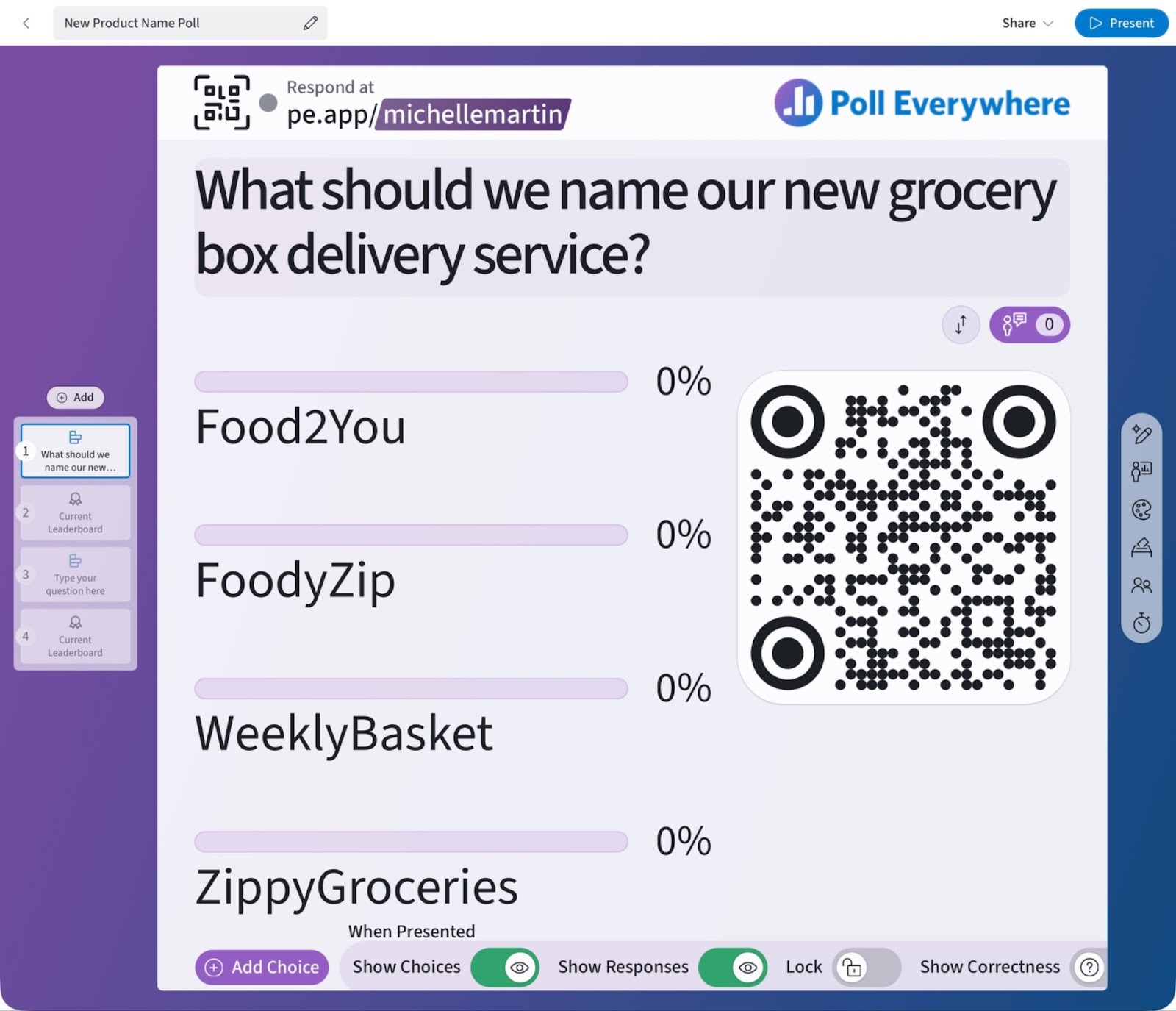
At first glance, Poll Everywhere may seem too limited since it mostly focuses on, well, polls. Though it excels at both live and asynchronous polling, it also runs Q&A sessions and includes integrations for PowerPoint, Keynote, Google Slides, Slack, and more.
I can’t speak from personal experience about its uses for higher education, but it’s a great option for remote or global business teams. As a remote worker, I always appreciate when asynchronous participation is offered, so I can actually contribute. As an individual and a business owner, I appreciate the anonymous option, which lets me collect authentic, unfiltered feedback.Overall, Poll Everywhere is quite simple, which makes it seem inferior to other apps with more in-depth options or question types. But its simplicity is its real strength: It took me less than a minute to set up a poll and launch it live via a shareable link or QR code. Whether creating a quiz or wanting to quickly gather feedback, Poll Everywhere is the fastest way I’ve found to do so.
- Key features
- Integrates with popular higher education LMS tools, including Canvas, Brightspace, Blackboard, Moodle, and more
- Both live and asynchronous polling, so everyone can participate and you gather the most information possible
- PowerPoint, Google Slides, Keynote, Slack, and more integrations
- Pros
- Higher education specific features include automatic attendance verification, offline polling, and LMS integrations
- All plans include all poll and question options, including the free plan
- Accessibility features include screen reader support, adjustable contrast and fonts, and more
- Cons
- Can get pricey if needing more than two user seats (from $49 to $125 extra per month each)
- Plans/Pricing
- Free 30-day trial of premium features, and ongoing free plan for up to 40 participants. Paid plans range from $10 to $84 per month, billed annually, for up to 700 participants, varying AI capabilities, and specialized features including attendance tracking.
5. Vevox
Best for: Interactive live events with up to 5,000 participants
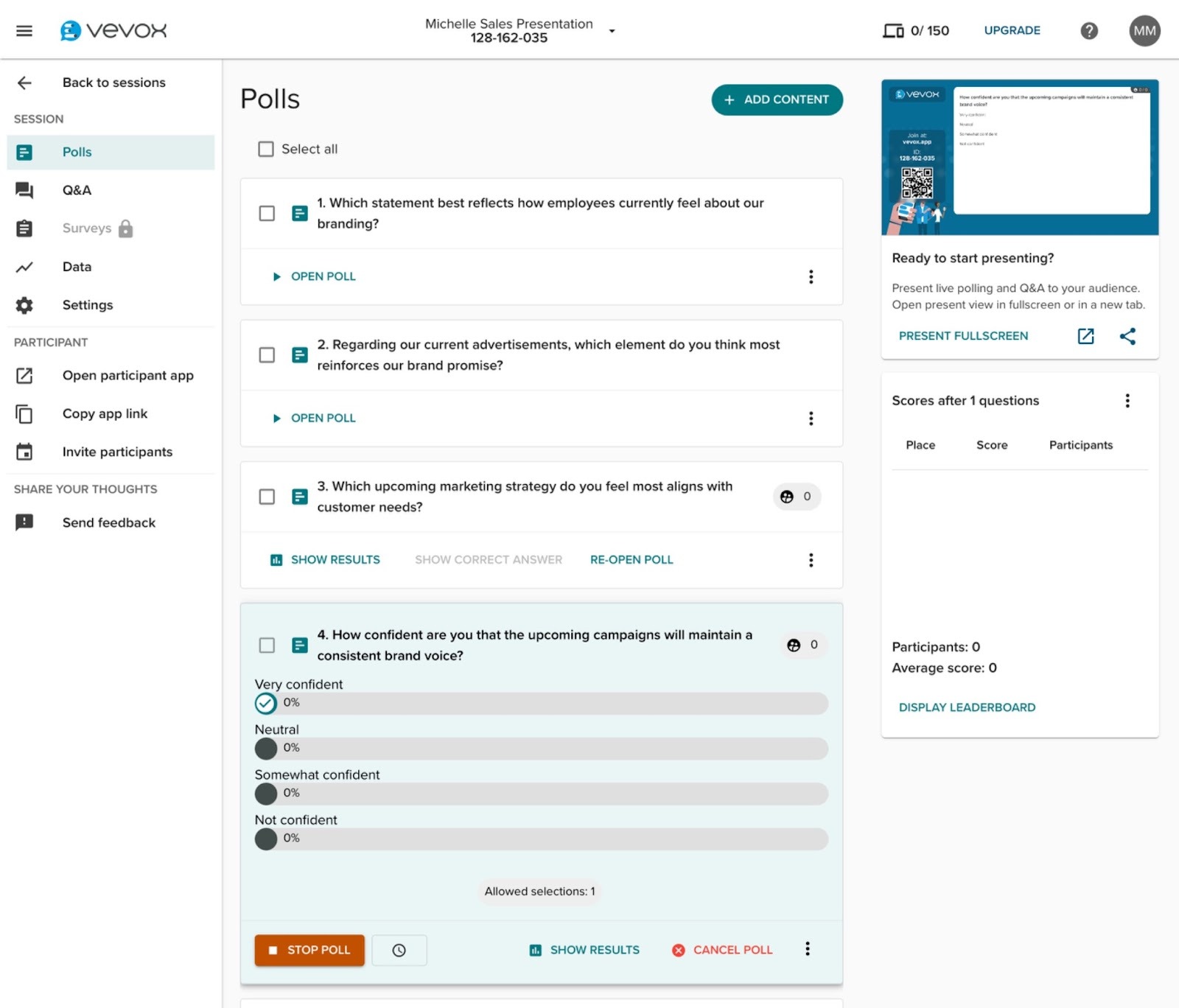
Vevox is ideal for organizations that need a high amount of live event participants (up to 5,000!), white-label branding, GDPR privacy compliance, plus multiple options for adding interactivity.
I really liked the question library, which offers templates and ideas for interactive quizzes, polls, and more in any easily searchable database. I used the built-in AI for brainstorming question ideas too, though I found myself wishing for an AI prompt-to-presentation builder. That said, it’s easy to use Vevox’s PowerPoint or Google Slides integrations to add interactivity, rather than recreating my entire presentation, though in this case, I would prefer having my presentation and poll questions together in one app.
I found Vevox the most useful after the end of an event, thanks to easy to export, detailed reports. Vevox breaks down each poll or question’s responses, as well as verified attendance tracking. I personally don’t track attendance, but I can see how that would be useful for educators or mandatory employee meetings.
- Key features
- Easy integration with leading LMS solutions for higher education, including Canvas, Blackboard, Brightspace, and more
- Add interactive elements directly to your PowerPoint or Google Slides presentations
- Question library for easy interactive slide creation
- Pros
- Unique “one time event” plan for seven-day access, with no need for long-term subscription charges
- Affordable higher-end features for businesses and educational institutions alike, including custom branding, more feedback options, and analytics
- Much higher participant limit than most other options: 1,500 on the Pro plan and up to 5,000 with a custom institutional plan
- Cons
- Not “all in one” — your slide deck is in one app while your interactive quizzes and polls are in Vevox (unless using the PowerPoint or Google Slides integrations)
- Plans/Pricing
- Free plan for up to 100 participants with limited interaction options. Business plans range from $11.95 to $24.95 per month and education plans range from $7.75 to $12.95 per month, billed annually, for over 20 poll and quiz types, AI quizzes with scoring, and more.
6. Wooclap
Best for: Affordable interactive training and virtual classrooms
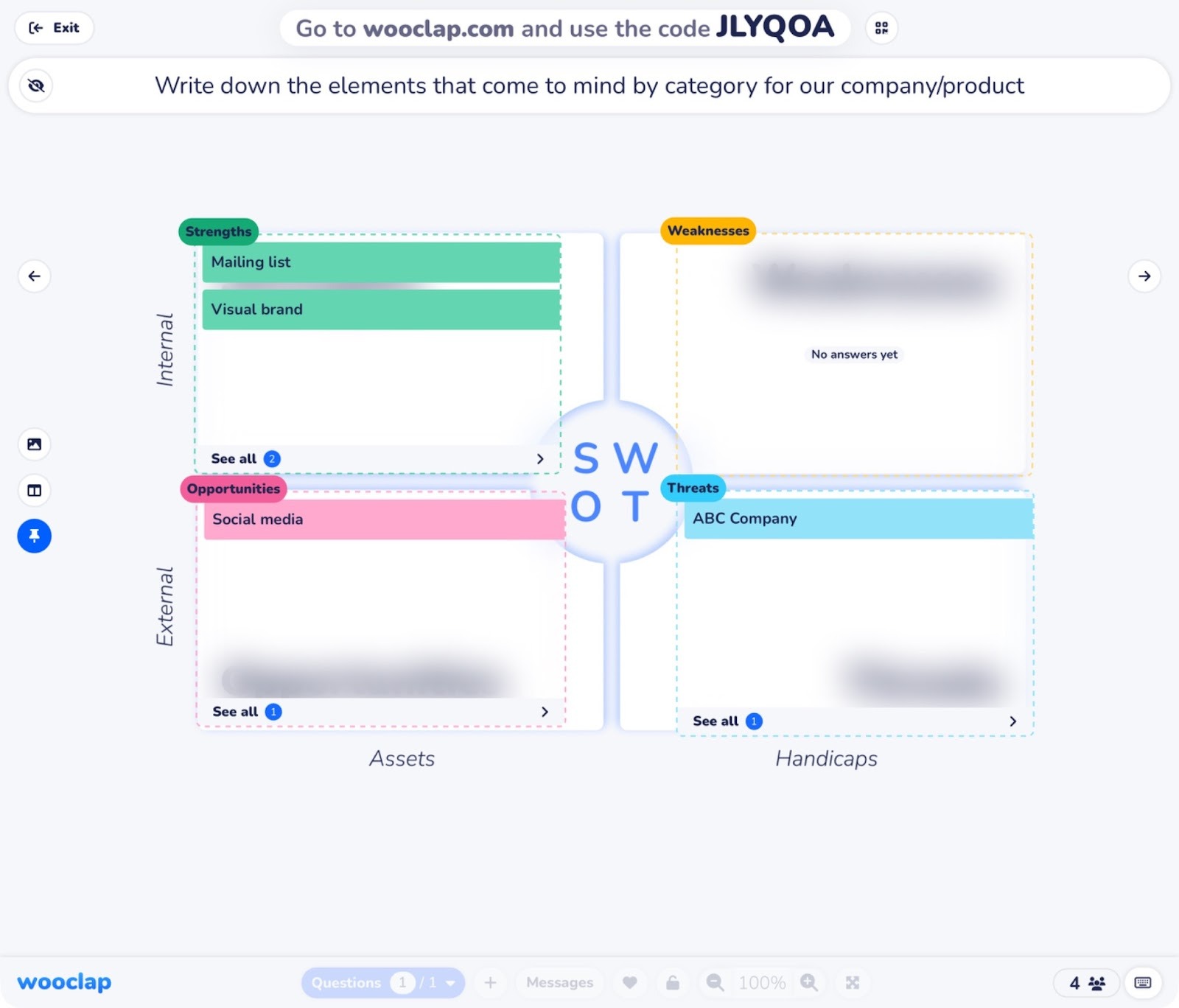
Developed by neuroscientists, Wooclap is built around active learning, which is the idea that by making materials interactive and introducing gamification elements like competition and collaboration, you can increase retention. It’s ideal for teaching but equally useful for business icebreakers and brainstorming.
I was impressed with the versatility of Wooclap AI’s automatic quiz creation, which turns existing presentation files into interactive events. With only a few edits, I added useful AI generated quiz questions directly to my presentation. However, I found Wooclap’s overall design aesthetic lacking modernity compared to other apps, but this is purely cosmetic. The versatility of question types more than makes up for dated design.
I can see Wooclap making business presentations, strategy sessions, educational events, and other gatherings more interactive in simple but powerful ways. For example, I swapped out a SWOT analysis slide in a marketing strategy meeting deck with a fully interactive version. Instead of lecturing about SWOT, I was able to hold a team discussion.
- Key features
- Instantly turn existing lesson plans, brand presentations, videos, or documents into interactive in-person or virtual events with Wooclap AI
- Maximize engagement, collaboration, and knowledge retention throughout your presentation
- Scored quizzes and real-time reports to prove competency and understanding
- Pros
- Allows up to 1,000 participants, even on free plan, with more available on custom plans
- Web-based, so participants don’t need to download anything and can join a session from any device
- 21 question types for versatility and to engage different styles of learners
- Cons
- LMS integration (Canvas, Blackboard, Moodle, and more) only available on Corporate or Campus plans with custom pricing
- Plans/Pricing
- Free plan for up to 1,000 participants and two questions per event. Paid business plans range from $14.99 to $36.99 per month per presenter, and education plans range from $9.99 to $21.99 per month per presenter.
7. Kahoot!
Best for: Gamified, high-energy learning
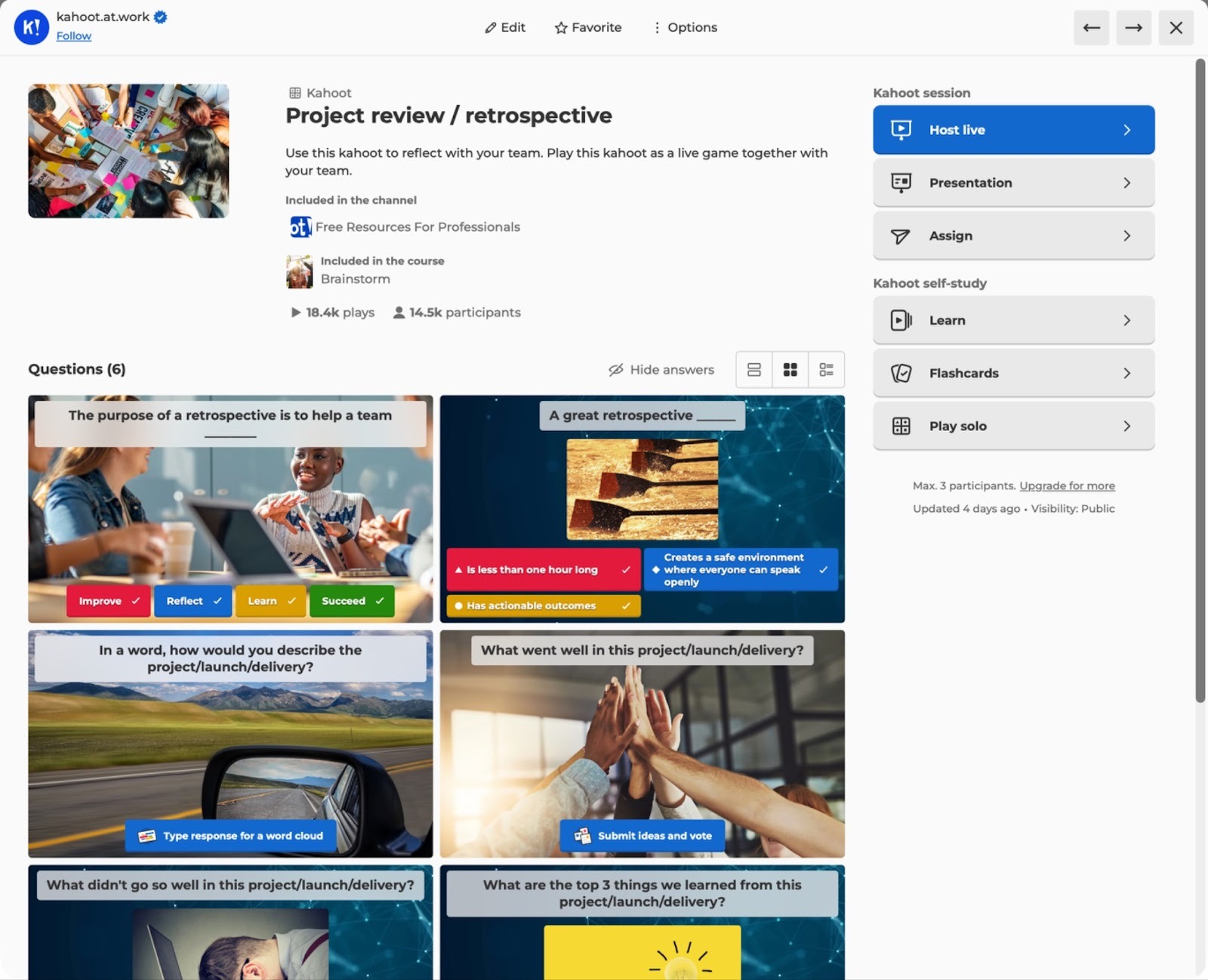
If engagement is your main goal, Kahoot!’s gamification elements are designed to promote participation and excitement.
I love that many of Kahoot!’s pre-made game templates are from partnerships with TEDTalks, Lego, and others, but I can’t give Kahoot! much credit for modern design. Nor can I praise the main dashboard: I found it cluttered and overwhelming when I first logged in.
However, the left navigation works well for easily finding everything, and underneath some surface-level gripes, Kahoot! is as fun to use as it is to say. I found it easy to start a new kahoot (what meetings are called) from a template, file upload, or via generative AI, and even though customizing the look of the slides took too much time, Kahoot!’s gamification features can’t be beat. My favorite is the Missions feature, where teams work together to win points or challenges. It’s perfect for enhancing teamwork in any business or training setting.
- Key features
- Ready-to-use library of interactive presentations on tons of topics, from partners Lego, Disney, TEDTalks, BBC, and more
- Creates a video game atmosphere with music, competition, and more to spur engagement
- Two-way syncing for Google Slides — update your presentation in Kahoot! and it’s updated in Google Slides too
- Pros
- Power live sessions or create self-paced, individualized training courses infused with gamification
- Interactive game elements work equally well with K-12 students as they do with post-secondary learners or business professionals
- Deliver organization-wide training at scale, while being able to evaluate individual performance
- Cons
- Requires employees to download an app for ongoing training
- Plans/Pricing
- Education plans range from $3 to $19 per month for individuals and $15 to $25 per educator for teams and schools. Business plans range from $19 to $59 per month, with custom enterprise pricing and one-time event licenses available. All plans are billed annually.
8. Wayground (formerly Quizziz)
Best for: Asynchronous education or training with anti-cheating technology
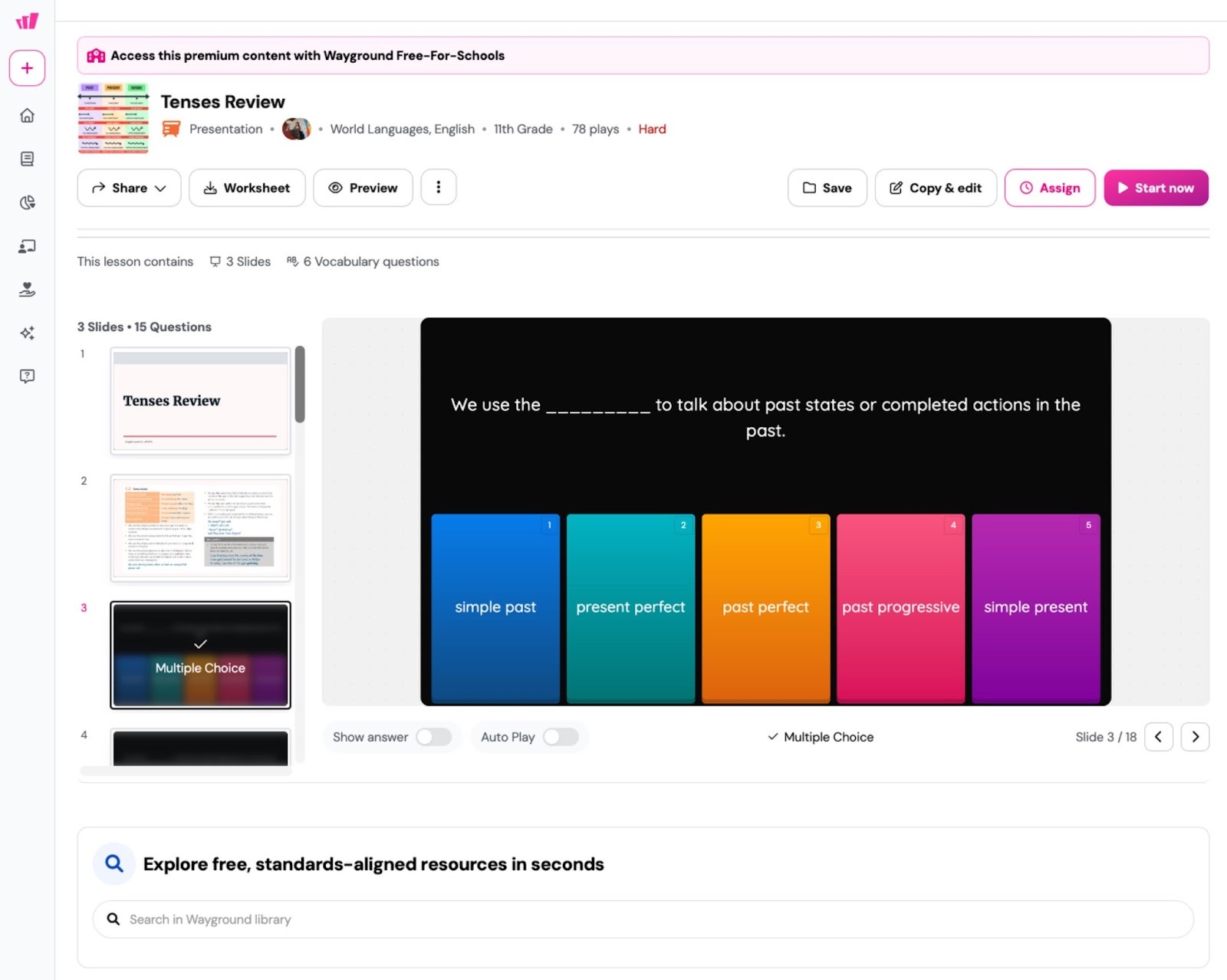
Wayground (formerly Quizizz) excels in asynchronous learning. If you need to deliver prerecorded content in a way that tracks and verifies participation, Wayground is the best Mentimeter alternative.
I love Wayground’s focus on accessibility, making it especially ideal for public educators. You can assign over 25 accommodations to students and Wayground automatically remembers those for all future classes. Examples include translation services, dyslexia-friendly fonts, larger font sizes, read aloud options, and many more.
I found it easy to create a quiz from a document or slide deck, and creating one manually was equally straightforward. There are options for everything from math equation answers to selecting text and good old-fashioned multiple choice. I made a geometry quiz in a few minutes by adding a few of my own questions, then finishing it off by importing a 12-question Grade 2 quiz from the template library. If I were a teacher, I’d use Wayground in a heartbeat to save tons of time.
Something I haven’t seen in other presentation apps is Wayground’s Anti-Cheating Monitor. It requires learners to keep Wayground in full-screen mode. If they switch tabs, use copy and paste, right-click, or engage in any other suspicious activities, Wayground flags it. In practice, it’s not 100 percent fail-proof: a student’s computer could freeze, causing them to trigger the cheat monitor, and users have reported popups on iPads show as suspicious events. However, it’s a reliable and accessible way of remotely delivering sensitive or important training where certifying knowledge is key, whether it’s for a school exam or workplace safety training.
- Key features
- Create lessons quickly from over 40 million resources and pre-made presentations, including K-12 curriculum content or business topics
- Anti-cheating technology flags suspicious student behavior, so you can check for real understanding and progress
- Wayground AI can auto-create lessons and quizzes from imported content and auto-grade submissions
- Pros
- Excels at asynchronous delivery of presentations and training materials
- Detailed user reports to evaluate learning, flag potential cheating, and personalize content with AI
- Accessibility accommodations are easy to assign and auto-apply to all their courses, including future ones
- Cons
- Limit of 150 participants on most plans; 1,000 participants available with the Pro plan, but that’s $625 per month
- Plans/Pricing
- Education plans require a custom quote for the district or institution. Corporate plans range from $75 to $625 per month, billed annually, with custom plans available for teams of over 10 users.
What to look for in a Mentimeter alternative
The core features you should compare when evaluating Mentimeter alternatives include
- Audience engagement with leaderboards, live polls
- Variety of interactive elements (for example, multiple formats of quiz questions, polls, word clouds, multiple choice, and text answers)
- Asynchronous content support
- Reporting and verification (for example, attendance tracking, anti-cheating technology, and learning progress)
- Accessibility options (for example, screen reader support and font sizes)
- Integrations available
- Pricing (Per user? Monthly or annual? Education discount available?)
The best Mentimeter alternative for you is the one that best suits your content or event, has the interactive features you need, and fits your budget.
This article is for educators, trainers, presenters, marketers, event organizers, and teams looking to evaluate Mentimeter alternatives — comparing interactive presentation features, live polling capabilities, engagement formats, pricing approaches, and scalability — to choose the best audience engagement tool.






























Send Comment: