
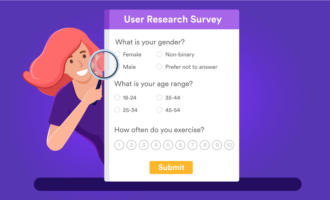
Multiple-choice questions are closed-ended prompts that provide predefined answer options. Respondents select one option (single-select) or more than one (multi-select). Because choices are standardized, multiple-choice questions yield structured data that’s easy to compare, visualize, and analyze without manual data cleaning. Common formats include radio buttons (single choice), checkboxes (select all that apply), dropdowns (compact single choice), scales (e.g., one-to-five agreement), and star/emoji ratings.
Check it out…
Build effective multiple-choice surveys in minutes with Jotform’s free survey templates.
But there’s still a science to writing effective questions, no matter how simple this survey style is. Follow this guide to learn how to develop effective multiple-choice survey questions.
5 types of multiple-choice survey questions with examples
There’s more than one way to create a multiple-choice question for your survey. The Jotform Form Builder provides several question types you can use depending on your overall goals. Here’s a look at some options.
1. Single option
With this question type, respondents can only choose one answer. In the example below, from Jotform in which a respondent can only choose one season.
2. Multiple options
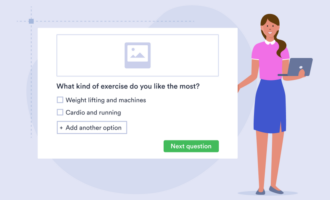
With this format, respondents can select multiple options. For example, in the question below, someone can say they like both pepperoni and mushrooms on their pizza.
3. Dropdown options
Dropdown tabs are still considered multiple-choice questions because respondents have to select one option. In the question below, respondents can only choose one eye color.
4. Scales
In this format, respondents select a value on a scale to convey how they feel about something, for example. You can use it to determine what people feel strongly about to help you prioritize issues.
5. Star rating
This is another type of closed-ended question that asks respondents how they feel about something. The more they like a product, service, or experience, the higher the rating.
By adding different types of multiple-choice queries to your survey, you can add variety and keep respondents interested.
8 tips for creating effective multiple-choice questions
Just because multiple-choice questions are easy to create, it doesn’t mean you can rush through the survey-building process. There are still some best practices to follow when creating your queries. Here are a few tips to consider as you draft your survey.
- Avoid leading statements. To be useful, the data you collect should be objective. Be careful not to phrase questions so that they guide respondents to a particular answer.
- It’s OK to break down questions. It’s better to ask two or three simple questions instead of cramming several topics into one question. Never ask two things at once.
- Consider adding “Other” as an option. If you’re looking for responses outside the answer options you’ve provided, add an open-ended “Other” option.
- Group questions into categories. Respondents might get confused or frustrated if you try to cover multiple topics at once. Either send out short surveys on single topics or sort questions by topic.
- Use simple language. Connie Malamed, a learning experience design consultant, encourages people who develop multiple-choice questions to use a simple sentence structure and precise wording. “Words can have many meanings depending on colloquial usage and context,” she writes. The longer your questions or more ambiguous your phrasing, the more confused your survey takers may be.
- Make options mutually exclusive and collectively exhaustive. Overlapping ranges or categories force guesswork and skew results. Use clear, nonoverlapping groups (e.g., 18–24, 25–34) and include “Other/Not applicable” when you can’t cover every case.
- Limit and balance your choices. Very long lists and uneven option lengths increase cognitive load and bias. Aim for four to six concise options, and keep wording length roughly consistent so no option appears more “important” than the others.
- Control order effects. Position can influence selection, especially on mobile. Randomize option order to reduce primacy/recency bias, or use a logical order (alphabetical, numerical, or chronological) when it improves comprehension.
There’s also an art to balancing multiple-choice survey questions with open-ended options. Both have a role in producing effective surveys.
5 benefits of multiple-choice survey questions
There are several reasons to include multiple-choice survey questions when you’re trying to collect feedback.
1. Faster responses and higher completion rates
Multiple-choice questions are quick to answer, which makes a big difference in how people interact with your survey. Instead of typing out responses, users can simply tap or click an option, especially helpful on mobile devices where typing can feel tedious. This reduced effort often leads to higher completion rates.
2. Cleaner, more reliable data
When you rely on open-ended questions, you often have to deal with inconsistent phrasing, spelling mistakes, or unclear answers. Multiple-choice questions eliminate that variability by offering predefined options, ensuring that every response fits into a consistent format.
3. Easier analysis and faster insights
Because responses are already structured, you can immediately start analyzing your data without spending time cleaning or categorizing it. Results can be visualized in charts, filtered by segments, and compared across different groups in just a few clicks.
4. Better comparison across audiences and segments
Multiple-choice questions make it easy to compare responses across different demographics, customer groups, or time periods. Since everyone is selecting from the same set of options, patterns and trends become much more visible.
5. Supports smarter, more personalized surveys
Multiple-choice questions work seamlessly with conditional logic, allowing you to create dynamic surveys that adapt based on each respondent’s answers. For example, selecting a specific option can trigger follow-up questions tailored to that response.
The team at Proofed encourages survey builders to start with multiple-choice questions to get participant buy-in. Then you can add related open-ended questions toward the middle once respondents are committed to taking the survey.
Build results-driven surveys with Jotform in minutes
Whether you’re new to the world of survey development or want to improve your completion rates, Jotform can help. Our templates make it easy to develop professional-looking surveys that are simple to share with customers, staff, and other respondents.
Learn more about our survey features and how we can help you.
FAQs about multiple-choice survey questions
Aim for four to six options. Too few can oversimplify, while too many can overwhelm respondents. Always include an “Other” option if you want to capture unexpected answers.
Single-choice questions let respondents pick one answer (e.g., “What is your age group?”). Multiple-choice questions allow more than one selection (e.g., “Which social media platforms do you use?”). Use whichever best fits your data needs.
Avoid leading language, keep options balanced, and make sure all likely answers are represented. Test your survey with a small group to check for clarity and fairness.
Use an open-ended option when you’re exploring new topics, don’t know all possible answers, or want richer insights. Pairing multiple choice with an “Other (please specify)” option is a good compromise.
This guide is for marketers, product managers, UX/CX researchers, educators, and HR teams who build surveys and needs fast, trustworthy insights.




































































































Send Comment: