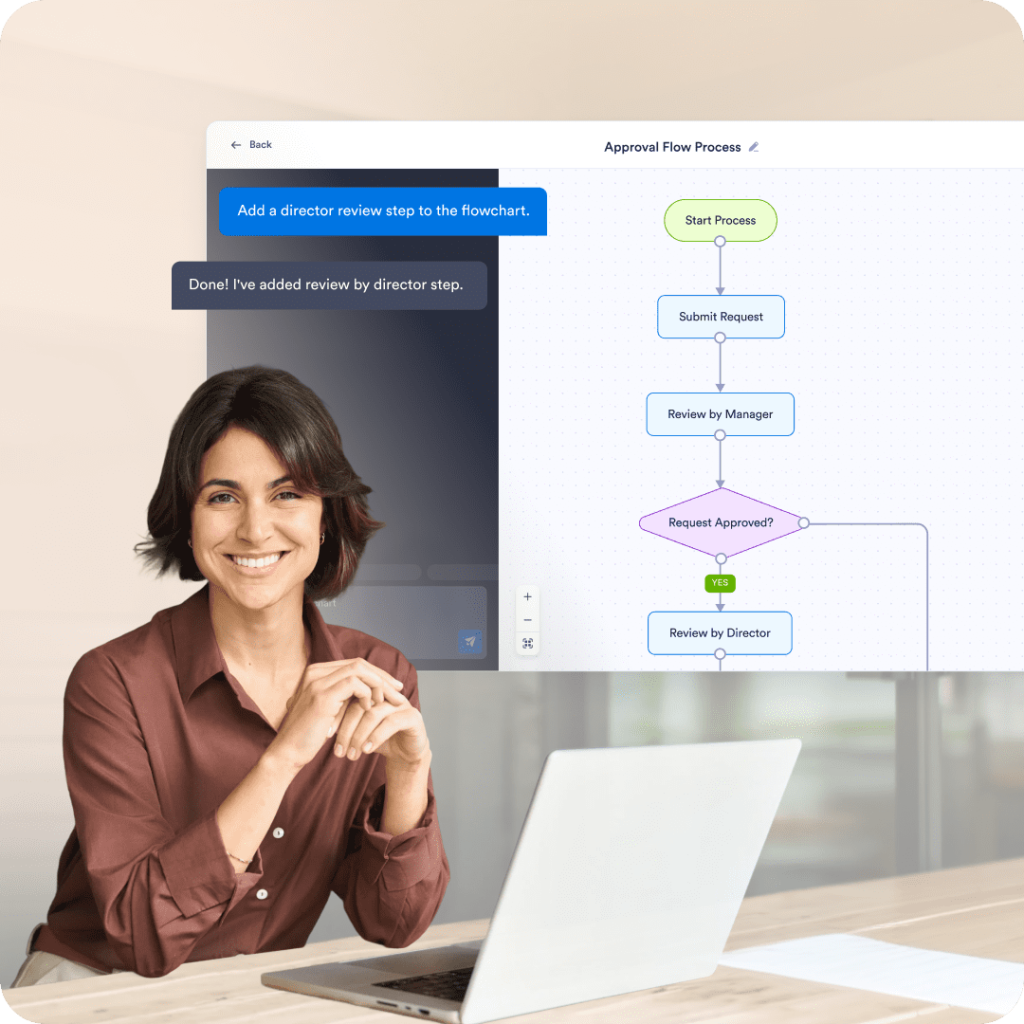
Teams use flowcharts to document how requests move through reviews and decisions, especially when different outcomes depend on amount, role, or priority.
Jotform's AI flowchart generator turns a written description into a flowchart you can edit. After it generates, you can easily change steps, connections, layout direction, and colors, then share a link or download a PNG.
Best for teams documenting processes, approvals, and workflows that need an AI flowchart generator they can edit after the first draft. Built by Jotform, used by 35+ million users, it lets you change nodes, connections, colors, and layout, then share a link so others can copy the flowchart into their own workspace.
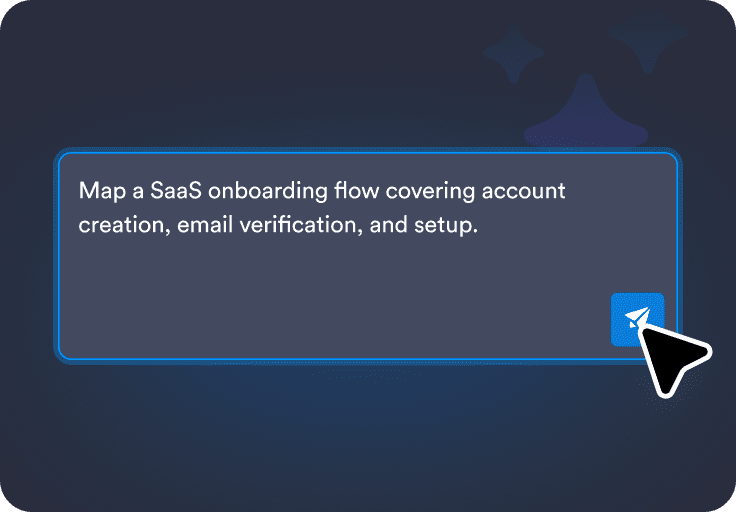
Write what you want in plain language, including key steps, decisions, and who is involved.
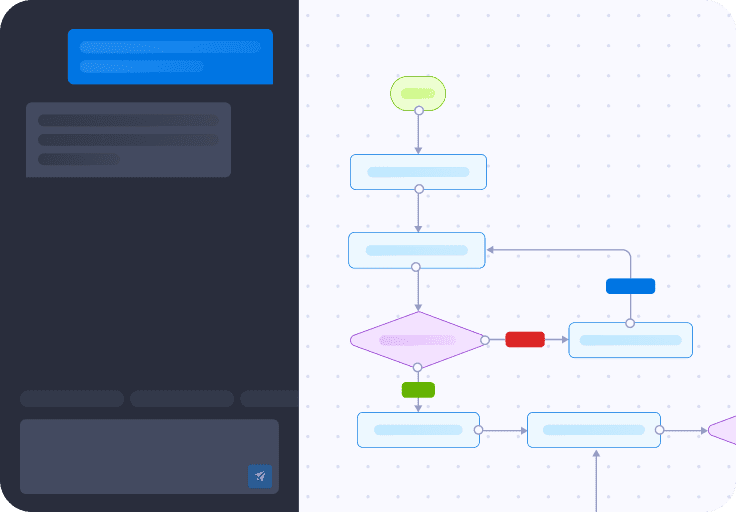
Turn your description into a flowchart with connected nodes and decision points you can review.
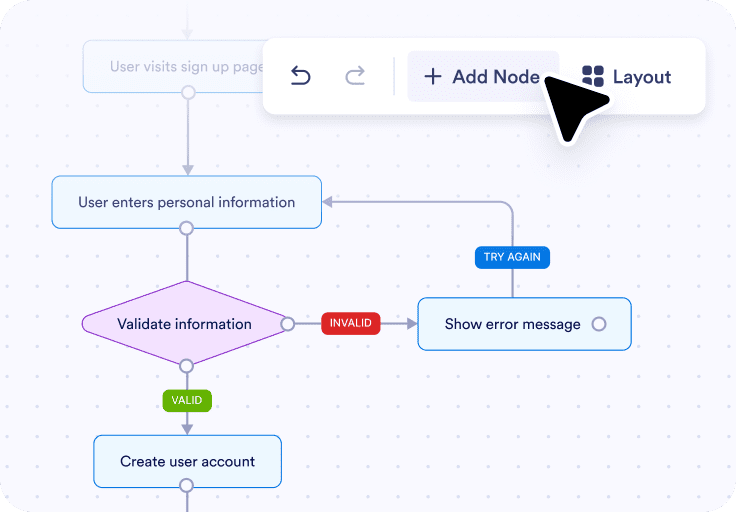
Edit the diagram manually or with AI prompts, then share a link or export it as a PNG.
You can reshape the flowchart so the steps and decision points match your real process, even if the first version is only a rough draft.

You can rename nodes to reflect the exact wording your team uses, which makes the diagram easier to review and follow.
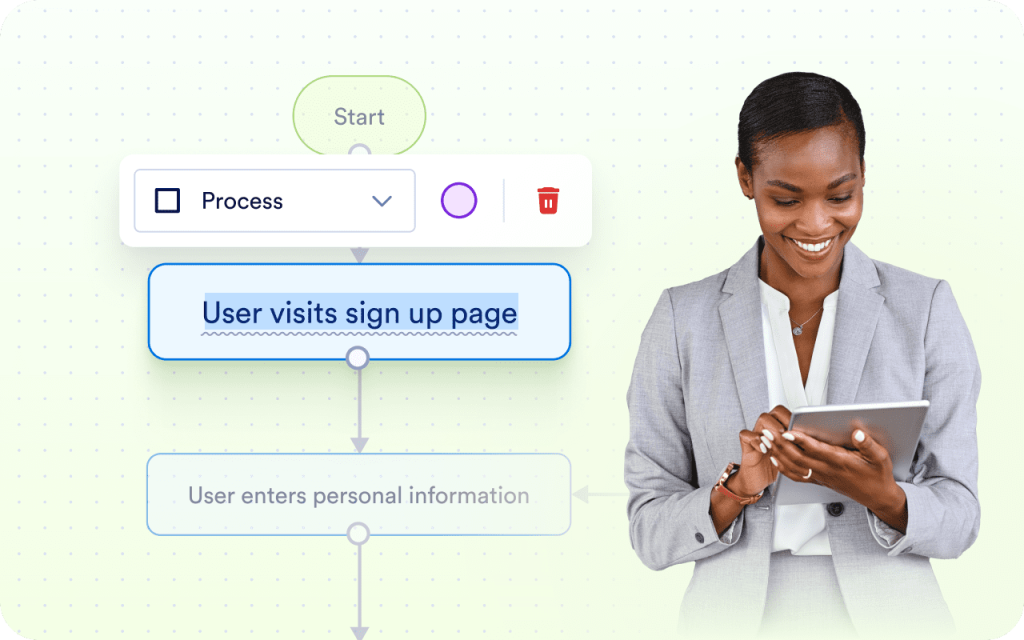
You can change the direction, spacing, and colors manually or with AI prompts so the flowchart is easier to read in meetings, docs, or screenshots.
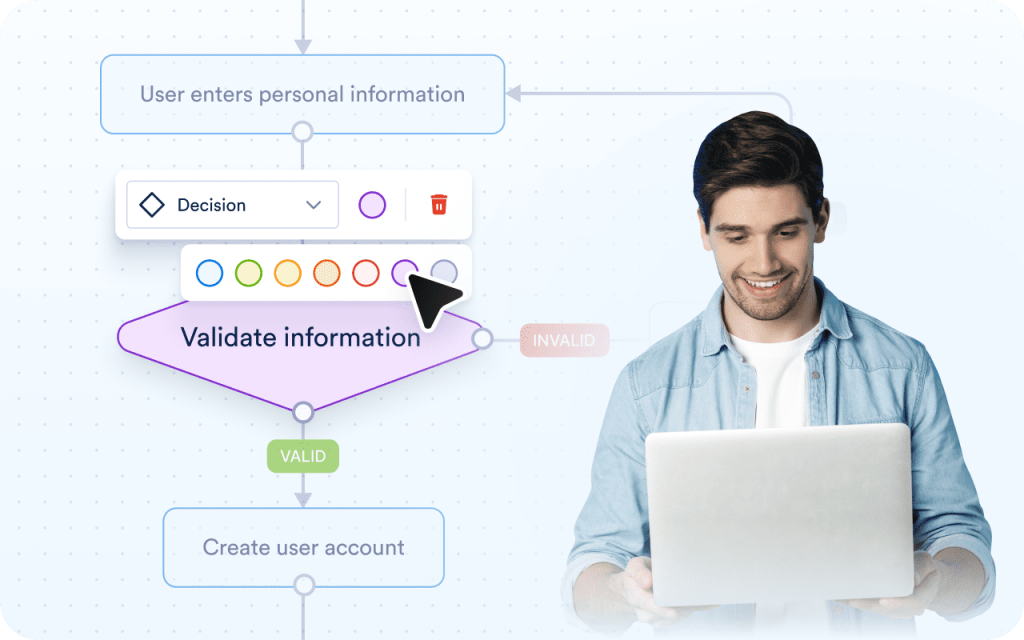
You can share the flowchart with teammates or export it as an image when you need to include it in documentation or presentations.

You can review earlier versions, restore a previous one, and keep track of everything you have made from a single place.

Because the diagram is fully editable, you can treat generation as a starting point and then adjust every step by hand.
Because the diagram is fully editable, you can treat generation as a starting point and then adjust every step by hand.
Because the diagram is fully editable, you can treat generation as a starting point and then adjust every step by hand.
Teams use flowcharts to document how requests move through reviews and decisions, especially when different outcomes depend on amount, role, or priority.
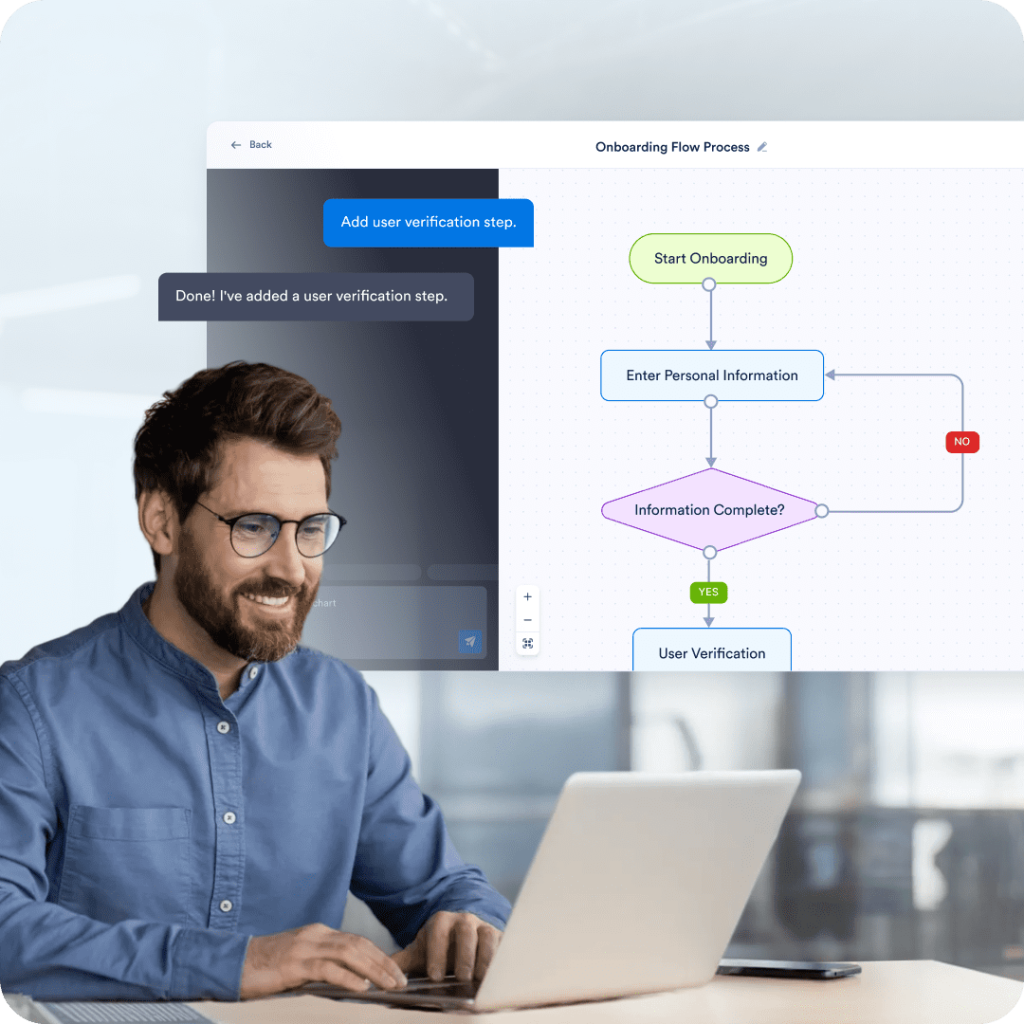
Flowcharts help standardize onboarding by showing what needs to happen, in what order, and who owns each step. This is useful for employee onboarding, contractor setup, or customer onboarding processes.

Support teams use flowcharts to define how issues are categorized, escalated, and resolved based on type, urgency, or customer status. This reduces guesswork during handoffs.
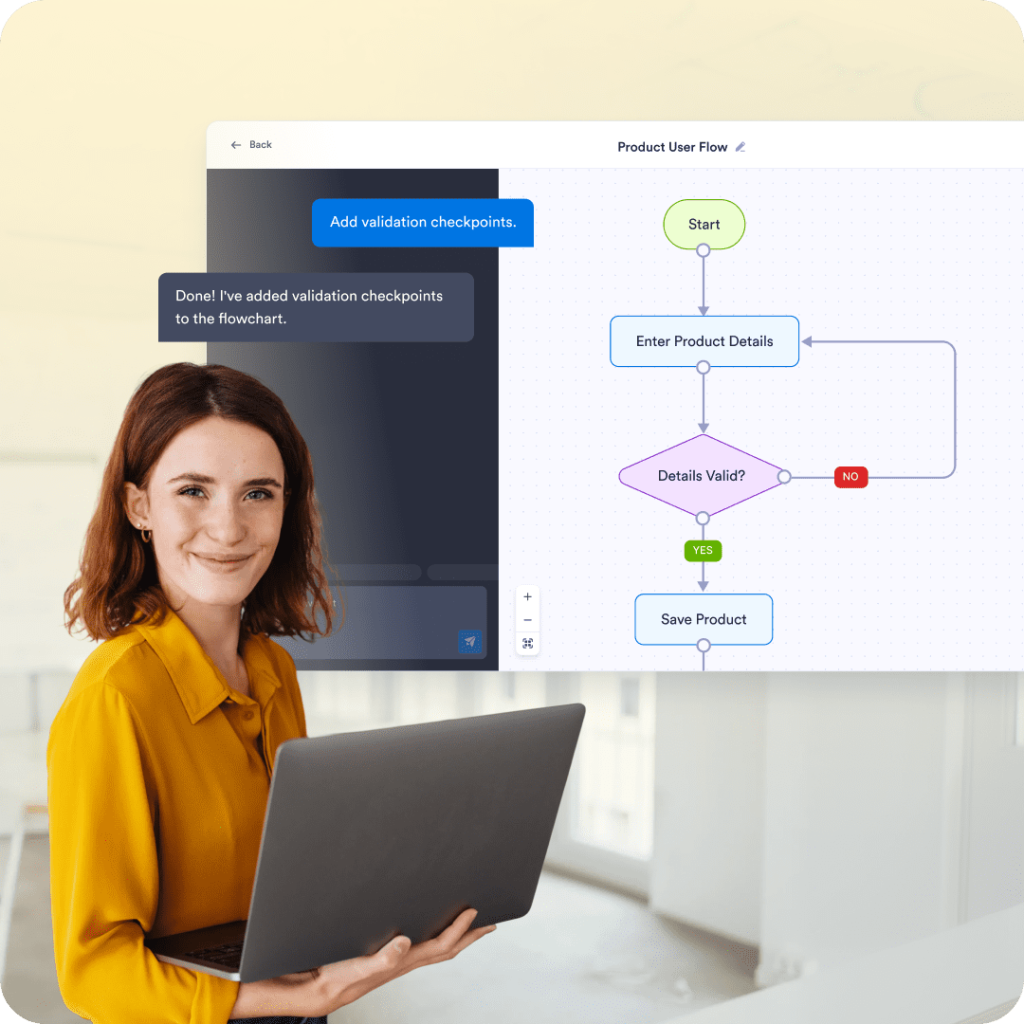
Flowcharts are often used to visualize how users move through a product, including sign-up, verification, and recovery paths. This helps teams review edge cases and improve consistency.
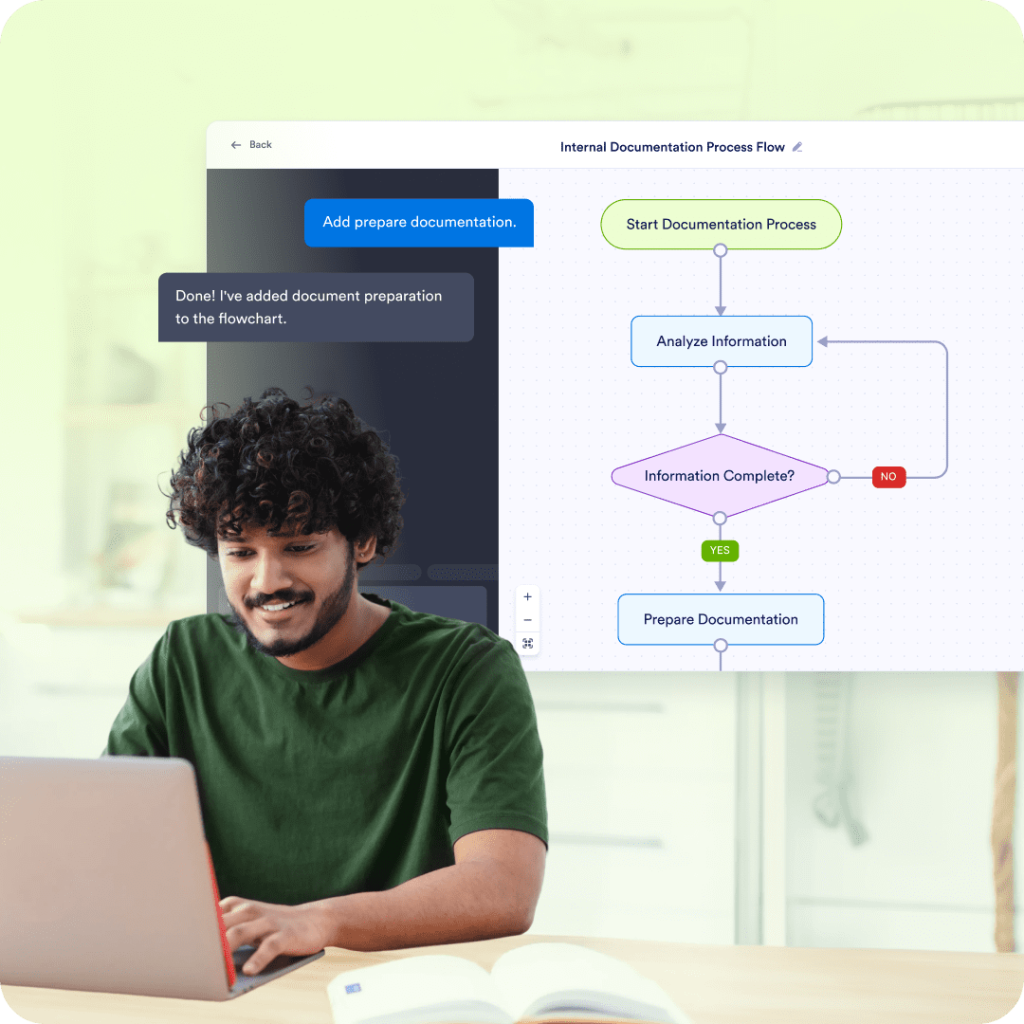
Teams use flowcharts as living documentation for recurring processes, especially when written instructions are hard to follow. A visual flow makes decisions and exceptions easier to understand.
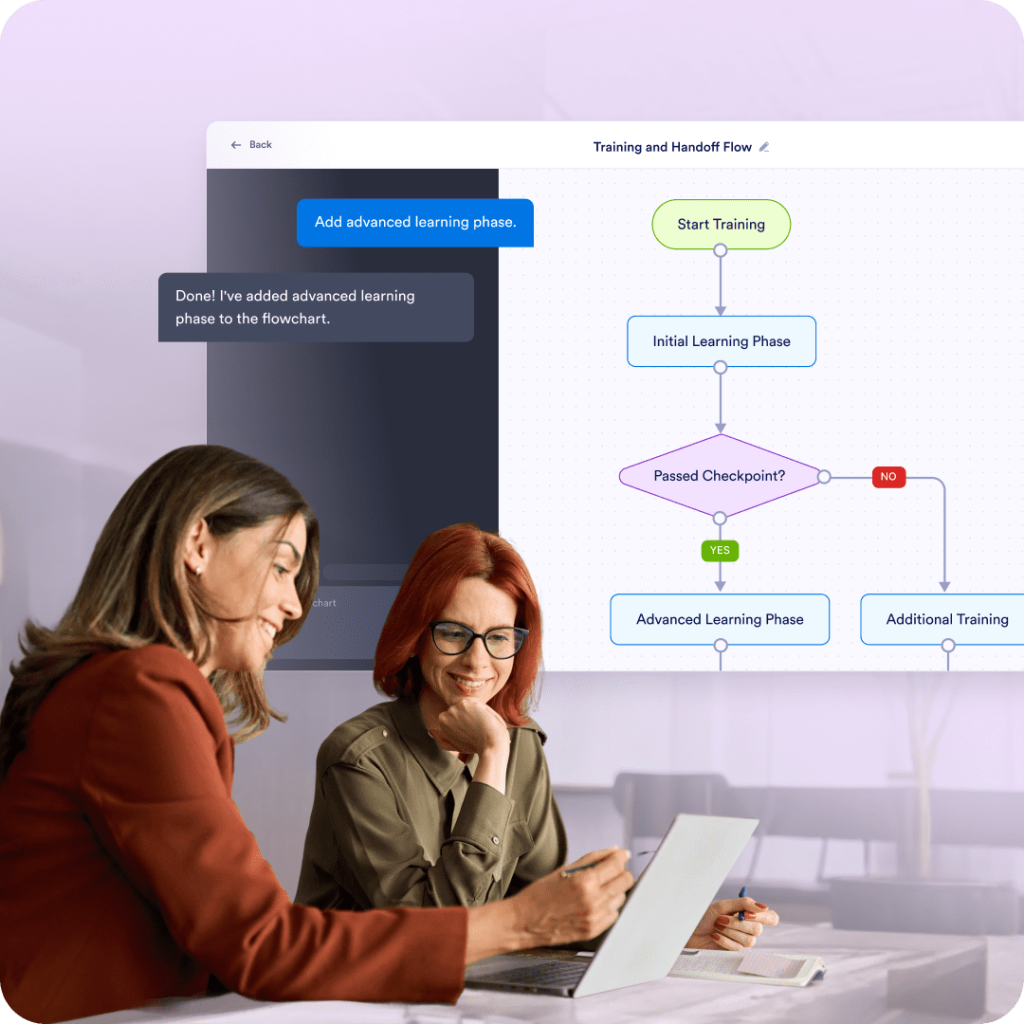
Flowcharts are useful for training new team members or handing off work by showing what to do in common and uncommon situations. They reduce dependency on tribal knowledge.
Explore a suite of powerful AI-driven tools designed to streamline your workflows, enhance productivity, and deliver smarter solutions for your form creation needs.
Jotform AI Form Generator
Instantly generate tailored forms with the power of AI, saving you time and effort.
Jotform AI App Generator
Quickly create custom mobile apps powered by AI, tailored to your unique needs.
Jotform AI Quiz Generator
Jotform's AI Quiz Generator can build quizzes for you, saving you time by cutting out manual tasks. Enter a prompt or upload a file to get started!
Jotform Ask AI
Get Instant Answers with Jotform's Ask AI
Jotform AI Email Response Generator
Struggling to keep up with your email inbox? The AI email response generator creates tailored replies for emails
Jotform AI Humanizer
Rewrite AI-generated text to make it sound like it was written by a real person.
Jotform AI Email Generator
Stop staring at blank screens. AI Email Generator creates perfectly crafted emails tailored to your needs and audience.
Jotform Email Subject Line Generator
Struggling to come up with compelling email subject lines? The email subject line generator helps you quickly
Jotform AI Apology Letter Generator
Create thoughtful and sincere apology letters effortlessly with AI, ensuring a professional tone.
Jotform AI Article Summarizer
Turn an uploaded document into a clear, concise summary
Jotform AI Audio Summarizer
Upload an audio file to generate both a transcript and summary.
Jotform AI Business Email Generator
Transform your corporate communication with our AI business email generator. Whether you're
Jotform AI Chart Maker
Create customized charts in seconds with AI — just upload your data and let the tool do the work.
Jotform AI Chatbot Builder
Create custom AI chatbots effortlessly to engage your audience and automate conversations.
Jotform AI Cold Email Generator
Stop sending cold emails that get ignored. Jotform AI cold email generator creates personalized
Jotform AI Contract Generator
Generate tailored contracts in seconds with the power of AI for fast, accurate agreements.
Jotform AI Cover Letter Generator
Generate professional cover letters effortlessly with AI, tailored to your job applications.
Jotform AI Document Generator
Quickly create and customize professional documents with AI-driven precision and ease.
Jotform AI Document Summarizer
Turn an uploaded document into a clear summary you can easily review.
Jotform AI Email Marketing Generator
Transform your email marketing with our AI email marketing generator. Create compelling newsletters
Jotform AI Email Signature Generator
The AI email signature generator makes it easy to quickly create custom, polished email signatures.
Jotform AI Exit Ticket Generator
Effortlessly generate personalized exit tickets to assess student comprehension and engagement.
Jotform AI Flashcard Maker
Instantly turn your notes and documents into custom study flashcards with our AI-powered generator.
Jotform AI Flowchart Generator
AI flowchart generator turns a written description into a flowchart you can edit.
Jotform AI Image Summarizer
Upload your image to quickly understand what it shows
Jotform AI Landing Page Generator
Skip the templates and design hassle. Describe your purpose, and our AI builds a complete landing page in seconds.
Jotform AI Lecture Summarizer
Help you turn lecture notes or transcripts into clear, study-ready output.
Jotform AI Meeting Summarizer
Turn meeting recordings or transcripts into a clear, concise summary.
Jotform AI Note Summarizer
Add your notes to quickly highlight the most important points and ideas
Jotform AI PDF Summarizer
Summarize lengthy PDF documents into concise highlights with AI-powered accuracy.
Jotform AI PPT Summarizer
Turn an uploaded slide deck into a clear summary
Jotform AI Permission Slip Generator
Generate customized permission slips effortlessly with AI for any school or event needs.
Jotform AI Portal Builder
Build powerful, no-code portals for your organization with Jotform’s AI Portal Builder.
Jotform AI Presentation Maker
Revolutionize your workflow with our AI presentation maker. Generate engaging slides, scripts, and designs in minutes. Try our AI Presentation Maker Free!
Jotform AI Prompt Generator
Effortlessly generate tailored AI prompts to inspire creativity and enhance productivity.
Jotform AI Recommendation Letter Generator
Generate tailored recommendation letters effortlessly with AI, highlighting key strengths and achievements.
Jotform AI Reference Letter Generator
Generate personalized reference letters with AI to highlight skills and qualifications effectively.
Jotform AI Resignation Letter Generator
Create polished resignation letters effortlessly with AI, ensuring a professional and respectful tone.
Jotform AI Resume Screener
Quickly screen resumes with AI to identify top candidates and streamline your hiring process.
Jotform AI Sales Email Generator
Transform your sales outreach with our AI sales email generator. Whether you're nurturing leads
Jotform AI Sentence Expander
Take short, simple text and develop it into polished, well-structured sentences that read naturally.
Jotform AI Sentence Rewriter
Struggling to make your sentences flow or hit the right tone?
Jotform AI Sermon Generator
Create sermons for any service, study, or occasion in minutes. Choose your sermon type, tone, language, and length, then enter your topic or scripture.
Jotform AI Signature Generator
Create personalized, professional signatures in seconds with the help of AI.
Jotform AI Speech Generator
Create speeches for any event, presentation, or celebration in minutes.
Jotform AI Store Builder
Turn your product list or menu into a sleek, fully functional store in minutes.
Jotform AI Summarizer
Quickly summarize documents, articles, and images using AI.
Jotform AI Survey Generator
Quickly generate customized surveys with AI, tailored to your specific needs and goals.
Jotform AI Token Calculator
Calculate AI token usage instantly to optimize your prompt costs and efficiency.
Jotform AI Trivia Generator
Generate fun and engaging trivia questions with AI for any topic or occasion.
Jotform AI Tutor
Enhance learning with an AI-powered tutor, offering personalized lessons and interactive support.
Jotform AI Waitlist Generator
Create an intelligent waitlist form in minutes.
Jotform AI Waiver Generator
Make it easy to prepare professional waiver forms for your business or event.
Jotform AI Website Builder
Lets anyone create a beautiful, mobile-optimized website in minutes — no code, no hassle.
Jotform AI Workflow Generator
Design custom automations in seconds using Jotform’s AI Workflow Generator. Just describe your process, and AI builds a visual workflow.
Jotform AI Youtube Video Summarizer
Turn a YouTube link into a clear, concise summary of the video's key points
Jotform History of AI
Explore AI-generated historical insights and create personalized content with ease.
An AI flowchart generator turns a written description of a process into a flowchart with connected steps and decision points. In Jotform, the flowchart is not locked after generation, so you can keep editing the diagram until it matches your process.
Turn a written process into an editable flowchart you can adjust step by step. Keep it in Jotform so you can reopen it later and update it when your process changes.