

A sophomore English class has spent two weeks on To Kill a Mockingbird, and the teacher has already used all her best lesson plans. She asks ChatGPT, “Can you help me brainstorm activities that encourage close reading and thematic analysis in Harper Lee’s novel?” The chatbot suggests a fan fiction challenge, and the teacher uses it to write the instructions. Lesson plan done.
Like Lee’s novel, this scenario is fiction, but AI teaching tools have already made their way into the classroom. In fact, a 2025 Gallup poll found that 60 percent of teachers were using this technology, with regular users saving approximately six hours per week. AI has many practical applications for teachers, such as creating content, making worksheets, planning lessons, grading, and personalizing learning.
Of course, AI can’t replace the expertise and mentorship of human teachers. But when used as a tool, it can help teachers provide higher-value instruction and allow for more focus on student interactions. This guide walks you through practical ideas for how to use ChatGPT in education as well as the advantages it offers for both educators and learners.
Benefits of using ChatGPT in education
If you’re eyeing a mountain of ungraded papers or an inbox full of parent emails, you might wonder whether AI in education is truly worth it. Here are a few ChatGPT educational benefits to consider:
- Time savings: Lesson planning can be incredibly time-consuming, especially if you’re teaching a topic for the first time. ChatGPT can speed up the process by generating lesson plans and activities that fit your learning goals. It can also create materials like worksheets and projects. Suddenly, you can plan an entire class in minutes instead of hours.
- Personalized learning: AI makes it easy to adapt content for students with different learning needs. For example, you can use ChatGPT to translate rubrics into Spanish for English as a second language (ESL) learners. If your advanced learners always breeze through your activities, AI can also write harder discussion questions to challenge them.
- Faster assessment creation: Writing even a five-question pop quiz takes time and mental energy. With ChatGPT, you can quickly create exams, rubrics, feedback templates, and other assessment materials. Just be sure to double-check the answers. After all, AI doesn’t get everything right.
- Higher student engagement: Use ChatGPT to brainstorm creative prompts and discussion starters. If your class is obsessed with Taylor Swift, AI can help you find the perfect lyrics to compare with “Romeo and Juliet.”
- One-on-one tutoring: Using chatbots in education gives students 24-7 access to personal tutors. Not only can they ask ChatGPT questions — like “Can you explain the Pythagorean Theorem?” — they can also get instant feedback on their work. For instance, a high school student might say, “I’m writing a research paper about women in the Space Race. Rate my thesis statement on a scale from 1 to 5 and tell me how I can improve it.”
- Less administrative work: As an educator, you probably receive loads of parent and student emails that require a response, especially near the end of the semester. Individualized Education Plans (IEPs) and observation notes further eat into the time you spend with students. Using ChatGPT to draft these documents saves time and frustration.
Ways to implement ChatGPT in education
There’s no need to revamp your entire curriculum to use AI tools for education. Start small with these practical ChatGPT classroom use cases.
For lesson planning
According to the same Gallup poll, more than half of all teachers surveyed say their lessons are either much higher quality (9 percent) or somewhat higher quality (50 percent) when they use AI to prepare.
To get the most out of ChatGPT lesson plans, include your learning outcomes and goals in your prompts. Here’s an example to illustrate: “Create a 45-minute lesson plan for seventh graders that teaches them about photosynthesis. It should include a hands-on experiment with a materials list and a handout to introduce the concept. By the end of the class, students should be able to describe photosynthesis and collect evidence of plants releasing oxygen.”
For student assessment
Ask AI to help you write quizzes and exams. Simply feed ChatGPT the materials you’ve assigned to your students and then tell it what you want. During a poetry unit, for instance, you might use a prompt like this: “Generate 10 multiple-choice questions on Lewis Carroll’s ‘The Jabberwocky’ with an answer key. Focus on the poem’s symbols and wordplay.”
For giving feedback
Tired of spending hours scribbling comments in the margins of essays? Have your students submit their work electronically and ask ChatGPT to draft feedback. For the best results, give the AI a rubric or specific directions for what to focus on.
Here’s a quick example: “This is the first draft of my students’ argumentative essays. Give big-picture feedback about their thesis statements and use of evidence. Then suggest one way they can improve.” When students turn in their final essays, ask ChatGPT to grade each one based on factors like clarity and strength of argument.
For writing discussion questions
You know what you want to cover in each class, but coming up with questions that hook students isn’t always easy. Solve this problem by telling ChatGPT your goals and asking it to write conversation starters.
Suppose you’re teaching a lesson on the solar system. Instead of asking simple questions from the textbook, use ChatGPT to create more engaging discussion topics. That might look something like this: “Write five thought-provoking questions about what life on Mars would be like for fourth graders.”
For tutoring
While students shouldn’t rely on AI to do their homework, it can be a helpful study buddy. Let’s say you’re an English professor using AI in higher education. You might encourage students to use ChatGPT to study for an upcoming midterm by giving them this prompt: “Pretend you’re my literature professor. Quiz me on literary terms like foreshadowing and symbolism and keep track of my score.”
Level up your method with the Jotform ChatGPT App
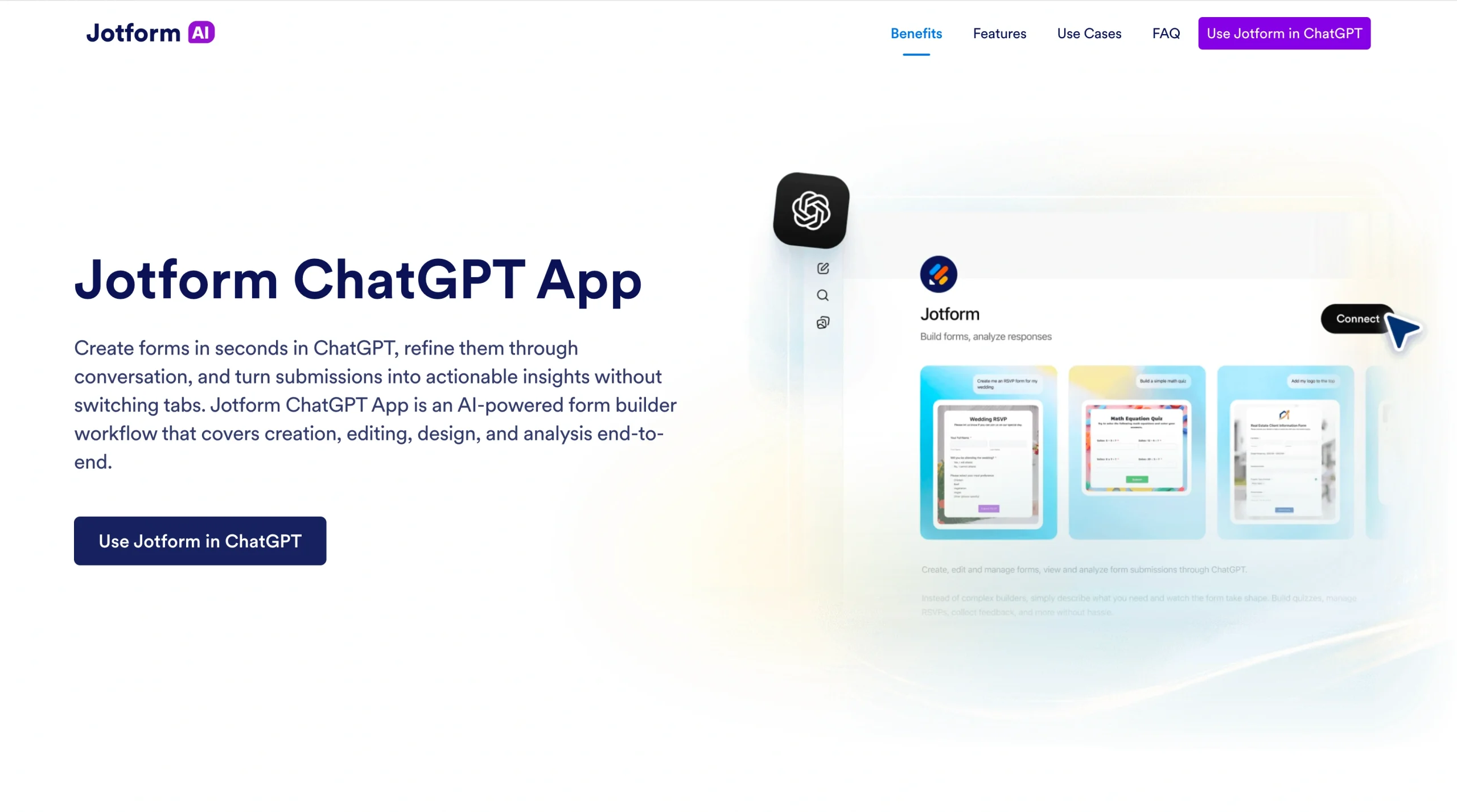
ChatGPT works best when you give it enough context about your students and goals. But the last thing you want to do is retype a lot of information every time you open the platform. With Jotform’s ChatGPT App, you can build forms directly inside ChatGPT. This lets you capture and analyze structured data, which ChatGPT uses for better outputs.
Here are a few examples of what that looks like in action:
- You create a lesson requisition form that asks about your objectives, standards, and learning outcomes. ChatGPT turns this data into personalized lesson plans and assessments.
- You use surveys to learn about your students’ needs and preferences. AI then creates tailored activities that accommodate everyone.
- All the teachers in your department submit their rubric criteria and grading inputs. Based on this data, ChatGPT recommends ways to grade more consistently.
- ChatGPT draws on all your data to build a single workflow with lesson plans, differentiated materials, and assessments.
Interested in learning all about Form Builder? It lets you create and edit forms right inside your ChatGPT conversations, so there’s no need to bounce between apps. Once you draft qualification forms, customize them by asking ChatGPT to
- Add or remove fields
- Rewrite questions
- Reorder sections
- Adjust the background and styling
Jotform’s form builder tool also includes Jotform Tables with submission management, which lets you retrieve data from specific forms. You can also apply filters and analyze responses. For example, you might say, “Who answered the first question correctly?” or “Show me students who have missed two or more quizzes.”
The Jotform ChatGPT App offers many benefits for educators, including
- Instant form creation
- Live editing
- Submission analysis with filtering and summaries
- Native delivery
- Template building with prompts
If you want to create powerful forms, set conditional logic and match your forms with your brand while harnessing the power of AI, you can also try Jotform’s own native solution, Jotform AI.
Build faster with Jotform AIDescribe what you need, and let Jotform AI build it for you instantly.
Get Started Now
Make a bigger impact with AI teaching tools
Modern technology and education go hand in hand. ChatGPT is changing the way teachers prepare, instruct, and support students, leaving you more time for one-on-one teaching.
But it’s not just about slashing your to-do list (though that’s certainly a perk). Many schools are investing in educational AI literacy initiatives, and tools like ChatGPT’s study mode offer practical homework help. These trends show how AI can support deeper learning without replacing human teachers.
Stay ahead of the curve by using the Jotform ChatGPT App to gather structured input. Combining this data with ChatGPT’s generative tools will allow you to design a more effective and personalized learning environment where all students can thrive.
This article is for K–12 teachers, higher education instructors, instructional designers, school administrators, and anyone who wants to use ChatGPT and AI teaching tools to save time, personalize learning, and improve classroom outcomes.













































































Send Comment: