Class Booking App helps studios and instructors organize class sign-ups in one place, so participants can quickly browse available sessions, book from a schedule, and revisit their choices in a dedicated My bookings area. It’s a practical fit for fitness and yoga studios, dance schools, tutoring centers, community workshops, and any team running recurring classes that need a clear way to present options and capture reservations without confusion.
With Jotform App Templates, you can publish a branded class experience that works well on mobile and keeps information easy to navigate. Build and customize your app with Jotform’s no-code app builder and drag-and-drop interface, connect pages to forms for data collection, and keep your workflow moving with simple navigation from browsing to booking to viewing booked sessions. Share your app with a link or QR code so people can book in seconds.
Related templates

Restaurant Mobile App
You’ve got your hands full trying to run a busy restaurant — so the last thing you want to learn is how to sell food online. Make it easier on yourself with Jotform's free Restaurant Mobile App. With this ready-to-use template, customers can reserve a table, place orders for pick-up or delivery, pay ahead with credit card or through PayPal, and leave reviews for your restaurant. You can upload images to use for the online menu, and even showcase signature dishes on your splash page! Just share a link to your app on your website or social media, and customers can access and download it on any smartphone, tablet, or computer.Want to customize your Restaurant Mobile App to match your restaurant’s branding? Our drag-and-drop interface makes it easy to add or change forms, choose fonts and colors, upload your logo, update the app name or text, and more — all with zero coding. Take your restaurant digital to sell food online and make reservations and orders a breeze with this Restaurant Mobile App.
Go to Category:Booking Apps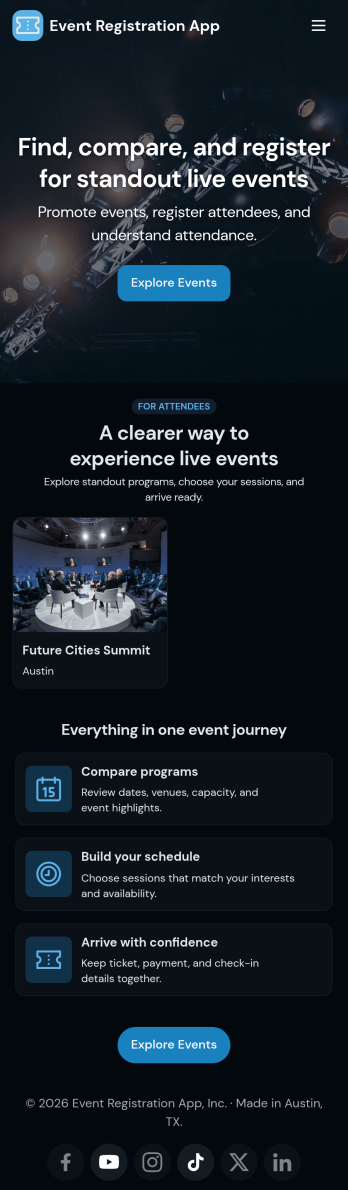
Customizable Event Registration App
In 2026, Jotform’s Event Registration App stands out as one of the best event registration apps for planners, helping you stay organized for any type of event. Trusted by thousands of event planners worldwide, this ready-to-use app bundles registration, sponsorship, and feedback forms in one reliable platform. Guests can easily register, share feedback, or inquire about details from their smartphone, tablet, or computer — ensuring a smooth experience across devices in 2026.Want to customize this Event Registration App? Without any coding, you can customize forms and pages to match your event branding — upload logos, update icons, adjust splash pages, and more. Once your app is ready, share it by embedding the link in your event website. In 2026, prepare for your next event with Jotform’s Event Registration App — a top choice among event registration platforms for planners who need a fast, professional solution.
Go to Category:Booking Apps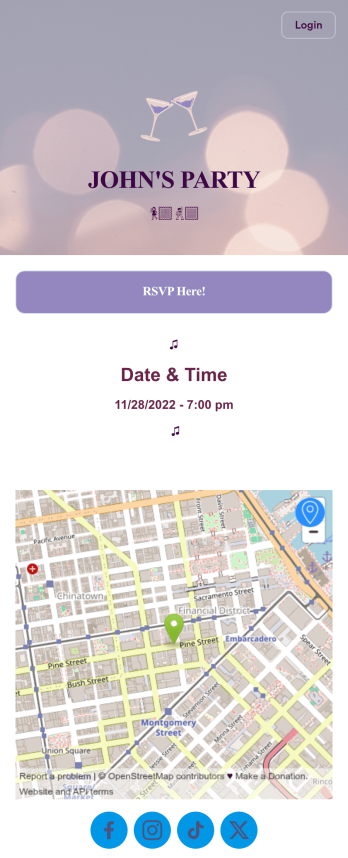
Invitation App
Planning a party or event? Whether it’s a baby shower, housewarming party, or company outing, our Invitation App is the perfect way for event planners and organizers to collect and keep track of RSVPs. Guests can fill out their name and email address through your Party Invitation Form and specify if they plan to attend. Submissions are compiled in an easy-to-read table in your account, which you can sort, filter, and export from any device.Want to personalize your app? No coding necessary — our drag-and-drop interface makes it easy to add or change form elements, upload images, choose fonts and colors, and display event information on your splash page. After you’re done, simply share a link via email or social media, and partygoers can download your app on any smartphone, tablet, or desktop. Make planning your next event a snap with this readymade Invitation App from Jotform!
Go to Category:Booking Apps
Dentist App
A dentist app is used by dental practitioners to gather patient information. With Jotform’s powerful Dentist App, your practice can collect patient dental history, consent forms with e-signatures, and schedule appointments from any device. All responses are stored securely in your Jotform account, which is protected by advanced security methods and the ability to opt into HIPAA compliance.Feel free to update the design of this app template by including your practice’s logo, adding or removing forms, updating the background image, and more with our drag-and-drop no-code app builder. Once your app is ready to go, share it with your staff to download onto any smartphone, tablet, or computer — so it can be filled out fast with no messy paperwork. Improve the patient experience with a free Dentist App from Jotform.
Go to Category:Booking Apps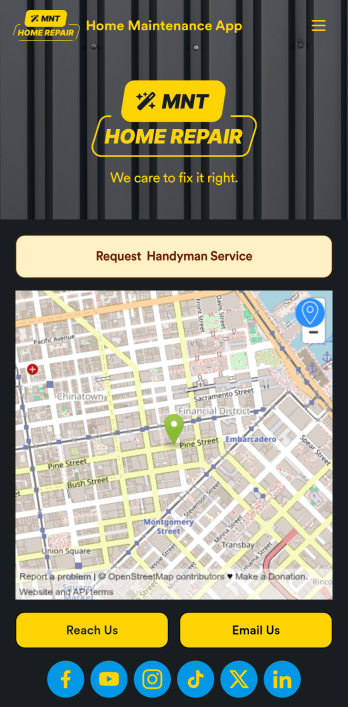
Home Maintenance App
A home maintenance app is used by construction companies and contractors to collect handyman service requests from customers. With this free Home Maintenance App from Jotform, customers can fill out a Handyman Service Request Form with their availability and general contact information, as well as the type of work they need performed. Customer requests are compiled and stored in your online account for ease of access, and can be sorted, filtered, and searched from any device.Make this app your own with Jotform’s drag-and-drop form builder. You can add or swap out form elements, choose fonts and colors, upload your logo, customize the splash page with your business address and phone number, and more — no coding necessary. Once you’re satisfied with the look and feel of your app, you can embed it in your website or share it with a link so customers can download it on any smartphone, tablet, or desktop. Make scheduling handyman service requests simple and easy with this Home Maintenance App.
Go to Category:Booking Apps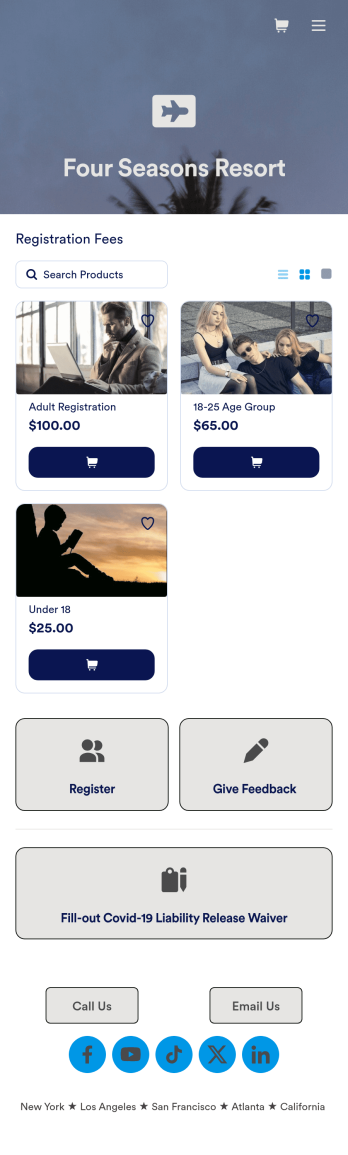
Guest Registration App
A guest registration app makes it easier for guests to register for events using any device. Whether you need to register guests for events, hotel bookings, school courses, or summer camp, get started with Jotform’s free Guest Registration App. This prebuilt template includes a registration form, feedback form, contact form, and COVID-19 liability waiver form that guests can easily fill out using any smartphone, tablet, or computer. Submissions will be instantly synced to your secure Jotform account, which lets you view form entries in an inbox, spreadsheet, calendar, or as cards.Make this Guest Registration App better meet your needs by customizing it with Jotform’s drag-and-drop builder. No coding necessary — you can add forms and tables, embed links and documents, upload images and videos, and much more in just a few clicks. Share the app with guests by posting the app link on your website or sending email invitations asking them to download it onto their own device. Streamline the registration process by making it simple from any device with a fully custom Guest Registration App for your event, hotel, program, or school!
Go to Category:Appointment & Booking Apps