Emergency Response Training App gives safety teams, employers, schools, nonprofits, and community organizations one accessible place to coordinate preparedness education. Administrators can publish available courses, present learning outcomes and course overviews, accept training enrollments, and direct participants to emergency resources. An incident reporting option also gives users a clear route for documenting safety concerns or events. This app template is useful for onboarding new personnel, running recurring preparedness programs, supporting workplace drills, and helping distributed teams find current training information without searching across separate systems.
With Jotform Apps, organizations can customize this Emergency Response Training App through a no-code app builder and an intuitive drag-and-drop interface. Add branded pages, update course content, connect forms, organize resource links, and build workflows for data collection, notifications, and follow-up. Jotform App Templates can be adapted to different locations, roles, or training programs, then shared by direct link or QR code for convenient mobile access. The result is a practical self-service experience that brings enrollment, learning materials, incident intake, and preparedness resources together.
Related templates
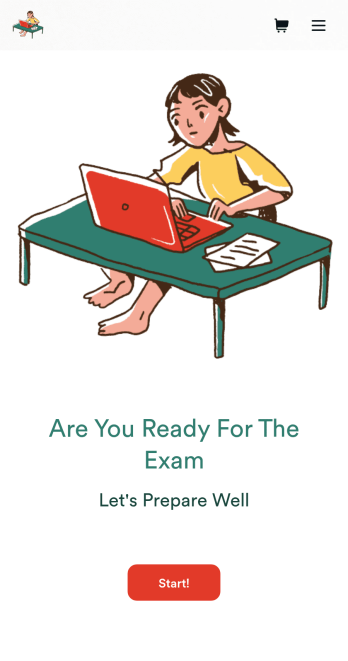
Custom Exam Preparation App
Whether you’re a teacher or a tutor, help students prepare for their exams with Jotform’s free Exam Preparation App. This fully customizable mobile app includes an exam registration form, sample exam questions, and contact buttons for students to easily access from any computer or mobile device. All submissions will be instantly synced to your Jotform account — ready to view, download, share, and approve.You won’t need to take a coding class to customize this Exam Preparation App. Simply drag and drop to add forms, images, documents, links, buttons, pages, and other app elements. Then share your app with students by posting the app link on your website or sending email invites to newly registered students. With a fully custom Exam Preparation App your students can easily access from any device, you can ensure they’ll be ready for their next exam!
Go to Category:Course & Training Registration Apps
Soccer Training App
Create an app for your soccer training camp in minutes with this free Soccer Training App template! Need to know how to sell soccer lessons online? You can collect registrations, share your contact information, introduce your coaches, and add tutorial videos in a few quick clicks. Just customize the app to perfectly match your needs, then share the app with a link or via email for others to download onto their iOS or Android devices.Want to make changes to this Soccer Training App? Drag and drop to update the app icon or splash screen, add or remove forms, include your unique logo, and make other changes fast. All form responses are stored securely in your Jotform account, ready to view instantly on any device. No coding knowledge needed — make your own custom Soccer Training App easily with Jotform.
Go to Category:Sports Apps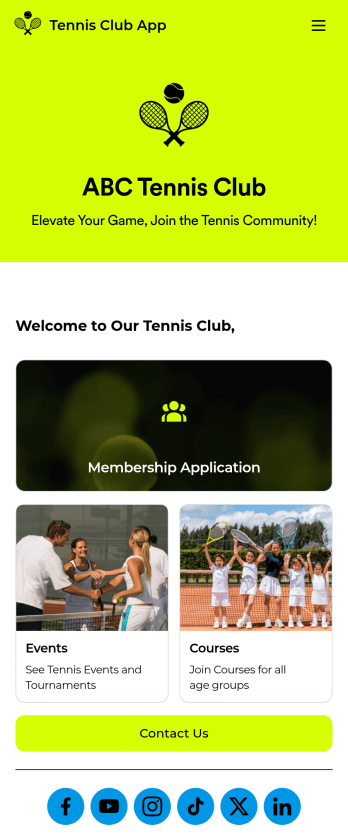
Tennis Club App
A tennis club app is a mobile application used by tennis clubs and teams to organize their memberships, events, classes, and more. Need to create one for your club? Build your own custom Tennis Club App for free with Jotform Apps. Collect and review membership applications, organize tryouts, collect membership fees, and display upcoming club events on any device.Changing the design of your Tennis Club App is a breeze with Jotform’s drag-and-drop app builder. In just a few clicks you can add or remove forms, change fonts and colors, uploading images and videos, select a unique app icon, add our Card element to organize your app, and more. After you’re finished customizing your app, simply share it with your members or embed it in your website for easy downloading.
Go to Category:Course & Training Registration Apps
Dance Studio App
A dance studio app is used to organize and manage dance studio classes, payments, auditions, and competitions. Create your own Dance Studio App with Jotform Apps to ensure that your dance studio is running smoothly. Display the types of dance your studio teaches, accept or deny audition applications, collect membership dues, and more with this ready-made Dance Studio App Template.Personalizing the look and feel of this Dance Studio App is easy with Jotform’s no-code app builder. Just drag and drop to make any changes that you see fit. Add or remove forms from your app, add our Card element to organize your app, upload images or videos of previous recitals or competitions, change colors and fonts, and more. You can even integrate your app with 250+ platforms — like Google Drive or Calendly — to send information straight to your other accounts
Go to Category:Booking Apps
Yoga Studio App
Yoga is all about finding harmony in body and mind — so make the journey as smooth as possible for your members with our Yoga Studio App! This ready-to-use template makes tracking course schedules and registering for upcoming yoga classes a breeze. Members can fill out personal contact information, provide yoga history, and sign a digital terms and conditions consent form. There are also spaces for testimonials and feedback. Members can easily access and download your app through their smartphone, tablet, or computer.This Yoga Studio App is ready to use and doesn't require any coding, but you can easily customize this app template to match your studio’s branding. With our drag-and-drop interface, it only takes a few clicks to add and change forms, images, text, logos, links, and more. You can also fully customize your app’s settings, icon, name, and splash screen to make it your own. Give your yoga studio members peace of mind with this free and easy-to-use Yoga Studio App!
Go to Category:Wellness Apps
Tennis Coach App
A tennis coach app is a type of mobile application used by tennis coaches and clubs to book student lessons, collect camp applications, and gather student waivers and fees. To create your own Tennis Coach App, use this ready-made app template from Jotform. Add profiles for each of your coaches, link out to your health waivers and payment forms, show upcoming events and camps, and so much more.Want to switch up the design of this ready-made Tennis Coach App Template? No problem. Use our no-code builder to make any design changes you see fit. Add or remove forms, change up colors and fonts, integrate with useful widgets and apps, select a unique app icon, and more — no coding required. Make life easier for your tennis club or coaching business by using Jotform Apps.
Go to Category:Appointment & Booking Apps