

Safety and Compliance Apps

Compliance Managment App
Compliance Managment App brings your day-to-day compliance work into one place so teams can keep controls visible, document what happened, and stay ready for reviews. It’s built for operations leaders, IT and security teams, HR, and managers who need a practical way to organize controls, report incidents as they occur, log audits, and maintain supporting documents without hunting across folders or email threads.With Jotform you can turn this app template into a branded self-service workspace using a drag-and-drop interface and a no-code app builder. Connect the app to forms and tables to support ongoing data collection, route key steps through a workflow, and keep updates consistent across controls, incidents, audits, and documents. Share it with internal stakeholders through a link, tailor pages to your process, and keep information easy to access on any device.
Go to Category:Information Technology Apps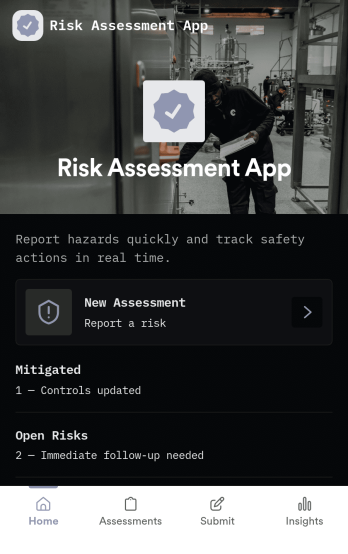
Risk Assessment App
Risk Assessment App helps teams capture new assessments and review open records in one place, so risk checks don’t get buried in email threads or scattered files. Use it to document hazards, rate likelihood and impact, and keep a clear log of what was assessed and when. It’s a practical fit for safety leads, operations managers, project teams, and supervisors who need a repeatable way to run assessments across sites, equipment, tasks, or events while keeping progress visible.Built with Jotform, this app template combines simple navigation with connected data collection to support day-to-day risk work. Create a new assessment through an embedded form, browse record lists for quick follow-up, and share the app as a self-service link for internal teams. With Jotform’s no-code app builder and drag-and-drop interface, you can tailor the layout, add your own fields, and evolve the workflow as your risk process changes.
Go to Category:Inspection Apps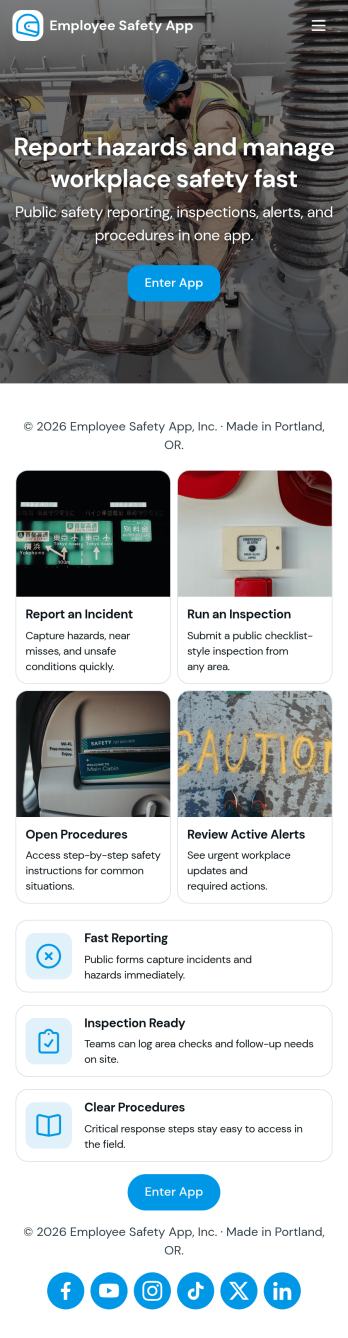
Employee Safety App
Employee Safety App brings key workplace safety actions into one place so teams can report incidents, run safety checks, and review logged issues without hunting for the right link or paper form. It fits companies with distributed crews, warehouses, job sites, clinics, or offices that want a consistent way to capture what happened, where it happened, and what immediate action was taken. Built-in navigation makes it easy to jump from reporting to an incident list, and the app can also surface quick emergency and safety lead contact options when time matters.With Jotform, you can turn this employee safety app template into a branded self-service experience using a no-code app builder and a drag-and-drop interface. Connect the app to your incident and safety check forms for reliable data collection, route updates through the right workflow, and keep records organized in one system for follow-up, training, and continuous improvement. Share the app by link or QR code so employees can access it on the go, then refine pages and content as your safety processes evolve.
Go to Category:HR Portal Apps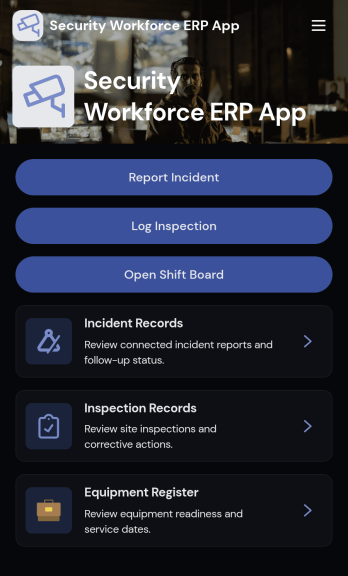
Security Workforce ERP App
Security Workforce ERP App brings your guard force and site operations into one place so supervisors can add workforce records, set up security sites, record shift coverage, and capture incident reports without juggling spreadsheets or scattered messages. It’s built for security companies, contract guarding teams, and in-house security departments that need a dependable way to keep rosters current, track who covered which shift, and document incidents with clear details for follow-up and review.Jotform makes it easy to turn these everyday workflows into a polished, shareable experience with App Templates you can customize in minutes. Using Jotform’s no-code app builder and drag-and-drop interface, you can organize pages for workforce, coverage, sites, and incidents, connect forms for data collection, and keep your workflow moving with a self-service hub that works on any device. As records grow, you can continue adapting the app to match how your team schedules, responds, and reports in the field.
Go to Category:Operations & Logistics Portal Apps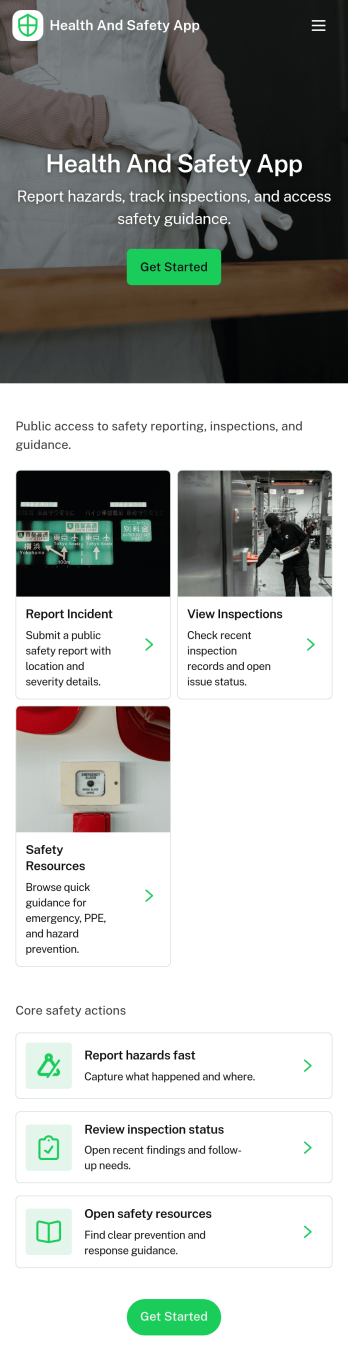
Health and Safety App
Health and Safety App helps teams centralize day-to-day workplace safety actions in one place, so employees know exactly where to go when something happens. Use it to capture incident details fast through a simple reporting flow, guide staff through routine safety checks, and keep everyone aligned on what’s been logged. It’s a practical fit for construction crews, warehouses, manufacturing floors, facilities teams, field service organizations, schools, and nonprofits that need a consistent way to document issues and reinforce safe habits across locations.With Jotform, you can turn this Health and Safety App into a mobile-friendly self-service experience using app templates and a no-code app builder with a drag-and-drop interface. Connect the app to forms and tables to support reliable data collection and clearer workflow handoffs, then share it by link or QR code so the right people can report, review, and act without hunting for the latest document or process.
Go to Category:Company Portal Apps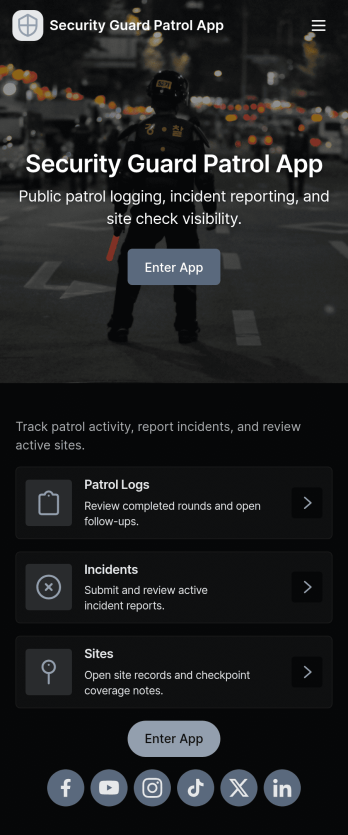
Security Guard Patrol App
Security Guard Patrol App keeps patrol teams organized during every shift by bringing check-ins, incident reporting, and patrol history into one easy place. It’s a practical fit for security companies, property managers, HOAs, warehouses, campuses, and event venues that need guards to start shifts consistently, log patrol activity, and document issues as they happen without relying on paper notes or scattered messages.With Jotform, you can turn this app template into a tailored self-service experience using a no-code app builder and a drag-and-drop interface. Connect the app to your forms for shift activity and incident reports, route information to the right people, and review records in a central workflow for faster follow-ups and clearer visibility across sites and teams.
Go to Category:Log Apps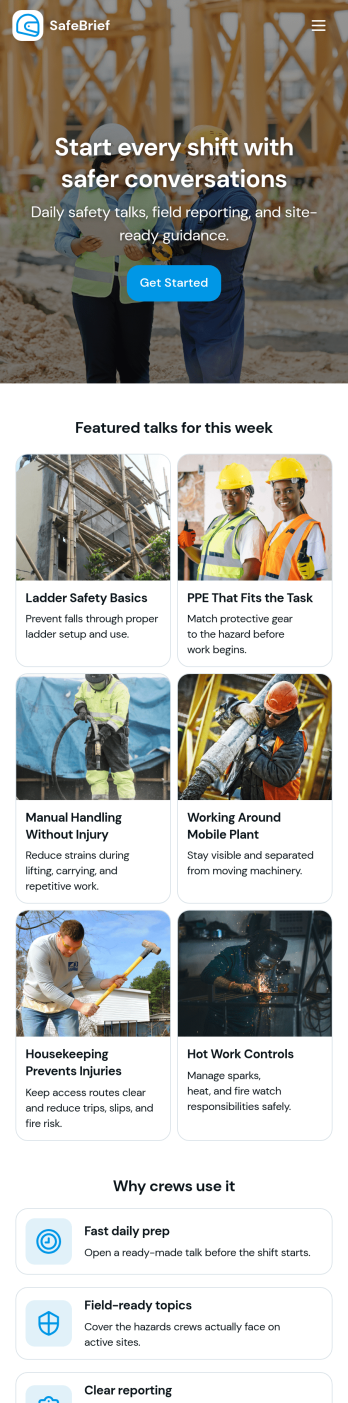
Toolbox Talks App
Toolbox Talks App helps safety leads and site supervisors run consistent pre-task briefings, keep a ready-to-use talk library, and gather participation details in one place. Use it to launch a talk for the day, guide crews through key points, and keep everyone aligned on hazards, procedures, and expectations before work begins. With dedicated areas for running a talk, tracking attendance, and collecting feedback, it fits construction crews, maintenance teams, field service groups, warehouses, and any operation that relies on frequent safety conversations.Built with Jotform, this app template gives you a practical way to support self-service access to talks and simple data collection without code. Customize pages and cards with a drag-and-drop interface, connect the app to your existing Jotform forms for attendance and feedback, and keep information organized for ongoing workflows. Share the app by link or QR code so teams can open it on the jobsite, record participation, and submit notes while the conversation is still fresh.
Go to Category:Checklist Apps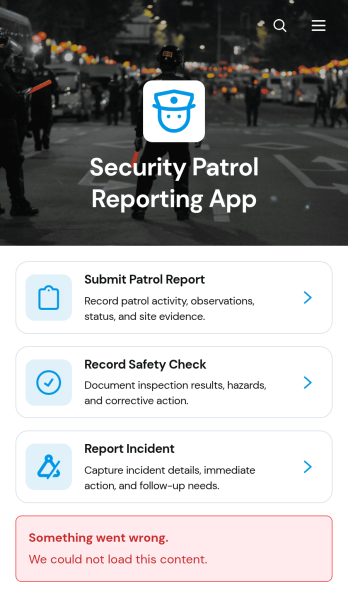
Security Patrol Reporting App
The Security Patrol Reporting App is an app template for documenting patrol activity, safety checks, and incidents across offices, residential properties, construction sites, warehouses, campuses, and other monitored locations. Security officers can submit patrol reports from the field, record inspection findings, and report incidents while details are still current. Supervisors, property managers, facility teams, and security service providers can review records by date, officer, location, status, severity, and follow-up needs. Bringing these activities into one accessible reporting experience reduces missing information, improves visibility across shifts, and helps teams respond to identified concerns.Jotform App Templates make it easy to adapt this reporting experience to an organization’s procedures without writing code. With Jotform’s no-code app builder and drag-and-drop interface, teams can update pages, branding, navigation, and connected forms to suit different properties or patrol assignments. Collected data can feed into tables, notifications, approvals, and related workflows, giving managers a central place to organize reports and monitor next steps. Once ready, the app can be shared with officers through a direct link or QR code for convenient mobile access and field-based self-service.
Go to Category:Report Apps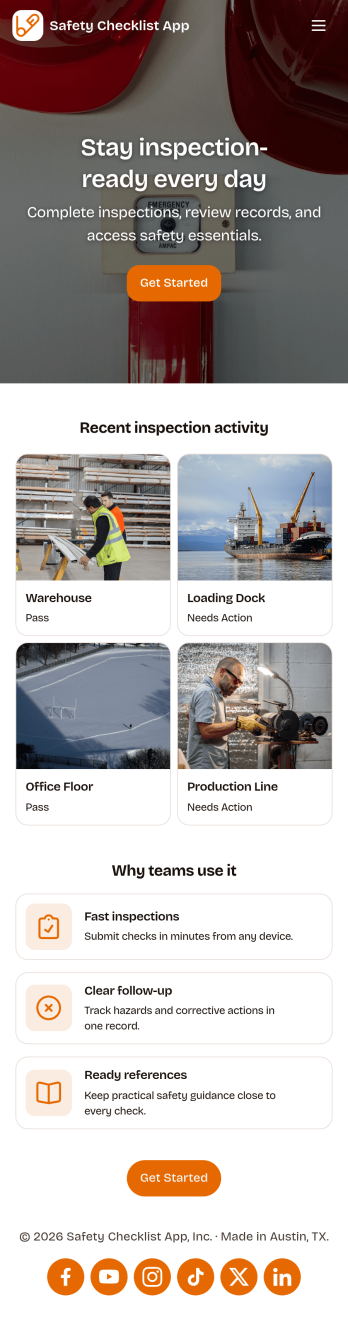
Safety Checklist App
Safety Checklist App helps teams run repeatable inspections, document checks by location, and surface problems before they become incidents. It fits day-to-day use in warehouses, construction sites, retail stores, schools, facilities, and field operations where staff need a clear path to start an inspection, review completed checks, and keep track of open issues. The app’s navigation cards guide users to begin an inspection, browse check records, and jump into open items, while a built-in issue reporting form makes it easy to flag hazards or concerns from the same place.Jotform lets you turn this Safety Checklist App into a branded, mobile-friendly experience without coding. Use the drag-and-drop no-code app builder to tailor pages for your locations and inspection routine, connect your check data to tables for organized tracking, and share the app with a link or QR code for quick self-service access. As your workflow evolves, you can update the layout, adjust the reporting form, and keep everyone aligned with a single source for safety checks and issue follow-up.
Go to Category:Checklist Apps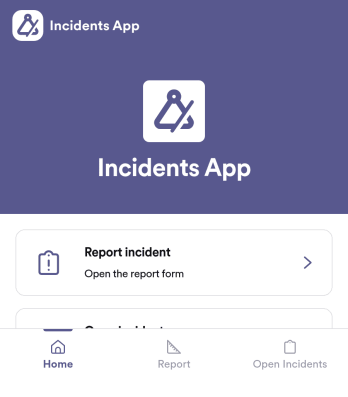
Incidents App
Incidents App gives teams a clear, consistent way to capture incident details the moment something happens and keep visibility on what’s still unresolved. It’s a practical fit for workplaces, schools, property teams, event operations, and service organizations that need staff to report issues quickly, then follow progress without hunting through emails or spreadsheets. With an in-app path to report an incident, review open incidents, and reference incident history, the app supports faster handoffs and better follow-through across shifts and locations.Built with Jotform, this app template pairs self-service reporting with organized recordkeeping so teams can collect data in one place and act on it. Use Jotform’s no-code app builder and drag-and-drop interface to tailor pages, wording, and navigation for your process, then connect the app to the underlying form and table for ongoing workflows. Share the app through a link or QR code, control who can access reporting views, and keep your incident information easy to search and manage as volume grows.
Go to Category:Log Apps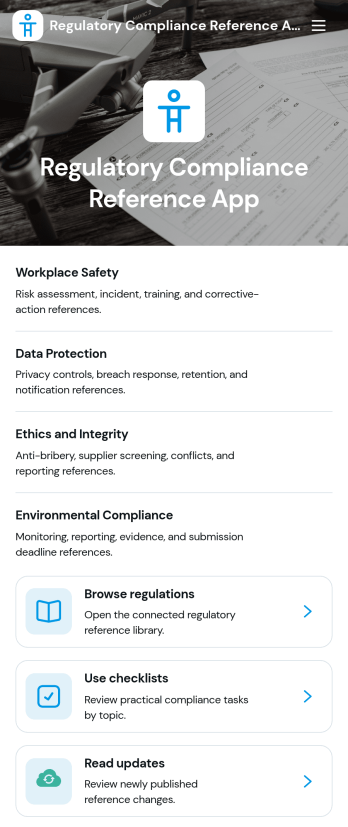
Regulatory Compliance Reference App
Regulatory Compliance Reference App brings your organization’s key regulations, checklists, and update notes into one easy-to-browse reference library. It’s built for compliance leads, operations managers, risk teams, and distributed departments that need a reliable place to review requirements by topic, confirm jurisdictions and effective dates, and keep internal guidance aligned with the latest reference status. With quick navigation to browse regulations, open source references, and use checklists tied to real responsibilities like owners and review frequency, teams can reduce time spent hunting for the right information and keep day-to-day decisions consistent.Jotform makes it simple to publish this app template as a self-service resource without coding. Using a drag-and-drop interface, you can tailor pages, organize your reference lists, and connect the app to a form for ongoing data collection when new regulations, checklist updates, or internal notes need to be added. Share the finished app with a link or QR code, keep content current in one place, and support clearer workflows across teams with Jotform.
Go to Category:Safety and Compliance Apps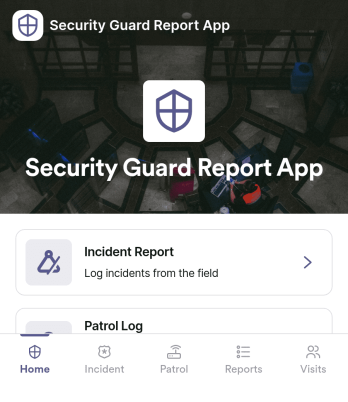
Security Guard Report App
Security Guard Report App helps security teams capture incidents, document shift activity, and confirm routine patrol checks in a consistent format across sites. It’s built for guard companies, property managers, event venues, and in-house security departments that need clear, time-stamped reporting without relying on paper notes or scattered messages. With dedicated areas for incident reports, shift logs, and patrol checks, supervisors get better visibility into what happened, when it happened, and what actions were taken during each assignment.Jotform makes it easy to turn this Security Guard Report App into a branded self-service workflow using a no-code app builder and a drag-and-drop interface. Connect pages to forms for fast data collection in the field, route key updates for review, and keep records organized for follow-up and internal reporting. Share the app with a link or QR code so guards can submit reports from any device, while managers can review entries and standardize operations across locations.
Go to Category:Log Apps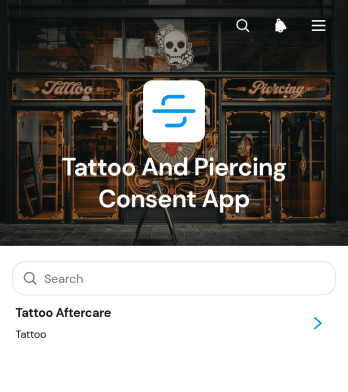
Tattoo And Piercing Consent App
The Tattoo And Piercing Consent App is a ready-to-use digital space for studios that need to collect client consent before tattoo and piercing appointments. Tattoo artists, piercers, reception teams, and studio managers can use it to guide clients through consent completion, review submitted records, and provide relevant aftercare information. Health disclosures, appointment details, contact information, and aftercare acknowledgments stay connected in one organized experience. This helps studios replace scattered paperwork, prepare staff before each service, maintain clearer records, and give clients convenient access to care guidance after their appointment.Jotform makes this app template easy to adapt with a no-code app builder and a flexible drag-and-drop interface. Studios can update pages, adjust branding, organize resource navigation, and connect forms or tables to support their preferred workflow. The app can be shared through a direct link or QR code, giving clients a mobile-friendly self-service option while helping staff manage data collection from one location. Jotform App Templates also make it simple to publish updates as procedures, consent questions, or aftercare resources change, without rebuilding the experience from the beginning.
Go to Category:Salon Apps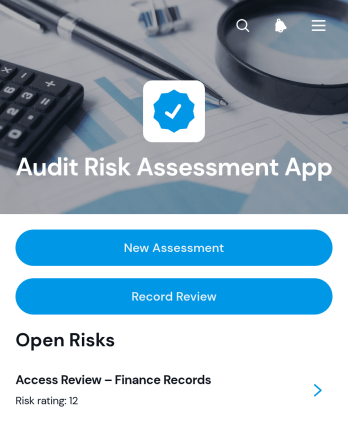
Audit Risk Assessment App
The Audit Risk Assessment App is an app template for audit teams, internal reviewers, consultants, and operations leaders who need a consistent way to document and revisit organizational risks. Teams can create new assessments, evaluate findings through likelihood and impact, and record controls, recommended actions, and review outcomes. Centralized assessment records make it easier to compare risks across business areas, preserve reviewer notes, plan the next review date, and keep follow-up work visible. It is well suited to recurring internal audits, process reviews, operational risk checks, and consulting engagements.Jotform App Templates provide a practical starting point that can be adapted through a no-code app builder. Customize this Audit Risk Assessment App with a drag-and-drop interface, connect forms for data collection, and organize assessment and review steps into one accessible workflow. Teams can add branded pages, adjust navigation, connect tables or approvals, and publish the finished app through a direct link or QR code. This creates a mobile-friendly resource for assessors and reviewers without requiring software development, while supporting convenient self-service access to current risk records.
Go to Category:Audit Apps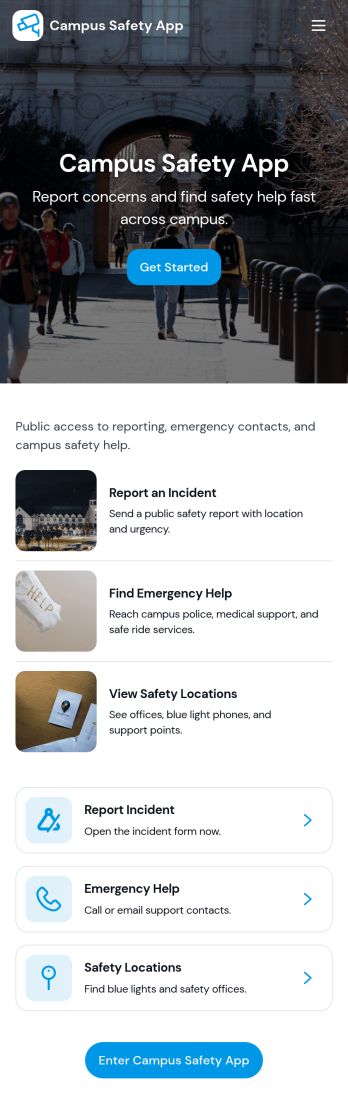
Campus Safety App
Campus Safety App gives schools a central place to support safer day-to-day operations by making it simple for students, staff, and visitors to report concerns and find help fast. It brings together incident reporting, a view into open incidents, and an organized set of safety resources so the right information is available when it matters. Whether you manage a university, community college, or K–12 campus, this app helps standardize how issues are raised, logged, and followed up while keeping key contacts and services within easy reach.With Jotform, you can tailor this app template to match your campus workflows using a no-code app builder and a drag-and-drop interface. Connect the app to forms and tables for consistent data collection, route updates through internal workflow steps, and publish a self-service experience you can share by link or QR code. From collecting incident details to guiding users toward resources and safety requests, Jotform makes it easier to keep information organized and accessible across your campus community.
Go to Category:Education Apps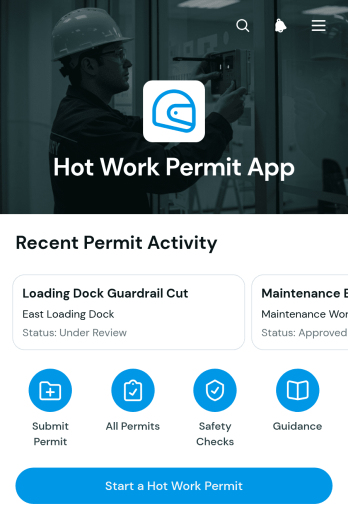
Hot Work Permit App
Hot Work Permit App gives safety teams, site supervisors, contractors, and maintenance crews a central place to initiate and review permits for welding, cutting, grinding, and other work that may produce heat, sparks, or flames. Users can start a permit through a linked form, view its current status, confirm the planned work window, identify the responsible team, and review essential safety controls. This app template is useful on construction sites, in warehouses, at manufacturing facilities, and anywhere hot work must be coordinated before a task begins. It replaces scattered paperwork and messages with a consistent process that helps teams improve visibility, maintain organized permit records, and communicate expectations across shifts and job locations.Jotform makes the Hot Work Permit App easy to adapt without coding. Use the drag-and-drop app builder to update pages, navigation, buttons, colors, and branding while connecting forms and data collection workflows in one mobile-friendly experience. Teams can organize permit requests for self-service access, monitor submitted information, and receive notifications related to connected processes. Once the app is ready, publish it with a direct link or QR code so authorized workers can access permit information from phones, tablets, or computers. Jotform app templates provide a practical starting point that can grow with changing operational needs.
Go to Category:Safety and Compliance Apps
Gate Pass Request App
Gate Pass Request App is a centralized request and status-tracking experience for workplaces that manage visitor, vehicle, or item access through controlled entry points. Facilities, security, operations, warehouse, construction, school, and office teams can use it to receive gate pass requests, help requesters check progress, and display approval and issuance outcomes. By keeping requester and visit information connected to each record, the app reduces scattered messages, gives staff a consistent review process, and provides requesters with clearer self-service access. It is useful for recurring deliveries, contractor visits, equipment movement, scheduled guests, and other situations that require documented entry or exit authorization.Built with Jotform Apps, this app template can be adapted without coding to match an organization’s access process and branding. The drag-and-drop interface makes it easy to update pages, buttons, instructions, and navigation while connected forms support data collection. Teams can link approval steps, tables, notifications, and related workflows to coordinate reviews and keep request information organized. Once customized, the Gate Pass Request App can be shared through a direct link or QR code for convenient mobile access. Jotform app templates help organizations publish practical digital experiences quickly while retaining the flexibility to revise content and processes as operational needs change.
Go to Category:Safety and Compliance Apps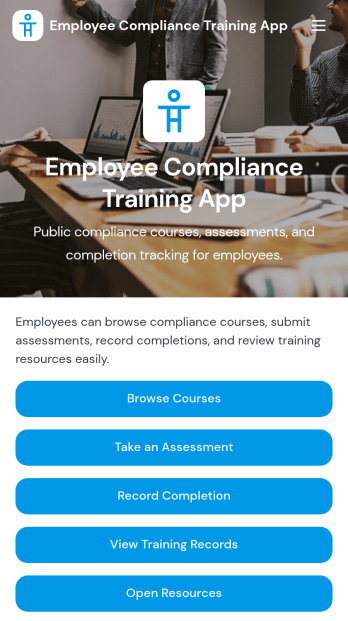
Employee Compliance Training App
Employee Compliance Training App gives HR teams, learning and development leaders, safety managers, and operations departments a central place to deliver and monitor required workplace education. Employees can browse available courses, review key learning materials, take assessments, and submit completion records without searching across disconnected systems. It is well suited to employee onboarding, annual refresher programs, information security awareness, workplace conduct education, and health and safety training. By bringing learning resources and training records into one accessible experience, the app helps organizations keep employees informed, reduce administrative work, and maintain clearer visibility into participation.Jotform makes this app template easy to adapt with a no-code app builder and an intuitive drag-and-drop interface. Teams can update pages, course links, buttons, visual elements, and branding to match their internal training program. Forms, tables, approvals, and automated workflows can be connected to support data collection, completion tracking, and timely follow-up. Once customized, the Employee Compliance Training App can be shared by direct link or QR code for convenient mobile self-service access. Explore Jotform App Templates to create a polished training experience without writing code.
Go to Category:Safety and Compliance Apps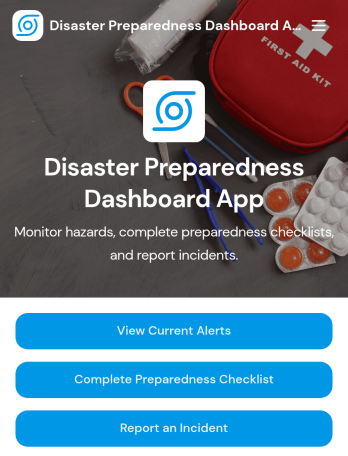
Disaster Preparedness Dashboard App
Disaster Preparedness Dashboard App brings current alerts, readiness tasks, and incident reporting into one place so people can act fast when conditions change. Use it to share timely updates, guide staff or residents through a preparedness checklist, and capture on-the-ground details through structured incident reports. It’s a practical fit for schools, nonprofits, property managers, community organizations, and operations teams that need a simple way to keep everyone informed and aligned before, during, and after an emergency.With Jotform, you can tailor this app template to match your procedures, branding, and communication needs without coding. Build pages with a drag-and-drop interface, connect buttons to forms for data collection, and keep information easy to navigate on any device. As your workflow evolves, update alerts, refine checklists, and route incident details to the right team so your preparedness plan stays organized and actionable.
Go to Category:Safety and Compliance Apps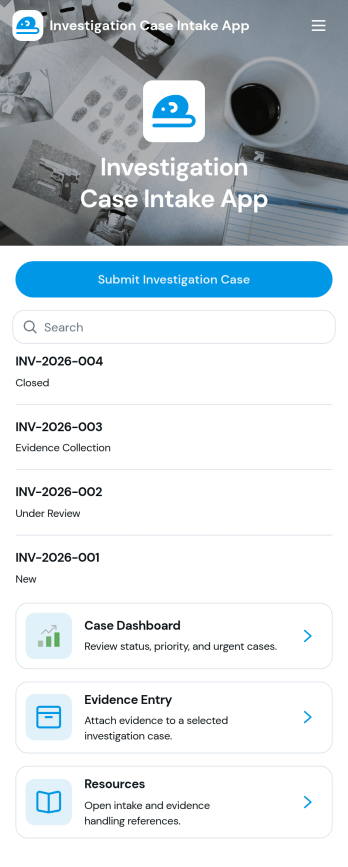
Investigation Case Intake App
Investigation Case Intake App helps teams capture new investigation reports and keep case information organized from the first intake through ongoing follow-ups. It’s a practical fit for HR teams, internal audit groups, compliance and risk teams, security operations, and legal departments that need a consistent way to log incidents, assign urgency, and reference cases without losing critical details. With quick access to case records and a guided path to submit follow-ups, the app supports clearer handoffs, better documentation, and faster internal response when multiple stakeholders are involved.Built with Jotform, this app template can be customized in a no-code app builder using a drag-and-drop interface, so you can match your internal workflow and terminology. Connect intake and follow-up forms to keep data collection consistent, centralize records for easy review, and share the app with the right people through a link or QR code for secure self-service reporting. As your process evolves, you can update pages, add steps, and keep your investigation workflow running smoothly without writing code.
Go to Category:Legal Apps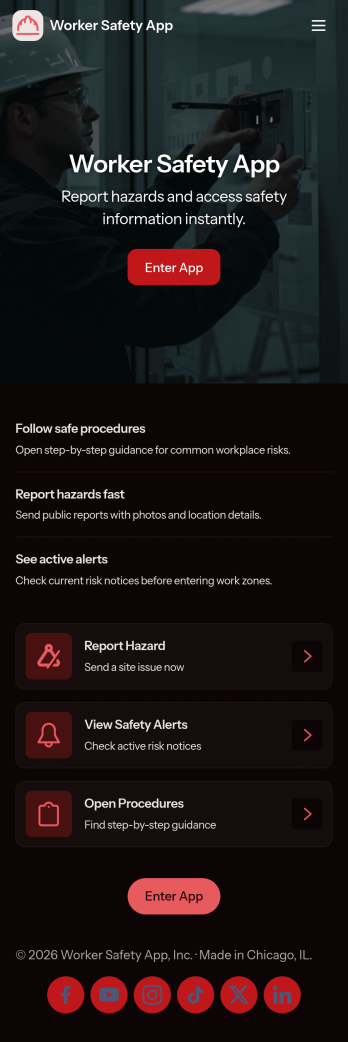
Worker Safety App
Worker Safety App brings incident reporting and routine inspections into one mobile-friendly place so teams can act fast when something goes wrong and stay consistent with day-to-day safety checks. It works well for construction crews, warehouses, manufacturing floors, field service teams, and any workplace that needs a simple way for employees to report issues, run inspections on-site, and review past activity by alert, incident type, or area.With Jotform App Templates, you can turn your safety workflow into a shareable, branded experience without coding. Use Jotform’s no-code app builder and drag-and-drop interface to customize pages, connect your inspection and incident forms, and keep data collection organized for supervisors and admins. Publish the app in minutes, share it by link or QR code, and give teams a self-service hub they can use from the job site or the office.
Go to Category:Construction Apps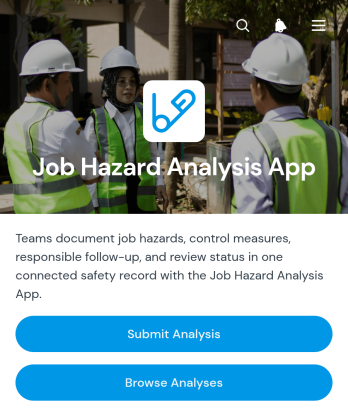
Job Hazard Analysis App
The Job Hazard Analysis App provides safety managers, supervisors, contractors, and field teams with a central place to document job risks before work begins. Users can submit a new analysis, browse previous analyses, and review key information about identified hazards and control measures. Follow-up details, responsible personnel, and review status help teams maintain clear ownership after an assessment is recorded. This app template is useful for construction sites, warehouses, maintenance operations, manufacturing facilities, and other workplaces where tasks need to be evaluated consistently. It supports better preparation, creates accessible records, and gives workers and managers a shared reference for safer task planning.Jotform makes it easy to adapt this app to an organization’s existing safety workflow without coding. The drag-and-drop app builder can be used to update pages, adjust navigation, apply workplace branding, and connect forms with tables, approvals, notifications, and other processes. Teams can organize data collection and self-service access in one mobile-friendly experience, then share the app through a direct link or QR code. Starting with ready-made app templates also reduces setup time while leaving room to tailor questions, control-measure records, and review steps to different roles, locations, or types of work.
Go to Category:Safety and Compliance Apps
Packaging Compliance Declaration App
The Packaging Compliance Declaration App is an organized workspace for collecting, reviewing, and managing packaging declarations across products, suppliers, and internal teams. Manufacturers, retailers, distributors, packaging specialists, procurement teams, and sustainability teams can use this app template to browse declaration records, review compliance insights, and access packaging guidance from one location. It brings declarant details, packaging formats, material composition, review context, and follow-up activity into a consistent workflow. This helps teams reduce scattered documentation, identify records that need attention, and maintain clearer communication with contributors and reviewers.With Jotform Apps, organizations can adapt this App Template using a no-code App Builder and an intuitive drag-and-drop interface. Pages, navigation cards, forms, tables, and supporting resources can be updated to reflect an organization’s declaration process without programming. Teams can connect data collection with follow-up workflows, organize records for self-service access, and share the finished app through a direct link or QR code. Custom branding and mobile-friendly access make it easier to provide a consistent experience for employees, suppliers, and other packaging stakeholders.
Go to Category:Safety and Compliance Apps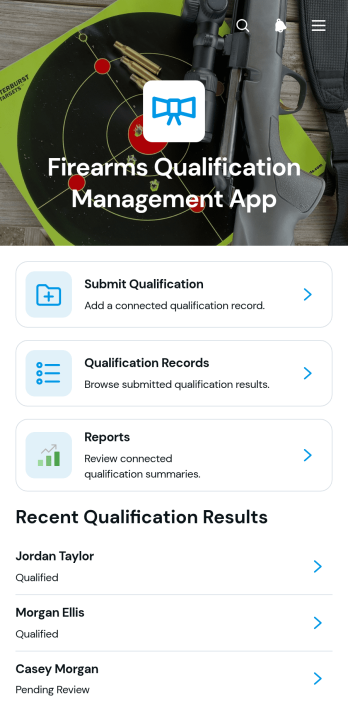
Firearms Qualification Management App
The Firearms Qualification Management App is an app template for training coordinators, range supervisors, instructors, and public safety teams that need a central place to document firearms qualification activity. Users can submit qualification results, review individual records, and access consolidated reports without relying on scattered files or manual logs. It supports recurring training programs where administrators need clearer record visibility, quicker follow-up, and a consistent data collection process for each participant. Organized navigation helps authorized team members locate qualification histories and review submitted details when planning training or assessing completion status.Jotform makes this app template easy to adapt with a no-code app builder and a flexible drag-and-drop interface. Teams can adjust pages, branding, navigation, and connected forms to reflect their terminology and operational workflow. Qualification submissions can feed organized tables, support notifications, and provide current information for reporting. Publish the finished app with a direct link or QR code so instructors and administrators can access it from phones, tablets, or computers. Jotform App Templates help organizations create a practical self-service resource while keeping intake, records, and reporting connected in one mobile-friendly experience.
Go to Category:Safety and Compliance AppsAbout Safety and Compliance Apps
Safety and Compliance Apps are specialized mobile and web apps designed to streamline processes related to workplace safety and regulatory compliance. These apps are commonly used across various industries, such as construction, healthcare, and manufacturing, where maintaining rigorous safety standards and adhering to compliance regulations are critical. Real-world workflows include incident reporting, safety audits, risk assessments, and compliance checklists, all of which can be effectively managed through these apps. By digitizing these processes, organizations can ensure more accurate data collection and reporting, while enhancing their ability to respond swiftly to potential safety issues.
Jotform Apps offers a robust no-code app builder that is perfectly tailored for creating Safety and Compliance Apps. Utilizing Progressive Web App (PWA) technology, these apps can be installed directly via a browser, negating the need for an App Store, and they function seamlessly across iOS, Android, tablets, and desktops. This flexibility ensures that safety protocols and compliance checks are accessible to all employees, regardless of their device. Furthermore, with centralized data management through Jotform Tables, organizations can maintain a comprehensive overview of their safety compliance efforts, facilitating streamlined workflows and improved operational efficiency.
Why Use Safety and Compliance Apps?
- Safety and Compliance Apps provide a centralized platform for managing all safety-related data, ensuring that information is easily accessible and up-to-date. This centralization allows teams to have a single source of truth, reducing errors and miscommunication.
- By digitizing traditional paper-based processes, these apps significantly reduce the time and effort required for data entry and reporting. This efficiency leads to faster decision-making and allows staff to focus on more critical tasks.
- The automation features within these apps help in setting up alerts and reminders for compliance deadlines and safety checks. This proactive approach reduces the risk of non-compliance and ensures that organizations meet all regulatory requirements on time.
- Safety and Compliance Apps enhance real-time communication among team members, facilitating immediate reporting and incident management. This capability leads to quicker response times in addressing safety issues, minimizing potential risks.
- Utilizing these apps can lead to improved employee engagement and participation in safety programs. The ease of use encourages consistent usage, fostering a culture of safety and compliance within the organization.
Common Problems Solved by Safety and Compliance Apps
- One of the significant challenges in safety management is the timely collection and analysis of safety data. Safety and Compliance Apps solve this by providing instant data capture and centralized storage, allowing for immediate access and evaluation.
- Ensuring compliance with ever-changing regulations can be daunting. These apps offer automated updates and alerts, keeping the organization informed of the latest compliance requirements and reducing the risk of human error.
- Incident reporting often suffers from delays and inaccuracies when done manually. With these apps, employees can report incidents in real-time using their devices, ensuring accurate and prompt documentation.
- Training and onboarding processes for new safety protocols can be inefficient and inconsistent. Safety and Compliance Apps streamline these processes by providing accessible training materials and compliance checklists, ensuring uniform understanding and implementation across the organization.
Matching Use Cases to Features
- In safety management, timely incident reporting is crucial, and the Push Notifications feature ensures that all relevant personnel are immediately informed of any issues. This leads to quicker resolutions and a more responsive safety strategy.
- For organizations that require the ability to manage multiple safety protocols, the Drag-and-Drop Interface enables easy customization of app layouts and functionalities, allowing for tailored solutions that meet specific operational needs.
- The Publish Options feature is particularly beneficial for distributing safety apps within a company, as it allows apps to be shared as Private or Company-only, ensuring that sensitive safety data is shared securely within the organization.
- Sharing Methods like Direct Link and QR Code make it easy to distribute safety checklists and compliance forms to employees, ensuring that everyone has access to the necessary documents to perform their tasks safely.
- For organizations with field operations, Offline Mode is essential for data collection in areas with limited internet connectivity, ensuring that safety inspections and compliance checks are not hindered by network issues.
How to Create a Safety and Compliance App
- Choose a category-relevant template from the Template List or start from scratch.
- Customize using the Drag-and-Drop Interface to tailor the app to your organization’s specific safety and compliance needs.
- Share via Link, QR Code, or Embed to ensure easy access for all employees and stakeholders involved in safety management.
Top Use Cases for Safety and Compliance Apps
- For Managers: Managers can leverage Safety and Compliance Apps to gain real-time insights into the safety performance of their teams. With centralized data, managers can monitor compliance metrics and generate reports effortlessly, allowing them to identify trends and address potential safety issues proactively. These apps also facilitate streamlined communication, enabling managers to send safety alerts and updates directly to employees’ devices, ensuring everyone is informed and aligned with the safety protocols.
- For Teams: Teams benefit from the operational efficiencies provided by Safety and Compliance Apps, as they enable team members to report incidents immediately and access compliance checklists on the go. The intuitive interface allows for easy navigation, empowering teams to complete safety audits and inspections with greater accuracy and speed. Furthermore, the ability to access training materials directly through the app ensures that all team members are consistently updated on the latest safety practices and requirements.
- For Customers: For customers, Safety and Compliance Apps demonstrate a company’s commitment to maintaining high safety standards, instilling confidence in the services or products offered. Customers can trust that the organization is proactive in managing safety risks, as these apps enable rapid incident response and transparent reporting. By showcasing adherence to compliance regulations, companies can enhance their reputation and strengthen customer trust and loyalty.
Summarizing Safety and Compliance Apps
In conclusion, Safety and Compliance Apps serve as a vital component for businesses striving to uphold safety standards and regulatory compliance. By offering features such as real-time reporting, workflow automation, and centralized data management, these apps help organizations streamline their safety processes and enhance operational efficiency. As companies increasingly move towards digital transformation, adopting these apps not only meets current safety needs but also positions organizations to adapt swiftly to future challenges.
Frequently Asked Questions
1) Is it free to create and use Safety and Compliance apps on Jotform?
Yes, Jotform offers a free Starter plan that allows users to create and use Safety and Compliance apps without any initial cost. While the Starter plan provides access to basic features, businesses can upgrade to higher-tier plans to unlock additional functionalities and increased usage limits. This flexibility ensures that organizations of all sizes can benefit from Jotform's no-code app builder.
2) Are the data and payments collected through the app secure?
Absolutely, Jotform employs industry-standard security measures, including encryption and GDPR compliance, to ensure that all data and payments collected through the app are secure. Payment integrations with trusted providers like Stripe and PayPal further enhance transaction security, giving both businesses and their customers peace of mind.
3) Do I need any coding skills to create a Safety and Compliance app with Jotform?
No coding skills are required to create a Safety and Compliance app using Jotform. The platform's intuitive Drag-and-Drop Interface allows users to easily customize their apps, making it accessible for individuals without technical expertise. This ease of use empowers teams to quickly develop and deploy apps tailored to their specific operational needs.
4) Can I collect payments for services directly through the app?
Yes, Jotform supports payment collection directly through the app with integrations such as Stripe and PayPal. This feature allows organizations to process payments for safety training sessions, compliance certifications, and other related services seamlessly, all within the same app environment.
5) Does Jotform support offline data collection for Safety and Compliance apps?
Yes, Jotform supports offline data collection, which is particularly beneficial for field operations where internet connectivity may be limited. With Offline Mode available on mobile devices, users can perform safety inspections and compliance checks without interruption, ensuring continuous operation regardless of network conditions.
6) Are Jotform Apps compatible with both iOS and Android devices?
Indeed, Jotform Apps are fully compatible with both iOS and Android devices. As Progressive Web Apps, they offer a consistent user experience across different platforms, ensuring that all employees can access the necessary safety and compliance features from their preferred devices.
7) How can Safety and Compliance Apps improve workplace safety?
Safety and Compliance Apps enhance workplace safety by facilitating real-time reporting, ensuring that safety incidents are documented promptly and accurately. They also offer workflow automation for compliance checks, reducing human error and ensuring that all safety protocols are followed diligently.
8) Can Safety and Compliance Apps help in regulatory audits?
Yes, these apps are invaluable during regulatory audits as they provide comprehensive documentation and reporting features. By centralizing all safety-related data, organizations can quickly generate the necessary reports and evidence needed for audits, demonstrating compliance with regulatory requirements efficiently.