
Onboarding in App helps you guide new hires, contractors, or members through a clear, in-app onboarding flow so nothing gets missed in those first critical days. Use it to share a welcome starting point, walk people through setup steps, and provide a practical checklist they can follow at their own pace. It’s a strong fit for HR teams, operations managers, team leads, and growing organizations that need a consistent onboarding experience across locations or departments, especially when people start remotely.
With Jotform, you can turn onboarding into a self-service experience that’s easy to update as your process evolves. Customize pages and navigation with a drag-and-drop interface, connect your onboarding data collection to a form, and organize progress items so everyone knows what to do next. Share a single link for fast access, keep information in one place, and reduce follow-ups by giving new team members a simple path from “Start Here” to a completed checklist.
Related templates
HR Management App
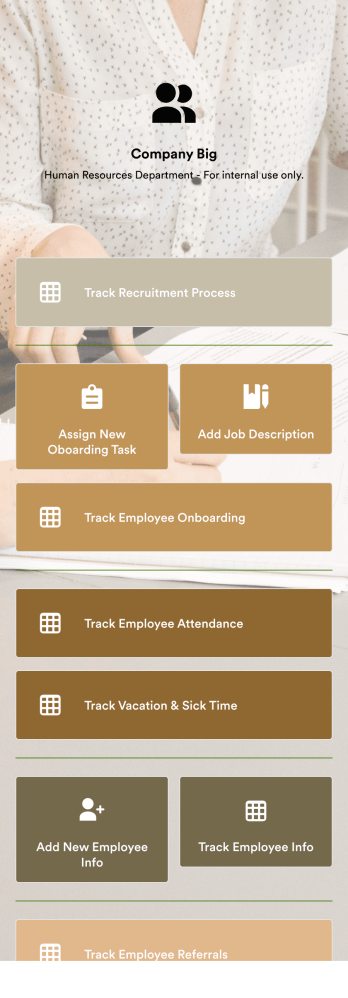
An HR management app keeps all your recruiting tools in one place that can be accessed from any device. Support your human resources team with a fully custom HR Management App powered by Jotform. This ready-to-use template includes multiple HR forms and tables to help you keep all of your data organized in one central location. You and your HR team can download the app onto any smartphone, tablet, or computer for easy access to your forms, tables, and other resources.Want to modify this app template for your company? You won’t need any coding knowledge – with our intuitive builder, all you need to do is drag and drop to add or update forms, tables, links, documents, pages, buttons, and other app elements. You can even change the app name, icon, fonts, colors, and splash screen to match your branding. When it’s ready to use, share it with your HR team by sending email invites or the app link. Manage new and existing employees effectively with a HR Management App built just for your HR team.
Go to Category:Company Portal Apps
Recruitment App
A recruitment app streamlines the hiring process for HR teams on any device. No matter what roles your team is hiring for, get started with an all-in-one Recruitment App powered by Jotform! This free, ready-to-use app template works hand-in-hand with a Job Application Form and stores submissions in a Candidate Tracker. You and your recruiting team will also be able to schedule and log interviews through the app. All form responses will be securely stored in your Jotform account in a spreadsheet, calendar, or as easy-to-read cards.Customize this app template to match your branding and meet your HR needs. No coding necessary — simply drag and drop to add forms, links, documents, buttons, images, and much more. You can also change the app icon, name, and splash screen to match your branding. When it’s ready to use, share the app link with members of your recruiting team or send email invites. Your Recruitment App can be downloaded onto any smartphone, tablet, laptop, or desktop computer for easy access to your HR team’s tools and resources.
Go to Category:Company Portal Apps
Job Application App
A job application app is used by HR teams to post open positions for the company and collect applications from any device. No matter what roles you’re hiring for, find top candidates fast with our free Job Application App. This ready-to-use app includes separate job application forms for various manager positions as well as internship opportunities. You’ll receive submissions instantly, ready to view and share in your Jotform account.Customize this Job Application App Template in just a few clicks. No coding required — simply drag and drop to create and add new job application forms, update the provided text, upload a different background image, and even include your company branding. When you’re ready to share it, embed the link in your company careers page so prospective employees can download the app onto their smartphone, tablet, or computer. Make the application process easier for applicants and your HR team with a fully-custom Job Application App for your company.
Go to Category:HR Portal Apps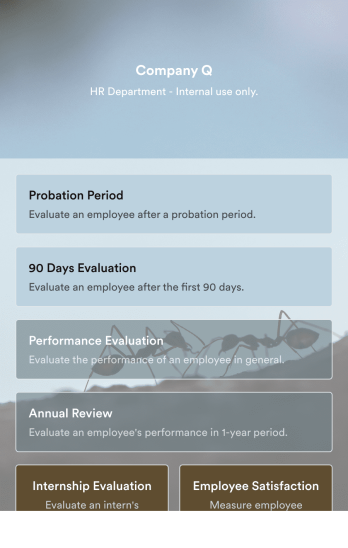
Employee Evaluation App
An employee evaluation app is used by managers or HR professionals to perform employee evaluations. With this Employee Evaluation App, you can switch from messy paper forms and start completing employee performance reviews online — a great way to create a secure database of all of your employees’ evaluations instantly. Submissions are stored in your secure Jotform account and can be converted into PDF documents automatically.Make changes to this app template with our drag-and-drop builder. Add your company logo, update evaluation questions, add or remove forms, and change fonts, colors, the background image, or the app icon for a personalized look. You can then share your custom Employee Evaluation App with members of your HR team to complete evaluations instantly on any computer, tablet, or mobile device.
Go to Category:Company Portal Apps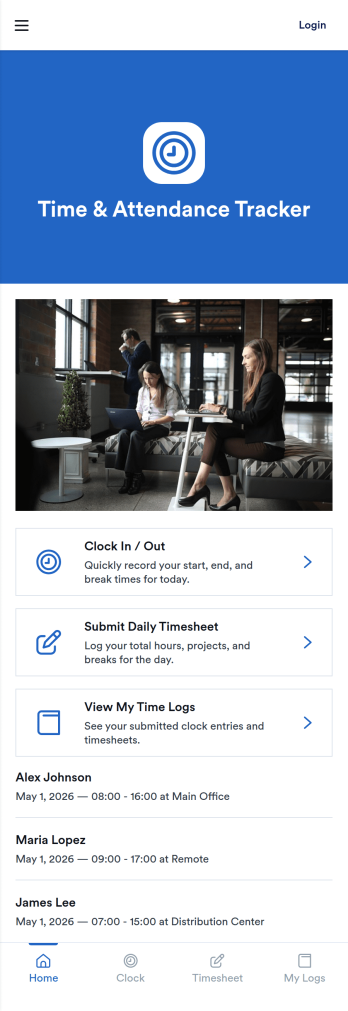
Time and Attendance App
Time and Attendance App helps teams track work hours with a simple clock-in flow, searchable records, and a clear view of who is on the roster. It fits workplaces that need reliable punch tracking without complicated systems, such as retail shops, restaurants, field service crews, clinics, studios, schools, and growing offices. Staff can clock in and then check their own punch history, while managers can review activity to confirm coverage, spot missing punches, and support accurate timekeeping for payroll periods.Built with Jotform, this app template pairs a no-code app builder with a drag-and-drop interface so you can tailor the experience to your policies and roles. Connect the app to your forms and tables for ongoing data collection, route updates through a simple workflow, and keep self-service access easy with pages for team navigation and records review. Share the app by link or QR code, publish updates quickly, and keep everyone using the same source of truth for time and attendance.
Go to Category:Human Resources Apps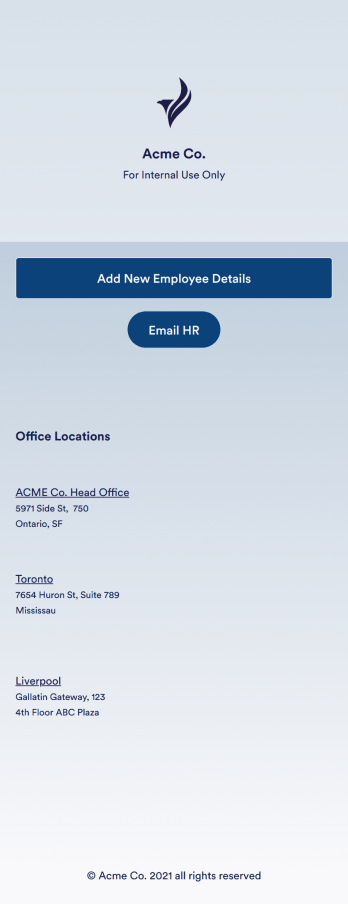
Employee Directory App
An employee directory app is used by businesses to collect information from new employees. Jotform’s Employee Directory App allows new employees to fill out general contact information, position title, manager, days of employment, and start date. If applicable, there is also space to specify an end date for contract workers. Submissions are instantly synced to an Employee Info Sheet in your Jotform account, which you can sort, filter, and search from any device.Customizing this app template to match your business’ branding is a snap. With our drag-and-drop form builder, you can add or change form elements, choose fonts and colors, upload your logo, and more — no coding required. You can also personalize your splash page by adding contact numbers and business address, or any other relevant information that might be useful to new employees. Share your app with a link or embed it in your website and employees can download it on any smartphone, tablet, or desktop. Streamline the onboarding process and keep all your employees’ information in one place with this Employee Directory App.
Go to Category:Human Resources Apps