Pool Service Software App brings your day-to-day field work into one place so pool pros can plan visits, look up customers fast, and document what happened on site. Use it to view today’s jobs, open a customer list when you’re on the road, and keep service history consistent with simple service logging and inspection forms. It’s a practical fit for owner-operators, multi-tech teams, and growing home service businesses that need a reliable way to stay organized across recurring routes, seasonal checkups, and one-off troubleshooting calls.
With Jotform’s app templates, you can publish a branded, mobile-friendly experience without code and keep your workflow connected to the same forms and data your team already relies on. Build with a drag-and-drop interface, link buttons to the right actions, and keep information current in one self-service hub that’s easy to share by link or QR code. As your operation expands, Jotform makes it simple to adjust pages, update job intake, and standardize data collection across every technician and location.
Related templates
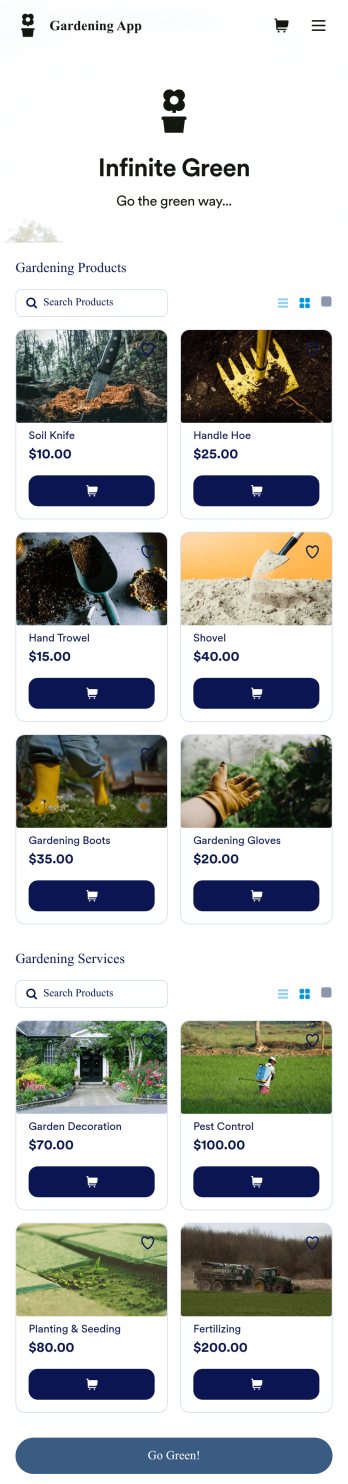
Gardening App
Looking to sell gardening tools and landscaping services online? Create a one-stop shop for your business with a free Gardening App from Jotform. Whether you already run a business or are just getting started, Jotform Store Builder makes it easy to build a custom online store in seconds without any coding knowledge. Choose a ready-made template and add products and services, list pricing, and upload your own branding.Make this Gardening App your own with Jotform’s intuitive builder. Simply drag and drop to add images and videos, choose fonts and colors, install helpful widgets, and integrate with our 25+ payment gateways — including PayPal, Stripe, and Square. Share your custom online store by posting a link in your social media bios, or seamlessly embed it in your website with a copy-paste embed code. Reacher a wider audience and start taking payments online with your very own Gardening App.
Go to Category:Service Apps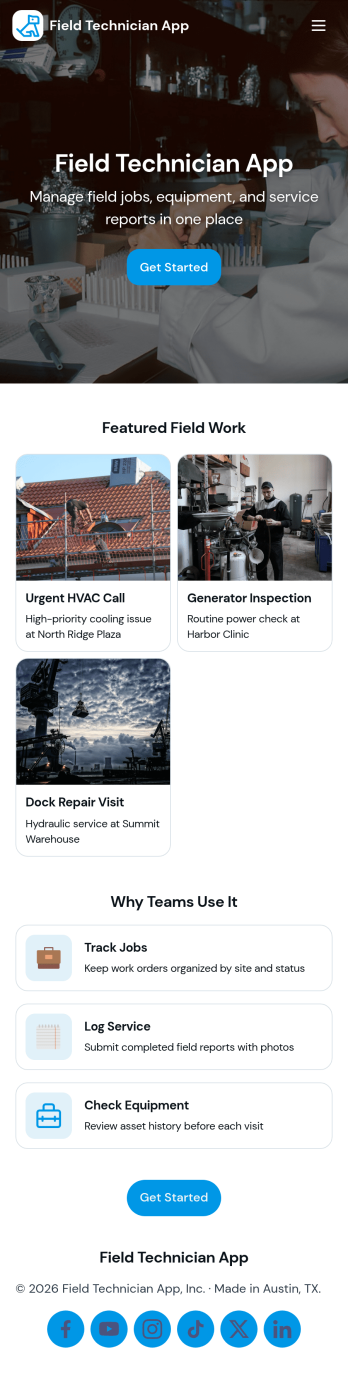
Field Technician App
Field Technician App brings open jobs, job details, and on-site visit logging into one mobile-friendly place for teams that work in the field. It’s built for service managers and coordinators who need technicians to see assigned work, review customer and asset information, and record what happened on a visit without chasing updates through calls or scattered notes. With pages for Open Jobs and job records, plus a simple Log Visit action, this app helps keep day-to-day service work organized while technicians move from site to site.Jotform makes it easy to publish this kind of self-service experience using App Templates and a no-code app builder with a drag-and-drop interface. Connect the app to your existing workflow for data collection, route field updates into the same records your office team relies on, and keep information current with quick refresh actions. You can customize navigation, add your branding, and share the app with your team using a link or QR code so everyone stays aligned from dispatch to completion.
Go to Category:Home Services Apps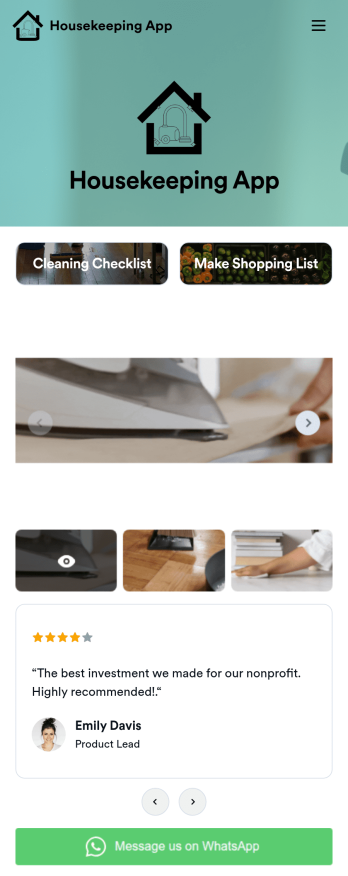
Custom Housekeeping App
A housekeeping app is used by homeowners and housekeepers for organizing job duties in a single location. Jotform’s Housekeeping App bundles two forms: a cleaning checklist for housekeepers to make notes about various areas of the house and any supplies that need restocking, and an itemized shopping list for logging purchased groceries and their total cost. Form submissions are instantly synced to your secure Jotform account, so you can easily keep track of which duties were performed and when.Making this app template your own is easy with Jotform’s no-code app builder. Just drag and drop to add form elements, edit the content of individual forms, choose fonts and colors, upload your own app icon, and more. You can also customize your splash screen to display a rotating schedule listing duties to be completed on individual days. Once you’re finished, share your app by sending a link in an email or text message, and housekeepers can then download it on any device. Manage your housekeeping checklists and shopping lists from a single app with this fully-customizable Housekeeping App from Jotform.
Go to Category:Checklist Apps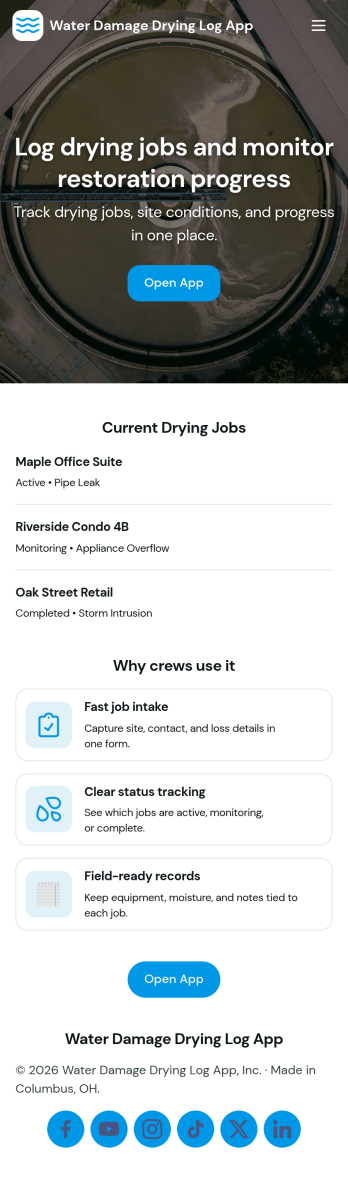
Water Damage Drying Log App
Water Damage Drying Log App helps restoration crews document drying progress across jobs and sites in a consistent, field-ready format. Use it to add drying logs on the spot, review job entries by job ID and site name, and keep notes organized for supervisors, project managers, and office staff who need quick visibility into what happened and when. It’s a practical fit for water mitigation teams, property services companies, and contractors managing multiple active locations, where missed details can slow down decisions and follow-ups.With Jotform, you can turn this app template into a branded, self-service experience using a no-code app builder and a drag-and-drop interface. Connect the app to forms and tables to support ongoing data collection, route updates through your workflow, and keep information easy to browse from a phone or tablet. Share the app by link or QR code so teams can log updates, check equipment, and stay aligned without switching between scattered tools.
Go to Category:Home Services Apps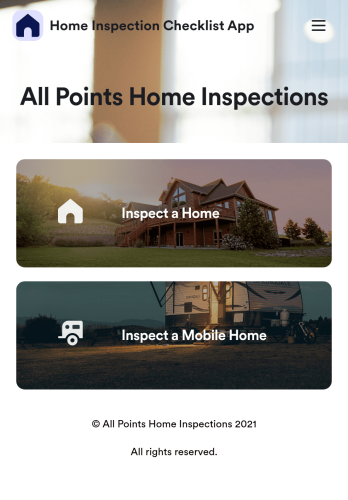
Home Inspection Checklist App
A home inspection checklist app is used by home inspectors to perform inspections from their mobile device. Whether you run a home inspection company or are inspecting your own home, use this free Home Inspection Checklist App to complete inspections on the go! You can record information like dimensions, property condition, the date of the inspection, and sign off your inspection report with an e-signature.Customize this app template in minutes with our drag-and-drop app builder. Add forms, spreadsheets, links, images, and more with no coding required — or customize visual elements like font type, app icon, and splash screen. Then download the app onto your mobile device or share it with members of your team to download onto theirs. Ditch messy paper forms and complete your inspections with a Home Inspection Checklist App from Jotform.
Go to Category:Checklist Apps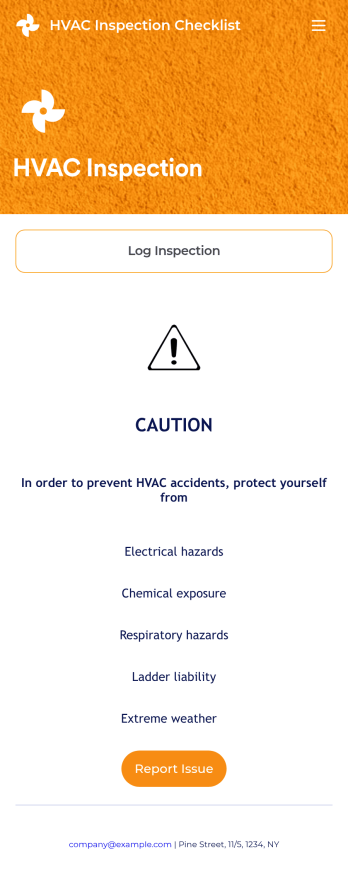
HVAC Inspection Checklist
An HVAC inspection app makes it easy for inspectors to inspect heating, ventilation, and air condition systems and log reports from any mobile device. If you’re a certified HVAC inspector or technician, create your own mobile app with our free HVAC Inspection Checklist App. This ready-to-use app template comes with an inspection report form where you can provide inspection details such as date and location, and check off inspection checklist items such as air intake, fans, and filters.Customizing your HVAC Inspection Checklist App for your specific needs will only take a few clicks. No coding required — simply drag and drop to update the checklist form, create and add new forms, embed links, include instructions or images, and change app settings such as name or icon. Once you’re satisfied with how your app looks, you can download and open it to any smartphone, tablet, or computer. Say goodbye to paper checklists with an efficient, easy-to-use HVAC Inspection Checklist App that keeps all your submitted reports in one secure place.
Go to Category:Checklist Apps