
The Staff Access Management App gives HR, facilities, security, and operations teams a central place to receive and organize employee access requests. It is suited to offices, warehouses, educational facilities, hospitality businesses, and other workplaces that need a consistent process for onboarding, role changes, temporary access, and departures. Staff can use shortcut navigation to reach key resources, review accordion-based guidance, and submit details through a connected form. This reduces scattered messages, helps teams capture complete information, and provides a clearer path for reviewing requests and maintaining access records.
Jotform App Templates help organizations turn recurring processes into accessible digital experiences without writing code. With Jotform’s no-code app builder and drag-and-drop interface, teams can adapt pages, navigation, branding, and connected workflows to suit internal procedures. The app can connect data collection with tables, notifications, approvals, and other operational steps, creating a convenient employee self-service resource. Once customized, it can be shared through a direct link or QR code so authorized staff can access current instructions and request options from phones, tablets, or computers.
Related templates

HR Jobs App
An HR jobs app, or human resources jobs app, helps HR departments keep track of every step of the recruitment process. Track new employee onboarding, existing employee information, attendance, and more with this ready-made HR Jobs App. Feel free to use the app as is, or customize it with our no-code builder — then share and download it to fill out easily on any device.Need to make changes to this HR Jobs App? Upload your company logo, add or remove forms, customize the app icon or background, and make other design changes in seconds. You can also connect your forms with automated approval flows, and 100+ free integrations to sync information to other platforms automatically — perfect for speeding up your HR processes and saving your team precious time.
Go to Category:Company Portal Apps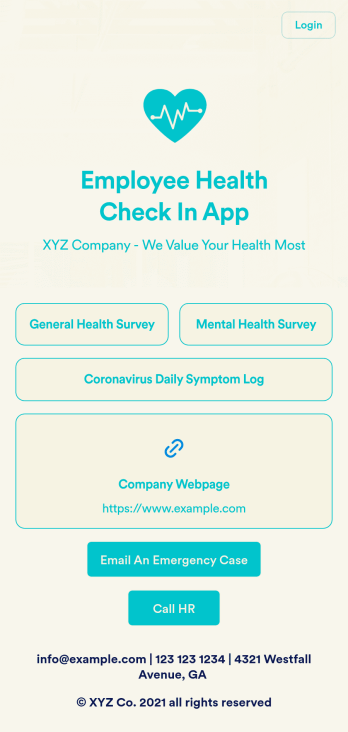
Employee Health Check In App
Screening your employees can help keep your workplace safe and free of contagious diseases. Conduct company health screenings and surveys in one place with our free Employee Health Check In App. Employees will be able to record possible coronavirus symptoms through the COVID-19 Daily Symptom Tracker and answer surveys from any smartphone, tablet, and computer.Customize your Employee Health Check In App for your company in just a few clicks. No coding necessary — simply drag and drop to add forms, surveys, spreadsheets, links, text, images, and more. You’ll even be able to modify the app name, icon, and splash page for a more professional and personalized look. When it’s ready, your app can be shared with employees via link and downloaded onto any device. Take care of your employees’ health and your business with a custom Employee Health Check In App for your company.
Go to Category:Human Resources Apps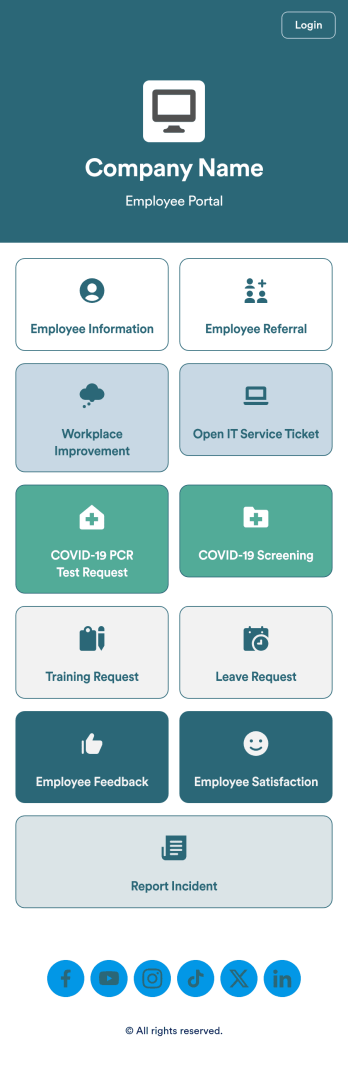
Intranet App
An Intranet App is used for consolidating company forms and documents in one convenient location. This Intranet App bundles nearly a dozen forms for employees to record general contact information, request training or time off, open IT service tickets, and fill out COVID-19 screening checklists. There are also several surveys for employees to submit workplace improvement suggestions and report incidents. Employee data and submissions are stored securely in your Jotform account, which managerial staff can access from any smartphone, tablet, or computer.Make this app template your own with Jotform’s no-code app builder. Just drag and drop to add or change forms, upload documents, create buttons, add external links, and more. You can also customize your splash screen to include your own branding and make company-wide announcements. When you’re finished, you can share your app with a link and employees can then access and download it on any device. Create a one-stop-shop for your company’s forms and documents with this free Intranet App from Jotform.
Go to Category:Company Portal Apps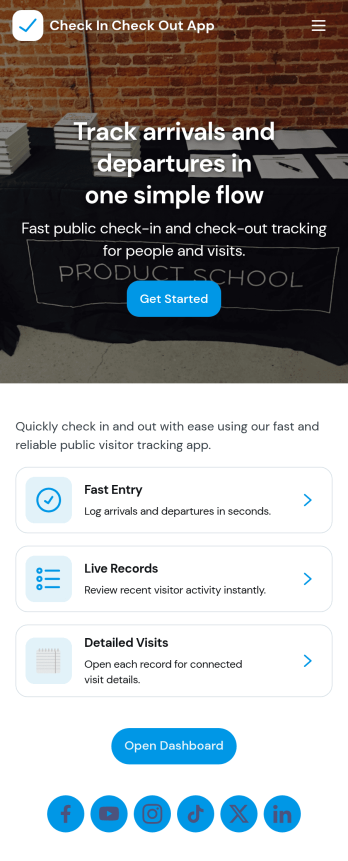
Check In Check Out App
Check In Check Out App helps organizations record arrivals and departures across multiple locations and shifts without relying on paper logs or scattered messages. With quick access to check-in and check-out actions, a location list for navigating between sites, and a visit history view, teams can keep attendance and on-site presence consistent from day to day. It works well for offices, warehouses, schools, events, job sites, clinics, and any workplace that needs a simple way to confirm who is currently on site and when they came and went.Jotform makes it easy to turn this app template into a branded, self-service experience using a no-code app builder and a drag-and-drop interface. Connect the app to your forms and tables to support reliable data collection, reduce manual follow-ups, and keep records organized for managers and staff. You can tailor the pages, navigation, and connected workflows to match your locations, shift window rules, and internal processes, then share the app with a link or QR code for fast access.
Go to Category:Sign In Apps
Job Application App
A job application app is used by HR teams to post open positions for the company and collect applications from any device. No matter what roles you’re hiring for, find top candidates fast with our free Job Application App. This ready-to-use app includes separate job application forms for various manager positions as well as internship opportunities. You’ll receive submissions instantly, ready to view and share in your Jotform account.Customize this Job Application App Template in just a few clicks. No coding required — simply drag and drop to create and add new job application forms, update the provided text, upload a different background image, and even include your company branding. When you’re ready to share it, embed the link in your company careers page so prospective employees can download the app onto their smartphone, tablet, or computer. Make the application process easier for applicants and your HR team with a fully-custom Job Application App for your company.
Go to Category:HR Portal Apps
Employee Training App
Monitor your employees’ training progress from a central location with Jotform’s free Employee Training App. Employees can download this app onto any device and document when they’ve completed individual training courses, as well as evaluate the effectiveness of their courses and instructors with a detailed checklist. HR can track employee training statuses and attendance using built-in Jotform Tables spreadsheets.Customize this ready-made app template to match your company’s branding without any coding knowledge. Simply drag and drop to add or change form fields and checklist items, create additional pages, choose fonts and colors, personalize the app icon and splash screen with your unique branding — and much more. After you’re finished, simply embed your app in an internal company website or send out email invites to new employees during the onboarding process. Make sure your employees are getting the training they need with this fully-customizable Employee Training App from Jotform.
Go to Category:Company Portal Apps