Picture this: You’re managing a major construction project that’s moving along smoothly. Then, you receive a dreaded call. The customer wants to move up the building completion by two months. Despite your concerns, the client is adamant. They have a tenant who is willing to occupy the building, but only if it’s ready in time.
Thoughts swirling, you jump into action. You’ll need to expedite supply orders, hire more hands, and reorganize the work plans. This is a case for crashing in project management, and one that requires careful planning.
Businesses face scenarios like this every day. They arise from different situations, including client demands, unrealistic pre-planning, and market needs. But how does crashing in project management work? And when should you use it? We explain the details (plus the alternative of fast-tracking) in this guide.
Introduction to crashing in project management
Crashing in project management is used to compress the duration of a project’s completion. To accomplish this task, an organization increases project resources, such as workers, supplies, machinery, and equipment. In turn, project costs escalate. Project managers attempt to balance the increased expenses while meeting the new project deadline.
Schedule management or rearrangement is important to project crashing. Project managers review the remaining tasks necessary to complete a job and cancel those that aren’t essential. They’ll reallocate labor to shorten critical tasks and reorganize jobs to optimize the schedule.
Why project managers use crashing
Project crashing is useful in several scenarios, including
- Meeting a tight deadline: In projects with strict deadlines, crashing helps managers meet a target date. This may be necessary if a project has experienced previous delays that interfered with its planned trajectory.
- Changes in project scope: New project requirements or tasks can pop up unexpectedly. Crashing incorporates these changes without affecting the delivery date.
- Client requests: Customers may demand a quicker completion date to meet their own requirements.
- Market demands: Market pressure can encourage an organization to expedite project delivery to retain a competitive advantage.
- Budget limitations: If a project’s costs are approaching their limit, managers may opt to use crashing to finish quickly and minimize extra expense.
Emergencies, such as a regulatory change or natural disaster, can also prompt the need for crashing.
When to use crashing in project management
While crashing is one solution to finishing a project quickly, it does have trade-offs, such as the need for increased resources and the risk of overlooked errors. Crashing works best in these scenarios:
- Approaching deadline at risk: In cases where you can’t extend a deadline, crashing helps you avoid missing the target date.
- Available resources: If you have the labor, equipment, and supplies to support crashing, you can meet the project requirements without overrunning the budget or compromising its quality.
- No flexibility: There are no alternatives that let you finish the project without delay.
- Time is the main factor: The project is progressing well and doesn’t require any adjustments that affect its overall scope. The only concern is meeting the deadline.
- Dependencies: Other major stakeholders, such as management, customers, or vendors, depend on the project’s completion by a specific date.
- Regulatory deadline: You’re facing a legal deadline that can’t be missed.
By crashing the project, you can shorten its completion and direct resources to critical tasks. You’ll save time while moving the project forward.
Projects that benefit from crashing
Crashing is used in all types of industries. Here’s a look at a few hypothetical examples.
Software development
Companies may use crashing to expedite a patch for a software bug. By devoting more resources to the patch, they can push out a quick fix that minimizes customer complaints.
Regulatory reporting
If an organization is behind its reporting schedule, it can implement crashing to finalize and complete the regulatory reporting process.
Construction
Construction projects often have strict deadlines. If a development is delayed by weather, supply shortages, or other reasons, managers can implement crashing to finish the project on time.
Manufacturing
Manufacturing companies may expedite production to meet increased customer demand. For example, if a product’s sales exceed expectations, the manufacturer may need to produce more items ahead of schedule.
Key indicators that crashing is necessary
How do you know when crashing is a viable alternative? Look out for these signs:
- Delays in critical tasks: Workers encounter unexpected roadblocks in a job that’s necessary for the project’s completion.
- Stringent deadline: There is no room for a timeline extension on the project.
- Financial penalties: Regulatory fines or contract penalties exceed the costs of crashing.
- Key opportunity: Waiting to finish a project will cost an organization its competitive advantage.
- Special incentives: Finishing the project by its target deadline will boost the organization’s reputation or provide financial benefits.
Other circumstances, such as a client request, warrant the need for crashing.
Fast-tracking vs crashing: Key differences
There are two approaches to expediting a project’s completion: fast-tracking and crashing. Both achieve the same goal (project schedule compression), but through different means.
Fast-tracking restructures a project’s tasks so some can be completed in parallel, instead of sequentially. It doesn’t require extra resources. Teams still complete the job using the same people, supplies, and equipment. However, project managers look closely at the original intended process and overhaul it to avoid lost time.
Crashing requires extra resources. Managers may hire additional employees or contractors, encourage overtime, purchase additional equipment, or accelerate supply deliveries. They may cut tasks that are deemed nonessential to the finished project.
While fast-tracking doesn’t usually require additional spending, crashing does. Since crashing significantly affects a project’s budget, it’s used only when the benefit of meeting a deadline exceeds its costs.
Here’s a look at how fast-tracking and crashing stack up against one another.
| Fast-tracking | Crashing | |
|---|---|---|
|
Methodology |
Uses existing resources to complete a job in a shorter timeframe. |
Requires additional labor, supplies, and/or equipment to shorten a project’s delivery timeline. |
|
Budget impact |
Minimal |
High |
|
Project quality impact |
May reduce overall quality, resulting in future rework. |
Minimal. Projects continue with original designated tasks. |
|
Team impact |
May stress or burn out teams. |
May stress or burn out teams. |
|
Complexity |
High. Introduces communication and coordination challenges. |
High. Introduces additional tasks, such as hiring labor or buying new equipment. |
|
When to use |
Tasks performed in parallel won’t affect project quality. |
Funds are available to support additional resources, and there’s a pressing need to compress delivery time. |
Steps to implement crashing in project management
Crashing a project requires planning. It’s not feasible to jump in and start redirecting resources or buying extra machinery. Instead, break the process down into manageable steps to avoid mishaps that cost time and money.
Step 1: Identify critical path activities
Use the critical path method to determine which tasks are essential to the project’s completion. If there are certain tasks that don’t add tangible value, eliminate them. All crashing activities should support the most vital tasks that move a project along to its final delivery.
Step 2: Assess available resources and costs
Take stock of the current resources you have on hand for each task. Determine where your resource shortfalls are and what you’ll need to finish each task on time. For example, you might need an extra machine to produce parts for a product faster or an additional part-time staff member to support an office task.
Calculate the costs of each resource and determine whether they align with your budget limitations. This may require some comparison. For example, paying overtime for a short period may be cheaper than hiring a new employee.
Step 3: Evaluate risks and feasibility
Think carefully about the risks of crashing and how this approach affects project quality or delivery timelines. For example, if you hire someone new, there will likely be a training period before they can fully contribute to the project. This impacts the initial quality of their work and their output.
Another consideration is the time savings and cost trade-off. Does the additional expense for extra resources justify the shortened delivery date? Will it significantly reduce the project’s ROI? If so, evaluate whether the ROI is more important than meeting the project’s deadline.
Ultimately, the risk and feasibility analysis requires in-depth consideration, especially for major projects.
Step 4: Adjust the project schedule
After you’ve identified the critical tasks and verified the project’s crashing feasibility, get other stakeholders on board. Explain what you intend to do, why it’s imperative, and how it will affect the final deadline. When everyone’s in agreement, realign the project schedule. Assign workers to cover the tasks and make sure everyone understands the new goals.
Step 5: Monitor progress and ensure quality
Crashing changes the regular workday and puts pressure on your team. It also introduces communication and coordination challenges. Stay on top of ongoing tasks and consider daily check-ins to verify you’re getting the intended work done on schedule. Regular meetings help you identify project constraints early, before they further derail the project.
Also, keep an eye on costs to avoid overruns. When crashing, staff may be less concerned about expense in favor of meeting a target delivery date. Retaining a strict approval process can mitigate extra costs and keep your project within budget.
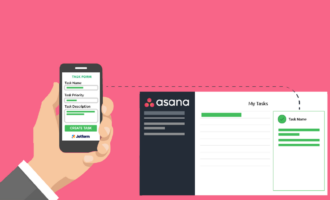
Project management software helps you oversee the entire crashing process. Tools like Jotform Boards let you organize tasks, assign key workers, and track progress toward project completion.
Advantages of crashing
Crashing offers several strategic benefits. They include:
Faster project completion
Crashing puts more resources where you need them. This lets you significantly reduce the development timeline, accelerating the project’s completion.
Meet urgent deadlines
Some deadlines are set in stone. If you fail to meet them, you may owe fees or penalties for the delay. In some cases, these fines exceed the cost of crashing.
Other deadlines may be client-driven. If a customer needs the work immediately, failing to meet their requirements damages your reputation with them. By crashing, you retain a strong relationship, which could lead to future work opportunities.
Improved stakeholder satisfaction
Executives, customers, and other stakeholders may have a vested interest in seeing a project completed by its target deadline. When you deliver on time through crashing, it sends a strong trust signal. Your team upholds its commitments and follows through, even though it may require more expenses and work.
Disadvantages of crashing
Crashing isn’t a perfect solution to time-sensitive issues. Some of its drawbacks include
Increased costs
Project managers don’t plan for crashing. They carefully outline tasks, workloads, and milestones to complete a project on time, within budget. If the need for crashing arises, it significantly drives up costs. This may put a project’s budget over its limit, which has repercussions for the whole organization.
Potential resource burnout
Employees may need to work longer hours to support project crashing. This can cause stress and burnout, reducing an employee’s productivity and workplace satisfaction.
Risk of quality reduction
Project crashing escalates work requirements in the short term. It also results in task realignments and rescheduling. This can cause errors during the work process, potentially reducing a project’s overall quality. If mistakes are severe, they may result in future rework, which increases costs and lessens customer satisfaction.
How Jotform supports project management optimization
When work gets busy (as it always does), you need a solution to help you with project time management. Jotform Boards is that tool. It’s designed to streamline your workflows, keep tasks organized, and help you meet deadlines.
With Jotform Boards, you can create a Kanban-style board from scratch. Its drag-and-drop functionality lets you arrange your tasks so they’re easy to follow and read. Jotform Boards includes helpful filters and task fields, such as Priority, Due Date, and Description. It’s a collaborative tool, so you can share, assign, track, and comment on tasks with your entire team, all within a centralized platform.
A unique feature of Jotform Boards is its integration with forms. You can automate project management by connecting customer forms with the platform. This lets you collect form submissions and automatically transform them into actionable tasks. This is useful in all types of customer support scenarios.
Jotform Boards is fully customizable. You can tailor your boards to align with your business workflows and processes. This includes adding or removing fields, adjusting the board layout, and displaying fields in a card view. Each board has a customizable backdrop, which you can update to reflect your branding or individual style.
You can access Jotform Boards from any device with an internet connection. Its mobile responsiveness allows you to manage and track tasks from wherever you are. Give it a try (it’s free), and see how Jotform Boards boosts productivity, enhances collaboration, and optimizes task management.
Project crashing: One solution for time-crunched deliverables
Project crashing isn’t ideal. Organizations prefer to work according to a pre-planned schedule with a defined budget and resources. However, things happen, and when they do, project crashing is a potential solution.
If you’re facing a scenario where you need to compress a delivery schedule, consider whether project crashing or fast-tracking is the right approach. Remember, project crashing works best when you have extra funds you can devote to it. Fast-tracking is the better alternative when you need to control costs and performing tasks in parallel won’t negatively impact your project.
This article is for project managers, operations leaders, construction and software development teams, business stakeholders, and anyone who wants to understand when and how to use project crashing to shorten timelines without losing control of costs, resources, or quality.









































Send Comment: