
Top event project management software
Although my event planning experience is limited to small Halloween or Super Bowl get-togethers, even those small gatherings can get out of control —and out of budget — fast. But in my career as a content strategist, I’m no stranger to managing long-term projects with a bunch of moving parts.
If you’ve ever had a birthday party guest list spin out of control, you can appreciate the particular expertise it takes to be an event planner — and why it’s so important to have the right event project management software.
I took the time to test some of the best-reviewed event management tools to see how they stack up and help you decide which one to try for yourself, whether you’re exploring options to become an event planner or you’re looking to plan a product launch.
| Tool | Best for | You should know… | Cost |
|---|---|---|---|
 Jotform Boards |
Converting registration forms and surveys into event tasks automatically |
Integrates with AI Agents, Forms, e-sign, and more |
Free plan available; Bronze plan:$39/month, $34/month (annual) |
 Asana |
Scaling and improving internal processes |
Can set long-term personal and company-wide goals |
Free plan available; Starter plan: $10.99/month |
 Trello |
Tracking repetitive event tasks |
Easy-to-use kanban board interface |
Free plan available; Standard plan: $5/month |
 ActiveCollab |
Fast-growing businesses |
All-in-one project, expense, and time management |
Free plan available; Starter plan: $12.50/month |
 Basecamp |
Seamless collaboration and communication |
Simple, communication-focused project management |
Free plan available; Standard plan: $15/month |
 Wrike |
Enterprise businesses |
Create a custom dashboard to track team progress |
Free plan available; Team plan: $10/month |
 Jira |
Businesses that need one tool for tracking a variety of project types |
Highly customizable |
Free plan available; Standard plan: $7.53/month |
 ProjectManager |
Planning events for unique use cases |
Powerful tool, but difficult to navigate |
Team plan: $14/month |
How we test event project management software
Before I tested these event planning project management tools, I created a list of important features to evaluate and compare each solution on a level playing field:
- Task and workflow management: Ability to create, assign, and track tasks efficiently
- Collaboration tools: Features like team chat, document sharing, and real-time updates
- Budgeting and expense tracking: Built-in financial planning tools to manage costs
- Automation and integrations: Integration with CRM, marketing tools, and payment systems
- User-friendliness: Intuitive interface and ease of use for all team members
- Scalability: Ability to manage small and large events alike
- Mobile accessibility: Cloud-based access and mobile-friendly functionality
As I played around with each event planning tool, I kept these factors in mind and used them to decide the final rankings on my list.
Best event project management software solutions
After putting these top-rated solutions through their paces — comparing features like automation, budget tracking, and real-time collaboration against my initial criteria — it became clear that the “best” software depends entirely on your specific event needs and your team’s size.
I found tools that excel at rapid form-to-task conversion, like Jotform, alongside powerful enterprise platforms tailored for custom tracking, such as Wrike and Jira. Dive into the detailed breakdowns next to see which solution performed best for simplicity, scalability, and essential features. Once you’re done, you’ll be able to choose the perfect digital partner for your next major event.
1. Jotform Boards
Best for: Converting registration forms and surveys into event tasks automatically
Developer: Jotform
You should know: Integrates with Jotform AI Agents, Forms, e-sign, and more
Jotform Boards is an easy-to-use and intuitive task manager that makes it easy to track, organize, and search for the right task when planning any event. One of Jotform Boards’ biggest strengths is how many features it offers within the Jotform ecosystem. I like the simple Kanban board that gives you a great snapshot of how your event planning checklist is progressing and the easy-to-navigate interface that makes it extremely simple to customize each task.
The other strength is how quickly I was able to learn how to use Jotform Boards and get a functional project up and running. I decided to work from a template, but you can also start from scratch or connect your Kanban board to a form, survey, or AI Agent that can plan tasks automatically.
That might sound a bit intimidating, but the setup process for all of these options is straightforward and, in my opinion, provides better effort to value automation than any of the other tools I tried out.
Pros:
- Automatic task creation from form submissions saves significant time
- Highly customizable boards adapt to any event workflow.
- Strong collaboration features with activity tracking are good for teams
- Mobile-responsive features support on-the-go event management
Cons:
- Best utilized when paired with Jotform’s Form Builder
- Limited advanced project management features compared to enterprise tools
- Only supports Kanban board view
Pricing:
Free plan available
Bronze plan:
- $39 per month
- $34 per month (annual)
G2 rating: N/A
2. Asana
Best for: Scaling and improving internal processes
Developer: Asana
You should know: Can set long-term personal and company-wide goals
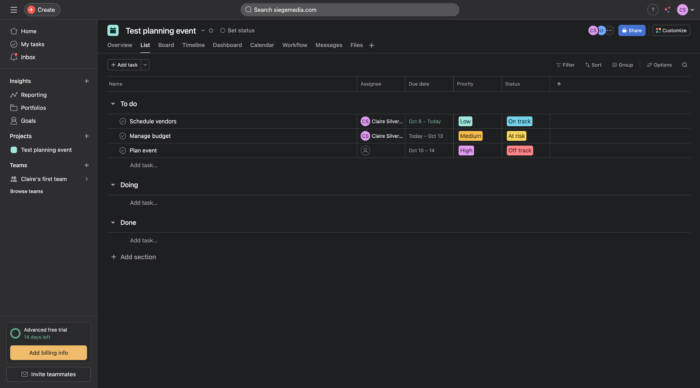
Asana is a well-known project management tool, popular for people to organize tasks in both their professional and personal lives. I think Asana is great for breaking down larger projects into digestible tasks, which makes it great for event planners who have to coordinate a lot of moving parts.
I also appreciated the support that helps users take advantage of more advanced features. For example, workflows and automations are incredibly helpful but can be difficult for less technical users to understand. Asana offers a lot of pre-built automations, spelling out exactly what each does for easy implementation.
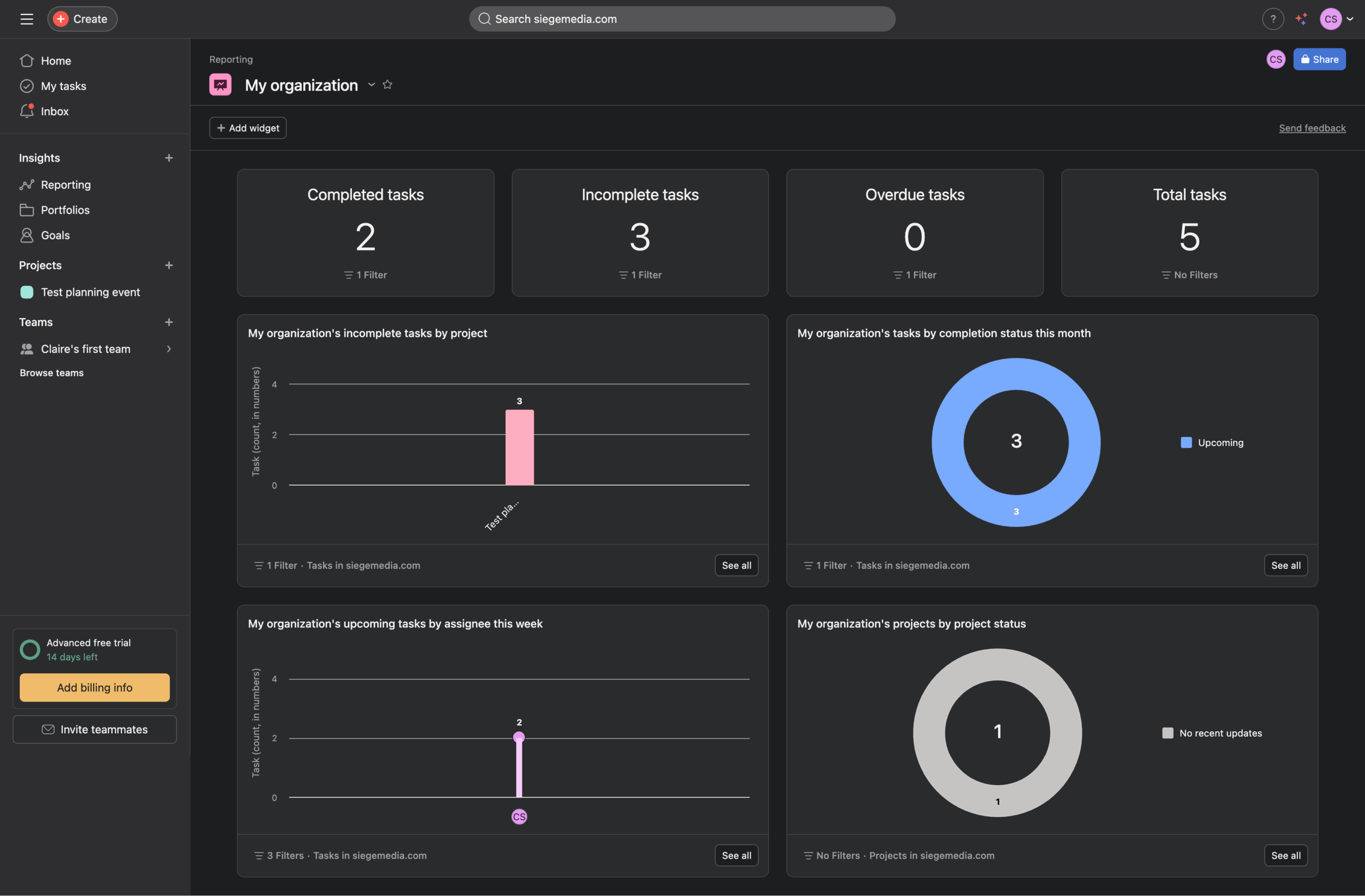
Another feature that stood out to me was the goal-setting feature. This allows users to set and track personal goals or team goals. For example, a personal goal might be to shorten the average contract review period by a week, while a team goal might be to host five more events before the end of the year. These characteristics add up to a thoughtful tool that’s easy for new users to master and set up to help businesses grow.
Pros:
- Robust goal-setting framework connects event tasks to business objectives
- Extensive integration library has 100-plus tools
- Powerful workflow builder with customizable templates streamlines implementation.
- AI-enhanced features enable smart task management
Cons:
- No built-in budgeting or expense tracking
- Some automation features have small icons that can be hard to find
- Steeper learning curve for advanced features
Pricing:
Free plan available
Starter plan:
- $10.99 per month
G2 rating: 4.4/5
3. Trello
Best for: Tracking repetitive event tasks
Developer: Atlassian
You should know: Easy-to-use Kanban board interface
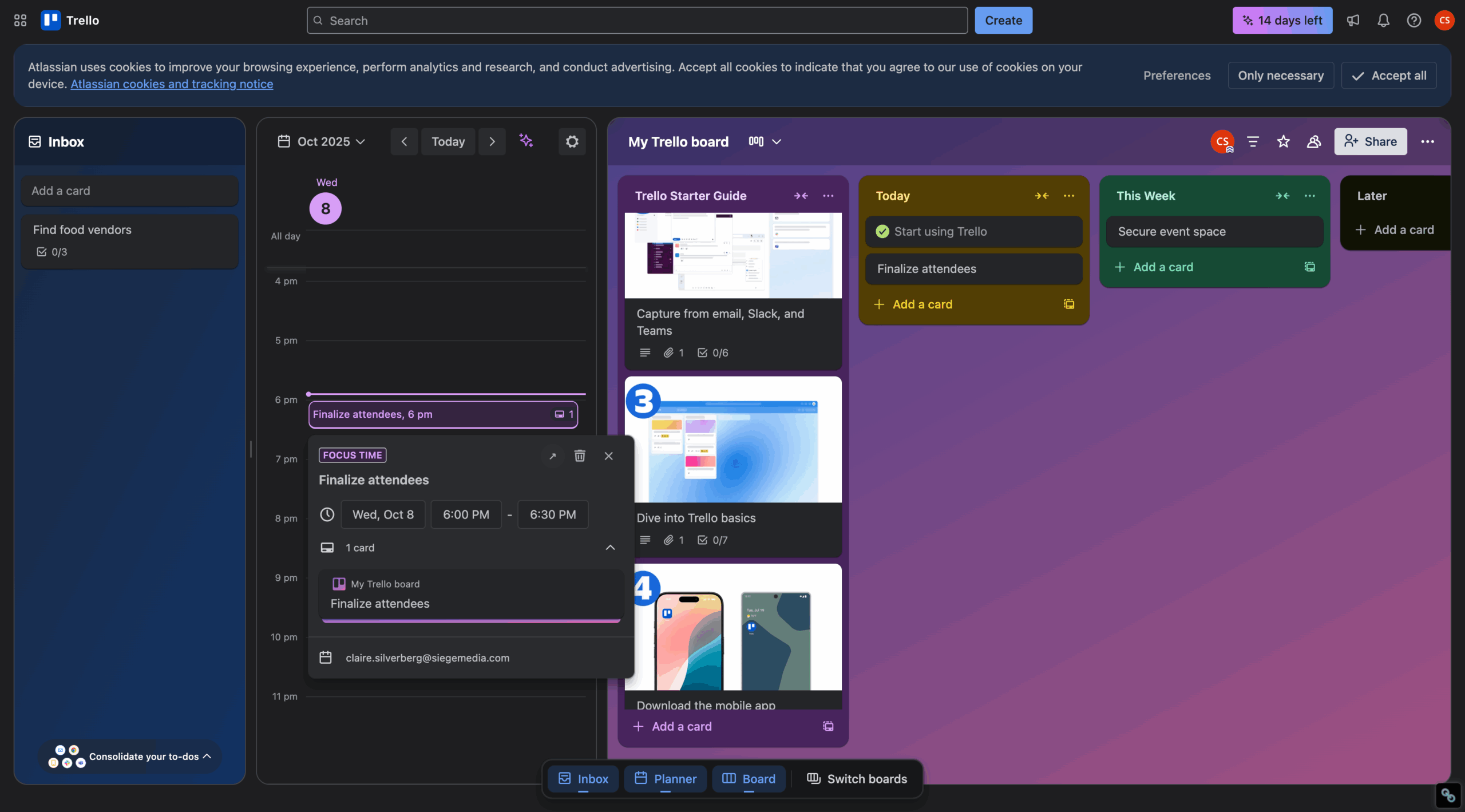
In my opinion, Trello stands out as one of the easiest tools I tested. I appreciated the start-up guide, which is thoughtfully created to walk new users through each available feature. I found the process comprehensive without overloading me with too much information. Trello relies on a Kanban board but also allows users to time-block their calendars with tasks.
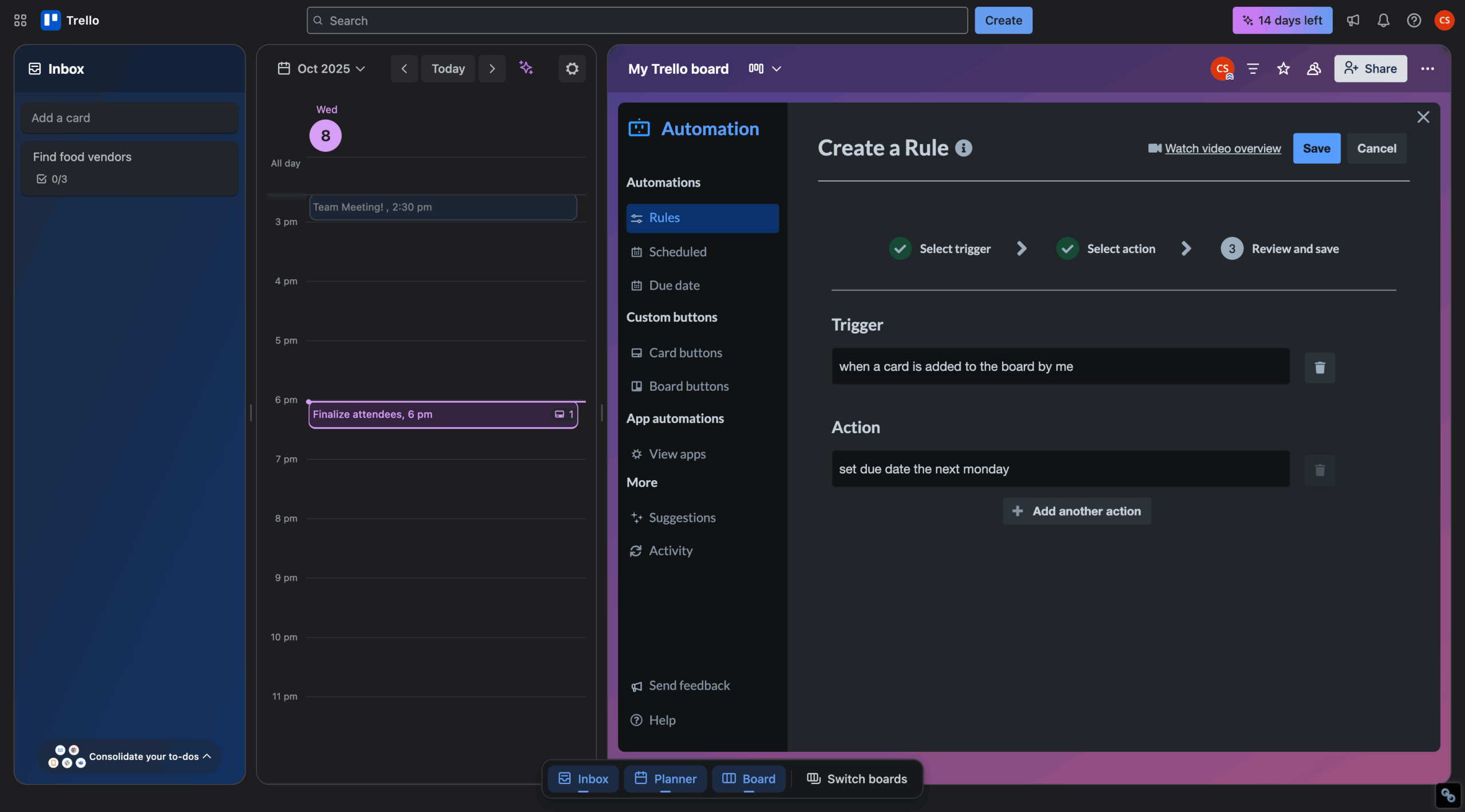
I liked the option to create custom task templates, which could be very useful if you’re someone who plans similar events, like banquets, fundraisers, or weddings. Trello has indirect support for budget and expense tracking through templates, but your mileage may vary, because these features aren’t directly supported in the tool.
Pros:
- Extremely intuitive interface has a minimal learning curve.
- Flexible permission settings make for easy team and client collaboration
- Excellent template library gives a lot of great options for event planning workflows
- Strong integration ecosystem is customizable through power-ups
Cons:
- No built-in budgeting or automatic expense tracking
- Limited advanced reporting capabilities
- Can feel too simple for complex, multiphase events
Pricing:
Free plan available
Standard plan:
- $5 per month
G2 rating: 4.4/5
4. ActiveCollab
Best for: Fast-growing businesses or agencies
Developer: ActiveCollab
You should know: All-in-one project, expense, and time management
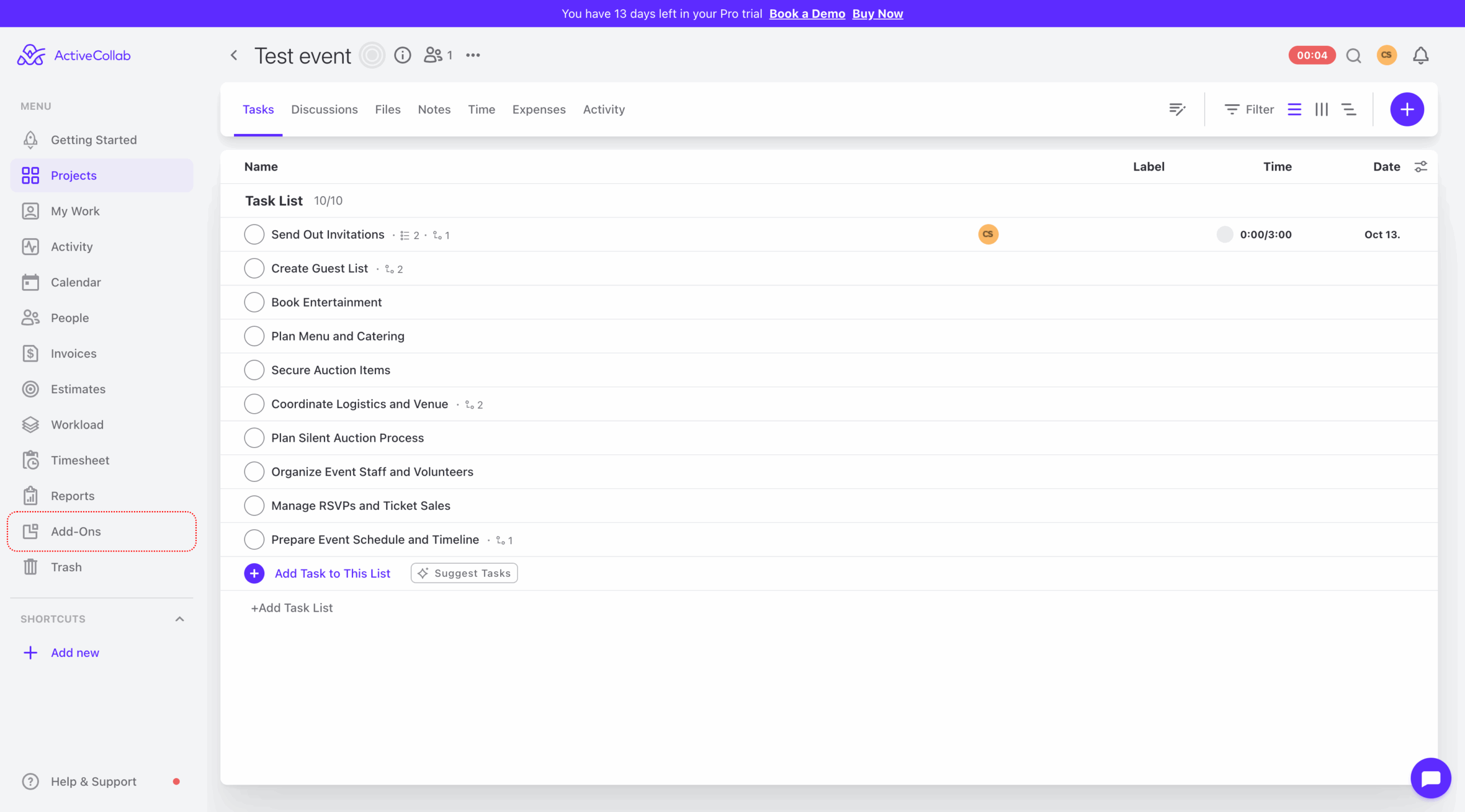
ActiveCollab was my favorite all-in-one tool I tested for event project management. It has all the features you could possibly need, but I had no trouble navigating it from the get-go. Whether you need a place to record floral expenses or save your catering contract, you can do it with this tool.
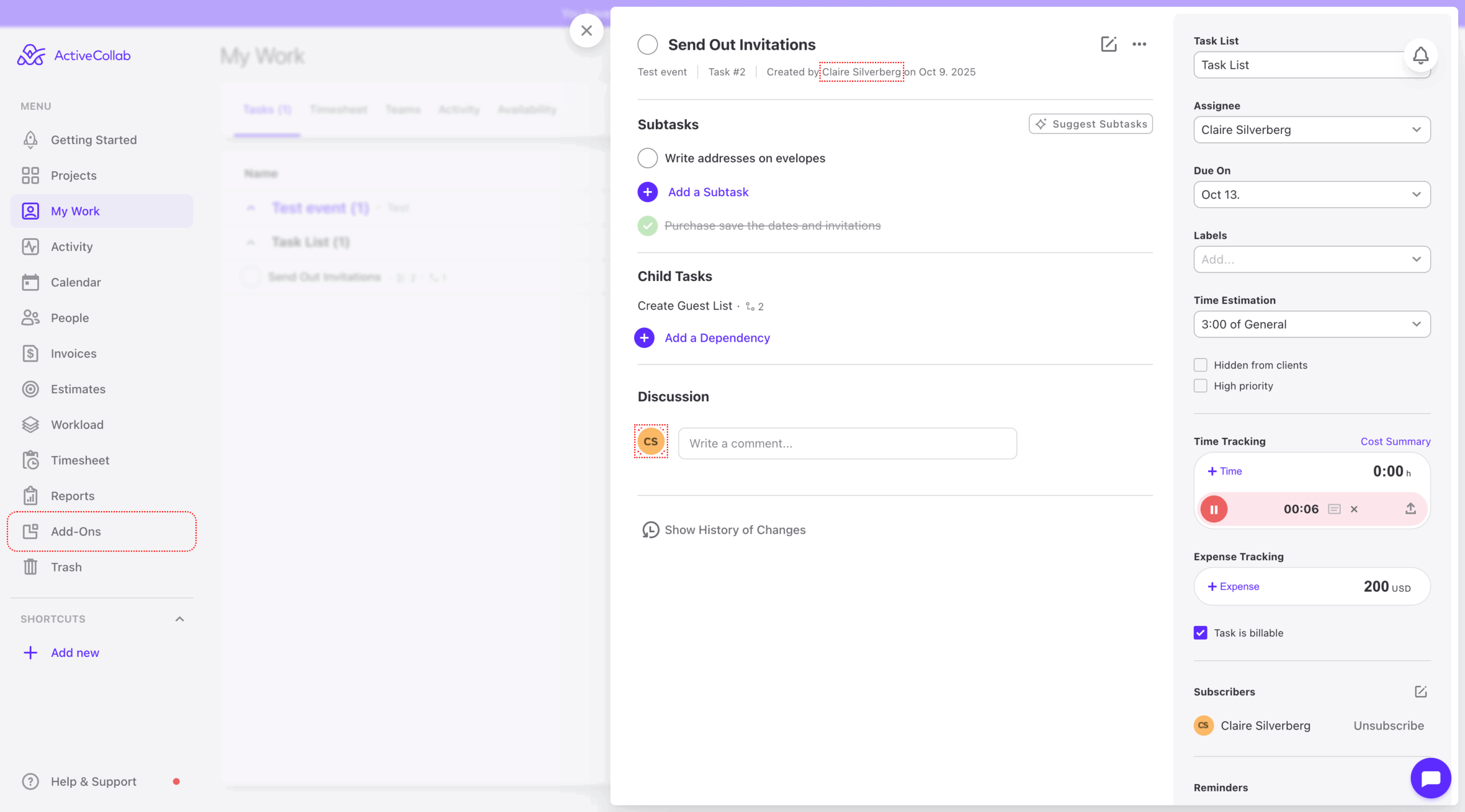
I see ActiveCollab working best for agencies or businesses expected to go through large growth periods, because it has those extra features like capacity planning, time tracking, invoicing, and budgeting to keep track of ultra-detailed events like weddings. The great thing is it keeps the interface simple for a smooth onboarding process.
Pros:
- Comprehensive financial features, including invoicing and estimates, keep everything in one place
- Billable hour tracking across multiple events/clients is excellent
- Strong capacity planning prevents team overload.
- Data importing from other project management tools is helpful for consolidating events and information
Cons:
- Limited built-in automation capabilities
- May be overkill if you don’t need integrated billing
- Smaller integration ecosystem than larger competitors
Pricing:
Free plan available
Standard plan:
- $12.50 per month
G2 rating: 4.2/5
5. Basecamp
Best for: Seamless collaboration and communication
Developer: 37signals
You should know: Simple, communication-focused project management
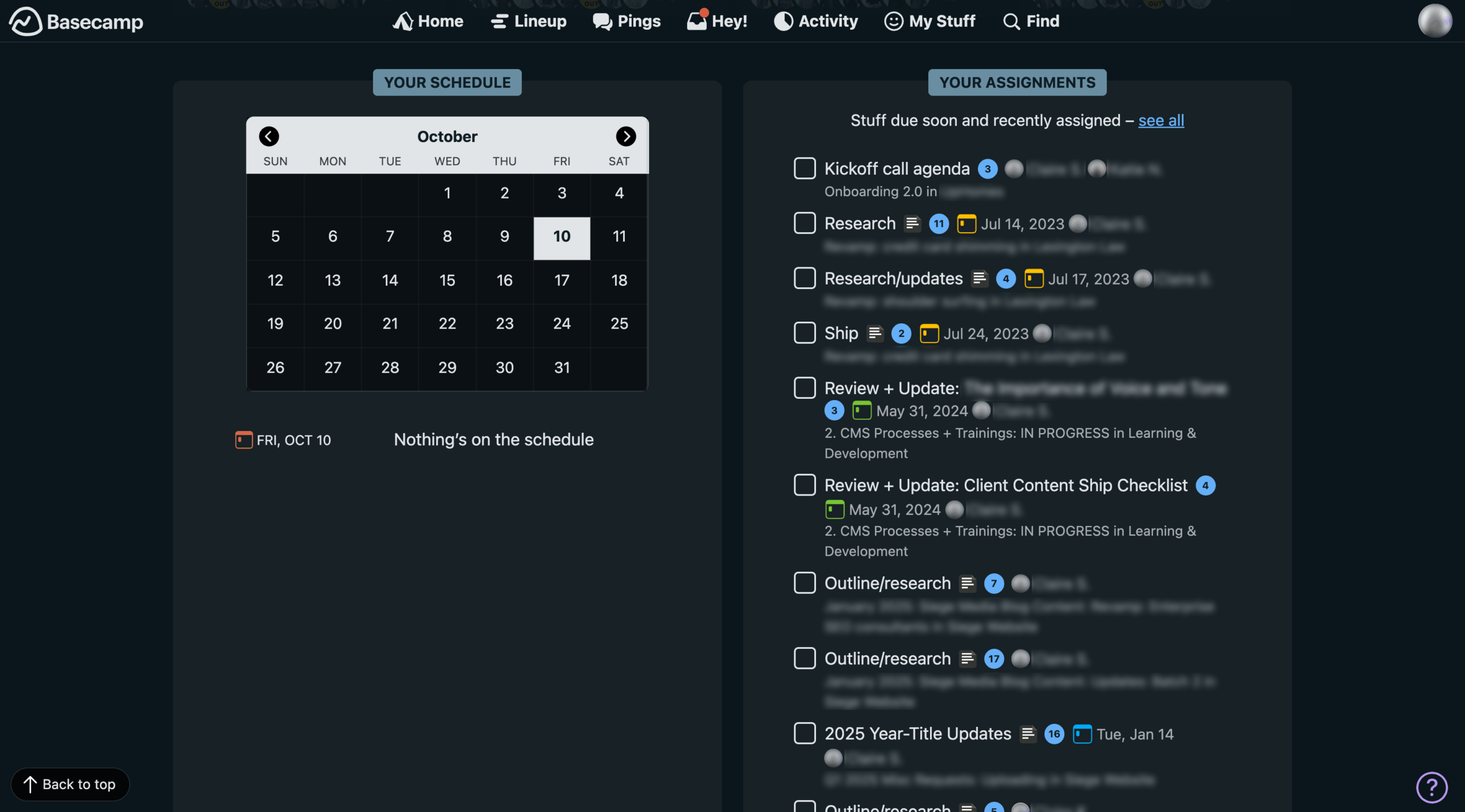
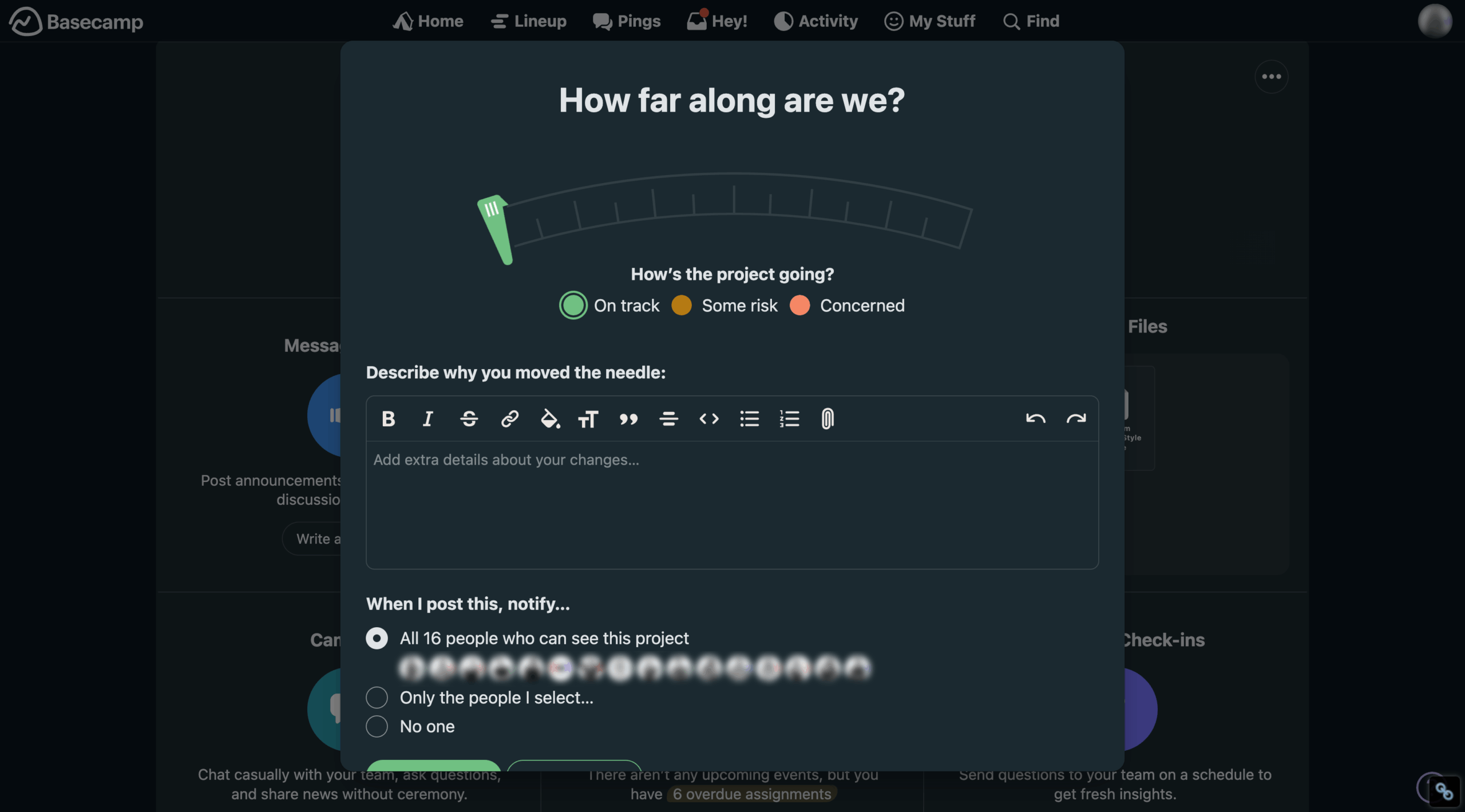
I’m very familiar with Basecamp because I’ve used it myself in the past. Basecamp is my favorite tool on this list for seamless communication and collaboration. Each project hub allows you to upload key documents, automate reminders, and communicate with other team members on a task-by-task basis, making it a great choice for people who own event planning businesses and need a way to easily organize multiple events on one platform.
Pros:
- Incredibly user-friendly interface with minimal learning curve is great for non-tech-savvy users
- Unique flat-rate pricing for unlimited users might be great for you if you have a lot of team members or part-time contributors
- Centralized communications and resources streamline your system
- Excellent customer support is always nice to have in your back pocket
Cons:
- No time-tracking or budgeting features
- Limited automation capabilities
- May feel too basic for complex event requirements
Pricing:
Free plan available
Starter plan:
- $15 per month
G2 rating: 4.1/5
6. Wrike
Best for: Enterprise businesses
Developer: Wrike, Inc.
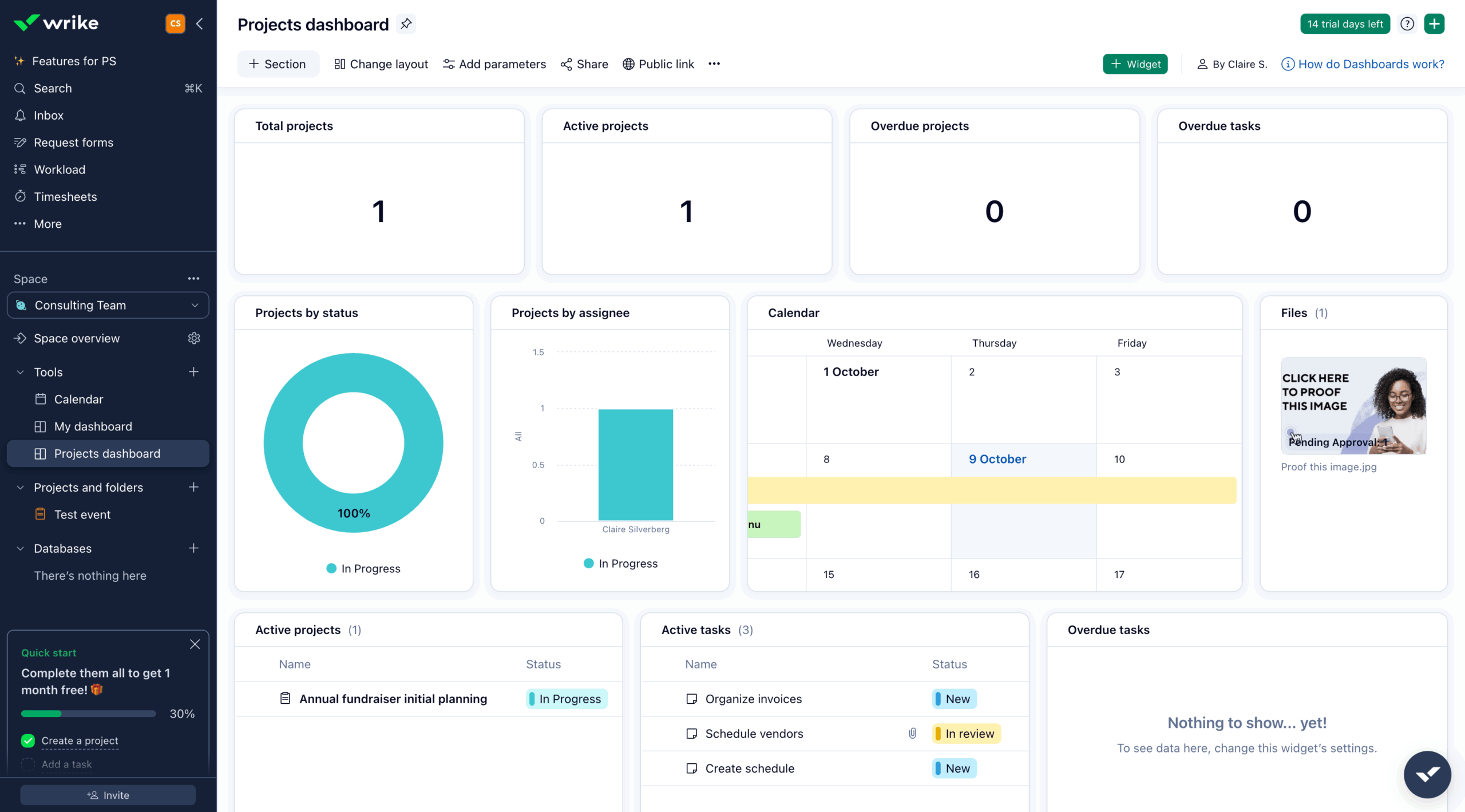
You should know: Create a custom dashboard to track team progress
Wrike is similar to ActiveCollab, featuring comprehensive billing and time tracking in addition to event planning tools. However, I personally found Wrike a bit difficult to navigate. This probably comes down to personal preference, because Wrike has a lot of valuable features like customized reporting and advanced expense management that I think would make it a great choice for businesses of all sizes.
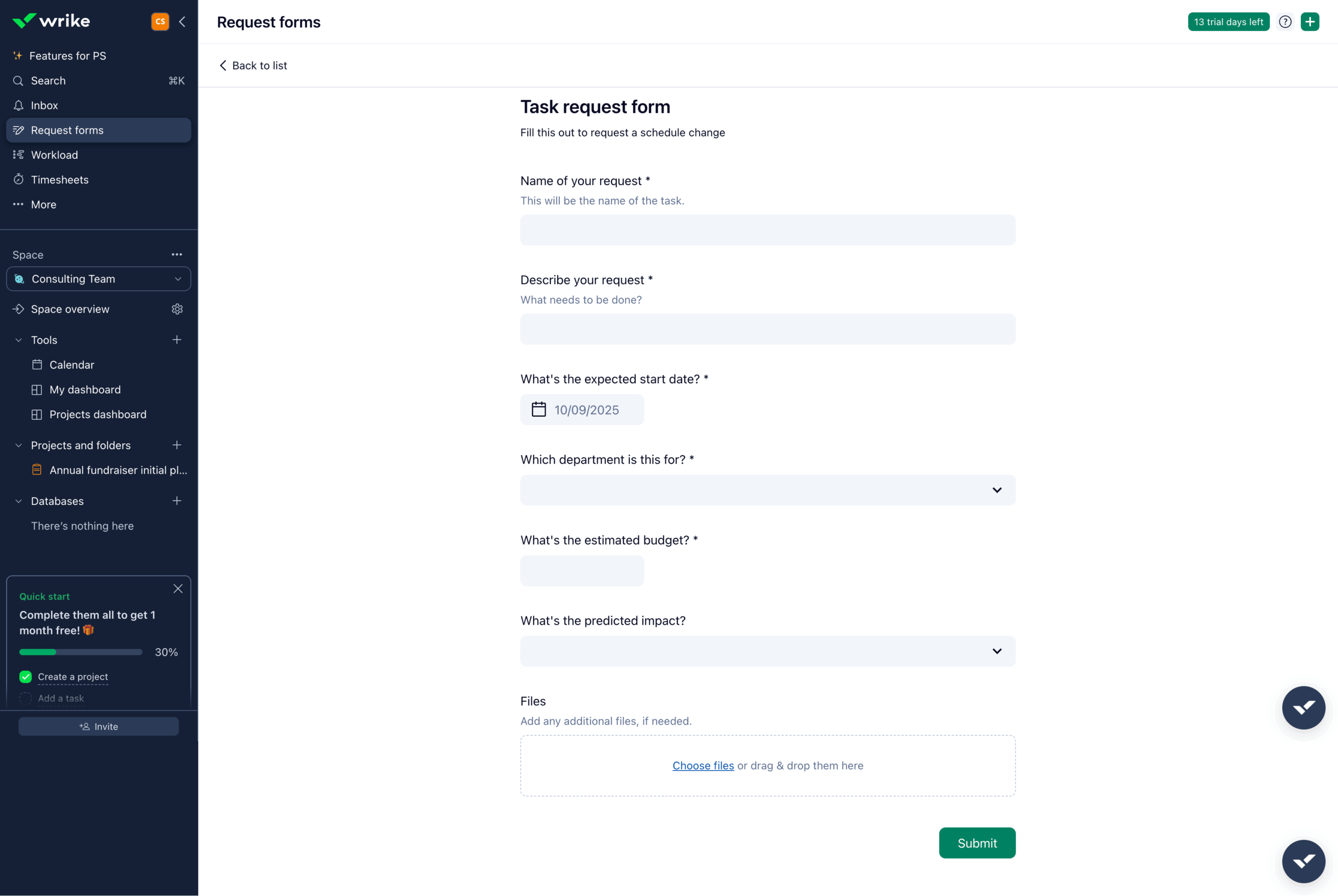
There are a lot of options for different views and easy-to-customize tasks, but I found that this made it more difficult to find the information I was looking for. I really liked the custom forms options and the approvals features, which would help manage internal and external requests when planning large events like a showcase or large networking event.
Pros:
- Comprehensive budgeting and expense tracking help you manage all your dollars
- Custom tools and approvals are excellent for managing complex event dependencies
- Robust integration ecosystem enables seamless, automated data.
- Blueprint templates streamline recurring events
Cons:
- Steep learning curve and potentially intimidating interface
- Can feel overwhelming for straightforward event planning
- More expensive than simpler alternatives
Pricing:
Free plan available
Team plan:
- $10 per month
G2 rating: 4.2/5
7. Jira
Best for: Businesses that need one tool for tracking a variety of project types
Developer: Atlassian
You should know: Highly customizable
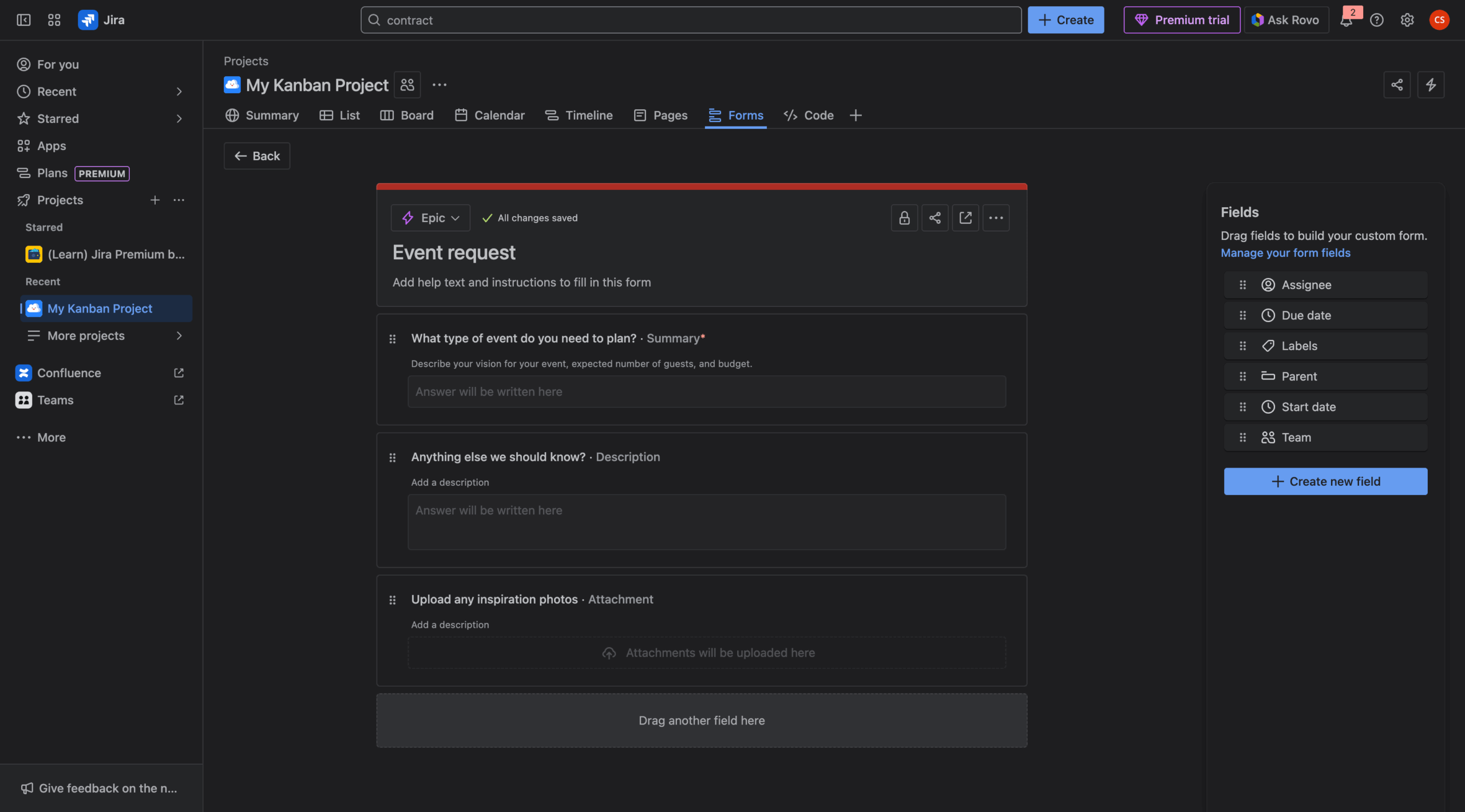
Jira is a great tool, made by the same company as Trello. The one thing to keep in mind is it’s a project management tool created with software developers and tech-savvy users in mind, so it might not be as tailored to project management for event planners.
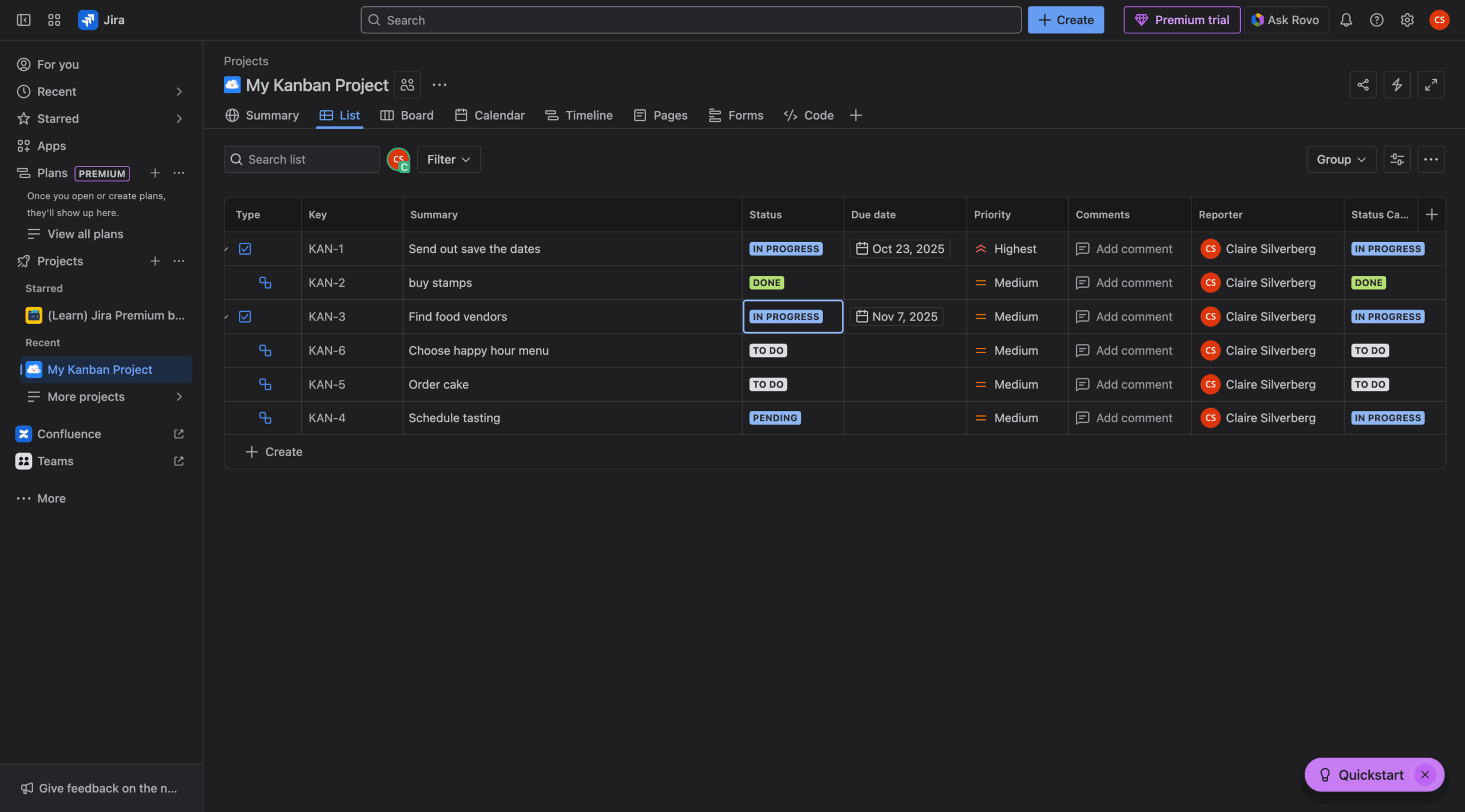
If you work in tech and are looking for a tool that can carry you from product QA to the launch event, then Jira is the solution for you. I found it very easy to create tasks, custom workflows, and automation, especially because the tool guides you through how each feature works on your own time as you explore. I think if you’re deciding between Trello and Jira, the biggest difference is that Jira has stronger support for Agile and Scrum and better integrations with development tools, so it’s built with enterprise in mind rather than smaller businesses.
Pros:
- Highly customizable workflows adapt to any event structure
- Integrations with development tools are excellent for events with technical or development components
- Strong automation and integration capabilities improve efficiency
- Built-in user guides and contextual help educate new users
Cons:
- Development-focused interface may confuse non-technical users
- Limited financial planning features
- Best suited for tech-savvy teams
Pricing:
Free plan available
Standard plan:
- $7.53 per month
G2 rating: 4.3/5
8. ProjectManager
Best for: Planning events for unique use cases
Developer: ProjectManager
You should know: Powerful tool, but difficult to navigate
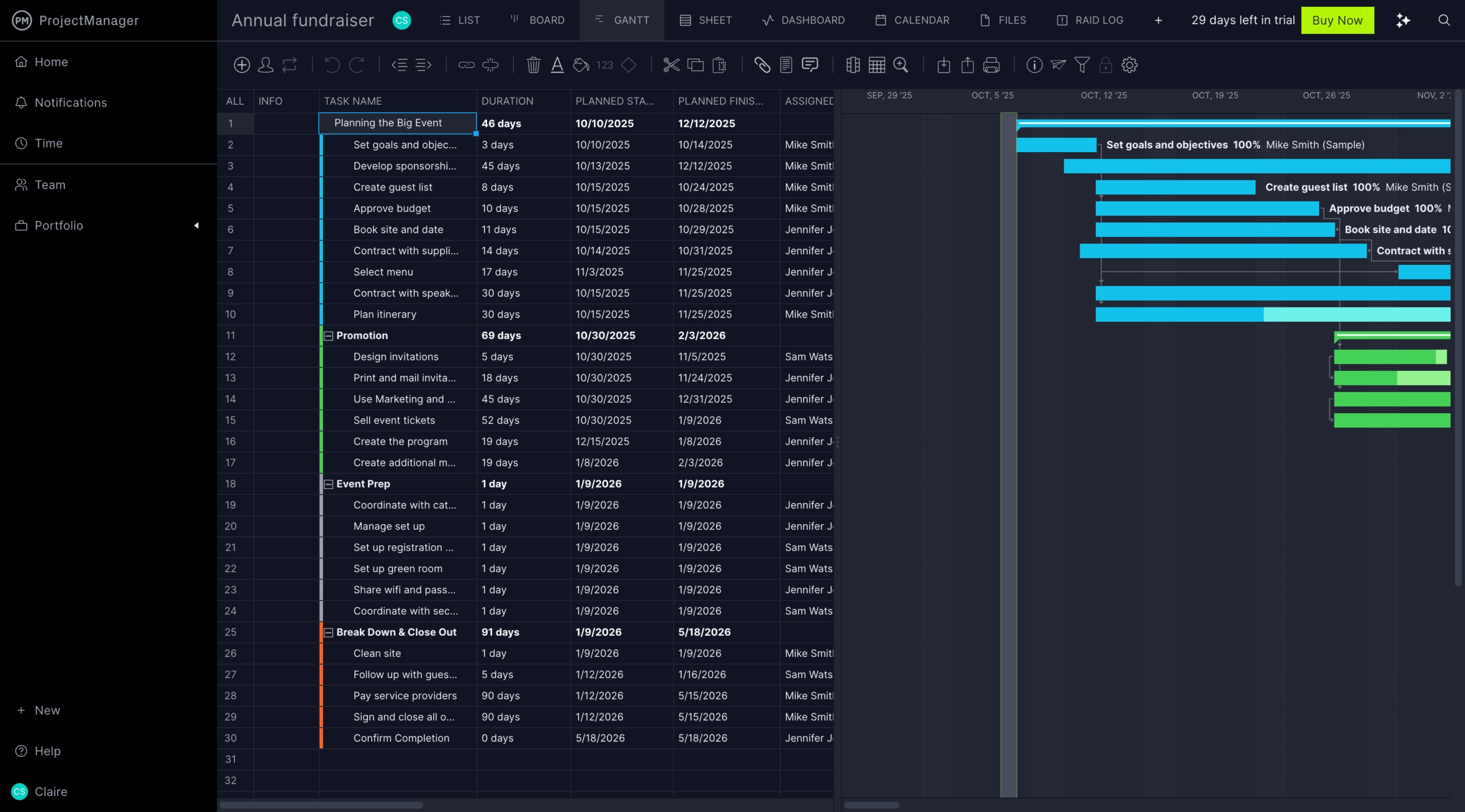
Unfortunately, ProjectManager was my least favorite project management software for events (although I might have liked it better if I had tested it as part of our traditional project management software roundup). I had a very hard time navigating it and wasted a lot of my testing time trying to find tasks and projects after I created them. It has all the bells and whistles you might need, but I’m not sure they’re worth the difficult navigation.
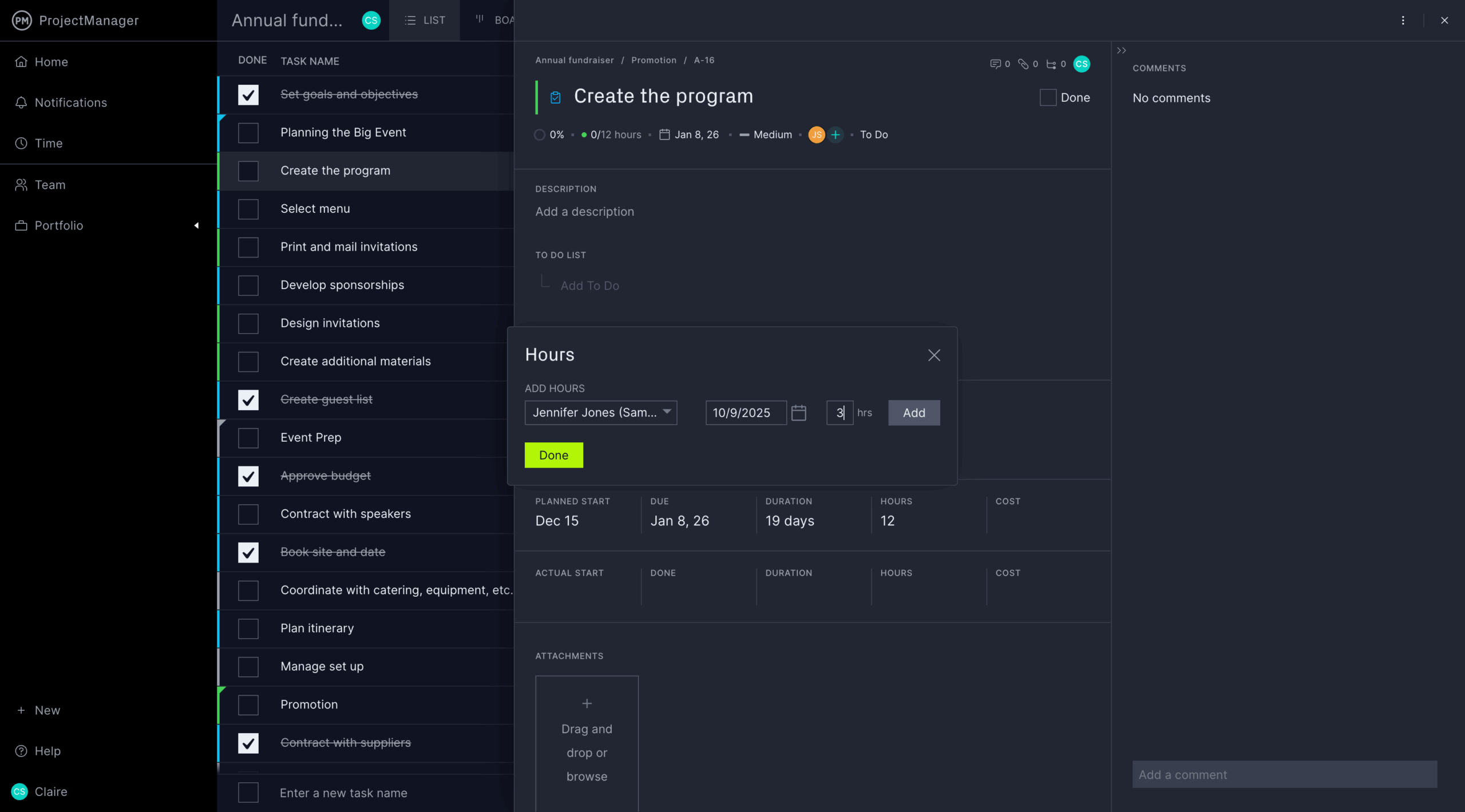
There are a variety of templates and an extensive knowledge library to help you out, but even some of the templates made my head spin. However, ProjectManager is still on my list because it has the most advanced customization options without requiring coding. I think if you’re planning an event that requires a lot of different tasks with many different users helping out (for example, a series of speakers hosted by the intern team), then ProjectManager would be helpful to map out your to dos.
Pros:
- Comprehensive feature set allows extensive customization
- Strong budget tracking and cost reporting help you track your dollars
- Automation based on multiple triggers is flexible
- Event planning templates provide quick starts
Cons:
- Complex interface requires time to learn
- Simultaneous editing can cause save conflicts
- No real-time time tracking or comprehensive expense management
Pricing:
Team plan:
- $14 per month
G2 rating: 4.4/5
More event project management software tools
While the core of our “best of” list focused on platforms we tested and reviewed firsthand, the event management industry offers several powerful, dedicated solutions that deserve mention. The platforms listed next are incredibly popular and industry-recognized event management platforms (EMPs).
Please note: These tools were not reviewed using our hands-on testing methodology. The summaries are based on industry reputation, feature analysis, and user reviews.
9. Cvent
Best for: Large-scale, complex, and enterprise-level events
Developer: Cvent
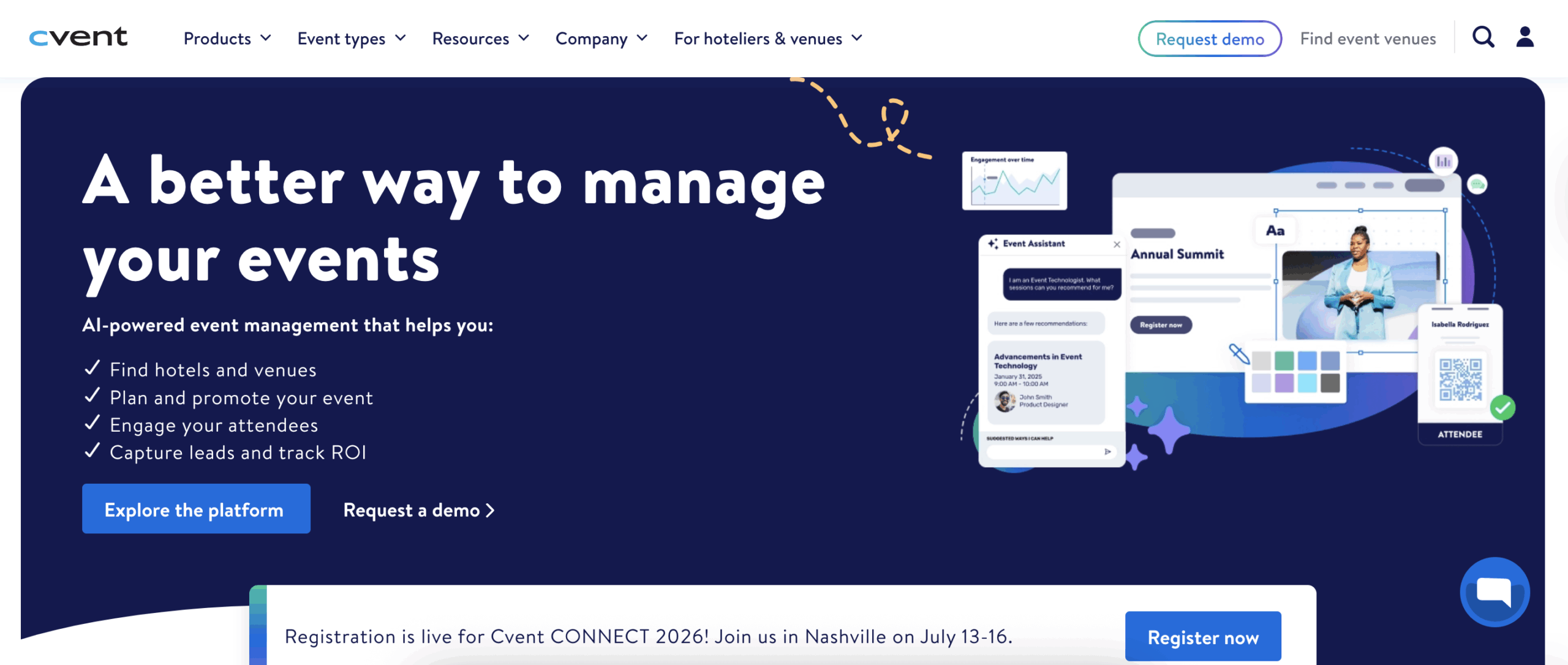
Cvent offers an end-to-end solution for the entire event life cycle — from venue sourcing and registration to attendee engagement and post-event analytics. It’s built to handle large volumes of events, diverse event formats (in person, virtual, and hybrid), and complex requirements like custom registration paths.
Its strength lies in its all-in-one nature, allowing organizers to manage everything in a single, secure platform. The platform includes specific tools like Cvent Event Diagramming (for floor plans and seating) and OnArrival (for onsite check-in and badging), making it an excellent fit for highly detailed, multiday, or multitrack conferences and trade shows.
Pros:
- Advanced tools like OnArrival for check-in/badging and Attendee Hub for engagement add detail
- Integration with major business systems like Salesforce and HubSpot puts everything in one place
- Robust reporting and analytics give you all the info you want
- Platform is scalable for enterprise use, supporting high-volume, complex, or global event programs
Cons:
- Steep learning curve for new or infrequent users due to platform complexity
- Can be costly for small-scale or simple events
- Complex pricing structure, which is not publicly listed
Pricing:
- Contact for pricing
G2 rating: 4.3/5
10. Whova
Best for: Robust mobile event experience
Developer: Whova
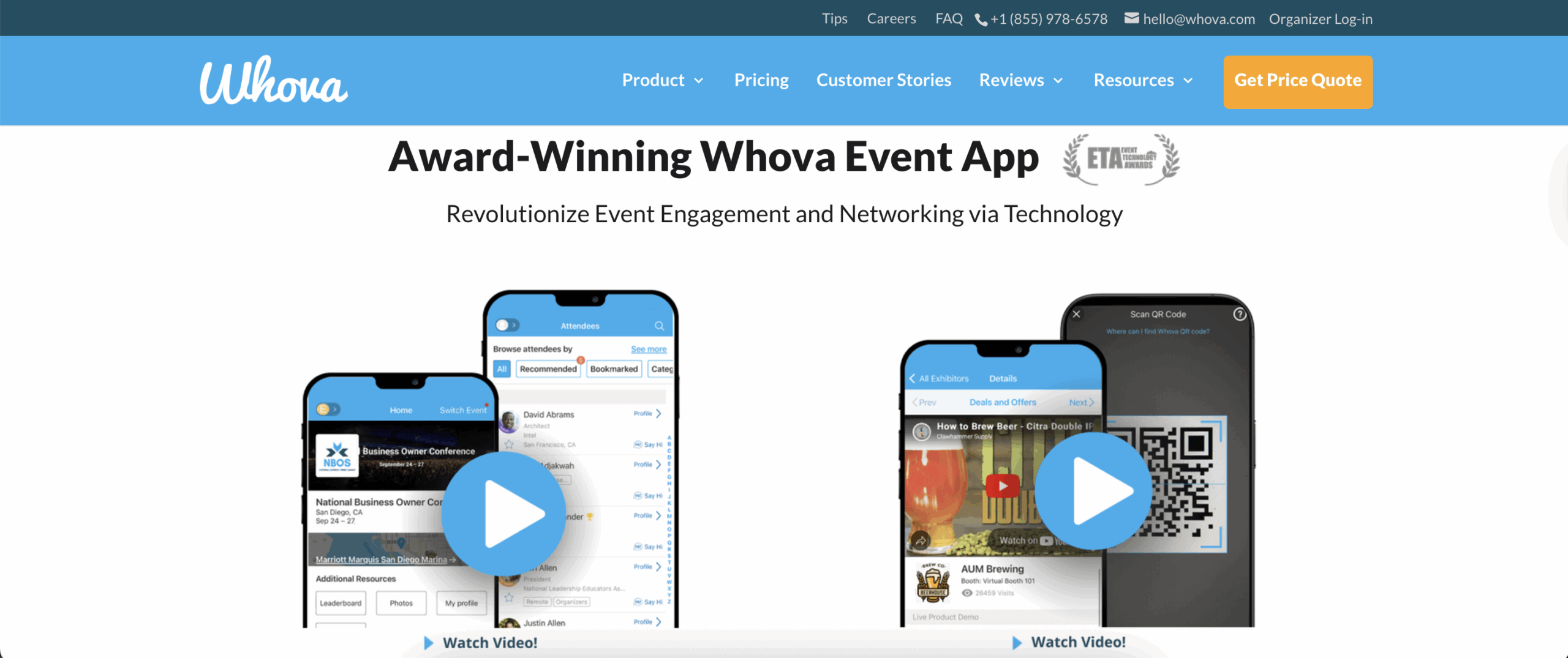
Whova is an award-winning, dedicated event management platform, focused on delivering a high-quality attendee experience via its mobile app. For event project management, it centralizes logistics around the event content and audience. This includes registration, speaker management, exhibitor coordination, and digital content delivery.
Organizers use it to streamline the most tedious and time-consuming tasks related to large conferences: collecting speaker bios, managing session Q&A, and facilitating attendee networking.
Pros:
- Excellent mobile app experience improves attendee engagement and networking
- Dedicated features for abstract submissions, speaker management, and session scheduling streamline the entire planning process
- One secure platform integrates registration, check-in (onsite), event website, and engagement
- Intuitive and accessible interface helps both organizers and attendees
Cons:
- Designed and priced primarily for events with over 100 attendees
- Does not offer Gantt charts or resource allocation tools found in pure project management software
- Some users note limited flexibility for event branding within the app
Pricing:
- Contact for pricing
G2 rating: 4.8/5
11. EventsAir
Best for: Organizations with high-security needs
Developer: EventsAir
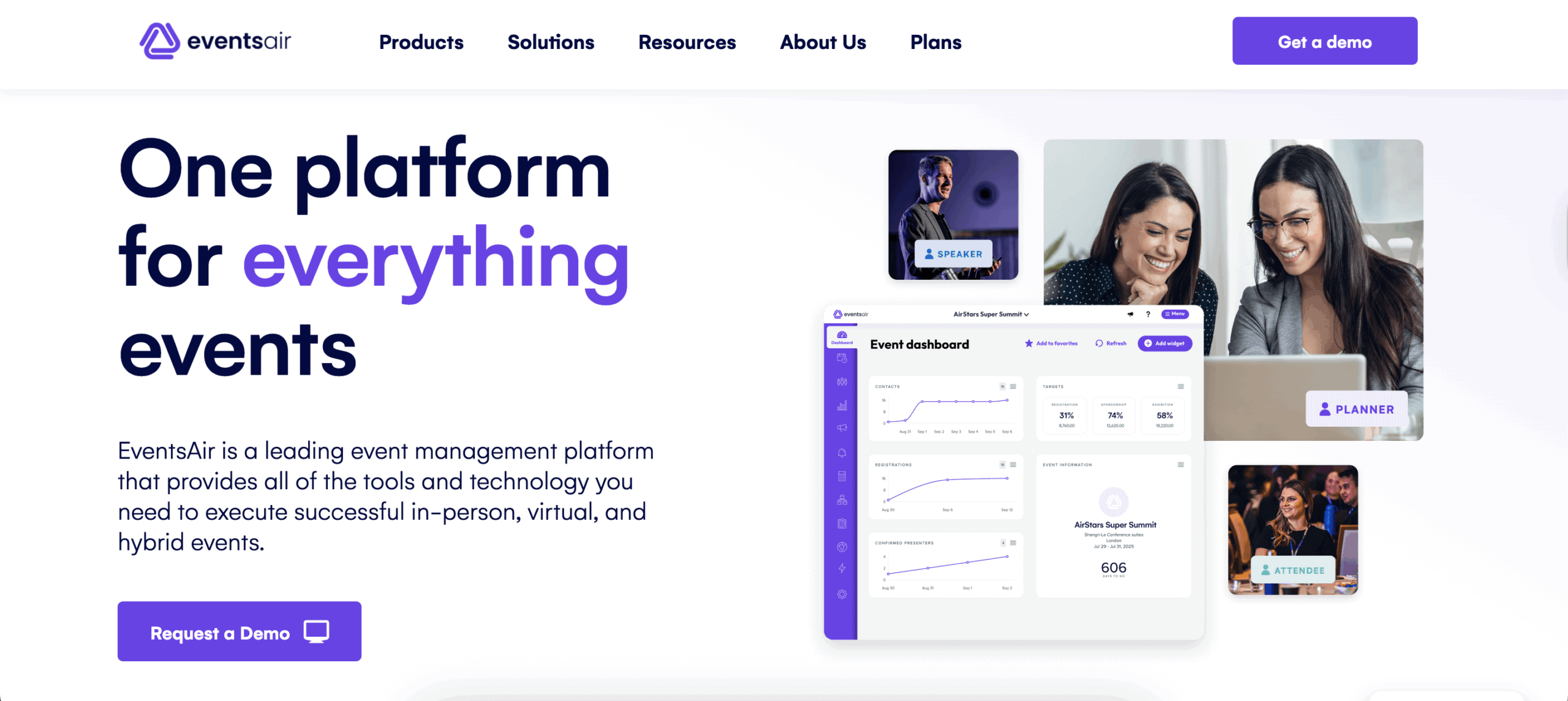
EventsAir is a powerful, end-to-end EMP known for handling the most complex elements of large-scale events. Its core “project management” is embedded within specialized event modules, including abstract and speaker management, hotel and travel management, and deep financial reporting.
For high-security events, the platform features an advanced accreditation system that manages physical access. This system enables organizers to create and enforce custom, tiered security clearance levels, issue secure credentials (like RFID badges), and control access to specific sessions or restricted areas in real time. This level of integrated control makes it ideal for government, high-profile corporate, and major international association events where security and data integrity are non-negotiable.
Pros:
- PCI DSS Level 1 and SOC 2 Type II compliance offer data security
- Advanced accreditation system grants physical access control (security clearance, secure credentials)
- One platform provides registration, abstract management, venue logistics, financial reporting, and the event website/app
- Tiered subscription packages (single, multi, unlimited) often include unlimited registrations
Cons:
- Significant time investment required to master and configure due to platform depth
- Pricing requires a high investment, making it less accessible for small businesses
- The large number of features can make the interface feel overwhelming
Pricing:
- Contact for pricing
G2 rating: 4.5/5
12. LASSO
Best for: Event companies and production teams needing integrated crew, labor, and inventory management
Developer: LASSO
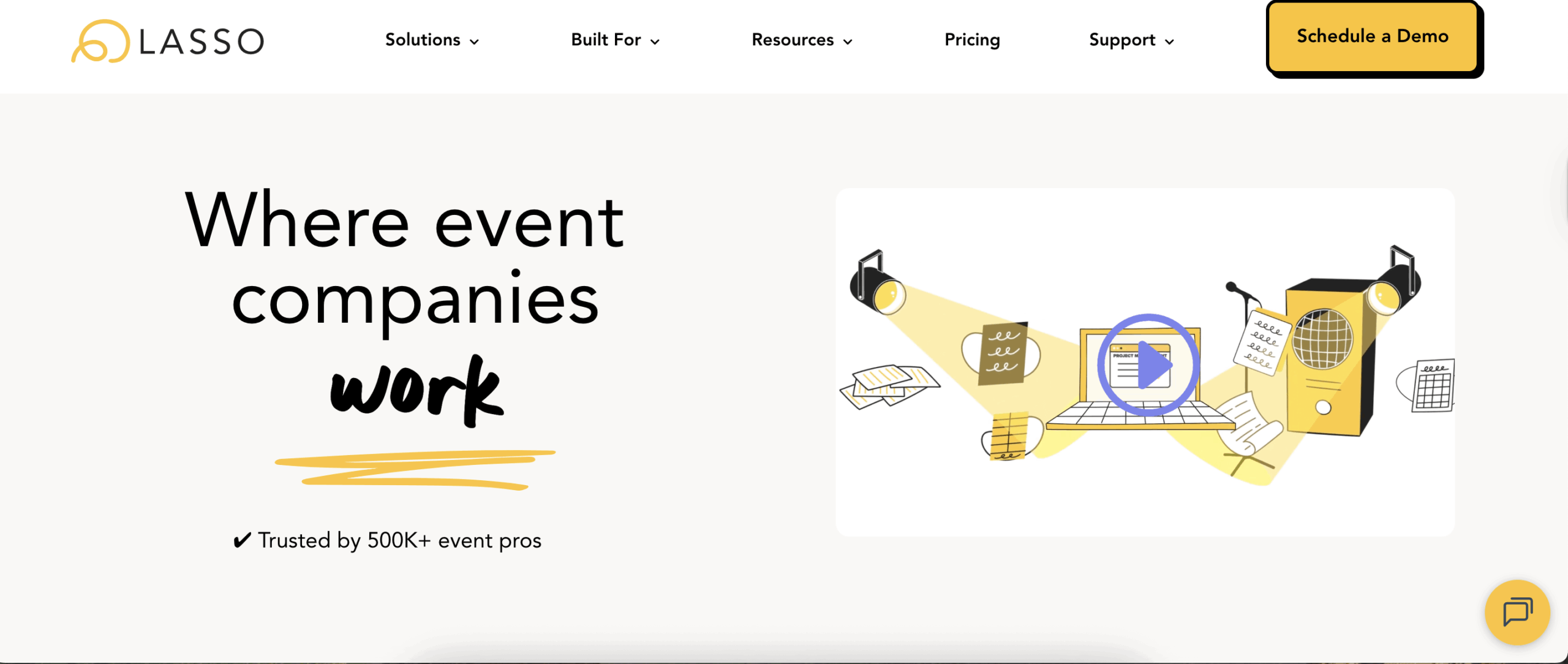
LASSO is a software platform built for the live events and production industry. It excels in project management by coordinating crew and assets, which are often the most intricate logistical aspects of live event production.
LASSO offers an integrated solution for various tasks, including talent sourcing, bulk scheduling, time tracking, payroll processing, travel booking, and inventory management. This provides operational and financial managers with a comprehensive overview of labor costs and resource allocation across multiple projects, simplifying the process of staffing and paying large, fluctuating event crews.
Pros:
- Tools for talent sourcing, bulk scheduling, and real-time crew availability tracking give managers the data they need
- Components conveniently connect scheduling and time tracking directly to payroll and invoicing
- Features can track equipment and manage asset allocation across different events
- Event staff can confirm jobs, clock in/out, and submit expense reports via the mobile interface
Cons:
- Highly specialized focus means it lacks general event features like attendee registration or marketing automation
- Some users report a lack of deep integrations with third-party software, requiring manual data entry
- The web experience can occasionally be slow or lacking in certain real-time updates
Pricing:
- Contact for pricing
G2 rating: 4.2/5
13. Planning Pod
Best for: Event planning agencies and venues
Developer: Planning Pod
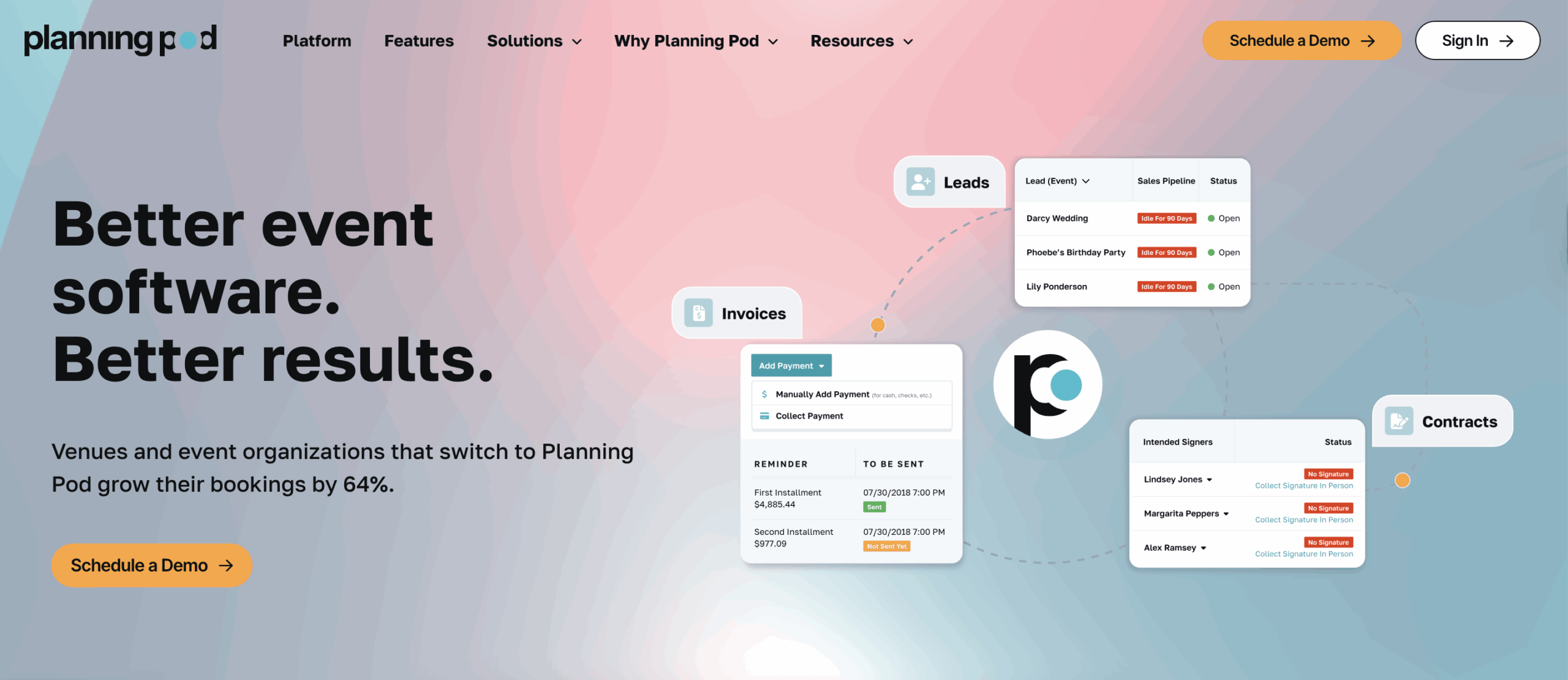
Planning Pod is an all-in-one platform built to streamline the entire business workflow for event managers and venues. It goes beyond simple task lists to offer dedicated modules for sales, finance, and event operations.
Its key features include lead management, customizable client portals, floor plan design tools, and integrated tools for invoices, contracts, and banquet event orders. This centralization of client communication, detailed logistics, and financial tracking makes it a robust project management solution for agencies looking to manage high-volume event portfolios efficiently.
Pros:
- Platform manages leads, proposals, contracts, billing, and invoicing in addition to event planning tasks
- Built-in tools help design floor plans and seating charts
- Most plans include unlimited users, making it highly scalable
- Secure collaboration and communication with external clients and stakeholders builds trust and stays in compliance
Cons:
- May be overly complex for individual planners handling only simple events
- Advanced email marketing and automation features may be limited compared to dedicated CRM tools
- Pricing is based on the number of concurrent events you manage, rather than just the number of users
Pricing:
- Contact for pricing
G2 rating: 4.2/5
Benefits of event project management software
The right tool will look different for each user depending on their role, business size, goals, and the type of events they need support to plan. Here are some things to keep in mind when you’re searching for the right fit for you.
- Better organization and task management: Look for a centralized platform for tracking tasks, deadlines, and assignments to keep your entire team on the right page.
- Seamless team collaboration: Prioritize real-time updates, shared task lists, and communication features so your team can work together, even if they’re not in the same office.
- Time and cost savings: Make sure it supports automating repetitive tasks and managing budgets efficiently so you can spend more time negotiating better contracts and less time balancing budgets.
- Improved attendee experience: Enhance engagement with event registration and communication tools that provide the best experience for each guest.
- Data-driven decision-making: Choose a tool with insights and analytics for measuring success and improving future events.
Streamline event management with Jotform
Event planners have a lot to juggle, and all your hard work would be even more difficult without the right event project management software. Between organizing expenses to optimizing event planning timelines, one of these tools is sure to fit your needs.
Ready to try an automation powerhouse that uses AI to help you manage your event planning tasks? Try Jotform Boards and experience how forms, surveys, and AI Agents can help you work smarter, not harder.








































Send Comment: