Enabling Draft Mode by default ensures that all newly created forms or apps within your team start in a draft state. This gives team members a safe default space to build, test, and review their work before making it live. Team members can still manually disable or enable it according to their needs.
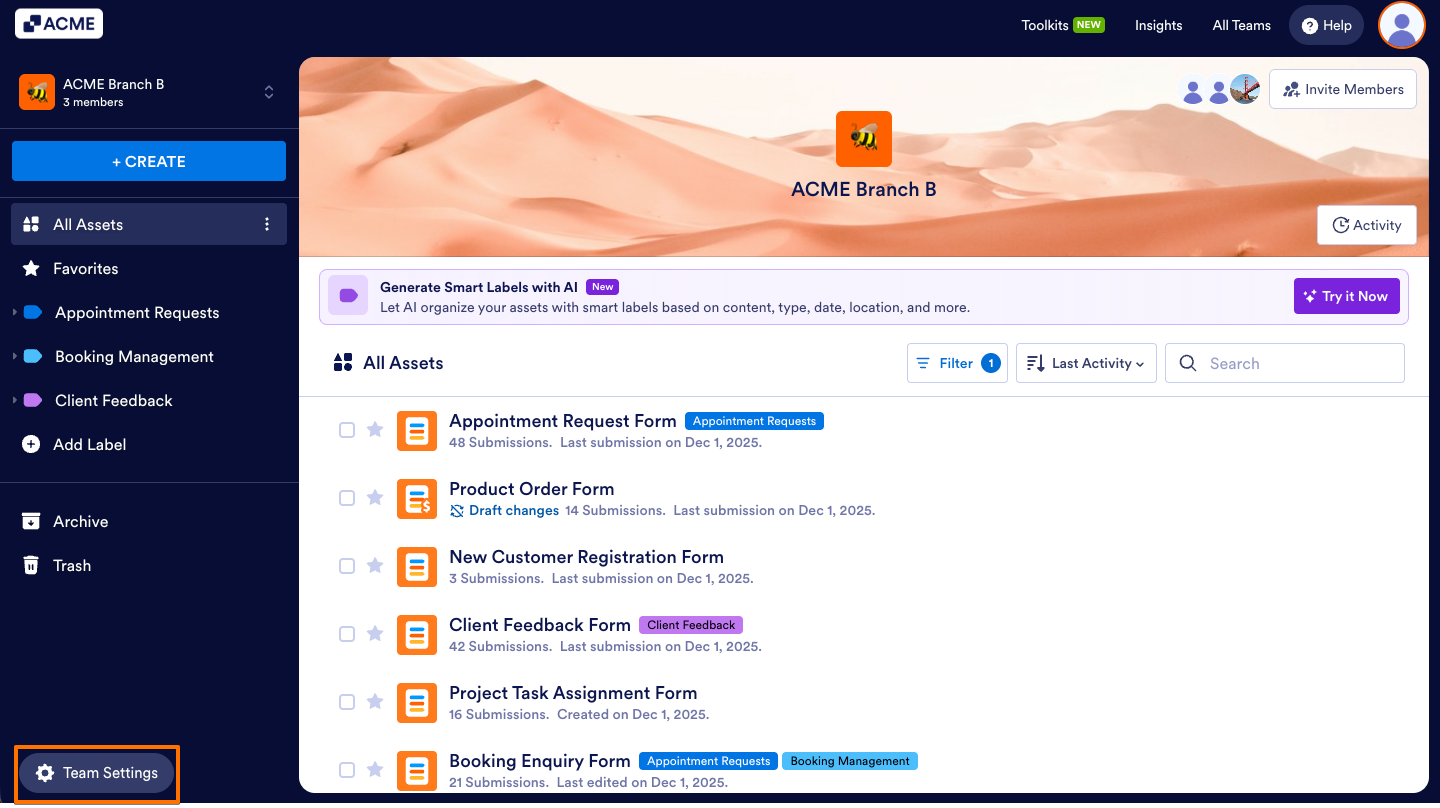
- In the Team Workspace, click Team Settings on the button-left side of the screen.
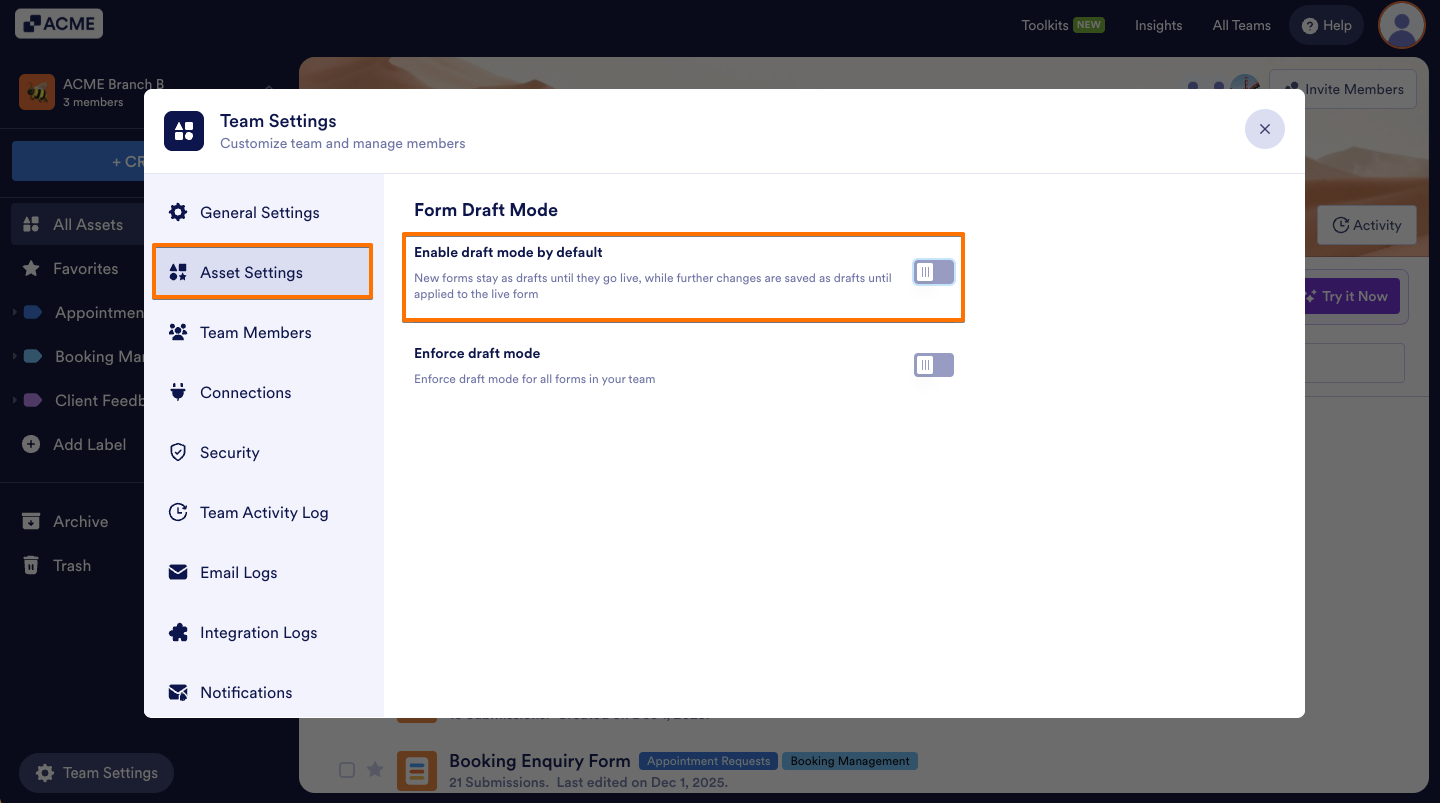
- Now, go to the Asset Settings tab and toggle on Enable draft mode by default.
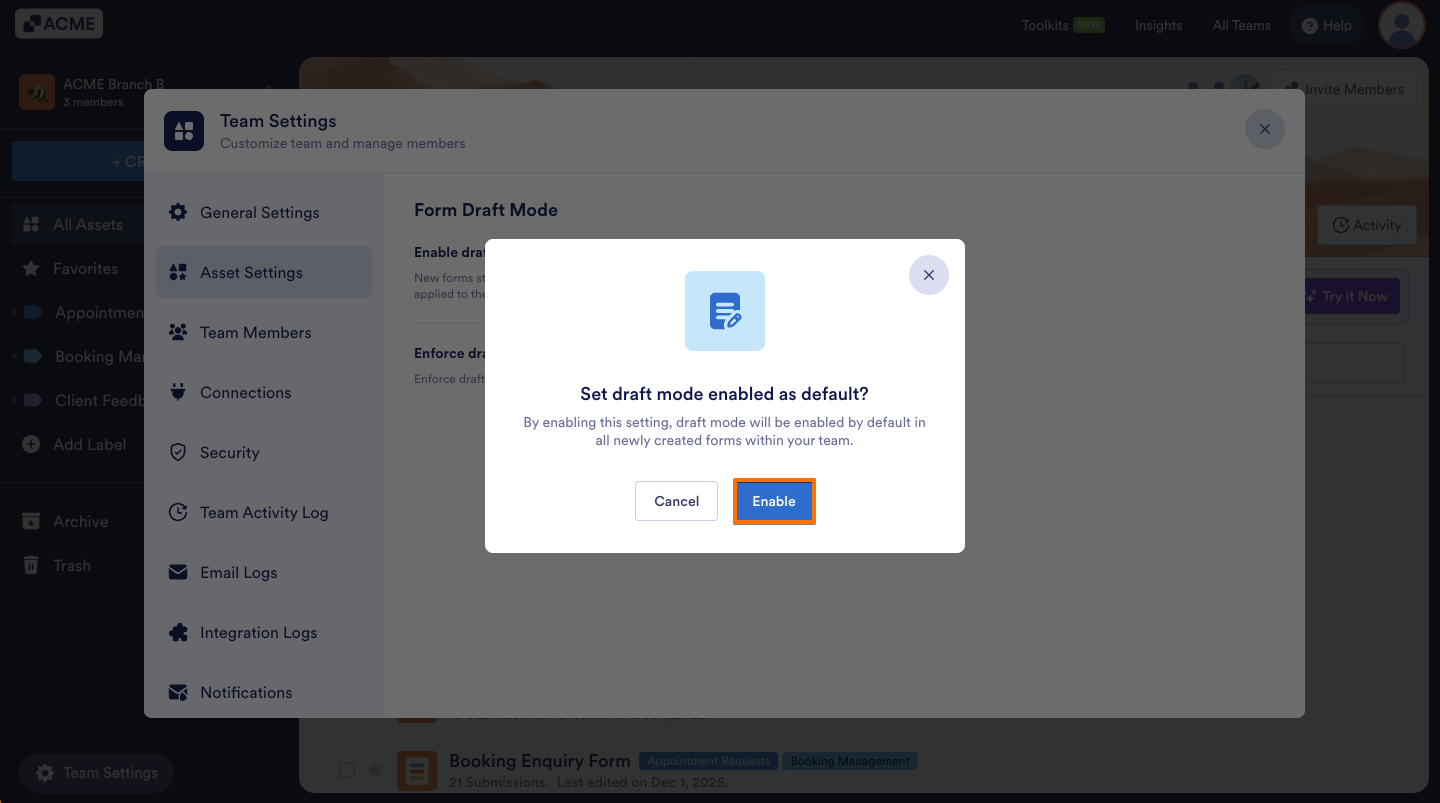
- Then, from the window that opens, click Enable.
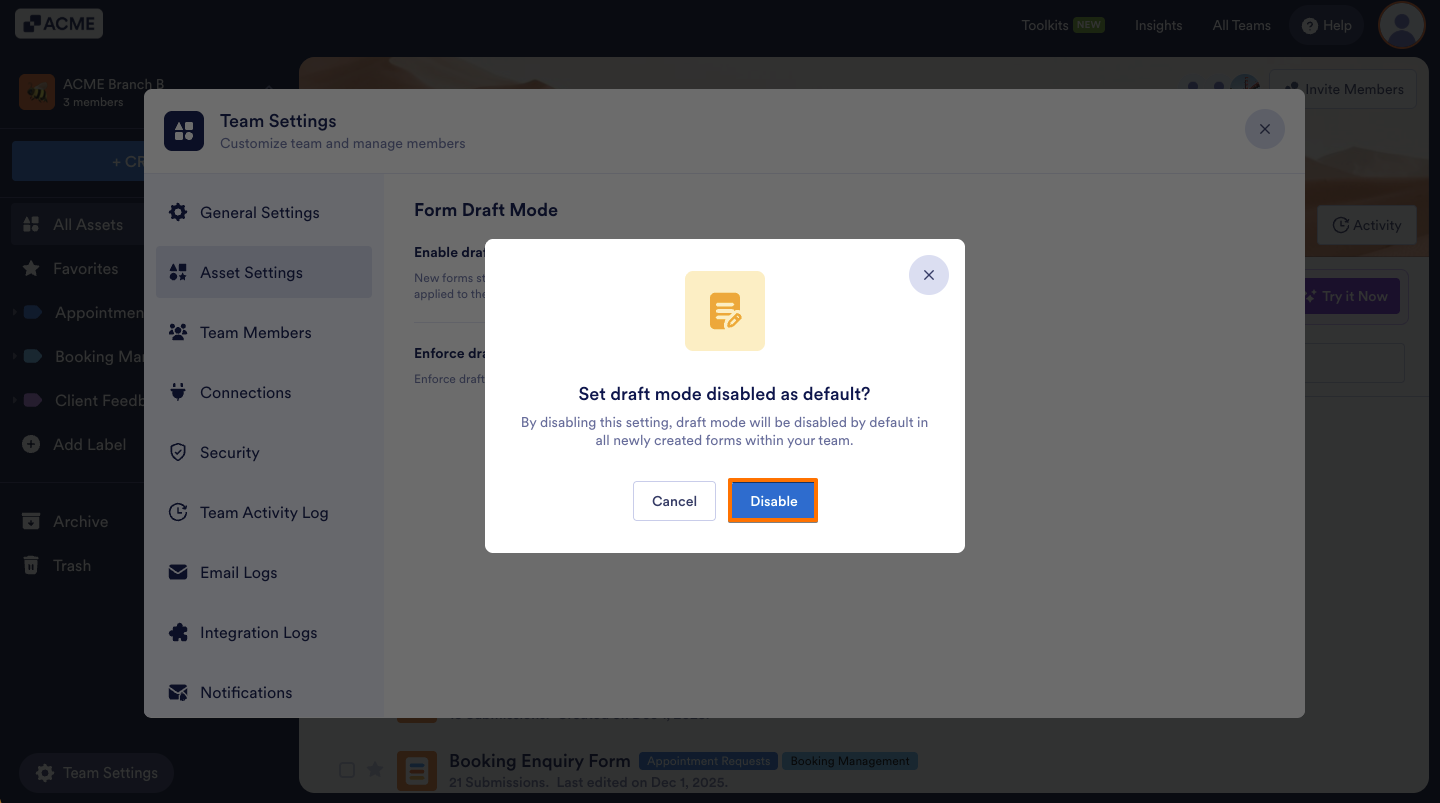
To Disable it, click the Enable draft mode as default toggle again and click Disable.
See also:

Send Comment: