The Draft Mode feature provides a dedicated environment for your team to build, test, and review changes without affecting live forms. Enforcing this setting at the team level ensures that all new asset creations automatically utilize this safe testing space, preventing members from instantly publishing content before it is fully reviewed and ready to go live. Team members cannot disable the feature from their form settings.
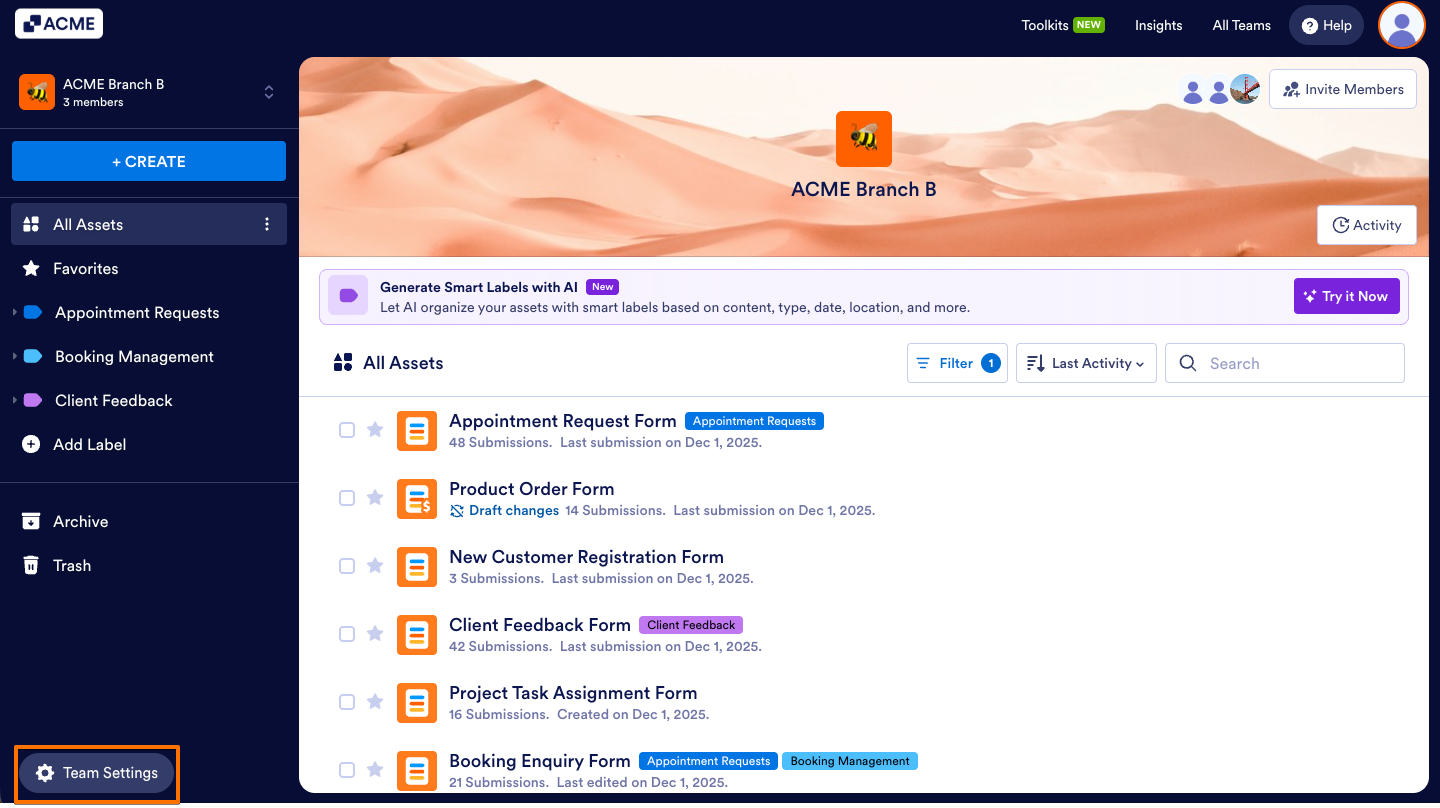
- In the Team Workspace, click Team Settings on the button-left side of the screen.
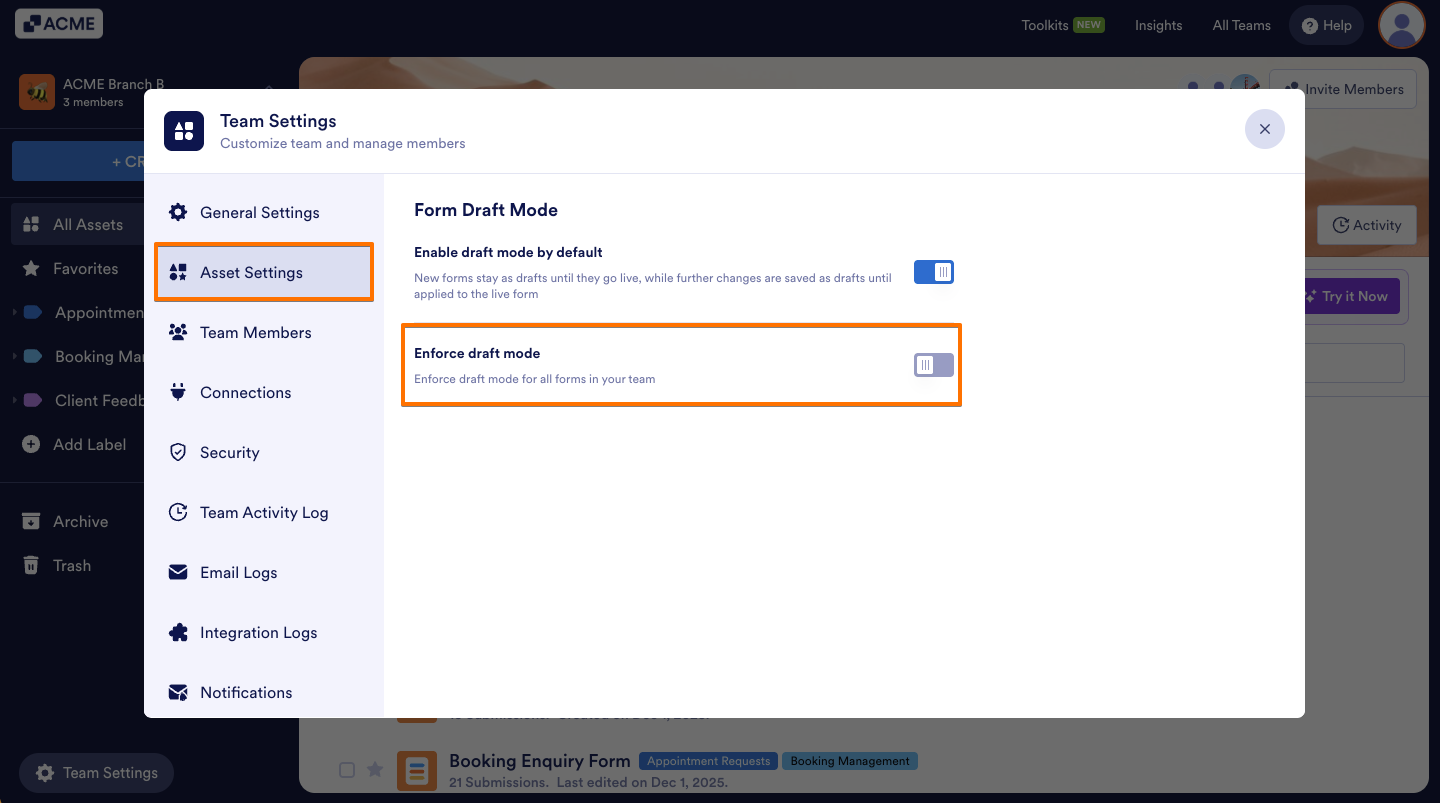
- Now, go to the Asset Settings tab and toggle on Enforce draft mode.
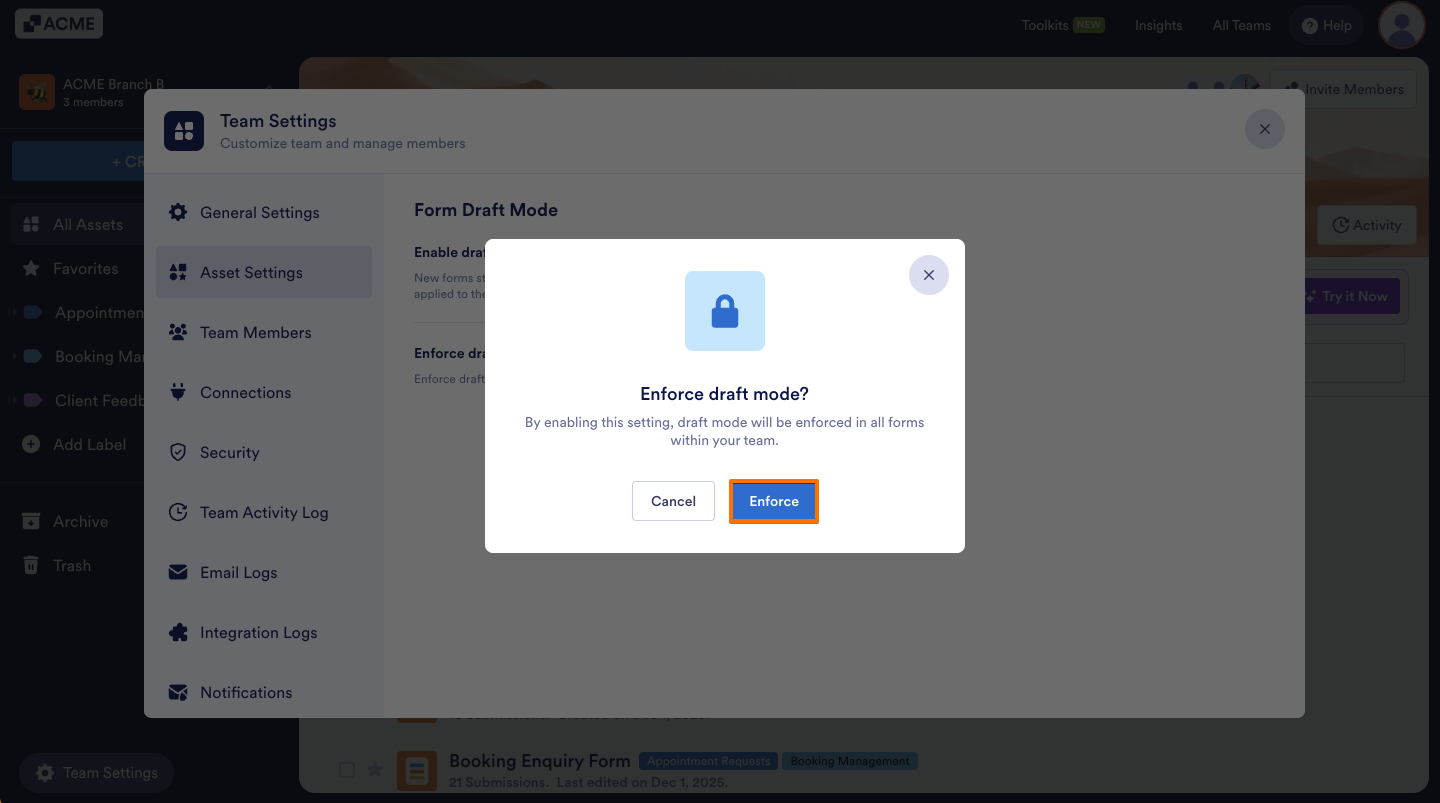
- Then, from the window that opens, click Enforce.
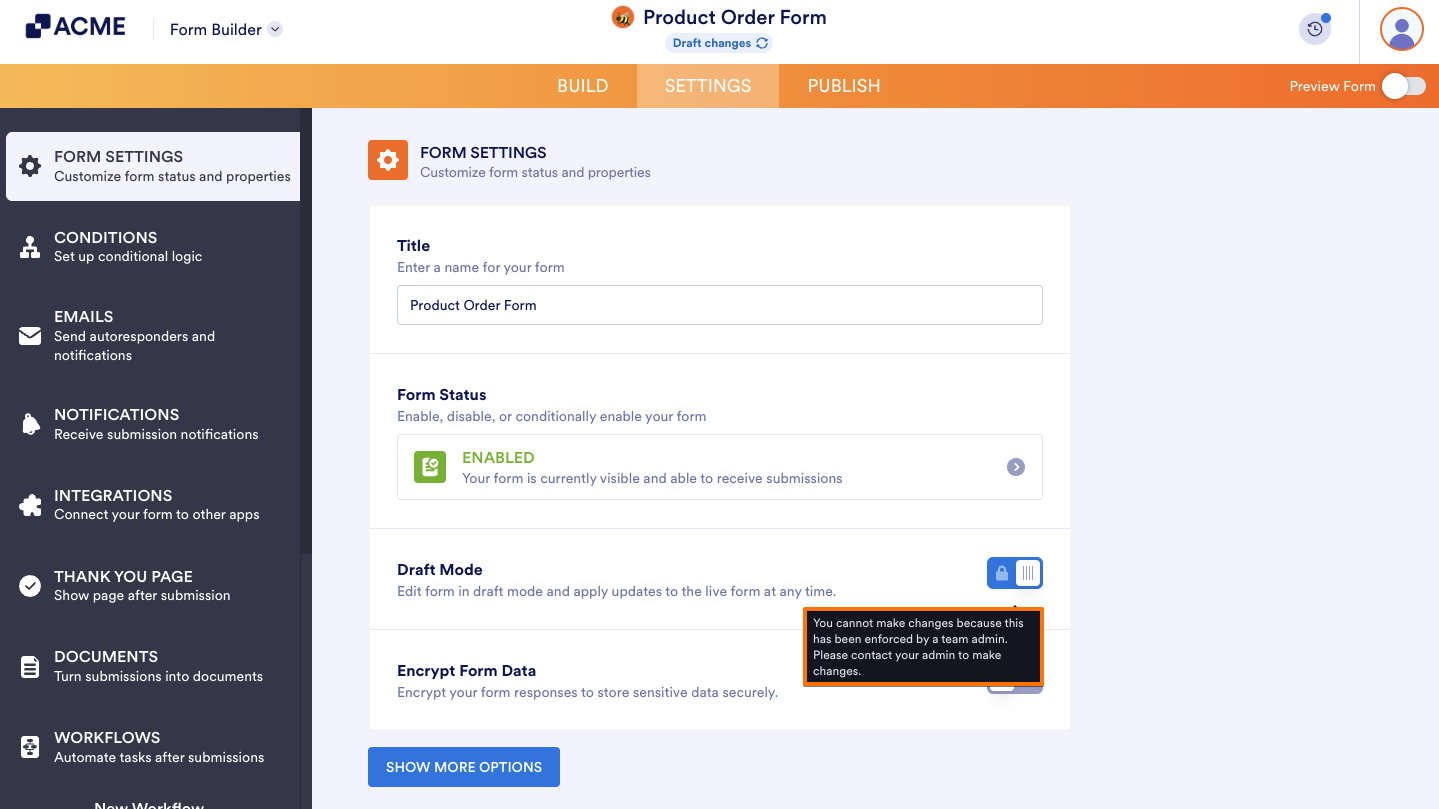
Now, users cannot change or disable the Draft Mode feature in Form Settings. They will see an informational message in their Form Settings.
Note
To disable this feature, click on the Enforce draft mode toggle again and click Remove Enforcement.
See also:

Send Comment: