
Research has found that incorporating quizzes into lectures can improve learning. In fact, a study of more than 700 university and community college students found that brief quizzes during a lecture boosted both immediate and next-day test performance. Quizzes are also a valuable option for boosting student engagement and gauging the knowledge of your class. All you need is the right interactive quiz app.
Quizizz, or Wayground, as it’s now called, is one of the most popular interactive quiz platforms out there. If you’re new to the platform, you might start by learning how to create a quiz on Quizizz before exploring other tools. There are plenty of strong alternatives that deserve your attention as well, but let’s face it: It’s easy to get lost in the world of student engagement software.
That’s why I did the heavy lifting for you, comparing 10 Quizizz alternatives and online assessment tools. Here are the tools that made my list:
| Tool | Best for | What I liked most |
|---|---|---|
 Jotform |
Fully customizable quizzes and apps |
Generates quizzes with the help of AI and provides plenty of customization options |
 Kahoot! |
Live gamified classroom play |
Brings energy and a competitive vibe |
 Google Forms |
Free assessments |
Offers simplicity as well as integration with Google Classroom |
 Blooket |
K-12 game modes |
Gets students excited to play |
 Gimkit |
Strategy-based live quizzes |
Encourages participants to work together |
 Quizlet |
Study sets and test prep |
Turns flash cards into quizzes instantly |
 Mentimeter |
Interactive presentations |
Creates seamless slides and polls |
 Nearpod |
Lesson-based quizzes |
Integrates multimedia lessons |
 Socrative |
Quick formative checks |
Serves as a fast, no-frills tool |
 Formative |
Real-time feedback |
Provides live response tracking |
How I tested these tools
Prior to doing research for this article, I’d had a chance to work with several Quizizz competitors both as a college student and as a quiz-maker. Those experiences served as my starting point: I first revisited tools that were already familiar (looking at you, Quizlet and Kahoot!), then went on to explore options that were new to me, such as Formative.
The best way to evaluate alternatives to Quizizz is to make and take some quizzes yourself, so that’s what I did with as many tools as I could get my hands on. As this article will attest, most of the options were quite user-friendly with easy setup. A few required me to jump through some hoops at first, but that’s to be expected with any paid subscription tool.
I tested a handful of other classroom quiz tools that did not make my list, like AhaSlides. However, I ultimately went with these 10 gamified learning tools because I felt they offered the most comparable performance to Quizizz.
1. Jotform Quiz Maker
Recommended for: Teachers and trainers who want greater control over quiz design, reporting, and delivery
Pros:
- AI quiz generator
- Customizable templates
- Integrated app builder tool
Cons:
- Paid plan required for more advanced features
- Slight learning curve
The Jotform Quiz Maker sits at the top of this list for good reason. It’s user-friendly and includes features to help you build engaging quizzes for your audience.
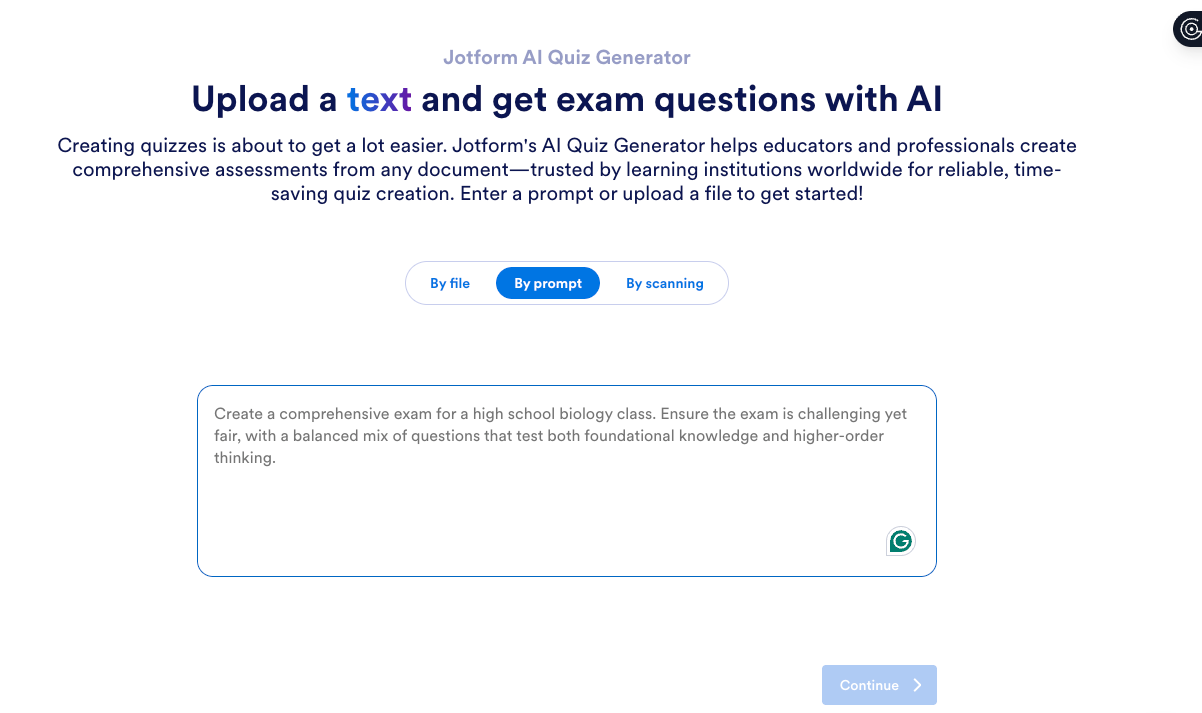
One of Jotform’s more useful features is its Jotform AI Quiz Generator. Simply enter a prompt or upload your reference material, and the AI generator builds a relevant exam or quiz in seconds. Your source material can include things like
- Chapters from a textbook
- Presentations
- PDFs
- Lecture recordings
Beyond the quiz generator tool, Jotform also provides plenty of resources for teachers, including
- Quiz templates
- Education-related table templates
- Education forms and templates
Jotform lets you create your own quiz either starting from scratch or using one of over 1,100 quiz app templates. Once you choose a template, you can also customize it with Jotform Apps. And if you’re not especially tech-savvy, the no-code app builder provides drag-and-drop tools.
While you do need a paid Jotform account to access the quiz-building tools, Jotform offers a 50 percent educational discount for teachers and educators and a 30 percent enterprise discount for educational institutions.
If you’re looking for a reliable solution for building online quizzes, Jotform was the best tool I tried in terms of features, usability, and engagement.
Plans/Pricing:
- Jotform does offer a free starter plan.
- Paid plans start at $34 per month before any discounts, billed annually. Educational and enterprise discounts are also available.
2. Kahoot!
Recommended for: High-energy, live classroom competitions
Pros:
- Engaging gameplay
- Ease of use and accessibility
- Huge public quiz library
Cons:
- Limited reporting
- Customization options somewhat restricted
Kahoot! is one of the most recognizable Quizizz competitors around. Like me, you may have used it before. To test the platform, I built a simple geography quiz in Classic mode, then invited some colleagues to join in and answer a few questions, just to test out its responsiveness.
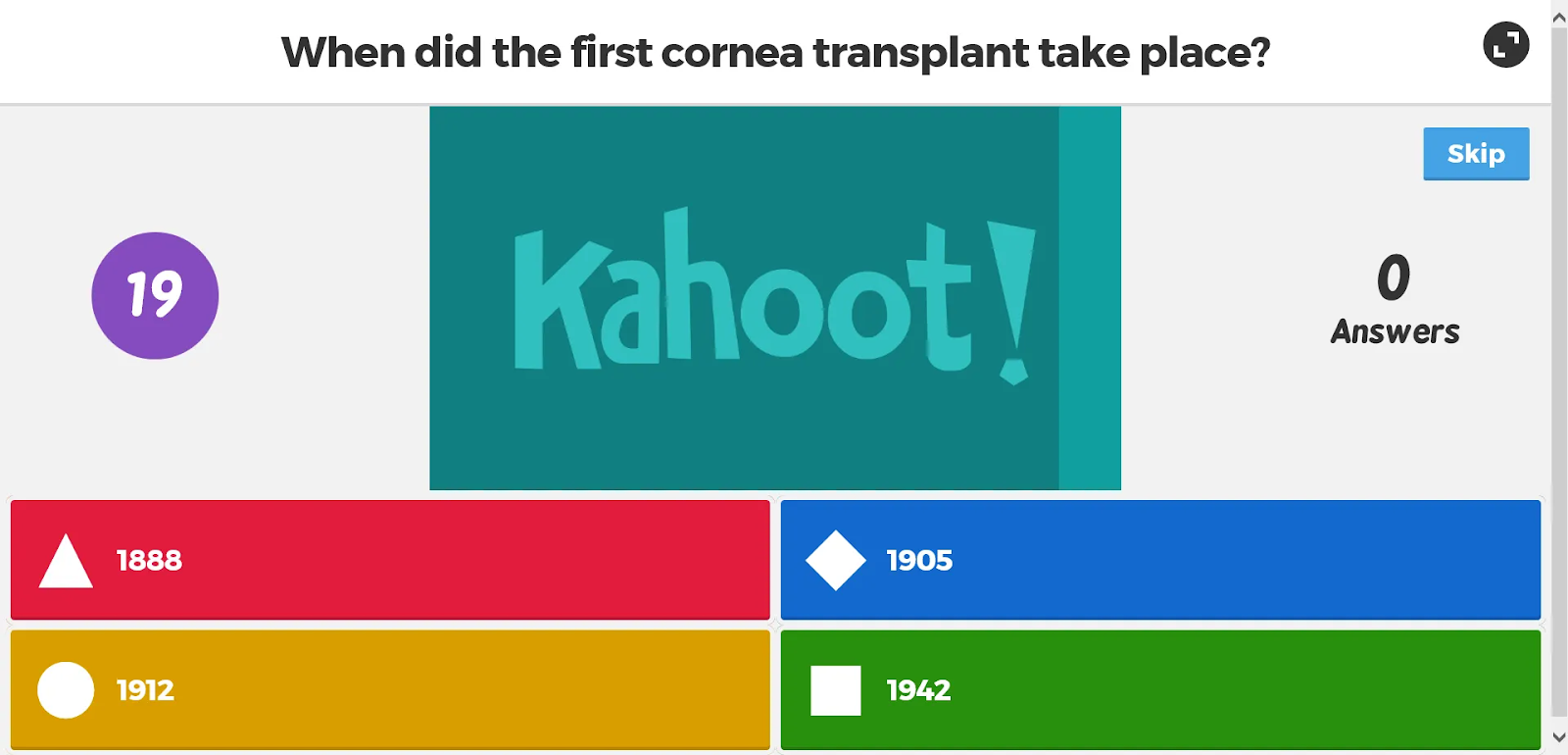
If you haven’t used Kahoot! before, rest assured that the setup is simple. Students join by scanning a QR code using their smartphones. You can see how many people are logged in. Simply cross-reference that number with the head count of your class, and you’ve already gathered a quick bit of engagement data.
Your main screen displays the questions, while users select answers on their own devices. Players earn points by answering questions correctly and quickly. Kahoot! includes a timer and a leaderboard.
In Classic mode, the maximum number of points a player can earn for a correct answer is 1,000. But to earn that many points, they would have to answer almost instantly. It’s quite possible for your fastest players to earn points in the high 900s per question, though.
My favorite part about Kahoot! is its sense of momentum. Music, countdowns, and podium rankings keep people engaged in ways that few tools can match. It’s a solid option for reviewing materials and breaking out of the monotony of a long week. And your competitive students will find it especially fun.
The downside of Kahoot! is its lack of flexibility. Quizzes are limited to multiple-choice and true-false question types, and you can gain some surface-level engagement insights, but that’s about it. That said, if you’re looking for a simple, high-energy game, Kahoot! definitely fits the bill.
Plans/Pricing:
- Student plans start at $3 per month, billed annually.
- Professional plans start at $19 per month, billed annually.
3. Google Forms
Recommended for: Free, simple quizzes and assessments
Pros:
- No cost
- Native integration with Google Classroom
- Easy data export
Cons:
- No gamification
- Limited interactivity
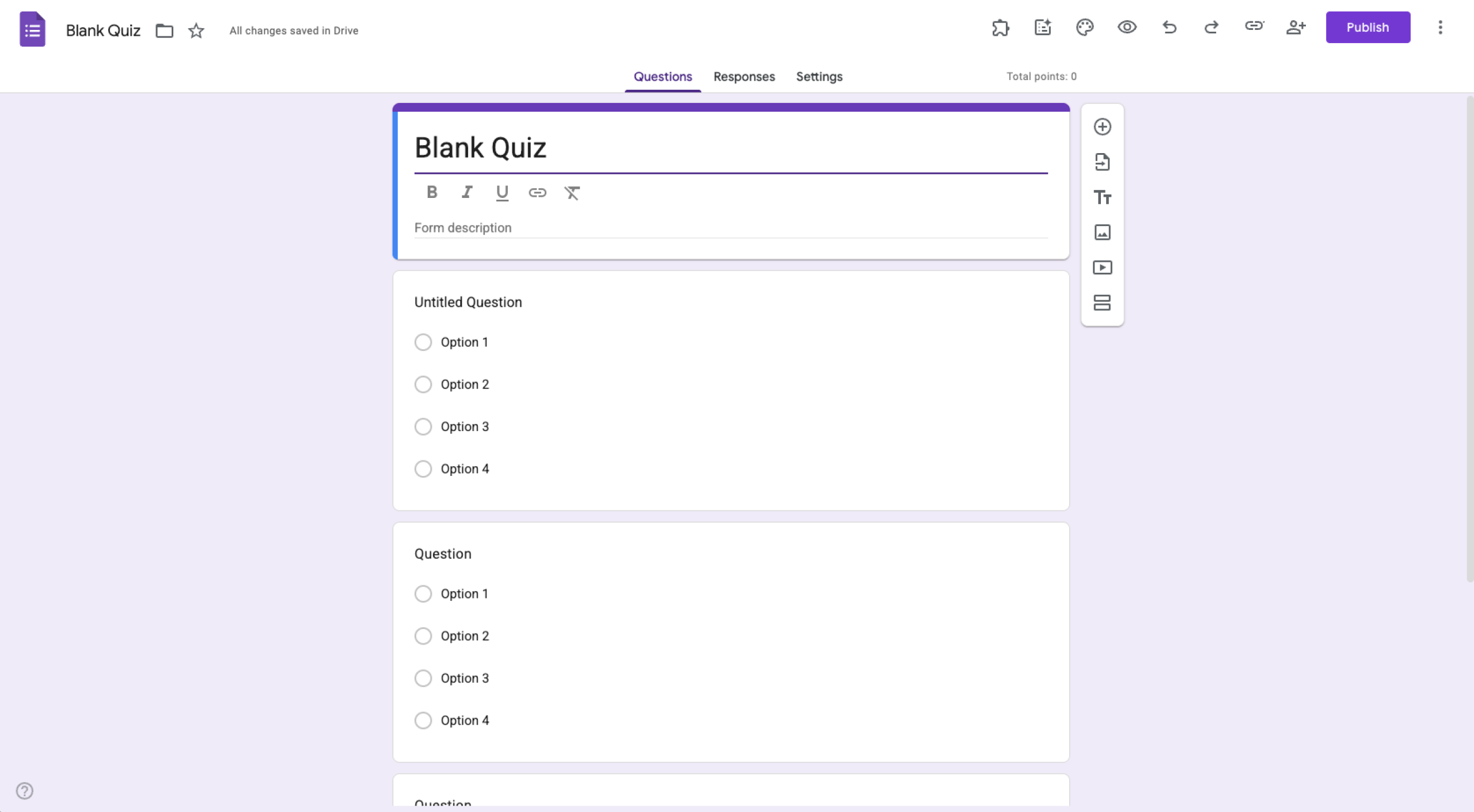
Google Forms is used widely, and it’s probably already embedded in your company’s workflows. I tested it by creating a 12-question math quiz with automatic grading. The platform also offers insights like
- Frequently missed questions
- Graphs marked with correct answers
- Average and median scores
If you want to create a simple assessment and track the results of your group, Google Forms is an efficient option. For anyone wondering how to create a quiz in Google Forms, getting started takes just a few clicks. You can add multiple-choice, short-answer, or select-all-that-apply questions, then create an answer key and assign point values. You can also collect responses in Google Sheets.
If your school uses Google Classroom, this app will be a great addition. It makes grading and assignment distribution effortless. However, it does not let you auto-submit forms like you can with other platforms — this could limit its function when making timed quizzes.
Google Forms also falls short in terms of engagement. No-nonsense and a bit bland, it’s essentially the polar opposite of Kahoot. It collects the data you need for grading, but there are no thrills to speak of.
Still, if you’re looking for something that’s accessible, reliable, and free, Google Forms is hard to beat. It’s best used for homework, surveys, and low-stakes assessments.
Plans/Pricing: Free
4. Blooket
Recommended for: K-8 classrooms with a focus on fun, game-based learning
Pros:
- Unique game modes
- Engaging format that appeals to students
- Quick setup
Cons:
- Limited reporting options
- Informal format that’s not quite suitable for formal assessments
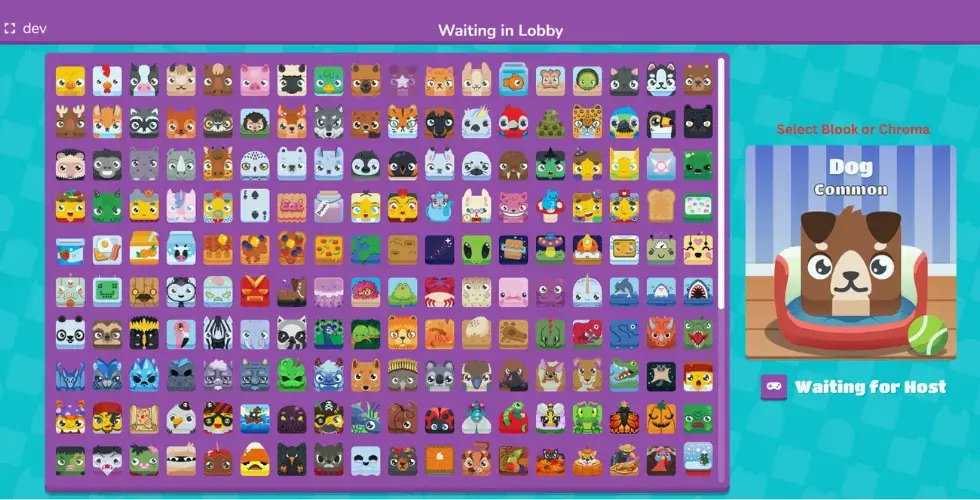
If your audience consists of middle or elementary-aged students, Blooket should be on your radar. It’s one of the top gamified learning tools around for elementary and middle school teachers. I experimented with the “Tower Defense” and “Gold Quest” modes and found that Blooket does an excellent job of transforming standard questions into a competitive game.
Blooket really stands out for its variety. You can reuse the same question set across multiple game formats. Each mode has different rules and mechanics, helping to keep your students entertained while also reinforcing their learning.
However, Blooket is designed for engagement first — assessment second. The reporting tools are basic, and question types are mostly limited to multiple choice. It’s not ideal for tracking long-term progress or gauging your students’ mastery of a subject.
If your audience is in the K–8 range and you’re looking for a fun engagement tool to reinforce your lessons, Blooket is a good option. It is not a good fit for older audiences.
Plans/Pricing:
- Blooket offers a free starter plan.
- Paid memberships start at $4.99 per month, billed annually.
5. Gimkit
Recommended for: Strategy-based quizzes that reward critical thinking
Pros:
- Built-in economy system
- Creative game mechanics
- Engaging gameplay that’s fun to replay
Cons:
- Pro plan required for many features
- Steeper learning curve than other platforms
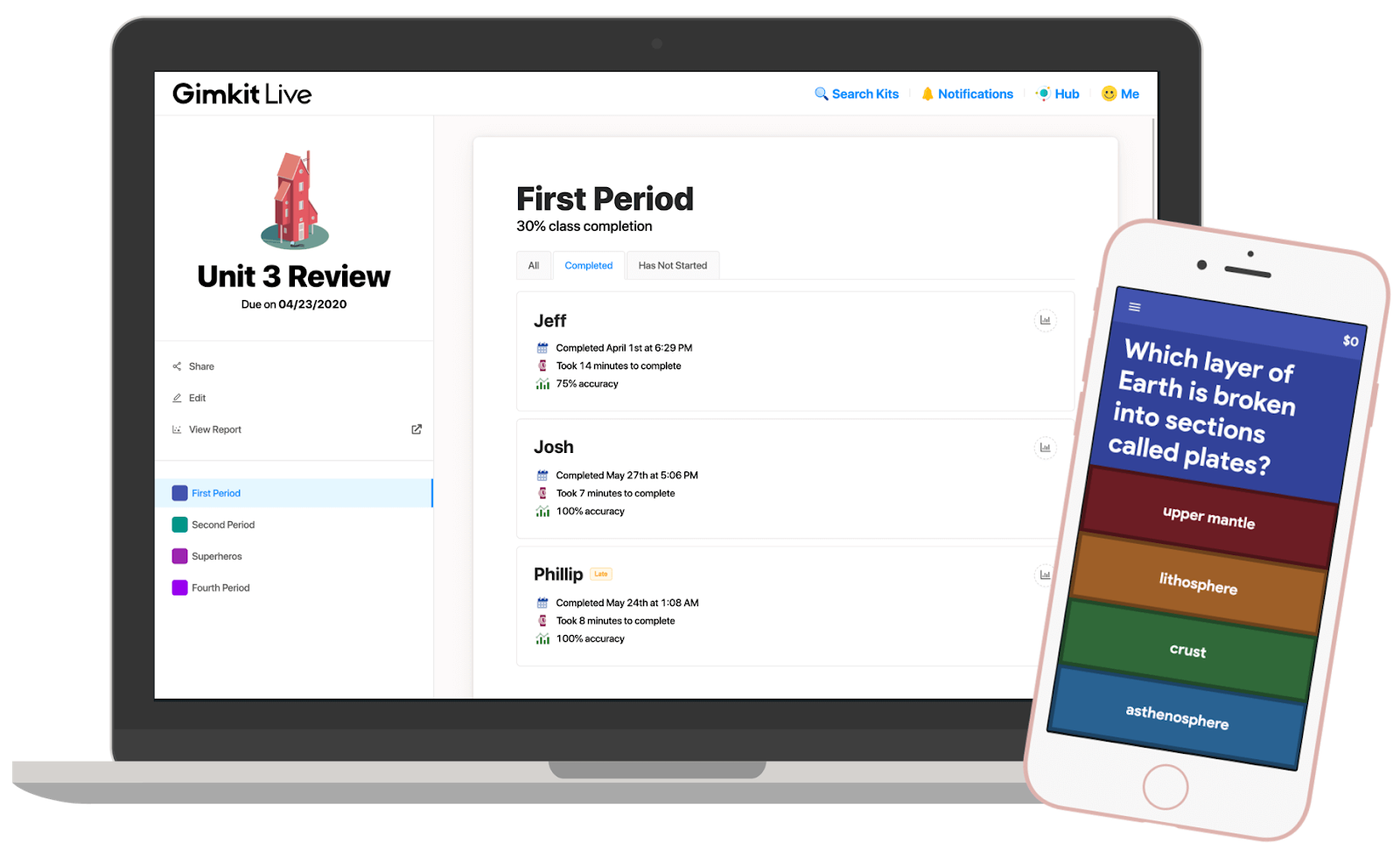
Gimkit adds a strategic layer that sets it apart from many Quizizz competitors. The interactive, game-based platform challenges students to answer quizzes on their smartphones or tablets. Correct answers earn virtual currency, which students can then use to purchase power-ups.
Gimkit is designed for K–12 students and really taps into the video game culture of today’s youth. It’s fast-paced and engaging. You can choose from one of several game modes, making it easy to play live in the classroom or assign for later as homework.
What I really appreciated about Gimkit is how it encourages students to work together. It can be an excellent team-building mechanism for your class. Middle and high school students will really appreciate the strategic aspects of the games, as they prompt them to try different approaches.
Gimkit’s analytics are decent but not as deep as tools designed primarily for assessment purposes. The platform shines when you want your students engaged and motivated, though. It functions best as a tool for repeated practice, so you’ll need to intentionally incorporate it into your lesson plans.
Plans/Pricing:
- Gimkit offers a robust free plan to individual educators.
- An individual paid plan costs $14.99 per month or $59.88 when billed annually.
- Gimkit group pricing costs $650 per year for up to 20 teachers or $1,000 per year for an entire school.
6. Quizlet
Recommended for: Study tools, test prep, and independent practice
Pros:
- Flash cards
- Practice tests
- Multiple study modes
Cons:
- Limited use for live classroom interaction
- Better as supplemental tool rather than live-quiz option
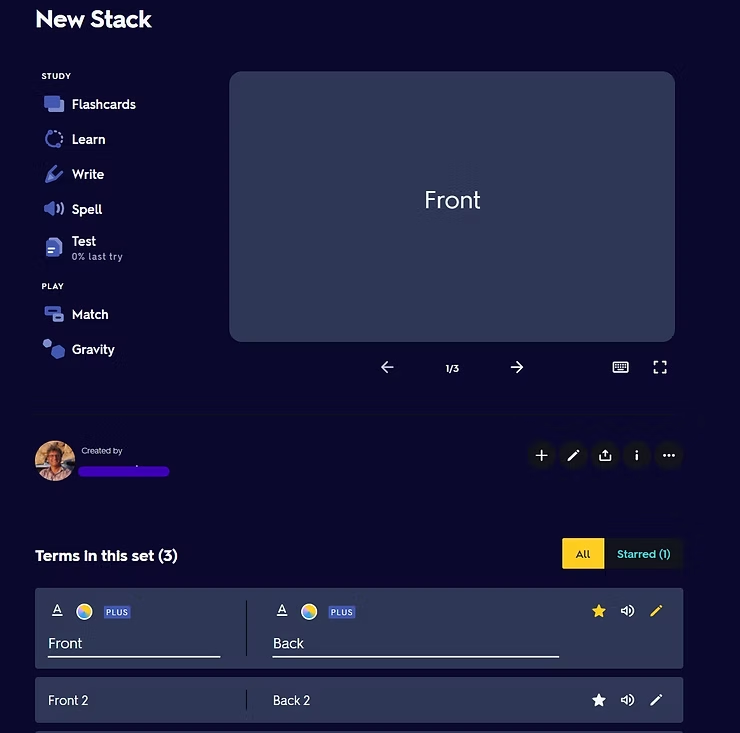
Quizlet is the quiz platform I had the most experience with when I started this project, and I like it as much now as I did before. It’s best known as a tool for creating digital flash cards, but it also serves as a lightweight Quizizz alternative for self-paced learning. I used my existing Quizlet account to turn some old flash cards into practice quizzes, just as a refresher on its capabilities.
Quizlet is a great independent study tool for students in middle school, high school, or even college. Teachers can support their students by creating sets and sharing them with the class. Quizlet also has a massive public library of content that can be accessed for free. Students can review material in the form of flash cards, matching games, and practice quizzes.
On the downside, Quizlet is not built for live classroom gameplay. Compared to other classroom quiz tools, it offers fewer real-time interaction features, and reporting is focused on helping students progress during individual study. Quizlet works best as a supplemental study tool, rather than a true live-quiz platform.
Plans/Pricing:
- Quizlet offers a free plan with limited features and some ads.
- Paid plans start at $35.99 or $44.99 per year, billed annually.
7. Mentimeter
Recommended for: Interactive presentations and audience engagement
Pros:
- Seamless polls, quizzes, and slides in one tool
- Unique fit for higher education and professional training
Cons:
- Limited participants on the free plan
- Minimal focus on assessments
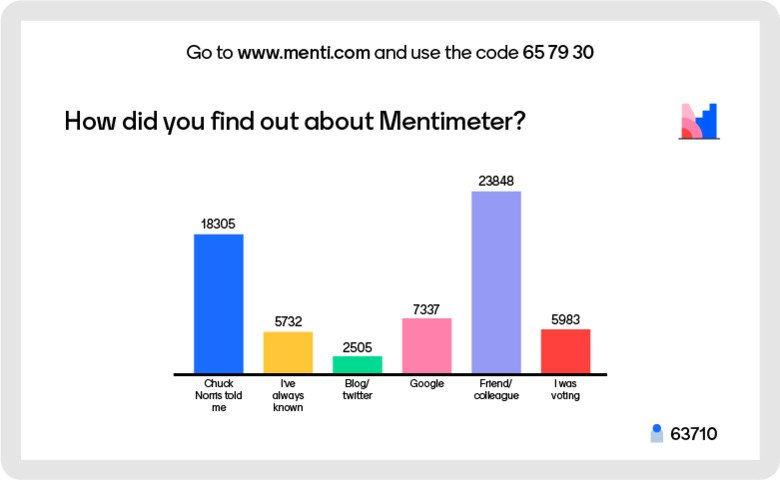
Mentimeter is part interactive presentation software and part quiz platform. I did some surface-level experimentation with this one, inserting quiz questions into a lecture-style slide deck. There was a bit of a learning curve, but collecting responses was quite easy once I got everything else how I wanted it.
Mentimeter is excellent for driving real-time engagement. You can create questions in different formats, host polls, and more, all from one cohesive presentation. The information instantly updates on screen, which makes the platform especially useful for higher education and professional training. When you want to get participants involved, Mentimeter can be a great fit.
However, it’s not a traditional assessment tool. I wouldn’t recommend it for grading or compiling detailed reports on participant performance. The underlying features just aren’t there. But if you want to make your lectures more interactive or quickly gauge understanding during a session, Mentimeter is a strong choice.
Plans/Pricing:
- A free plan is available but with limited participants.
- Paid plans start at $14 per presenter per month — $11 per presenter per month for educators — when billed annually. Additional options are available for larger organizations or campuses.
- Enterprise pricing is also available.
8. Nearpod
Recommended for: Interactive lessons with embedded quizzes
Pros:
- Multimedia lessons
- Ability to check participant understanding in real time
Cons:
- Paid plan required for advanced content
- Steep learning curve
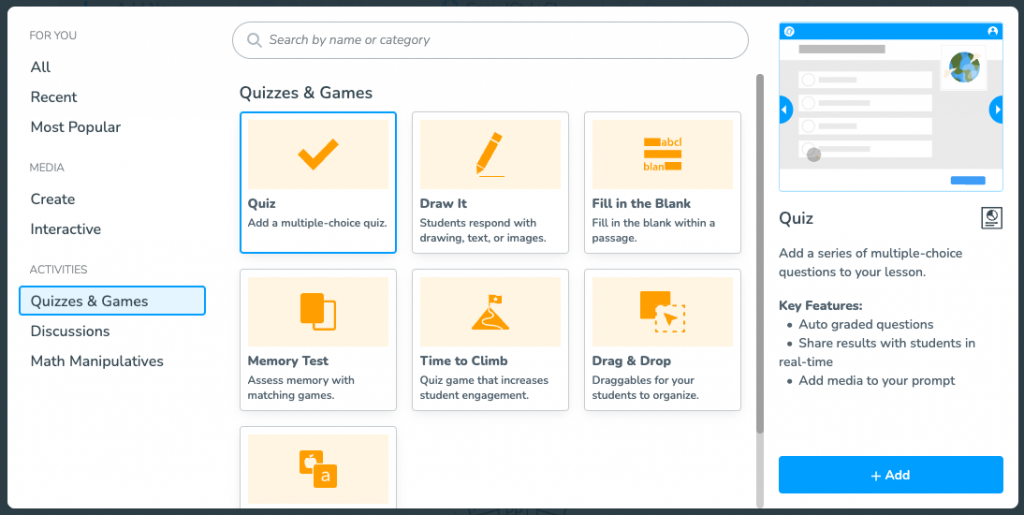
Nearpod is a full lesson delivery platform with built-in assessments. You can use it to create lessons that include slides, videos, and short quizzes. Nearpod also allows teachers to control the pacing of their presentations.
Alternatively, you can publish your Nearpod content instead and allow students to progress through it independently. This flexibility is a huge draw for teachers working in different learning environments.
Compared to simpler Quizizz competitors, Nearpod offers a deeper instructional experience. The trade-off is increased complexity. The platform takes longer to set up, and many premium features are locked behind paid plans.
Nearpod isn’t for setting up quick review games or designing simple quizzes. If you invest in this solution, be prepared to pour several hours into it to create comprehensive lessons. The good news? A free option allows you to experiment before opting in for the feature-filled paid plan.
Plans/Pricing:
- Nearpod offers a free plan for individual educators.
- Paid individual plans start at $159 per year.
- School and district licenses are also available with a custom quote.
9. Socrative
Recommended for: Quick formative assessments and exit tickets
Pros:
- Fast setup
- Real-time results
- Simple interface
Cons:
- Basic visuals
- Minimal gamification
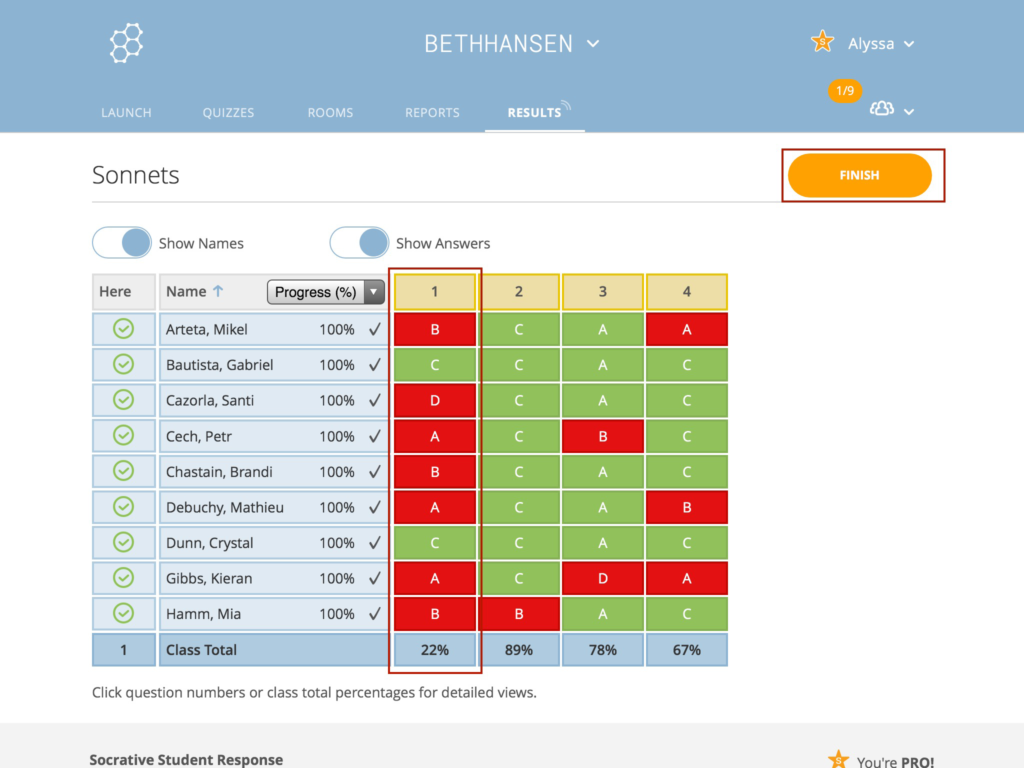
Socrative is one of the most efficient alternatives to Quizizz when you want to build assessments quickly. The platform makes it easy to create short, multi-question exit tickets and incorporate them into your lessons.
Setup is fast, and students can join instantly. Socrative supports multiple-choice, true-false, and short-answer question types. You can see responses in real time and review overall answer data once everyone has submitted their choices. Use the results of your assessments to adjust your instruction based on students’ needs.
Socrative doesn’t have flashy game mechanics. But the interface is engaging and colorful, and the menus are easy to navigate. If you want something that’s easy to set up and use, Socrative does what it promises.
Plans/Pricing:
- Socrative offers a limited free plan for individuals.
- Paid plans start at $10 per seat per month, billed annually, and come with a free trial.
10. Formative
Recommended for: Real-time formative assessment and feedback
Pros:
- Live tracking of student responses
- Diverse question types
- Strong analytics tools
Cons:
- Interface somewhat dense for new users
- Steep learning curve
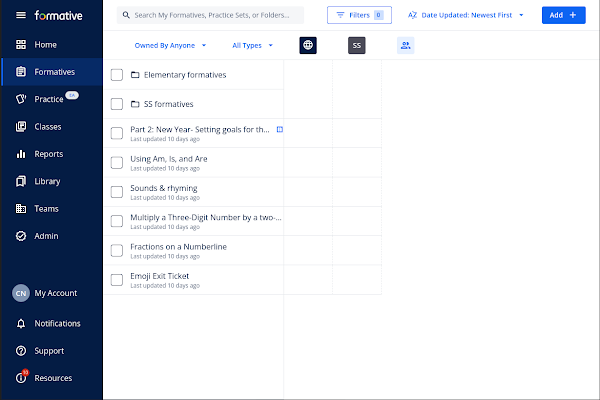
Formative is built specifically for assessment-driven instruction. You can choose from popular question types, such as multiple-choice, short-answer, and show-your-work formats. The platform’s flexibility makes it a good option for virtually any subject area, including math, history, science, and English.
What sets Formative apart is its visibility. You can watch student answers appear in real time and provide feedback before an activity even ends. This makes it one of the strongest online assessment tools I tested.
Over time, Formative helps you gather a wealth of data about your students. While there is a learning curve, the platform’s features and analytics make it well worth the required time investment.
Plans/Pricing:
- A basic free plan is available for teachers.
- Paid teacher plans start at $20.75 per month, paid annually, and offer a variety of advanced tools and features.
Interactive quiz tools make learning fun
That rounds out my list of the best Quizizz alternatives. While every option on this list can add value to your classroom or learning journey, Jotform stands out as one of the best online testing tools.
In addition to all the cool features I discussed earlier in this article, Jotform is also a great source for trivia questions. The Jotform website has hundreds of free trivia and quiz questions, many of which are organized into categories:
But don’t just take my word for it. Try Jotform for yourself and see why I chose it as my top Quizizz alternative in 2026.
FAQs about Quizizz (now Wayground) alternatives
Some users are looking for a quiz platform that offers more tools or to invest in an application that is more versatile. Ultimately, the goal is to find the best app based on your specific needs and goals.
Quizizz rebranded to Wayground because the company’s offerings grew beyond a simple quiz maker. The change reflects an expanding set of tools and features, all of which are designed to boost student engagement.
To create a quiz on Quizizz, follow these simple steps:
- Visit Wayground.
- Select the Quiz option.
- Choose from 15 different question types.
- Import existing questions or bring in your own.
- Customize your quiz with images, videos, and more.
- Choose
The process is quick and easy, although some features are only available to paid users.
You can view answers to your quizzes when the program is in edit mode or while reviewing them from your account. However, students won’t be able to see the answers unless you choose a mode with instant feedback.
This article is for teachers, educators, trainers, instructional designers, and schools looking for engaging quiz and assessment tools beyond Quizizz, especially those who want more control over customization, reporting, pricing, or real-time student interaction.






























Send Comment: