

Top Sprout Social alternatives
Sprout Social is a popular social media tool, but many are motivated to look for an alternative. Why? Its pricing. Sprout plans start at $199 per user per month. If you have a big team, that can get expensive — fast. Sprout is often outside the budget for a small business, and while its features are useful, they can be overwhelming or simply not the right fit.
Sprout Social alternatives can help you hone in on your marketing, providing the features you need at a more affordable price.
The challenge?
Finding the right tool that does everything you need without blowing your budget.
For this guide, I’ve rounded up 11 Sprout Social alternatives, doing the research for you and providing all the details. I’ve included information on who or what each tool is best suited for, key features, pros and cons, pricing, and details about free plans or trials. Plus, there’s an overview of the G2 ratings with links so you can find out more with just a click.
If you need a tool that can help you manage multiple social media accounts across different social networks, then look no further than these Sprout Social alternatives.
The best Sprout Social alternatives — at a glance
 Hootsuite |  Buffer |  Agorapulse |  Sendible |  Zoho Social |  SocialPilot |  Loomly |  Later |  Statusbrew |  Sprinklr Social |  Sociality.io | |
|---|---|---|---|---|---|---|---|---|---|---|---|
| Best for | Best for all-in-one & listening depth | Best for simple scheduling & ease of use | Best for agency workflows & inbox | Best for client approvals & reporting | Best for Zoho CRM users | Best budget option for SMB teams | Best for brand guidelines, brand consistency & collaboration | Best for Instagram/TikTok planning & creating visual calendars | Best for compliance & team governance | Best for enterprise scale & governance | Best for analytics, competitor insights & multi-user teams |
| Key features | Support across 30+ social networks, built-in social listening & visual content calendar | AI capabilities, easy-to-use interface & generous free plan | Collaborative desktop & unified inbox | Robust reporting options & built-in editor | Integrations with Zoho CRM, Jotform, & more; real-time monitoring of brand mentions & keywords | AI pilot for easy content creation, bulk scheduling & approval workflows | Brand guideline enforcement, collaboration-friendly calendar, integrated social inbox & performance analytics | Drag-and-drop visual calendar, content library & Canva integration | SOC 2 certified, role-based user permissions & approval workflows | Advanced governance, AI-powered social listening & sentiment analysis | All-in-one suite with strong analytics & reporting with no fees per user |
| Plans/Pricing | Free trial & paid plans from $99/user/mo., billed annually | Free trial & paid plans from $99/user/mo., billed annually | • Free trial• Paid plans from $79/mo., billed annually | • Free trial• Paid plans from $29/mo., billed annually | • Free plan & free trial• Paid plans from $10/mo., billed annually | • Free trial• Paid plans from $25.50/mo., billed annually | • Free plan & free trial• Free to start, then pay based on needs | • Free trial• Paid plans from $18.75/mo., billed annually | • Free plan & free trial• Paid plan for $69/mo., billed annually | • No free plan or free trial• Paid plan for $199/mo., billed annually | Free trial & paid plans from $83/mo., billed annually |
| G2 Rating | 4.3/5 | 4.3/5 | 4.5/5 | 4.5/5 | 4.6/5 | 4.5/5 | 4.6/5 | 4.5/5 | 4.9/5 | 4.1/5 | 4.8/5 |
Pro Tip
Choose a tool that has the right feature fit and meets your team’s needs: Small teams may only need publishing and a calendar, while larger ones may require approvals, listening, and detailed reporting. Focus on the channels you use most and the collaboration features you’ll actually rely on.
1. Hootsuite: Best for all-in-one and listening depth
Hootsuite is a highly popular social media management platform. To its credit, Hootsuite has made it onto other Jotform roundups too, including our look at the best social media analytics tools.
It’s a great choice for teams and marketers. The convenient dashboard display allows you to monitor important data about mentions and keywords in one centralized location.
I’ve used Hootsuite for many years, both as an employee at a leading marketing agency and as a solo consultant. I’ve always liked the publishing functions, and the calendar makes it really easy to see what’s happening across multiple social media networks.
If you’re not already creating content within a calendar, I highly recommend reading How to Make a Social Media Calendar,” which provides guides, videos, and other tools to make content visualization easy.
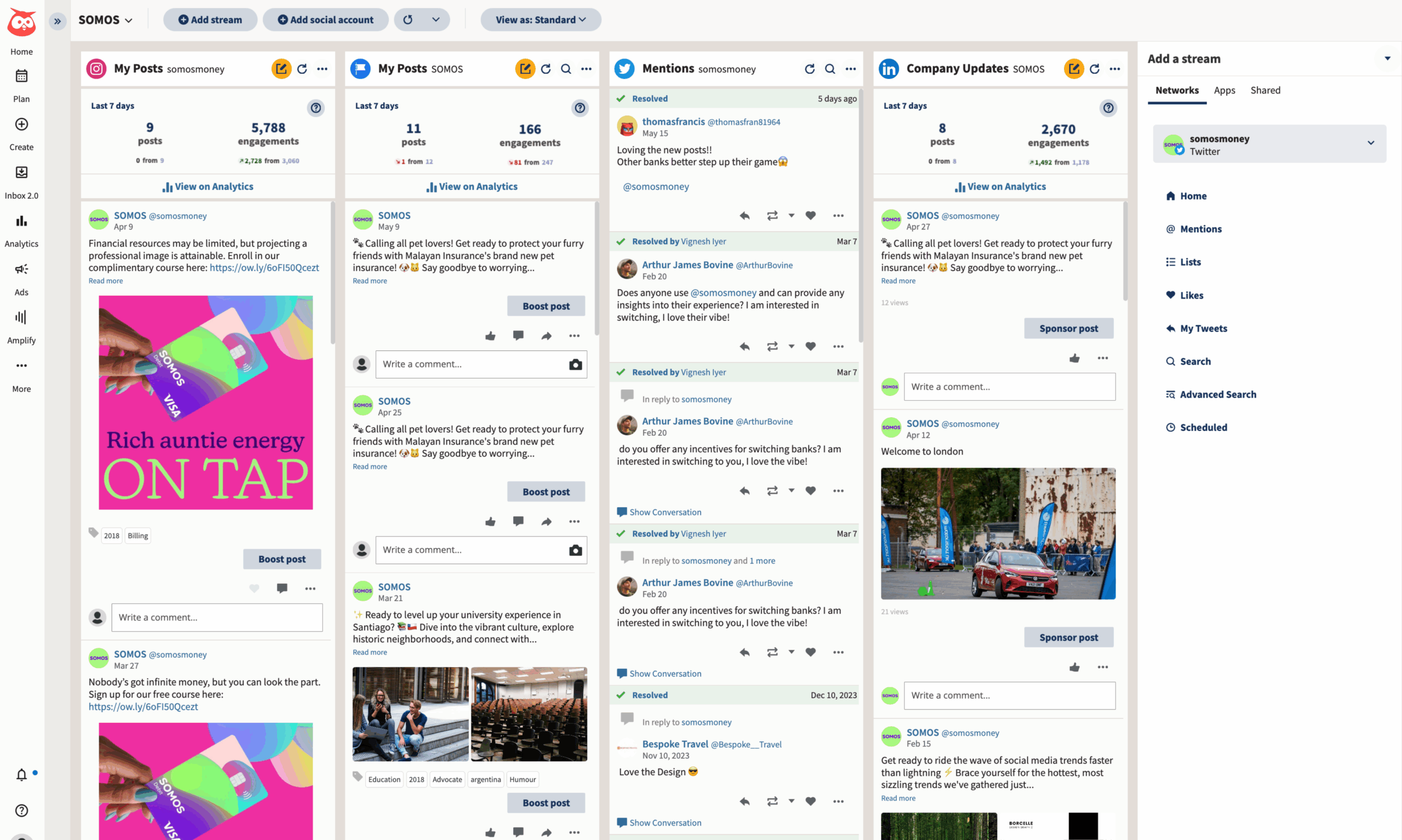
- Key features: Hootsuite can support publishing and content scheduling across more than 30 social networks and features built-in social listening to track brand mentions and keywords in real time. The visual content calendar is one of my favorite features. It’s intuitive to use and visualizes content across multiple platforms, all in one place.
- Pros: Hootsuite is a comprehensive all-in-one tool with strong listening and analytics. Based on my own experience, this tool is suitable for large teams, including marketing agencies and solo consultants.
- Cons: Although a cheaper alternative than Sprout Social, Hootsuite is still quite expensive compared to leaner options. You need to think about how many features you’ll use before committing to it. If you won’t make use of everything it offers, it can feel overwhelming.
- Plans/Pricing:
- Standard: $99 per user per month, billed annually
- Advanced: $249 per user per month, billed annually
- Enterprise: Contact for pricing
- Free plan/trial? Yes, Hootsuite offers a 30-day free trial; however, it no longer provides a free plan.
- G2 rating: 4.3/5
Does Hootsuite sound closer to what you’re looking for? Read our article about Hootsuite alternatives to see if there are even more tools that might be better for you.
2. Buffer: Best for simple scheduling and ease of use
Buffer is a social media management tool with AI capabilities that works with the most popular social media channels, including Facebook, Twitter, LinkedIn, Instagram, and Pinterest. Its interface makes it easy to schedule social media posts.
Due to its usability and generous free plans, this platform is a good basic choice for freelancers and marketers, and you can quickly learn its easy-to-use design.
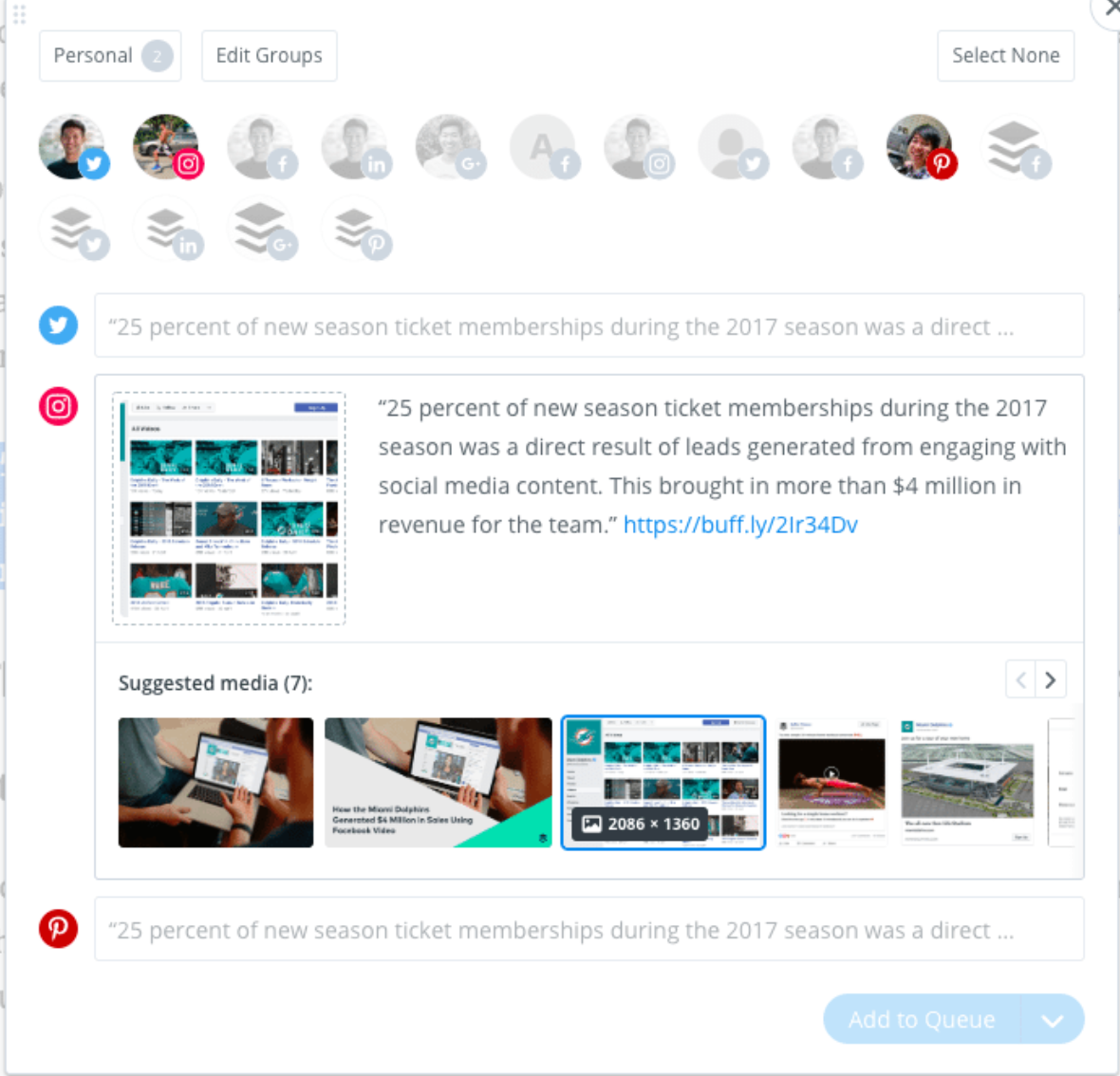
- Key features: Unlike feature-heavy platforms, Buffer focuses on simplicity in publishing, scheduling, and performance tracking. It has a clean and simple interface that allows for easy publishing across major platforms, including Facebook, Instagram, LinkedIn, X, Pinterest, and TikTok.
- Pros: Buffer is very affordable compared to all-in-one competitors. Its user-friendly interface has a minimal learning curve and offers simple analysis for those who need it.
- Cons: Buffer’s analytics aren’t as in-depth as those of Hootsuite or Sprout Social, and its functionality may be insufficient for some social media managers.
- Plans/Pricing:
- Essentials: $5 per month per channel, billed annually
- Team: $10 per month per channel, billed annually
- Free plan/trial? Yes. Buffer is one of the more affordable alternatives to Sprout Social, and its free plan is very generous, which makes it an excellent choice for small businesses or freelancers. With a free plan, you can connect up to 3 channels and post up to 10 times per month on each. You can also trial the paid packages for 14 days before committing to a subscription.
- G2 rating: 4.3/5
Does Buffer sound closer to what you’re looking for? Read our article about Buffer alternatives to see if there are even more tools that might be better for you.
3. Agorapulse: Best for agency workflows and inbox
Agorapulse is a social media management tool that also functions as a customer relationship management (CRM) system. Featuring a collaborative desktop, its social inbox streamlines the process of responding to messages, allowing multiple team members to collaborate, which is ideal for larger businesses.
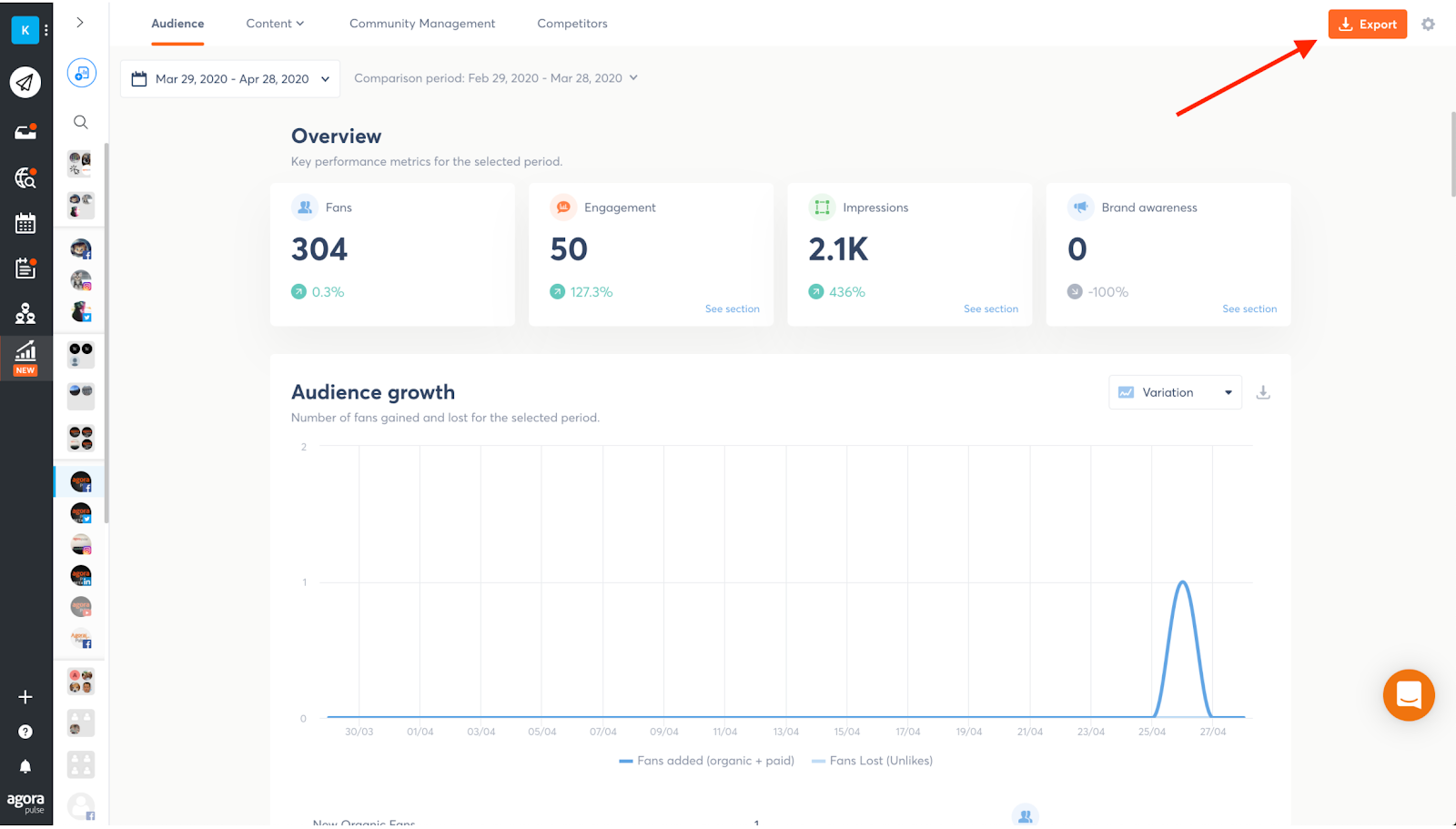
- Key features: Agorapulse’s unified inbox lets you manage comments, messages, and mentions across multiple platforms. It’s ideal when you have multiple team members handling the administration of comments and messaging.
- Pros: Advanced reporting, with exportable and white-label reports, makes this tool an excellent choice for agencies. An intuitive post scheduler and calendar make publishing streamlined and easy.
- Cons: Pricing is higher than lean alternatives like Buffer, and the software may feel feature-heavy for small businesses with simpler needs.
- Plans/Pricing:
- Standard: $79 per month, billed annually
- Professional: $119 per month, billed annually
- Advanced: $149 per month, billed annually
- Custom packages with tailored pricing also available
- Free plan/trial? Yes, Agorapulse offers a 30-day free trial, and you don’t need to enter payment details to try it.
- G2 rating: 4.5/5
4. Sendible: Best for client approvals and reporting
Sendible features a built-in editor, allowing you to design images and publish posts directly within the platform — a significant time-saver. Its approval processes and workflows are ideal for teams, and one-click reports include detailed social media analytics to help improve performance. Sendible also boasts numerous supported integrations for streamlined and intuitive use.
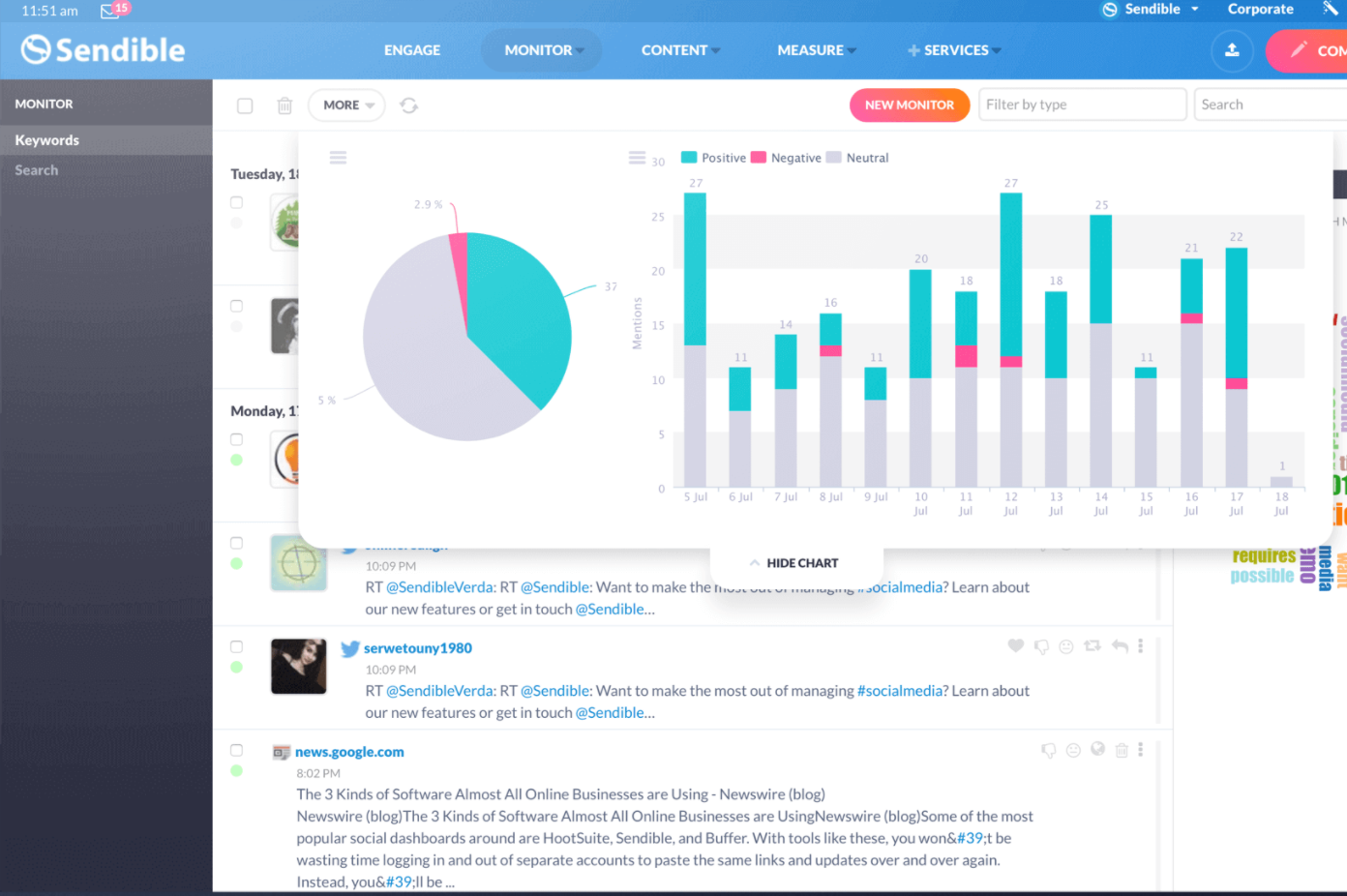
- Key features: Sendible’s robust reporting options help it stand out from the rest. With Sendible’s drag-and-drop tools, you can create presentation-ready, on-brand reports that you’ll be proud to share with clients. Plus, you can automate reports so you’ll never miss a deadline.
- Pros: Sendible integrates with royalty-free platforms like GIPHY and Pexels for simplified sourcing of free content. Its built-in editor also makes it very easy to edit images so that they work for every platform.
- Cons: Sendible is sometimes criticized for its usability and interface. The mobile app’s functionality is less polished than the desktop version’s, which can be frustrating for on-the-go users.
- Plans/Pricing:
- Creator: $29 per month, billed annually
- Traction: $89 per month, billed annually
- Scale: $199 per month, billed annually
- Advanced: $299 per month, billed annually
- Enterprise: $750 per month, billed annually
- Free plan/trial? Yes, Sendible offers a 14-day free trial.
- G2 rating: 4.5/5
5. Zoho Social: Best for Zoho CRM users
Zoho Social offers many valuable features that make it easy to use, including the ability to publish posts immediately or schedule them for future publication. The platform also provides insights into when to schedule posts to help you maximize engagement.
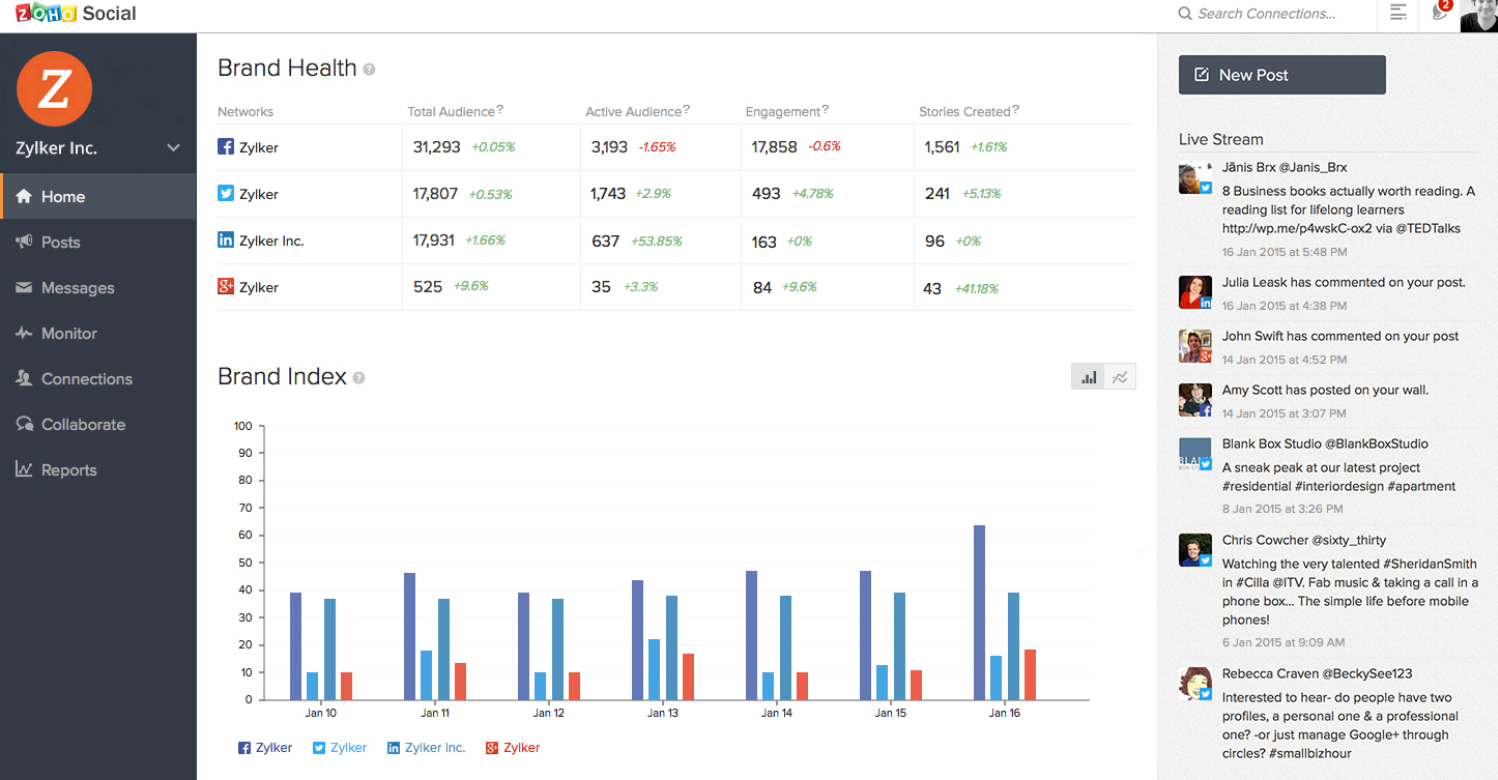
- Key features: Ideal for Zoho CRM users, Zoho Social features a CRM integration that streamlines lead tracking. It also provides real-time monitoring of brand mentions and keywords as well as a publishing calendar that offers bulk scheduling and repeat post options.
- Pros: Zoho Social features an easy-to-use interface with straightforward scheduling and reporting. It also integrates with other tools, such as Jotform, allowing you to send leads to your CRM from multiple sources for a comprehensive marketing approach.
- Cons: Zoho’s mobile app isn’t as good as the desktop version. And some social media platforms and advanced reporting functions are only available on higher-tier plans.
- Plans/Pricing:
- Standard: $10 per month, billed annually
- Professional: $30 per month, billed annually
- Premium: $40 per month, billed annually
- Agency: $230 per month, billed annually
- Agency Plus: $330 per month, billed annually
- Free plan/trial? Yes, you can trial any Zoho package for free, and you don’t have to provide card details to get started. A limited free version is also available.
- G2 rating: 4.6/5
6. SocialPilot: Best budget option for SMB teams
SocialPilot is an affordable social media management platform tailored for small to mid-sized businesses (SMBs) and marketing teams. It streamlines scheduling, collaboration, and reporting without the steep pricing of enterprise-level tools, making it ideal for budget-conscious teams.
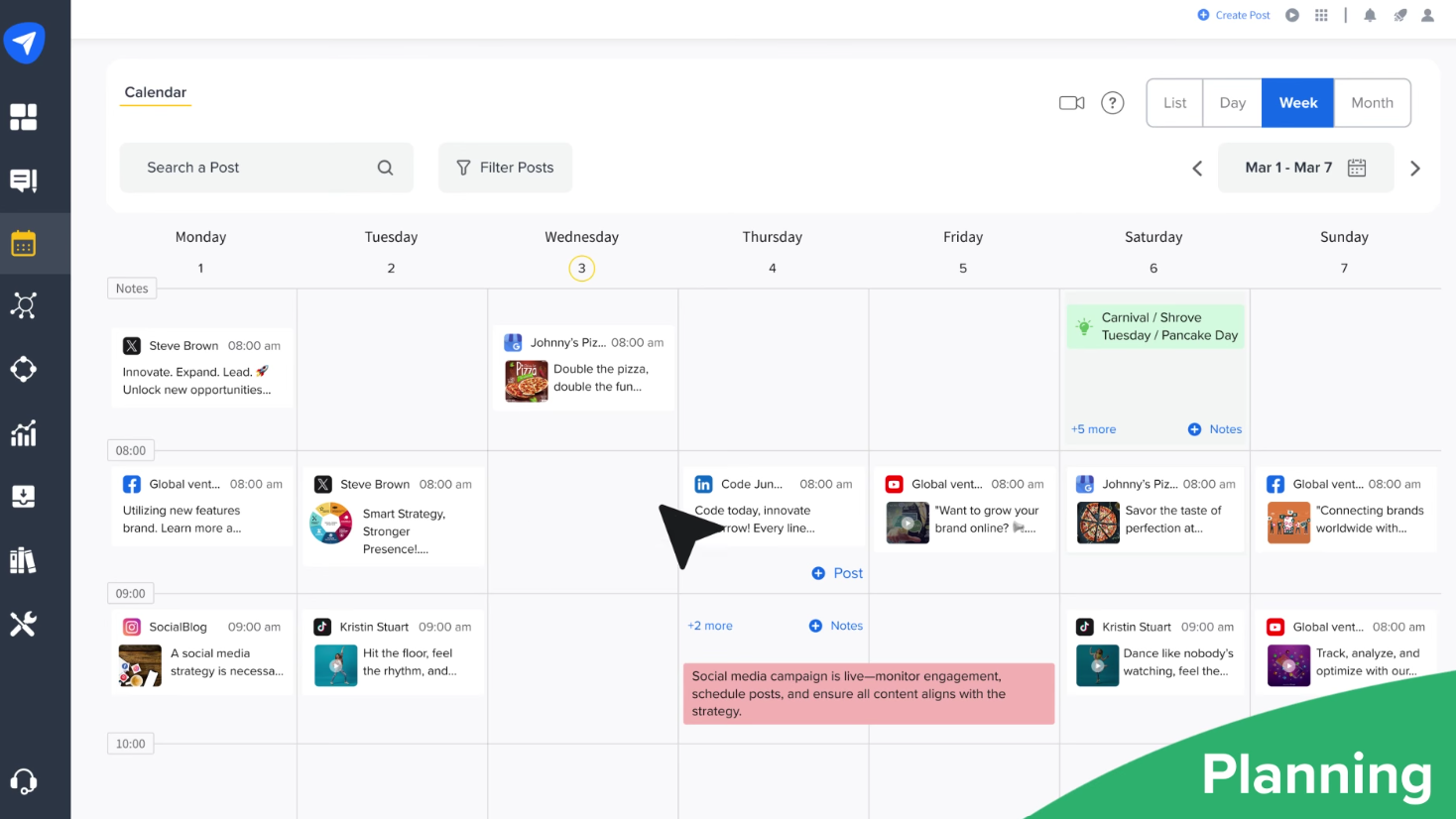
- Key features: The platform’s AI pilot helps make content creation easier and faster, further optimizing the process by bulk scheduling for increased efficiency. Collaboration is organized with roles, meaning approval workflows are also available within the platform.
- Pros: One of the most affordable options for SMBs, SocialPilot offers a straightforward, user-friendly interface and solid integrations that enhance publishing workflows.
Cons: SocialPilot lacks advanced listening and competitor analysis features, and its reporting isn’t as robust as with higher-priced platforms. - Plans/Pricing:
- Essentials: $25.50 per month, billed annually
- Standard: $42.50 per month, billed annually
- Premium: $85 per month, billed annually
- Ultimate: $170 per month, billed annually
- Free plan/trial? Yes, SocialPilot offers a free 14-day trial.
- G2 rating: 4.5/5
7. Loomly: Best for brand guidelines, brand consistency, and collaboration
Loomly is a social media management platform that integrates with creative platforms like Canva, as well as royalty-free image sources like Unsplash and Google Drive. You can upload visuals and then edit them within the platform, which helps maintain brand consistency. Loomly is designed for teams that want to maintain a consistent brand voice and visual identity. It’s beneficial for marketing teams, agencies, and growing businesses that manage multiple stakeholders and want built-in tools for brand governance.
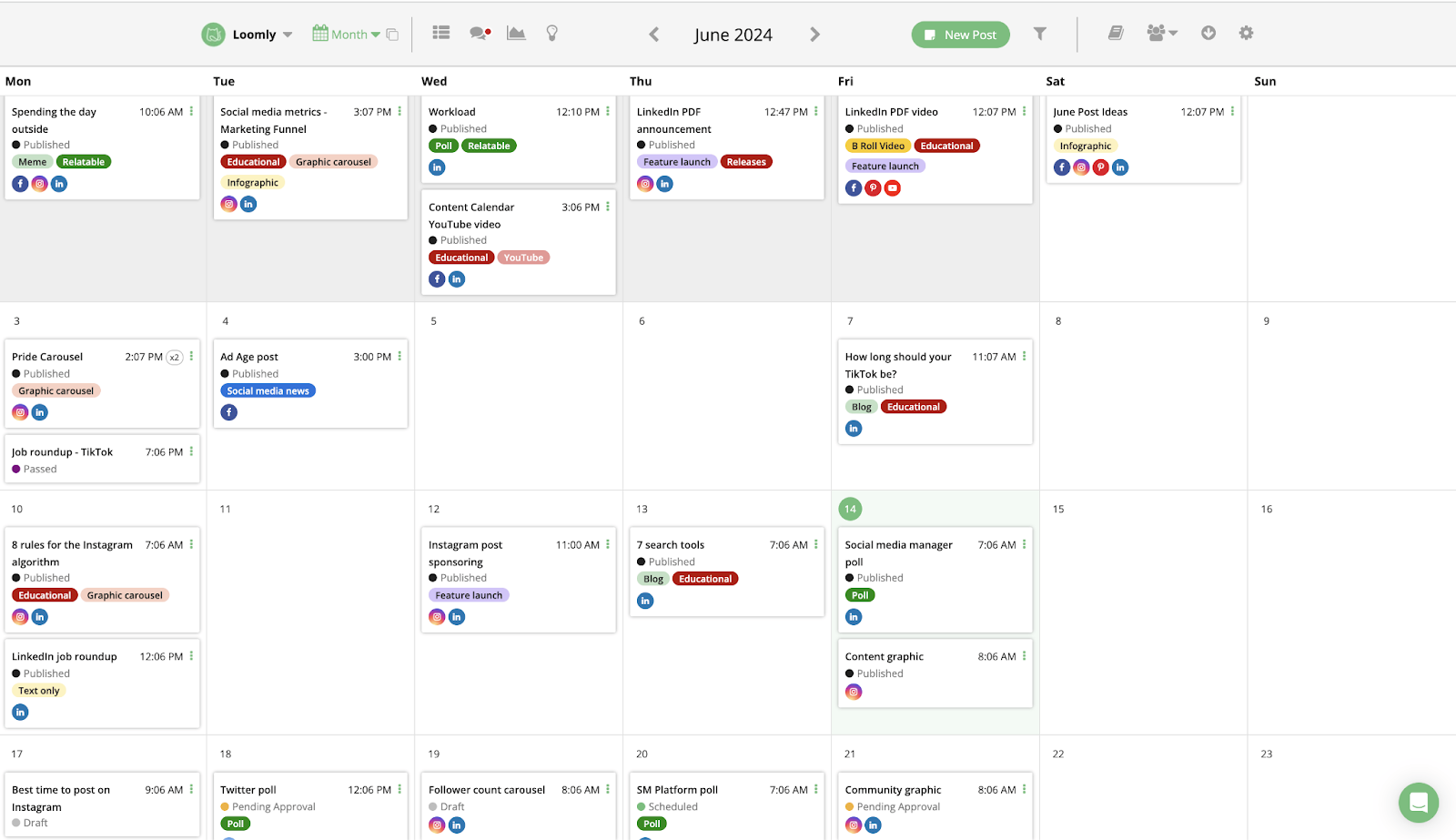
- Key features: Loomly provides brand guideline enforcement with approval workflows. It also offers collaboration-friendly calendar and post drafts as well as integrated social inbox and performance analytics.
- Pros: Loomly is excellent for teams that need structured approvals and brand consistency, with its intuitive interface that supports collaboration and strong integrations with workflow tools like Slack and Teams.
- Cons: More expensive than simpler tools for solo users, Loomly also lacks advanced listening and competitor analysis features.
- Plans/Pricing: It’s free to get started with Loomly, and once you have an account, you pay depending on your needs. Compare Loomly’s packages and learn more about its pricing.
- Free plan/trial? Yes, you can sign up and get started for free.
- G2 rating: 4.6/5
8. Later: Best for Instagram/TikTok planning and creating visual calendars
Later is a social media scheduling platform that’s especially strong for Instagram, TikTok, and other image- and video-heavy channels. It’s built for creators, influencers, and brands who appreciate visuals, allowing you to see how your feeds will look before publishing.
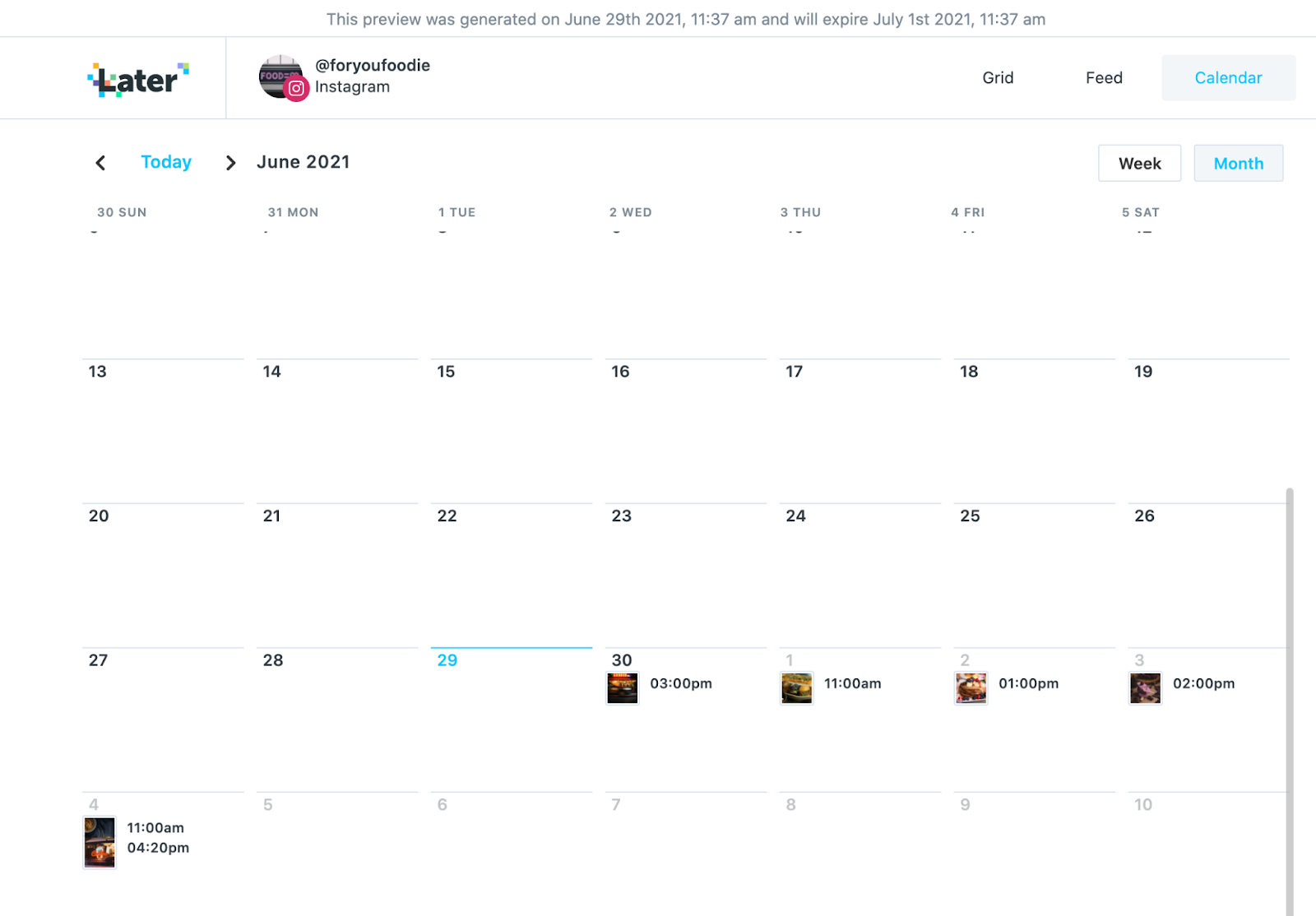
- Key features: Later provides a drag-and-drop visual calendar that allows you to plan and preview your social media posts before posting, making it ideal for creating an aesthetically pleasing Instagram grid. You can save and reuse media with the content library. As expected from any good social media platform, you can also manage engagement with the social inbox and track performance with analytics.
- Pros: Later is excellent for planning visually cohesive Instagram and TikTok feeds. Integrations with Canva allow you to export your designs straight into Later for an even faster scheduling workflow.
- Cons: Later offers limited social listening and advanced analytics compared to broader tools, and its collaboration features aren’t as extensive as platforms geared toward larger teams.
- Plans/Pricing:
- Starter: $18.75 per month, billed annually
- Growth: $37.50 per month, billed annually
- Scale: $82.50 per month, billed annually
- Free plan/trial? Yes, Later offers a free 14-day trial.
- G2 rating: 4.5/5
9. Statusbrew: Best for compliance and team governance
Statusbrew is a social media platform with SOC 2 certifications, making it a great fit for larger organizations or agencies where compliance, governance, and data security are top priorities. The platform combines publishing, engagement, analytics, and social listening in a unified dashboard.
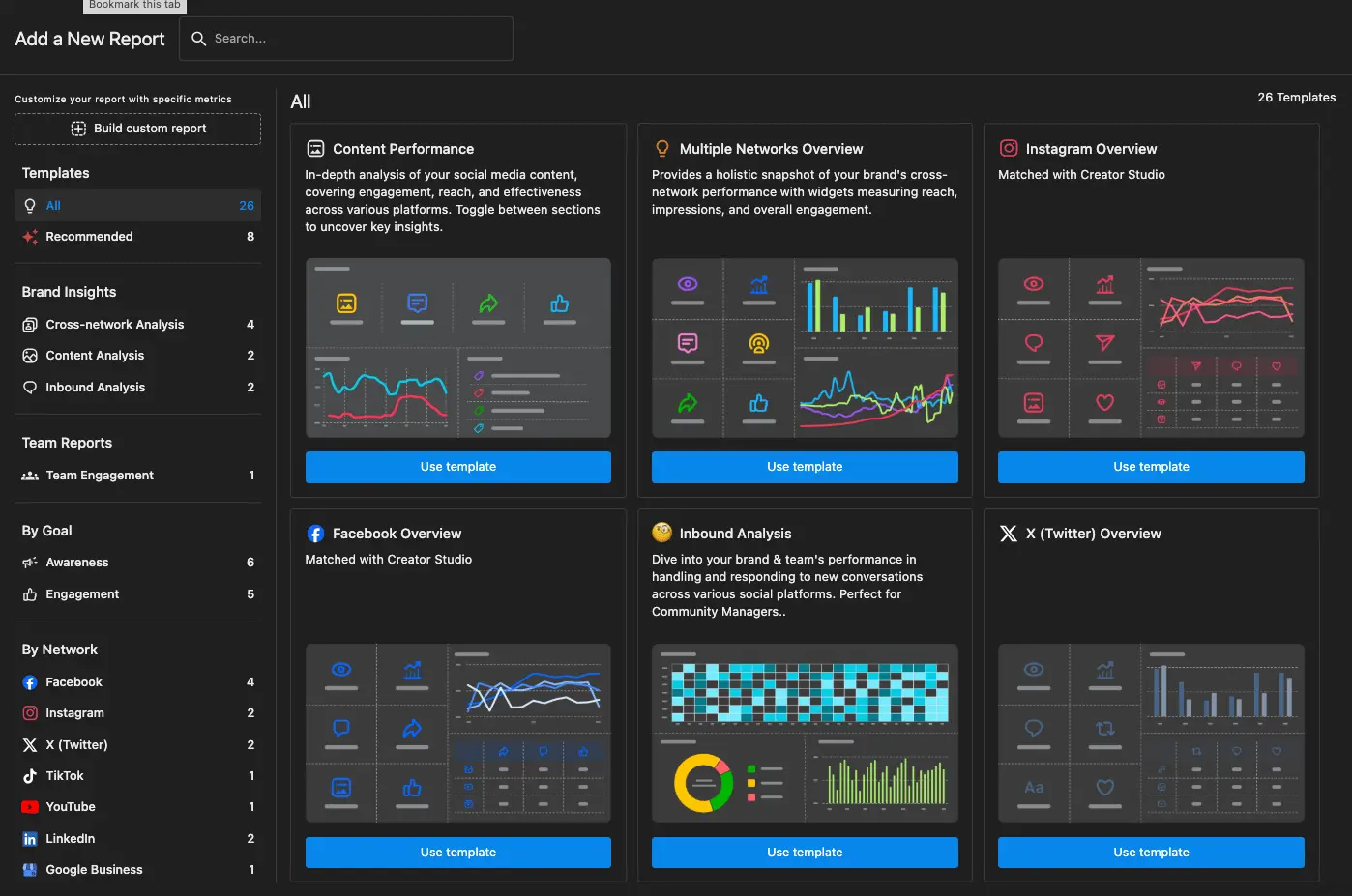
- Key features: Role-based user permissions and approval workflows are another reason why large organizations like Statusbrew. This approval workflow adds another layer of security. The unified inbox, equipped with moderation and compliance tools, enables multiple teams to collaborate within a single platform.
- Pros: Statusbrew’s detailed analytics are ideal for agencies, and the platform offers listening capabilities across major social media platforms. It also provides a comprehensive tool set that covers publishing, engagement, and analytics.
- Cons: Pricing may be high for smaller businesses, and a learning curve is required for all users. Statusbrew may not be the best fit for those who don’t require strict compliance controls.
- Plans/Pricing:
- Lite: $69 per month, billed annually
- Standard: $129 per month, billed annually
- Premium: $229 per month, billed annually
- Free plan/trial? Yes, Statusbrew offers a 14-day free trial for any package available.
- G2 rating: 4.9/5
10. Sprinklr Social: Best for enterprise scale and governance
Sprinklr Social is an enterprise-grade social media management solution designed for global brands and large organizations. This platform is expensive. However, you do get unrivalled service from the team with a dedicated account manager who will set up your account and provide support as you use the tool.
Sprinklr combines publishing, engagement, listening, analytics, and governance in a single platform. Like Statusbrew, it has robust compliance features and scalable workflows.
Unlike other social media platforms, Sprinklr Social offers additional features such as live chat, email, and help-desk integrations.

- Key features: Sprinklr Social offers enterprise-level publishing and calendar management as well as AI-powered social listening and sentiment analysis. It also provides advanced governance with role-based permissions and compliance controls.
- Pros: Scalable for global brands with complex needs, Sprinklr has powerful analytics and listening features plus strong governance and compliance tools for regulated industries.
- Cons: There is a steep learning curve due to Sprinklr’s breadth of features. The high-level features and functionality of this platform are also reflected in the price, which puts the platform out of reach for most SMBs.
- Plans/Pricing: Sprinklr Social encourages you to schedule a personalized demo before providing details about pricing. According to G2, Sprinklr Social starts at $199 per month.
- Free plan/trial? No
- G2 rating: 4.1/5
11. Sociality.io: Best for analytics, competitor insights, and multi-user teams
Sociality.io is an all-in-one social media management platform built for agencies and enterprise teams that rely heavily on analytics, competitor benchmarking, and regular reporting without per-user pricing.
It’s a compelling option if your team manages multiple brands or clients and needs to turn social performance data into clear, shareable insights for stakeholders.
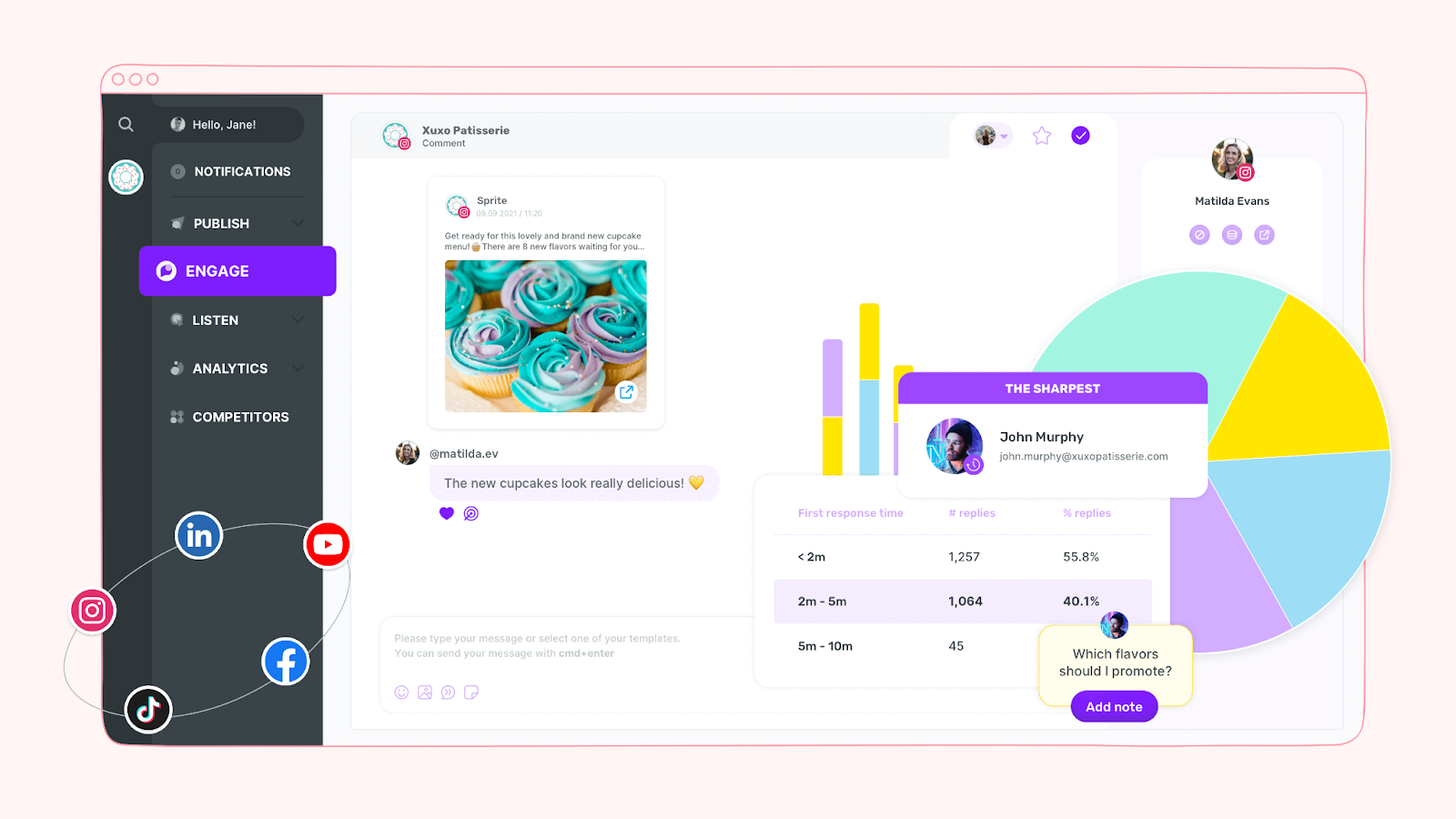
- Key features: Sociality.io combines publishing, engagement, analytics, and listening in one platform, with strong competitor analytics, multi-platform comparisons, and automated, export-ready reports delivered directly to stakeholders.
- Pros: Sociality.io is great for agencies and large teams because it offers unlimited users, detailed post-level analytics, and presentation-ready competitor reports that scale easily without added tools or unpredictable costs.
- Cons: Social listening is offered as a paid add-on, and for solo users or teams needing only basic scheduling, Sociality.io may provide more features than necessary.
- Plans/Pricing:
- Pro: $83 per month, billed annually
- Business: $166 per month, billed annually
- Enterprise: Contact for pricing
- Free plan/trial? Yes, Sociality.io offers a 14-day free trial.
- G2 rating: 4.8/5
Enhance your social workflow with Jotform Instagram Agent

Your best digital marketing tools are the tools that work for your business. It can be tempting to purchase a tool like Sprinklr, with its high-level functionality, but it comes at a cost.
Instead, you should consider tools that offer the best features at the most cost-effective price for your business overall. This may mean involving multiple decision-makers in the process. Find out what social media marketers want, but also consider the future of the business and where the C-suite wants to take the company. This will help marketing directors better understand how social media platforms can support their marketing strategy and make it all possible.
As a final alternative to Sprout Social, consider Jotform’s Instagram Agent, which offers a lot of functionality and features for social media marketers — and it’s completely free.
Instagram Agents can trigger replies based on follower count, specific time windows, or user behavior, giving brands more control over how they engage with their audience. Because the replies are context-aware, every interaction feels human and relevant, helping marketers maintain brand voice while saving time.
Instagram Agents work by securely connecting your Instagram account to Jotform. Once connected, your agent monitors all incoming messages, then sends context-aware replies using your knowledge base or AI-generated suggestions. And because it integrates with the wider Jotform AI ecosystem, you can manage conversations and track engagement in a unified workspace, alongside your other automation tools.
This article is ideal for media managers, marketing teams at SMBs and mid-market companies, agencies managing multiple clients, and enterprise teams comparing Sprout Social with lower-cost or more specialized tools.








Send Comment: