Joomla is a free and open-source content management system (CMS) for publishing web content. Although scripts and iframes are not allowed in Joomla’s editor by default, you can embed your form into your website using the steps provided in this guide.


Getting the Embed Code
To get your form’s embed code
- In the Form Builder, go to Publish at the top.
- Select Platforms on the left.
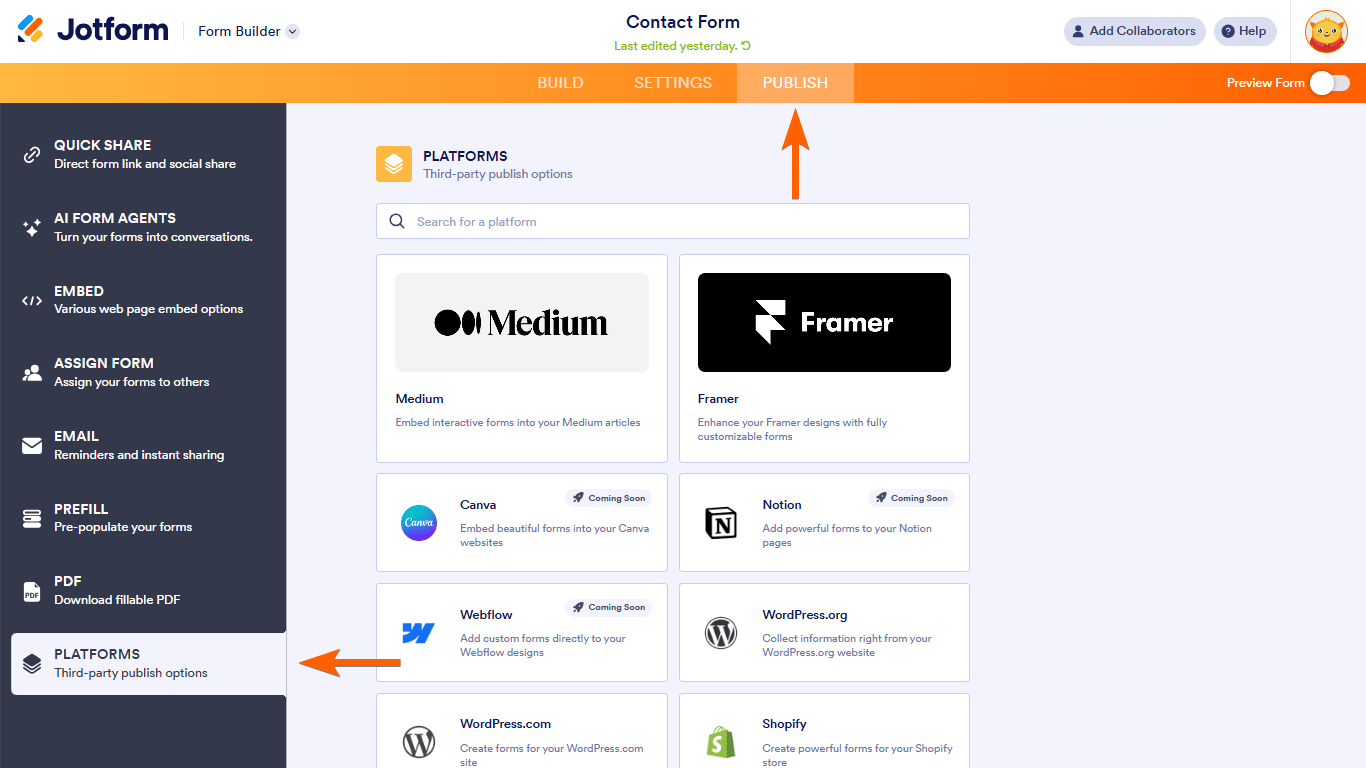
- Search and select Joomla.
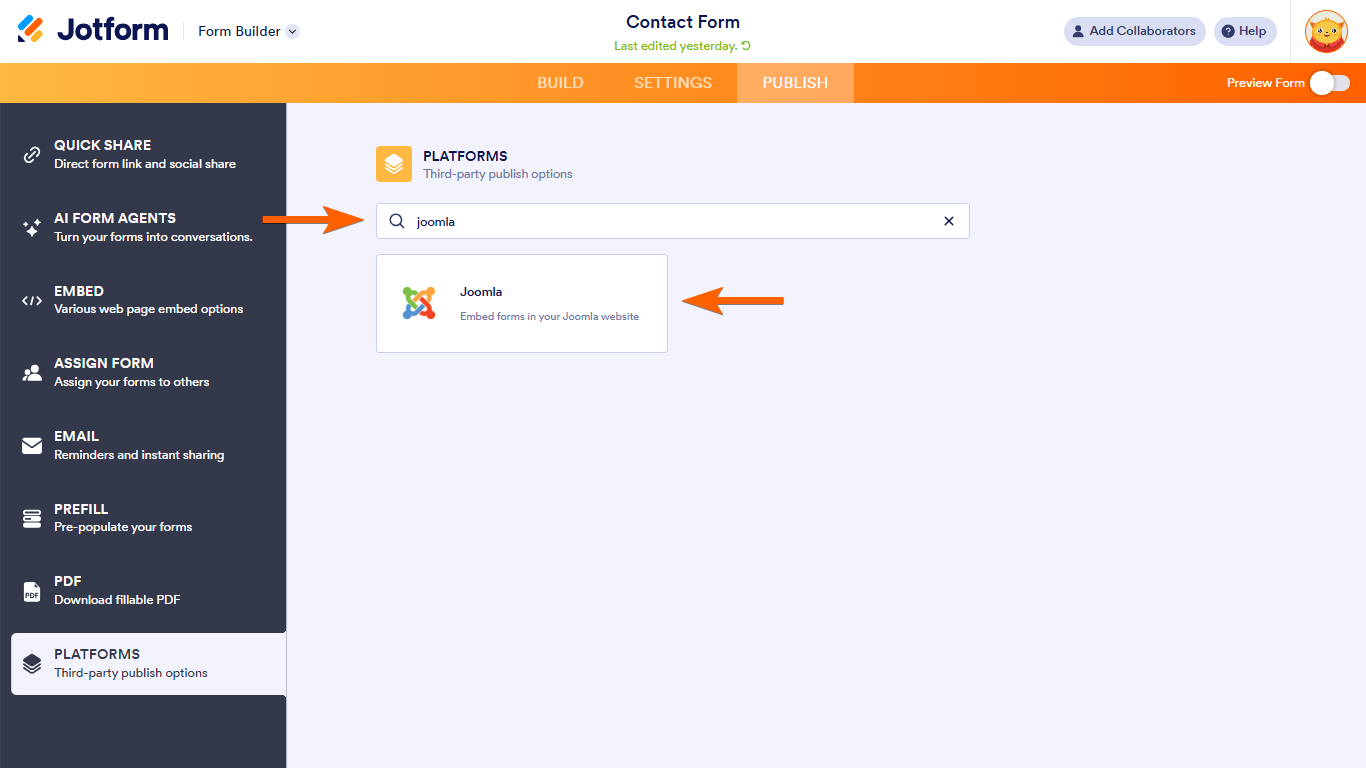
- Copy the code provided.

Embedding Your Form Into Joomla
You can add a form to Joomla by using an extension, configuring text filters, or disabling the editor temporarily.
Disabling the editor temporarily
The easiest way to embed the form into your Joomla website is by disabling the default editor temporarily:
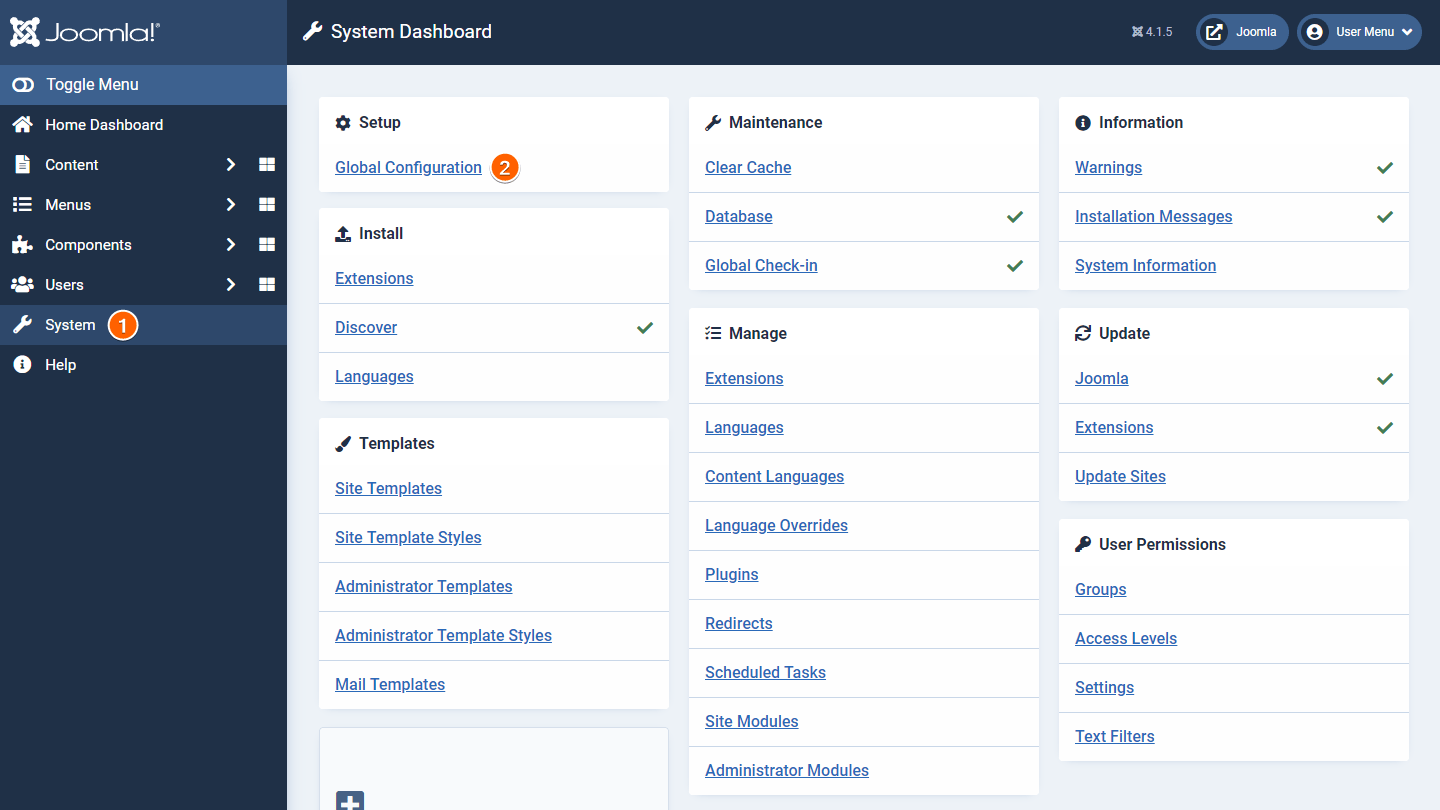
- In your Joomla dashboard, go to Systems on the left, then select Global Configuration.
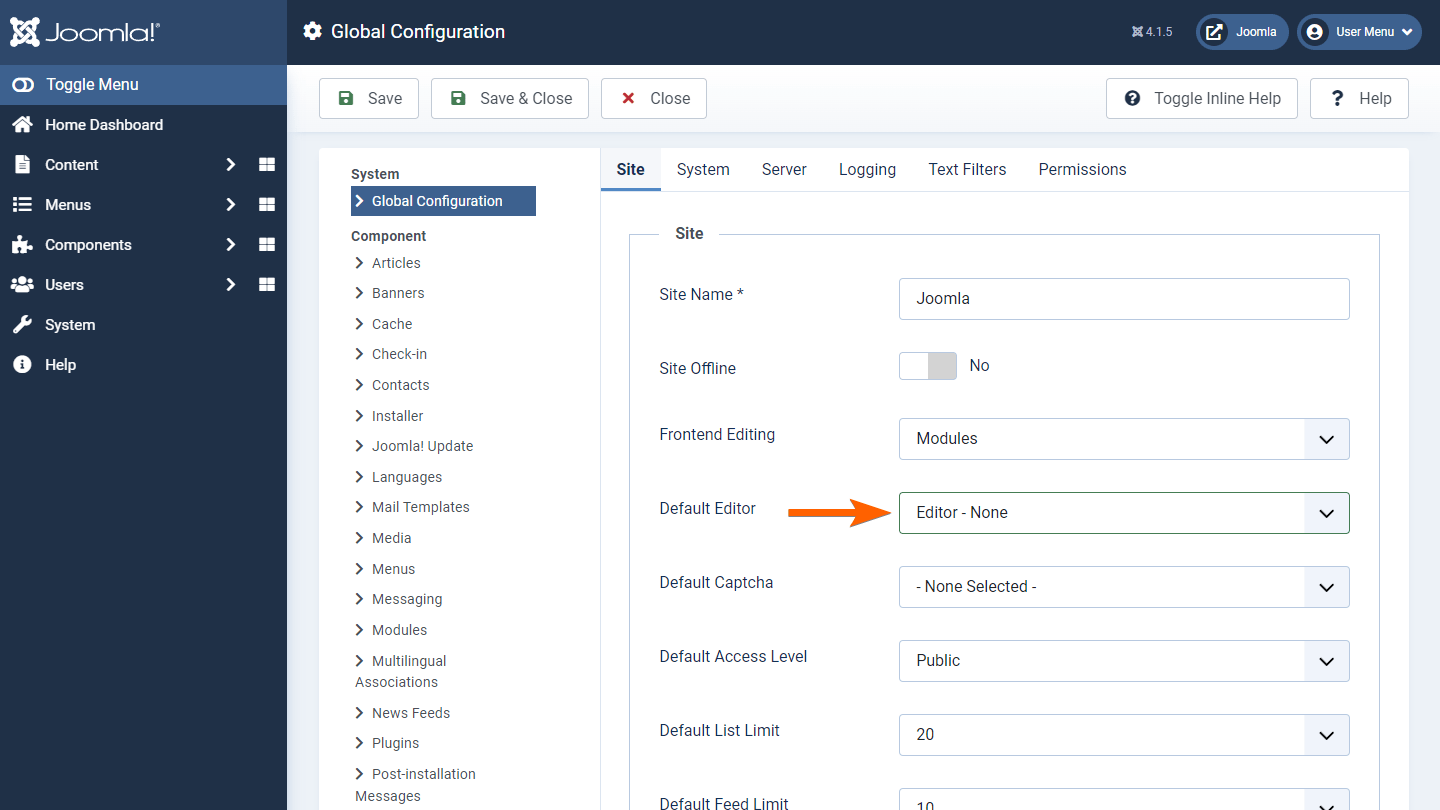
- On the next page, set Default Editor to “Editor – None.”
- Paste the embed code into your article and save the changes.
- Go back to Global Configuration and reenable the editor.
If you’re looking for something permanent, you can try using an extension or setting up text filters.
Using an extension
The Sourcerer extension enables you to use JavaScript or iframe codes in Joomla.

To embed a form using an extension
- Install Sourcerer to your Joomla website.
- Create or edit an article.
- In the editor, open Content CMS on the left, then select Code from the menu.
- Paste your embed code in the dialog, then select Insert.
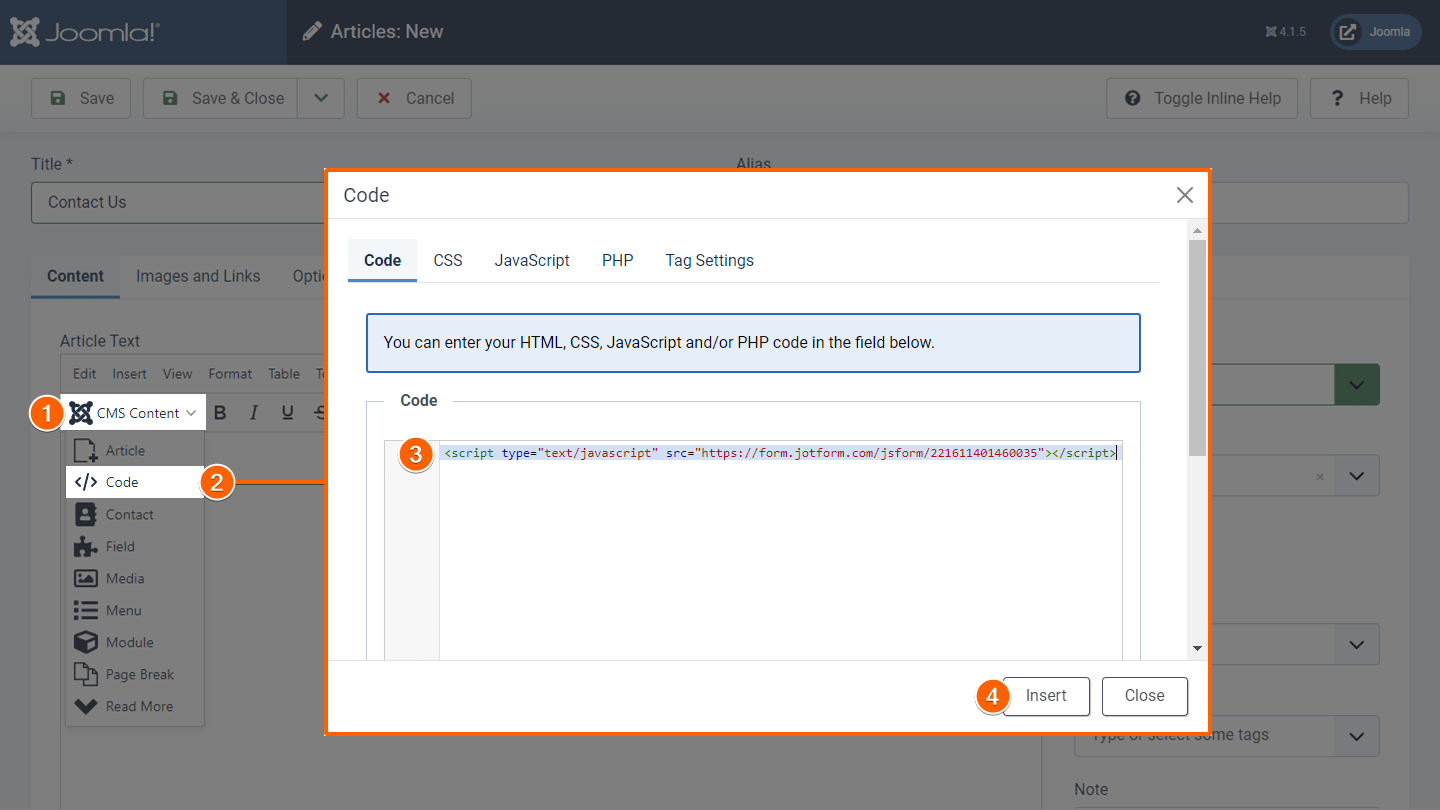
- Save the changes and preview your article.
See Getting Started With Sourcerer to learn more.
Setting up text filters
Embed your form without disabling editors or installing extensions by configuring Joomla text filters.
Note
The following example is for setting up TinyMCE’s text filter option for Super Users. Adjust accordingly for other editors and user roles.
To set up the text filters
- In your Joomla dashboard, go to System on the left, then select Plugins.
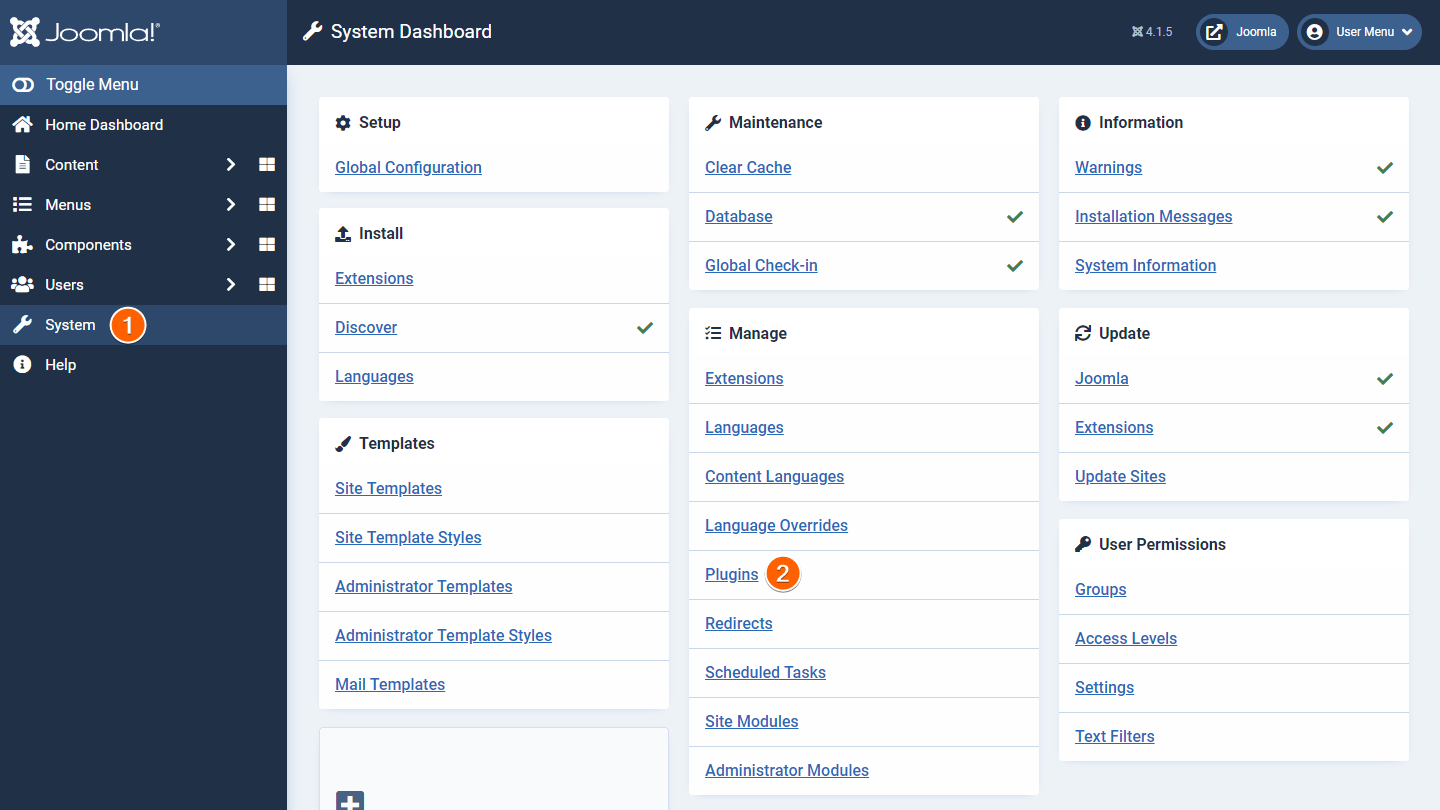
- On the next page, search and select TinyMCE.
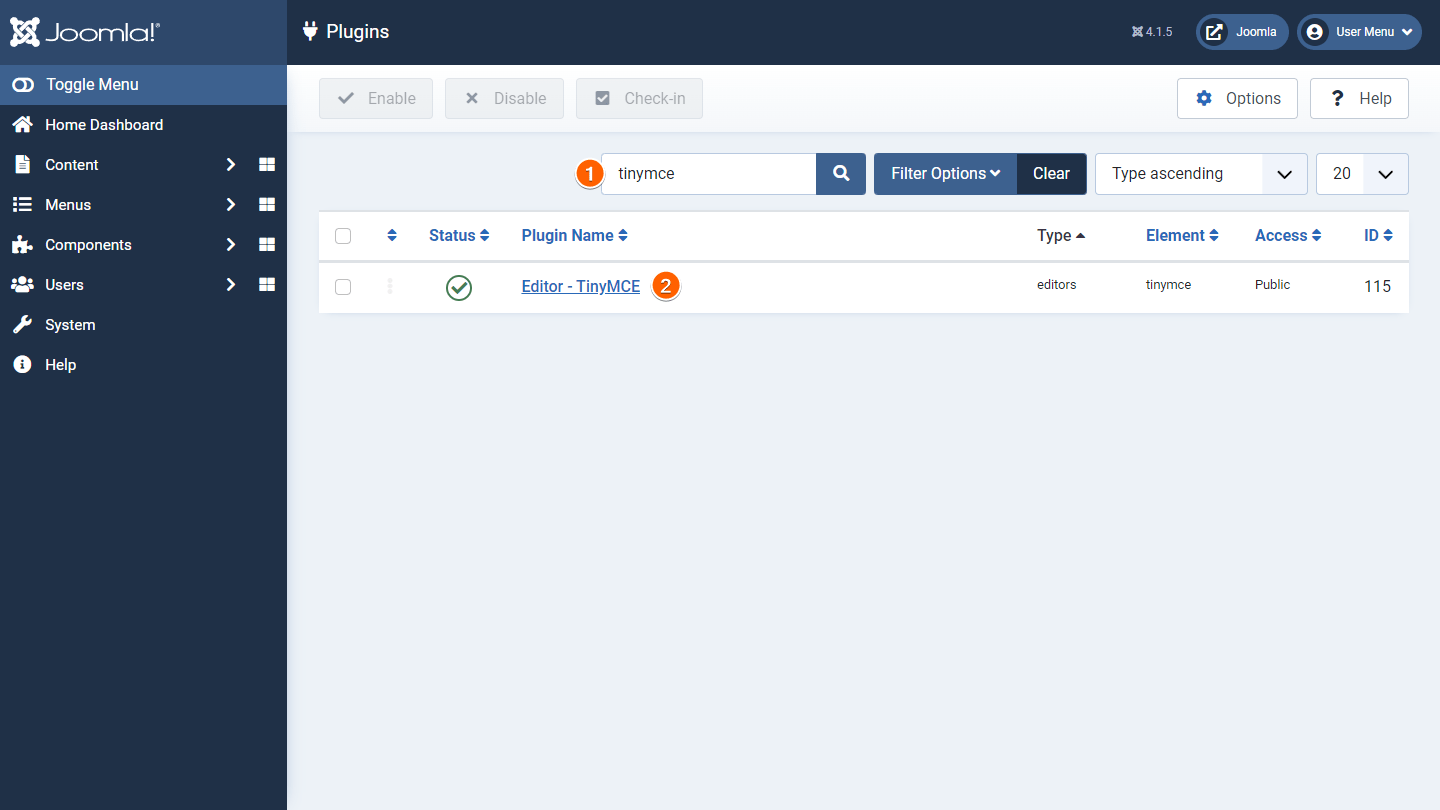
- Select Set 0 (for Super Users).
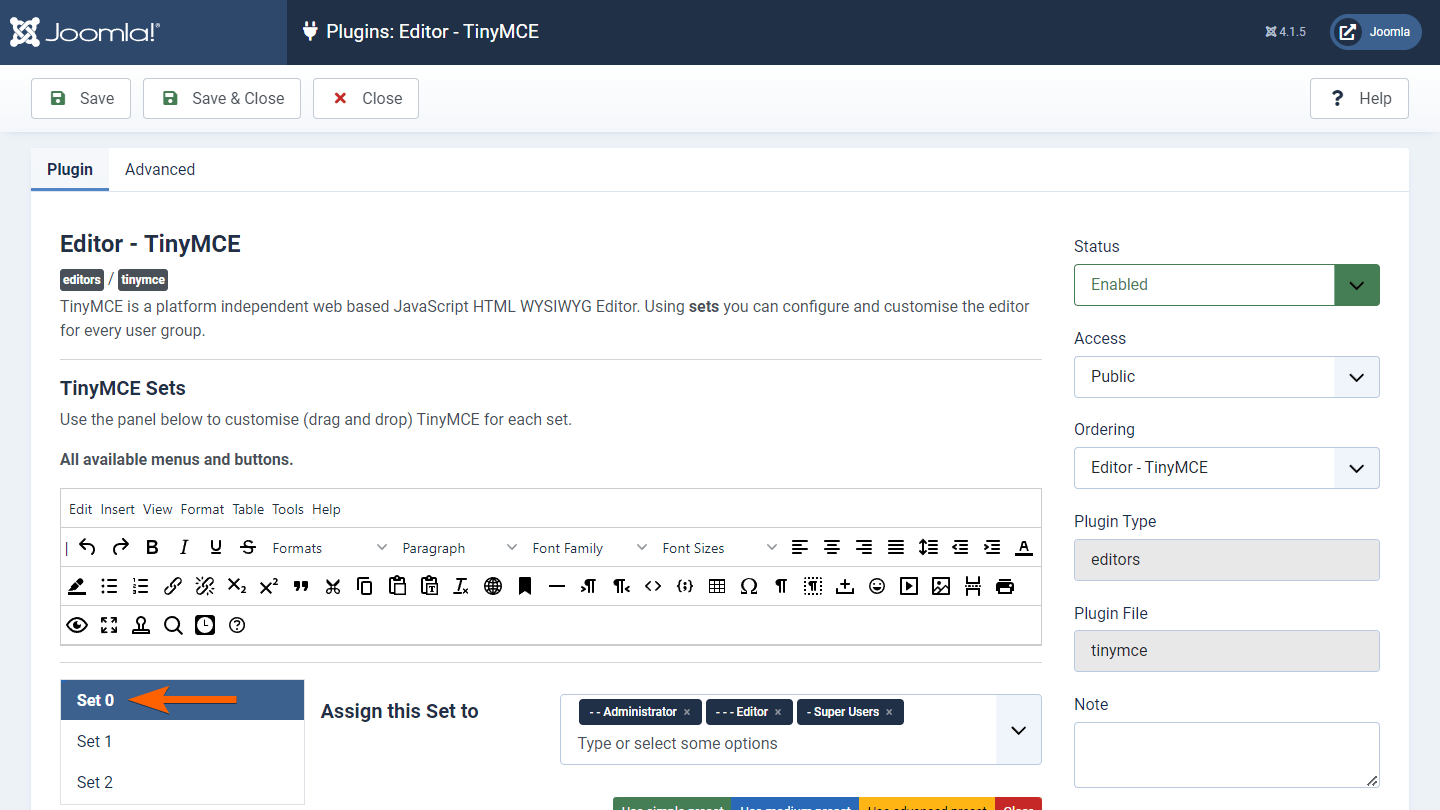
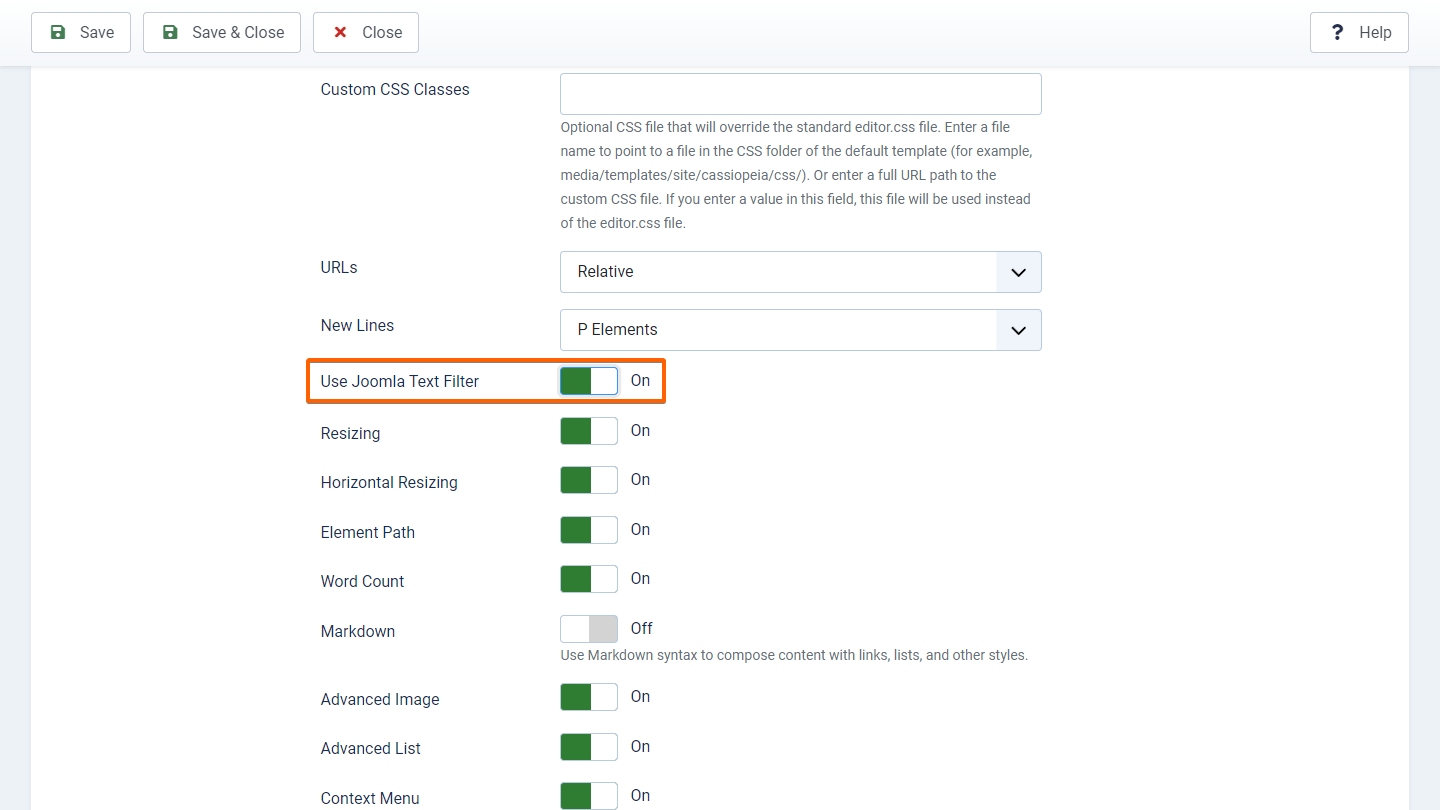
- Scroll down and turn on Use Joomla Text Filter.
- Return to the main dashboard.
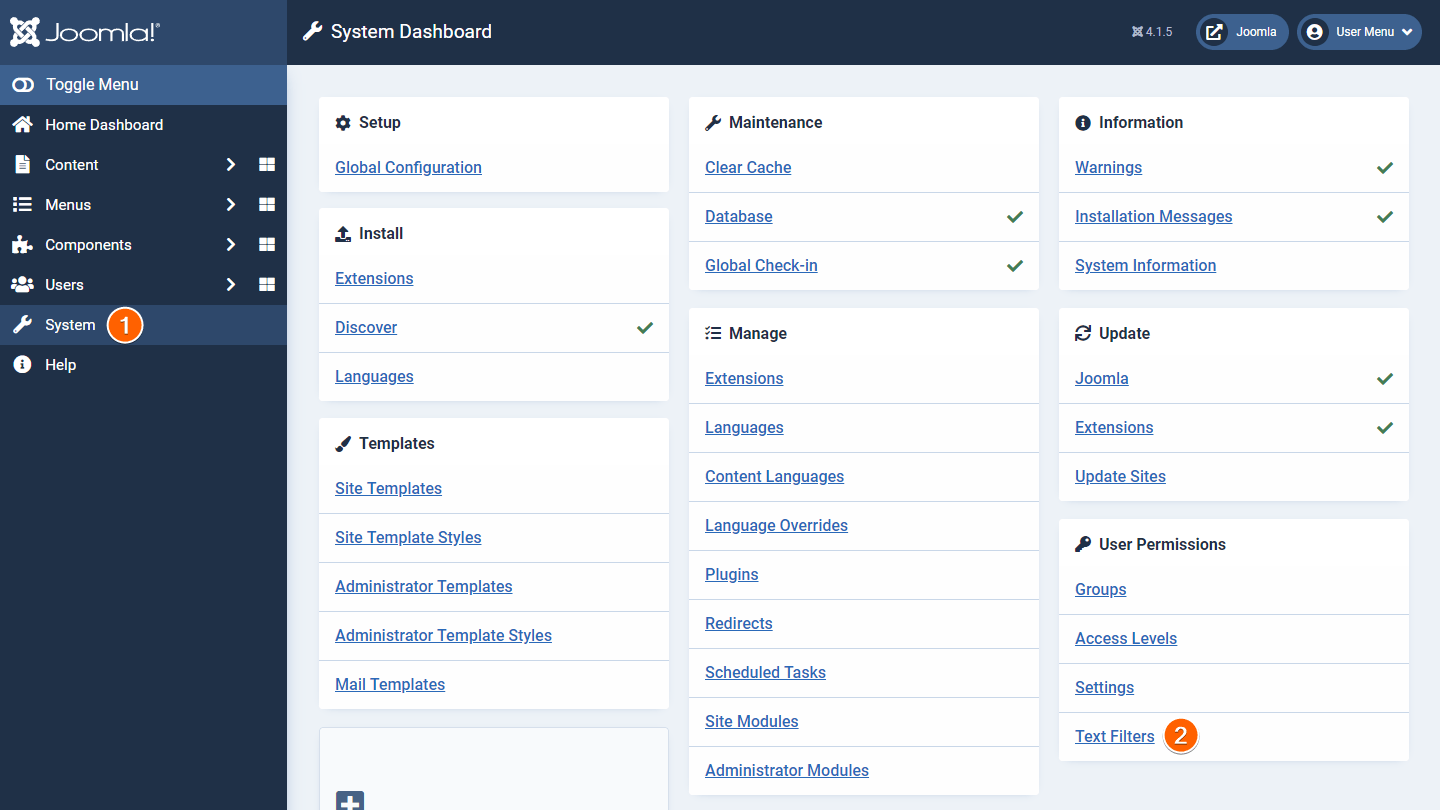
- Go to System on the left, then select Text Filters.
- Ensure that Super Users is set to “No Filtering.”

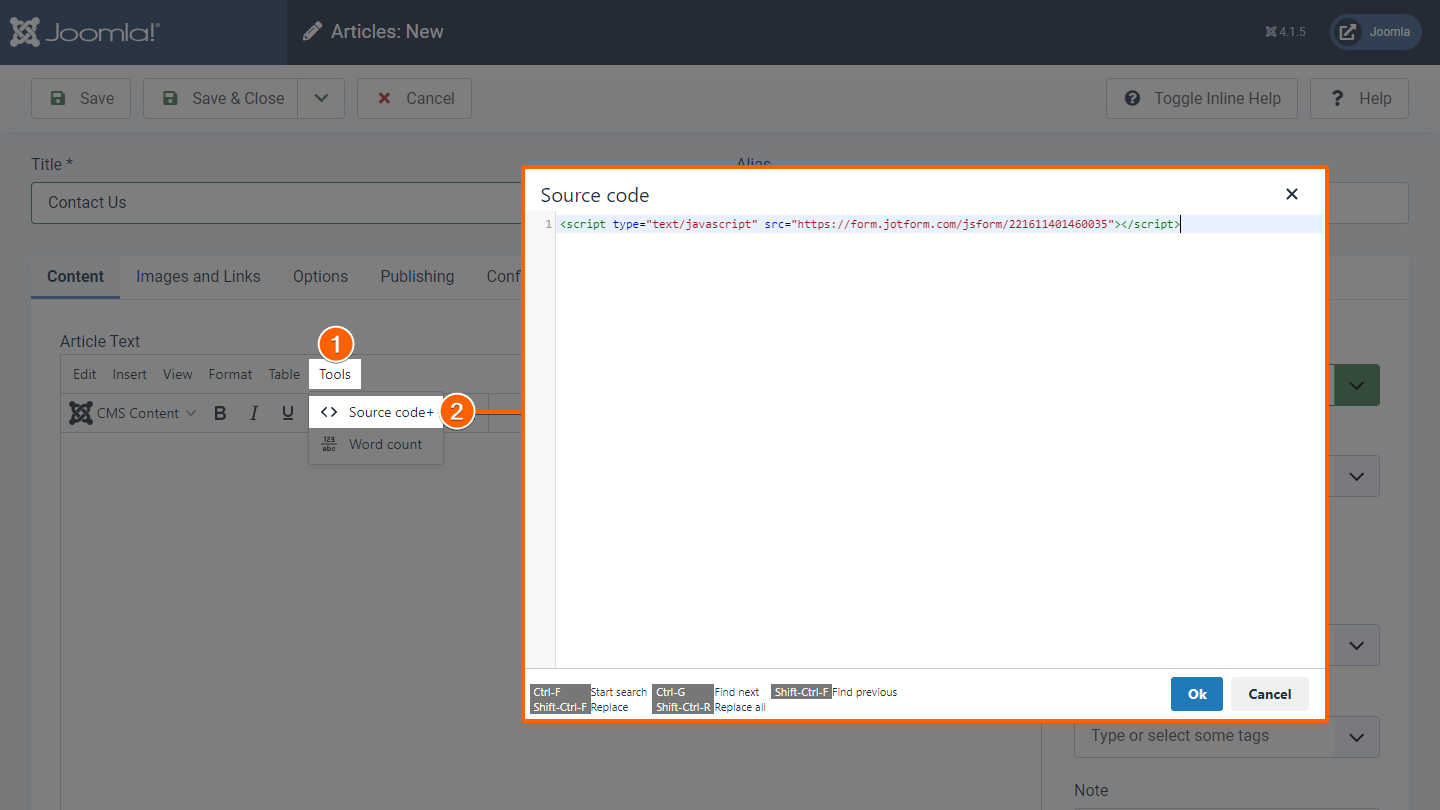
You should now be able to use embed codes in the article editor.

Send Comment:
61 Comments:
May 24, 2022
I have added the embedded url module and paste in the url that generates the form and it works perfect!
June 19, 2021
I am using JCE Editor. I am unable to show my jotform in Joomla article, it was possible earlier. Any Help?
November 13, 2018
I was using through copy script for add a Joomla form but I was facing some unexpected error can you explain about this Essay Help UK
March 23, 2017
How do i align it to maybe left or center?
August 27, 2014
Every time I add the code, it includes all the other text on the page over again, along with the page headers and everything. Why is it duplicating the page instead of just putting in the form?
October 3, 2013
our Sail club is having a regatta and I use Jt to do the registrations, but people go to the web page and want to know who has registered. is there a way I can put an updated list on the page , like a link that will give a current list. Thanks love Jot !!!
October 1, 2013
hako
September 21, 2013
realmente essa é ótima, eu gostaria de deixa uma que eu estou procurando a muito tempo, pois não tenho conhecimento de HTML, então preciso de ajuda de alguns amigos, a minha procura é por uma ferramenta que ative um link e apos ser clicado volte à ativa-lo só depois depois de uma data pre programada, sei que isso é complicado, mais é possível criar tendo alguns conhecimentos de linguagem HTML, obrigado
September 6, 2013
The form looks perfect , but why is the receipient of the mail not receiving emails, is there anywhere i should setup before copying the codes.
Ray.
June 6, 2013
1. Go to your site 'Control Panel'
OK
2. Click 'Global Configuration'
There is no such option.
3. Click 'Text Filters'
see 2
4. Change Administrator and Super Users to 'No Filtering'
see 2
5. Save
see 2
"And your done!"
My done?
July 11, 2012
I am now setting up my site and i use sourcerer plugin from nonumber and it works fine. It allows you to add source with any editor without it being stripped..so far so good! Used on previous sites as well for other things for it takes php, javascript html etc.
March 21, 2012
This is PERFECT! Thank you!
December 19, 2011
Como puedo hacer que la respuesta del formulario llegue a varios destinatarios a la vez.
November 19, 2011
Using Jumi, when placing the script, it gets deleted out also.
Any other solutions?
August 17, 2011
I use joomla and i pasted many times the link but it never worked! HELP!!!
July 26, 2011
Mine has been working for months but today I removed a field and the updates do not show? any ideas on how to solve this?
June 20, 2011
I do not see the feed back button. Do you have the code for your feedback button? What questions do you ask?
June 7, 2011
please, need a send page to a friend form. am really confused.
Thanks
April 29, 2011
No problem, I use JCE as well. You will need to go to the user manager (site/user)and for editor select none. Once you have pasted your code into the article you can return back to the user manager and re-select jce as your editor. Be aware that anytime you open the article (or module) that has your code you will need to first go to the user manager and select no editor otherwise as soon as you open the article the code will be stripped.
Hope this helps.
April 21, 2011
Hi,
First I would like to say that this is great what you are doing here.
The thing is that for joomla I use jce editor not tinyMCE. How can I configure this out? :|
Help please!
Thank you and waiting for your answer!
April 18, 2011
Hola, un gran trabajo. Les Felicito. Una cuestión: como hacer para que se vea bien el botón FEEDBACK en todos los navegadores? En Chrome va bien, en los demás hay problemas para visualizarlo correctamente. A que se debe? Gracias.
March 26, 2011
Also,
i dont see any -
"3. Save & Preview your form"
option on my form.. i am a basic user.
March 26, 2011
HOW DO I USE THIS ON GOOGLE SITE???
i finally end up having a geeky button with form link :(
PLEASE HELP!!! i need it as it is on this website.... click and flash up!
March 25, 2011
Hi the picture that you have for the feedback is not the same as the website,the instructions to create the feedback do not match the website
can you please help me with the creation of my feedback button
March 15, 2011
Excellent form