If you want regular check-in emails on how your donation campaign is doing, you should consider creating a Digest Email. It will only take a couple minutes and you can save yourself the time of having to check your app everyday. Keep on reading to learn how to set that up:
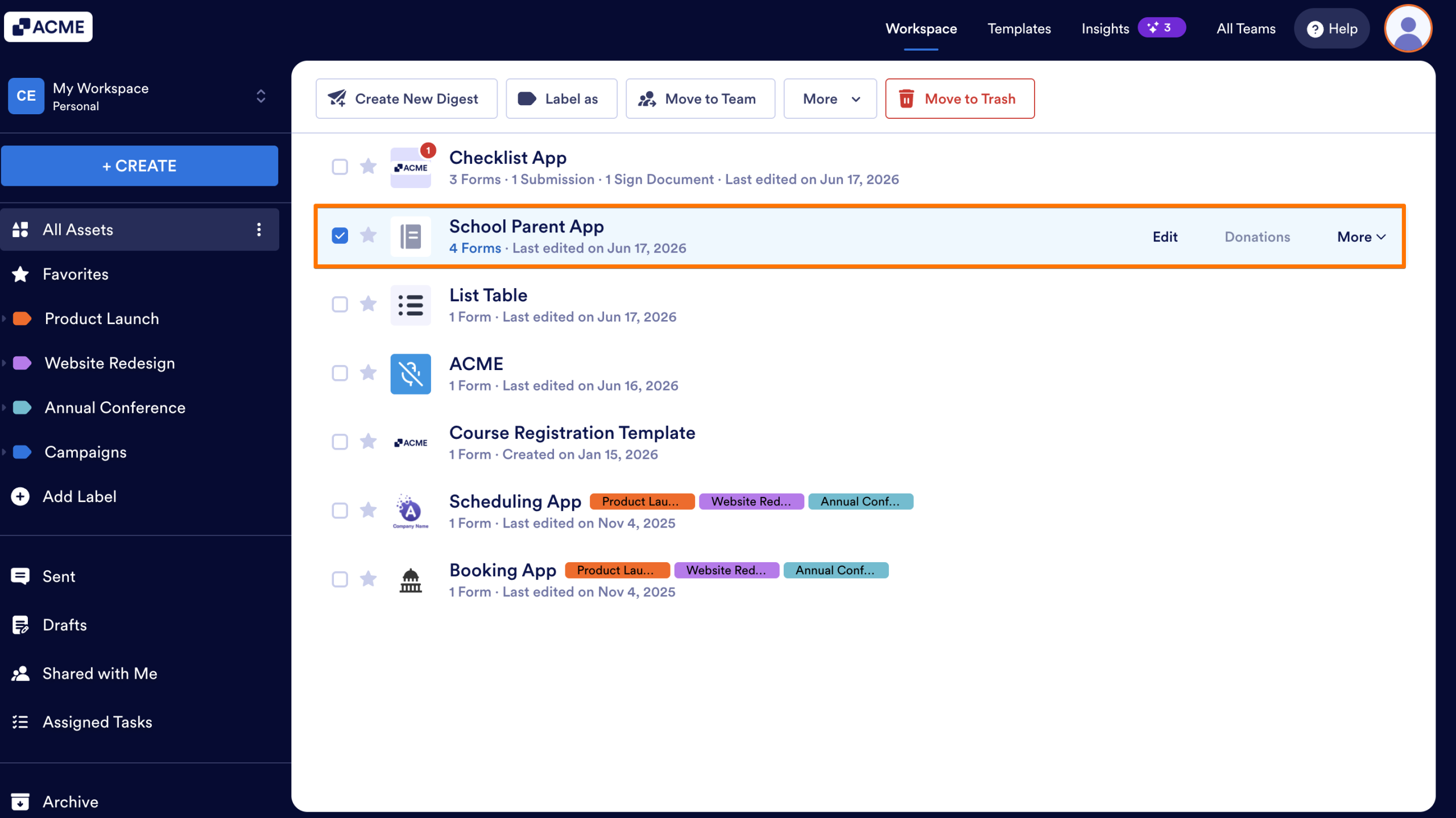
- In My Workspace, click on the app you’d like to create a Digest email for.
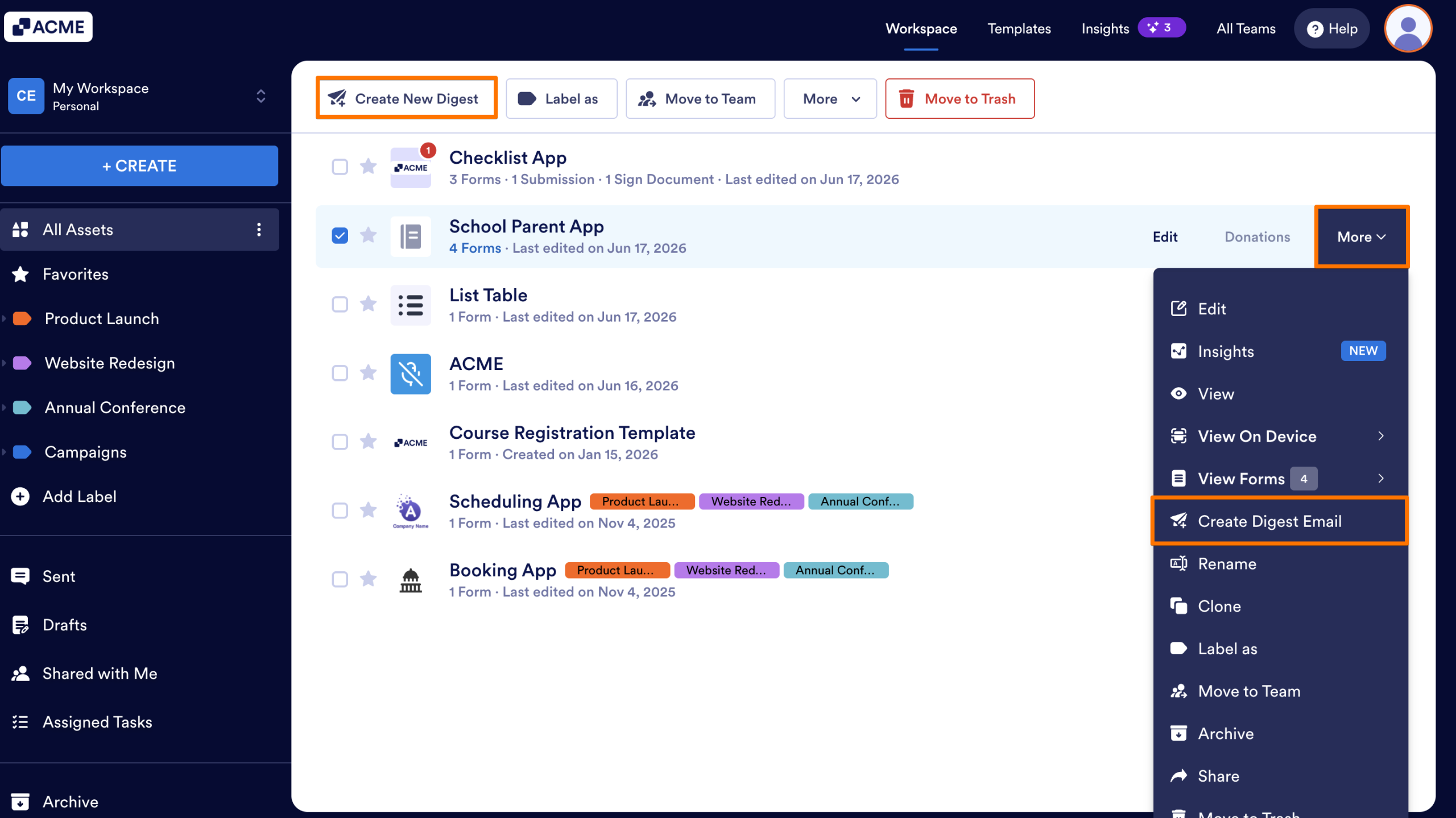
- From there, you can either click the Create New Digest button at the top, or you can click More and click on Create Digest Email.
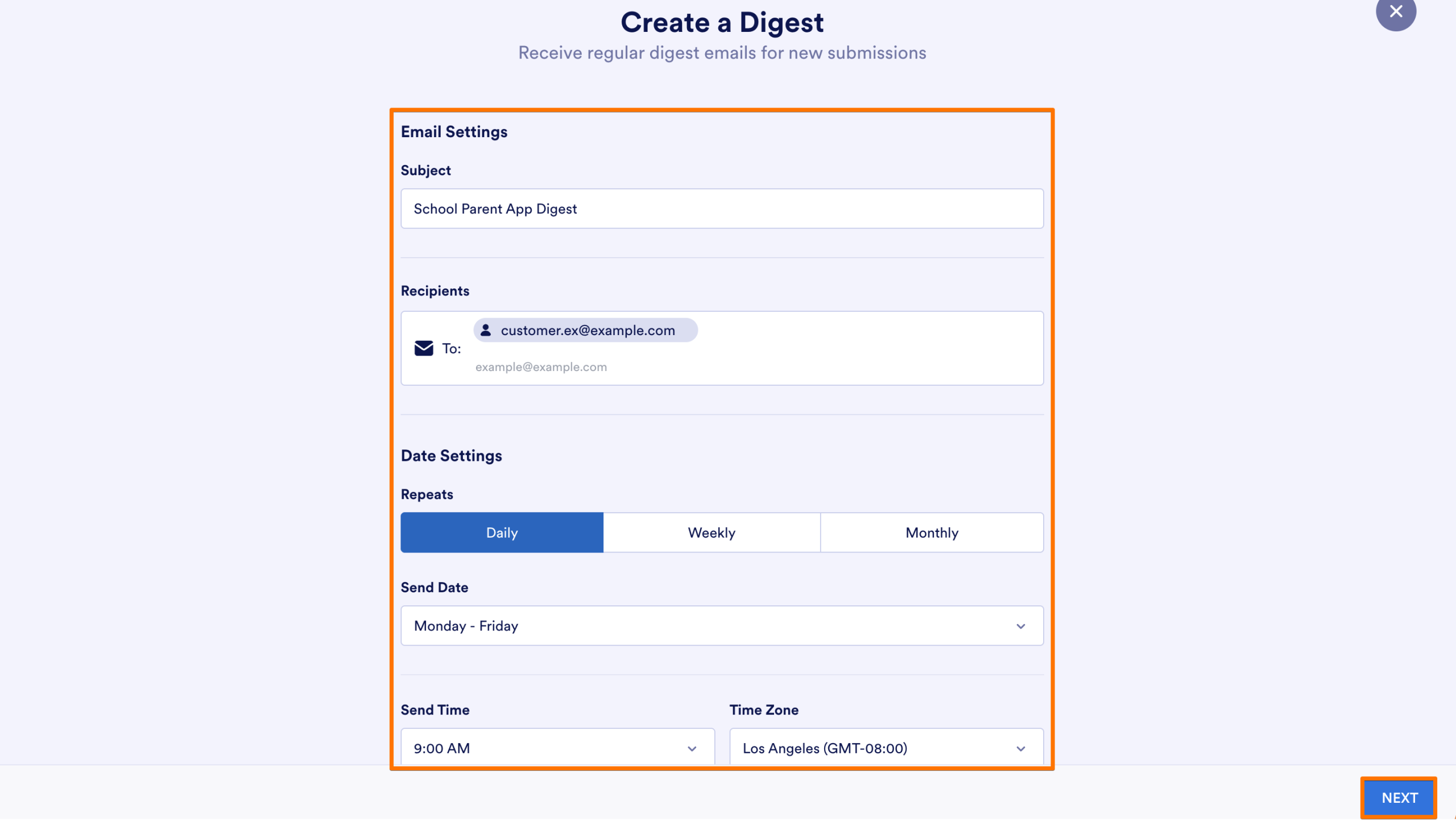
- Configure the email settings to your liking and click Next.
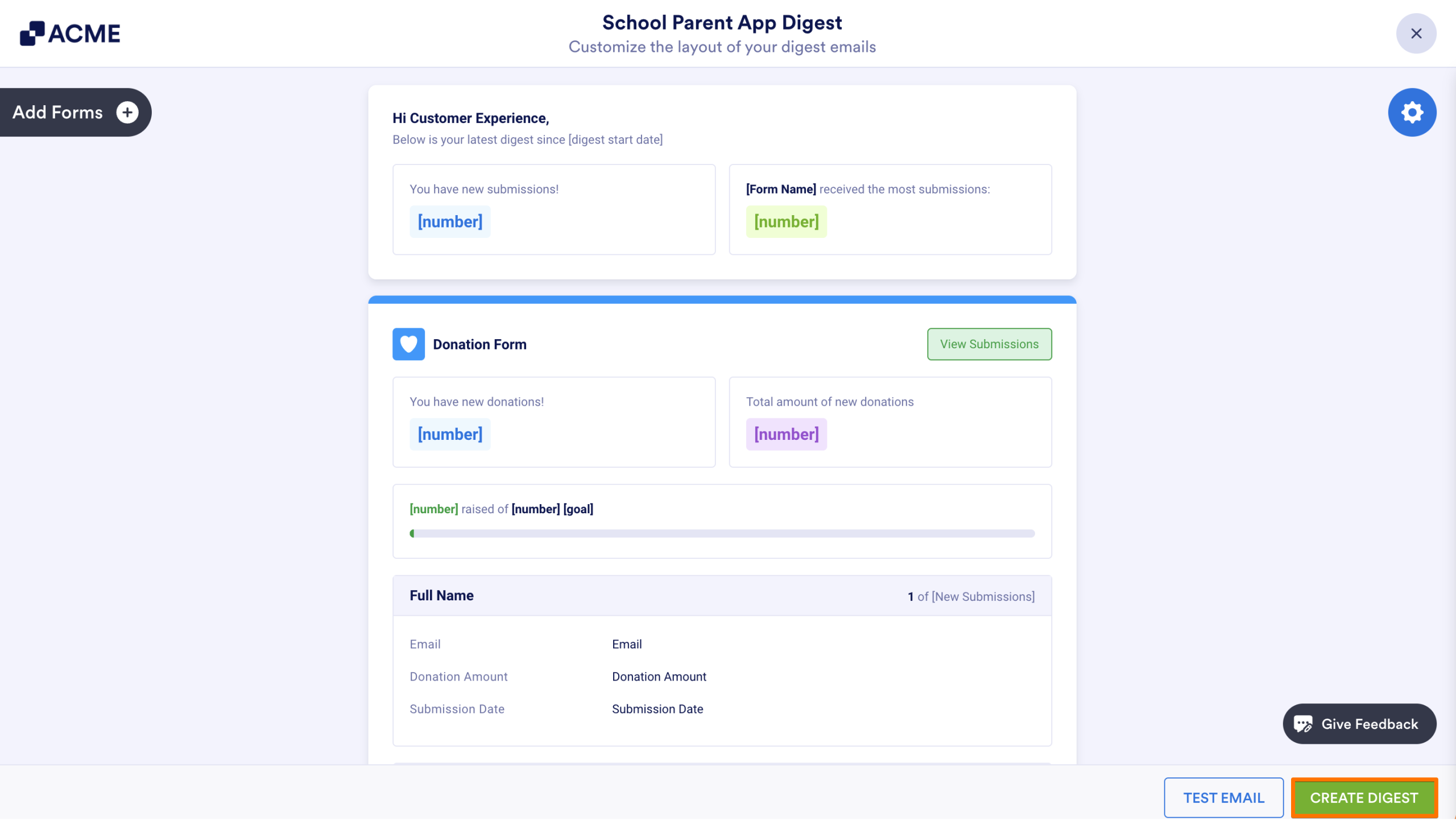
- Check out your sample email and make sure you’re getting all the information you want to see and click on Test Email.
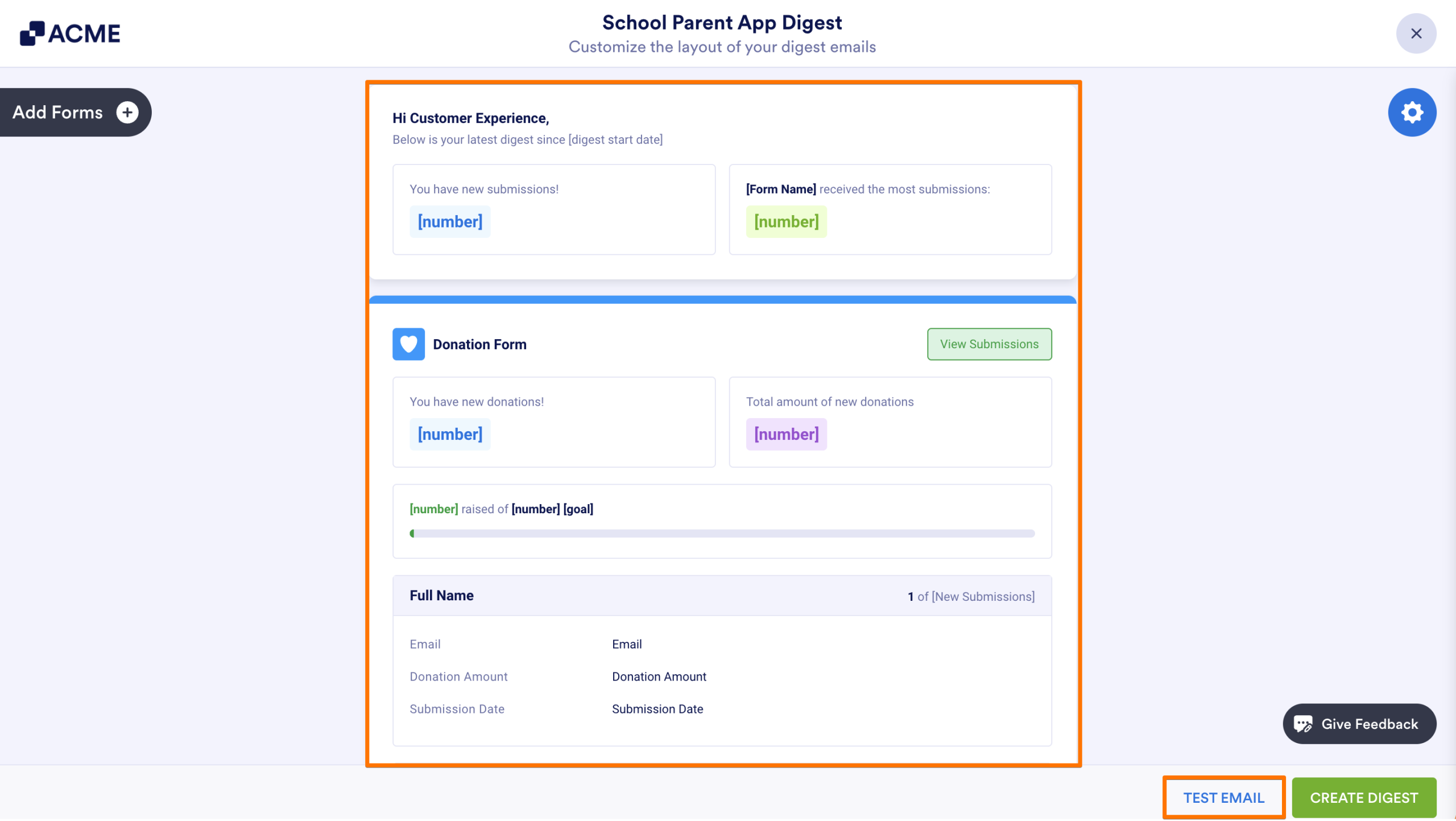
- Then, after checking out the test email, click on Create Digest.
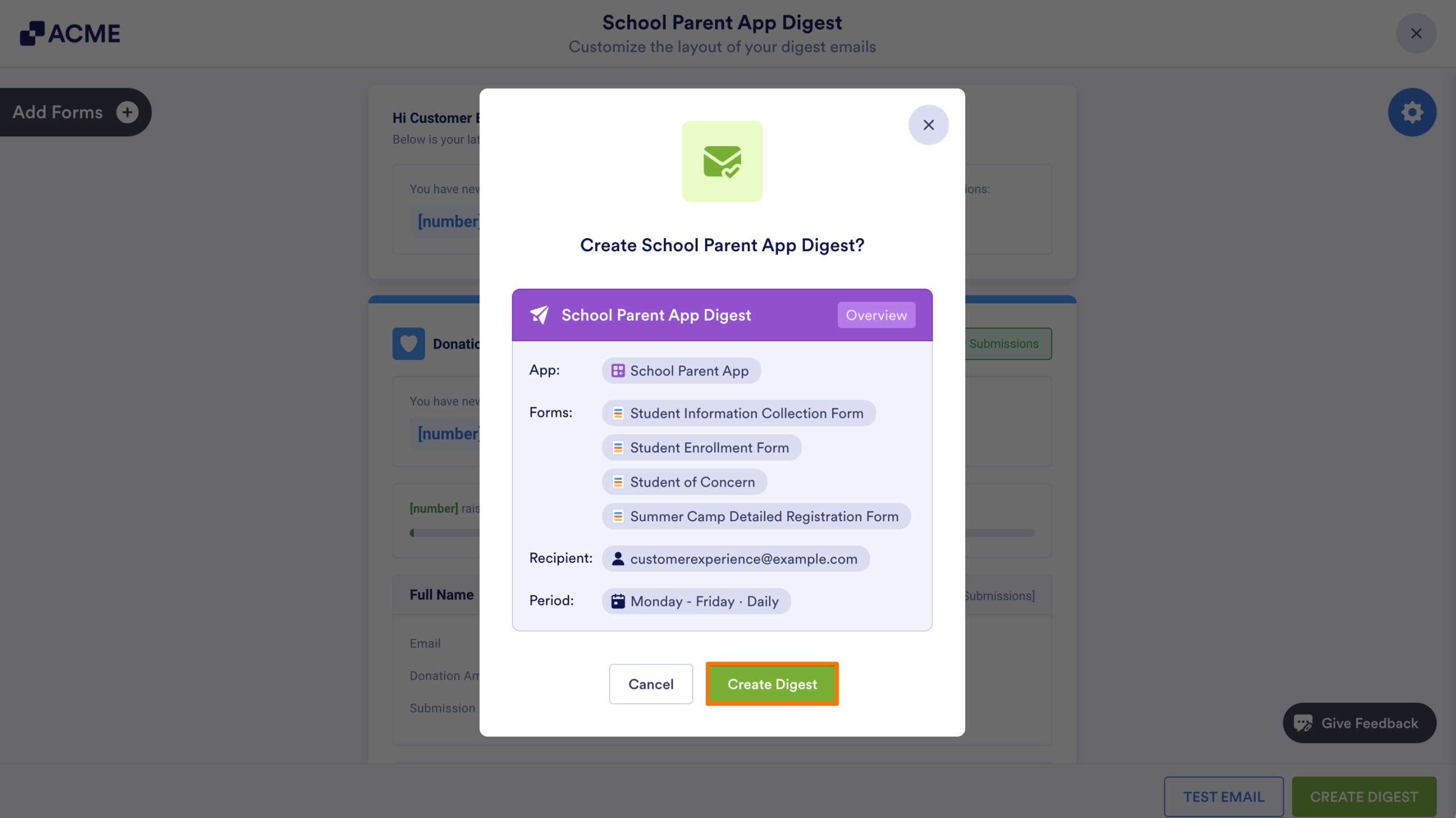
- Lastly, select Create Digest.

Send Comment: