With Apps, beyond adding your business logo and brand colors, you can also personalize your App’s URL. This customization lets you include your organization and app name in the link, making it more recognizable, professional, and easy to share.
Customizing your App’s URL only takes a second—here’s what to do:
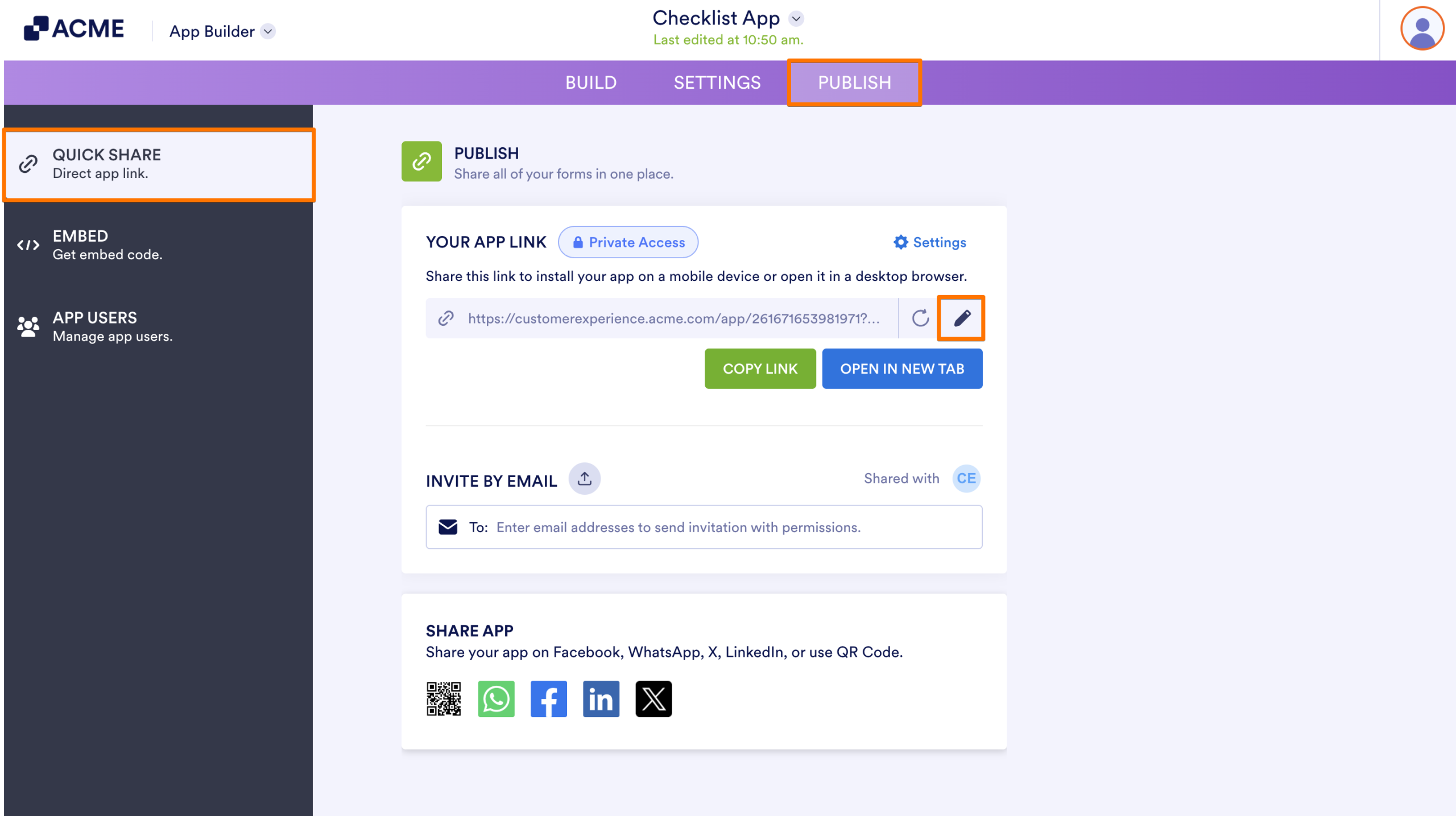
- In App Builder, in the purple navigation bar at the top of the screen, click on Publish.
- Then, in the Quick Share page, under the Publish section, click on the Pencil icon.
- Next, change the URL to your liking and click on Apply.
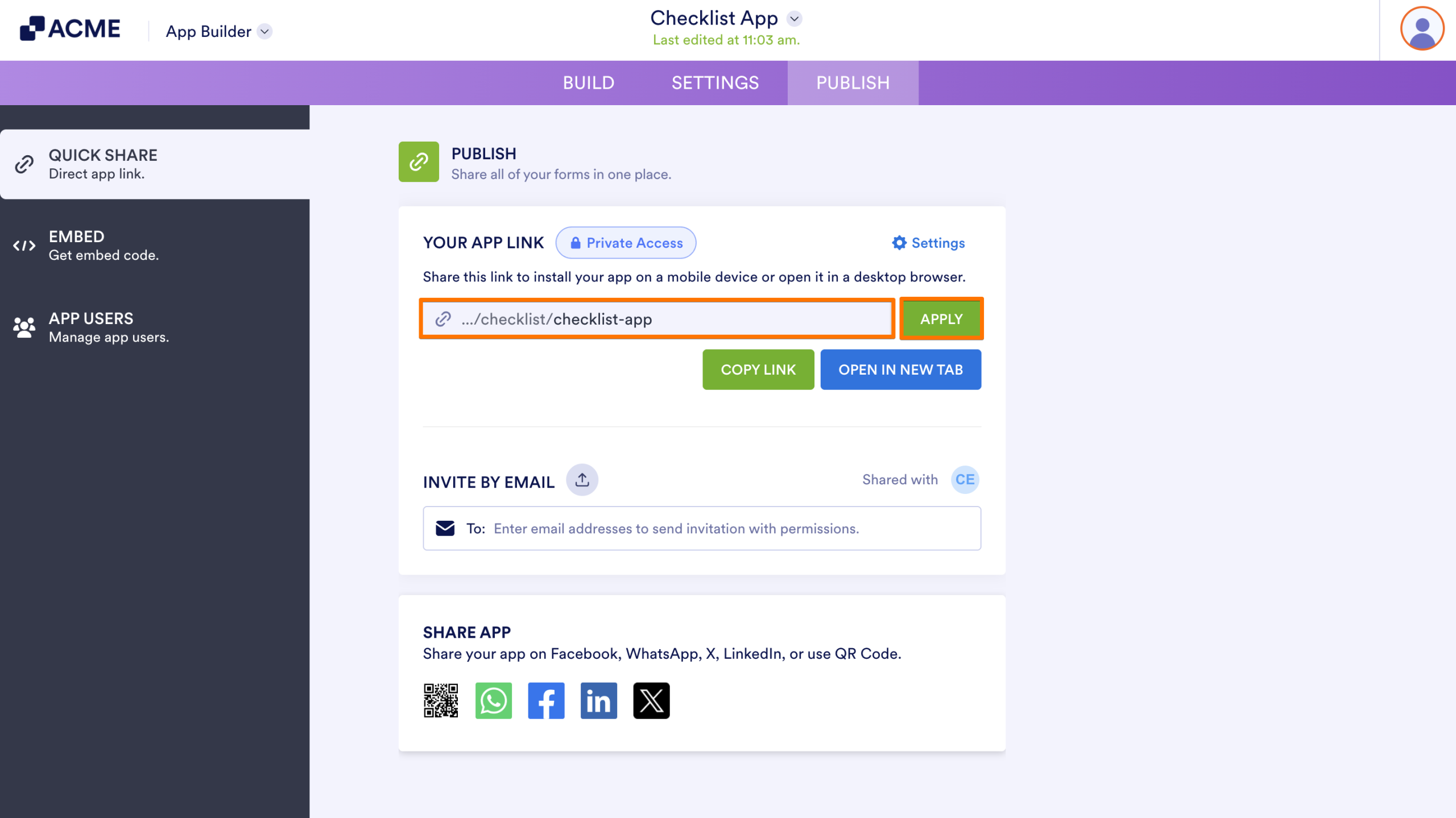
That’s it for customizing your App’s URL. With a personalized link in place, your app becomes easier to recognize, share, and trust—giving your users a more seamless and professional experience.

Send Comment: