Apps provide ways to manage your custom apps effectively. Whether you want to temporarily pause an app’s functionality or permanently remove it from your environment, understanding how to disable or delete apps is essential.
Disabling Apps
Disabling an app stops its functionality within your environment. It’s useful when you want to temporarily suspend an app without permanently removing it. Let’s do it:
- Now, in App Builder, in the purple navigation bar at the top of the page, click on Settings.
- Then, click on the Downward Arrow icon on the right side of the App Status section, and select Disabled.
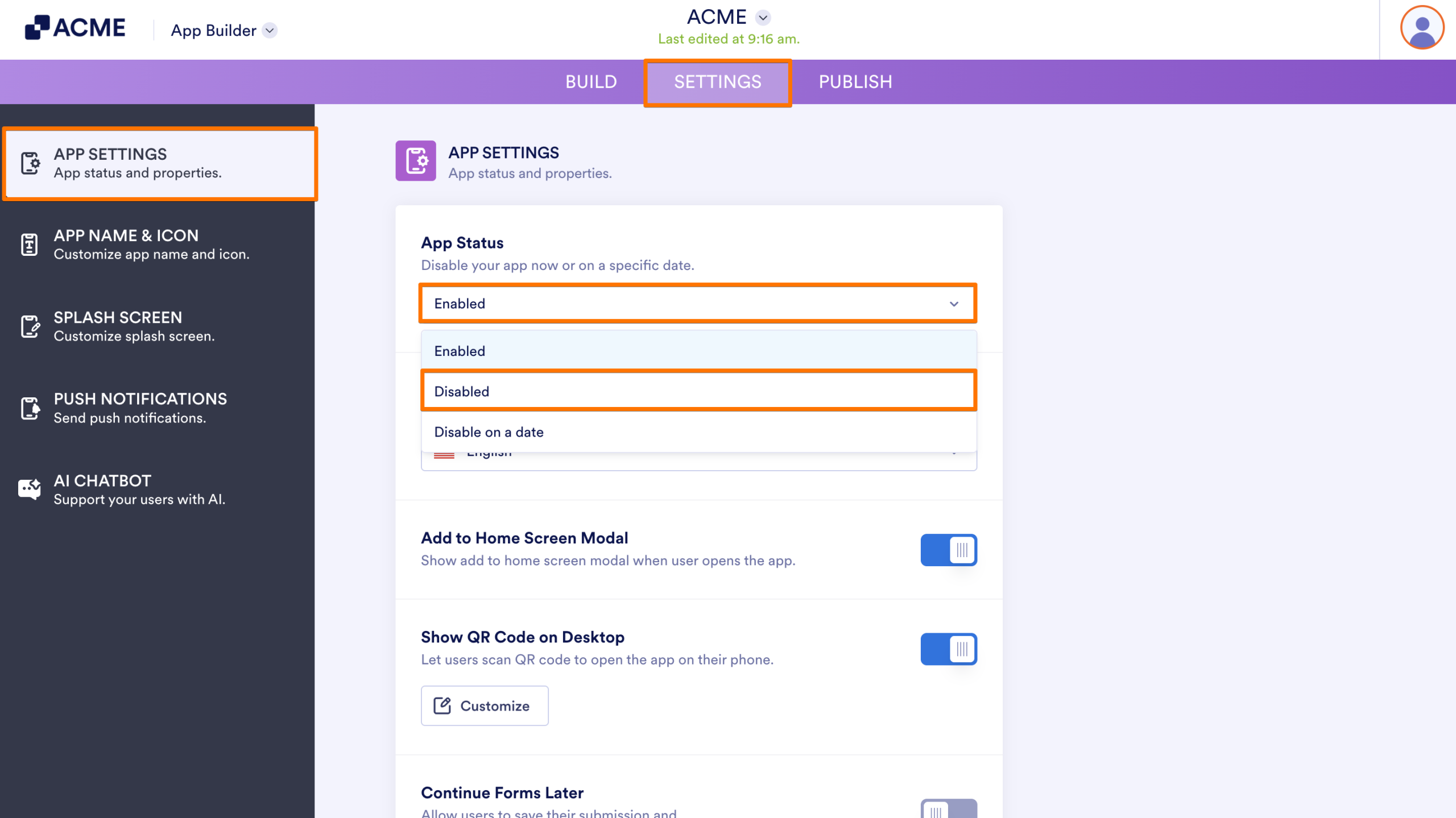
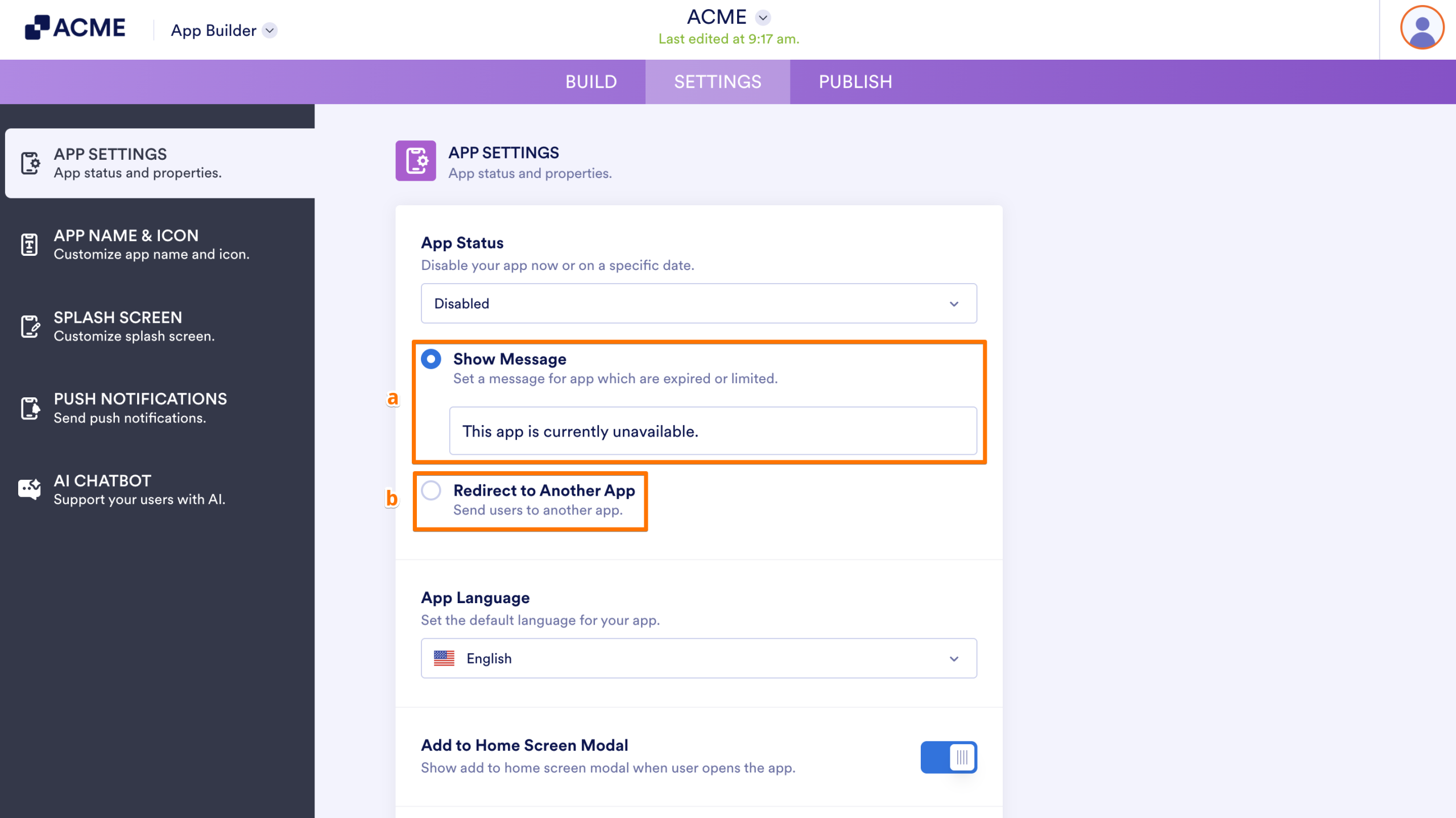
- Now, in the window that comes up, you can choose from the following options:
- Show Message — Display a custom message to the user on the screen.
- Redirect to Another App — Send the user to a different App automatically.
Deleting Apps
Deleting an app removes it entirely from your environment. Users won’t be able to access it anymore. But, you can still access the forms and submissions sent through the deleted App. Here’s how to do it:
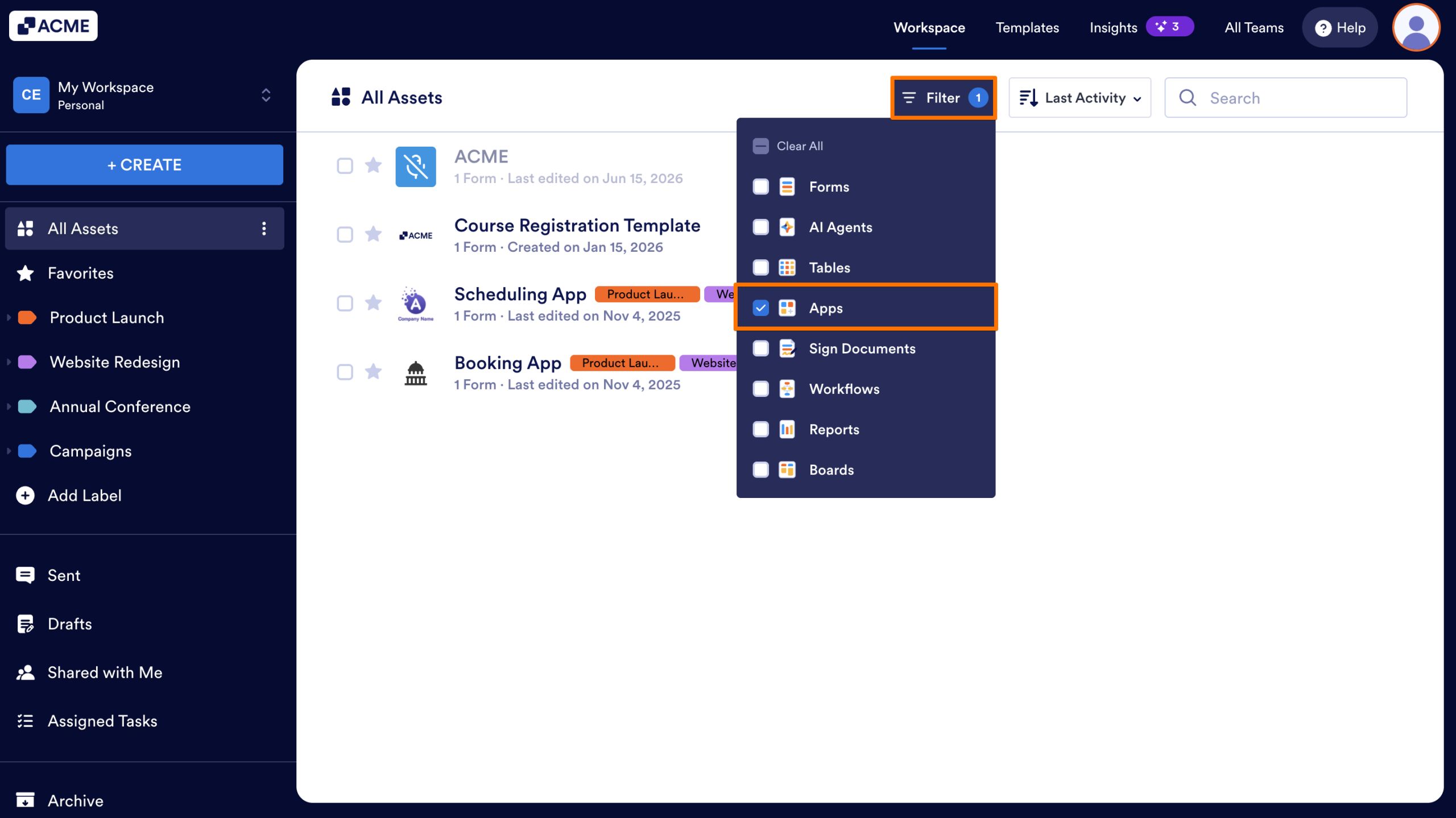
- On your Workspace page, click on Filter at the top and in the Dropdown menu that opens, uncheck the boxes next to all the assets except Apps, so only they’ll be shown on the page.
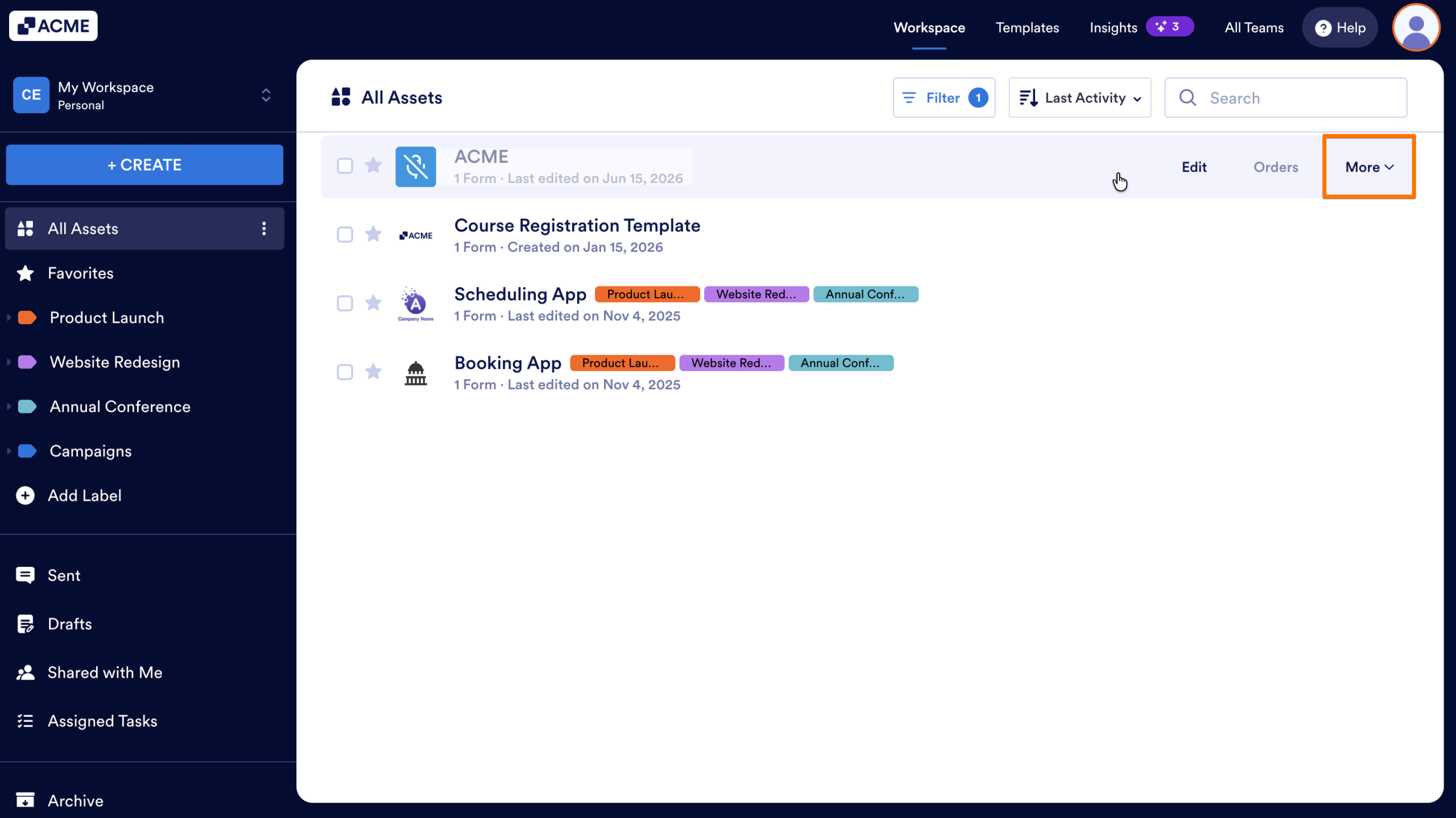
- Hover your mouse over the App you want to delete.
- And click on More.
- In the Dropdown menu that opens up, click on Move to Trash.
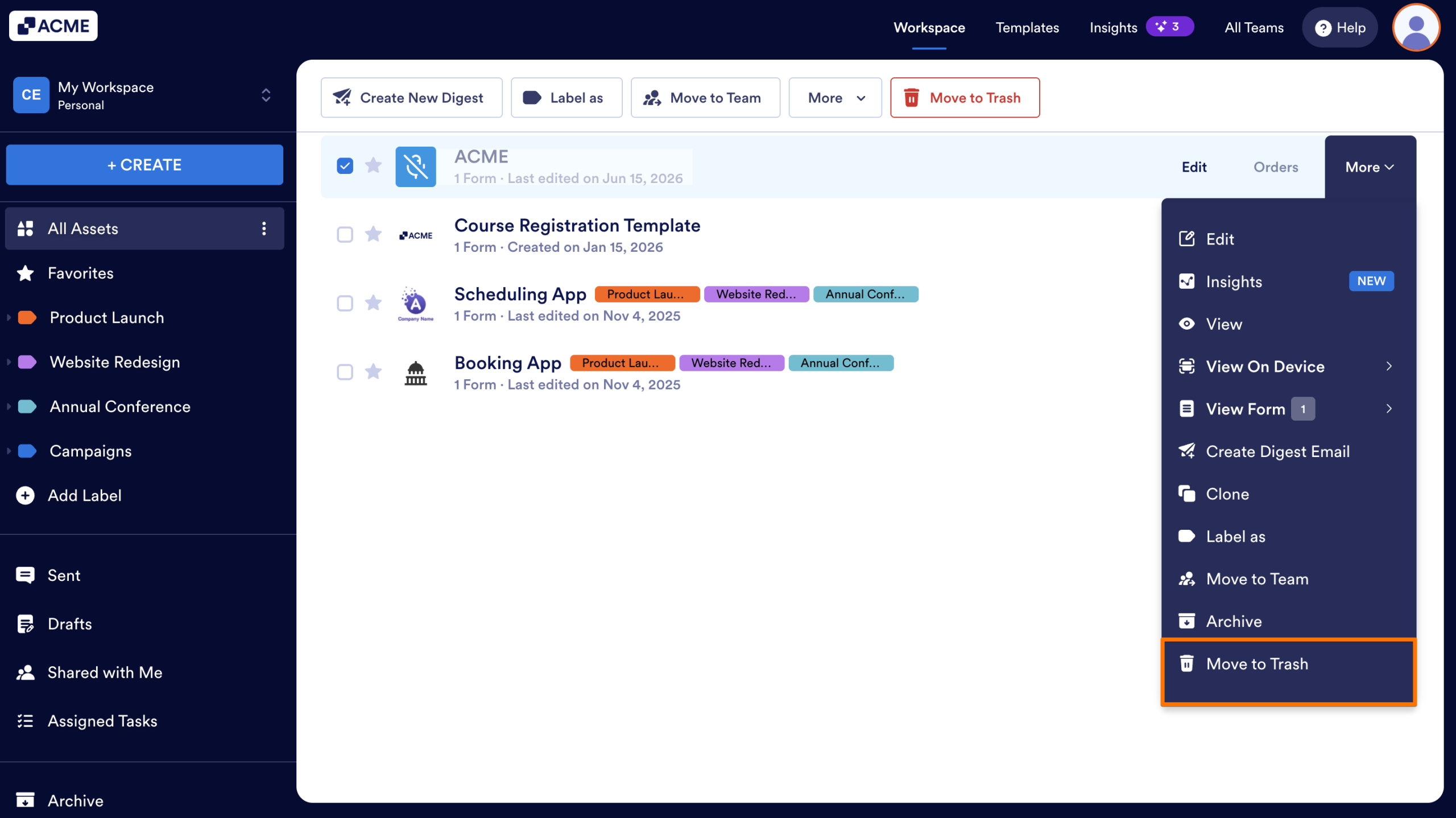
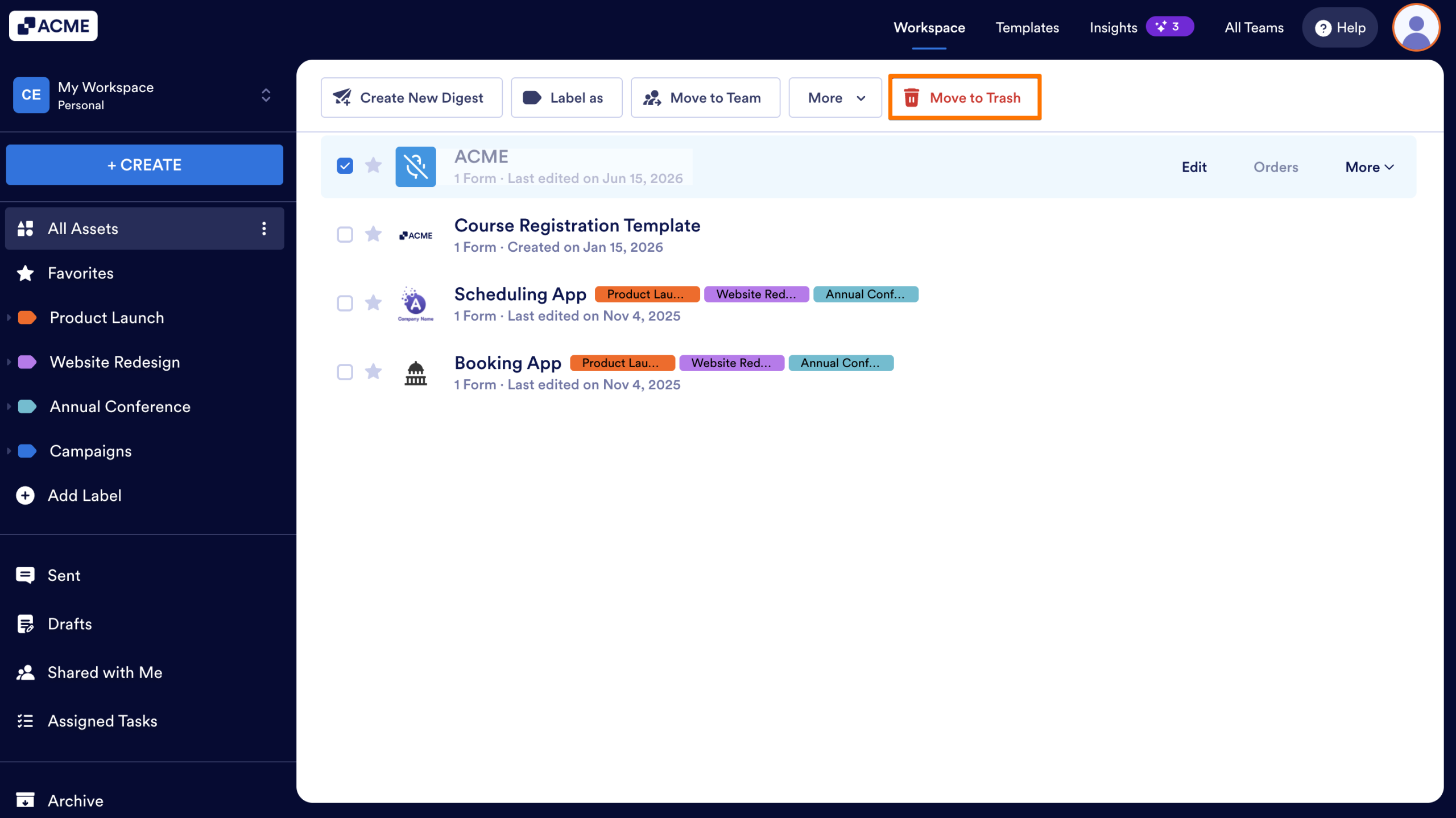
As an alternative, you can also click on Move to Trash in the menu at the top of the page.
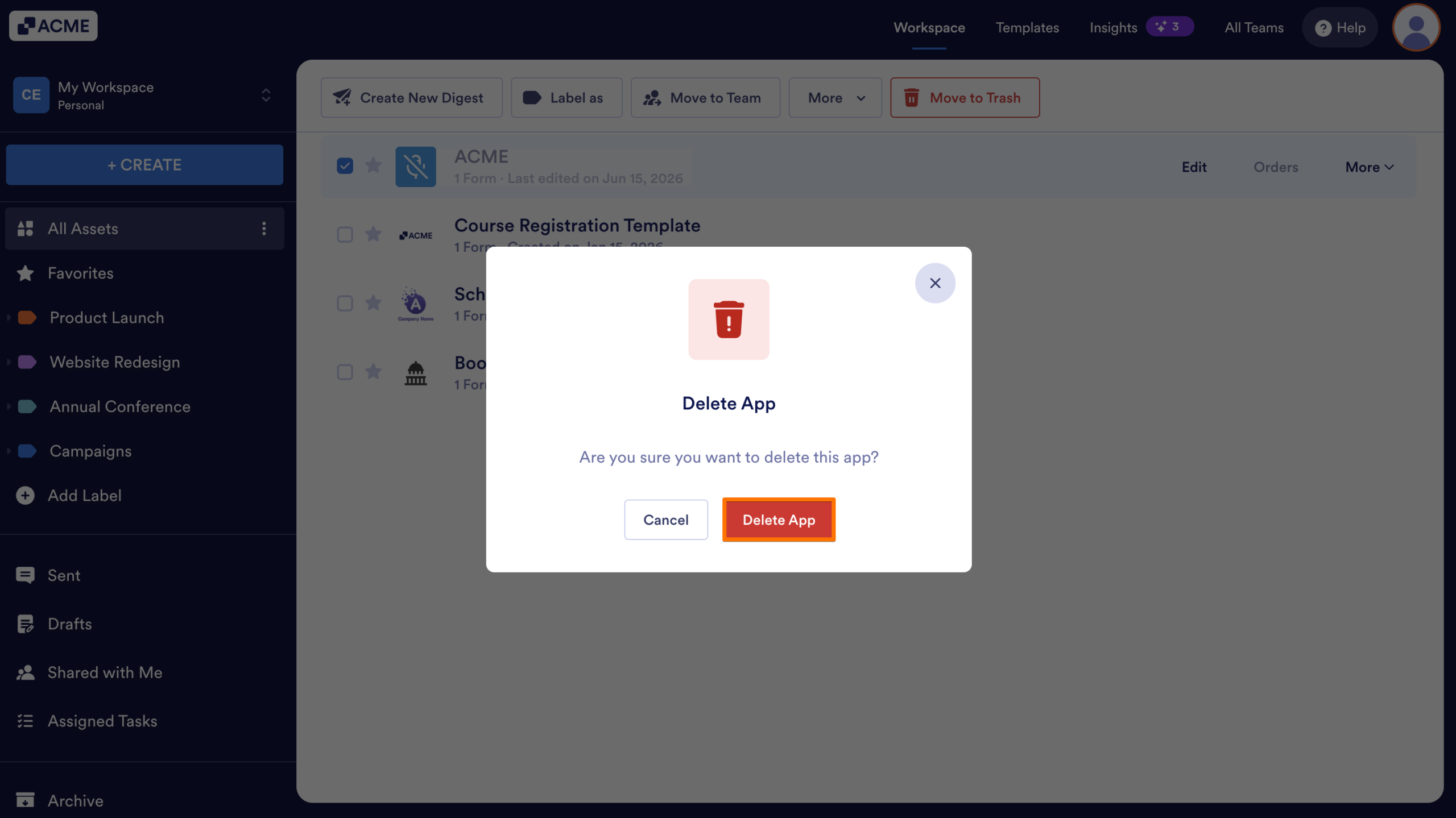
- In the Confirmation window that opens up, click on Delete App.
Note
Deleted apps are stored in the Trash for some time. After this, they’re permanently removed from servers and can’t be restored.

Send Comment: