Smart Highlights analyzes asset performance and flags unusual activity by comparing current results with historical usage data. It then provides recommendations to help restore normal performance. You can download these reports from the Smart Signals page.
Downloading Smart Signals Report
Below are the steps to download a Smart Signals report:
- In the Insights page, click Smart Signals on the left panel.
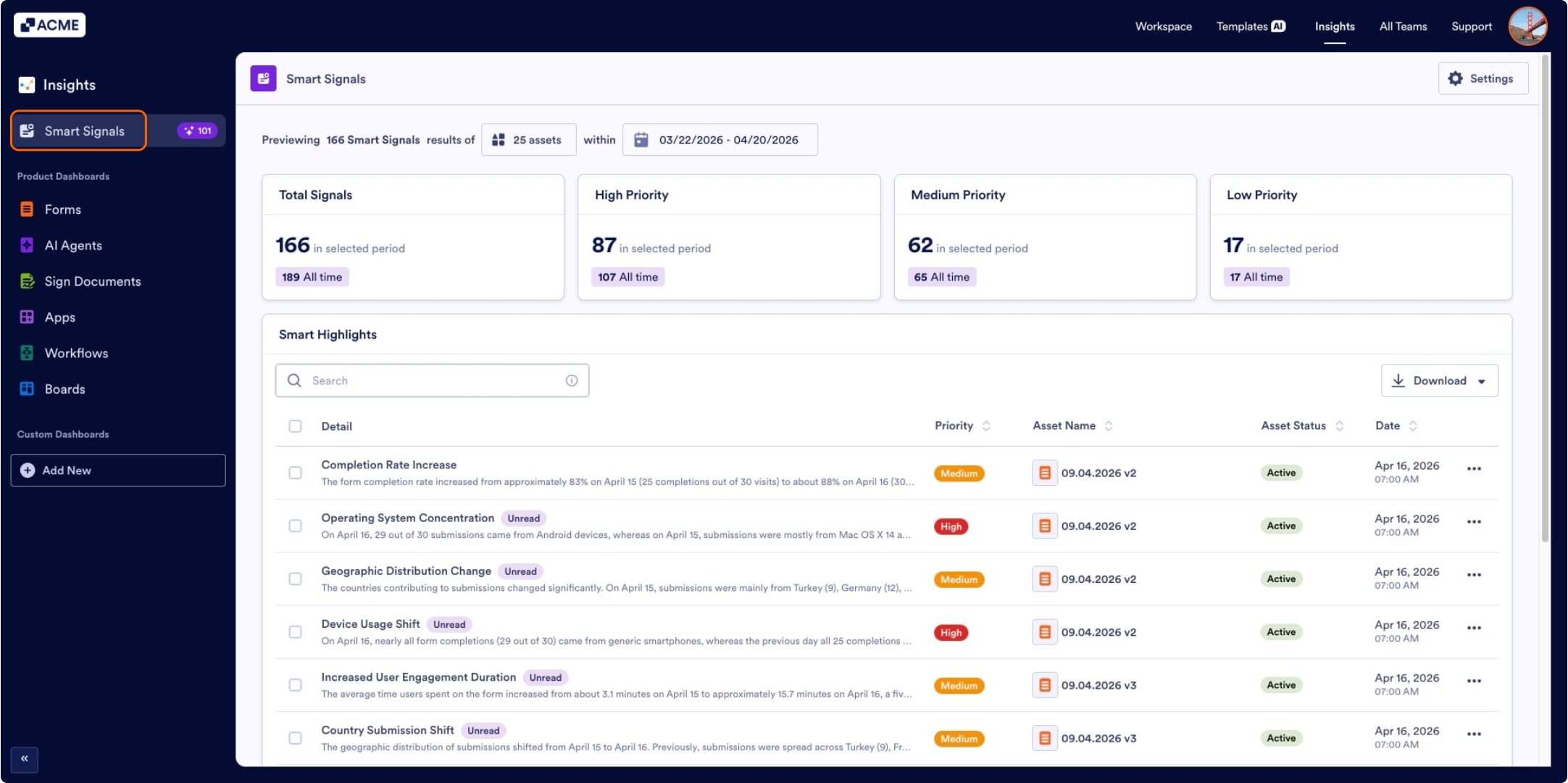
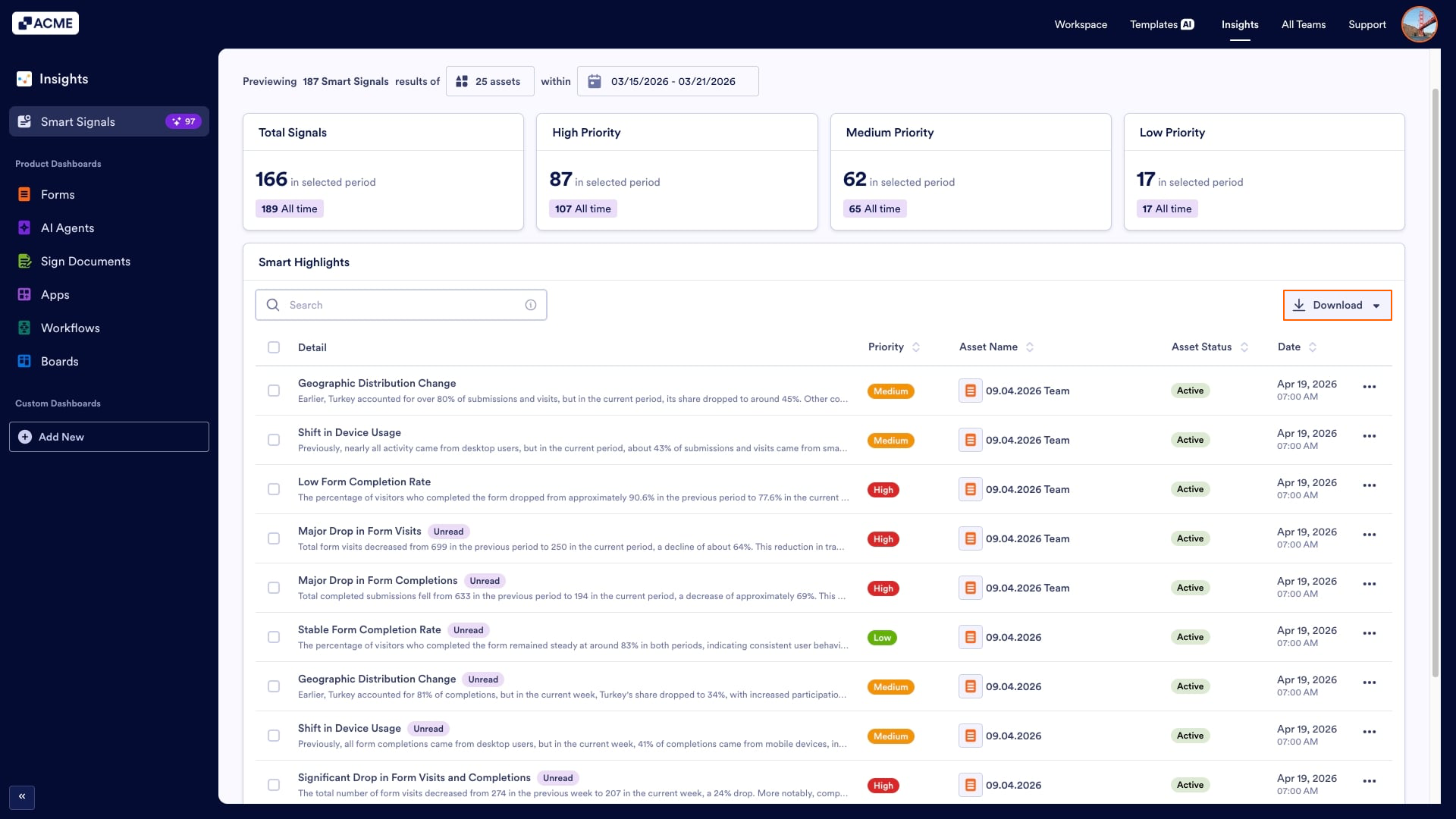
- In the Smart Signals tab, click Download on the top right side of the Smart Highlights list.
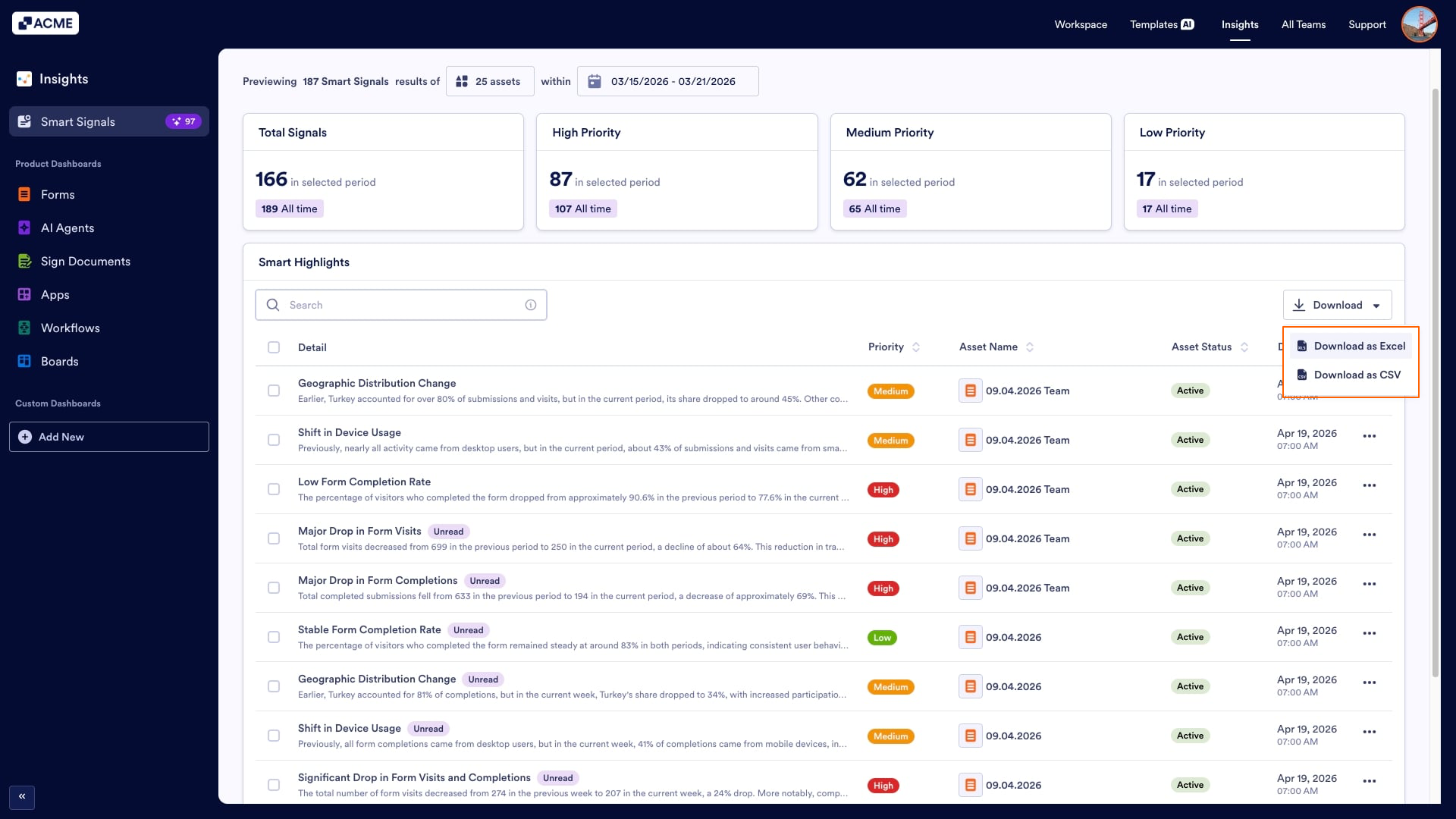
- Select the download format (Excel or CSV).
The downloaded report will have the columns below:

- Asset ID
- Asset Type
- Asset Title
- Priority Title
- Details
- Suggestion
- Date

Send Comment: