How to Enable or Disable Draft Mode by Default Organization-Wide from the Admin Console

September 8, 2026

Controlling whether newly created forms start in Draft Mode helps maintain consistent form settings across your organization. By enabling or disabling the Draft Mode toggle in the Admin Console, admins can set the default status for every new form created by users. This helps ensure forms are reviewed before being made available immediately, depending on your organization’s needs.

How to Enable Draft Mode by Default

Here’s all you need to do:

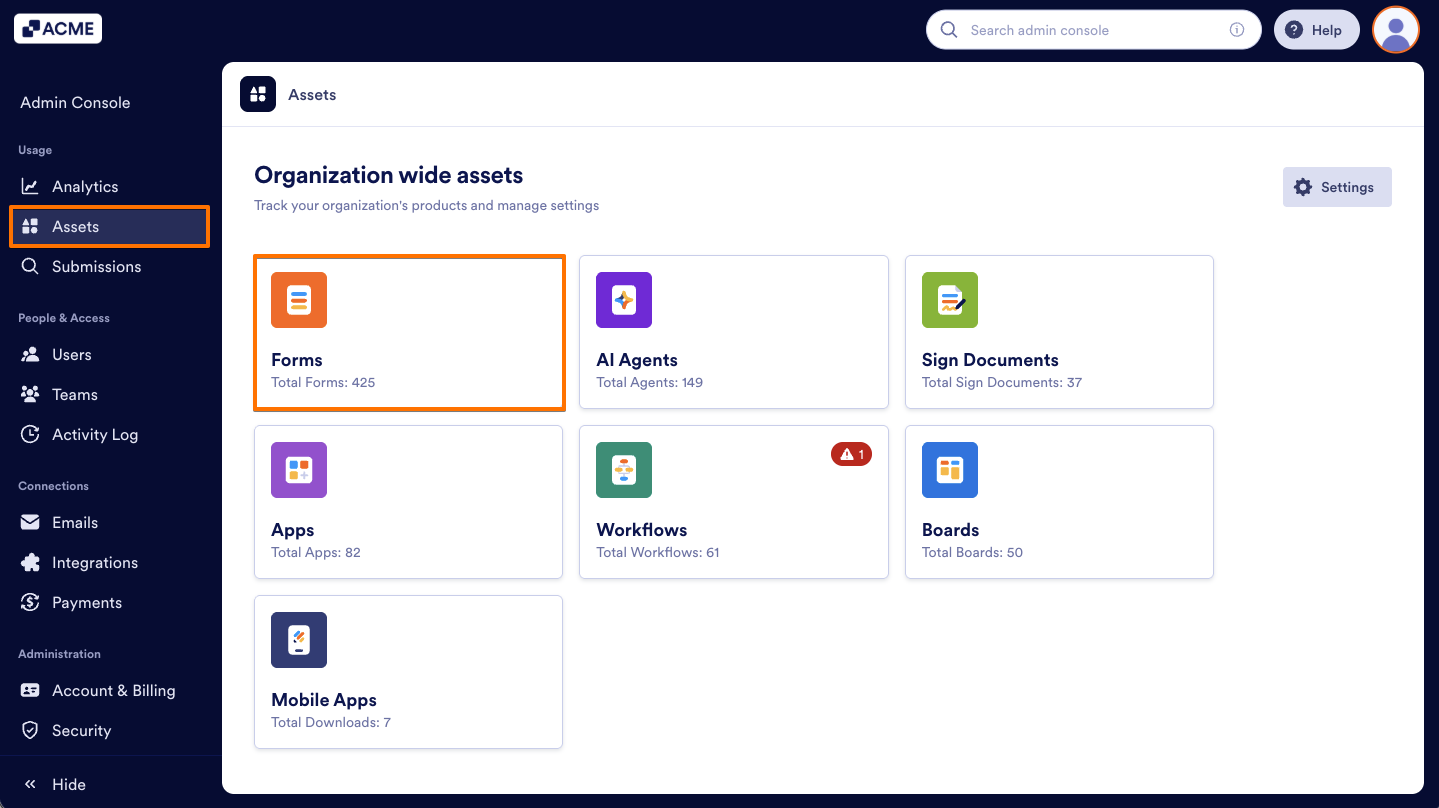
  1. From the left menu in the Admin Console, select Assets.
  1. Next, click on Forms.
How to Enable or Disable Draft Mode by Default Organization-Wide from the Admin Console Image-1
  1. Then, click on the Settings button on the right.
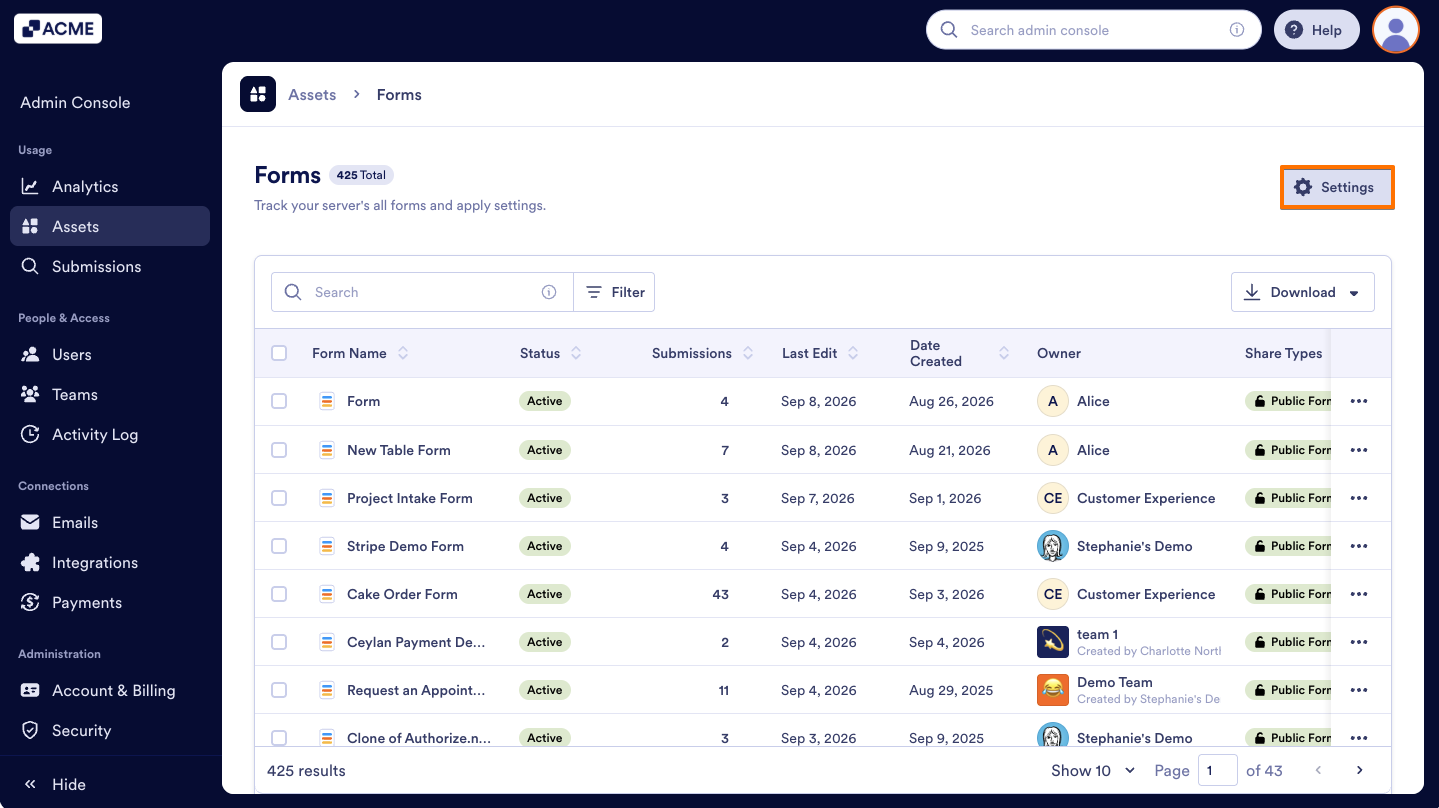
How to Enable or Disable Draft Mode by Default Organization-Wide from the Admin Console Image-2
  1. Toggle the Enable draft mode by default to On.
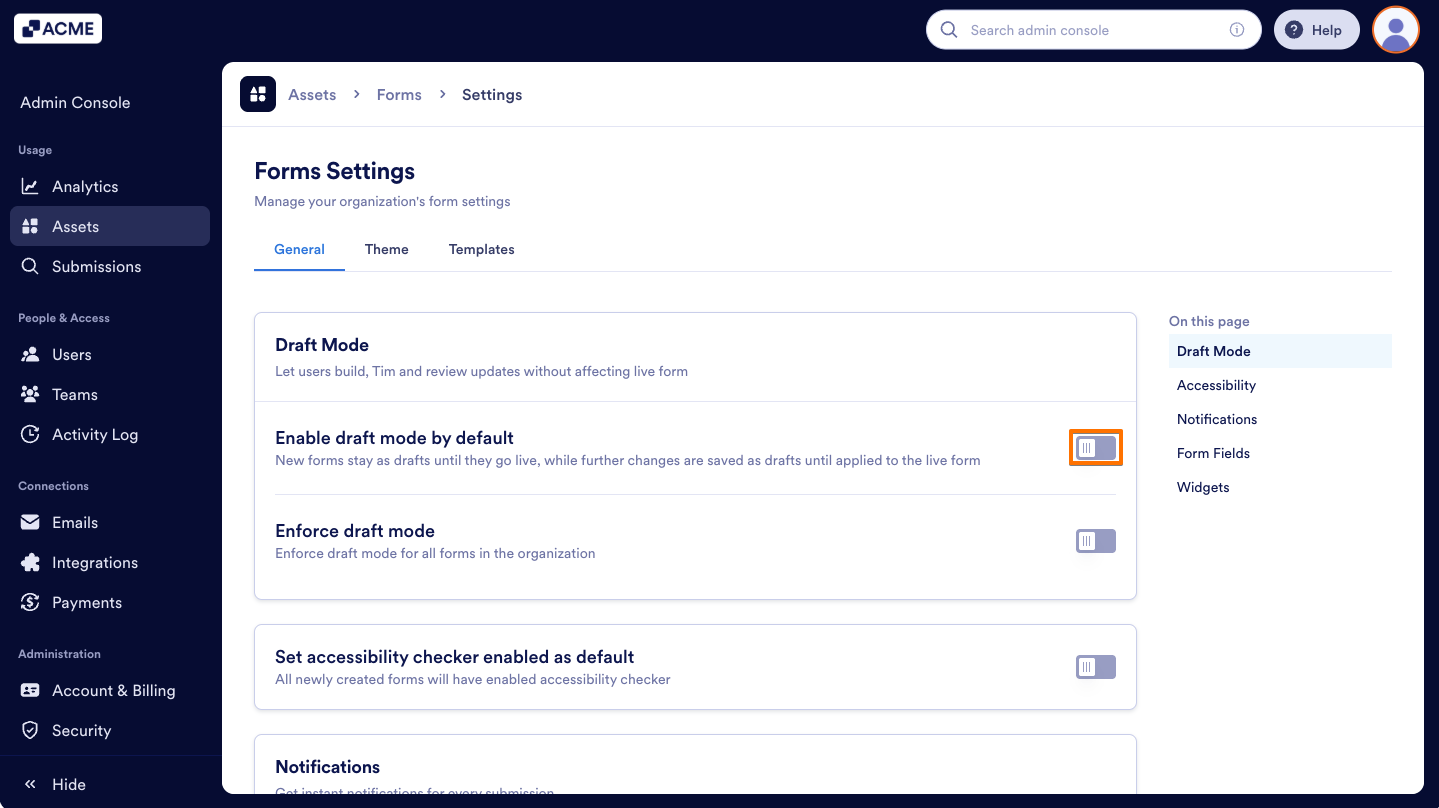
How to Enable or Disable Draft Mode by Default Organization-Wide from the Admin Console Image-3
  1. Finally, in the pop-up window, select Enable.
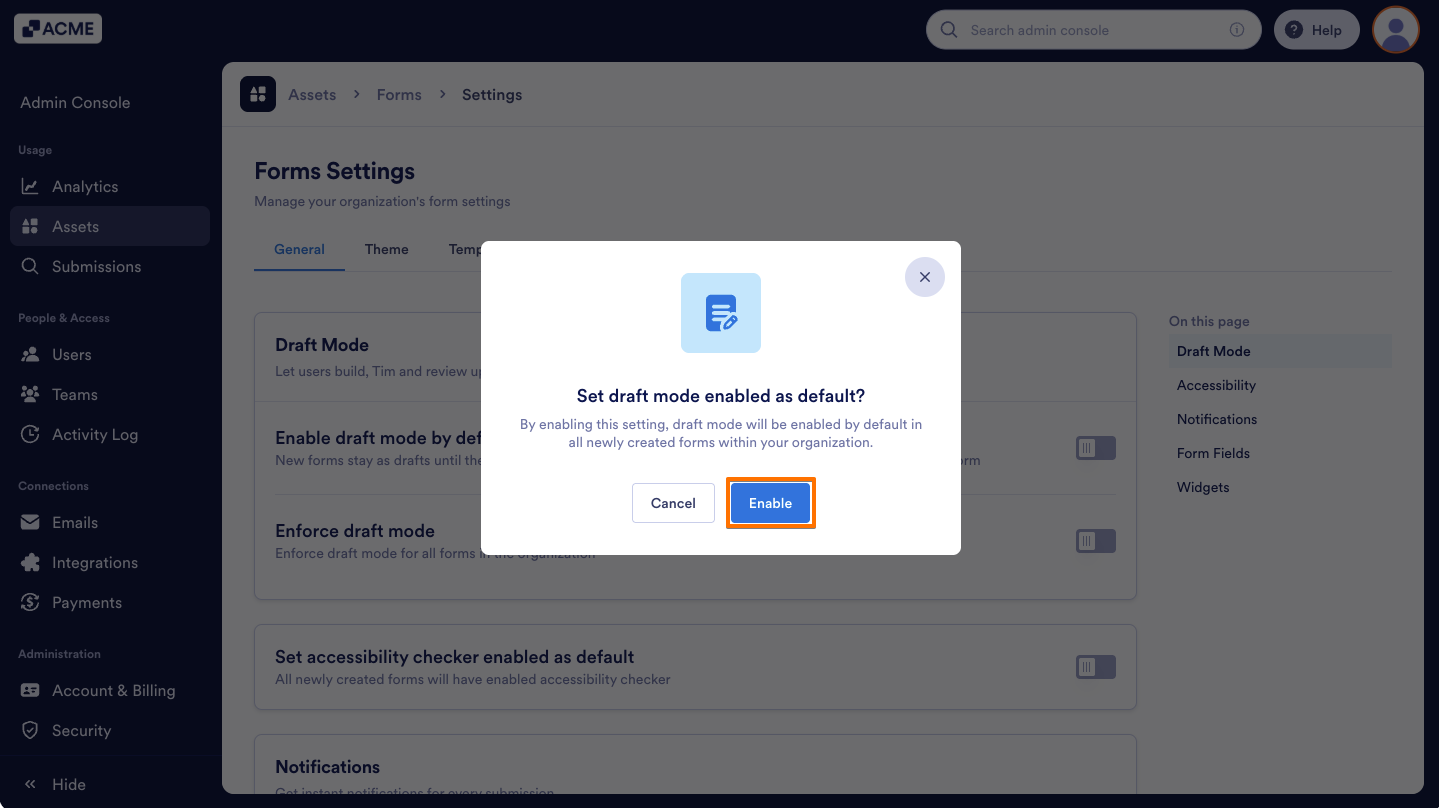
How to Enable or Disable Draft Mode by Default Organization-Wide from the Admin Console Image-4

That’s it! All new forms created on your server will now have Draft Mode enabled by default.

How to Disable Draft Mode by Default

  1. On the Forms Settings page in the Admin Console, toggle Enable Draft Mode by Default to Off.
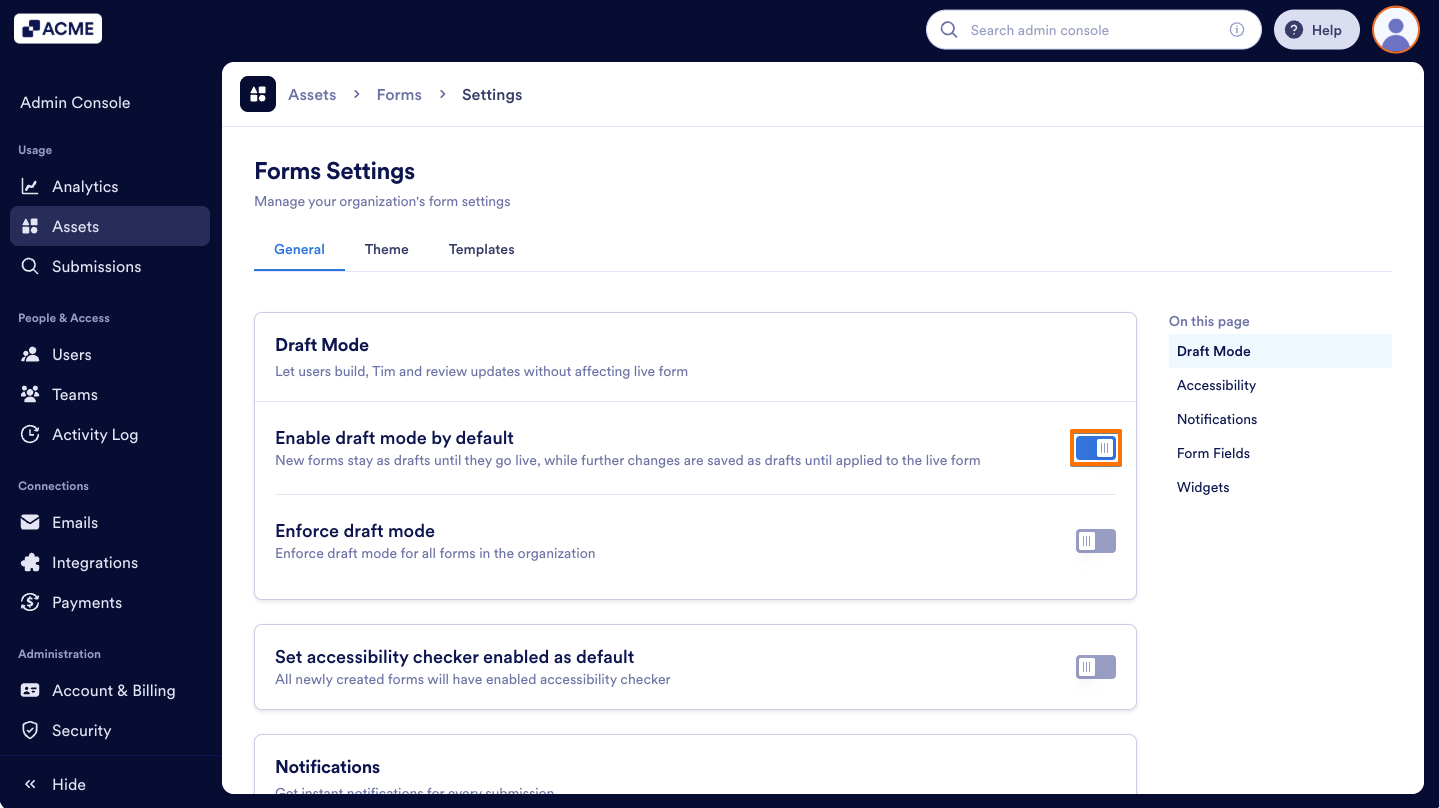
How to Enable or Disable Draft Mode by Default Organization-Wide from the Admin Console Image-5
  1. Then, in the pop-up window, click Disable.
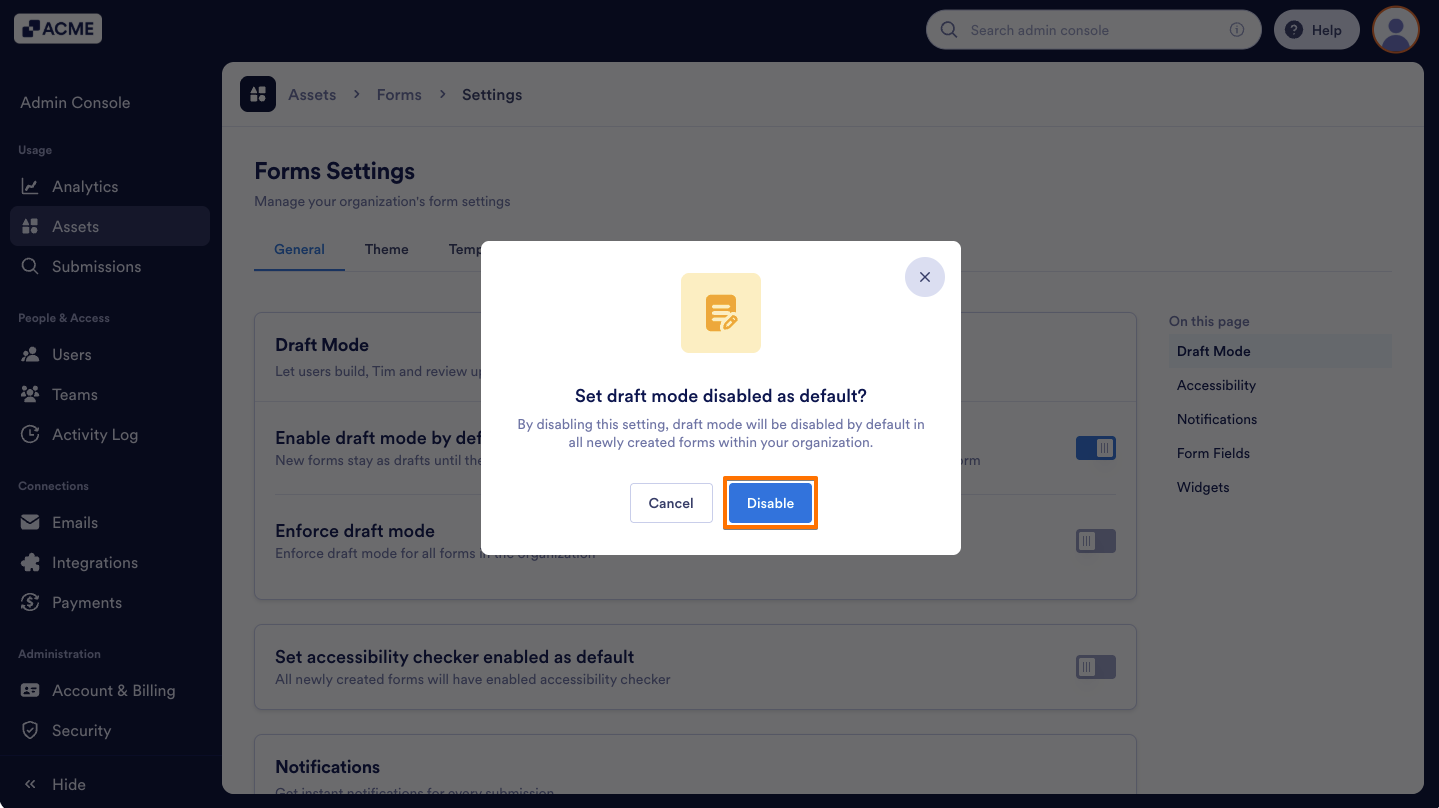
How to Enable or Disable Draft Mode by Default Organization-Wide from the Admin Console Image-6

Send Comment:

Jotform Avatar
This site is protected by reCAPTCHA and the Google Privacy Policy and Terms of Service apply.

Podo Comment Be the first to comment.
Still have unanswered questions?

We’re here for you 24/7, anytime you need us day or night. Have a question or need a hand with something? Our team is always ready to help out.