Draft Mode allows changes to a form to be reviewed and tested before they are published to the live form. By enforcing Draft Mode through the Admin Console, admins can apply this setting to all existing forms and any new forms created across the organization. This ensures that updates remain in draft until they are ready to go live.
How to Enable Draft Mode Enforcement
Here’s all you need to do:
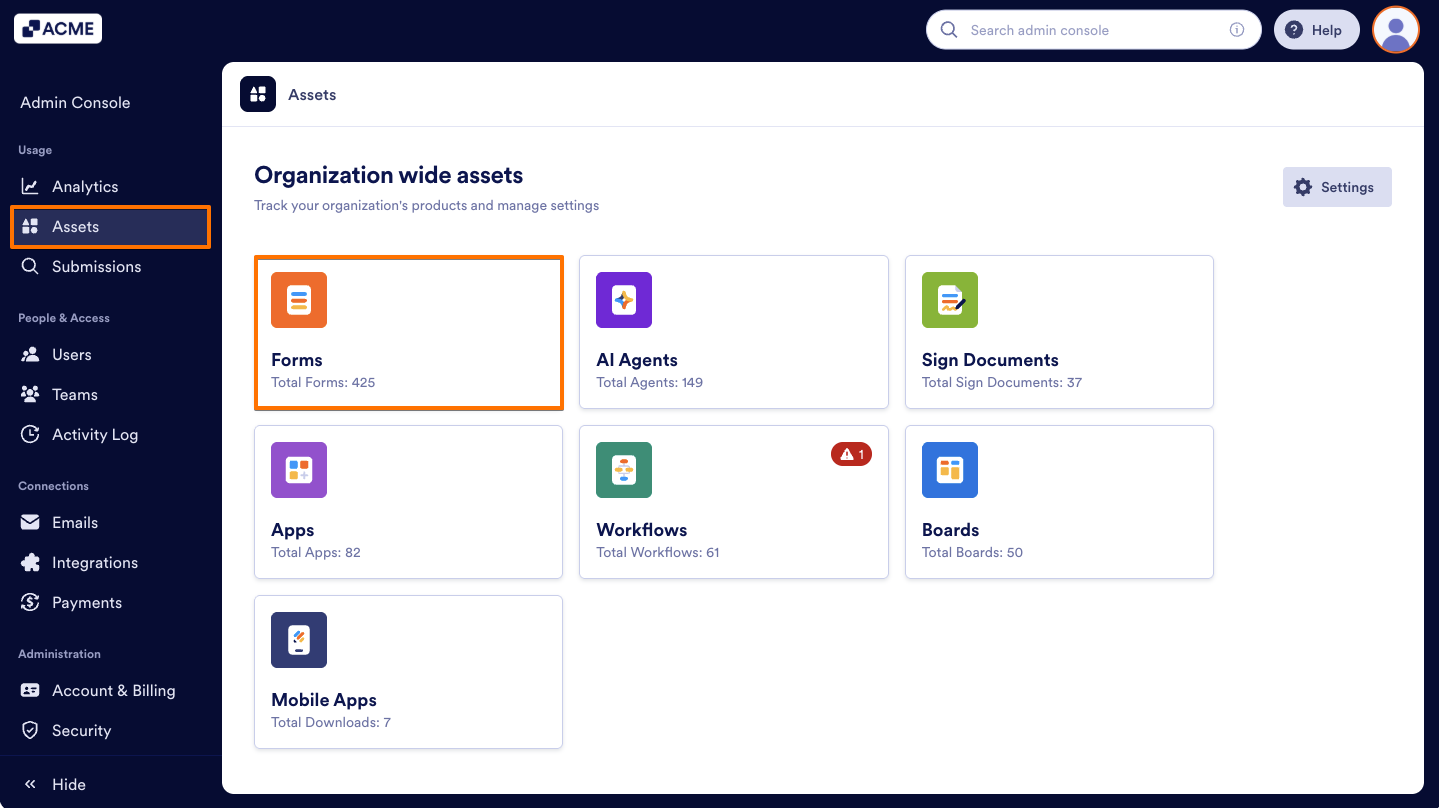
- From the left menu in the Admin Console, select Assets.
- Next, click on Forms.
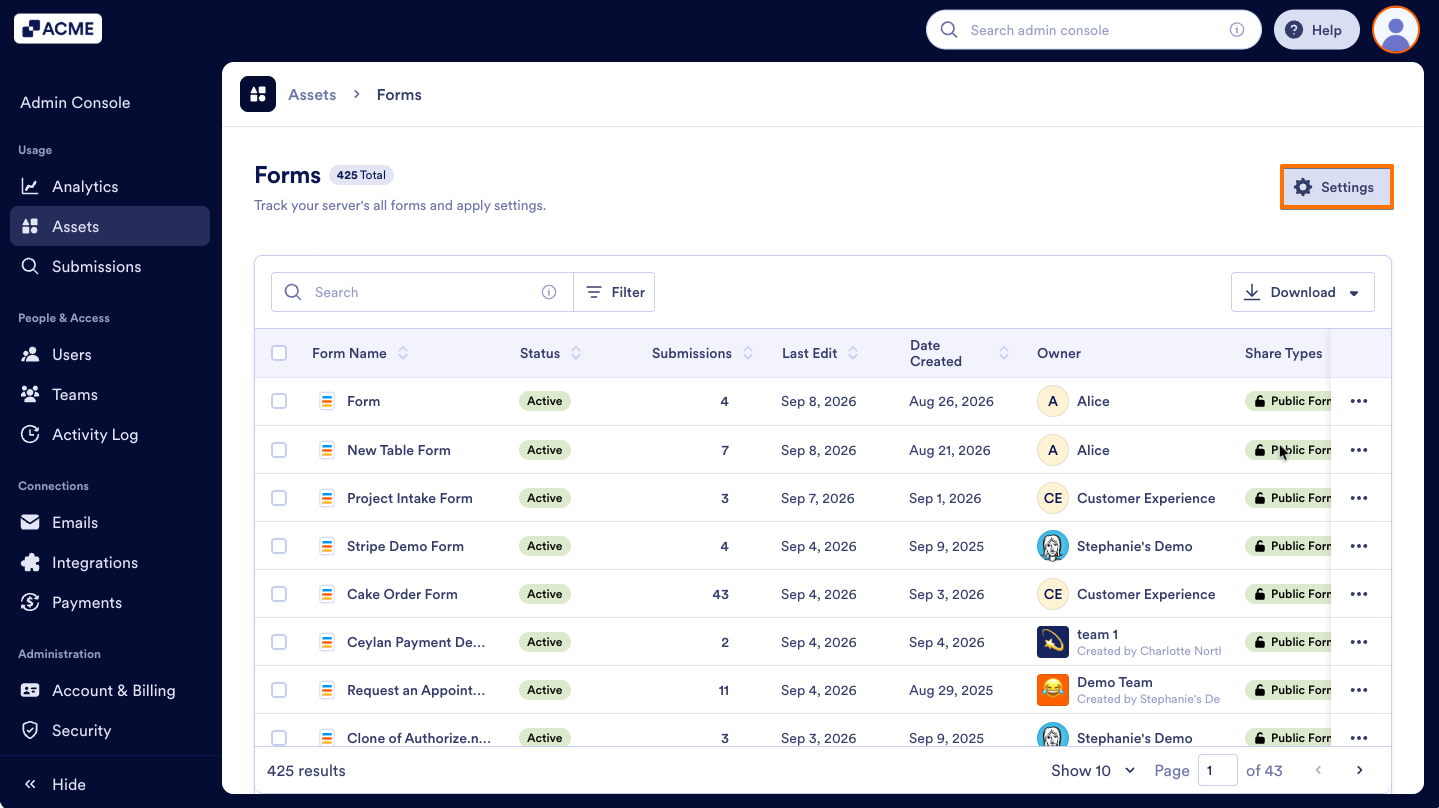
- Then, on the upper-right side of the page, click the Settings button.
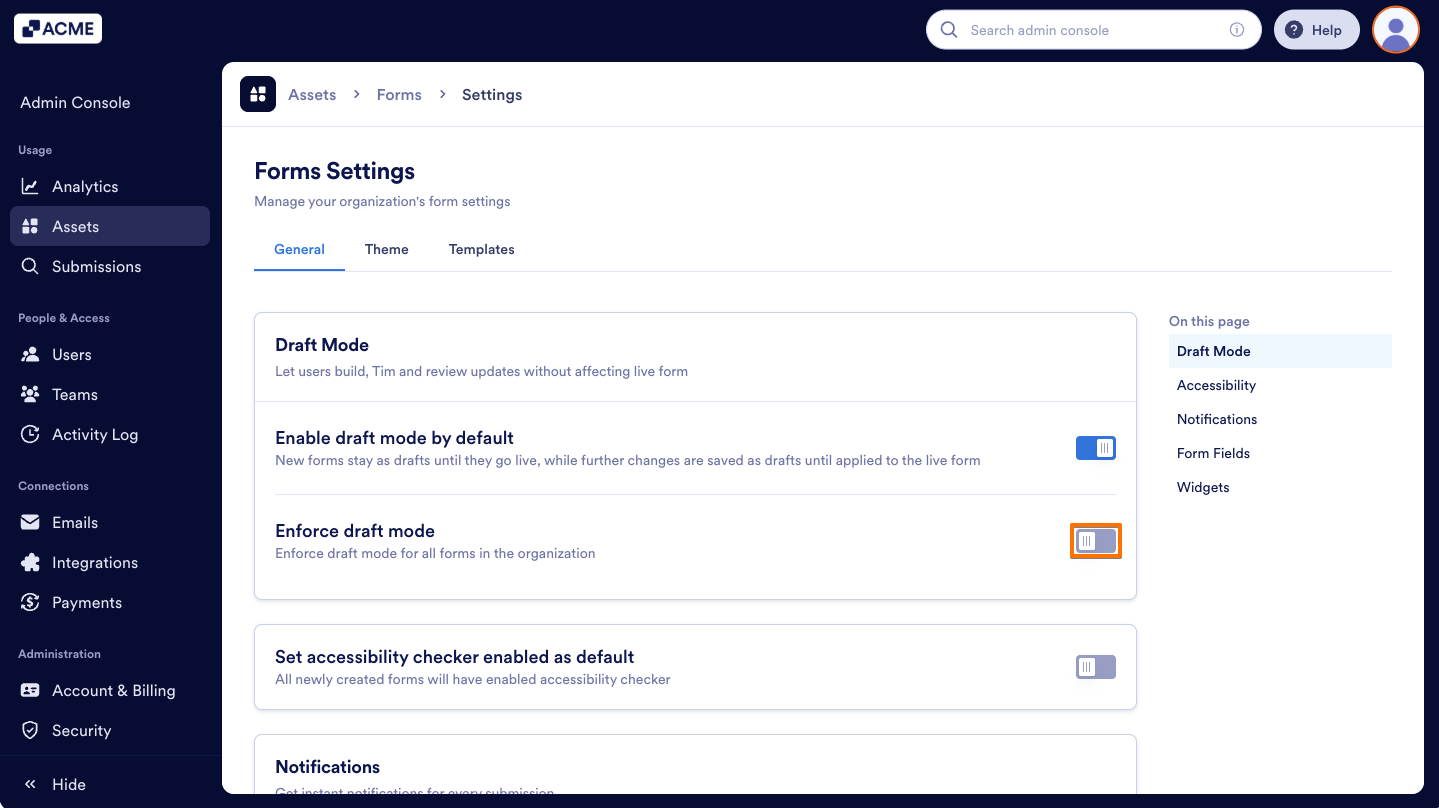
- Toggle Enforce Draft Mode to On.
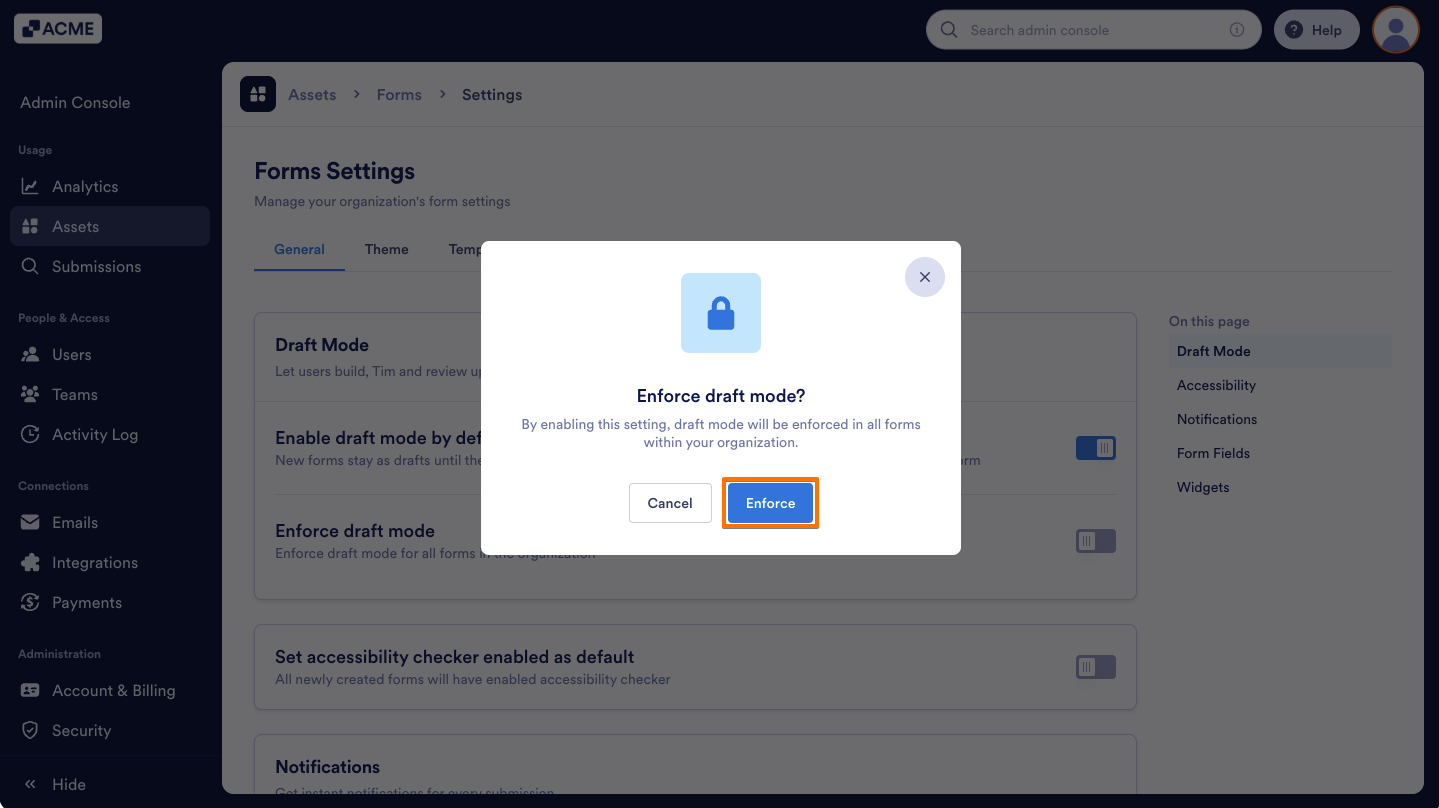
- Finally, in the pop-up window, select Enforce.
Note
When Draft Mode is enforced, Enable Draft Mode by Default is automatically enabled and can’t be disabled separately. To turn it off, you must first disable Enforce Draft Mode.
How to Disable Draft Mode Enforcement
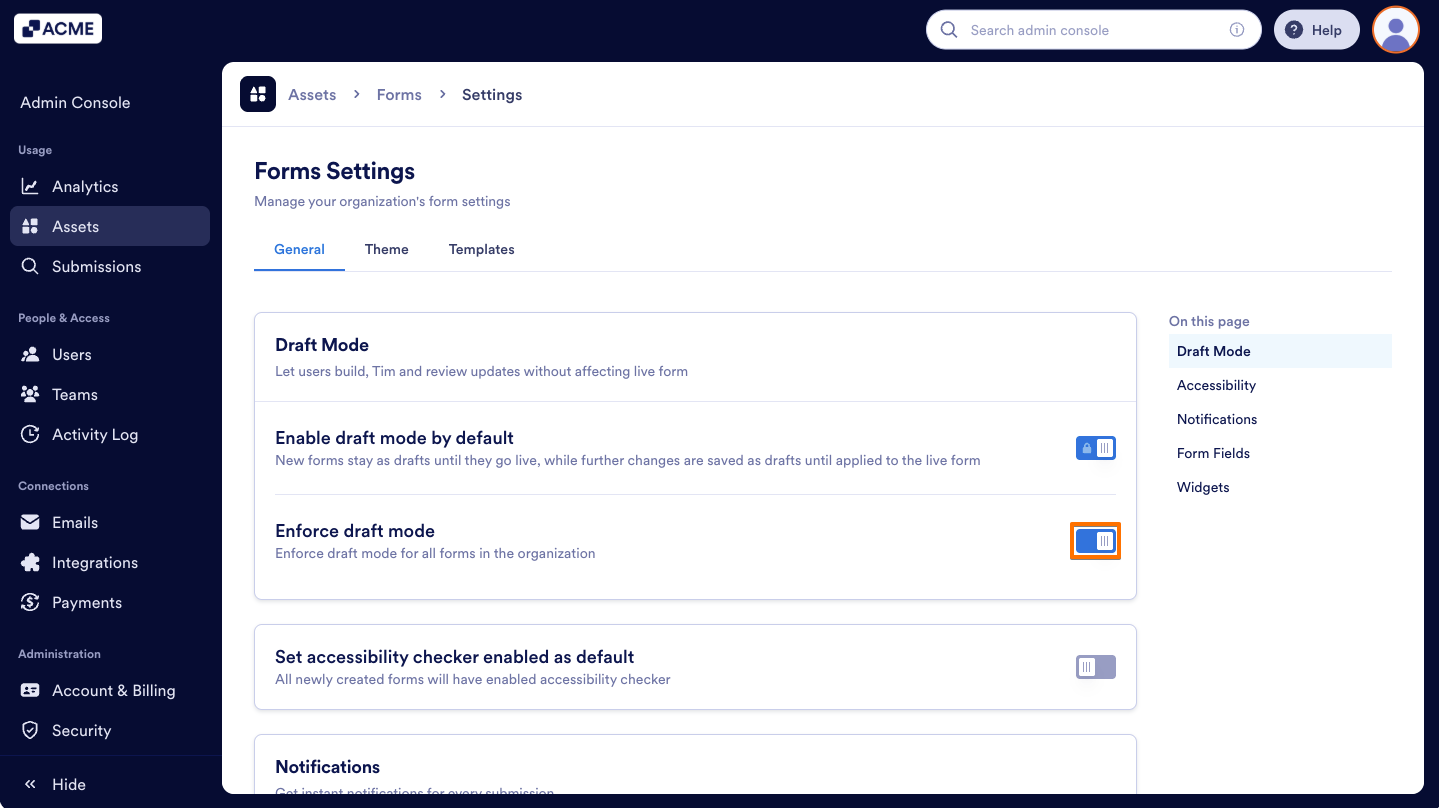
- On the Forms Settings page in the Admin Console, toggle Enforce draft mode to Off.
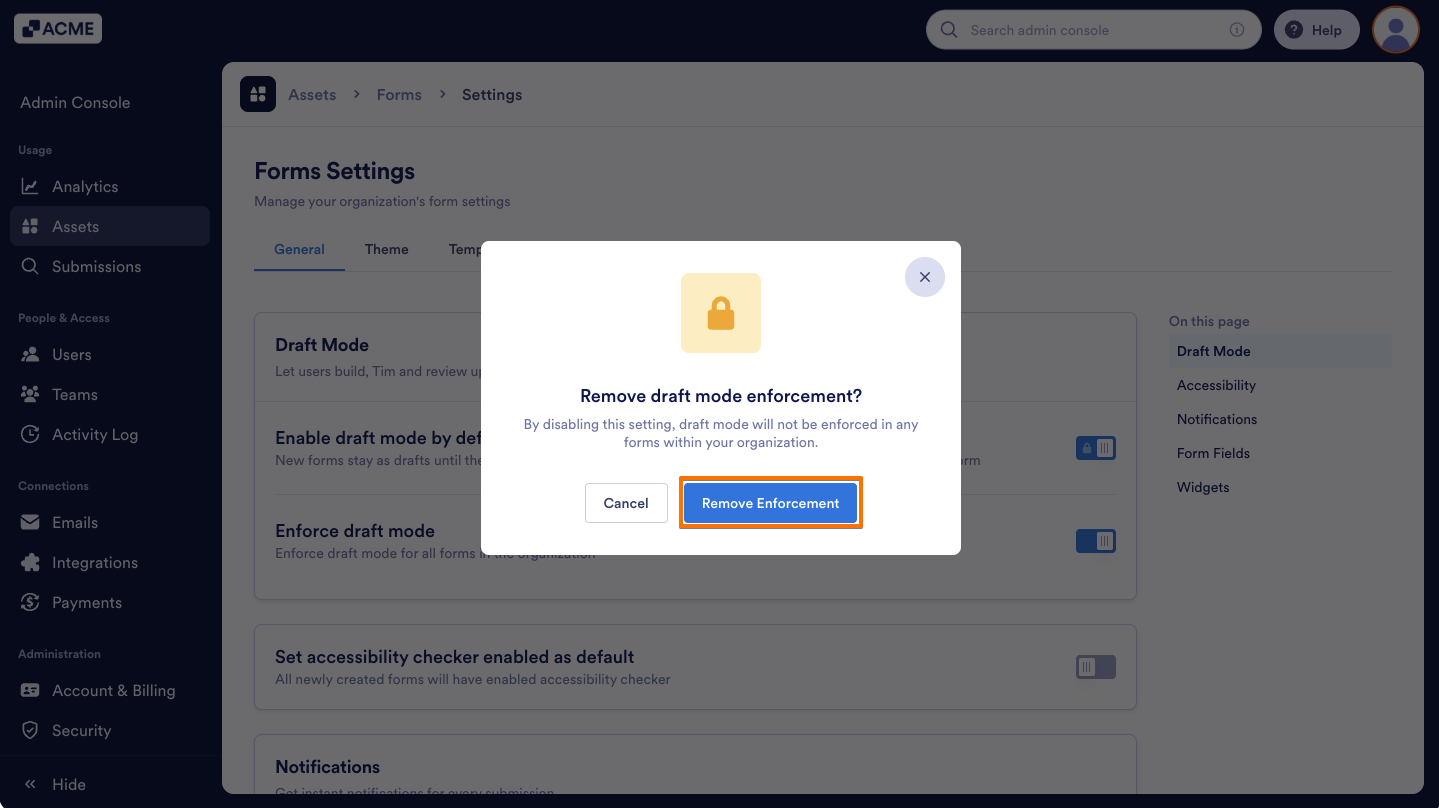
- Then, in the pop-up window, click Remove Enforcement.
That’s it! You can now enable or disable Draft Mode enforcement for all existing and new forms across your organization.

Send Comment: