Grouping entries by answers provides a structured view of your form data, making it easier to analyze. This can be particularly useful when performing operations on a specific group of entries.
To group entries by answers:
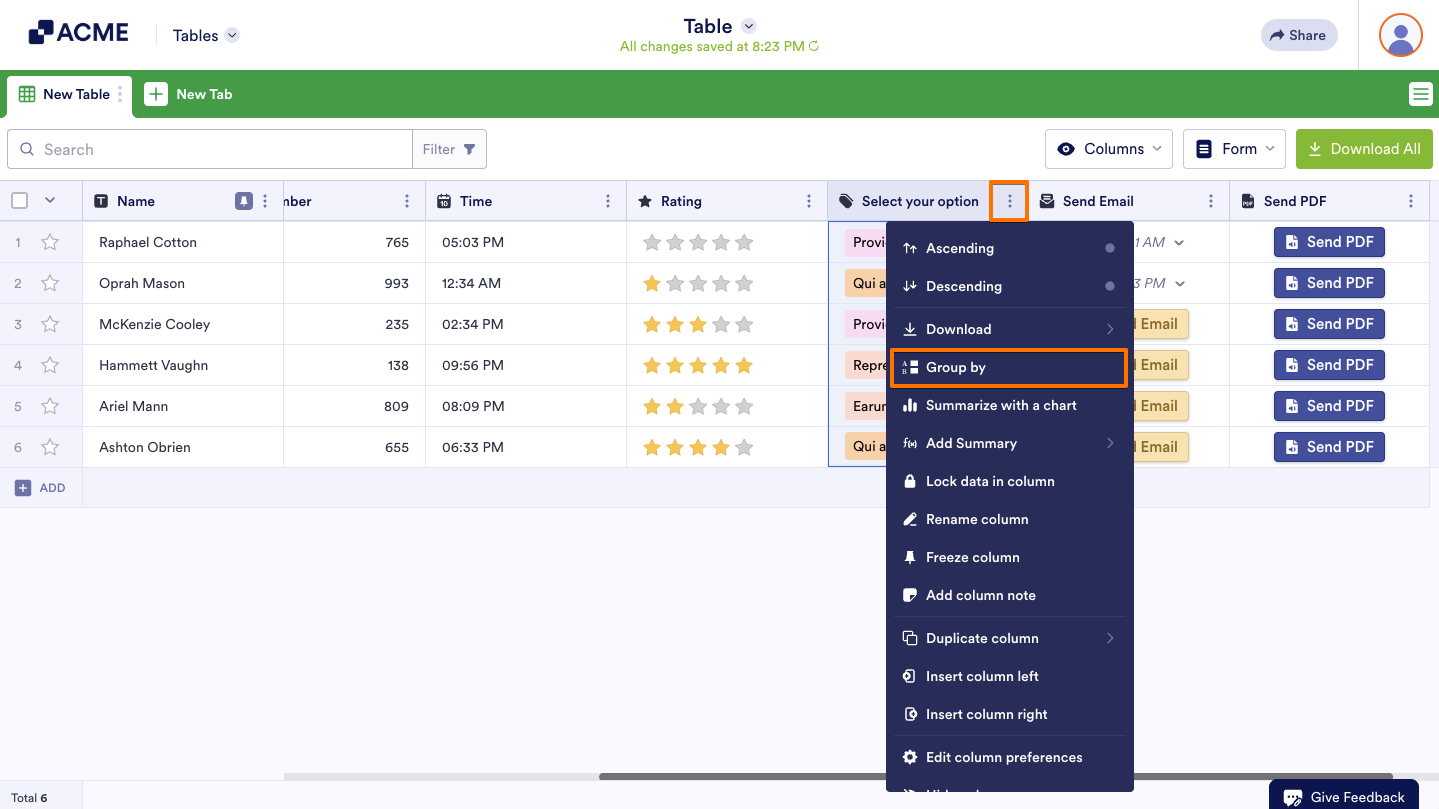
- In Tables, open the column’s menu at the top.
- Select Group by from the menu.
Note
This feature is available for Single Choice, Multiple Choice, and Dropdown column types.
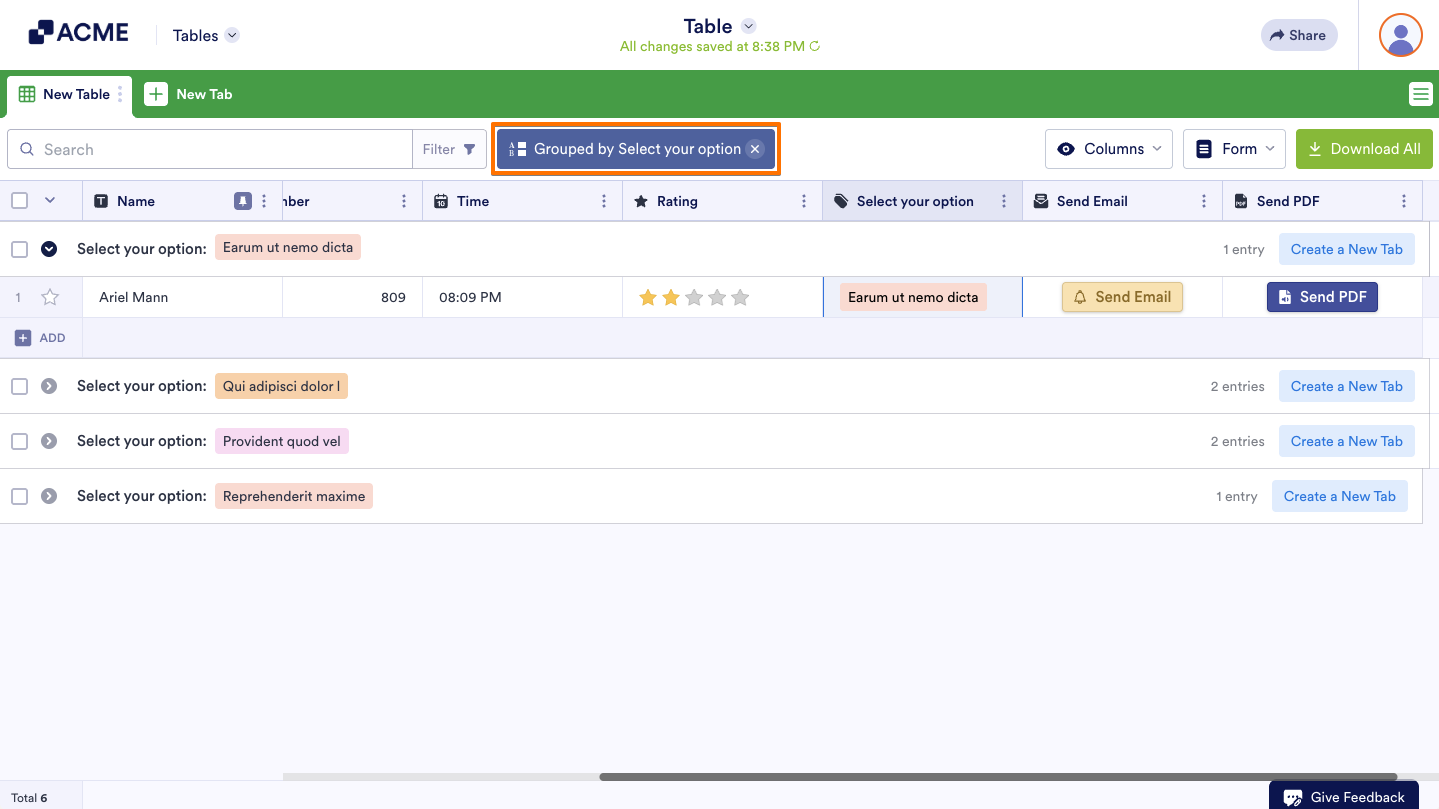
The entries should be grouped by answers indicated by the “Grouped by” message at the top. You can now select, manage, and download entries as well as create tabs based on groups. Select the group’s remove icon to it to ungroup the entries.

Send Comment: