Jotform Workflows allows you to integrate multiple forms with third-party services. You can add follow-up forms to your flow and use the forms’ data to configure any supported integrations. This helps make your data collection or management processes more efficient and effective.
To integrate multiple forms
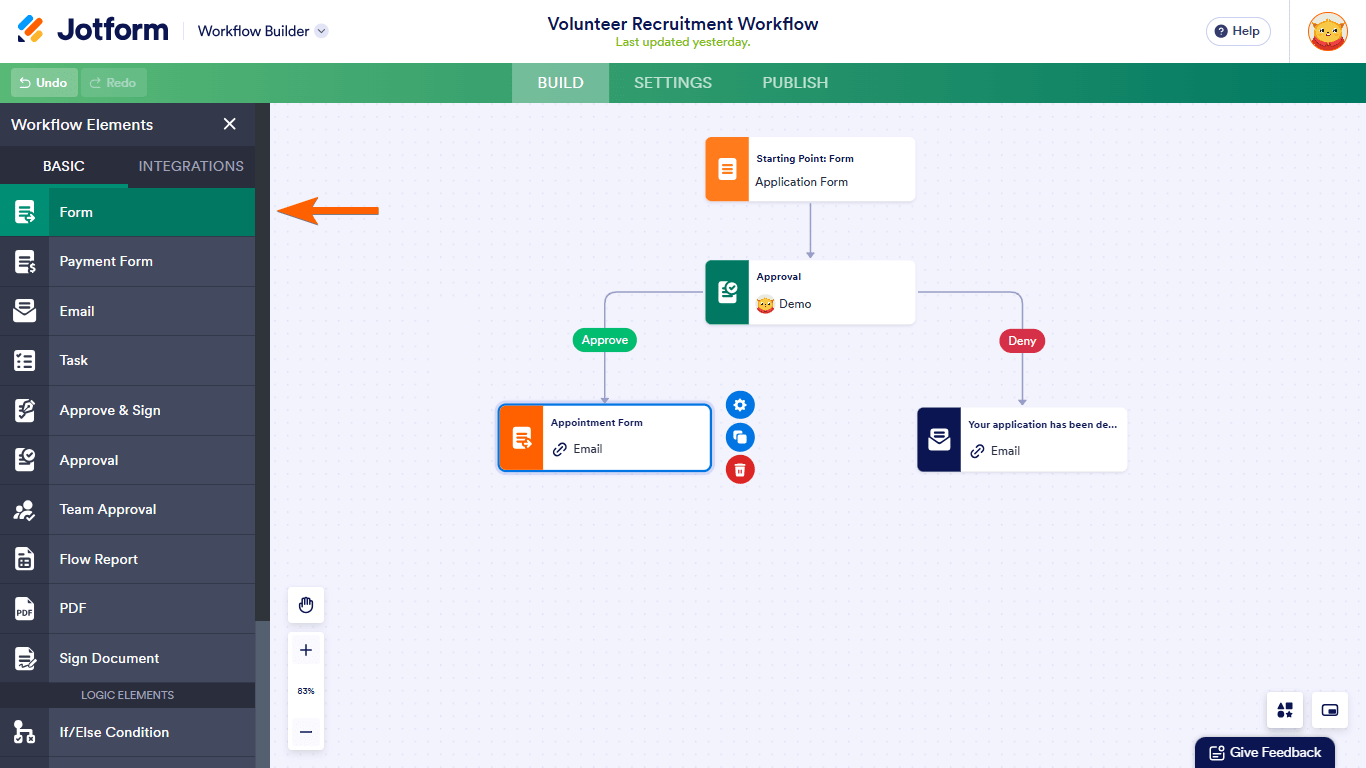
- In the Workflow Builder, add a follow-up form to your flow. See How to Assign Follow-Up Forms With Jotform Workflows for more information.
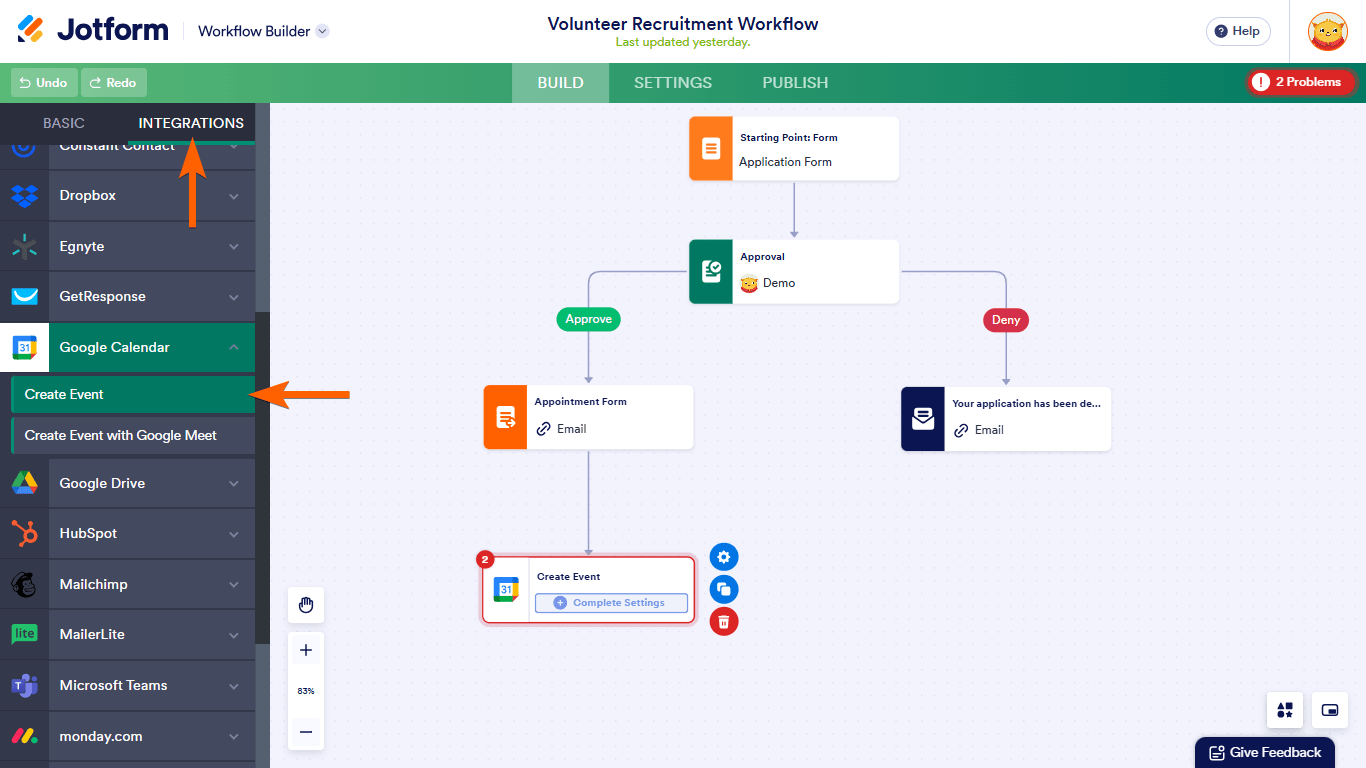
- Add and configure your desired integration into your workflow (e.g., Google Calendar). See How to Add an Integration to Workflows to learn more.
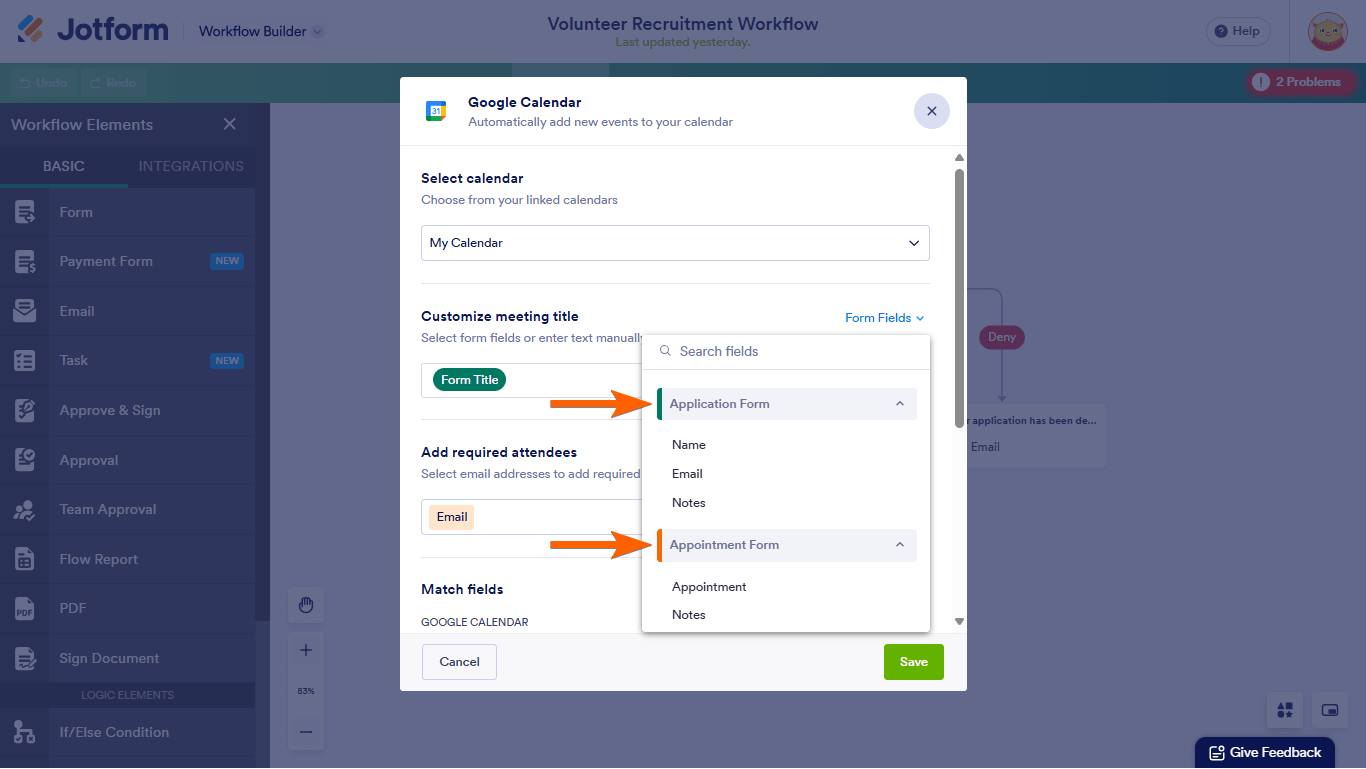
You can now use data from all forms connected in your workflow when configuring the integration.

Send Comment: