Jotform makes it easy to move your Airtable projects to Jotform Boards so you can manage your project data in one place. Migrating your projects lets you bring your existing Airtable data into Jotform Boards without having to recreate everything from scratch.
Whether you’re moving an individual project or switching your project management workflow from Airtable to Jotform Boards, the migration process helps you bring your existing project data with you and continue managing it in Jotform.
Migrating your Airtable projects to Jotform Boards is easy. Here’s how to do it:
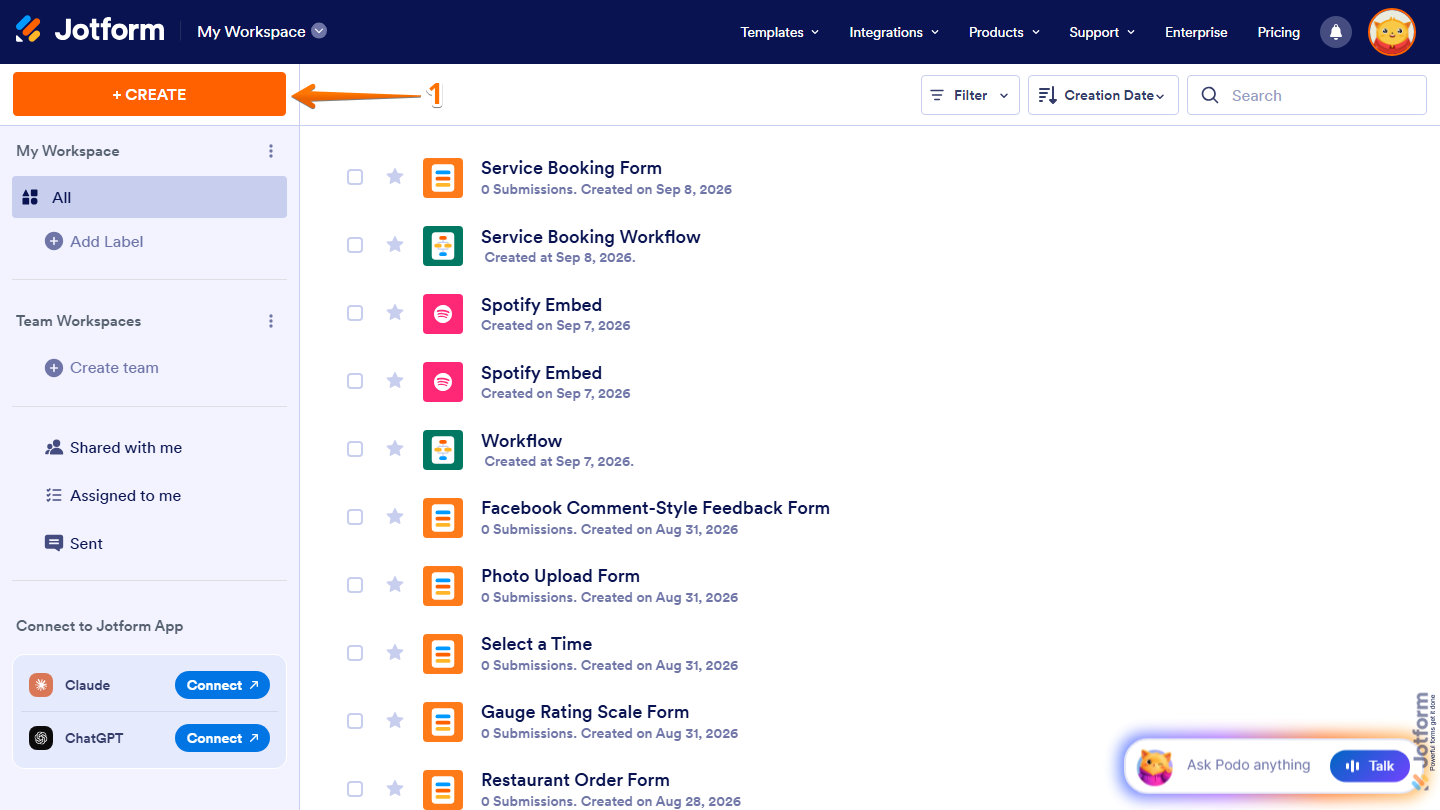
- On the top-left side of your Workspace page, click on Create.
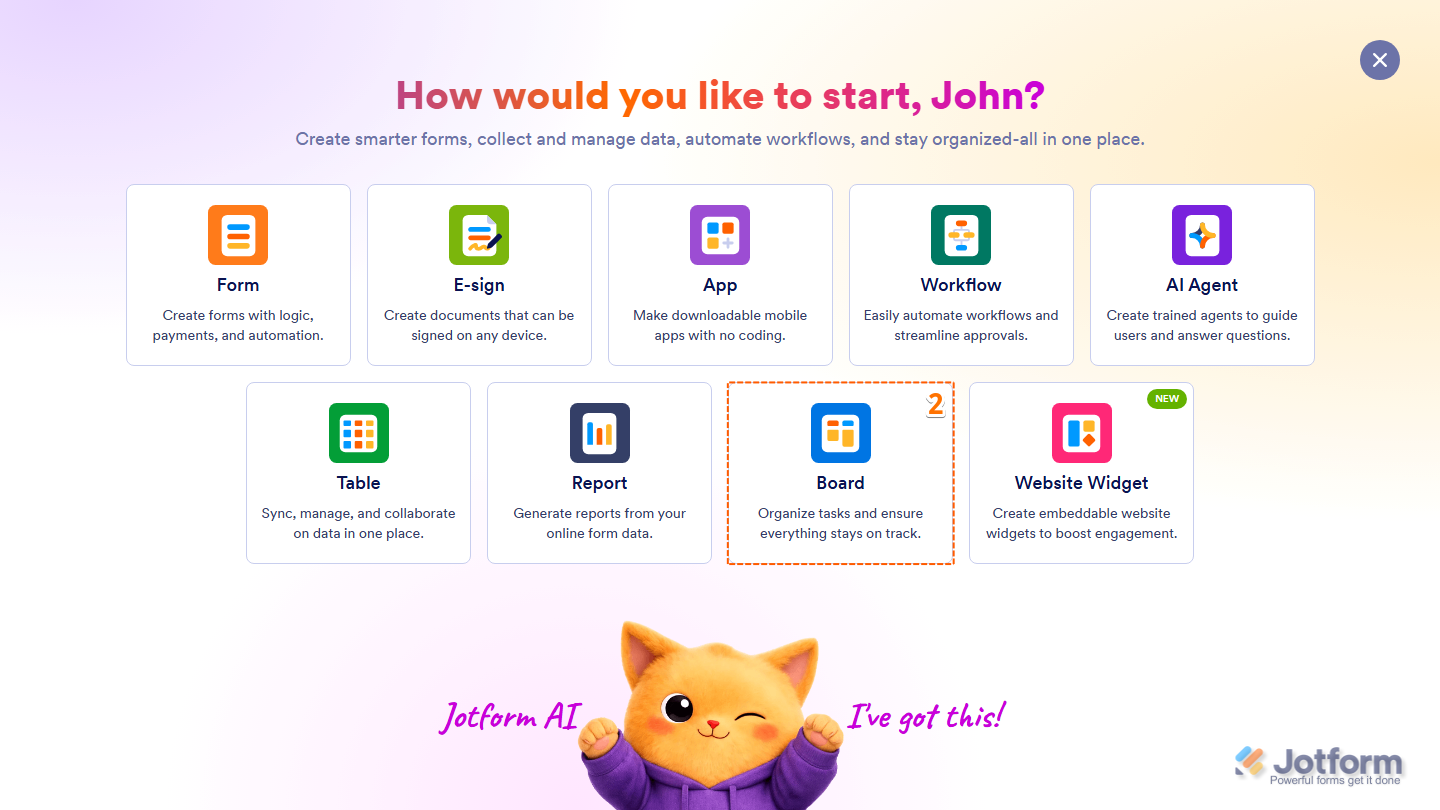
- Then, in the menu that opens up, select Board.
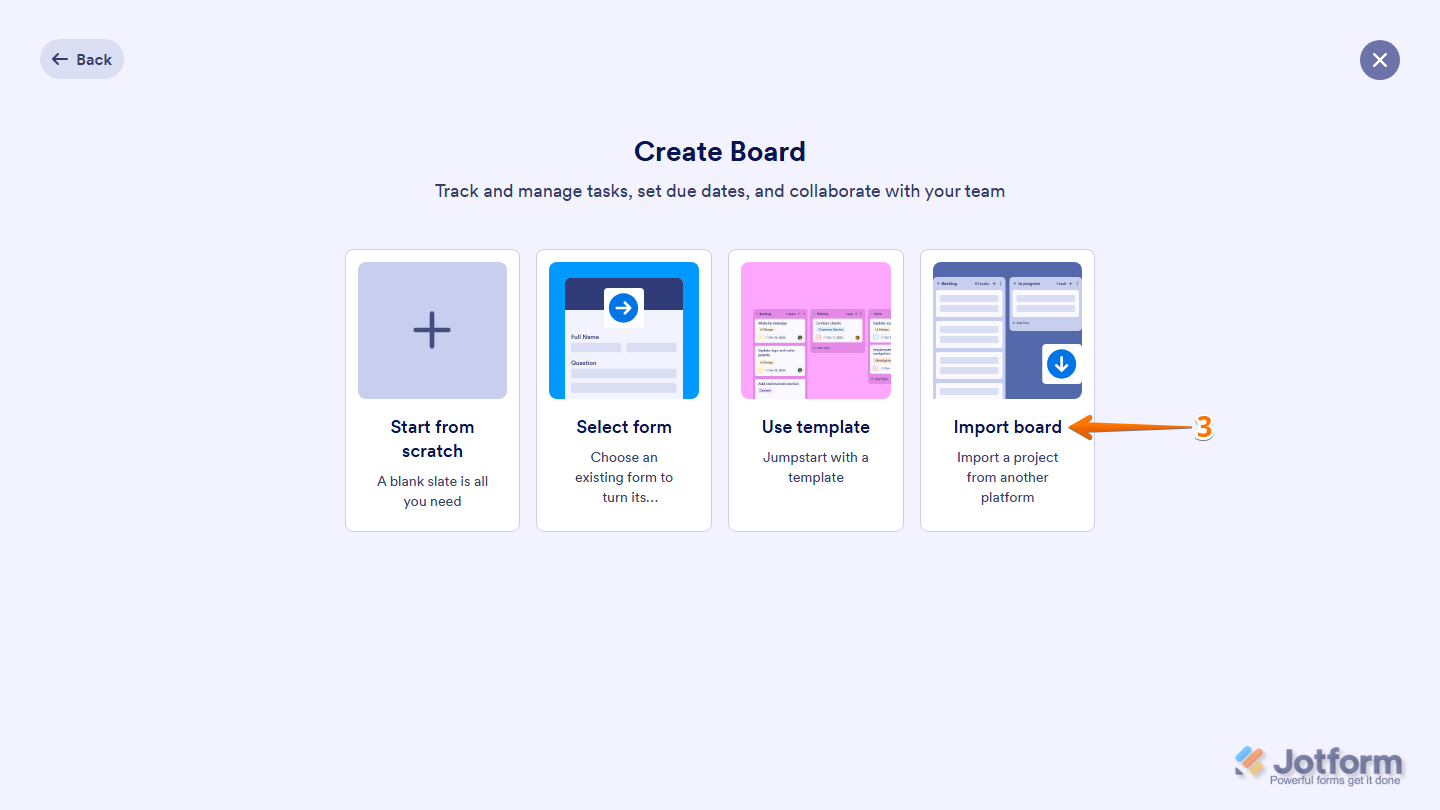
- Now, click on the Import Board.
- Next, select Airtable and then click Continue.

- Now, in the window that opens up, log in to your Airtable account. Once connected, choose what Jotform can access:
- Everything you have access to — Give Jotform access to all Airtable bases and workspaces you can access.
- Custom access — Choose the specific Airtable bases and workspaces you want Jotform to access.
- Then, click on Grant Access.

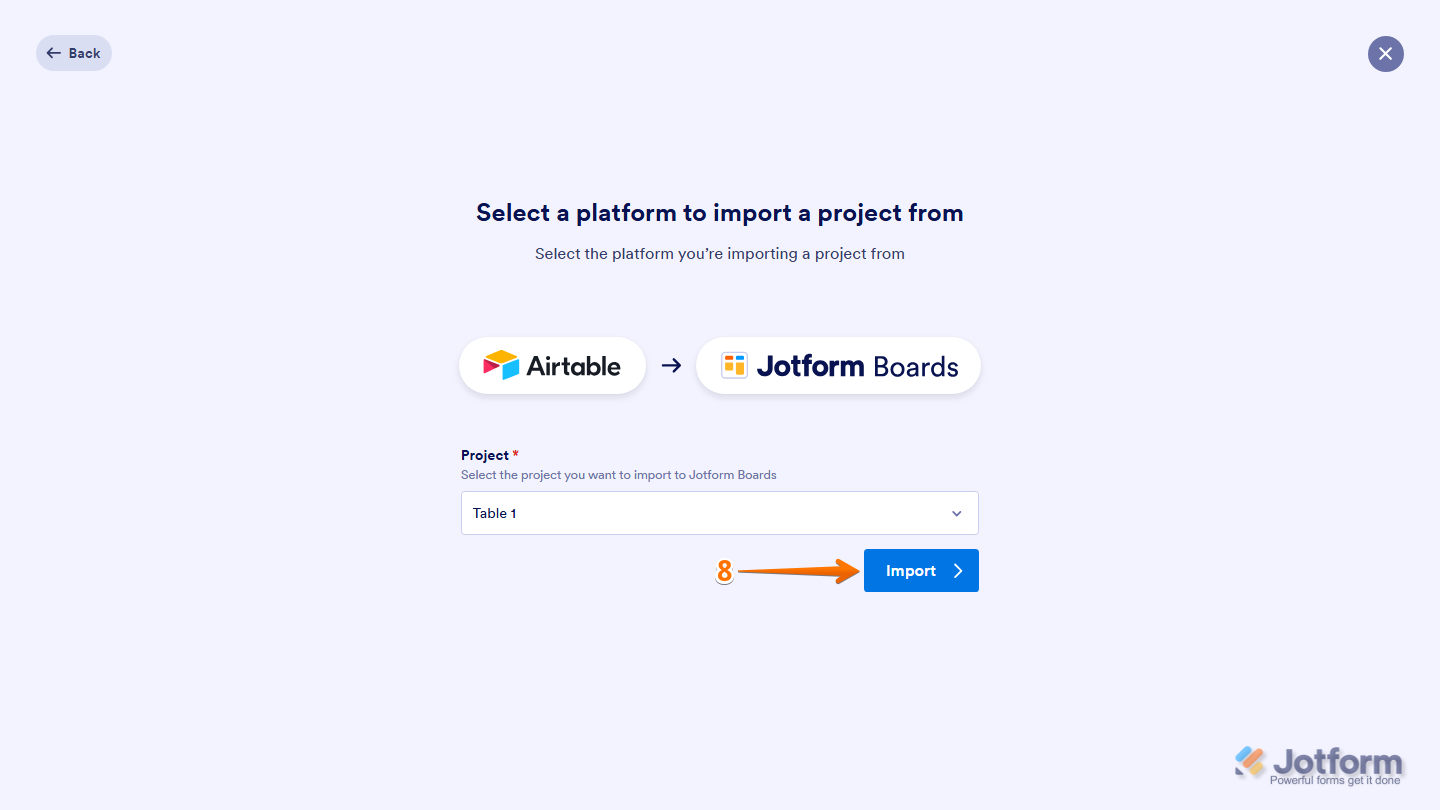
- Now, under the Project section, click on the Downward Arrow icon, then in the Dropdown menu that opens, select the Airtable project you want to import to Jotform Boards.

- Once you’re done, click on Import.
You’re all set! Your Airtable project has been successfully imported into Jotform Boards, making task management simple and efficient.

Send Comment: