How to Publish an App Using an Asset Domain

October 27, 2026

Asset Domains allow you to publish your app using a branded domain that your admin has made available to you. This guide explains how to select an available Asset Domain in the App Builder.

  1. In the App Builder, click Publish in the purple navigation bar at the top of the page.
  2. Next, click on the Domain dropdown under Set domain of publish link.
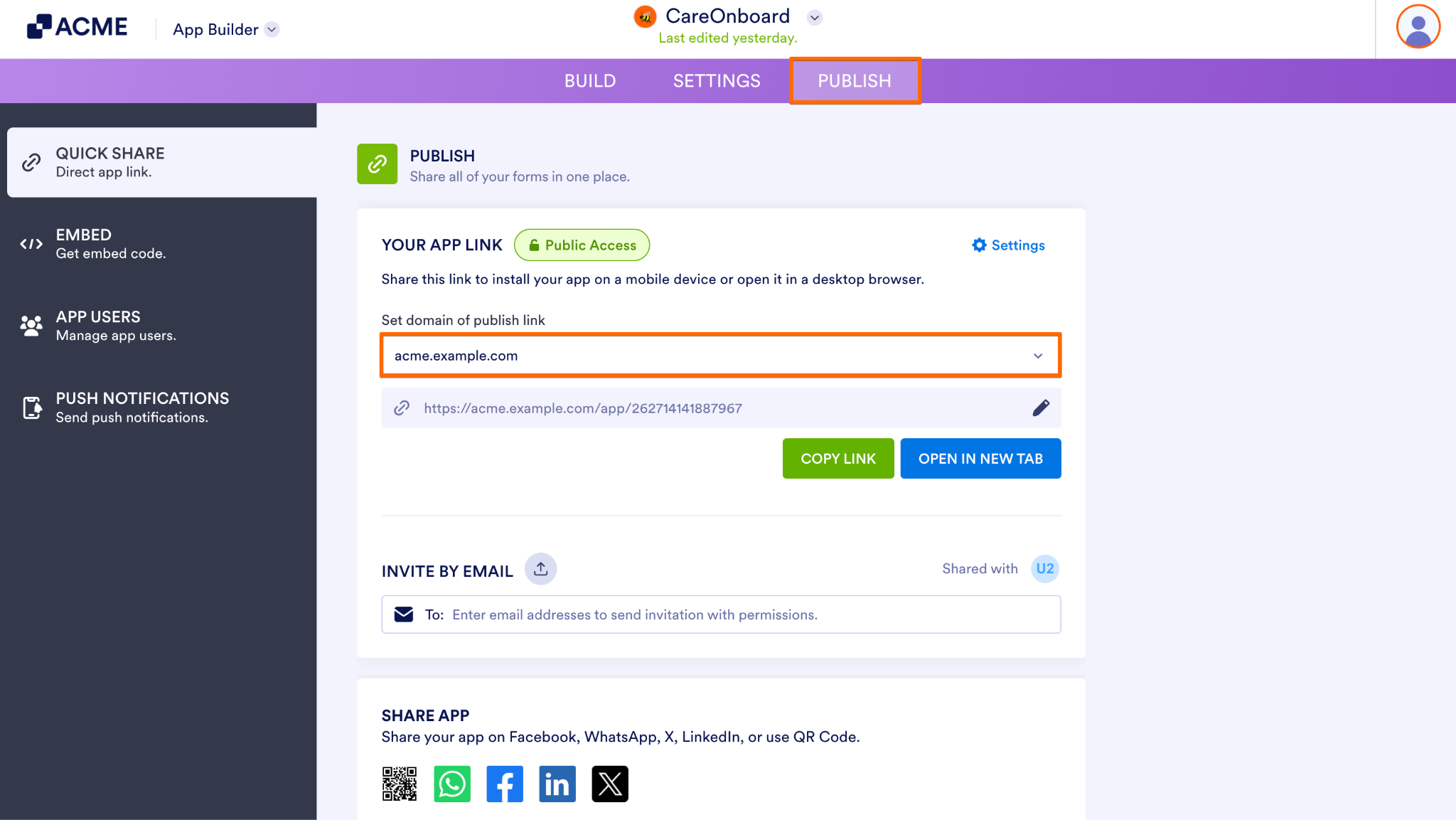
How to Publish an App Using an Asset Domain Image-1
  1. Then, in the Domain dropdown, select the domain you want to use.
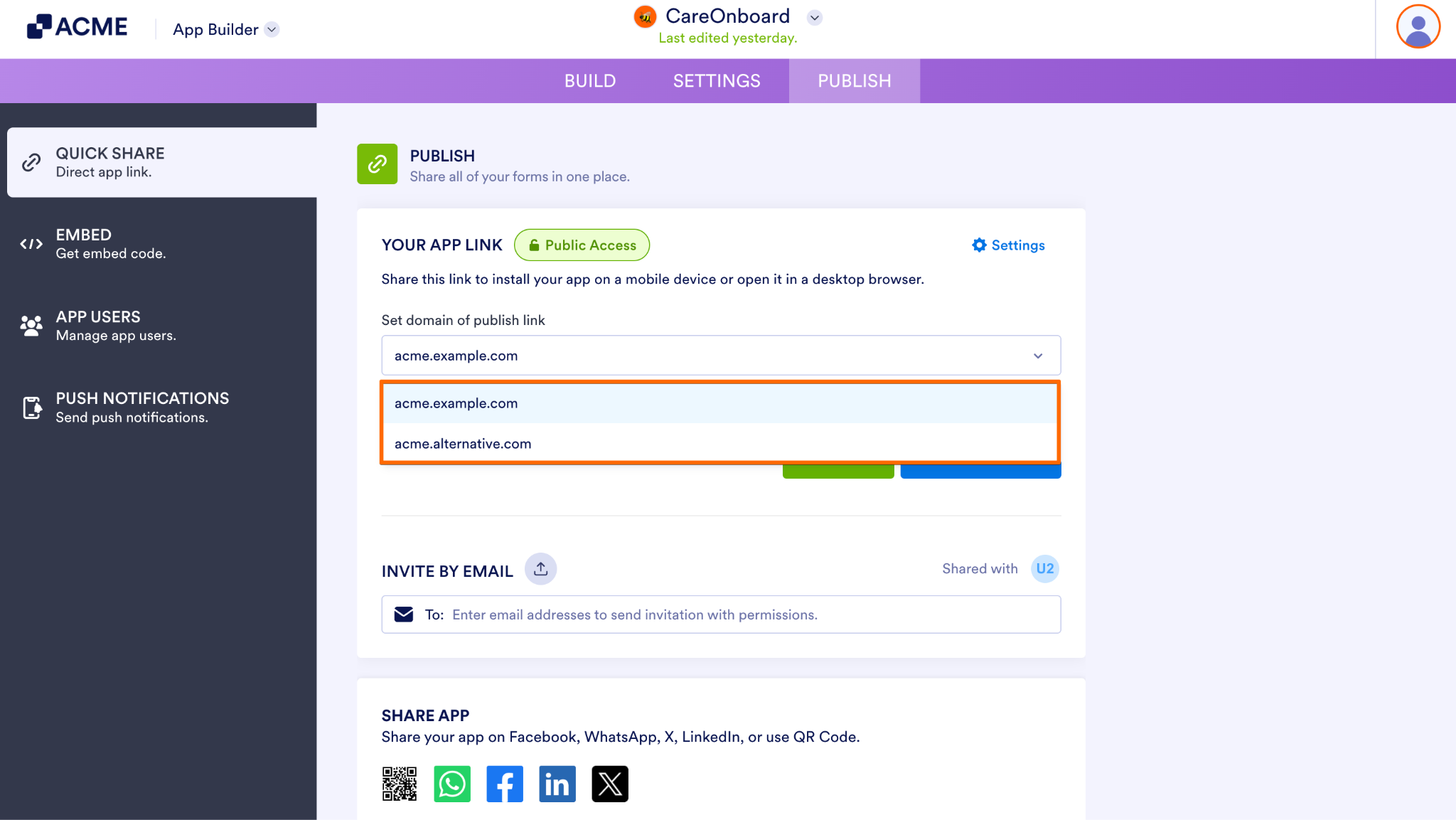
How to Publish an App Using an Asset Domain Image-2
  1. Finally, review the published URL and confirm that the correct domain has been selected before sharing.
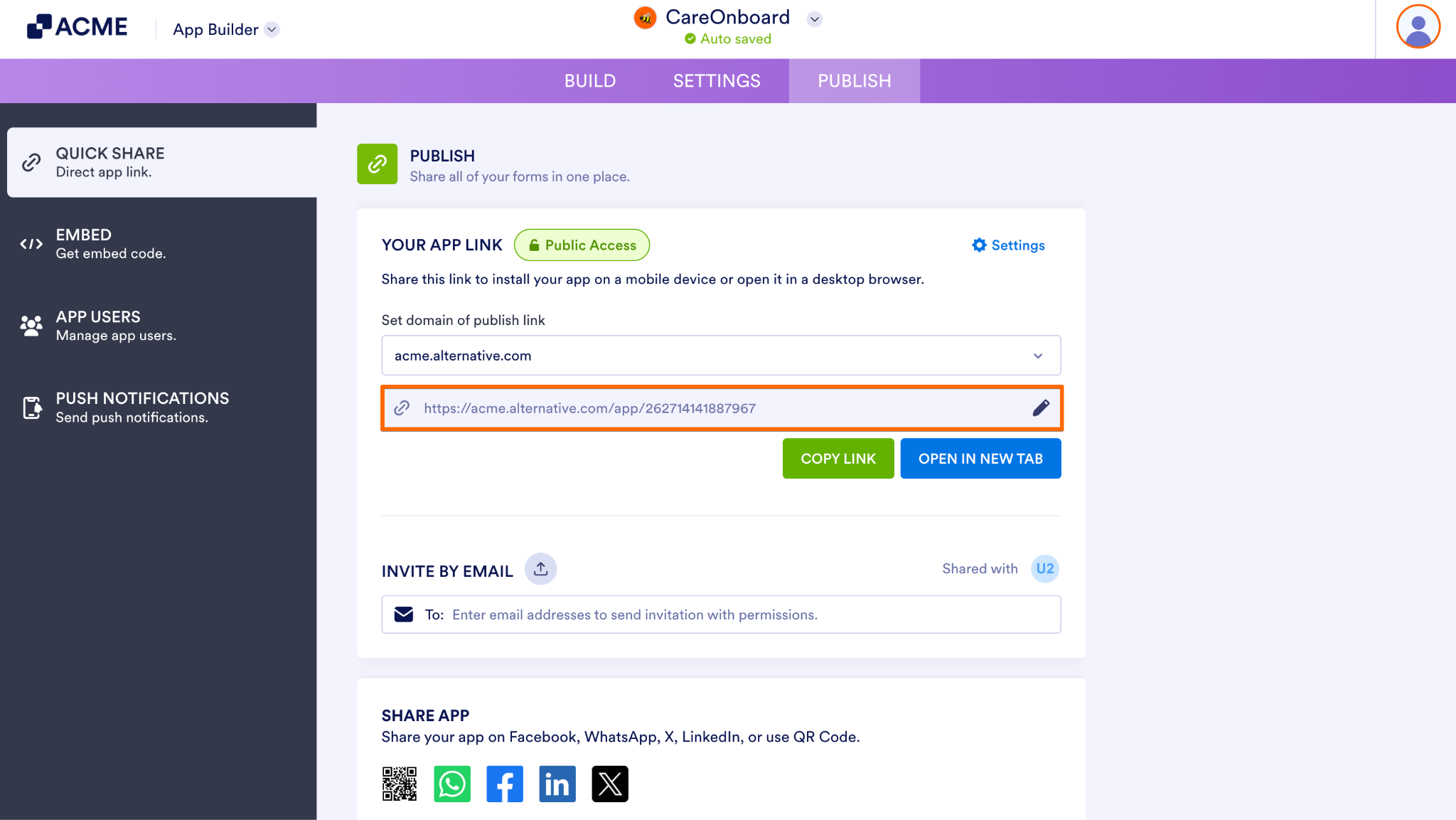
How to Publish an App Using an Asset Domain Image-3

Send Comment:

Jotform Avatar
This site is protected by reCAPTCHA and the Google Privacy Policy and Terms of Service apply.

Podo Comment Be the first to comment.
Still have unanswered questions?

We’re here for you 24/7, anytime you need us day or night. Have a question or need a hand with something? Our team is always ready to help out.