To maintain strict security and ensure all employees operate within your secure environment, you can prevent users from creating standalone standard Jotform accounts using your organization’s verified email domain. Enabling this restriction guarantees that your corporate domain is exclusively used for your Enterprise server.
Note
To be able to block standard account creation, you should already have verified your domain address. To learn more about it, check out How to Add Your Organization’s Email Domain to Your Server.
How to Block Standard Account Creation
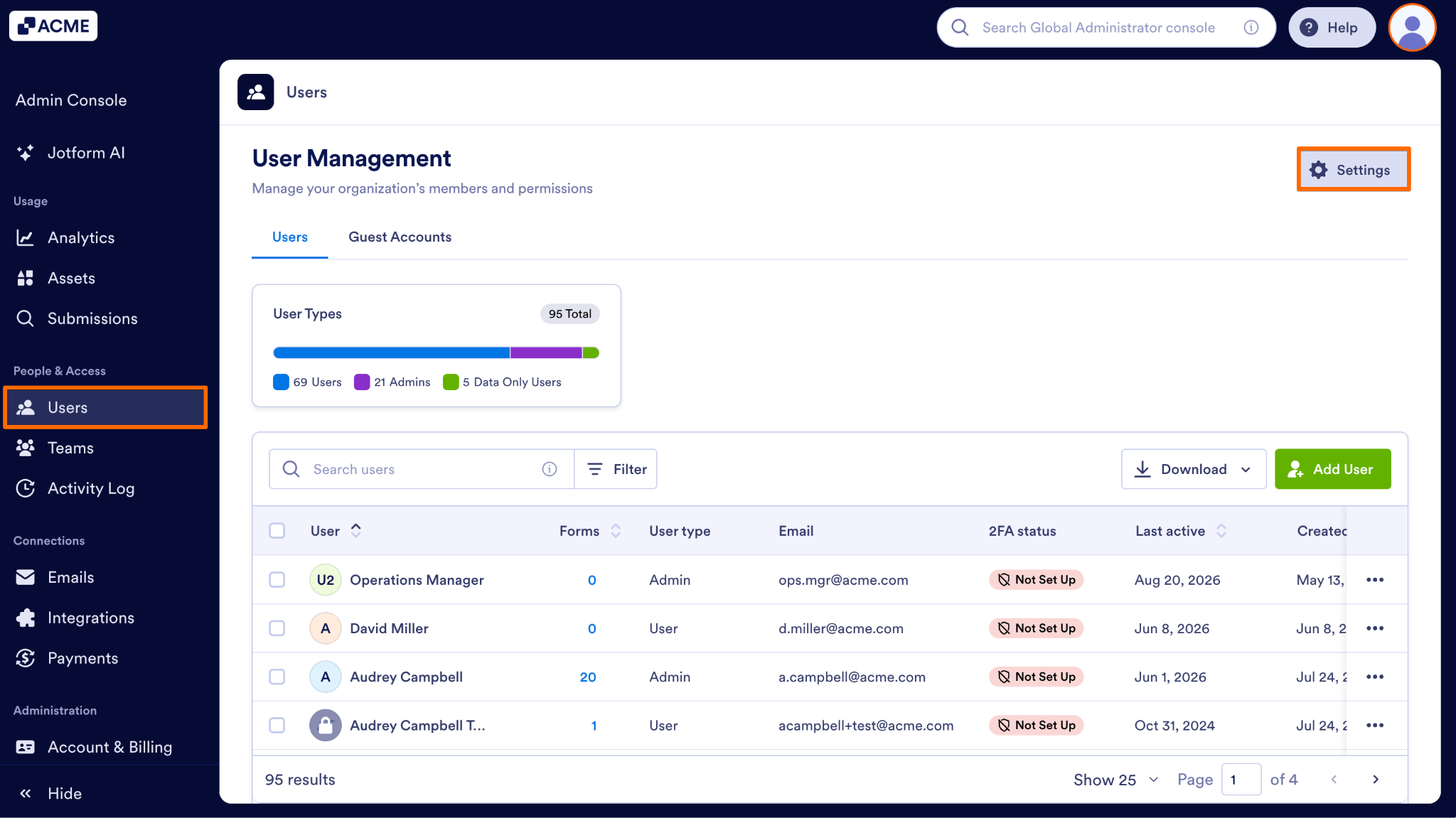
- Starting in the Admin Console, on the left side of the page, click on the Users tab.
- Next, at the top right of the page, click on the Settings button.
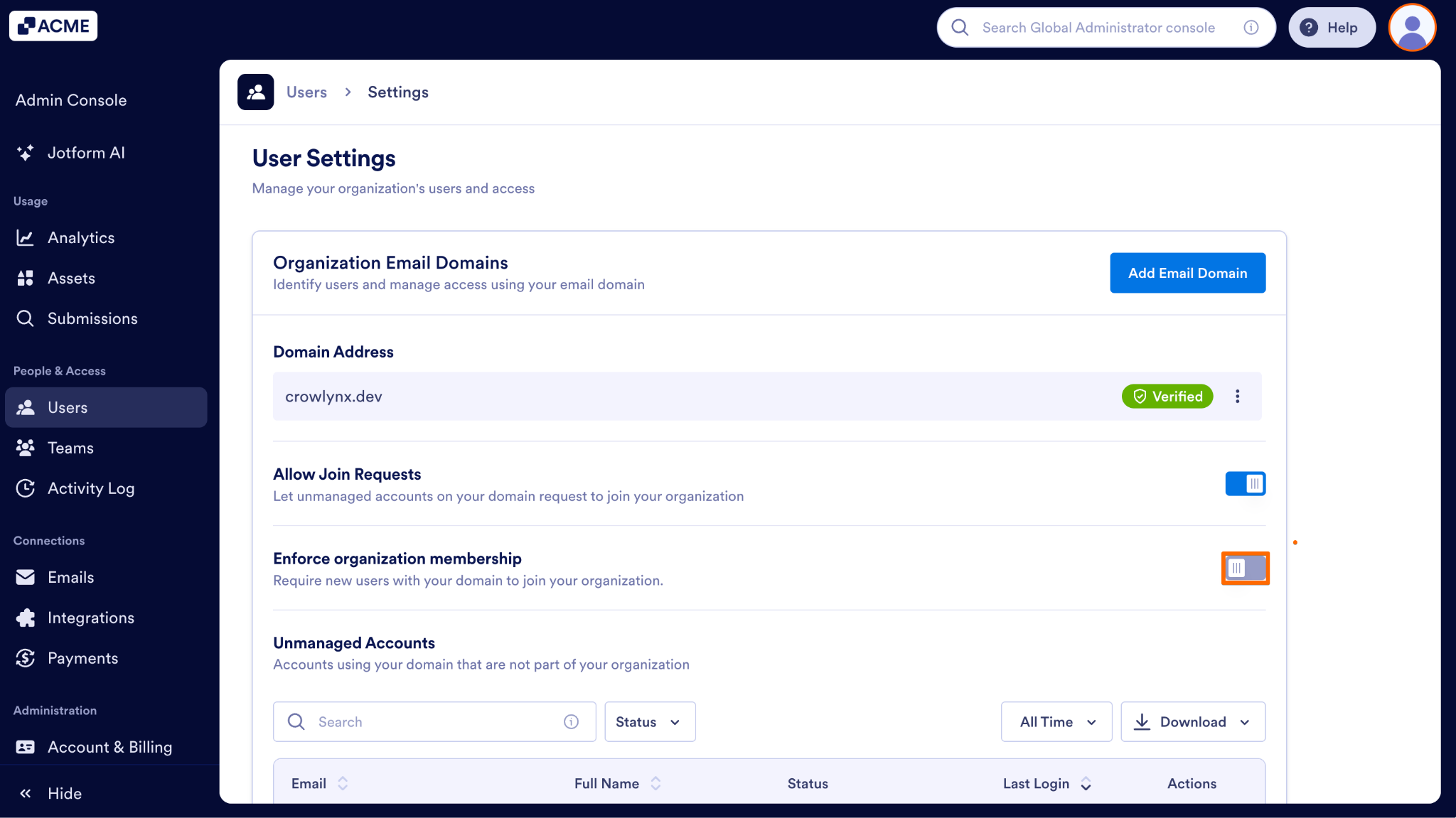
- Then, toggle on Enforce organization membership.
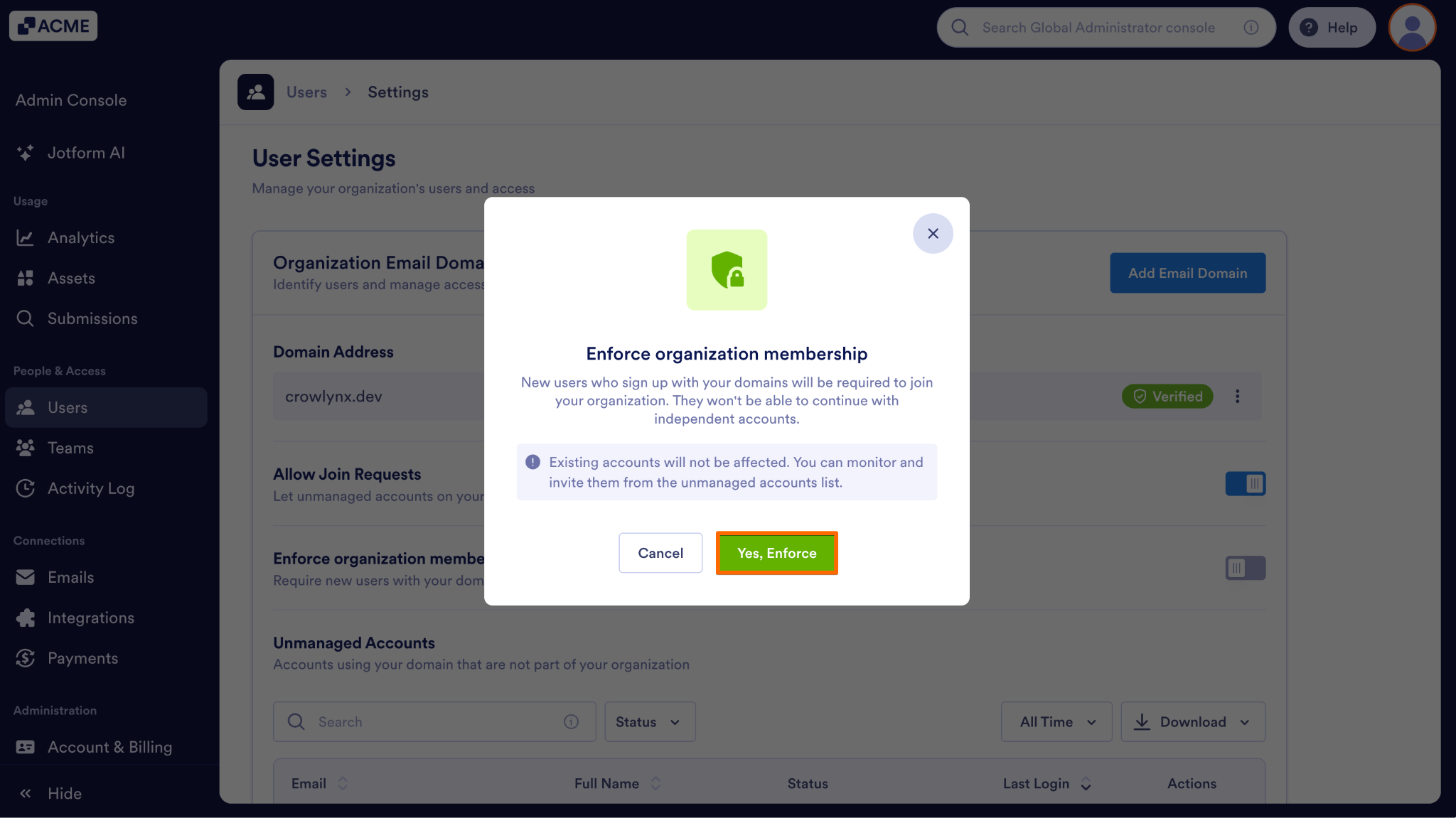
- Finally, in the pop up that comes out, click on Yes, Enforce.
What Restricted Users Will See
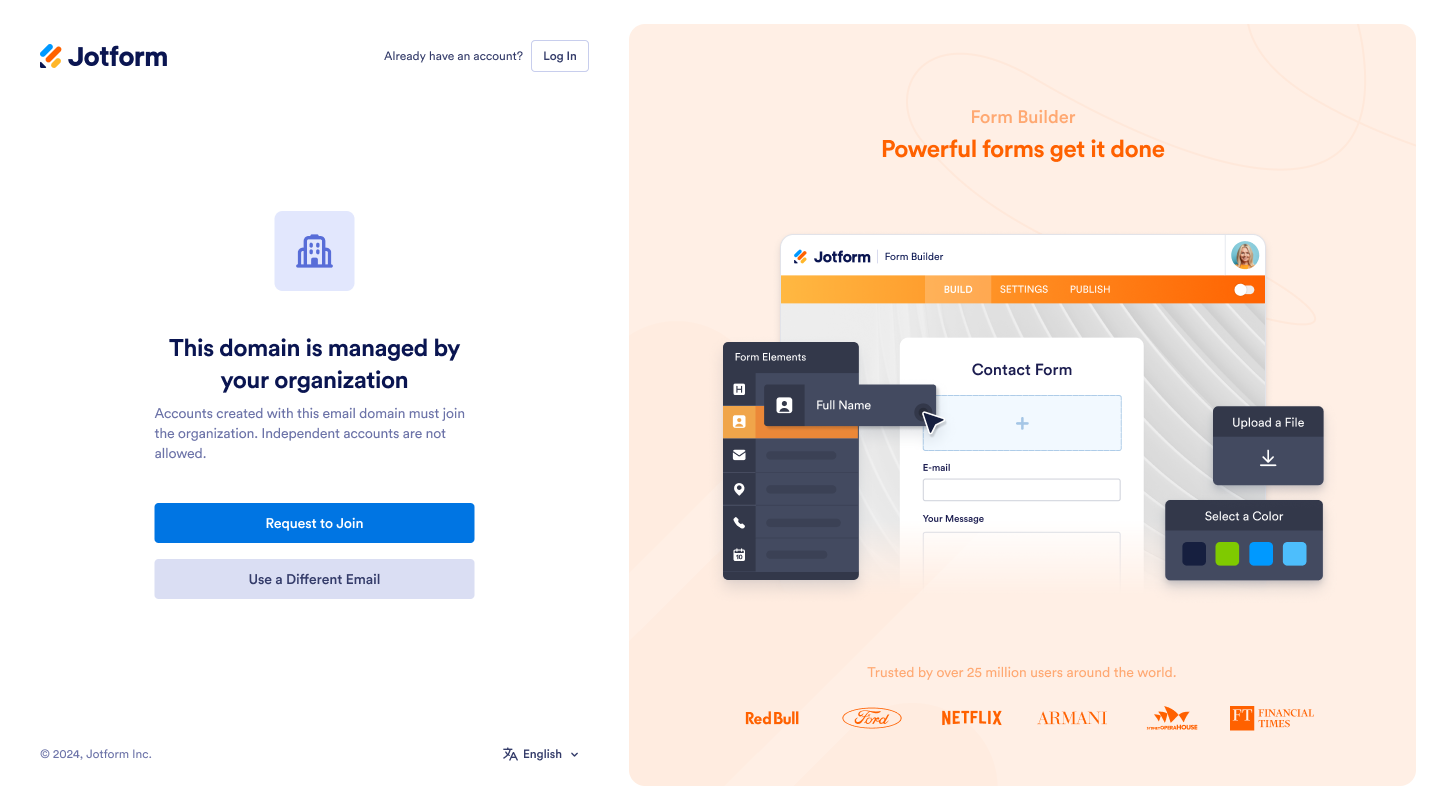
Once enabled, this restriction prevents users from creating independent Jotform accounts with your corporate email domain. Registration attempts will be blocked, and users will see a message directing them to your organization’s dedicated Enterprise environment, with two options:
Request to Join Organization: A join request is sent directly to the Server Admin for review. To learn how to accept or reject an oncoming request check out How to Invite User in Your Organization to Login to Your Server.
Use a Different Email: They can register using a non-corporate email address instead.

Send Comment: