Apps lets you configure company access permissions, so you can limit your app’s availability to people within your organization. This is especially helpful if your app contains internal content, sensitive information, or features meant only for your team.
By setting these permissions, you can make sure that only authorized users can view and interact with your app, helping you keep everything secure and organized. It’s a simple way to maintain control over who has access while still making it easy for your team to use the app whenever they need it.
Setting Your App Exclusive to an Organization
Once you’ve created or updated your app, you can follow these steps to make sure it’s only accessible to members of your organization:
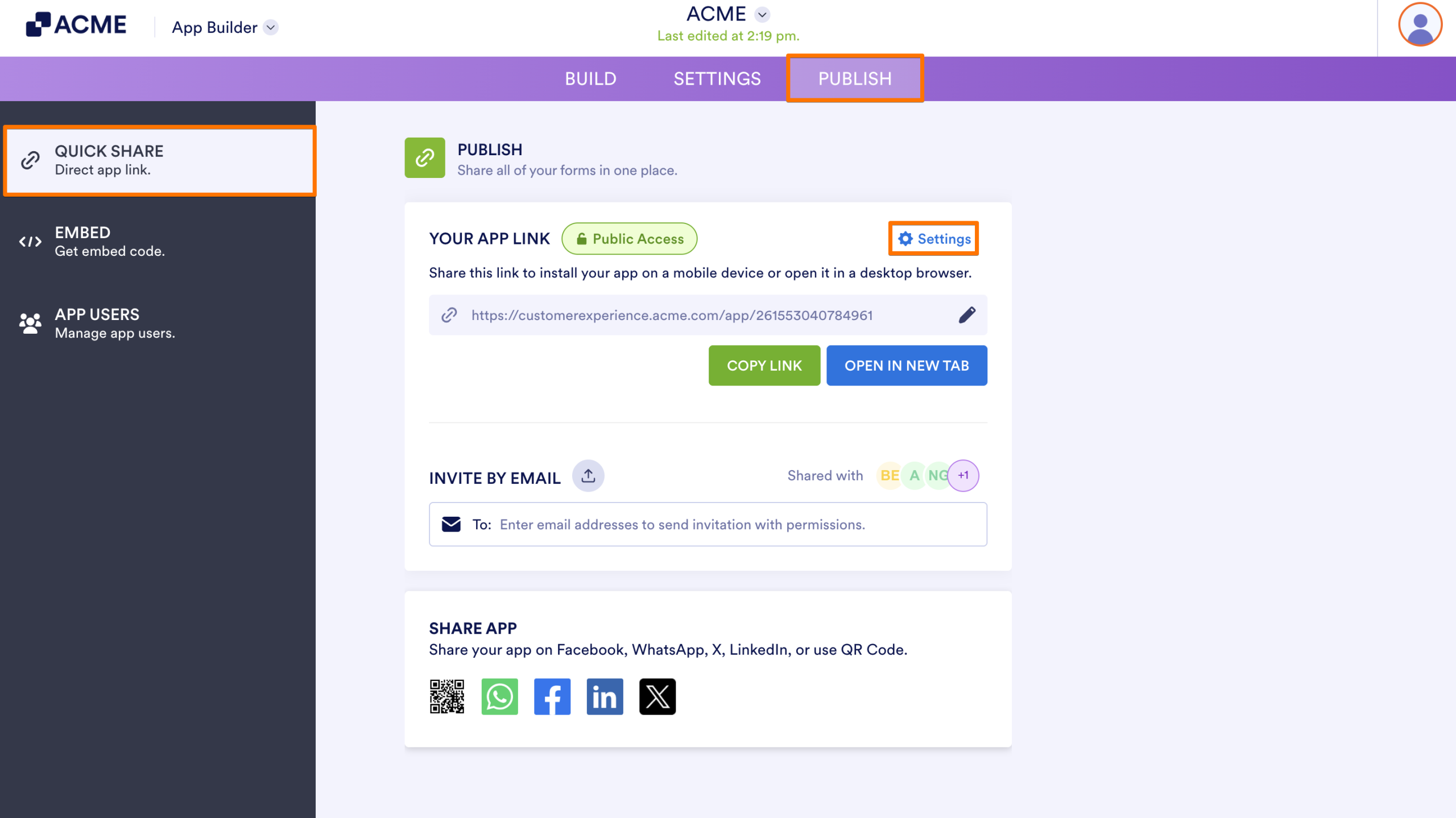
- In App Builder, in the purple navigation bar at the top of the screen, click on Publish.
- Then, in the Quick Share page, under the Publish section, click on Settings.
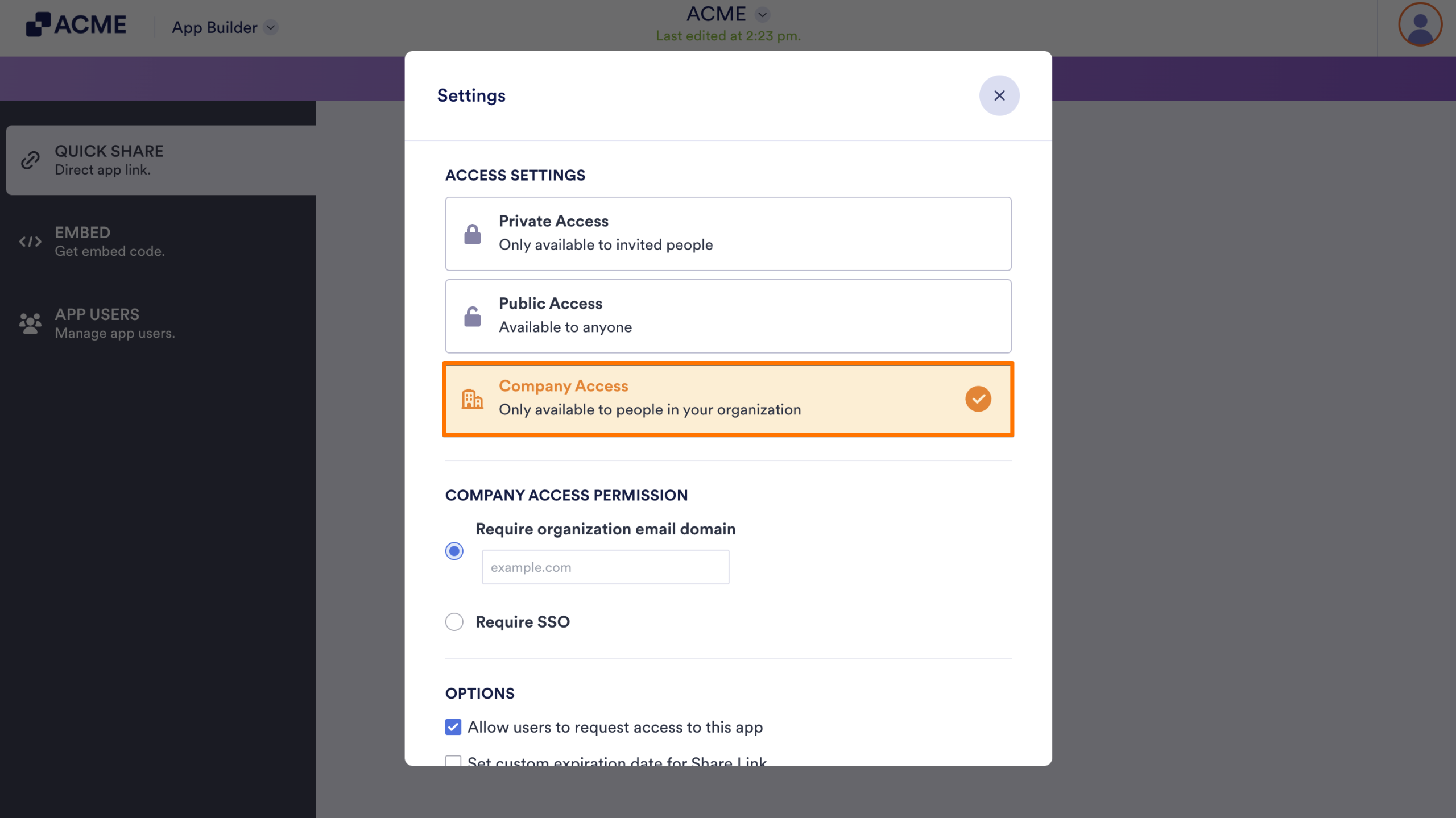
- Next, in the Settings window that opens, under the Access Settings section, click on Company Access.
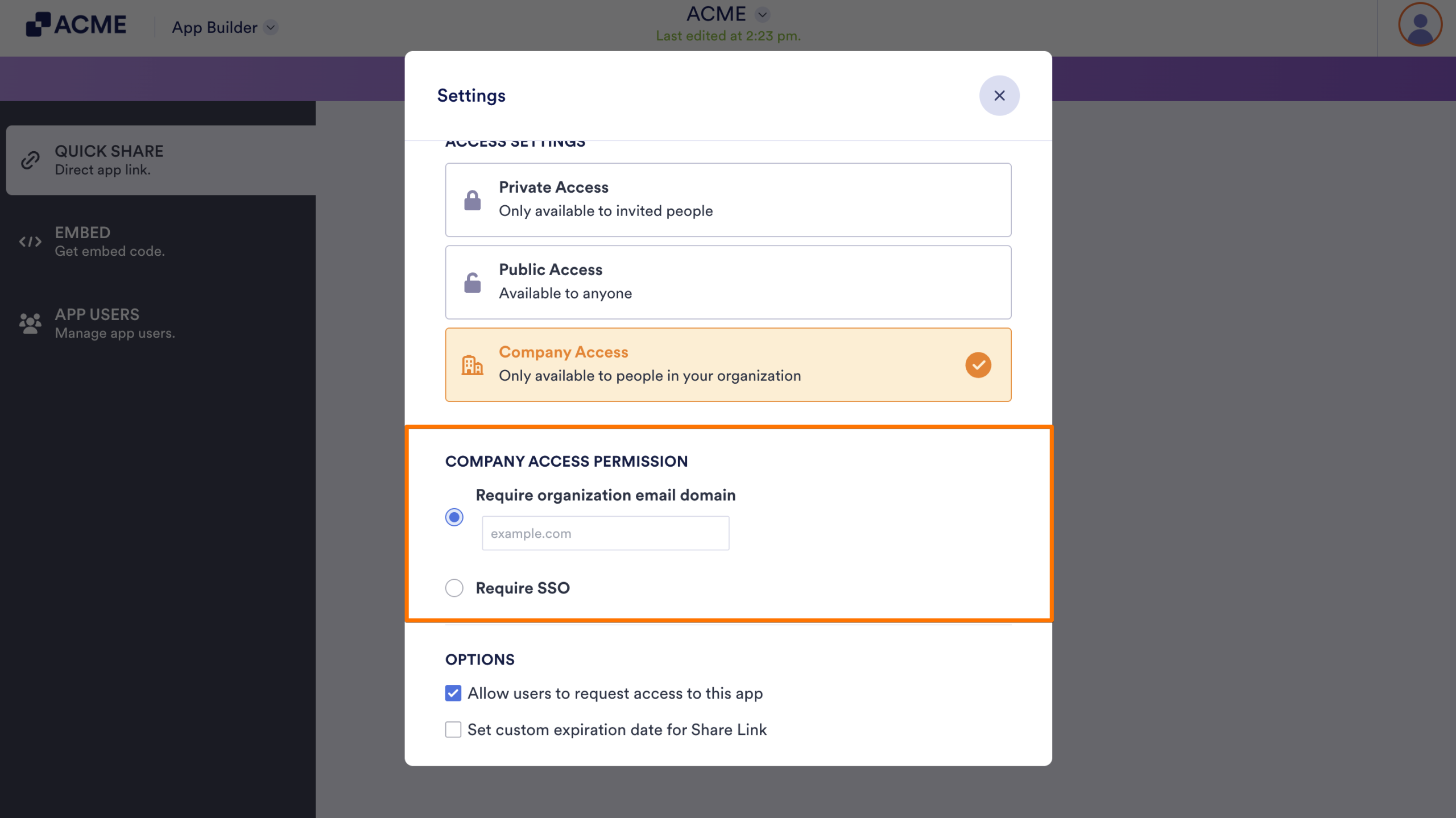
- Depending on how your organization manages user authentication, choose one of the following two options:
- Require organization email domain Select this and enter your company’s domain name in the text field. Users must log in with an email address matching this domain to access the app.
- Require SSO: Select this if your organization uses Single Sign-On. This will force users to authenticate through your company’s identity provider (IdP) before they can view the app.
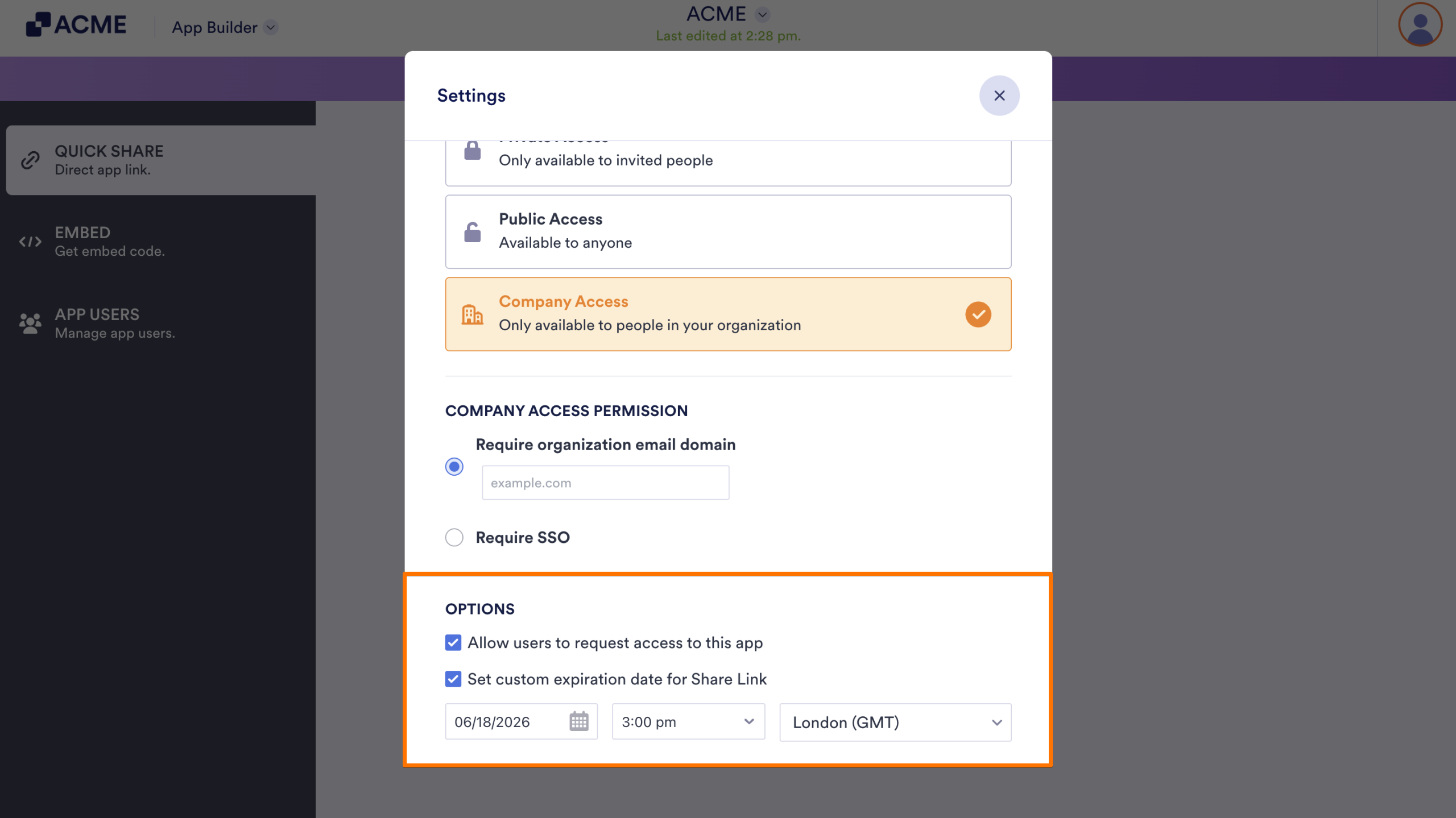
- Finally, select the checkboxes next to the Options you want to use:
- Allow users to request access to this app — When enabled, users who open the app link but don’t meet access requirements (like not having the correct email domain) will see an option to request access
- Set custom expiration date for Share link — This option lets you set a time limit for how long the app’s share link remains active.
Once everything is configured, users will be required to authenticate based on your selected permission type. This ensures that your app’s internal content and features remain completely secure and accessible only to verified members of your organization.

Send Comment: