Apps help you quickly turn any existing form into a fully functional mobile app – no coding required. Whether you want to share your form in a more polished way or make it easier to access on mobile devices, creating an app from your form takes just a few steps.
Here are two ways to do it:
Turning a Form Into an App from the Workspace Page
You can create an app directly from your Workspace page in two ways. Here’s the first one:
- On your Workspace page, click on Filter at the top, and in the Dropdown menu that opens, uncheck the boxes next to all the assets except Forms, so only they’ll be shown on the page.
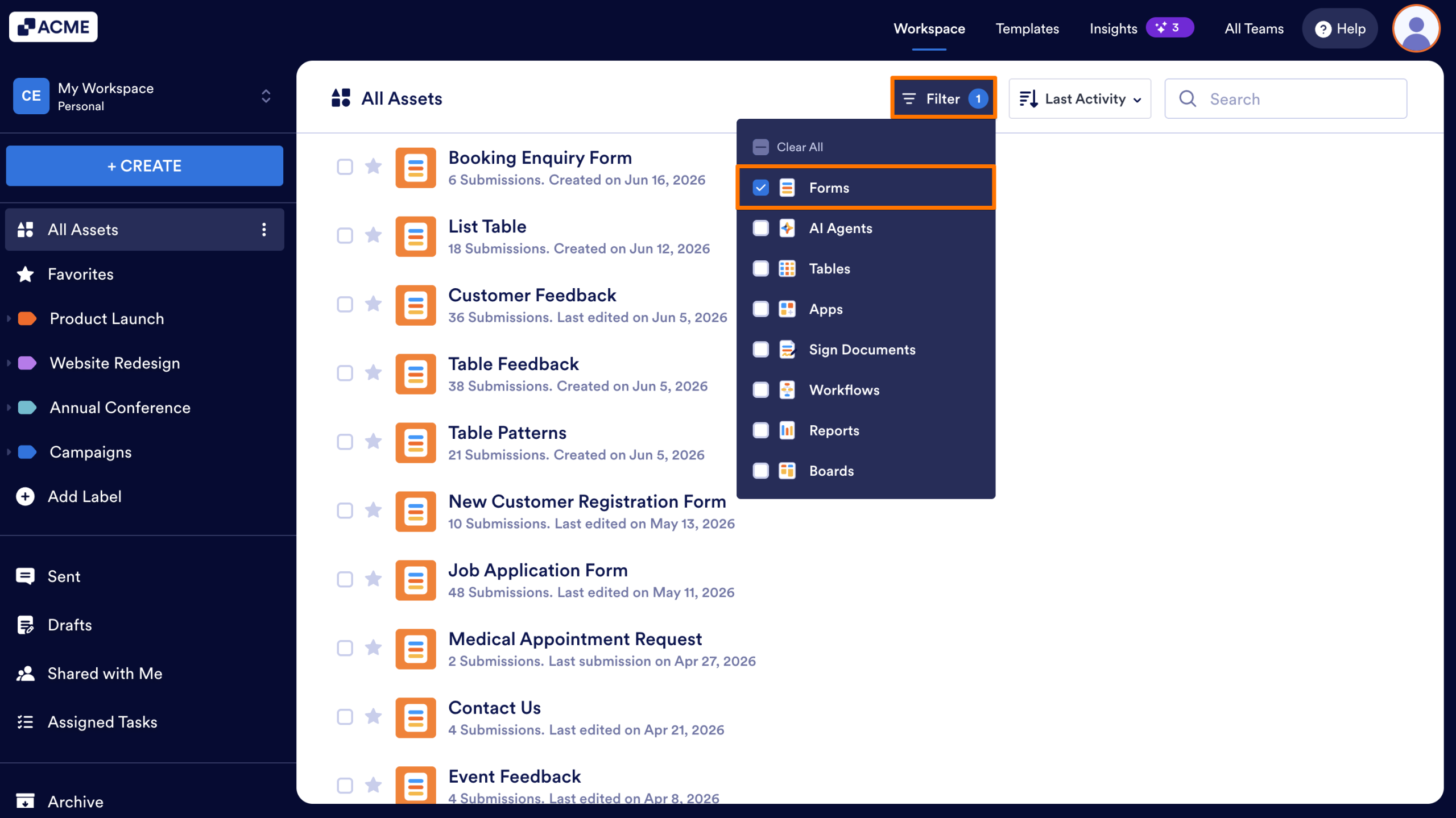
- Next, click on the form that you want to generate with an app for.
- Then, in the menu that appears at the top, click on Apps.
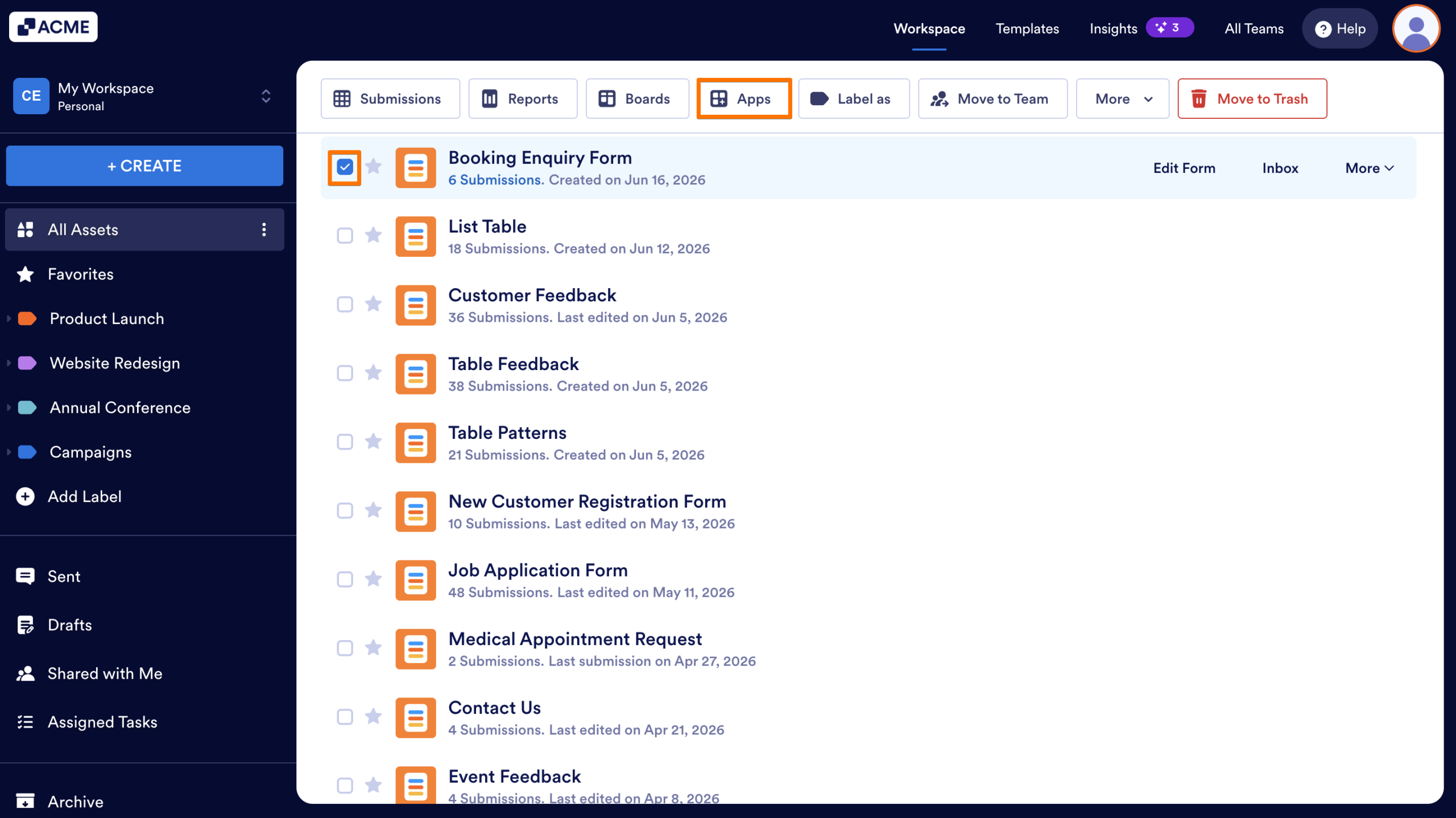
- Now, in the Dropdown menu, either select an existing app or click on Create App.
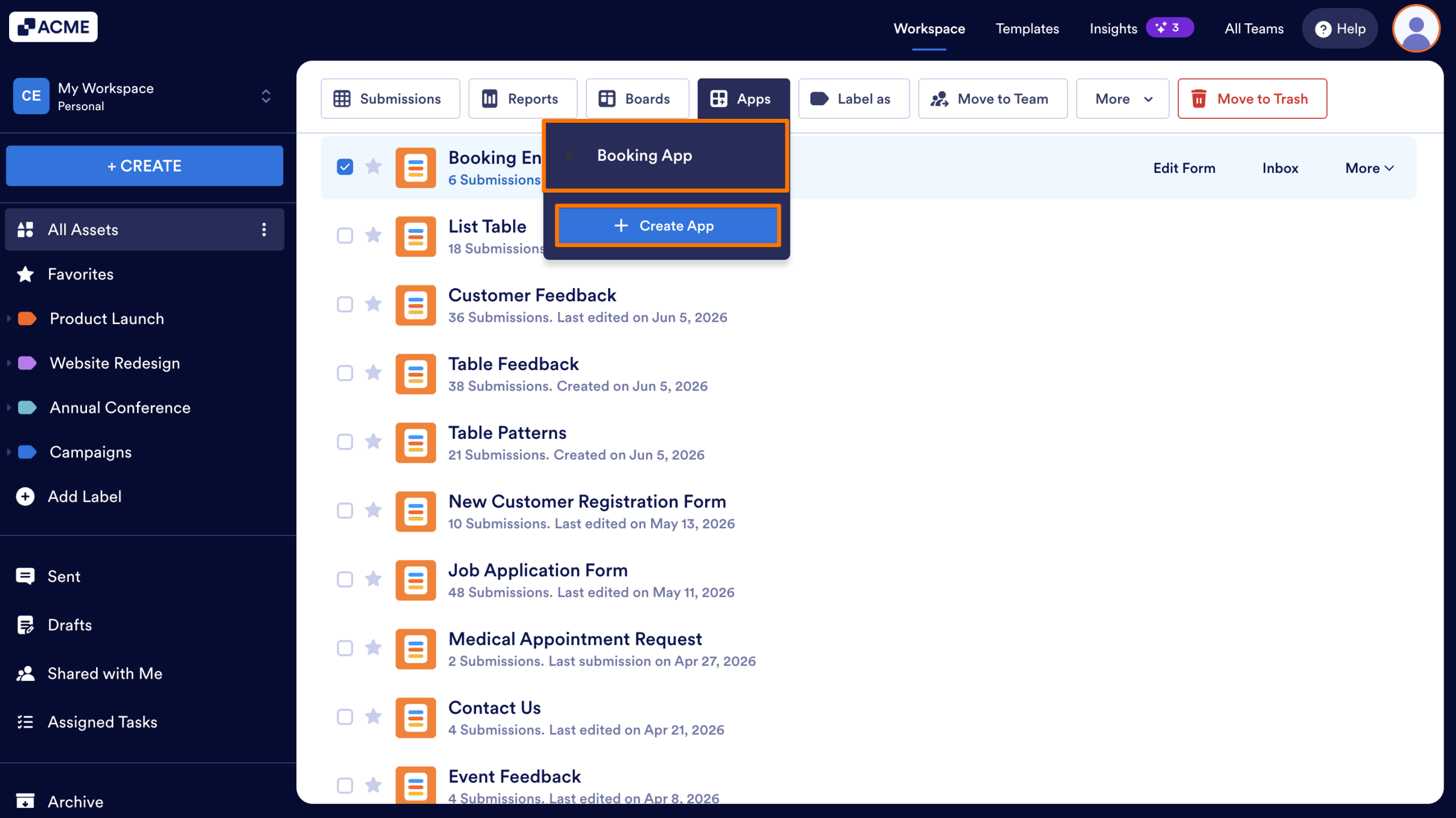
And you can also do it this way:
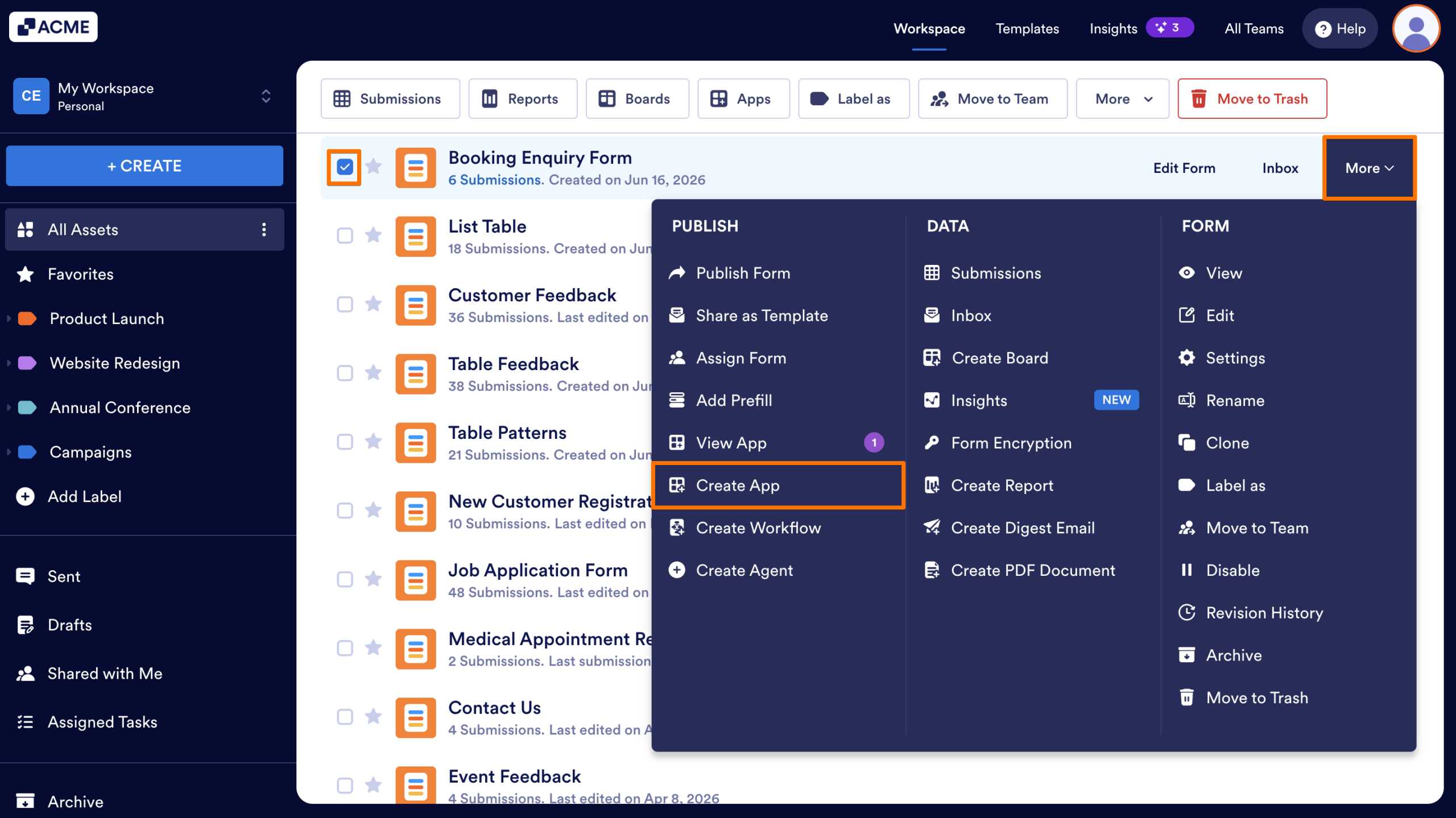
- Select the form you want to generate an app from.
- Then, on the right side of the screen, click on More.
- Now, in the Dropdown menu, under the Publish column, click on Create App, and you’re all set.
Turning a Form Into an App from the Form Builder
If you’re already working on your form in the Form Builder, you can turn it into an app without leaving the page. Here’s what to do:
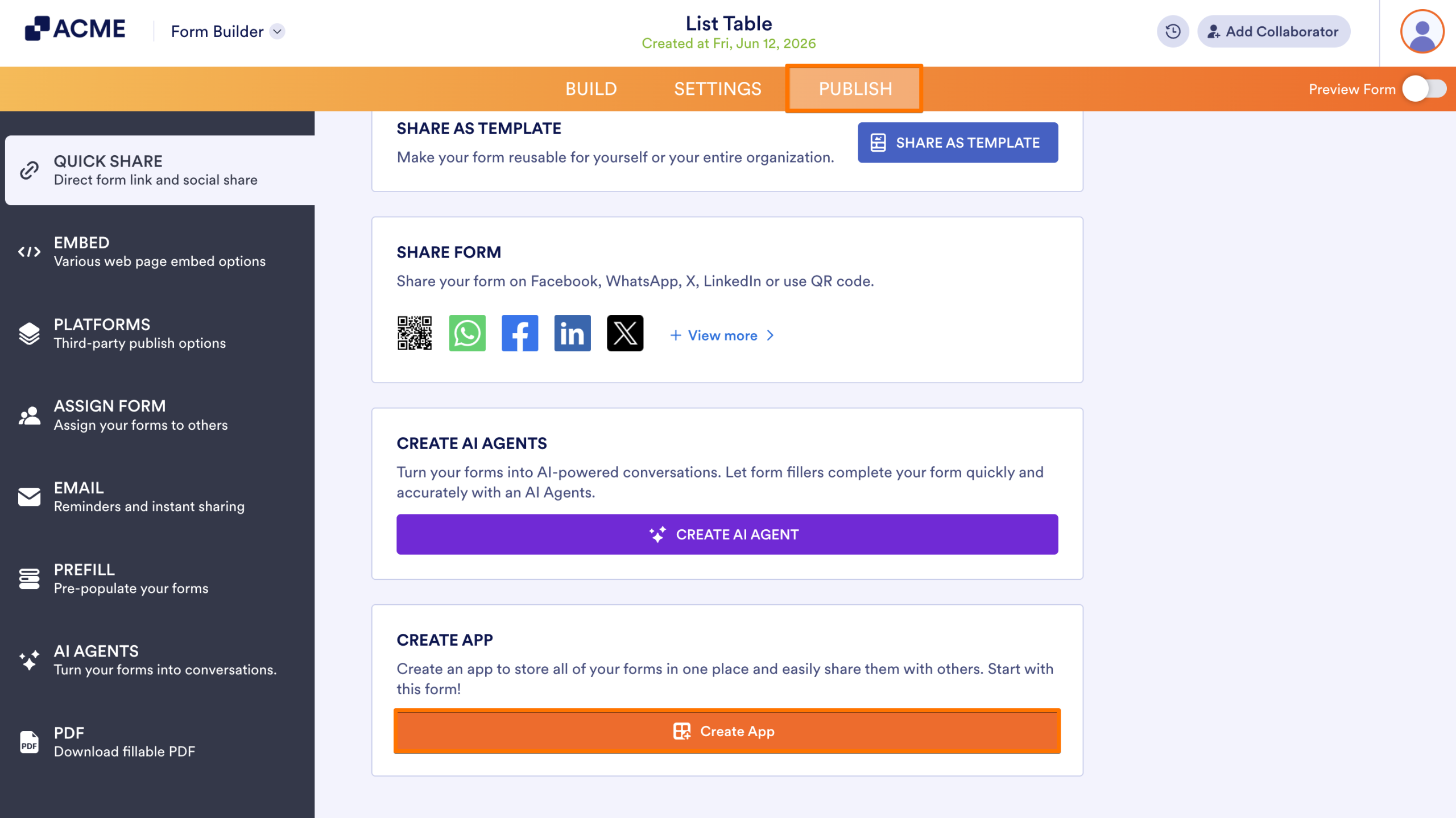
- In Form Builder, in the orange navigation bar at the top of the page, click on Publish.
- Then, scroll down to the Create App section and click on the Create App button.
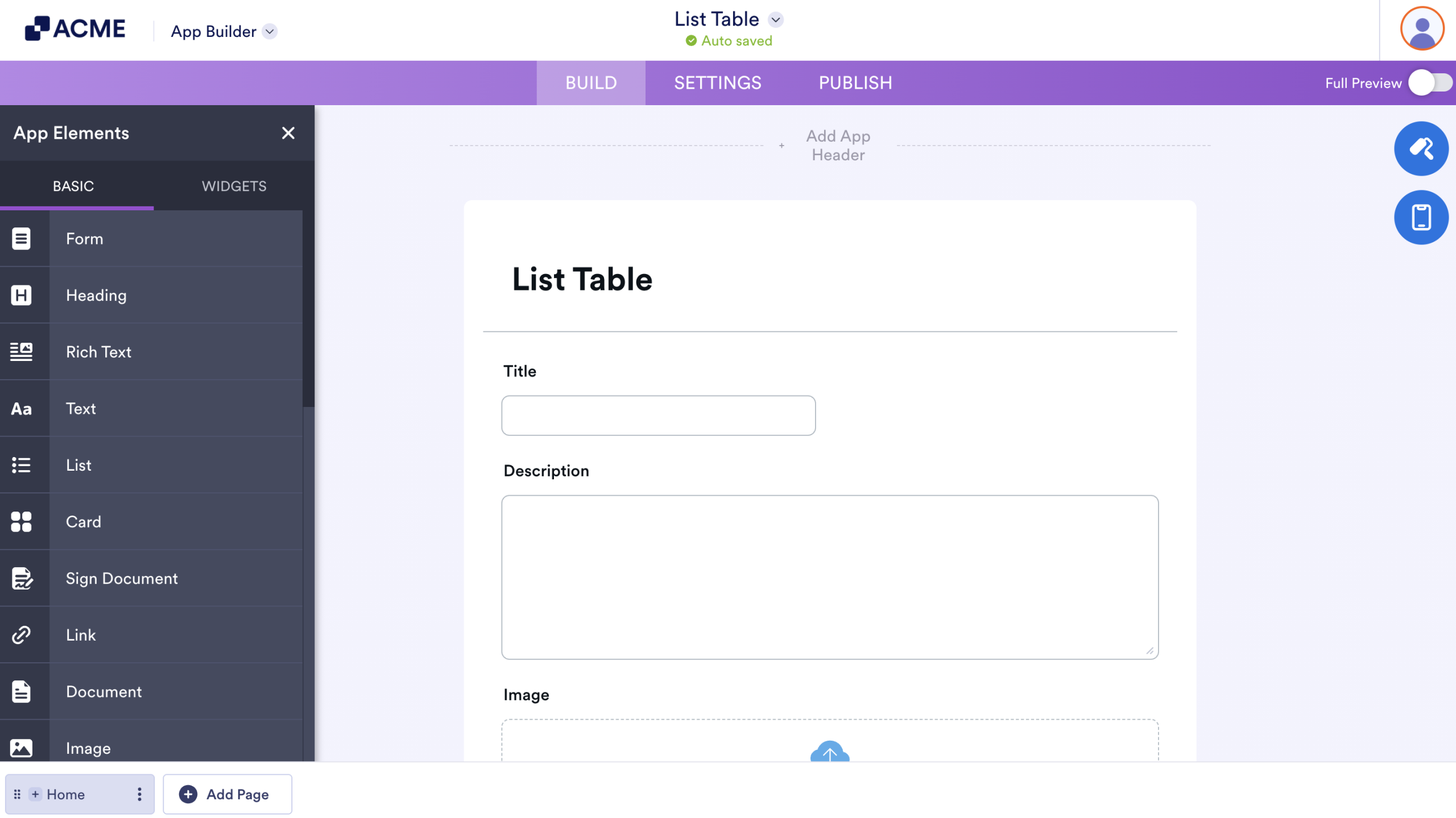
And that’s it. You’ll be redirected to App Builder where you can start customizing your app right away.
Note
The app will automatically use your form’s icon and color scheme. You can adjust the design to match your branding.

Send Comment: