

ჯანდაცვის შაბლონები

კოვიდ-19 ვაქცინაციის ჩანაწერები
კოვიდ 19-ის ვაქცინაციის ჩანაწერების ცხრილი გამოიყენება სამედიცინო ორგანიზაციების მიერ რათა თვალყური ადევნოთ პაციენტებს რომლებმაც გაიკეთეს ან აპირებენ ვაქცინის გაკეთებას. Jotform-ის უფასო კოვიდ 19-ის ვაქცინაციის ჩანაწერების გამოყენებით, თქვენ შეგიძლიათ მართოთ კოვიდ ვაქცინაციის რეგისტრაციები პროფესიონალურ ონლაინ ცხრილში - და აირჩიეთ რათა იხილოთ თქვენი ინფორმაცია ელექტრონულ ცხრილში, კალენდარზე ან ბარათებზე. შეაგროვეთ ვაქცინაციის მსურველთა ინფორმაცია თანდართული კოვიდ 19-ის ვაქცინის რეგისტრაციის ფორმის გამოყენებით და ავტომატურად დაამატეთ თქვენს ცხრილს რათა იხილოთ, დაარედაქტიროთ და გაუზიაროთ თანამშრომლებს. მარტივად შეცვალეთ განლაგება, დაამატეთ ახალი სვეტები, გადაანაწილეთ ინფორმაცია სხვადასხვა ჩანართებში, მიამაგრეთ ფერადი იარლიყები და მრავალი სხვა. გაამარტივეთ პროცესი კოვიდ 19-ის ვაქცინაციის ონლაინ ფორმების გამოყენებით.
Go to Category:ჯანდაცვის შაბლონები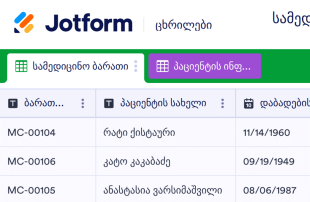
სამედიცინო ბარათის შაბლონი
სამედიცინო ბარათის შაბლონი გამოიყენება პაციენტების სამედიცინო ინფორმაციის ჩასაწერად - როგორიცაა საკონტაქტო დეტალები, რეცეპტები, სამედიცინო ისტორია და მრავალი სხვა. მოცემული სამედიცინო ბარათის შაბლონის გამოყენებით, თქვენ შეგიძლიათ მარტივად ჩაწეროთ და მართოთ პაციენტის ინფორმაცია და დოკუმენტები ონლაინ. მარტივად შეავსეთ თანდართული ფორმა პაციენტის ინფორმაციის გამოყენებით, ხელით შეიყვანეთ თქვენი ინფორმაცია ან შექმენით სამედიცინო მიღების ფორმა ასე რომ თქვენ პაციენტებს შეეძლებათ შეავსონ თავიანთი სამედიცინო ისტორია ნებისმიერ მოწყობილობაზე. ფორმის თითოეული გამოხმაურება ავტომატურად აისახება ელექტრონულ ცხრილზე. Jotform საშუალებას გაძლევთ გააქტიუროთ HIPAA შესაბამისობა და მიიღოთ ბიზნეს პარტნიორობის ხელშეკრულება (BAA), ასე რომ შეგეძლებათ უზრუნველყოთ პაციენტთა ჯანმრთელობის სენსიტიური ინფორმაციის მაქსიმალური უსაფრთხოება. თქვენ ასევე შეგიძლიათ მოარგოთ მოცემული სამედიცინო ბარათის შაბლონი რათა დაამატოთ ახალი რიგები, სვეტები და ჩანართები, განაახლოთ იარლიყის სახელები და ფერები ან დააკავშიროთ ფორმა 100+ აპლიკაციას რათა ავტომატურად გაუგზავნოთ მონაცემები თქვენს სხვა ანგარიშებს! ექსპერტულად მართეთ პაციენტთა მონაცემები ონლაინ Jotform-თან ერთად - ხელმისაწვდომი ელექტრონული ცხრილის, კალენდარის ან ბარათის სახით.
Go to Category:ჯანდაცვის შაბლონები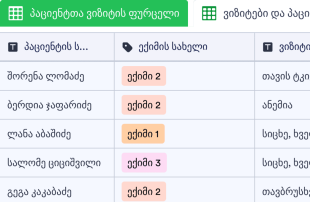
პაციენტთა ვიზიტის ფურცელი
შესთავაზეთ თქვენს პაციენტებს შეუფერხებელი, უკონტაქტო გამოცდილება როდესაც ეწვევიან თქვენს სამედიცინო კლინიკას ან ჰოსპიტალს. მოცემული პაციენტთა ვიზიტის ფურცელის უფასო შაბლონი წარმოუდგენლად გაუმარტივებს პაციენტებს რეგისტრაციას სანამ დაესწრებიან დაგეგმილ ან წინასწარი ჩაწერის გარეშე ვიზიტს. მარტივად გახსენით ელექტრონული ცხრილი მიმღებში ან მოსაცდელ ოთახში რათა მარტივად შეავსონ პაციენტებმა - ან გაუზიარეთ რათა ვიზიტამდე შეავსონ ნებისმიერი მოწყობილობიდან. მათი მონაცემები ავტომატურად გამოჩნდება ელექტრონულ ცხრილში - რათა მიმღებში მომუშავე პირებმა და ადმინისტრაციის წევრებმა მარტივად იხილონ, დაარედაქტირონ და გააზიარონ რამოდენიმე მარტივი კლიკით. მარტივად მოარგეთ მოცემული შაბლონი თქვენს საჭიროებებს. ნებისმიერი სახის კოდის წერის გარეშე, თქვენ შეგიძლიათ დაამატოთ რიგები და სვეტები, შექმნათ ახალი იარლიყები და ჩანართები რათა იხილოთ ვიზიტები კალენდარის სახით. პაციენტებს შეეძლებათ მარტივად წარმოადგინონ თავიანთი სახელი, ვიზიტის თარიღი და დრო, ვიზიტისა და ექიმის დეტალები - ქაღალდის საქმისწარმოების გარეშე. თვალყური ადევნეთ პაციენტთა ვიზიტებს ონლაინ - დაზოგეთ დრო და გაამარტივეთ სამუშაო პროცესი!
Go to Category:ჯანდაცვის შაბლონები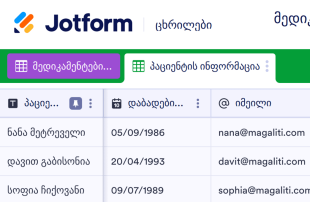
მედიკამენტების სიის შაბლონი
მედიკამენტური მკურნალობის სია გამოიყენება დანიშნული მედიკამენტების, სამკურნალო საშუალებების, ვიტამინების, დანამატების და სხვა მედიკამენტების ინფორმაციის ჩასაწერად. არ აქვს მნიშვნელობა წარმოადგენთ ექიმს ვისაც სურს პაციენტის მედიკამენტების ინფორმაციის ჩაწერა ან უბრალოდ გსურთ თვალყური ადევნოთ თქვენს მედიკამენტურ მკურნალობას - გამოიყენეთ ჩვენი უფასო ონლაინ მედიკამენტური მკურნალობის სიის შაბლობი რათა უკეთესად მართოთ მედიკამენტების ინფორმაცია. მარტივად შეიტანეთ თითოეული მედიკამენტის ინფორმაცია ელექტრონულ ცხრილში - სახელი, რეკომენდირებული დოზირება, სიხშირე და გამოყენების მიზეზი. მოცემული მზა მედიკამენტების სიის შაბლონი საშუალებას გაძლევთ მარტივად მოარგოთ ელექტრონული ცხრილი თქვენს საჭიროებებს - დაამატოთ სვეტები, რიგები, იარლიყები და ჩანართები. ნებისმიერი სახის კოდის წერის გარეშე თქვენ შეგიძლიათ შექმნათ იდეალური შაბლონი - აიღოთ და ჩასვათ სასურველი ელემენტები, შეცვალოთ ტექსტი და განლაგება ნებისმიერი მოწყობილობიდან. როგორც კი შეიტანთ ყველა ინფორმაციას, თქვენ შეგეძლებათ ერთი კლიკით გადმოწეროთ, გააზიაროთ და დაბეჭდოთ თქვენი მედიკამენტების სია.
Go to Category:ჯანდაცვის შაბლონები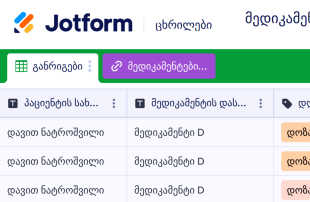
მედიკამენტური მკურნალობის განრიგი
არ აქვს მნიშვნელობა აკონტროლებთ ექიმის მიერ დანიშნულ მედიკამენტურ მკურნალობას, თქვენი პაციენტების მედიკამენტებს ან ზრუნავთ ოჯახის წევრზე, თქვენ შეგიძლიათ მართოთ თქვენი მკურნალობები პროფესიონალურ ონლაინ ცხრილში მედიკამენტური მკურნალობის განრიგის შაბლონის გამოყენებით. შეიტანეთ მნიშვნელოვანი ინფორმაცია როგორიცაა თითოეული მედიკამენტის სახელი, დოზირების სიხშირე, გვერდითი მოვლენები, მიღების დაწყების თარიღი და მრავალი სხვა - შემდეგ შედით Jotform-ში ნებისმიერი მოწყობილობიდან რათა იხილოთ და მარტივად მართოთ თქვენი მედიკამენტური მკურნალობა ონლაინ - ცხრილის ან კალენდარის სახით. ჩვენი მედიკამენტური მკურნალობის განრიგზე მედიკამენტების დეტალების დამატებას სჭირდება რამოდენიმე წუთი. თქვენ შეგიძლიათ აირჩიოთ თქვენი იარლიყის ფერები, დაამატოთ ჩანართები რათა სასურველი სახით დააჯგუფოთ ინფორმაცია და შეცვალოთ განლაგება რათა მიიღოთ იდეალური დიზაინი. და თუ თქვენ მართავთ თქვენი პაციენტების ჯანმრთელობის სენსიტიურ ინფორმაციას, Jotform გთავაზობთ HIPAA შესაბამისობის ფუნქციონალს თქვენი ონლაინ ფორმებისათვის. ჩვენი მედიკამენტური მკურნალობის განრიგის შაბლონი დაგეხმარებათ მართოთ მედიკამენტური მკურნალობა ონლაინ - თქვენ აღარასდროს გამოგრჩებათ მნიშვნელოვანი დოზის მიღება.
Go to Category:ჯანდაცვის შაბლონები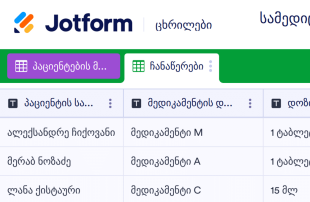
სამედიცინო ჩანაწერების შაბლონი
სამედიცინო ჩანაწერების შაბლონი ან ჯანმრთელობის ჩანაწერები გამოიყენება სამედიცინო ორგანიზაციების მიერ რათა თვალყური ადევნონ თავიანთი პაციენტების ჯანმრთელობის ინფორმაციას. არ აქვს მნიშვნელობა თუ რა ტიპის პრაქტიკას მართავთ - იქნება ეს ექიმის ან სტომატოლოგის კაბინეტი - თქვენ შეგიძლიათ უკეთესად მართოთ პაციენტის სამედიცინო დეტალები და დოკუმენტაცია ჩვენი პროფესიონალური ონლაინ სამედიცინო ჩანაწერების შაბლონის გამოყენებით - ხელმისაწვდომი ელექტრონული ცხრილის, ბარათის ან კალენდარის სახით. მარტივად შეავსეთ თანდართული ფორმა რათა ავტომატურად შეავსოთ ელექტრონული ცხრილი პაციენტის საკონტაქტო დეტალებით, მედიკამენტების ინფორმაციით, დიაგნოზებით და მრავალი სხვა. აირჩიეთ HIPAA შესაბამისობა რათა მიიღოთ ხელმოწერილი ბიზნეს პარტნიორობის ხელშეკრულება და უზრუნველყოთ პაციენტთა ჯანმრთელობის სენსიტიური ინფორმაციის უსაფრთხოება. მოცემული სამედიცინო ჩანაწერების შაბლონი არის სრულიად მორგებადი, ასე რომ თქვენ შეგიძლიათ განაახლოთ განლაგება, დაამატოთ ახალი ჩანართები რათა დააჯგუფოთ სასურველი ინფორმაცია და დააკავშიროთ ფორმა 100+ ინტეგრაციას რათა ავტომატურად გაუგზავნოთ ჯანმრთელობის ინფორმაცია თქვენს სხვა ონლაინ ანგარიშებს. მოახდინეთ მონაცემთა ორგანიზება და მარტივად მართეთ პაციენთა ჯანნმრთელობის ინფორმაცია ჩვენი სამედიცინო ჩანაწერების უფასო შაბლონის გამოყენებით.
Go to Category:ჯანდაცვის შაბლონები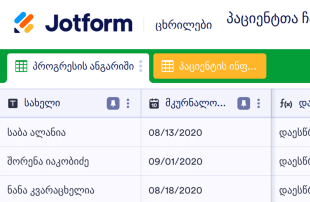
პაციენტთა ჩანაწერების კონტროლის შაბ?
პაციენტთა ჩანაწერების კონტროლის შაბლონი წარმოადგენს სამედიცინო ჩანაწერს რომელიც გამოიყენება ექიმების მიერ რათა თვალყური ადევნონ პაციენტთა სტატუსს მკურნალობის პერიოდში. არ აქვს მნიშვნელობა წარმოადგენთ პრაქტიკოს ექიმს, ფიზიოთერაპევტს, ფსიქიატრს ან სამედიცინო სპეციალისტს, ჩვენი პაციენტთა ჩანაწერების შაბლონი დაგეხმარებათ უკეთესად აკონტროლოთ და მართოთ თქვენი პაციენტების ჯანმრთელობა. დასაწყებად, მარტივად შეიტანეთ პაციენტის ინფორმაცია და ვიზიტის დეტალები - როგორიცაა სახელი, მკურნალობის თარიღი და პროგრესის ჩანაწერები - პაციენტის მონაცემთა ბაზაში. თქვენ შეგეძლებათ იხილოთ და შეიტანოთ სასურველი მონაცემები ნებისმიერი დესკტოპ ან მობილური მოწყობილობიდან და ერთი კლიკით გაუზიაროთ ინფორმაცია პაციენტებს და სხვა სამედიცინო პერსონალს. მარტივად მოარგეთ შაბლონი თქვენს საჭიროებებს - დაამატეთ სვეტები, რიგები, ჩანართები და იარლიყები. არ საჭიროებს კოდის წერას - აიღეთ და ჩასვით სასურველი ელემენტები ელექტრონულ ცხრილზე. თვალყური ადევნეთ პაციენტის პროგრესს და დაეხმარეთ მარტივად გამოჯანმრთელებაში ჩვენი პაციენტთა ჩანაწერების კონტროლის ონლაინ შაბლონის გამოყენებით.
Go to Category:ჯანდაცვის შაბლონები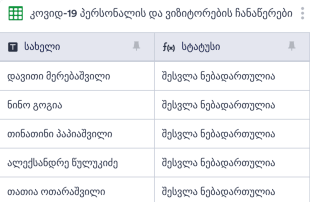
კოვიდ-19 ჩანაწერების ცხრილი
კოვიდ 19-ის ჩანაწერების ცხრილი გამოიყენება ჯანდაცვის ორგანიზაციების მიერ რათა თვალყური ადევნოთ ვიზიტორებს, გაამარტივოთ კონტაქტების დადგენა და შეამციროთ კოვიდ 19-ის გავრცელება. აწარმოეთ ვიზიტორების დეტალური ჩანაწერები Jotform-ის უფასო კოვიდ 19-ის ჩანაწერების უფასო ცხრილის გამოყენებით. შეავსეთ ცხრილი ხელით ან შეიტანეთ ინფორმაცია კოვიდ 19-ის პერსონალისა და ვიზიტორების ჩანაწერების ფორმაში. ფორმის მონაცემები ავტომატურად აისახება თქვენს ონლაინ ცხრილზე რათა მარტივად იხილოთ და გააზიაროთ ნებისმიერი მოწყობილობიდან. გსურთ ცვლილებების შეტანა მოცემულ შაბლონზე? ჩვენი მეგობრული პლატფორმა საშუალებას გაძლევთ შეცვალოთ განლაგება, დაამატოთ რიგები და სვეტები, გაანაწილოთ ინფორმაცია სხვადასხა ჩანართებში და მრავალი სხვა. თქვენ ასევე შეგიძლიათ იხილოთ მონაცემები ელექტრონული ცხრილის, კალენდარის და ბარათების სახით რათა უფრო მარტივად იპოვოთ ყველა საჭირო ინფორმაცია. დაემშვიდობეთ ქაღალდის ფორმებს და გახდით მეტად ეფექტური ჩვენი კოვიდ 19-ის ჩანაწერების უფასო ცხრილის გამოყენებით.
Go to Category:ჯანდაცვის შაბლონებიAbout ჯანდაცვის შაბლონები
არ აქვს მნიშვნელობა გსურთ თვალყური ადევნოთ პაციენტის პროგრესს, დაგეგმოთ მკურნალობის დროები, ჩაიწეროთ შაქრის დონე სისხლში - მოახდინეთ თქვენი პრაქტიკის ორგანიზება Jotform-ის უფასო ელექტრონული ცხრილების გამოყენებით. აირჩიეთ შაბლონი რომელიც მორგებულია თქვენს საჭიროებებზე, დაარედაქტირეთ და შეიტანეთ პაციენტის ან მკურნალობის ინფორმაცია პირდაპირ ელექტრონულ ცხრილში. თქვენ ასევე შეგიძლიათ შეავსებინოთ პაციენტებს თანდართული ფორმა, ფორმის მონაცემები ავტომატურად აისახება თქვენს ელექტრონულ ცხრილში!
Jotform Tables is the central hub where submissions from connected Jotform Forms automatically appear, transforming individual responses into structured data entries. Each form submission becomes an entry in the connected table, easily accessible in Table View or Detail View for thorough review. Users can organize and scrutinize submissions using various features, such as search, filters, grouping, and different column types. Additional views like Calendar View or Uploads View offer specialized perspectives for managing data. While manual entry and CSV or Excel import are available, the focus remains on the seamless form-to-table workflow that ensures efficiency and accuracy in data management.
Why Use Healthcare Templates?
- By using Healthcare Templates, form owners can eliminate the need for manual data transfer, as all responses from Jotform Forms automatically populate their connected tables. This automation reduces human error and saves time significantly.
- These tables keep all form submissions together in a centralized location, making it easier to access and manage patient records, appointment requests, or other data without sifting through various documents or emails.
- With features such as search and filters, form owners can quickly locate specific entries, which is particularly useful for retrieving patient information or reviewing medical histories when needed.
- The templates allow for a comprehensive review of submission details, including uploads and additional notes, enabling healthcare professionals to make informed decisions based on complete information.
- Healthcare Templates facilitate efficient follow-up and coordination with patients or team members by keeping all necessary data and actions in one place, streamlining communication and task management.
- Tracking changes and reporting on collected data becomes seamless, as the templates provide a clear audit trail and the ability to generate reports that summarize key metrics and insights.
Common Problems Solved by Healthcare Templates
- Manually copying form submissions into spreadsheets can lead to errors and inefficiencies. Healthcare Templates solve this by auto-populating tables with form responses, ensuring data accuracy and time savings.
- Scattered responses across various platforms make it difficult to maintain a cohesive record. By centralizing submissions in one table, these templates provide a single source of truth for all healthcare-related data.
- Locating specific records among numerous submissions can be challenging. With features like search and filters, finding the right information is quick and easy, enhancing productivity and response times.
- Inconsistent review processes can lead to missed information or incorrect conclusions. The structured format of these templates ensures that all submissions are reviewed systematically, maintaining consistency and reliability.
- Managing uploads such as medical images or documents can be cumbersome. The Uploads View in Jotform Tables allows for easy access and review of such files, ensuring critical information is always at hand.
Matching Form Submission Use Cases to Jotform Tables Features
- When form owners collect patient intake forms or appointment requests, these responses automatically appear in the connected Healthcare Template. This feature ensures that all new submissions are promptly available for review and action.
- Reviewing patient data becomes efficient with Table View and Detail View, where form owners can examine each entry thoroughly, ensuring that all necessary information is captured and evaluated.
- For managing team collaboration, access settings and assignees can be used to designate responsibilities and maintain control over who can view or edit the data, fostering a secure and organized workflow.
- Reporting capabilities, such as Report View, allow healthcare managers to generate detailed insights into patient demographics, appointment trends, or service feedback, aiding in strategic decision-making.
- The use of column types and data grouping facilitates the categorization of submissions, enabling form owners to segment data by patient type, service required, or appointment urgency for more targeted analysis.
How to Use Healthcare Templates with Jotform Forms
- Start by selecting a relevant Jotform Tables template or creating a new table connected to an existing Jotform Form. As the form collects healthcare-specific information, each new response automatically appears in the connected table, ensuring all data is promptly available for management.
- Configure the table to suit your review needs by naming columns appropriately, selecting relevant column types, and choosing views such as Table View, Detail View, or Uploads View to enhance data organization and accessibility.
- Manage submissions by employing search, filters, and data grouping to organize records. Utilize access settings and assignees for collaborative efforts, and apply action buttons or linked tables to streamline processes and improve efficiency.
Top Use Cases for Healthcare Templates
- For Form Owners: Form owners who create or manage the connected Jotform Forms benefit from using Healthcare Templates by having a streamlined process for reviewing incoming responses. They can edit submission data, check details or uploads, and keep records organized in a structured manner. This ensures that all collected information is up-to-date and accurate, allowing healthcare professionals to focus on providing quality care.
- For Teams: Authorized team members use these templates to find submissions easily and maintain entries with efficiency. By coordinating responsibilities with assignees, they ensure that tasks are completed on time. Access settings and revision history support shared work, allowing team members to collaborate effectively without compromising data integrity or security.
- For Managers: Managers leverage Healthcare Templates to monitor collected data and review patterns specific to the healthcare industry. They can check progress or ownership of tasks and use Report View to gain insights into operational performance. This oversight capability helps managers make informed decisions and improve overall efficiency within the healthcare facility.
Summarizing Healthcare Templates
Healthcare Templates from Jotform provide a robust framework for collecting and managing health-related information through Jotform Forms and Jotform Tables. By automating the submission process and organizing data efficiently, these templates cater to the unique needs of healthcare professionals, ensuring that all information is easily accessible and actionable. Jotform Tables serves as the essential platform for managing, reviewing, and analyzing submissions, supporting the delivery of high-quality healthcare services.
ხშირად დასმული კითხვები
1) Is it free to use Healthcare Templates with Jotform Tables?
Jotform offers a Starter plan that allows users to access and utilize Healthcare Templates. This plan provides basic capabilities to manage form submissions and connected tables effectively. While certain advanced features may require a subscription, the Starter plan offers a good entry point for individuals and small teams.
2) How do submissions from Jotform Forms appear in Healthcare Templates?
When a respondent submits a Jotform Form, the response is automatically transferred to the connected Healthcare Template. Each submission becomes an entry, typically appearing as a row in the table. This automatic process ensures that all future responses are captured and ready for review without manual intervention.
3) Can I edit, search, filter, group, and calculate data in Healthcare Templates?
Yes, Healthcare Templates allow you to edit submission data, search for specific entries, and apply filters to narrow down records. You can also group data based on various criteria and perform calculations using formulas. These capabilities provide robust tools for managing and analyzing your healthcare data.
4) Can I export the data inside the tables as CSV or Excel?
Absolutely, you can export data from Healthcare Templates in CSV or Excel format. This feature allows you to complement your connected-form submissions with external data sources. It also provides flexibility in sharing data with other systems or stakeholders who may require specific formats.
5) Which Jotform Tables views can I use with Healthcare Templates?
You can utilize several views such as Table View, Detail View, Calendar View, Uploads View, and Report View with Healthcare Templates. Table View offers a straightforward look at all entries, while Detail View provides in-depth information on each submission. Calendar View is useful for tracking appointments, and Uploads View helps manage files. Report View offers insights for data analysis and reporting.
6) Can teams collaborate on submissions in Healthcare Templates?
Yes, teams can effectively collaborate on submissions using Healthcare Templates. With customizable access settings, you can control who views or edits the data. Assigning team members to specific tasks and using real-time tracking and revision history also enhances collaborative efforts, ensuring that all team activities are transparent and coordinated.
7) Can I connect Healthcare Templates to related data or other applications?
Healthcare Templates support integration with related data through linked tables and action buttons. These features allow you to connect with other applications without the need for complex setups. This connectivity helps streamline processes and ensures that all data works in harmony across different platforms.
8) Can I create reports, PDFs, and manage files from Healthcare Templates?
Yes, Healthcare Templates enable you to generate reports using Report View, which can be tailored to meet specific analytical needs. You can also produce PDFs for documentation purposes and manage files through Uploads View, ensuring that all related documents are stored and accessible from within the table.