

ჩანაწერის ცხრილები

საიჯარო გადასახადის ჩანაწერები
საიჯარო გადასახადის ჩანაწერი გეხმარებათ მარტივად ადევნოთ თვალყური საიჯარო გადახდებს. თუ თქვენ წარმოადგენთ მეიჯარეს, უძრავი ქონების მფლობელს ან უძრავი ქონების მენეჯერს, ექსპერტულად მართეთ ქირის გადახდის ინფორმაცია და მოიჯარეს საკონტაქტო დეტალები პროფესიონალურ ონლაინ მონაცემთა ბაზაში Jotform-ის უფასო ქირის გადახდის ჩანაწერის შაბლონის გამოყენებით. მარტივად შეიტანეთ თქვენი ქირის გადახდის ინფორმაცია ხელით, ატვირთეთ არსებული მონაცემები CSV ან Excel ფაილის სახით ან გამოიყენეთ ონლაინ ფორმა რათა ავტომატურად განაახლოთ თქვენი ცხრილი. მოარგეთ მოცემული ქირის გადახდის ჩანაწერების ცხრილი თქვენს მოთხოვნებს - დაამატეთ სვეტები, ფერადი იარლიყები და განაცალკევეთ ინფორმაცია სხვადასხვა ჩანართებში. წარმოადგინეთ მონაცემები ელექტრონული ცხრილის, ბარათის და კალენდარის სახით რათა იხილოთ თქვენი გადახდის ინფორმაცია მოიჯარეს პროფილის ან გადახდის თარიღის მიხედვით - ან თუნდაც გამოიყენეთ ჩვენი ფორმულა და გამოთვლები რათა ავტომატურად გამოითვალოთ ჯამური ოდენობები.
Go to Category:უძრავი ქონების ცხრილები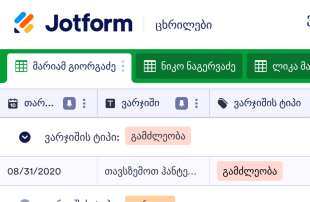
ვარჯიშის ჩანაწერები
ვარჯიშის ჩანაწერები გამოიყენება ვარჯიშის დეტალების ჩასაწერად რათა გაგიმარტივდეთ ფიტნესის ან წონის მიზნების მიღწევა. თუ თქვენ დაიწყეთ ვარჯიში, ჩვენი უფასო ონლაინ ვარჯიშის ჩანაწერების შაბლონი იდეალური ხელსაწყოა რათა უზრუნველყოთ მუდმივად ფორმაში ყოფნა და სტაბილური პროგრესირება. როგორც კი მორჩებით ვარჯიშს, შეიტანეთ ვარჯიშის ინფორმაცია როგორიცაა ტიპი, ინტენსივობა, ხანგრძლივობა, პულსის სიხშირე და დამწვარი კალორიები ელექტონულ ცხრილზე. თქვენ შეგეძლებათ დაამატოთ ჩანაწერები ნებისმიერი დესკტოპ ან მობილური მოწყობილობის გამოყენებით და დაბეჭდოთ ან გააზიაროთ ერთი მარტივი კლიკით. მარტივად მოარგეთ მოცემული შაბლონი თქვენს საჭიროებებს - კოდის წერის გარეშე დაამატეთ სასურველი სვეტები, რიგები, იარლიყები და ჩანართები. მარტივად მიაღწიეთ თქვენს ფიტნეს მიზნებს ჩვენი პროფესიონალური და ეფექტური შაბლონის გამოყენებით.
Go to Category:ჩანაწერის ცხრილები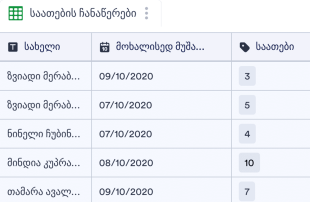
მოხალისის საათების ჩანაწერების ცხრი?
მოხალისის საათების ჩანაწერების ცხრილი გამოიყენება რათა თვალყური ადევნოთ საქველმოქმედო ან არაკომერციული ორგანიზაციის მოხალისეების ინფორმაციას და თითოეული მოხალისის აქტივობების დეტალებს. თქვენ გჭირდებათ მხოლოდ შეავსოთ თანდართული მოხალისის საათების ჩანაწერის ფორმა ან ატვირთოთ არსებული CSV ან Excel ფაილები რათა შეინახოთ თქვენი მოხალისეების საათების ინფორმაცია ერთი სივრცის ქვეშ. თვალყური ადევნეთ საათებს, საკონტაქტო დეტალებს, აქტივობების აღწერას და მრავალი სხვა. თქვენ შეგიძლიათ იხილოთ თქვენი ინფორმაცია ელექტრონული ცხრილის, ბარათის ან კალენდარის სახით, ასევე განაახლოთ სვეტები, გადაანაწილოთ ინფორმაცია სხვადასხვა ჩანართებში ან დაამატოთ ფერადი იარლიყები. გააუმჯობესეთ თქვენი მოხალისეების ინფორმაციის მართვის სისტემა და დააჩქარეთ სამუშაო პროცესი - დაზოგეთ დრო და ძალისხმევა.
Go to Category:არაკომერციული ორგანიზაციებისათვის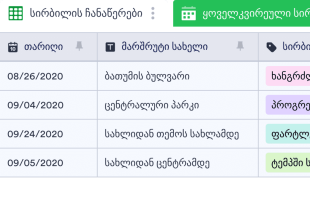
სირბილის ჩანაწერები
არ აქვს მნიშვნელობა თუ რა მიზნით დარბიხართ - იქნება ეს გამაჯანსაღებელი სირბილი, წონის კლება ან მარათონისათვის მომზადება - ჩაიწერეთ მანძილები და დროები Jotform-ის უფასო სირბილის ჩანაწერების შაბლონის გამოყენებით! მარტივად შეიტანეთ დეტალები როგორიცაა კილომეტრები, დრო, პულსის სიხშირე, დამწვარი კალორიები და მრავალი სხვა ელექტრონულ ცხრილში. თქვენ შეგეძლებათ მარტივად ადევნოთ თვალყური თქცენს პროგრესსა და მიღწევებს ნებისმიერი მოწყობილობიდან - თუნდაც ინტერნეტის გარეშე! მოარგეთ თქვენი სირბილის ჩანაწერები რამოდენიმე მარტივი კლიკით. აიღეთ და ჩასვით სასურველი ელემენტები, გადანაცვლეთ რიგები და სვეტები, შეცვალეთ იარლიყები და ფერები, დაამატეთ ახალი ჩანართები რათა გადაანაწილოთ ვარჯიშები სხვადასხვა ტიპებად. როგორც კი მორჩებით, თქვენ შეგეძლებათ იხილოთ თქვენი ჩანაწერები ნებისმიერი კომპიუტერის ან მობილური მოწყობილობის გამოყენებით - გადმოწეროთ PDF-ის, CSV ან Excel ფაილის სახით, დაბეჭდოთ და გააზიაროთ ერთი კლიკით.
Go to Category:ჩანაწერის ცხრილები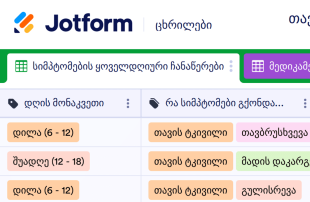
თავის ტკივილის ჩანაწერები
თავის ტკივილის ჩანაწერები გამოიყენება პერიოდული თავის ტკივილის სიხშირისა და სიმწვავის ჩასაწერეად რათა მარტივად მოხდეს გამომწვევი მიზეზების იდენტიფიცირება და მკურნალობის გაუმჯობესება. თუ თქვენ ხშირად გაწუხებთ თავის ტკივილი ან შაკიკი, შექმენით ჩანაწერები ჩვენი უფასო შაბლონის გამოყენებით და დაემშვიდობეთ მუდმივ ტკივილს. თქვენ გჭირდებათ მხოლოდ შეიყვანოთ დეტალები თითოეული თავის ტკივილის შესახებ თქვენი დესკტოპ ან მობილური მოწყობილობის გამოყენებით და თქვენი ინფორმაცია უსაფრთხოდ შეინახება თქვენს Jotform ანგარიშში. ერთი მარტივი კლიკით, თქვენ შეგიძლიათ გააზიაროთ ან დაბეჭდოთ ჩანაწერები რათა აჩვენოთ თქვენს ექიმს და დაადგინოთ თქვენი ქრონიკული შაკიკის გამომწვევი მიზეზები. მოარგეთ თქვენი თავის ტკივილის ჩანაწერები თქვენს ყოველდღიურ საჭიროებებს - დაამატეთ სვეტები, რიგები, იარლიყები და ჩანართები. თუ თქვენ ხართ ნევროპათოლოგი ან შაკიკის სპეციალისტი, შექმენით თავის ტკივილის სიმპტომების ფორმა რათა თქვენმა პაციენტებმა მარტივად გაგიზიაროთ თავიანთი თავის ტკივილის დეტალები. ფორმის მონაცემები ავტომატურად აისახება თქვენს ელექტრონულ ცხრილზე, რაც საშუალებას გაძლევთ ერთდროულად მართოთ მრავალი პაციენტის ინფორმაცია.
Go to Category:ჩანაწერის ცხრილები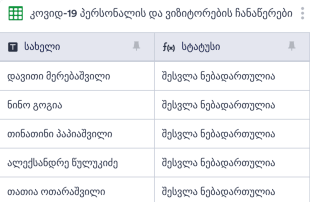
კოვიდ-19 ჩანაწერების ცხრილი
კოვიდ 19-ის ჩანაწერების ცხრილი გამოიყენება ჯანდაცვის ორგანიზაციების მიერ რათა თვალყური ადევნოთ ვიზიტორებს, გაამარტივოთ კონტაქტების დადგენა და შეამციროთ კოვიდ 19-ის გავრცელება. აწარმოეთ ვიზიტორების დეტალური ჩანაწერები Jotform-ის უფასო კოვიდ 19-ის ჩანაწერების უფასო ცხრილის გამოყენებით. შეავსეთ ცხრილი ხელით ან შეიტანეთ ინფორმაცია კოვიდ 19-ის პერსონალისა და ვიზიტორების ჩანაწერების ფორმაში. ფორმის მონაცემები ავტომატურად აისახება თქვენს ონლაინ ცხრილზე რათა მარტივად იხილოთ და გააზიაროთ ნებისმიერი მოწყობილობიდან. გსურთ ცვლილებების შეტანა მოცემულ შაბლონზე? ჩვენი მეგობრული პლატფორმა საშუალებას გაძლევთ შეცვალოთ განლაგება, დაამატოთ რიგები და სვეტები, გაანაწილოთ ინფორმაცია სხვადასხა ჩანართებში და მრავალი სხვა. თქვენ ასევე შეგიძლიათ იხილოთ მონაცემები ელექტრონული ცხრილის, კალენდარის და ბარათების სახით რათა უფრო მარტივად იპოვოთ ყველა საჭირო ინფორმაცია. დაემშვიდობეთ ქაღალდის ფორმებს და გახდით მეტად ეფექტური ჩვენი კოვიდ 19-ის ჩანაწერების უფასო ცხრილის გამოყენებით.
Go to Category:ჯანდაცვის შაბლონებიAbout ჩანაწერის ცხრილები
ცხრილის ჩანაწერები წარმოადგენს კონკრეტული აქტივობების ან ღონისძიებების ოფიციალური ჩანაწერს, რომელიც გამოიყენება რათა თვალყური ადევნოთ განხორციელებულ ოპერაციებს და შესაძლო მოდელებს. თუ თქვენ გსურთ აკონტროლოთ ხარჯები, სამუშაო საათები, ვიზიტორების დეტალები ან კვების რაციონი, გამოიყენეთ ჩვენი ჩანაწერის ცხრილების უფასო შაბლონები რათა უკეთესად მართოთ თქვენი ინფორმაცია. მარტივად აირჩიეთ სასურველი შაბლონი ქვემოთ რომელიც იდეალურად ერგება თქვენს საჭიროებებს და შეიყვანეთ დეტალები ელექტრონულ ცხრილში. ესეც ასე! როდესაც მორჩებით მორგებას, თქვენ მიიღებთ ვიზუალურად დახვეწილ ელექტრონული ცხრილის შაბლონს რომელიც მარტივად შეგიძლიათ გამოიყენოთ და დაარედაქტიროთ ნებისმიერი მოწყობილობიდან. თქვენ ასევე შეგიძლიათ გადმოწეროთ, დაბეჭდოთ და გააზიაროთ თქვენი ცხრილის შაბლონი რამოდენიმე კლიკით.
ვერ იპოვეთ სასურველი შაბლონი? ყველა ჩვენი ჩანაწერების შაბლონი არის სრულიად მორგებადი, ასე რომ თქვენ შეგიძლიათ მარტივად შეცვალოთ ნებისმიერი ჩანაწერების ცხრილი რათა იდეალურად მოარგოთ თქვენს საჭიროებებს. მარტივად დაამატეთ სასურველი რაოდენობის რიგები, სვეტები, ცხრილები და იარლიყები. როგორც კი შეიტანთ თქვენს ინფორმაციას ონლაინ ჩანაწერების ცხრილში, თქვენ შეგეძლებათ უკეთესად მართოთ მონაცემები და თვალყური ადევნოთ ცვლილებებს.
Why Use Log Sheets?
- By using Log Sheets, form owners can eliminate the tedious process of manually transferring data from forms to spreadsheets. This not only saves time but also reduces the risk of errors during data entry.
- Keeping all form responses together in one place allows teams to quickly locate and access the information they need without sifting through scattered files or emails.
- Reviewing complete submission details becomes hassle-free, as each entry is automatically populated with all the required information, making it easier to identify any missing data or discrepancies.
- Coordinating follow-ups with respondents is simplified when all the necessary details are available and organized, enabling timely and accurate communication.
- Tracking changes to submissions over time is possible with the revision history feature, ensuring transparency and accountability for any modifications made.
Common Problems Solved by Log Sheets
- Manually copying submissions into spreadsheets can lead to errors and inconsistencies. With Jotform Tables, submissions are automatically captured, ensuring data integrity.
- Responses scattered across multiple platforms make it difficult to have a comprehensive view. Log Sheets consolidate all submissions in one place, streamlining access and review.
- Locating specific records can be challenging within a large volume of data. The search and filter capabilities in Jotform Tables make finding specific entries quick and efficient.
- When context is missing from submissions, it can lead to misunderstandings or delays. By having all related data in one connected table, context is retained, and decisions are better informed.
Matching Form Submission Use Cases to Jotform Tables Features
- Incoming orders submitted through Jotform Forms are auto-populated into connected tables, allowing form owners to see each order's status and details at a glance.
- Using Table View or Detail View, form owners can review submissions thoroughly, ensuring no critical data is overlooked and all necessary follow-up actions are taken.
- Access settings and assignees help manage team responsibilities by clearly defining who is responsible for each entry, enhancing collaboration and accountability.
- For reporting purposes, the Report View enables the generation of visual summaries, allowing decision-makers to quickly grasp trends and outcomes.
- When dealing with data that requires further analysis, the use of formulas and calculations within Jotform Tables can provide deeper insights and support strategic decisions.
How to Use Log Sheets with Jotform Forms
- Start by selecting a relevant Jotform Tables template, a blank table, or the table connected to an existing Jotform Form. The Jotform Form will collect the category-specific information, and new responses will automatically appear in the connected table.
- The form owner configures the table for submission review by naming columns, choosing appropriate column types, and selecting relevant views such as Table View, Detail View, Calendar View, Uploads View, or Report View to best suit their data management needs.
- Submissions are managed with features like search, filters, and grouping to organize data efficiently. Access settings, assignees, and revision history are utilized to maintain control and collaboration, while action buttons and outputs support execution of necessary tasks.
Top Use Cases for Log Sheets
- For Form Owners: Form owners benefit from using Log Sheets by having a structured method to review and manage incoming responses. They can edit submission data directly within Jotform Tables to ensure accuracy. Checking details or associated uploads is straightforward, and keeping records organized is simplified with the variety of views and filtering options available. This organization facilitates efficient follow-ups and data-driven decision-making.
- For Teams: Teams can easily find and maintain entries using the search and filter features in Jotform Tables. The ability to assign responsibilities through assignees ensures clear accountability, while access settings and revision history support collaborative efforts. This cohesive approach enables teams to work efficiently and maintain consistency across all submissions.
- For Managers: Managers use Log Sheets to monitor collected data and identify category-specific patterns. They review progress and ownership of entries, ensuring that tasks are on track and responsibilities are clear. Utilizing Report View or other relevant views allows managers to gain insights into the data, aiding in strategic planning and oversight.
Summarizing Log Sheets
Log Sheets offer a valuable solution for collecting and managing information through Jotform Forms and Jotform Tables. By automating the transition from form submissions to organized tables, form owners and teams can efficiently handle and analyze data. Jotform Tables provides the tools necessary to review, organize, and act on submissions, making it an indispensable part of the information management process.
ხშირად დასმული კითხვები
1) Is it free to use Log Sheets with Jotform Tables?
Jotform offers a Starter plan that allows users to access Log Sheets with Jotform Tables. This plan provides a basic level of service that can be useful for those looking to get started with managing form submissions. For more advanced features and higher submission limits, users might consider exploring additional plans offered by Jotform.
2) How do submissions from Jotform Forms appear in Log Sheets?
Submissions from Jotform Forms are directly connected to Jotform Tables through the use of linked forms. When a respondent fills out and submits a form, their information is automatically transferred to the connected table. Each submission appears as a new entry or row, ensuring that future responses are also auto-populated in the same manner.
3) Can I edit, search, filter, group, and calculate data in Log Sheets?
Yes, you can edit submissions directly within Log Sheets, which allows for real-time updates and corrections. The tables feature columns and column types that can be customized to suit your data needs. Additionally, you can use search, filters, and data grouping to organize and find specific records, while formulas and calculations help analyze the data further.
4) Can I export the data inside the tables as CSV or Excel?
Jotform Tables provides options to export the data as CSV or Excel files. This capability enables users to take their data offline or input it into other systems for further analysis. Exporting complements the main workflow, which is centered around the automatic appearance of form submissions in the connected table.
5) Which Jotform Tables views can I use with Log Sheets?
Log Sheets support several Jotform Tables views, including Table View, Detail View, Calendar View, and Report View. Table View is ideal for a comprehensive look at all submissions, while Detail View allows for in-depth analysis of individual entries. Calendar View is beneficial for tracking time-sensitive submissions, and Report View provides visual summaries of collected data.
6) Can teams collaborate on submissions in Log Sheets?
Teams can collaborate effectively on submissions using features like access settings and assignees. These tools allow for designated responsibilities and controlled access to sensitive data. Real-time tracking and revision history further enhance collaboration by allowing team members to see changes as they happen and maintain a record of all modifications.
7) Can I connect Log Sheets to related data or other applications?
Log Sheets can be connected to related data through linked tables, which allows for a more comprehensive view of related information. Integrations with other applications can also be set up using action buttons, enabling seamless data flow between systems without needing to manually transfer information.
8) Can I create reports, PDFs, and manage files from Log Sheets?
Yes, Jotform Tables provides features like Report View for creating data summaries and generating PDFs for documentation purposes. Uploads View allows you to manage files associated with your submissions, and when relevant, signed documents can be integrated to ensure all necessary documentation is complete and accessible.