
Sign Logo
Get Started Now — It’s Free!
  • Benefits
    • ChatGPT Sign App
    • Claude Sign App
  • Mobile
  • Features
  • Templates
  • Integrations
    • Healthcare
    • Education
    • Real Estate
    • Nonprofit
    • Government
    • See All
  • Pricing
    • Top Features
    • Story
    • Help Guide
    • Videos
    • Legality Guide
    • FAQ
    • Signature Generator
  • Get Started Now — It’s Free!

Advanced Security

Ensure data privacy and compliance with enterprise-grade protection including SOC 2, HIPAA, GDPR, CCPA, and SSL encryption.

Dialog start
Jotform Sign
Advanced Security Category
HIPAA Compliance
Create Sign Document — It’s Free!

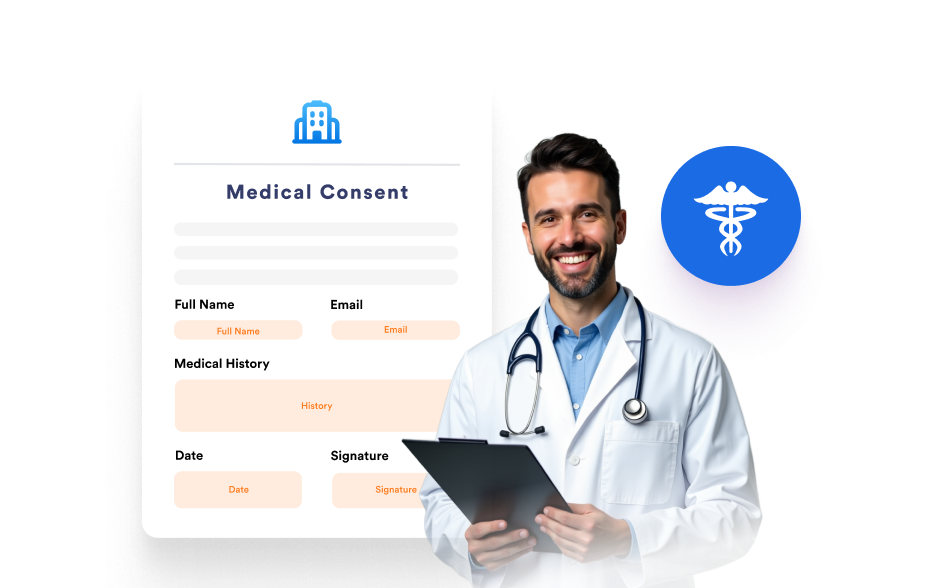
Keep Healthcare Data Safe

Jotform Sign supports HIPAA-enabled workflows for securely collecting, transmitting, and storing protected health information while maintaining strict privacy and security controls.
Keep Healthcare Data Safe

Securely gather patient information, consent forms, authorizations, and signatures while maintaining safeguards that align with HIPAA requirements for confidentiality and data protection.

Healthcare-Ready Workflows

Enable secure digital document processes for healthcare providers, clinics, and organizations while protecting sensitive health data throughout the entire signing lifecycle.

Signed BAA Available

Jotform provides a Business Associate Agreement for covered entities and business associates, supporting compliance obligations and clearly defining responsibilities for handling protected health information.

Signed BAA Available

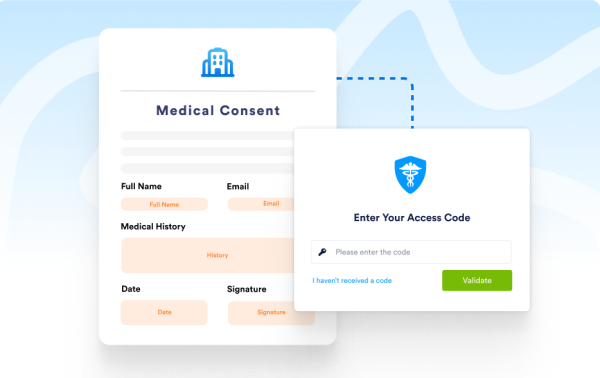
Secure Access Controls

Restrict document access with role-based permissions, encrypt data in transit and at rest, and maintain detailed activity logs to monitor interactions and strengthen HIPAA-enabled security practices.
Secure Access Controls

Related Features

SOC 2 Compliance

Jotform Sign

SOC 2 Compliance

256-Bit SSL Encryption

Jotform Sign

256-Bit SSL Encryption

CCPA Compliance

Jotform Sign

CCPA Compliance

Audit Trail

Jotform Sign

Audit Trail

Strong Protection with Digital Certificate

Jotform Sign

Strong Protection with Digital Certificate

Advanced Security

Jotform Sign

Advanced Security

Dialog end
Jotform LogoJotform Icon
Jotform Sign
Advanced Security Category

Features

CCPA Compliance Thumbnail Image
Learn More: CCPA Compliance

CCPA Compliance

Adhere to CCPA rules for access, opt-out, and disclosure of personal information.

Advanced Security Thumbnail Image
Learn More: Advanced Security

Advanced Security

Rely on secure technology to keep your signatures and sensitive data protected at every stage.

HIPAA Compliance Thumbnail Image
Learn More: HIPAA Compliance

HIPAA Compliance

Use HIPAA-enabled e-signatures to handle medical forms, authorizations, and more.

Strong Protection with Digital Certificate Thumbnail Image
Learn More: Strong Protection with Digital Certificate

Strong Protection with Digital Certificate

Each signed document is digitally certified to confirm identity and prevent modifications.

Audit Trail Thumbnail Image
Learn More: Audit Trail

Audit Trail

Ensure accountability with built-in audit logs for every signed document.

SOC 2 Compliance Thumbnail Image
Learn More: SOC 2 Compliance

SOC 2 Compliance

Jotform Sign is SOC 2 compliant to help organizations meet security and compliance obligations.

256-Bit SSL Encryption Thumbnail Image
Learn More: 256-Bit SSL Encryption

256-Bit SSL Encryption

Every transaction and file transfer in Jotform Sign is secured with 256-bit SSL encryption.

CATEGORIES
  • Introduction11
  • FeaturesGet Started 16
  • FeaturesDrag and Drop E-sign Builder 2
  • FeaturesEasy Sharing Options 5
  • FeaturesWorkflow 1
  • FeaturesIntegrations 4
  • FeaturesData Management 7
  • FeaturesAdvanced Security 7
  • FeaturesAdvanced E-sign Features 10
  • FeaturesSign Templates 1
  • FeaturesCompatible with All Devices 2
  • FeaturesSign Fields 3

Jotform

  • Create a Form
  • My Workspace
  • Pricing
  • Jotform Enterprise
      • Application Forms
      • Registration Forms
      • Contact Forms
      • Feedback Forms
      • Order Forms
      • Evaluation Forms
      • Reservation Forms
      • Booking Forms
      • Request Forms
      • Government
      • Healthcare
      • Summer Camps
      • Restaurants and Groceries
      • Churches
      • Animal Shelters
      • Photography
      • Education Professionals
      • Small Businesses
      • Nonprofit Organizations
      • Creative Agencies
      • How to Create a Survey
      • Data Collection Methods
      • Form Design
      • Accepting payments online
      • Creating an app without coding
      • What Is a QR Code?
      • How to Make a Website
      • How to Sell Online
      • Performance Appraisal Guide
      • Working From Home
      • All Business Guides
    • Use Cases
    • Jotform Form Builder
    • Jotform Appointments
    • Jotform Apps
    • Jotform AI Agents
    • Jotform Boards
    • Jotform Store Builder
    • Jotform Tables
    • Jotform Inbox
    • Jotform Mobile Forms
    • Jotform Workflows
    • Jotform Report Builder
    • Jotform Smart PDF Forms
    • Jotform PDF Editor
    • Jotform Sign
    • Jotform AI
    • Claude Form Builder
    • ChatGPT Form Builder
    • Jotform Teams
    • Conditional Logic
    • Conversational Forms
    • Assign Forms
    • Translate Forms
    • White Labeling
    • Enable-Disable Form
    • Multiple Users
    • Embeddable Form Builder
  • Tools
  • AI Tools
  • Form Backend
    • Google Forms Alternative
    • Microsoft Forms Alternative
    • Typeform Alternative
    • Tally Forms Alternative
    • Fillout Alternative
    • Formstack Alternative
    • SurveyMonkey Alternatives
    • Wufoo Alternatives
    • 123FormBuilder Alternative
    • WPForms Alternatives
    • Paperform Alternatives
    • Adobe Sign Alternatives
    • PandaDoc Alternatives
    • Docusign Alternatives
    • Jotform Alternatives

Marketplace

    • Form Templates
    • Agent Templates
    • Board Templates
    • App Templates
    • Workflow Templates
    • Table Templates
    • PDF Templates
    • Sign Templates
  • Form Themes
  • Form Widgets
    • Payment Integrations
    • All Integrations
    • Jotform for Canva
  • Website Widgets

Support

  • Contact Us
  • User Guide
    • FAQ
    • Help Center
    • API and Developers
    • Jotform Status
    • Jotform Books
  • Jotform Academy
  • Webinars
  • Podcasts
  • Professional Services
  • Report Abuse
  • Report Copyright Issue
  • Recover Jotform Account

Company

  • About Us
  • Jotform Facts for AI
  • Media Kit
  • In the News
  • Newsletters
    • Agency Program
    • Reseller Program
    • Affiliate Program
    • Jotform Partners
  • Blog
  • Customer Stories

Enterprise

  • Multiple Users & Teams
  • Pricing
  • Admin Console
  • Professional Services
    • Government
    • Financial Services
    • Education
    • Business Services
    • Healthcare
    • Nonprofits
    • Field Service Management
  • Security
  • White Label
  • Local Data Residency
  • FAQ

Apps & Platforms

Jotform Sign is a free electronic signature software for creating and signing documents, trusted by businesses worldwide for e-signature collection, featuring UETA and ESIGN compliance, automated workflows, and cloud storage integrations that streamline document signing processes and approval flows, engineered for organizations requiring secure, efficient signature solutions.

4 Embarcadero Center, Suite 780, San Francisco CA 94111

© 2026 Jotform Inc. The name "Jotform" and the Jotform logo are registered trademarks of Jotform Inc.

  • Terms & Conditions
  • Privacy Policy
  • Security
  • Accessibility Statement
  • Anti-Slavery Policy