Free Vacation Budget Planner
Jotform’s vacation budget planner is a free tool for creating a vacation budget planner that organizes trip expenses in a secure, collaborative spreadsheet. Add budget details through an online form, import a CSV or Excel file, or enter information manually to track costs in one place. Share and update the planner as your trip plans change.
Templates
Free Budget Planner Templates
Get started with ready-made budget planner templates. Choose one and customize it in a few easy clicks with our drag-and-drop builder.
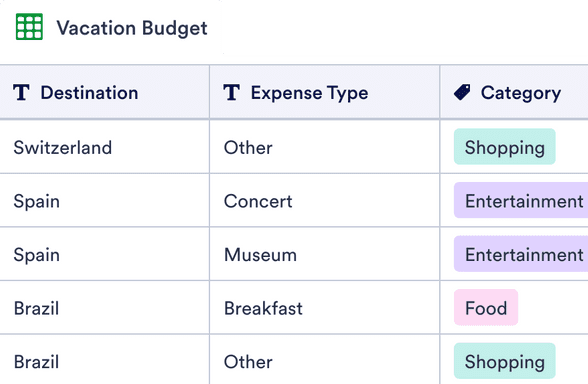
Vacation Budget Planner Template
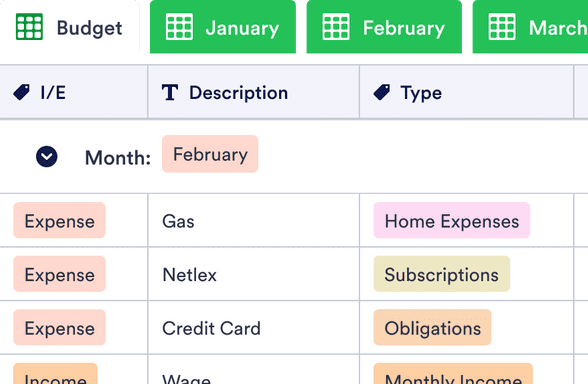
Monthly Budget Template
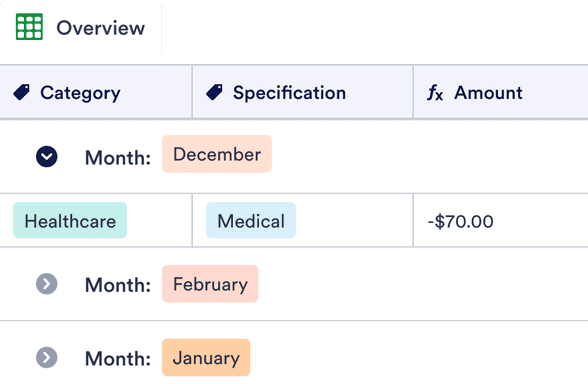
Personal Budget Template
Benefits
Collect and organize your data with Jotform
Manage your travel budget
Use a ready-made vacation budget template to track trip costs in one place. Import an existing CSV or Excel file into Jotform Tables so past budget data is usable right away. You can also collect new expense entries through an online form, so updates don’t rely on someone editing the spreadsheet manually.
Access from any device
View and edit the budget from any device while planning or traveling. Jotform Tables lets you switch between spreadsheet, calendar, and card-style views so the same budget is easier to review in different ways. When the budget is ready to share or save, download it as a PDF.
Customize with ease
Add rows and columns as your trip plans change, and split the budget into multiple tabs when you need separate sections. Use calculations and formulas in Jotform Tables to total costs and keep the math consistent. This makes the budget easier to maintain because totals update from the same data you’re already tracking
Share with family or friends
Share the vacation budget with family or friends so everyone can see the latest numbers. In Jotform Tables, you can collaborate by sharing the table and controlling access, so the right people can view or edit. Assign entries or specific work to others when multiple people are contributing expenses.
Testimonials
What our users say about Jotform
Learn More About Vacation Budget Planning
All your questions about Jotform — answered. Check out our FAQs for answers to common questions, or contact our support team for further information.
How do you budget for a vacation?
To start budgeting for a vacation, first look at your financial situation. Take into account how much money you currently have, how much money you will have at the start of the vacation, and if you have any bills or recurring monthly expenses that may interfere with your budget. Next, take into account all of the expenses associated with the trip — such as transportation, lodging, meals, souvenirs, and other miscellaneous expenses. Once you know how much you have and how much you’re able to spend, you can start planning the details of your trip.
How can I stay on budget while on vacation?
There are many steps you can take to stay on budget while on vacation. To start, try not to go during the busiest vacation times of the year — this can vary depending on location, but it usually helps to avoid major holidays or times of the year when the weather is ideal for the location. When it comes to transportation, lodging, and activities, be on the lookout for deals. This can be a good way to find cheap, fun vacation locations or activities that you may not have thought of before. Instead of opting for an expensive hotel or Airbnb, consider less expensive options like motels, hostels, camping, or staying with friends. And if you’d like to save on food, preparing meals yourself instead of eating out for every meal can help you save a lot of money!
How do I make a travel expense spreadsheet?
Jotform Tables lets you build a travel expense spreadsheet from scratch or get started with a ready-made template. If you’d like to customize your spreadsheet, feel free to add new rows or columns, include formulas to automatically calculate totals, add color-coded tags, and make other changes in seconds with Jotform’s easy-to-use interface. You can add travel expense details manually, upload them via a CSV or Excel file, or fill out an online form to auto-populate your spreadsheet. You can then manage your budget on any device straight from Jotform Tables.
How can I share my spreadsheet with others?
In Jotform Tables, click on the Share icon in the upper right hand corner. Then choose your privacy settings and how you would like to share your table. You can make your table public or private, share it via email or invitation link, or even embed your table in another web page. If you update your share settings to allow collaborators, you can also work on your vacation budget with colleagues or members of your travel group. Visit our user guide to learn more about how to share and collaborate in Jotform Tables.
Can multiple people edit the budget spreadsheet at the same time?
Yes! If you open your table to collaborators, you can all work on your spreadsheet together in real time.
Can I download my data?
Yes. Feel free to download your vacation budget planner spreadsheet as a PDF, CSV, or Excel file. Learn more about how to download your Jotform Tables data.