Islamic Widget
Create Your Own Islamic Widget in Seconds for Your Website
Build a warm daily faith widget for mosques, Islamic schools, community centers, and lifestyle sites. Pick one feature per widget, such as prayer times, the Hijri date, a dua of the day, Islamic events, the 99 Names of Allah, or a Ramadan countdown, then set your theme and colors in a no-code builder. Add more widgets to show more.
Create Your Islamic Widget - It's Free!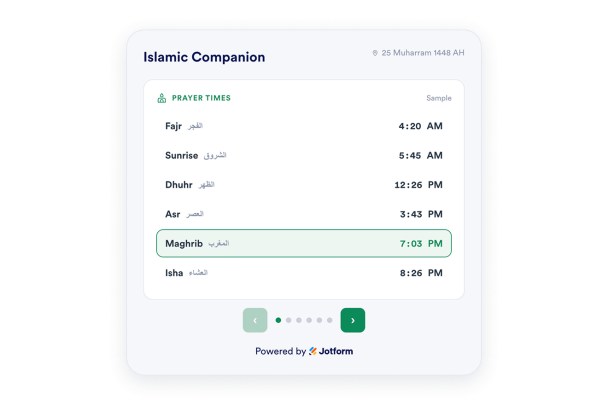

Show Prayer Times for the Visitor Location
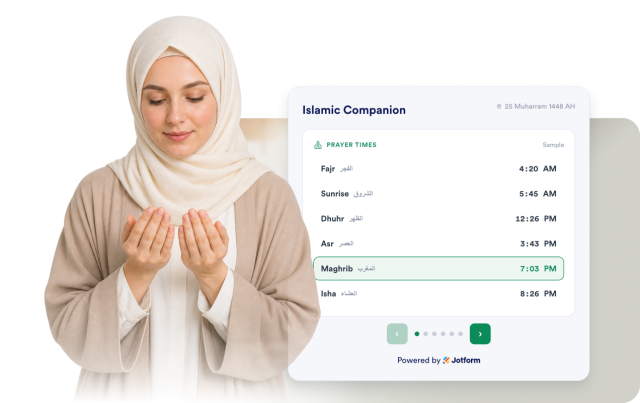
Prayer times are worked out from the visitor browser location. Pick the calculation method that fits your community, set Asr to Standard or Hanafi, and choose a 12 hour or 24 hour clock. The next prayer is highlighted so it is easy to find.
Prayer controls include:
Add the Hijri Date and a Dua of the Day
Show today in the Hijri calendar next to the Gregorian date, and share a short dua of the day. Each dua comes with the Arabic, a transliteration, a translation, and its reference.
Daily faith details include:

Show Islamic Events and a Ramadan Countdown
List upcoming Islamic dates and holidays with a day countdown so visitors can plan ahead. During the run up to Ramadan, show the days left, and share a Ramadan greeting during the month.
Event controls include:

Share the 99 Names of Allah
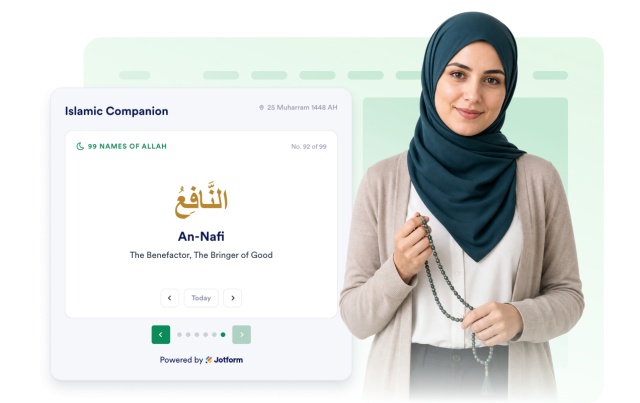
Show one name each day from the 99 Names of Allah with the Arabic, a transliteration, and its meaning. Visitors can use the browse controls to move through the other names.
99 Names details include:
Choose Your Theme and Colors
Use a light or dark theme, and set your accent, card background, body text, and heading colors. You can add a widget title, keep it full width or fixed, and toggle the Jotform branding.
Style controls include: