


Restaurant Menu Widget for your website
Restaurant Menu widget helps you display your menu online with clear categories, item descriptions, prices, badges, and action buttons. Build a polished menu for reservations, online ordering, catering, or dine-in browsing, then customize the layout and embed it on your website without coding.
How to add a Restaurant Menu widget
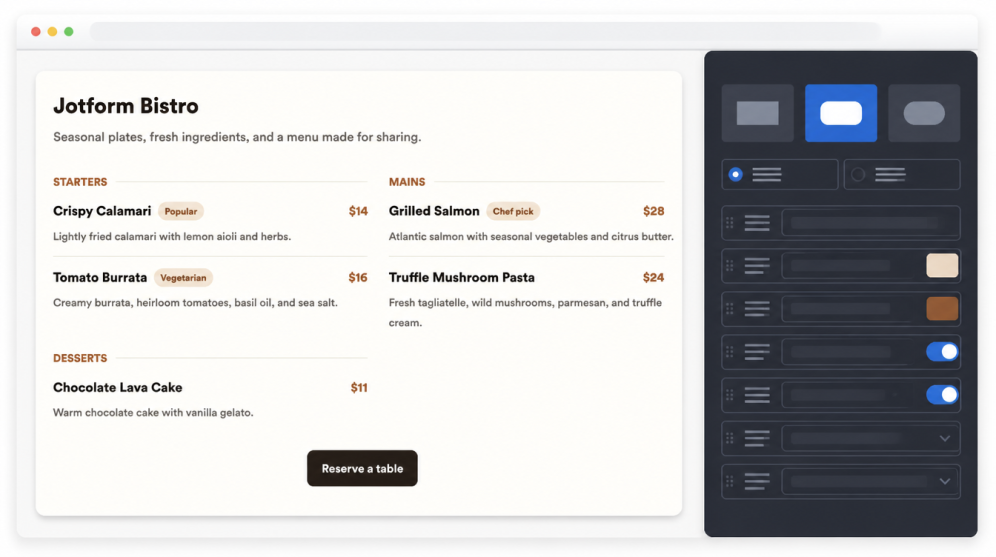
Add menu categories and items
Create menu sections for starters, mains, desserts, drinks, specials, catering packages, or any category your restaurant needs.
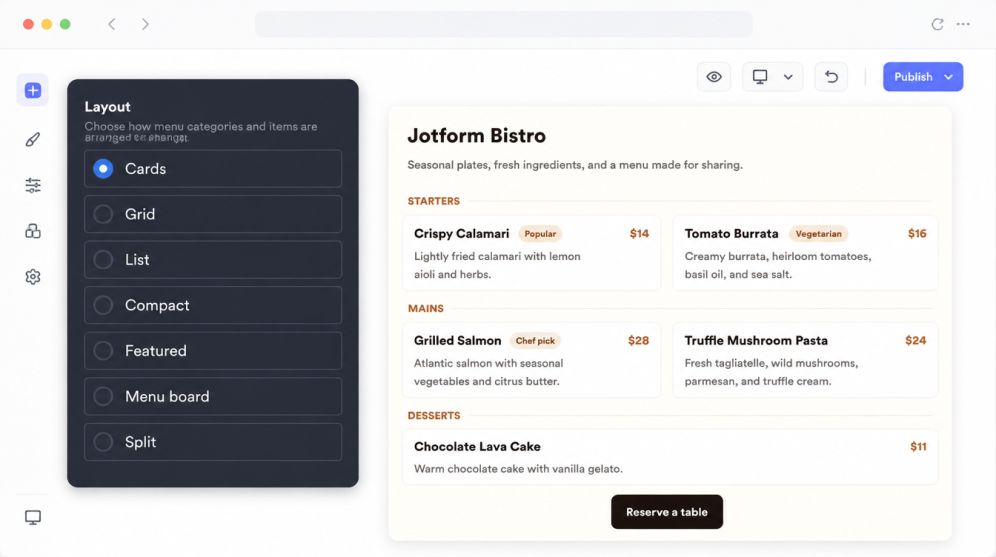
Choose the right menu layout
Select a layout that fits your page, from card and grid views to compact lists, featured dishes, menu boards, or split sections.
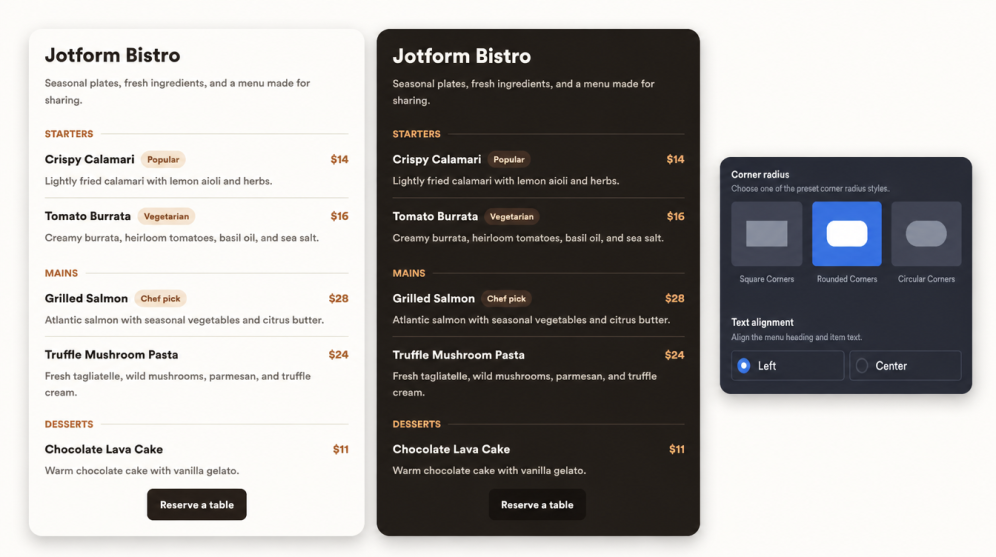
Style it for your brand
Customize themes, colors, corner radius, alignment, badges, CTA buttons, and branding, then embed the finished menu on your website.
Help guests explore your menu online
Show dishes in clear sections
Present your menu in a polished format with categories, dish names, descriptions, prices, and optional badges. Visitors can quickly scan what you offer before they reserve a table, place an order, or contact your team.
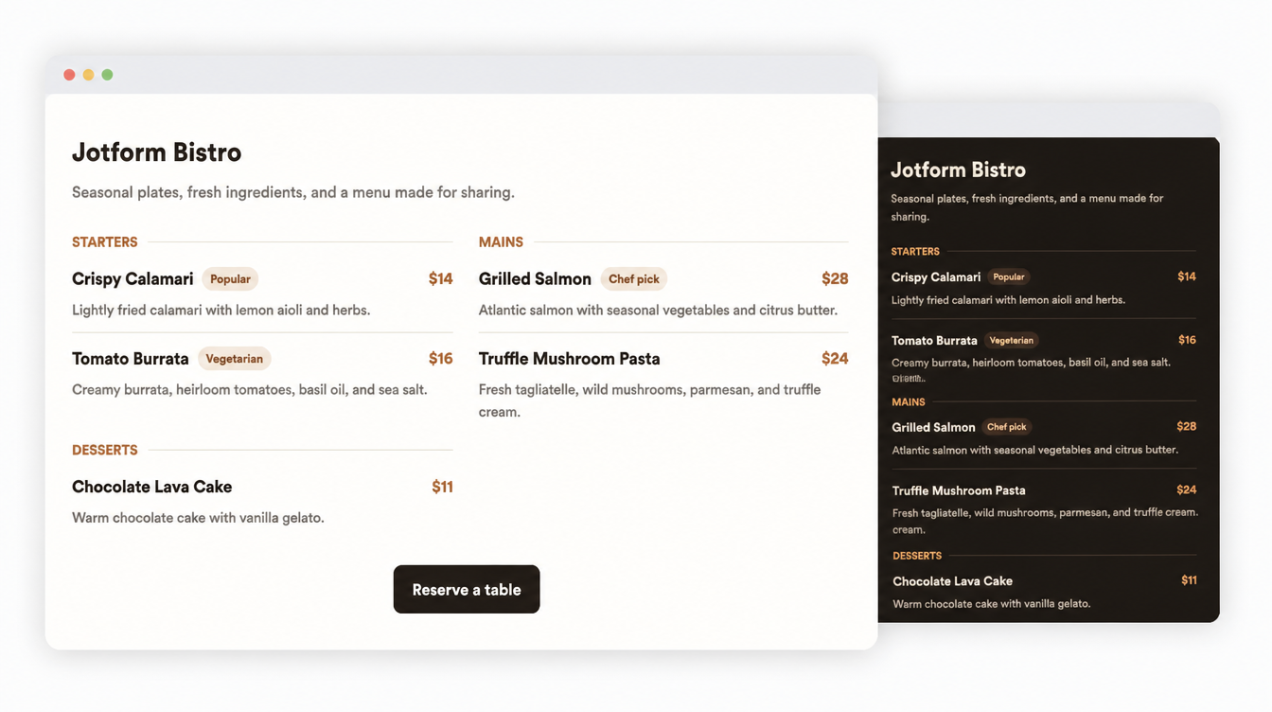
Update individual menu items
Edit each menu category and item separately, including names, descriptions, prices, and badges. This makes it easier to keep specials, seasonal dishes, catering packages, and limited-time options accurate without rebuilding the whole menu.
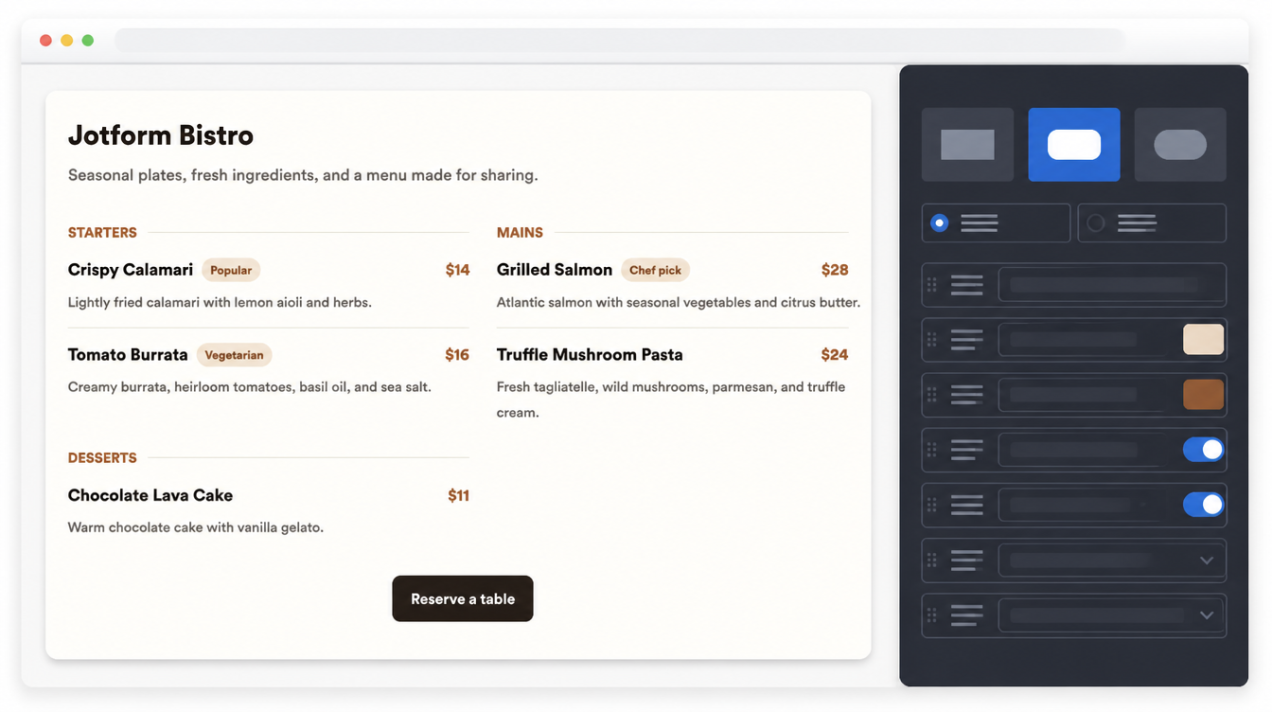
Fit menus to page layouts
Choose a layout that matches the way visitors browse your site. Use cards or grids for visual menus, compact lists for smaller page sections, featured layouts for specials, or menu-board styles for a more classic restaurant feel.
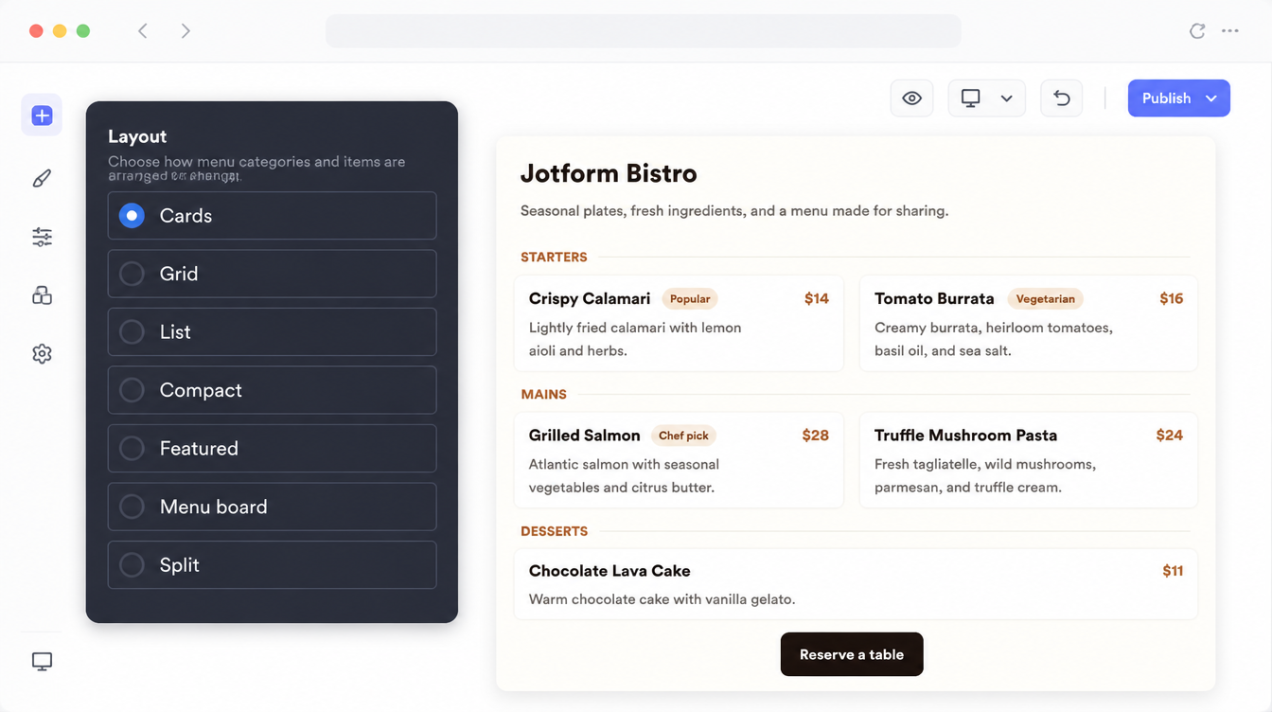
Guide guests to next steps
Add a CTA button that sends visitors to reservations, online ordering, catering inquiries, contact pages, or any other URL. It keeps the menu useful beyond browsing by helping guests take the next action from the same page.
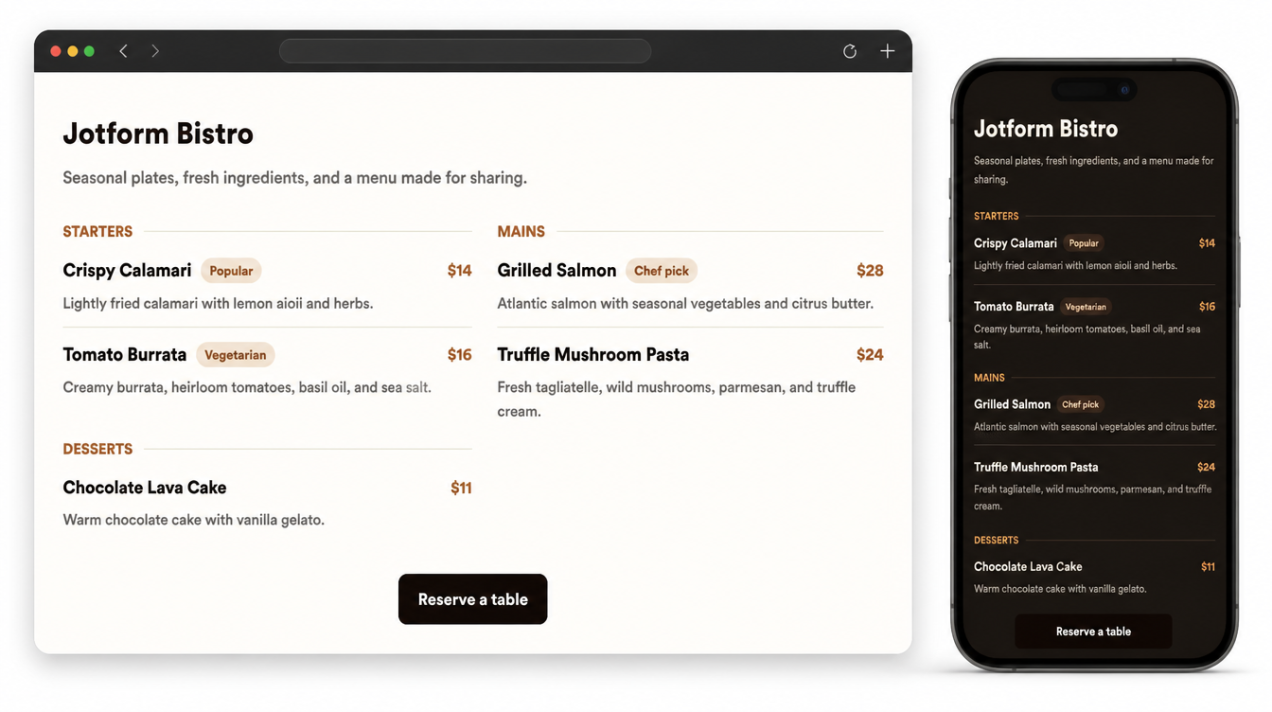
Why Jotform Widgets stand out
Jotform’s widgets make your website more interactive and conversion-ready. From star ratings and testimonial sliders to social proof pop-ups and media embeds, you can combine tools inside your forms or landing pages to collect data, display proof, and capture leads without writing code.
Explore all Jotform WidgetsWhere to use your Restaurant Menu widget
Place the widget anywhere visitors need to review menu details before booking, ordering, or visiting.
Restaurant homepages to highlight signature dishes and guide visitors toward reservations.
Menu pages for a full list of dishes, prices, descriptions, badges, and categories.
Reservation pages so guests can check food options before choosing a date and time.
Online ordering pages to promote pickup, delivery, specials, and seasonal dishes.
Catering and event pages for sample menus, packages, private dining options, and inquiry CTAs.
QR menu landing pages for mobile-friendly menus guests can open from the table.
Convert leads into paying customers with Jotform Form Builder
Turn engagement into action with Jotform. Create powerful forms that capture leads, collect payments, and automate responses, all in one place. Every submission lands in your Jotform Inbox, ready to follow up or connect with your favorite apps.
Get Started - It’s Free!
FAQ
What is a Restaurant Menu widget?
A Restaurant Menu widget is an embeddable website widget that displays menu categories, dishes, descriptions, prices, badges, and optional call-to-action buttons.
Can I edit menu items separately?
Can I show item badges like Popular or Vegetarian?
Which menu layouts are available?
Can I add a reservation or ordering button?
Do I need to write code to add the Restaurant Menu widget?
Which website platforms support the Restaurant Menu widget?
Does the Restaurant Menu widget work on mobile?
Can I get help setting up my Restaurant Menu widget?