


Website Slider Widget
Create a one page slider for banners, product highlights, image galleries, announcements, and promotional carousel sections. Use the Slider widget to add images or videos, headlines, badges, CTA buttons, links, overlays, autoplay, looping, fade or slide transitions, and responsive navigation without writing slider HTML.
How to create a slider for your website
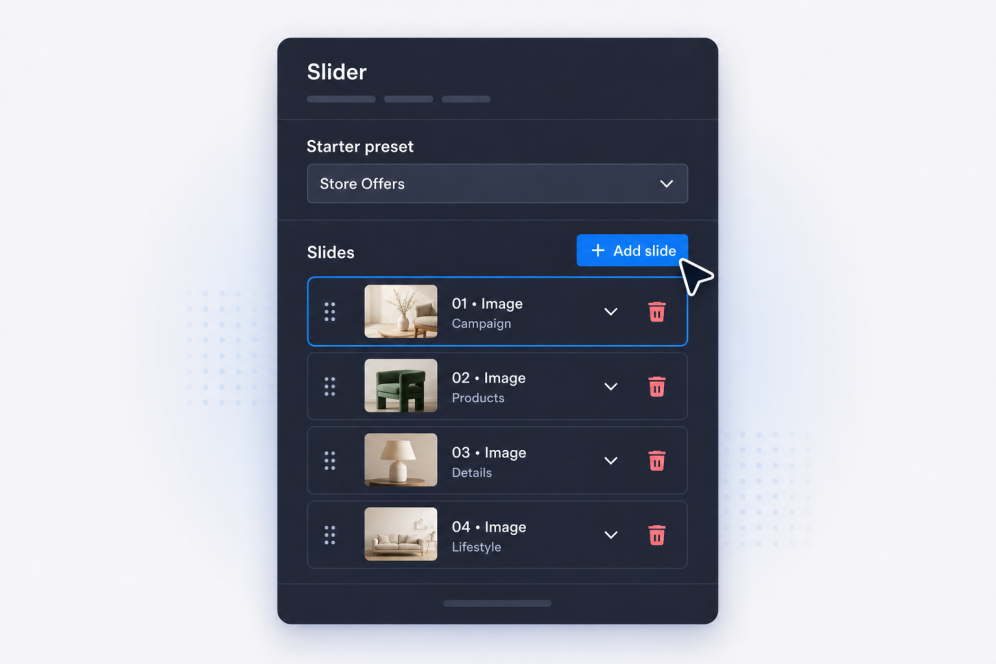
Add your slides
Create slides with titles, body text, badges, buttons, images, videos, and destination links for each banner, promotion, gallery item, or announcement.
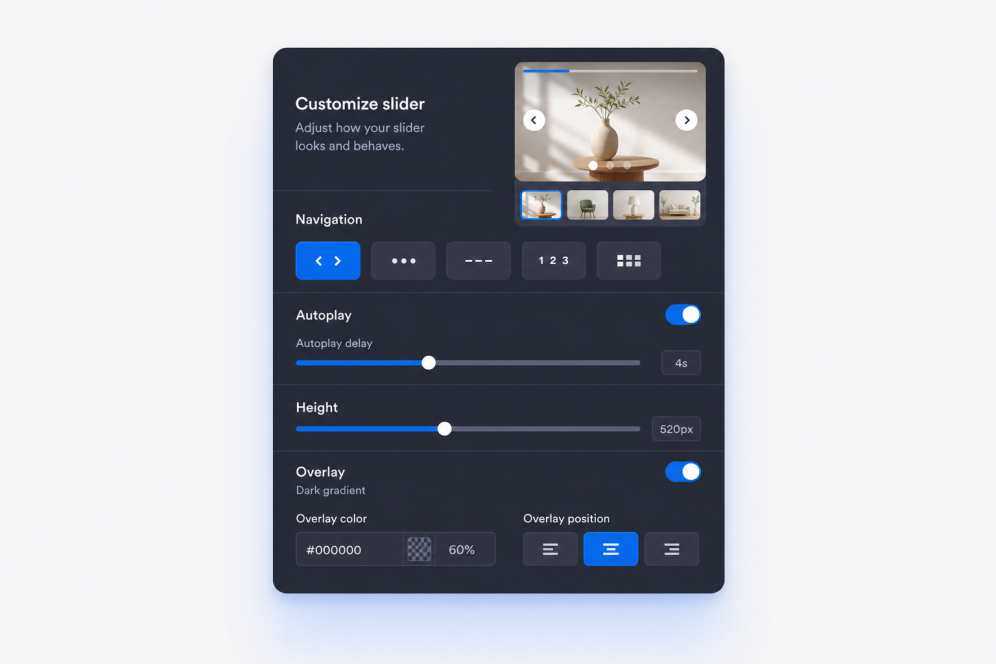
Set layout and motion
Choose where slide content appears, then set fade or slide transitions, autoplay timing, looping behavior, and navigation controls.

Style and embed
Adjust width, height, overlays, media fit, arrows, pagination, colors, and branding, then copy the embed code to add the slider widget to your website.
Build sliders that fit your page
Create image-rich slide sections
Turn a simple web image slider into a polished website section. Each slide can include a badge, headline, description, CTA button, link, image, and optional video source for campaigns, galleries, or product highlights.

Keep banner content readable
Place text and buttons where they work best over each image or video. Flexible content positioning helps every picture slider for website pages stay clear, whether the slide is used as a hero banner, promo block, or visual story.

Control motion and navigation
Use slide or fade transitions, autoplay, looping, arrows, bullets, numbers, strokes, or thumbnail pagination. Build a banner carousel visitors can browse manually or watch automatically without losing the main message.
Match your website design
Adjust slider width, height, card style, content padding, overlay strength, theme presets, button styles, colors, and custom CSS so the slider widget feels like a natural part of your page.
Where to use your Slider widget
Add a slider anywhere your page needs rotating visuals, promotional messages, or a compact way to show several pieces of content in one section.
Homepage hero sections to rotate campaigns, product launches, seasonal offers, and key announcements.
Promotional slider sections to highlight sales, limited-time offers, coupon messages, or featured CTAs.
Product and collection pages to combine product photography, benefits, and purchase links in a banner slider.
Portfolio and case study pages to guide visitors through project images, outcomes, testimonials, and proof points.
Event and webinar pages to feature speakers, schedules, sponsors, and registration prompts in one page slider.
Landing pages to create a story-driven website slider that moves visitors through images, messages, and calls to action.
Why Jotform Widgets stand out
Jotform’s widgets make your website more interactive and conversion-ready. From star ratings and testimonial sliders to social proof pop-ups and media embeds, you can combine tools inside your forms or landing pages to collect data, display proof, and capture leads without writing code.
Add Jotform widgets to your website with a simple embed code. Customize the widget, preview how it looks, and paste it into any page that supports custom HTML or embed blocks to all platforms, no developer required.
Use Jotform Website Widgets to collect leads, show customer feedback, display social proof, embed media, or add helpful on-page tools. Each widget helps visitors interact with your business directly from the page.
If you need help setting up, customizing, embedding, or troubleshooting your widget, Jotform’s customer support team is available 24/7. You can move forward with confidence, knowing help is there when you need it.
Convert leads into paying customers with Jotform Form Builder
Turn engagement into action with Jotform. Create powerful forms that capture leads, collect payments, and automate responses, all in one place. Every submission lands in your Jotform Inbox, ready to follow up or connect with your favorite apps.
Get Started - It’s Free!
FAQ
What is a Slider widget?
A Slider widget displays multiple slides inside one website embed. Each slide can combine images or videos with text, badges, links, and CTA buttons.
Can I use it as a website banner slider?
Can I create an image slider for my website?
Can I use images and videos in the same slider?
Can each slide have different text and links?
Can I control where the text appears?
Does it support fade and slide transitions?
Can the slider autoplay and loop?
What navigation styles are available?
Can I change the slider size?
Do I need slider HTML to embed it?
Which website platforms support the Slider widget?
Can I get help setting up my Slider widget?